To set up VR for long winter nights without eye strain, guarantee your room has soft, adjustable lighting that mimics natural daylight, minimizing glare and harsh overhead lights. Adjust your headset for a comfortable fit, and take regular breaks to reduce fatigue. Lower display brightness and activate eye-friendly modes if available. Keep room temperature stable and maintain proper humidity to prevent dryness and discomfort. For more tips on creating a cozy, eye-friendly VR environment, keep exploring how to optimize your setup.
Key Takeaways
- Use soft, warm ambient lighting with adjustable lamps to reduce glare and mimic natural daylight.
- Adjust VR headset fit for comfort, ensuring a snug but not tight fit, and take regular breaks during extended use.
- Lower display brightness and contrast, activate blue light filters, and optimize settings for dim indoor lighting.
- Maintain room temperature and humidity to prevent dryness and discomfort, enhancing overall eye comfort.
- Create a cozy, glare-free VR environment with flexible lighting controls to support longer, strain-free sessions.
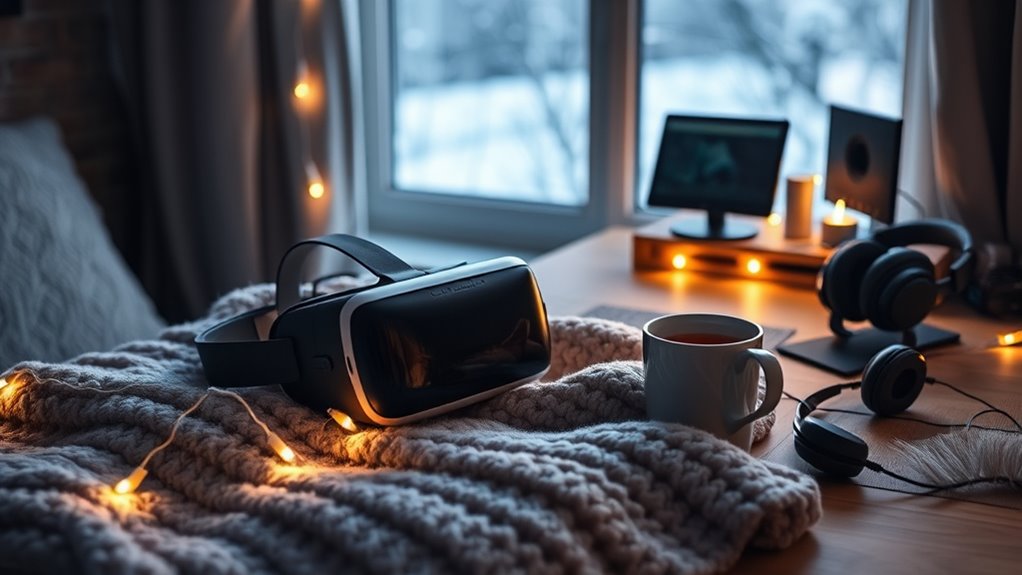
As winter nights grow longer and darker, setting up your VR space becomes an ideal way to stay entertained and engaged indoors. To make the most of your virtual experiences, prioritizing VR comfort is essential, especially since extended sessions can lead to eye strain or discomfort. One of the first steps is to optimize your winter lighting environment. During the darker months, ambient lighting plays a vital role in reducing eye fatigue. Avoid harsh overhead lights or overly bright screens that can create glare, making it harder for your eyes to focus. Instead, opt for soft, warm lighting that mimics natural daylight, which helps your eyes adjust more comfortably to the VR headset.
Proper lighting not only enhances your visual comfort but also improves your overall immersion. When setting up your space, consider using adjustable lamps or smart lighting systems that allow you to control brightness and color temperature. This flexibility lets you create a cozy atmosphere that reduces eye strain and makes longer VR sessions more enjoyable. Keep in mind that bright winter days can also influence your indoor lighting choices; balancing natural light with your artificial lighting setup guarantees your eyes aren’t constantly switching between different brightness levels, which can cause fatigue.
Use adjustable lighting to create a cozy, eye-friendly VR space during dark winter days and nights.
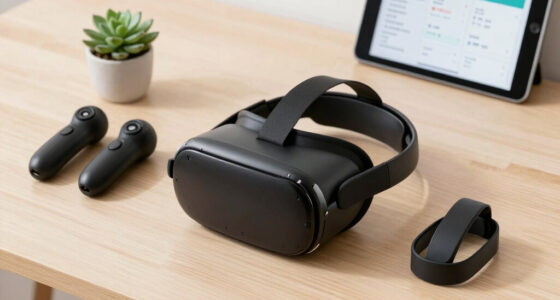
Along with winter lighting, focus on your VR comfort by choosing the right headset fit. Make sure your headset fits snugly without being too tight, as pressure points can cause headaches or discomfort during prolonged use. Adjust the straps and padding to suit your head shape, and take regular breaks to avoid eye strain. Incorporating anti-fatigue mats or cushioned seating can further enhance your comfort, making it easier to relax and stay engaged for longer periods. Additionally, maintaining proper room temperature and humidity can help prevent dryness and discomfort during extended VR use.
Another tip is to manage your room’s temperature and humidity. Winter air tends to be dry, which can dry out your eyes and contribute to discomfort. Use a humidifier if necessary, and dress warmly to stay comfortable, so you’re less likely to shift or fidget during your VR sessions. Staying comfortable overall helps your eyes relax and reduces the risk of strain caused by tension or fatigue.
Finally, consider adjusting your VR display settings. Lowering brightness and contrast levels can ease the strain on your eyes, especially in dim lighting conditions. Many VR headsets offer eye comfort modes or blue light filters—activate those features to further protect your vision. With a thoughtful setup that combines winter lighting, ergonomic comfort, and display adjustments, you’ll be able to enjoy long winter nights immersed in your virtual world without risking eye strain.
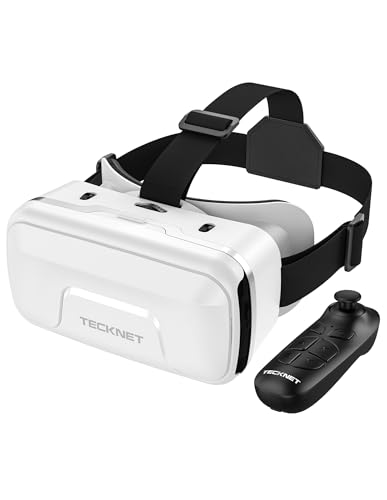
TECKNET VR Headset for Phone with Controller, Virtual Reality Headsets with HD 110°FOV Anti-Blue Light Lenses & Adjustable Gears, 3D VR Headset for Kids Compatible iPhone Samsung Android 4.7-7.2"
- Immersive 3D Experience: 90°-110° FOV for full immersion
- Bluetooth Controller Included: Precise control for gaming and videos
- Compatible with Most Smartphones: Fits iPhone, Samsung, Android 4.7-7.2
As an affiliate, we earn on qualifying purchases.
As an affiliate, we earn on qualifying purchases.
Frequently Asked Questions
How Can I Prevent VR Motion Sickness During Extended Use?
To prevent VR motion sickness during extended use, you should try motion sickness remedies like taking breaks and staying hydrated. Use VR comfort tips such as adjusting the headset properly and gradually increasing your session time. Keep your room well-ventilated, focus on stable points in the environment, and avoid rapid movements. These strategies help your body adapt and reduce discomfort, making your VR experience more enjoyable and less likely to cause sickness.
What Are the Best Lighting Conditions for VR in Winter?
You should aim for balanced indoor lighting that isn’t too bright or dim, reducing eye strain while immersed. Use warm, soft lights to create a cozy atmosphere, and avoid glare on your VR screens. Maintain comfortable temperature regulation to prevent discomfort, as cold winter air can affect your focus. Proper lighting and temperature make your VR experience more enjoyable and less tiring during long winter nights.
How Often Should I Take Breaks While Using VR?
You should take a break every 20 to 30 minutes when using VR to prevent eye strain and fatigue. During breaks, use ergonomic accessories like supportive cushions and adjust your headset for comfort. Also, prioritize headset hygiene by cleaning your device regularly to avoid infections. These practices help reduce eye strain, keep you comfortable, and guarantee a safer, more enjoyable VR experience during long winter nights.
Are There Specific VR Headsets Better Suited for Winter Use?
Think of your VR experience as a cozy winter escape—some headsets are better suited for the season. Opt for VR headsets with excellent insulation to keep the cold at bay, and consider winter-specific accessories like thermal face covers and insulated padding. These features help prevent discomfort and maintain warmth, so you can enjoy long sessions without distraction. Choosing the right gear makes your winter VR adventures truly immersive and comfortable.
How Can I Improve My VR Experience in Cold Environments?
To improve your VR experience in cold environments, guarantee your headset has good thermal insulation to prevent discomfort. Use VR gloves compatible with your system to keep your hands warm without sacrificing dexterity. Keep your environment warm enough to avoid condensation on lenses, and take regular breaks to reduce fatigue. These steps help maintain comfort and functionality, so you enjoy immersive experiences even during chilly winter nights.
ambient LED smart lighting for gaming
As an affiliate, we earn on qualifying purchases.
As an affiliate, we earn on qualifying purchases.
Conclusion
As you settle in on those long winter nights, remember that the right VR setup can turn the coldest evenings into cozy adventures. It’s funny how a simple headset can transport you to warmer worlds, making the darkness outside fade away. So, take the time to optimize your gear and create a comfortable space. Before you know it, those winter nights will feel a little brighter, all thanks to your perfect VR setup.
blue light filter glasses for VR
As an affiliate, we earn on qualifying purchases.
As an affiliate, we earn on qualifying purchases.

Saqico Head Strap for Meta Oculus Quest 2/3/3s, 3-in-1 Adjustable Halo Headband, Replacement for Elite Strap, Enhanced Comfort Gaming Immersion VR Accessories Compatible with Oculus/Meta Quest 2/3/3s
- Compatible Devices: Supports Meta Quest 3/3s and Oculus Quest 2
- Enhanced Comfort: Designed for extended VR gaming sessions
- Pressure Reduction: Soft memory foam cushion for comfort and support
As an affiliate, we earn on qualifying purchases.
As an affiliate, we earn on qualifying purchases.