VR frame time measures how long it takes to generate and show each frame in your headset, directly affecting smoothness. Ideally, it should be less than 11 milliseconds to match your VR headset’s refresh rate and keep visuals fluid. If frames take too long, you’ll notice choppiness, lag, or discomfort. Understanding this metric helps you identify what impacts your experience and how to improve it for seamless immersion—there’s more to explore ahead.

Play games on Amazon Luna for your next adventure, included with Prime
- A rotating selection of games, no download needed
- Play on TV, laptop or phone
- Fast, free delivery for your gear, too
Key Takeaways
- VR frame time measures how long it takes to generate and display one frame, directly affecting visual smoothness.
- An ideal VR frame time is less than 11 milliseconds, matching headset refresh rates for seamless experience.
- Efficient rendering hardware and techniques help maintain consistent, low frame times, reducing choppiness.
- High frame times cause lag and motion sickness, lowering immersion and comfort during VR sessions.
- Monitoring and optimizing frame time ensures smoother visuals, enhancing overall VR realism and user enjoyment.
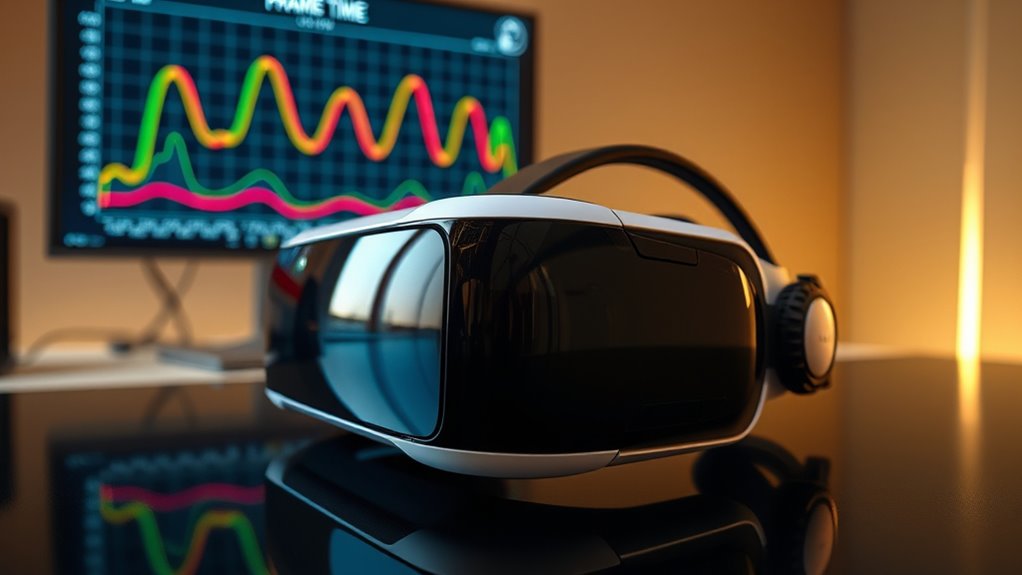
Have you ever wondered why some virtual reality experiences feel smoother than others? It all comes down to something called VR frame time, a fundamental metric that directly impacts how seamless your VR session feels. When you put on a headset, your brain expects a consistent flow of images, and that’s where latency measurement and rendering efficiency come into play. If your system can process and display frames quickly enough, the experience feels natural and immersive. But if there’s a delay or inconsistency, you might notice lag, judder, or motion sickness. Understanding VR frame time helps you grasp why some VR setups deliver buttery-smooth visuals while others fall short.
VR frame time refers to the duration it takes for your system to generate and display a single frame. Ideally, this should be less than 11 milliseconds to match the refresh rate of most VR headsets, which are often set at 90 Hz or higher. When frames are rendered efficiently, the system maintains a steady pace, ensuring your movements are accurately reflected without delay. This underscores the importance of rendering efficiency—the ability of your hardware and software to produce frames swiftly and consistently. If rendering efficiency drops, frame times increase, leading to choppy visuals and a less convincing experience.
VR frame time should be under 11 ms for smooth, immersive VR experiences.
Latency measurement plays a pivotal role in managing VR frame time. It involves tracking the delay between your movement and its visual response in the headset. Lower latency means your actions are reflected more quickly, which is essential for comfort and realism. If latency is high, even if your system renders frames rapidly, the delay can cause a disconnect between your movements and what you see, breaking immersion and potentially causing discomfort. Developers focus on optimizing both latency and rendering efficiency to achieve the ideal frame time that feels natural and responsive. Additionally, hardware components such as graphics cards and processors significantly influence both latency and rendering performance, highlighting the importance of high-performance hardware.
Achieving ideal VR frame time requires balancing hardware performance, software optimization, and rendering techniques. Graphics cards, processors, and game engines must work harmoniously to render frames quickly while minimizing latency. Techniques like asynchronous reprojection or motion smoothing help fill in gaps when frame times fluctuate, maintaining a consistent experience. This is why high-performance hardware and well-optimized software are essential—they directly influence latency measurement and rendering efficiency, ensuring your VR experience remains smooth and immersive.
In essence, VR frame time is the heartbeat of a smooth virtual experience. By understanding how it’s influenced by latency measurement and rendering efficiency, you can better appreciate why some setups feel so seamless and others struggle with lag. When these factors are optimized, your VR sessions become more immersive, comfortable, and enjoyable.
As an affiliate, we earn on qualifying purchases.
Frequently Asked Questions
How Does VR Frame Time Differ From Traditional Display Refresh Rates?
VR frame time differs from traditional display refresh rates because it measures how quickly each frame is rendered, directly impacting motion smoothing and latency reduction. Unlike a fixed refresh rate, frame time varies based on processing speed, affecting the fluidity of your experience. Lower frame times mean smoother visuals, while higher ones can cause lag or motion sickness. You’ll notice better comfort and immersion when frame times stay consistently low.
What Hardware Factors Most Influence VR Frame Time?
Did you know that hardware bottlenecks can increase your VR frame time by up to 30%? The main factors influencing VR frame time are GPU performance, CPU speed, and memory bandwidth. These elements affect rendering latency, which determines how quickly your system processes frames. When any hardware component slows down, it causes delays, making your experience less smooth and more uncomfortable. Upgrading your GPU or CPU can profoundly improve your VR experience.
Can Optimizing Frame Time Improve VR Battery Life?
Yes, optimizing frame time can improve your VR battery life. When you reduce frame time, your hardware works more efficiently, decreasing power consumption. This means your device doesn’t need to run at maximum capacity constantly, which conserves battery life. Focus on hardware efficiency—like better cooling or optimized graphics—to keep frame times low. In turn, you’ll enjoy longer VR sessions without sacrificing smoothness or draining your battery too quickly.
How Do Different VR Headsets Measure and Report Frame Time?
You might think all VR headsets measure frame time the same, but surprise—calibration challenges and software synchronization make it a wild west. Some use internal sensors, others rely on software logs, each with quirks. Different reporting formats and update intervals mean you can’t just compare numbers blindly. So, if you’re hunting for precision, expect to navigate a maze of inconsistent metrics and calibration headaches.
What Is the Impact of Frame Time on VR Motion Sickness?
When frame time is high, you’re more likely to experience motion sickness because your brain detects delays and mismatched visuals, reducing comfort. Keeping frame times low enhances comfort optimization by providing smoother visuals, minimizing lag, and reducing discomfort. If frame time fluctuates or spikes, expect increased motion sickness, so aiming for consistent, low frame times helps you enjoy VR longer without feeling queasy or disoriented.
high performance graphics card for VR
As an affiliate, we earn on qualifying purchases.
As an affiliate, we earn on qualifying purchases.
Conclusion
Understanding VR frame time is like having a secret superpower for smooth gameplay. When you keep it low, your virtual worlds feel as seamless as a hot knife through butter, making motion sickness and lag a thing of the past. If you master this metric, you’ll *gain access to* the true potential of VR, turning your experiences from good to mind-blowingly epic. So, stay vigilant about frame time, and watch your virtual adventures reach legendary status!
As an affiliate, we earn on qualifying purchases.
As an affiliate, we earn on qualifying purchases.
Halloween Picks
halloween
As an affiliate, we earn on qualifying purchases.