Virtual reality, augmented reality and extended reality are changing how people play, work, exercise, socialize and create. What began as a specialist field now spans standalone headsets, high-end PC systems, mixed-reality applications, simulation equipment, motion tracking and wearable feedback. The range of possibilities is exciting, but it can also make choosing the right equipment feel unnecessarily complicated.
This guide provides a practical orientation to the immersive-technology landscape. Whether you are considering your first headset, upgrading a PCVR setup, building a flight simulator or exploring full-body interaction, the most useful starting point is not a particular product. It is understanding what you want the system to do, how much space and computing power it requires, and which accessories will genuinely improve that experience.
Understanding VR, AR, MR and XR
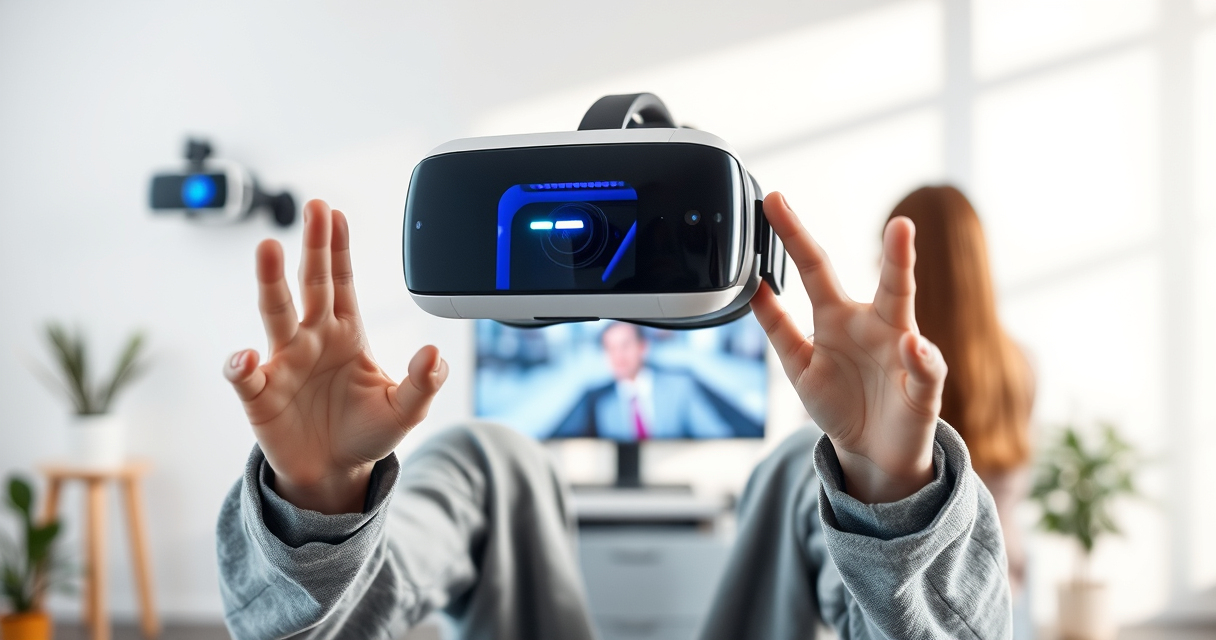
Virtual reality places the user inside a computer-generated environment. A VR headset blocks or replaces most of the view of the physical world, while head and controller tracking translate movement into the virtual space. VR is commonly associated with games, but it is also used for fitness, design, training, education, simulation and remote collaboration.
Augmented reality adds digital content to a view of the real world. The augmentation may appear through glasses, a phone, a tablet or another display. Unlike VR, AR usually keeps the physical environment central to the experience. Navigation overlays, interactive instructions, virtual furniture previews and location-based entertainment are familiar examples.
Mixed reality goes further by allowing digital objects to respond to physical surroundings. A virtual character might hide behind a real sofa, for instance, or a digital screen could remain attached to a particular wall as the user moves around. The boundaries among AR and mixed reality are not always rigid, and manufacturers may use the terms differently.
Extended reality, usually shortened to XR, is the umbrella term encompassing VR, AR and mixed-reality experiences. It is useful when discussing the industry as a whole, particularly as modern headsets increasingly combine immersive displays with cameras that show and interpret the surrounding room.
As an affiliate, we earn on qualifying purchases.
Choosing the Right Kind of VR System
Standalone headsets
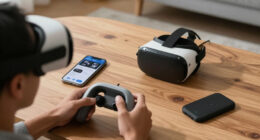
A standalone headset contains its own processor, storage and operating system. It does not need a gaming computer for its core applications, which makes it the most approachable route into VR. Setup is generally compact, and the headset can be moved between suitable play areas without relocating a PC. The tradeoff is that mobile hardware cannot always deliver the same visual complexity as a powerful computer.
Standalone systems suit people who prioritize convenience, wireless movement and quick access. Before choosing one, consider the available software library, storage requirements, comfort, battery management and whether optional computer connectivity is supported. A headset that can also access PCVR may offer a useful upgrade path.
PC-powered VR
PCVR uses a compatible gaming computer to render virtual environments. It is attractive to simulation enthusiasts, streamers, mod users and players seeking demanding applications or more extensive peripheral support. The experience depends on the entire system rather than the graphics card alone. Processor performance, memory, cooling, ports, networking and software compatibility can all affect the result.
Buying a complete computer may be simpler than selecting and assembling individual components. The guide to the best prebuilt PCs for PCVR streaming explores systems intended for users who want both immersive performance and content-creation capability. Always compare an application’s current requirements with the exact computer configuration you are considering.
Console VR
Console-based VR offers a more standardized hardware environment. It can be appealing when you already own the compatible console and prefer a living-room setup. Its main constraints are platform dependence, a defined software catalog and more limited flexibility than a PC ecosystem. Compare exclusive applications, required accessories and backward compatibility before committing to a platform.

Pimax Crystal Super VR Headset, 3840×3840 per Eye, Ultrawide, 140° FOV, Eye- Tracking, Ultra-Sharp for Flight & Racing Simulators & Gaming, DP Connection with PC
- High-Resolution Per Eye: 3840×3840 pixels with local dimming
- Exceptional Visual Clarity: 50 PPD with aspherical lenses
- Ultra-Wide Field of View: 140° for immersive experience
As an affiliate, we earn on qualifying purchases.
As an affiliate, we earn on qualifying purchases.
Tracking: How Virtual Movement Works
Tracking determines how accurately the system understands the position of your head, hands and, in more advanced setups, the rest of your body. Inside-out tracking uses cameras or sensors on the headset to observe the room and controllers. It reduces the amount of external equipment required and works well for many general-purpose experiences.
Outside-in tracking relies on devices positioned around the play space. SteamVR lighthouse systems are a prominent example. Correct placement can provide a large, consistent tracked area for compatible headsets, controllers and body trackers, but installation requires planning. Mounting height, coverage, reflections, power access and potential occlusion all matter. Anyone designing this kind of room-scale system can compare options in the guide to SteamVR base stations.
Standard headset and controller tracking is sufficient for most games. Full-body tracking serves a more specialized purpose: translating movement from the waist, feet or additional joints into an avatar. It can add expressive movement to social VR, dance, performance, animation and motion-capture workflows. Compatibility is crucial because trackers, base stations, software and headsets do not always operate within the same ecosystem. The overview of full-body tracking kits for VR is a useful starting point for mapping those requirements.

PlayStation Move Motion Controllers – Two Pack
- Advanced motion sensing technology: Enhanced motion detection and light tracking
- Accessible trigger and face buttons: Easy-to-reach controls for gameplay
- Immersive vibration feedback: Realistic haptic responses
As an affiliate, we earn on qualifying purchases.
As an affiliate, we earn on qualifying purchases.
Building a Safe and Comfortable Play Space
A good VR area should offer predictable movement, clear boundaries and enough room for the intended application. Remove low furniture, hanging objects, loose cables and anything fragile within arm’s reach. Keep children and pets away from active play, and make sure spectators understand that a headset wearer may move suddenly without seeing them.
Room-scale VR benefits from open floor space, while seated simulation can work in a smaller footprint. Even seated users should check controller clearance and cable routing. A mat with a distinct texture can provide a physical reference point without requiring the user to look through the headset.
Comfort is equally important. Headset weight distribution, strap adjustment, lens position and ventilation influence how long a session remains enjoyable. Start with short sessions, particularly when trying artificial movement for the first time. Stop if you feel dizzy, nauseated, overheated or disoriented. Experiences with teleportation, snap turning and stationary viewpoints are often easier starting points than rapid smooth locomotion.

Face Cushion Pad for Meta Quest 2 VR Facial Interface Replacement PU Leather Foam for Oculus Quest 2 Vr Cover
- Enhanced Comfort and Fit: Provides a more comfortable Oculus Quest 2 experience
- Premium Material Quality: Made with durable, soft PU leather foam
- Better Air Circulation: L-Shaped vents improve airflow and cooling
As an affiliate, we earn on qualifying purchases.
As an affiliate, we earn on qualifying purchases.
Immersion Beyond the Headset
Haptic feedback
Most VR controllers use vibration to confirm actions such as impacts, selections or contact. More elaborate haptic devices attempt to distribute feedback across the torso, arms or other parts of the body. These accessories can make supported experiences feel more physical, but they introduce additional questions about fit, weight, charging, connectivity and software support.
Haptics should be treated as an optional layer rather than a universal requirement. Their value depends heavily on the applications you use and the quality of their integration. If tactile feedback is central to your planned setup, the guide to haptic suits for VR outlines the category and the kinds of equipment available.
Audio and communication
Spatial audio helps users locate voices, objects and events around them. Some headsets include open speakers, while others support headphones or external audio devices. Consider whether you need isolation, awareness of the surrounding room or a microphone suitable for multiplayer communication.
Streaming and recorded content place greater demands on voice clarity. A dedicated desktop microphone can be useful for commentary, interviews and mixed VR broadcasts, provided its placement does not obstruct movement. The guide to USB microphones for VR streaming covers accessible options for creators building an audio workflow around their headset.
Simulation: Where Specialized Controls Matter
Flight simulation is one of the clearest examples of VR benefiting from physical peripherals. A headset supplies depth and a wide field of view, while a joystick, yoke, throttle or pedal set gives the hands and feet consistent physical controls. The result can be more intuitive than searching for virtual cockpit inputs, especially during busy phases of flight.
Newcomers should build gradually. Begin with the controls required by the aircraft and software you use, then add components when a real limitation appears. The guide to flight-sim controls for beginners explains the major control categories and provides a useful foundation for planning a first cockpit.
Switch panels can add tactile access to functions such as lighting, power or navigation systems. They are most worthwhile when their layout matches the aircraft you regularly fly and the simulator supports reliable mapping. Explore the guide to flight-sim switch panels before deciding whether a panel belongs in your setup.
Physical organization matters as much as the devices themselves. Controls should remain stable, reachable and clear of the headset cable. Repeatedly removing the headset to find a switch undermines immersion, so consistent placement and learned muscle memory are valuable parts of cockpit design.
VR Streaming, Recording and Social Presence
Sharing VR introduces a second workload alongside the immersive application. The computer may need to render the headset view, encode video, mix audio and run broadcasting or avatar software simultaneously. Reliable networking is also important for wireless PCVR and live streaming, although those two activities may compete for local or internet bandwidth.
A practical creator setup begins with a stable VR experience before adding cameras, overlays and elaborate scenes. Test voice levels, game audio and chat independently. Keep cables secured, prevent the microphone from capturing excessive room noise, and choose stream controls that can be operated without repeatedly leaving VR.
Social presence is not limited to broadcasting. Avatar expression, body tracking, spatial voice and shared virtual environments can produce a strong sense of occupying the same place with other people. Users should nevertheless review privacy settings, recording indicators and community-safety tools, particularly in public social spaces.
AR and Mixed Reality in Everyday Life
AR and mixed reality are useful when digital information should remain connected to a physical place or task. Potential uses include guided maintenance, interactive learning, remote assistance, visualization and multi-screen productivity. The central design question is whether the digital layer makes the real activity clearer or merely adds distraction.
Environmental awareness is essential. Camera passthrough can help a headset show the room, but it should not be treated as equivalent to unobstructed vision. Depth perception, peripheral awareness and image clarity may differ from natural sight. Move carefully around stairs, roads, tools and other hazards, and follow the device maker’s safety guidance.
Collecting, Creativity and the Wider Enthusiast Culture
Immersive technology often overlaps with model building, digital sculpting, game worlds and collecting. Physical objects can inspire virtual environments, while AR can add animation or information to displays. Builders interested in elaborate display pieces can browse these Lego sets for adult collectors, an adjacent guide for readers whose enthusiasm for interactive worlds extends into hands-on construction.
Creative VR tools can support painting, modeling, prototyping and spatial storytelling. Before buying specialized equipment, try the workflow with standard controllers and determine what actually limits you. Better tracking, a stronger computer or a more comfortable headset may matter more than adding another peripheral.
How to Plan an XR Setup Without Overbuying
Start by naming the experience you want: casual standalone play, PC simulation, exercise, social VR, streaming, creative work or development. Then identify the minimum complete system required for it. That system may include a headset, compatible computer or console, controllers, adequate space, a network connection and required tracking hardware.
Check compatibility at every boundary. Confirm that the headset supports the application, the computer meets its requirements, the tracking devices share a workable ecosystem and the accessories have software support for your preferred titles. Also account for practical details such as available ports, power outlets, mounting options, prescription-lens needs and storage.
Finally, upgrade in response to a specific problem. Improve comfort when the headset fit limits session length. Add tracking when an application can use it. Invest in haptics when supported experiences justify it. Expand simulation controls when basic inputs no longer provide enough precision. A focused, compatible setup will usually provide more value than a room full of equipment assembled without a clear purpose.
Finding Your Place in Virtual and Extended Reality
There is no single ideal XR system because immersive technology serves many different goals. A compact standalone headset may be the right doorway for one person, while another needs a powerful PC, external tracking and a carefully arranged simulator cockpit. The best choice is the one that makes your preferred experiences accessible, comfortable and repeatable.
Learn the platform first, give yourself time to adapt, and add equipment deliberately. With a clear understanding of tracking, computing, space, comfort and compatibility, you can build an immersive setup that evolves alongside your interests rather than being defined by the latest accessory.