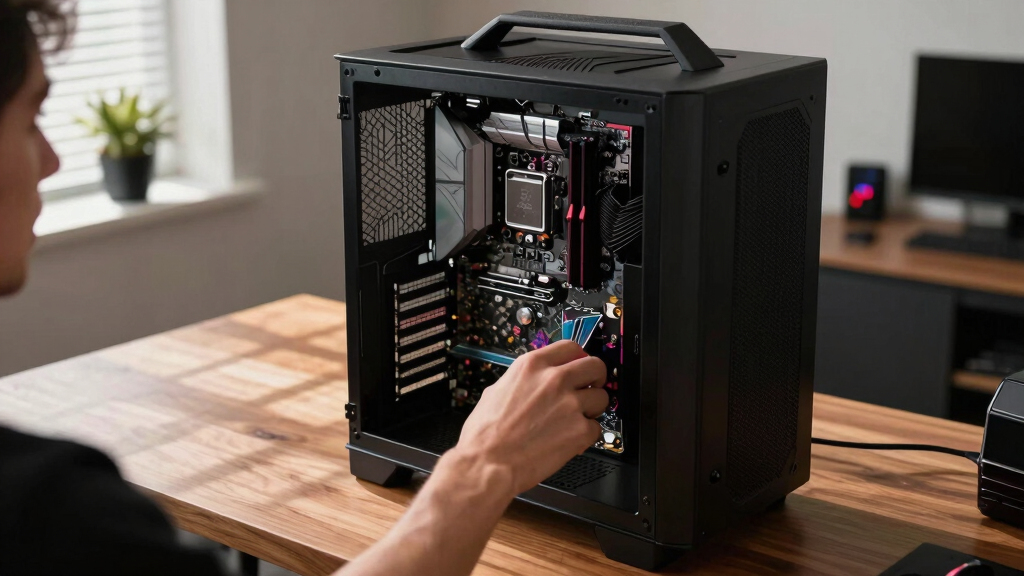

In 2026, choosing the right motherboard for a VR PC means balancing cutting-edge features with ease of use and future-proofing. The ASUS ROG Strix X870E-E stands out for its PCIe 5.0 and WiFi 7, making it ideal for gamers seeking top-tier connectivity and performance. Meanwhile, the GIGABYTE B650 AORUS Elite AX offers excellent value with support for AMD Ryzen 7000 series and robust power delivery, perfect for those on a budget but still wanting high-speed capabilities. The ASUS ROG Strix B550-F Gaming WiFi II provides a solid option for mid-range builds with PCIe 4.0 and WiFi 6E, suitable for gamers upgrading from older systems. Here, I’ll compare these options and more to help you find the best fit for your VR setup.

Play games on Amazon Luna for your next adventure, included with Prime
- A rotating selection of games, no download needed
- Play on TV, laptop or phone
- Fast, free delivery for your gear, too
Key Takeaways
- The ASUS ROG Strix X870E-E offers PCIe 5.0 and WiFi 7 for future-ready VR builds but comes at a premium price.
- GIGABYTE B650 AORUS Elite AX provides great value with support for AMD Ryzen 7000 series and DDR5 at a more accessible cost.
- The ASUS ROG Strix B550-F is ideal for gamers upgrading from older AMD systems, supporting PCIe 4.0 and WiFi 6E.
- Motherboards with advanced AI features simplify overclocking and cooling, but may be complex for beginners.
- Choosing the right motherboard depends on your processor, desired connectivity, and whether you prioritize future-proofing or budget.
| ASUS ROG Strix X870E-E Gaming WiFi AMD AM5 Motherboard |  | Best Overall for Future-Proof VR Builds | Socket: AM5 | Processors Supported: AMD Ryzen 9000 series | Memory Support: DDR5 AEMP | VIEW LATEST PRICE | See Our Full Breakdown |
| ASUS ROG Strix X870-A Gaming WiFi AMD AM5 Motherboard |  | Best for High-Performance Gaming and AI Integration | Socket: AM5 | Memory Support: DDR5 | Power Stages: 16+2+2 | VIEW LATEST PRICE | See Our Full Breakdown |
| ASUS ROG Strix B550-F Gaming WiFi II AMD AM4 Motherboard |  | Best Mid-Range for Upgrading VR Setups | Socket: AM4 | Memory Support: DDR4 | Power Stages: 16+2+2 | VIEW LATEST PRICE | See Our Full Breakdown |
| ASUS ROG Strix B850-A Gaming WiFi AMD AM5 Motherboard |  | Best for High-End AMD Ryzen VR Enthusiasts | Socket: AM5 | Memory Slots: 4 | Maximum RAM: 192 GB | VIEW LATEST PRICE | See Our Full Breakdown |
| GIGABYTE B650 AORUS Elite AX AMD AM5 Motherboard |  | Best Budget-Friendly High-Performance VR Motherboard | Socket: AM5 | Memory Support: DDR5 | Power Phases: 14+2+1 | VIEW LATEST PRICE | See Our Full Breakdown |
| motherboards for VR PC | Socket | Memory Support | WiFi | PCIe |
|---|---|---|---|---|
| ASUS ROG Strix X870E-E Gaming | AM5 | DDR5 AEMP | — | — |
| ASUS ROG Strix X870-A Gaming W | AM5 | DDR5 | WiFi 7 | PCIe 5.0 |
| ASUS ROG Strix B550-F Gaming W | AM4 | DDR4 | WiFi 6E | — |
| ASUS ROG Strix B850-A Gaming W | AM5 | — | WiFi 7 | PCIe 5.0 |
| GIGABYTE B650 AORUS Elite AX A | AM5 | DDR5 | — | PCIe 5.0 |
More Details on Our Top Picks
ASUS ROG Strix X870E-E Gaming WiFi AMD AM5 Motherboard
The ASUS ROG Strix X870E-E stands out as the top choice for those who want a VR PC that’s ready for the future. With support for AMD Ryzen 9000 series processors, PCIe 5.0, and WiFi 7, it delivers ultra-fast data transfer and connectivity—key for seamless VR streaming and gaming. Its comprehensive cooling, robust power delivery, and multiple M.2 slots make it ideal for high-performance builds. However, all these premium features come with a higher price and a steeper learning curve, making it less suitable for beginners or budget-conscious builders. Compared to other options, this motherboard offers the most forward-compatible features, but its complexity means it’s best for experienced users with large cases and a desire for longevity.
Pros:- Supports AMD Ryzen 9000 series processors for cutting-edge performance
- Includes PCIe 5.0 and WiFi 7 for ultra-fast connectivity
- Multiple M.2 slots with cooling solutions for high-speed storage
- Robust power delivery and thermal design
Cons:- Premium price tag
- Complex setup not ideal for beginners
- Heavy and large form factor requiring ample case space
Best for: Enthusiasts aiming for the most future-proof VR PC with top-tier connectivity.
Not ideal for: Beginners or those with limited case space due to its size and complexity.
- Socket:AM5
- Processors Supported:AMD Ryzen 9000 series
- Memory Support:DDR5 AEMP
- PCIe Slots:5x M.2 (PCIe 5.0 & 4.0), PCIe 5.0 x16
- Networking:WiFi 7, 5 Gb Ethernet
- Form Factor:ATX
Our verdict“This motherboard is the best choice for serious gamers and builders seeking cutting-edge VR performance and future-proofing, despite its higher cost and complexity.”
ASUS ROG Strix X870-A Gaming WiFi AMD AM5 Motherboard
The ASUS ROG Strix X870-A caters well to gamers who want a high-performance AMD motherboard with intelligent features. It supports the latest Ryzen processors, including AMD’s 7000 series, and includes WiFi 7, PCIe 5.0, and AI-powered overclocking, cooling, and networking. Its extensive connectivity makes it suitable for VR setups that demand rapid data flow and reliable network stability. The AI features make overclocking and cooling straightforward, but they also add complexity that might be overwhelming for casual or inexperienced builders. Compared to the X870E-E, it offers a slightly more streamlined approach for gamers seeking high-end features without the full PCIe 5.0 support on all slots.
Pros:- Supports AMD Ryzen 7000 series processors
- Includes WiFi 7 and PCIe 5.0 for fast connectivity
- AI overclocking, cooling, and networking for simplified setup
- Robust power delivery
Cons:- Setup can be complex for newcomers
- Premium features may be overkill for casual users
- Limited to high-end AMD processors
Best for: Gamers looking for high-end features with AI-assisted overclocking for VR.
Not ideal for: Beginners or those on a tight budget who don’t need AI features.
- Socket:AM5
- Memory Support:DDR5
- Power Stages:16+2+2
- WiFi:WiFi 7
- M.2 Slots:4
- PCIe:PCIe 5.0
Our verdict“This motherboard strikes a balance between advanced features and usability, making it ideal for gamers who value AI tools and top-tier connectivity.”
ASUS ROG Strix B550-F Gaming WiFi II AMD AM4 Motherboard
The ASUS ROG Strix B550-F Gaming WiFi II offers a solid foundation for gamers updating from older AMD systems. Supporting Ryzen 3000 and 5000 series processors, it provides PCIe 4.0, WiFi 6E, and 2.5Gb Ethernet, which are sufficient for most VR applications. Its robust power delivery and multiple M.2 slots make it a reliable choice for high-quality VR experiences without breaking the bank. However, it doesn’t support PCIe 5.0 or WiFi 7, limiting future upgrade potential. Compared to newer models, this motherboard offers great value but might need upgrading sooner as VR tech continues to evolve.
Pros:- Supports AMD Ryzen 3000 & 5000 series CPUs
- Includes WiFi 6E and 2.5Gb Ethernet
- Reliable power delivery
- Multiple M.2 slots for storage expansion
Cons:- Limited to PCIe 4.0 and WiFi 6E
- No PCIe 5.0 support for future upgrades
- No integrated RGB lighting
Best for: Mid-range builders upgrading from older AMD systems seeking dependable VR performance.
Not ideal for: Enthusiasts desiring future-proofing or cutting-edge connectivity.
- Socket:AM4
- Memory Support:DDR4
- Power Stages:16+2+2
- WiFi:WiFi 6E
- Ethernet:2.5Gb
Our verdict“This motherboard offers a dependable, mid-range solution for VR gaming, especially suitable for those upgrading from older AMD platforms.”
ASUS ROG Strix B850-A Gaming WiFi AMD AM5 Motherboard
The ASUS ROG Strix B850-A is tailored for users seeking maximum performance with AMD Ryzen™ 9000 series processors. Its DDR5 support, PCIe 5.0, WiFi 7, and 14+2+2 power stages deliver exceptional speed and stability for VR gaming and AI workloads. The inclusion of Q-Antenna for WiFi 7 connectivity and multiple M.2 slots makes it highly adaptable for demanding VR setups. The complexity of its features and limited SATA ports may deter less experienced builders, but for those aiming for a high-end VR experience, this motherboard offers unparalleled performance.
Pros:- Supports AMD Ryzen™ 9000 series processors
- Supports DDR5 memory up to 8000 MHz
- Includes PCIe 5.0 and WiFi 7 with Q-Antenna
- High-quality power delivery
Cons:- Complex to set up for beginners
- Limited SATA ports
- No integrated graphics support
Best for: High-end VR builders focused on AMD Ryzen 9000 series and maximum future-proofing.
Not ideal for: Casual gamers or those new to PC building due to its advanced features.
- Socket:AM5
- Memory Slots:4
- Maximum RAM:192 GB
- PCIe:PCIe 5.0
- WiFi:WiFi 7
Our verdict“This motherboard is best suited for enthusiasts building a high-performance VR PC with AMD Ryzen 9000 processors, prioritizing speed and future-proofing over simplicity.”
GIGABYTE B650 AORUS Elite AX AMD AM5 Motherboard
The GIGABYTE B650 AORUS Elite AX brings high-performance features to a more accessible price point. Supporting AMD Ryzen 7000, 8000, and 9000 series processors, it offers PCIe 5.0, Wi-Fi 6E, and DDR5 memory, making it a strong choice for VR enthusiasts looking for a cost-effective yet capable platform. Its 14+2+1 power phases provide stability during intense VR gaming sessions, but the limited number of USB ports and SATA connections could restrict extensive peripherals or storage options. Compared with premium boards, this model emphasizes value without sacrificing essential high-speed features.
Pros:- Supports latest AMD Ryzen™ processors
- Includes PCIe 5.0 and Wi-Fi 6E
- Good power delivery for stable VR gaming
- Affordable price for high-speed features
Cons:- Limited SATA ports and USB connections
- No RGB lighting or advanced AI features
- Slightly fewer expansion slots
Best for: Budget-conscious gamers wanting high-end VR performance without the premium price.
Not ideal for: Users needing extensive SATA storage or multiple peripherals connection.
- Socket:AM5
- Memory Support:DDR5
- Power Phases:14+2+1
- Wi-Fi:Wi-Fi 6E
- PCIe:PCIe 5.0
Our verdict“This motherboard provides excellent value for VR gamers who want high-speed connectivity and future support without premium costs.”
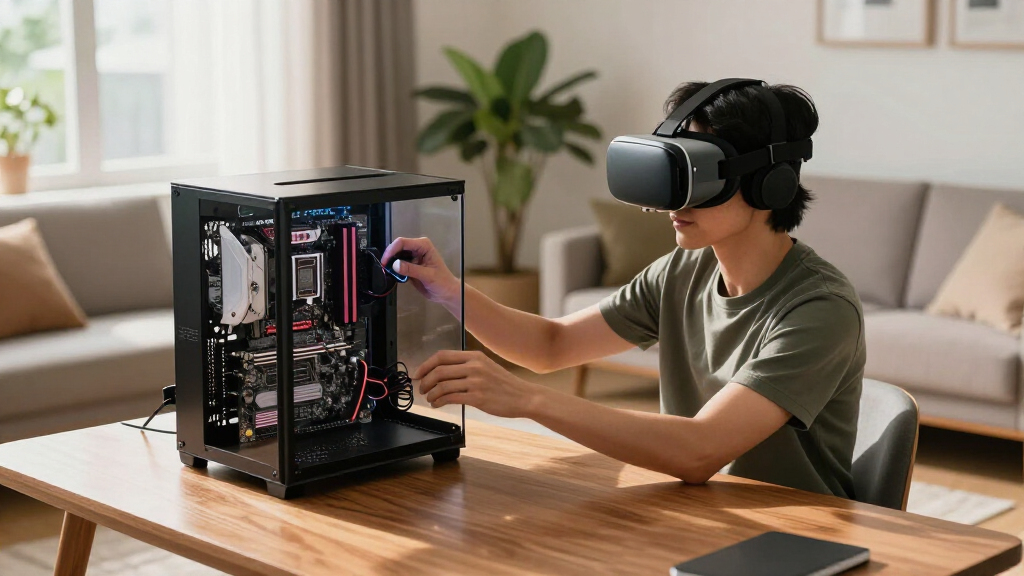
How We Picked
Our selection process focused on motherboards that excel in VR gaming performance, considering compatibility with the latest CPUs, connectivity options like PCIe 5.0 and WiFi 7, and overall build quality. We prioritized motherboards supporting AMD Ryzen processors, given their strong performance in VR applications, and balanced high-end features with ease of use. We also evaluated user reviews and technical specifications to identify options suitable for demanding VR setups, ensuring each product offers a clear role, whether premium, value, or mid-range.
| motherboards for VR PC | Socket | Memory Support | WiFi |
|---|---|---|---|
| ASUS ROG Strix X870E-E Gaming | AM5 | DDR5 AEMP | — |
| ASUS ROG Strix X870-A Gaming W | AM5 | DDR5 | WiFi 7 |
| ASUS ROG Strix B550-F Gaming W | AM4 | DDR4 | WiFi 6E |
| ASUS ROG Strix B850-A Gaming W | AM5 | — | WiFi 7 |
| GIGABYTE B650 AORUS Elite AX A | AM5 | DDR5 | — |
Factors to Consider When Choosing Best Motherboards For VR PCs
Building a VR-ready PC requires careful consideration of your motherboard’s features, processor compatibility, and future upgrade potential. The right motherboard should support high-speed data transfer, reliable networking, and enough expansion options for storage and peripherals. In this guide, I’ll walk through the key elements to consider to help you choose a motherboard that aligns with your VR gaming needs and budget.
Processor Compatibility
First, ensure your motherboard supports your chosen CPU. For VR, high-performance processors like AMD Ryzen 7000 or 9000 series are ideal for smooth gameplay and streaming. Motherboards supporting these CPUs with PCIe 5.0 and DDR5 memory provide a significant edge in future-proofing your setup.
Connectivity and Expansion
Look for motherboards with fast connectivity options such as PCIe 5.0, WiFi 7, and at least 2.5Gb Ethernet. M.2 slots for SSDs are essential for quick load times, and multiple USB ports ensure you can connect VR headsets, controllers, and other peripherals without hassle. The number of SATA ports is also relevant if you plan to add multiple storage drives.
Build Quality and Power Delivery
VR gaming can be demanding, so a motherboard with robust power phases and good thermal management helps maintain stability and longevity. Premium components reduce the risk of crashes or thermal throttling during extended gaming sessions, especially when overclocking or pushing hardware limits.
Budget vs. Future-Proofing
Decide whether you prioritize saving money now or investing in future-ready features. Motherboards supporting PCIe 5.0 and WiFi 7 tend to cost more but offer better longevity. Mid-range models with PCIe 4.0 and WiFi 6E can still deliver excellent VR performance today but may require upgrades sooner.
Frequently Asked Questions
What should I prioritize in a motherboard for VR gaming?
Focus on a motherboard that offers high-speed data transfer capabilities like PCIe 4.0 or 5.0, reliable networking such as WiFi 6E or WiFi 7, and robust power delivery to handle demanding workloads. Compatibility with a high-performance CPU and sufficient USB ports for VR peripherals are also essential.
Is PCIe 5.0 necessary for VR PCs in 2026?
While PCIe 5.0 isn’t strictly necessary today, it provides future-proofing for high-speed SSDs and graphics cards that will benefit VR applications. If you want a system that remains relevant for years to come, investing in PCIe 5.0 support makes sense, but PCIe 4.0 remains capable for current VR demands.
How important is WiFi 7 for VR setups?
WiFi 7 offers significantly faster and more stable wireless connections, which can reduce latency and improve streaming quality in wireless VR headsets. For users planning to use WiFi-based VR headsets or streaming VR content, WiFi 7 provides a noticeable advantage.
Should I choose a motherboard supporting DDR4 or DDR5?
DDR5 memory offers higher speeds and better future compatibility, making it preferable for VR setups aiming for longevity and high performance. However, DDR4 motherboards tend to be more affordable and are still capable of delivering excellent VR experiences, especially on mid-range builds.
Are premium features like AI overclocking worth it for VR gaming?
AI features simplify overclocking and cooling, which can improve stability during intense VR sessions. They are especially useful for users who want high performance with less manual tweaking. However, if you’re experienced, you might prefer manual control over these settings to fine-tune your system.
Conclusion
For those building a high-end VR PC and willing to invest in future-proof features, the ASUS ROG Strix X870E-E and B850-A stand out as top options. Budget-conscious gamers or those upgrading an existing AMD system should consider the B550-F Gaming WiFi II for solid performance at a more accessible price. Ultimately, your choice depends on your processor, desired connectivity, and how much you want to future-proof your VR experience.
Fall Picks
fall essentials
As an affiliate, we earn on qualifying purchases.