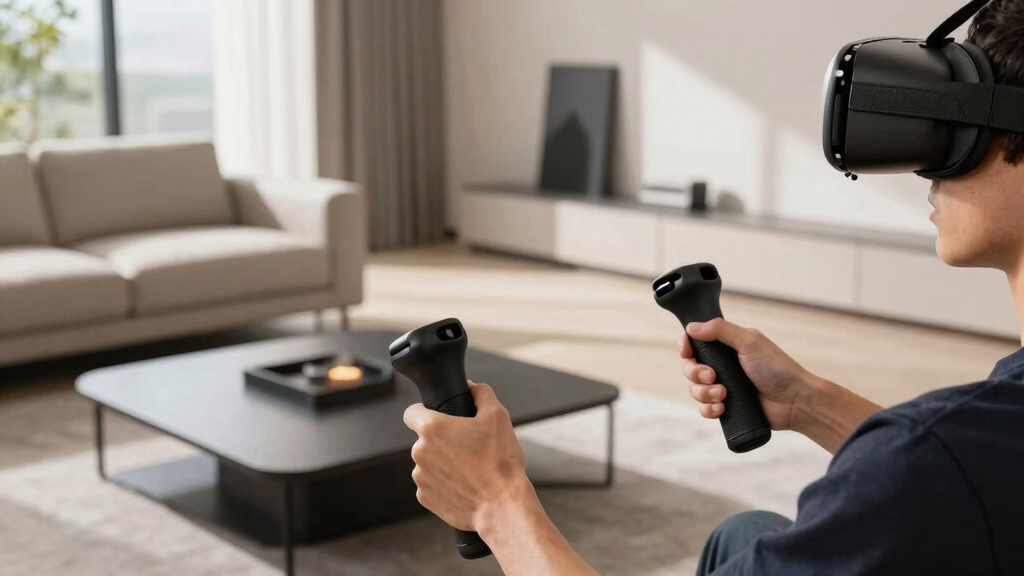

Searching for the best flight sticks for VR can be challenging, as the ideal controller depends on your priorities like realism, ease of use, and compatibility. The Logitech G X56 H.O.T.A.S stands out as the best overall choice, thanks to its versatile controls and solid build quality. The Thrustmaster T-Flight Hotas X offers a more budget-friendly option with straightforward functionality, while the Turtle Beach VelocityOne Flightstick provides an excellent experience for Xbox users. As you compare these options, you’ll notice tradeoffs between complexity, price, and compatibility. Continue reading for a detailed breakdown that helps you find the perfect fit for your VR flight setup.
Open a free Amazon Business account
Business pricing, bulk buying and tax-exempt orders.
Create a free accountAs an affiliate, we earn on qualifying purchases.
Key Takeaways
- The top picks balance realism with ease of use, with more complex setups like the X56 offering advanced controls for serious sim pilots.
- Price varies significantly, with budget options like the Thrustmaster T-Flight X providing good value but fewer features than premium models.
- Compatibility with VR platforms and consoles is crucial—some controllers excel on PC but lack Xbox support, and vice versa.
- Build quality and durability are consistent differentiators; higher-end models tend to withstand intensive use better.
- Most controllers require calibration and setup, so ease of installation and software support can influence overall satisfaction.
| Logitech G X56 H.O.T.A.S Throttle and Joystick Flight Simulator Controller |  | Best Overall for Customization and Immersive Control | Control Surface Options: All control surfaces required for flight simulation | Number of Programmable Controls: 189 | Lighting: RGB backlighting | VIEW LATEST PRICE | See Our Full Breakdown |
| Thrustmaster T-Flight Hotas X USB Flight Sim Stick & Throttle – PC |  | Best Value for Casual and Intermediate Pilots | Number of action buttons: 12 | Number of axes: 5 | Detachable throttle: Yes | VIEW LATEST PRICE | See Our Full Breakdown |
| Logitech G Pro Flight X56 Rhino HOTAS |  | Best for Precision and VR Compatibility Enthusiasts | Control Surface Options: All control surface options for customization | Mini Analog Stick Control: Pitch, roll, yaw, movement, weapons | Backlighting: RGB customizable lighting | VIEW LATEST PRICE | See Our Full Breakdown |
| Logitech G X56 H.O.T.A.S Throttle and Joystick Flight Simulator Game Controller + Pro Flight Rudder Pedals Bundle |  | Best for Complete Realism with Full Setup | Control Surfaces: All control surface options for performance | Mini Analog Stick: Pitch, roll, yaw, weapons, and more | RGB Backlighting: Yes, customizable | VIEW LATEST PRICE | See Our Full Breakdown |
| Turtle Beach VelocityOne Flightstick Universal Sim Controller for Xbox and PC |  | Best for Cross-Platform Compatibility and Modern Features | Compatibility: Xbox Series X|S, Xbox One, PC | Number of Programmable Buttons: 27 | Axes: 8 | VIEW LATEST PRICE | See Our Full Breakdown |
| Turtle Beach VelocityOne Flightstick II for Xbox Series X|S, Xbox One & Windows PC |  | Best for Serious Flight Sim Enthusiasts Seeking Precision and Expandability | Number of Programmable Inputs: 38 | Axes: 8 | Sensor Type: 16-bit Hall-Effect | VIEW LATEST PRICE | See Our Full Breakdown |
| flight sticks for VR | Compatibility |
|---|---|
| Logitech G X56 H.O.T.A.S Throt | — |
| Thrustmaster T-Flight Hotas X | PC |
| Logitech G Pro Flight X56 Rhin | VR and PC |
| Logitech G X56 H.O.T.A.S Throt | — |
| Turtle Beach VelocityOne Fligh | Xbox Series X|S, Xbox One, PC |
| Turtle Beach VelocityOne Fligh | Xbox Series X|S, Xbox One, Windows 10/11 |
More Details on Our Top Picks
Logitech G X56 H.O.T.A.S Throttle and Joystick Flight Simulator Controller
This model stands out for its combination of high precision and extensive customization, making it ideal for dedicated flight sim enthusiasts who want a deeply tunable experience. Compared with the Thrustmaster T-Flight Hotas X, the X56 offers far more programmable controls (189 vs. 12), which translates into more tailored setups for complex simulations. However, this flexibility comes at the cost of a steeper learning curve and the need for multiple USB ports, which could be a hurdle for beginners. The hall-effect sensors and adjustable spring system ensure fine control, especially useful for VR immersion where subtle movements matter. RGB lighting adds aesthetic value, helping it blend into high-end gaming setups. Still, the premium price and complex setup make it less suitable for casual users or those with limited space.
Pros:- Unmatched customization with 189 programmable controls
- Hall-effect sensors for highly precise control
- Dual throttles for realistic flight experience
- RGB lighting for aesthetic integration
Cons:- Requires multiple USB ports, which may be limited on some PCs
- Complex setup can be overwhelming for newcomers
- Premium price point may be prohibitive
Best for: Hardcore flight sim players who value extensive customization and precision
Not ideal for: Casual gamers or beginners who prefer plug-and-play simplicity
- Control Surface Options:All control surfaces required for flight simulation
- Number of Programmable Controls:189
- Lighting:RGB backlighting
- Connectivity:2x USB
- System Compatibility:Windows 7, 8.1, 10, 11
- Sensors:Hall-effect sensors for axes
Our verdict“This is the best choice for dedicated enthusiasts who want maximum control and customization in VR flight simulations.”
Thrustmaster T-Flight Hotas X USB Flight Sim Stick & Throttle – PC
Compared to the high-end X56, the Thrustmaster T-Flight Hotas X offers a straightforward, ergonomic design with fully programmable controls, making it well-suited for users who want decent customization without complexity. Its 12 action buttons and 5 axes provide enough flexibility for most casual flight sims, and the detachable throttle allows for flexible configurations. While it lacks the advanced features like hall-effect sensors or RGB lighting, its plug-and-play setup is a major advantage for those new to VR flight controls. However, it’s limited to PC and may require some manual setup for advanced profiles, which could be a barrier for less tech-savvy users. It excels in delivering a smooth, comfortable experience for less demanding VR pilots at a more accessible price.
Pros:- Ergonomic design for long gaming sessions
- Fully programmable controls for customization
- Detachable throttle for flexible setup
- Plug-and-play simplicity
Cons:- Limited to PC compatibility
- Fewer advanced features than premium models
- Requires some setup for complex profiles
Best for: Casual to intermediate flight sim players who want an easy, reliable setup
Not ideal for: Advanced users seeking extensive customization or VR-specific features
- Number of action buttons:12
- Number of axes:5
- Detachable throttle:Yes
- Programmable controls:Yes
- Compatibility:PC
Our verdict“This is an excellent pick for gamers seeking a balance of comfort, customization, and affordability in VR flight sims.”
Logitech G Pro Flight X56 Rhino HOTAS
The Logitech G Pro Flight X56 Rhino HOTAS caters to users who prioritize precision and immersive control, especially in VR environments. Its analog surfaces with hall-effect sensors deliver a level of accuracy that outperforms many standard sticks, making it ideal for space and flight simulations. The RGB backlighting adds aesthetic flair, while the twin throttles and adjustable stick force allow for a highly personalized setup. Compared with the X56 H.O.T.A.S, the Rhino offers a more refined analog control and a focus on VR compatibility, though it requires a more involved setup process—potentially daunting for beginners. Its bulkier design may also demand more desk space, which could be a drawback for limited setups. Still, this controller shines for those who want detailed, precise control in VR.
Pros:- High-precision analog surfaces with hall-effect sensors
- Customizable RGB lighting for aesthetics
- Twin throttles with friction adjuster
- Suitable for VR gaming
Cons:- Complex setup process can be intimidating
- Higher price point than basic models
- Bulkier design may limit desk space
Best for: VR enthusiasts and space flight fans seeking precise, customizable controls
Not ideal for: Casual players or those with limited desk space seeking a minimalist setup
- Control Surface Options:All control surface options for customization
- Mini Analog Stick Control:Pitch, roll, yaw, movement, weapons
- Backlighting:RGB customizable lighting
- Compatibility:VR and PC
- Axis Resolution:16-bit
- Adjustable Stick Force:Yes, via 4-spring system
Our verdict“Best suited for VR users who want precision and customizable analog controls, despite setup complexity and size considerations.”
Logitech G X56 H.O.T.A.S Throttle and Joystick Flight Simulator Game Controller + Pro Flight Rudder Pedals Bundle
This bundle is tailored for dedicated VR pilots seeking a comprehensive, realistic flight experience. It includes the highly customizable X56 joystick and throttle, combined with self-centering rudder pedals featuring adjustable tension and differential toe brakes. Compared to standalone controllers like the X56, this bundle offers a full cockpit-like setup, elevating immersion in VR. While setup can be complex and space-consuming, the inclusion of pedals and rudder controls makes it ideal for advanced simulation fans. The RGB lighting enhances aesthetics, but the overall cost and complexity may deter casual users. This package is perfect for those wanting a full, realistic VR cockpit experience without compromise.
Pros:- Complete setup with joystick, throttle, and rudder pedals
- Highly customizable controls for realism
- RGB backlighting for aesthetic appeal
- Includes differential toe brakes for authentic aircraft handling
Cons:- Complex and lengthy setup process
- Requires significant space to accommodate full rig
- Premium price may be limiting for casual users
Best for: Advanced flight sim enthusiasts and VR users aiming for full cockpit immersion
Not ideal for: Casual gamers or those with limited space for a full setup
- Control Surfaces:All control surface options for performance
- Mini Analog Stick:Pitch, roll, yaw, weapons, and more
- RGB Backlighting:Yes, customizable
- Rudder Pedals:Self-centering with adjustable tension
- Toe Brakes:Differential
Our verdict“Ideal for serious VR flight sims where full cockpit realism outweighs setup complexity and space requirements.”
Turtle Beach VelocityOne Flightstick Universal Sim Controller for Xbox and PC
The Turtle Beach VelocityOne Flightstick shines for its platform versatility, supporting Xbox Series X|S, Xbox One, and PC, making it a versatile choice for multi-platform VR users. Its 27 programmable buttons and 8 axes offer extensive customization, rivaling pricier options like the X56. The OLED flight management display simplifies complex configurations, and the adjustable RGB lighting adds a modern touch. Compared to traditional PC-only controllers, its compatibility with Xbox broadens its appeal. However, its advanced features can be overwhelming for newcomers, and the premium cost may be a barrier for casual players. This controller suits those looking for a modern, versatile control solution across multiple systems, including VR.
Pros:- Supports multiple platforms including Xbox and PC
- High number of programmable buttons and axes
- OLED flight management display for easy configuration
- Ambidextrous and ergonomic design
Cons:- Complex configuration process for beginners
- Premium price may be prohibitive for casual users
- Features might be overkill for simple VR flight needs
Best for: Multi-platform VR players needing a feature-rich, adaptable flight controller
Not ideal for: Budget-conscious casual gamers or those preferring simple setups
- Compatibility:Xbox Series X|S, Xbox One, PC
- Number of Programmable Buttons:27
- Axes:8
- Display:OLED flight management
- Lighting:Adjustable RGB
- Design:Ambidextrous
Our verdict“Best for multi-platform VR pilots seeking a flexible, feature-packed controller with modern interface features.”
Turtle Beach VelocityOne Flightstick II for Xbox Series X|S, Xbox One & Windows PC
The Turtle Beach VelocityOne Flightstick II stands out for its use of 16-bit Hall-Effect sensors, delivering highly accurate and smooth control that surpasses many standard joystick options like the Logitech G X56. Its multiple programmable inputs and axes make it versatile for complex simulations, while the ergonomic, ambidextrous design ensures comfort during long sessions. The inclusion of a flight management display and RGB customization adds a layer of immersion that appeals to dedicated flight sim fans. Compared to the Thrustmaster T-Flight Hotas X, which offers simpler controls at a lower price, this model emphasizes precision and expandability, trading off ease of setup for a more realistic experience. The setup process can be intimidating for newcomers, and its premium cost may deter casual players. This pick is ideal for users who want a comprehensive cockpit experience and are willing to invest time and money into their setup, rather than those seeking a straightforward controller for occasional VR flying.
Pros:- Exceptional control accuracy thanks to 16-bit Hall-Effect sensors
- Multiple programmable inputs and axes enable complex, customized setups
- Ergonomic ambidextrous design ensures comfort during extended use
- Expandable ecosystem supports pedals and mounting solutions for a full cockpit
Cons:- Setup can be complex and potentially overwhelming for beginners
- High price point may be prohibitive for casual or budget-conscious users
- Requires compatible hardware and software to unlock full features
Best for: Avid flight simulation enthusiasts who prioritize accuracy, customization, and future expandability in their VR setup
Not ideal for: Casual gamers or newcomers who prefer a simpler, plug-and-play controller without a significant investment or complex setup
- Number of Programmable Inputs:38
- Axes:8
- Sensor Type:16-bit Hall-Effect
- Control Features:Dual levers, thumbstick, multi-function wheel, rudder twist with lock
- Adjustable Tension Settings:3
- Compatibility:Xbox Series X|S, Xbox One, Windows 10/11
- Expandability:Supports pedals and mounting solutions
- Additional Features:Flight Management Display, RGB customization via VelocityOne Flight Hangar app
Our verdict“This flight stick is best suited for dedicated VR flight sim fans who want precision and expandability, accepting a more involved setup process and higher cost.”
How We Picked
We evaluated these flight sticks based on several key factors: performance and responsiveness, build quality and durability, compatibility with VR systems and consoles, ease of use and setup, and overall value for the price. Our ranking prioritizes controllers that offer a realistic and immersive experience while maintaining reliability and straightforward operation. We also considered the breadth of features, such as additional switches, throttle controls, and ergonomic design, to cater to different user needs—from casual VR flyers to hardcore sim enthusiasts. Products that excel across these categories earned higher positions, with a focus on balancing cost and capabilities.| flight sticks for VR | Compatibility |
|---|---|
| Logitech G X56 H.O.T.A.S Throt | — |
| Thrustmaster T-Flight Hotas X | PC |
| Logitech G Pro Flight X56 Rhin | VR and PC |
| Logitech G X56 H.O.T.A.S Throt | — |
| Turtle Beach VelocityOne Fligh | Xbox Series X|S, Xbox One, PC |
| Turtle Beach VelocityOne Fligh | Xbox Series X|S, Xbox One, Windows 10/11 |
Factors to Consider When Choosing Best Flight Sticks For VR
Choosing the best flight stick for VR involves considering multiple factors that influence your flying experience. Beyond raw features, it’s important to understand how compatibility, control layout, and build quality impact usability and immersion. Making the right choice depends on your specific VR setup, budget, and whether you prioritize realism or simplicity. The following sections highlight key considerations to help you select a flight stick that enhances your virtual cockpit experience.Compatibility with VR and Consoles
Before making a purchase, verify that the flight stick is compatible with your VR headset and platform. Some controllers work seamlessly with PC VR setups, while others are designed for Xbox or PlayStation. Consider whether you need a device that supports both PC and console, especially if you switch between systems. Compatibility issues can lead to frustration or require additional adapters, so prioritize models explicitly supporting your VR environment.
Control Layout and Features
Look for a flight stick that offers a control scheme matching your preferred flying style. Features like multiple switches, throttle controls, and rudder pedals add realism but also increase complexity. For VR, tactile feedback and ergonomic design become even more critical, as you won’t have the same spatial cues as with physical screens. Balancing feature set with ease of use helps prevent overwhelming new users while satisfying seasoned sim pilots.
Build Quality and Durability
VR flight controllers often endure intense use, so durability matters. Higher-quality materials and reinforced construction reduce the risk of wear and damage over time. Cheaper models may feel flimsy or develop calibration issues, impacting immersion and responsiveness. Investing in a well-built controller can save money and frustration down the line, especially if you plan to use it regularly for extended sessions.
Ease of Setup and Software Support
A flight stick that is easy to install and calibrate minimizes setup time and gets you flying faster. Good software support can also enable custom mappings and firmware updates, enhancing functionality over time. Avoid controllers with overly complicated configuration procedures unless you’re comfortable troubleshooting and tweaking settings. Simplicity and reliable software integration generally lead to a better overall experience.
Price and Value
Cost varies widely in this category, so consider how much you’re willing to invest. Premium models deliver more features and durability but at a higher price point. Budget options provide good initial performance but may lack advanced controls or longevity. Think about your long-term use and whether spending more upfront will improve your VR flying experience significantly. Sometimes, a mid-range controller offers the best balance of features and affordability.
Frequently Asked Questions
Will a flight stick improve my VR flying experience?
Absolutely. Using a dedicated flight stick in VR enhances immersion by providing tactile feedback and precise control, making flying feel more realistic. It can also improve your accuracy and reaction times compared to a standard controller or keyboard. However, the degree of improvement depends on the quality of the flight stick and how well it integrates with your VR setup. For serious flight sim enthusiasts, a good flight stick can be a game-changer, but casual users might find a simpler setup sufficient.
Can I use a non-VR flight stick for VR flying?
Yes, many flight sticks designed for traditional PC use work well with VR, provided they are compatible with your platform. The main consideration is whether the controller’s inputs translate smoothly into your VR flight simulator. Some controllers may lack specific VR-optimized features, but they still provide a more immersive experience than keyboard controls. Always check for compatibility and firmware support before purchasing a non-VR-specific device for VR use.
What features should I prioritize for VR flight sticks?
For VR, focus on controllers with ergonomic design, tactile switches, and smooth, precise controls. Features like multi-axis movement, adjustable sensitivity, and programmable buttons can enhance your experience. The controller’s physical feel and ease of access to controls matter more in VR, where visual cues are limited. Prioritize models with good build quality, responsive controls, and compatibility with your VR platform to maximize immersion.
Is it worth investing in a premium flight stick for VR?
Investing in a premium flight stick often pays off if you’re serious about flight simulation in VR. Higher-end models typically offer better build quality, more controls, and more accurate responsiveness, which contribute to a more authentic experience. They also tend to be more durable and better supported with firmware updates. However, for casual use, a mid-range or budget model might provide sufficient performance without the higher cost, so evaluate your needs and budget carefully.
Are there specific brands better suited for VR use?
Brands like Logitech, Thrustmaster, and Turtle Beach are well-known for their quality and compatibility with VR systems. Logitech’s X56 series, for example, is praised for its versatility and build quality, making it a popular choice among VR pilots. Thrustmaster offers budget-friendly options that still perform reliably, while Turtle Beach’s controllers are designed with console and PC in mind, offering good VR integration. Choose a brand with strong support and positive reviews to ensure a smooth VR experience.
Conclusion
For the best overall experience, the Logitech G X56 H.O.T.A.S stands out, especially for serious VR flight sim enthusiasts who want advanced controls and durability. If you seek value without sacrificing too much functionality, the Thrustmaster T-Flight Hotas X is a solid choice for newcomers or casual flyers. Gamers on a budget should consider entry-level options, but those wanting premium immersion and longevity should look at high-end models like the Turtle Beach VelocityOne Flightstick. Finally, VR pilots who prioritize compatibility with Xbox will find the Turtle Beach controllers provide seamless integration, making their virtual flights more immersive and enjoyable.
As an affiliate, we earn on qualifying purchases.Flea & tick season Picks
flea and tick prevention