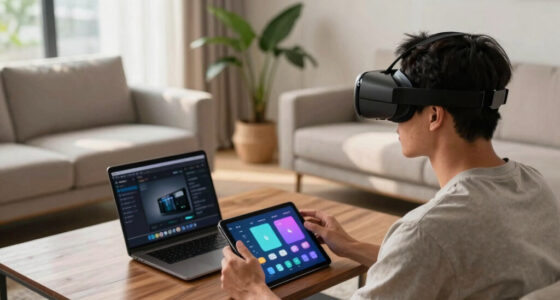
Apple’s 2026 lineup is deep enough that picking the best Apple products now means choosing between genuinely different categories, not just different models. The MacBook Air 13-inch with the M5 chip stands out as the best overall pick because it delivers flagship performance in the most universally useful form factor. Two other options earn attention for different reasons: the iPad 11-inch with A16 is the strongest value in the lineup, and the AirPods Max 2 remain the premium audio choice for listeners who want over-ear comfort. The main tradeoff most buyers face is ecosystem fit versus standalone usefulness — accessories like the Apple Pencil Pro and Magic Keyboard shine only alongside an iPad or Mac, while the MacBook Air and iPad work for anyone. Read on for the full breakdown, including which picks make sense for beginners and where the cheaper alternatives actually win.

Play games on Amazon Luna for your next adventure, included with Prime
- A rotating selection of games, no download needed
- Play on TV, laptop or phone
- Fast, free delivery for your gear, too
Key Takeaways
- The MacBook Air M5 ranks best overall because it balances performance, portability, and price better than any other Apple device in this lineup — the MacBook Neo is cheaper but sacrifices display quality and headroom.
- Two versions of the AirPods Max 2 appear (Starlight and Blue) purely as color variants, so choosing between them comes down to aesthetics, not features — a reminder that Apple often sells identical hardware in different finishes.
- The iPad 11-inch with A16 is the best value pick, but pairing it with a Pencil Pro and Magic Keyboard pushes the total cost above a base MacBook Air, which changes the math for students.
- There’s a clear two-tier accessory split: Apple Pencil Pro justifies its premium for artists, while the USB-C Apple Pencil covers casual note-taking at a fraction of the cost.
- The Apple Watch SE 3 is the only wearable in the lineup and earns its place as the beginner-friendly entry point — it skips advanced health sensors but keeps the core smartwatch experience intact.
| Apple Pencil (USB-C) |  | Best Value Stylus | Compatibility: iPad Pro 11/13-inch, iPad Air, iPad mini, iPad 10th gen and later | Charging: USB-C | Attachment: Magnetic flat edge | VIEW LATEST PRICE | See Our Full Breakdown |
| Apple AirPods Max 2 Wireless Over-Ear Headphones – Starlight |  | Best Premium Audio | Chip: H2 | Noise Cancellation: Up to 1.5x more effective than previous generation | Battery Life: Up to 20 hours | VIEW LATEST PRICE | See Our Full Breakdown |
| Apple 2026 MacBook Air 13-inch Laptop with M5 Chip, 16GB RAM, 512GB SSD | 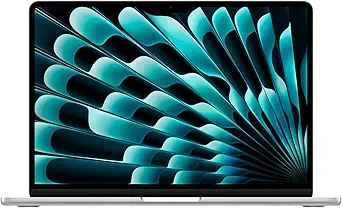 | Best Overall Laptop | Display: 13.6-inch Liquid Retina | Processor: M5 chip | Memory: 16GB unified memory | VIEW LATEST PRICE | See Our Full Breakdown |
| Apple Watch SE 3 GPS 40mm Smartwatch with Midnight Aluminum Case |  | Best Budget Smartwatch | Model: Apple Watch SE 3 | Case Size: 40mm | Connectivity: GPS | VIEW LATEST PRICE | See Our Full Breakdown |
| Apple iPad 11-inch with A16 Chip, 128GB, Liquid Retina Display |  | Best Tablet for Most People | Display: 11-inch Liquid Retina | Processor: A16 chip | Storage: 128GB | VIEW LATEST PRICE | See Our Full Breakdown |
| Apple 2026 MacBook Neo 13-inch Laptop with A18 Pro Chip |  | Best Portable Power for Students | Display: 13-inch Liquid Retina | Processor: A18 Pro chip | Memory: 8GB Unified Memory | VIEW LATEST PRICE | See Our Full Breakdown |
| Apple AirPods Max 2 Wireless Over-Ear Headphones – Blue |  | Best Premium Audio | Connectivity: Wireless, USB-C | Battery Life: Up to 20 hours | Noise Cancellation: Active Noise Cancellation (1.5x improvement) | VIEW LATEST PRICE | See Our Full Breakdown |
| Apple Magic Mouse – White Multi-Touch Surface |  | Best Mac Accessory for Gestures | Dimensions: 5.12 x 2.91 x 1.42 inches | Weight: 8 ounces | Connectivity: Wireless, Bluetooth | VIEW LATEST PRICE | See Our Full Breakdown |
| Apple Pencil Pro (Latest Model) |  | Best for iPad Creators | Compatibility: iPad Pro 13″ (M4, M5), iPad Pro 11″ (M4, M5), iPad Air 11″ (M2, M3, M4), iPad Air 13″ (M2, M3, M4), iPad mini (A17 Pro) | Features: Gestures, haptics, tilt and pressure sensitivity, hover preview, Find My | Latency: Low latency input | VIEW LATEST PRICE | See Our Full Breakdown |
| Apple Magic Keyboard – US English, Bluetooth |  | Best Desk Companion | Connectivity: Bluetooth | Language: US English | Battery: Rechargeable, about a month or more per charge | VIEW LATEST PRICE | See Our Full Breakdown |
| Apple product | Connectivity | Battery Life | Compatibility |
|---|---|---|---|
| Apple Pencil | — | — | iPad Pro 11/13-inch, iPad Air, iPad mini, iPad 10th gen and later |
| Apple AirPods Max 2 Wireless O | USB-C, Bluetooth wireless | Up to 20 hours | — |
| Apple 2026 MacBook Air 13-inch | Wi-Fi 7, Bluetooth 6, Thunderbolt 4, MagSafe | Up to 18 hours | — |
| Apple Watch SE 3 GPS 40mm Smar | GPS | Up to 18 hours | — |
| Apple iPad 11-inch with A16 Ch | Wi-Fi 6 | All-day | Apple Pencil (1st gen via adapter, USB-C Pencil), Magic Keyboard Folio |
| Apple 2026 MacBook Neo 13-inch | — | Up to 16 hours | — |
| Apple AirPods Max 2 Wireless O | Wireless, USB-C | Up to 20 hours | — |
| Apple Magic Mouse | Wireless, Bluetooth | — | Mac |
| Apple Pencil Pro | — | — | iPad Pro 13" (M4, M5), iPad Pro 11" (M4, M5), iPad Air 11" (M2, M3, M4), iPad Air 13" (M2, M3, M4), iPad mini (A17 Pro) |
| Apple Magic Keyboard | Bluetooth | — | Mac |
More Details on Our Top Picks
Apple Pencil (USB-C)
For most iPad owners, this is the smart starting point in Apple’s stylus lineup. It delivers the pixel-perfect precision and tilt sensitivity that matter for note-taking and sketching, while skipping the squeeze gestures and haptic feedback you’d pay extra for with the Apple Pencil Pro. Compared with the Pro model, what you give up is mostly convenience — no wireless magnetic charging, no pressure-sensitive advanced features — and what you gain is a tool that handles the core drawing and writing experience nearly identically. USB-C charging is fast and universal, and the magnetic flat-edge attachment keeps it from rolling off a desk. The tradeoff is real though: plugging in a cable feels less elegant than snapping onto an iPad, and artists who rely on pressure sensitivity for shading will want the Pro instead.
Pros:- Pixel-perfect precision with tilt sensitivity for detailed work
- Works across a wide range of recent iPad models
- Magnetic flat edge prevents rolling and aids storage
- USB-C charging is fast and uses cables you already own
Cons:- No pressure sensitivity compared with Apple Pencil Pro
- Wired charging is less convenient than the Pro’s magnetic charging
- Useless without a compatible iPad
Best for: Students and casual note-takers who want precise writing and sketching without paying Pro-level prices
Not ideal for: Digital artists who depend on pressure sensitivity and barrel-roll gestures for professional illustration work
- Compatibility:iPad Pro 11/13-inch, iPad Air, iPad mini, iPad 10th gen and later
- Charging:USB-C
- Attachment:Magnetic flat edge
- Precision:Pixel-perfect with tilt sensitivity
- Latency:Low latency
- Extra Features:Hover support on compatible iPads
Our verdict“Buy this if you take notes and sketch casually; choose the Apple Pencil Pro only if pressure-based artistry is your livelihood.”
Apple AirPods Max 2 Wireless Over-Ear Headphones – Starlight
This is the pick when sound quality is the deciding factor. The AirPods Max 2 push noise cancellation up to 1.5x more effective than the previous generation, and the H2 chip enables personalized spatial audio with head tracking that makes movies feel theatrical. Compared with the Blue version of the same headphones, nothing differs acoustically — the Starlight finish is purely a style choice — so decide based on your aesthetic, not performance. The knit-mesh canopy and memory foam cushions make long listening sessions comfortable where cheaper over-ears pinch. The honest tradeoff: these sit at a premium price that buys refinement rather than raw capability, and features like Live Translation remain in beta. Lossless audio also requires a wired USB-C connection, which undercuts the wireless freedom you’re paying for.
Pros:- High-fidelity sound with dramatically improved noise cancellation
- Personalized spatial audio with head tracking for immersive media
- Breathable knit-mesh canopy stays comfortable for hours
- Up to 20 hours of battery for all-day use
Cons:- Premium price that far exceeds capable competitors
- Live Translation is beta and availability is limited
- Lossless audio requires a wired USB-C connection
Best for: Audiophiles and frequent travelers deep in the Apple ecosystem who want best-in-class noise cancellation
Not ideal for: Budget-conscious listeners or Android users who can’t unlock spatial audio and seamless pairing features
- Chip:H2
- Noise Cancellation:Up to 1.5x more effective than previous generation
- Battery Life:Up to 20 hours
- Connectivity:USB-C, Bluetooth wireless
- Design:Knit-mesh canopy, memory foam and textile ear cushions
- Color Options:Five vibrant colors including Starlight
- Special Features:Personalized spatial audio, Adaptive Audio, Live Translation
Our verdict“Worth it only if top-tier ANC and Apple-ecosystem integration justify the cost; everyone else should look at cheaper over-ears.”
Apple 2026 MacBook Air 13-inch Laptop with M5 Chip, 16GB RAM, 512GB SSD
If one product on this list earns the top laptop spot, it’s this one. The M5 chip delivers more than enough power for coursework, office work, and creative apps, while up to 18 hours of battery life means a full day unplugged. Compared with the MacBook Neo with A18 Pro chip, the Air trades a little raw speed for a quieter, fanless design and better battery efficiency — a trade most students and professionals should happily make. The 13.6-inch Liquid Retina display is sharp and color-rich, and 16GB of unified memory keeps demanding multitasking smooth. The drawbacks are structural: only two external displays are supported, which frustrates multi-monitor setups, and the base storage, while a reasonable 512GB here, fills quickly for video editors. Anyone doing heavy 3D rendering should look toward the Pro line instead.
Pros:- M5 chip with AI acceleration handles demanding creative apps
- Up to 18 hours of battery for full-day unplugged use
- Vivid Liquid Retina display with rich color
- Thin, lightweight chassis with MagSafe and Thunderbolt 4
Cons:- Limited to two external displays
- No dedicated GPU for graphics-intensive work
- Premium price compared with Windows ultrabooks
Best for: College students and professionals who need all-day portability with headroom for creative work
Not ideal for: Power users with triple-monitor setups or heavy GPU workloads like 3D rendering and AAA gaming
- Display:13.6-inch Liquid Retina
- Processor:M5 chip
- Memory:16GB unified memory
- Storage:512GB SSD
- Camera:12MP Center Stage
- Battery Life:Up to 18 hours
- Connectivity:Wi-Fi 7, Bluetooth 6, Thunderbolt 4, MagSafe
- Color:Silver
Our verdict“The default laptop choice for most Apple buyers — skip it only if you need more than two displays or a discrete GPU.”
Apple Watch SE 3 GPS 40mm Smartwatch with Midnight Aluminum Case
The SE 3 proves you don’t need the flagship Apple Watch to get a genuinely useful wrist companion. It covers the health essentials — sleep tracking, heart rate, fall detection, and women’s health insights — plus an always-on display, which was once reserved for pricier models. Compared with picking up a full-price flagship, the savings here come from a smaller case, an aluminum finish, and GPS-only connectivity, not from a degraded health experience. Fast charging is a welcome surprise: 15 minutes adds up to 8 hours of use, which offsets the modest 18-hour battery. The real limitations are ecosystem ones — an iPhone is required, and serious athletes may find the GPS-only model and smaller 40mm screen limiting for detailed workout analysis. Paired with the MacBook Air, it rounds out a budget-conscious Apple setup nicely.
Pros:- Comprehensive health tracking including sleep and fall detection
- Always-on display at a mid-tier price point
- Fast charging delivers 8 hours of use in 15 minutes
- Lightweight aluminum case comfortable for sleep tracking
Cons:- 18-hour battery requires daily charging
- Requires an iPhone for setup and full functionality
- 40mm case may feel cramped for data-dense watch faces
Best for: First-time smartwatch buyers and iPhone owners who want core health tracking without flagship pricing
Not ideal for: Android users or endurance athletes who need cellular connectivity and multi-day battery
- Model:Apple Watch SE 3
- Case Size:40mm
- Connectivity:GPS
- Case Material:Midnight aluminum
- Band:Midnight Sport Band
- Battery Life:Up to 18 hours
- Charging:Fast charging, up to 8 hours in 15 minutes
- Water Resistance:Water resistant
Our verdict“The smartest entry point into the Apple Watch lineup — buy it for core fitness tracking, not cutting-edge features.”
Apple iPad 11-inch with A16 Chip, 128GB, Liquid Retina Display
This is the iPad I’d point most buyers toward, because it nails the fundamentals without the Pro-tier markup. The A16 chip handles browsing, streaming, and creative apps with headroom to spare, and the 11-inch Liquid Retina display is bright and color-accurate for media and sketching. Pair it with the Apple Pencil (USB-C) and you have a capable note-taking setup for far less than an iPad Air combination. Compared with pricier iPads, the compromises are predictable: Wi-Fi 6 instead of faster wireless, 128GB of storage that fills quickly with video, and a USB-C accessory ecosystem rather than the newest magnetic charging. The 12MP Center Stage front camera is genuinely useful for video calls. Just budget for accessories — the full productivity experience with a Magic Keyboard Folio pushes the total cost close to laptop territory.
Pros:- A16 chip delivers fast, future-proof performance for everyday apps
- Sharp Liquid Retina display ideal for streaming and sketching
- Works with Apple Pencil and Magic Keyboard Folio
- 12MP Center Stage front camera excels at video calls
Cons:- 128GB base storage fills quickly with video and large apps
- Full productivity requires buying accessories separately
- No cellular option mentioned — Wi-Fi only
Best for: Families, students, and casual creators who want a fast, versatile tablet at the standard iPad price
Not ideal for: Heavy media hoarders or professionals needing cellular connectivity and more than 128GB of storage
- Display:11-inch Liquid Retina
- Processor:A16 chip
- Storage:128GB
- Connectivity:Wi-Fi 6
- Cameras:12MP Center Stage front, 12MP Wide rear with True Tone flash
- Battery Life:All-day
- Compatibility:Apple Pencil (1st gen via adapter, USB-C Pencil), Magic Keyboard Folio
- Security:Touch ID
- Color:Silver
Our verdict“The right iPad for most people — buy it, add an Apple Pencil, and skip the Air unless you need its extras.”
Apple 2026 MacBook Neo 13-inch Laptop with A18 Pro Chip
The MacBook Neo stakes its claim on portability and battery endurance rather than raw power, and that framing makes sense for its target buyer. Compared with the MacBook Air 13-inch with M5 chip, the Neo trades the Air’s 16GB of RAM down to 8GB of unified memory, which shows up when you juggle heavy multitasking or large photo libraries. What you get in return is up to 16 hours of battery life in a recycled aluminum chassis light enough to live in a backpack all day. The A18 Pro chip handles everyday coursework, browsing, and AI-assisted productivity without strain. The 512GB SSD matches the Air’s storage, so file capacity is not the differentiator — memory headroom is. The 13-inch Liquid Retina display is the only size offered, and there is no dedicated GPU, so demanding creative work is not this machine’s strength.
Pros:- Lightweight recycled aluminum design built for constant travel
- Up to 16 hours of battery for full-day unplugged use
- Vibrant color-accurate Liquid Retina display
- Advanced AI features accelerate everyday productivity
Cons:- 8GB of unified memory limits heavy multitasking and pro workflows
- Single 13-inch size with no dedicated GPU option
- Premium Apple pricing for a mid-tier configuration
Best for: Students and mobile professionals who prioritize all-day battery life and lightweight portability over multitasking muscle
Not ideal for: Power users editing video or running heavy creative software — the 8GB memory ceiling and lack of dedicated graphics will bottleneck quickly
- Display:13-inch Liquid Retina
- Processor:A18 Pro chip
- Memory:8GB Unified Memory
- Storage:512GB SSD
- Battery Life:Up to 16 hours
- Camera:1080p FaceTime HD
- Material:Recycled aluminum
- Colors:Silver, Blush, Citrus, Indigo
Our verdict“A smart pick for students who need dependable battery and portability, as long as demanding creative workloads aren’t part of the plan.”
Apple AirPods Max 2 Wireless Over-Ear Headphones – Blue
For listeners who want the ceiling of Apple’s audio engineering, the AirPods Max 2 sit at the top of this roundup’s sound quality hierarchy. The headline upgrade is active noise cancellation improved by 1.5x, which makes a genuine difference on flights and commutes, and it pairs with Adaptive Audio that blends cancellation with environmental awareness. Lossless audio over USB-C gives it a wired-fidelity escape hatch that smaller earbuds can’t match, and the knit-mesh canopy with memory foam cushions keeps long sessions comfortable. The Blue colorway carries the same hardware as the Starlight variant, so the choice is purely aesthetic. The tradeoffs are real: this is Apple pricing at its steepest, several features like Live Translation require current firmware and compatible devices, and some capabilities remain region-limited or in beta. Compared with the MacBook Neo elsewhere in this guide, this is the indulgence purchase, not the utility one.
Pros:- High-fidelity sound with personalized spatial audio
- Noise cancellation improved 1.5x over the previous generation
- Lossless audio playback via USB-C
- Breathable knit-mesh and memory foam keep long sessions comfortable
Cons:- Premium price far above typical over-ear headphones
- Best features demand latest firmware and Apple ecosystem devices
- Some functions limited to beta or specific regions
Best for: Audiophiles and frequent travelers who want the strongest noise cancellation and lossless wired audio Apple offers
Not ideal for: Budget-conscious buyers or those with older non-Apple devices — you’d be paying premium money for features you can’t fully unlock
- Connectivity:Wireless, USB-C
- Battery Life:Up to 20 hours
- Noise Cancellation:Active Noise Cancellation (1.5x improvement)
- Color Options:Five vibrant colors
- Materials:Knit-mesh canopy, memory foam, custom textile ear cushions
- Special Features:Personalized spatial audio, Live Translation, Adaptive Audio
Our verdict“Buy these if sound quality and noise cancellation are your top priorities and you’re already invested in Apple’s ecosystem.”
Apple Magic Mouse – White Multi-Touch Surface
The Magic Mouse remains the only mouse that treats its entire surface as a trackpad, and that single feature defines whether you’ll love it or leave it. Swiping between pages and scrolling with a flick feels native to macOS in a way no third-party mouse replicates, and pairing is instant the moment it wakes near your Mac. At 8 ounces, it complements a portable setup like the MacBook Neo without adding bulk to a travel kit. The comparison that matters here is against the Magic Keyboard in this same guide: both share automatic pairing, month-scale battery intervals, and USB-C charging, so the real question is workflow. If your day involves document navigation and web browsing, the gesture surface earns its keep. The compromises are well documented — the charging port sits on the bottom, rendering the mouse unusable while plugged in, and there’s zero compatibility outside the Mac world for anything beyond basic Bluetooth pointing.
Pros:- Multi-Touch surface enables native-feeling swipe and scroll gestures
- Wireless and rechargeable with no disposable batteries
- Automatic pairing with Mac devices out of the box
Cons:- Mac-only compatibility for full functionality
- Bottom-facing charging port makes it unusable while plugged in
- Battery life varies noticeably with heavy gesture use
Best for: Mac owners who value gesture-driven navigation and want a mouse that behaves like an extension of macOS
Not ideal for: Windows or multi-platform users, and anyone who dislikes recharge-downtime — the bottom-mounted port means no usable mouse while charging
- Dimensions:5.12 x 2.91 x 1.42 inches
- Weight:8 ounces
- Connectivity:Wireless, Bluetooth
- Rechargeable:Yes, via USB-C
- Battery:Built-in lithium-ion
- Compatibility:Mac
Our verdict“A natural companion for dedicated Mac users who want gesture control, provided the awkward charging design won’t frustrate you.”
Apple Pencil Pro (Latest Model)
The Apple Pencil Pro is the most capable stylus Apple has shipped, and it exists for one reason: turning a compatible iPad into a serious drawing and annotation tool. Squeeze gestures, haptic feedback, and hover preview give it a tactile dimension the cheaper Apple Pencil (USB-C) simply doesn’t offer, and that difference is felt the moment you sketch — pressure and tilt response feel immediate rather than approximate. Magnetic attachment handles both pairing and charging, so it’s always ready when it snaps onto your iPad Pro or iPad Air. The compatibility list is the catch worth reading twice: only M4/M5 iPad Pro, M2-and-later iPad Air, and the iPad mini (A17 Pro) qualify, so owners of the base iPad 11-inch with A16 are locked out entirely. Add the premium price on top of an already expensive iPad purchase, and this accessory only makes sense if drawing or markup is central to how you work.
Pros:- Pixel-perfect precision with pressure and tilt sensitivity
- Gestures, haptics, and hover preview add real creative control
- Magnetic attachment handles pairing and wireless charging automatically
- Find My support helps locate a misplaced stylus
Cons:- Works only with a short list of recent iPad models
- Premium price on top of an already costly iPad
- Sold separately — never bundled with an iPad
Best for: Artists, designers, and note-takers with a recent iPad Pro, Air, or mini who want pressure, tilt, and haptic precision
Not ideal for: Owners of the base iPad or older models — compatibility restrictions mean it won’t pair at all, making the USB-C Pencil the sensible fallback
- Compatibility:iPad Pro 13″ (M4, M5), iPad Pro 11″ (M4, M5), iPad Air 11″ (M2, M3, M4), iPad Air 13″ (M2, M3, M4), iPad mini (A17 Pro)
- Features:Gestures, haptics, tilt and pressure sensitivity, hover preview, Find My
- Latency:Low latency input
- Pairing:Magnetic attachment with automatic pairing
- Charging:Wireless via magnetic attachment
Our verdict“An essential upgrade for serious iPad creators with compatible hardware, and an easy skip for everyone else.”
Apple Magic Keyboard – US English, Bluetooth
Where the Magic Mouse is about gestures, the Magic Keyboard is about endurance and typing feel — and its month-plus battery life is the standout figure in this roundup of accessories. One charge covers weeks of daily work, which means charging anxiety effectively disappears from your desk routine. Pairing is automatic with Macs, and the low-profile scissor-switch keys deliver the quiet, precise typing experience Apple laptops are known for, just in a standalone desk format. It’s the natural partner to a MacBook Neo or Air docked at a monitor, where the laptop’s own keyboard sits closed. The honest tradeoffs: there’s no numeric keypad, which matters for spreadsheet-heavy users, and full feature support stops at the Mac boundary — Windows machines will pair over Bluetooth but lose the integrated experience. If you crunch numbers all day or run a mixed-platform desk, a full-size third-party keyboard serves you better.
Pros:- Battery lasts a month or more per charge
- Quiet, low-profile keys with a precise typing feel
- Automatic pairing with Mac devices
- USB-C charging with included cable
Cons:- No numeric keypad for data-heavy work
- Full integration limited to Mac compatibility
Best for: Mac users with a docked laptop or desktop setup who want quiet, precise typing with minimal charging hassle
Not ideal for: Number-crunchers who need a numeric keypad, and mixed Windows/Mac households that need cross-platform flexibility
- Connectivity:Bluetooth
- Language:US English
- Battery:Rechargeable, about a month or more per charge
- Ports:USB-C
- Compatibility:Mac
- Charging Cable:USB-C included
Our verdict“The right desk upgrade for Mac-centric workspaces, as long as you can live without a number pad.”

How We Picked
I evaluated each product against three core criteria: standalone usefulness, ecosystem value, and price-to-performance ratio. Standalone usefulness measures how well a device works on its own — a MacBook or iPad scores high here because it functions as a complete computer, while accessories like the Magic Mouse and Apple Pencil depend entirely on owning a compatible device. Ecosystem value captures how much a product improves the other Apple hardware you already own, which is why accessories that unlock new capabilities (like the Pencil Pro for artists) rank higher than ones that merely replace something adequate. Price-to-performance then separates picks within each tier.
The ranking order also reflects versatility across buyer types. The MacBook Air M5 leads because nearly every buyer benefits from it, from students to professionals. The iPad follows as the best value, with the AirPods Max 2 taking the premium audio slot. Accessories cluster lower in the list — not because they’re weaker products, but because they serve narrower audiences. Where two products overlap almost entirely, as with the two AirPods Max 2 colorways, I treat them as one decision and say so directly.
| Apple product | Compatibility | Battery Life |
|---|---|---|
| Apple Pencil | iPad Pro 11/13-inch, iPad Air, iPad mini, iPad 10th gen and later | — |
| Apple AirPods Max 2 Wireless O | — | Up to 20 hours |
| Apple 2026 MacBook Air 13-inch | — | Up to 18 hours |
| Apple Watch SE 3 GPS 40mm Smar | — | Up to 18 hours |
| Apple iPad 11-inch with A16 Ch | Apple Pencil (1st gen via adapter, USB-C Pencil), Magic Keyboard Folio | All-day |
| Apple 2026 MacBook Neo 13-inch | — | Up to 16 hours |
| Apple AirPods Max 2 Wireless O | — | Up to 20 hours |
| Apple Magic Mouse | Mac | — |
| Apple Pencil Pro | iPad Pro 13" (M4, M5), iPad Pro 11" (M4, M5), iPad Air 11" (M2, M3, M4), iPad Air 13" (M2, M3, M4), iPad mini (A17 Pro) | — |
| Apple Magic Keyboard | Mac | — |
Factors to Consider When Choosing Best Apple Products
Before choosing from this lineup, it helps to understand how Apple’s ecosystem pricing and pairing logic actually work. These are the factors that most often make or break a purchase.Device First, Accessory Second
The single most common mistake I see is buying accessories before settling on a core device. An Apple Pencil Pro is useless without a compatible iPad, and the Magic Keyboard assumes you already have a Mac or iPad to pair it with. Work out whether your primary device is a laptop, tablet, or phone first, then layer accessories on top. Buyers who reverse this order often end up with a Pencil sitting in a drawer because their iPad model doesn’t support its advanced features. The exception is audio: AirPods Max 2 work with any Bluetooth device, though they’re noticeably better integrated with Apple hardware.
The M-Series Versus A-Series Divide
Apple’s chips now split cleanly between Mac-class (M5 in the MacBook Air) and iPad-class (A18 Pro in the MacBook Neo, A16 in the iPad). This matters more than spec sheets suggest. The M5 handles sustained multitasking, video editing, and heavy app switching without thermal throttling, while the A18 Pro in the MacBook Neo prioritizes efficiency and battery life over raw power. If your workload is browser tabs and documents, the difference is minor and the savings are real. If you edit video or run professional apps, the M-series gap becomes obvious within weeks of ownership. Don’t pay for chip headroom you won’t use, but don’t underestimate it either.
When the Cheaper iPad accessory Wins
The gap between the Apple Pencil Pro and the USB-C Apple Pencil illustrates Apple’s deliberate tiering strategy. The Pro adds pressure sensitivity, haptic feedback, and squeeze controls that matter for illustration and design work. The USB-C version lacks those but handles note-taking, annotation, and casual sketching perfectly well. A student taking lecture notes gains almost nothing from the Pro, while a digital artist would find the USB-C version genuinely limiting. Honestly assessing how you’ll use the accessory — not how you imagine you might — saves real money here.
Color Variants Are Not New Products
The Starlight and Blue AirPods Max 2 in this roundup are identical in hardware, and recognizing this pattern protects you elsewhere in Apple’s catalog. Apple frequently sells the same internal specs across multiple finishes, sometimes with different availability windows. A rare finish can be tempting, but paying a premium for color alone is rarely worth it on a device you’ll mostly wear or use at a desk. Choose the finish you’ll be happiest looking at long-term, then compare prices across all of them before buying. The one genuine consideration is that lighter finishes like Starlight show scuffs differently than darker ones.
Storage and RAM Floors Have Moved
The 2026 MacBook Air starts at 16GB of RAM and 512GB of storage, and that’s a meaningful shift from older base configurations. Previous 8GB/256GB base models aged poorly as apps grew heavier, forcing upgrades within a few years. The new floor means even the entry MacBook Air stays usable for longer, which changes the value equation against the cheaper MacBook Neo. On the iPad side, 128GB remains workable for streaming and cloud-centric users but fills fast if you shoot video or download large apps. Factor in how long you plan to keep the device, not just what you need today.
Watch SE Versus the Flagship Instinct
Buyers often assume the standard Apple Watch is automatically better than the SE line, but the SE 3 covers the fundamentals — notifications, fitness tracking, calls, and app support — at a lower cost. What you give up are advanced health sensors and the always-on display. For a first-time smartwatch user, those omissions are easy to live with and the savings can fund another accessory in this lineup. The mistake to avoid is buying flagship features on spec: if you’ve never checked your blood oxygen or ECG readings, you likely won’t start. Choose the SE if the core experience is what you want; step up only if a specific health feature matters to you.
Frequently Asked Questions
Should I buy a MacBook Air M5 or an iPad with accessories for the same budget?
This depends on what you actually do with a computer. If your work involves multitasking across apps, writing long documents, or any professional software, the MacBook Air M5 is the safer choice because iPadOS still limits background apps and desktop-class workflows. If your usage is media consumption, note-taking, drawing, and light productivity, an iPad with a Pencil and keyboard delivers a more flexible and portable experience. The trap is the middle ground: an iPad loaded with accessories costs as much as a MacBook Air but doesn’t fully replace one. Students in creative fields often benefit most from the iPad route, while everyone else gets more longevity from the Mac.
Is the MacBook Neo a real alternative to the MacBook Air?
It’s a genuine alternative for a specific buyer, but not a straight swap. The A18 Pro chip inside the MacBook Neo prioritizes battery efficiency and everyday responsiveness over the sustained power of the M5, which shows up when exporting video, compiling code, or running many heavy apps at once. The display and overall experience also sit a tier below the Air’s. Where the Neo wins is price and portability for people whose computing lives in a browser. If you’re deciding between them, ask whether you’ll ever push the machine hard — if the honest answer is no, the Neo’s tradeoffs barely affect you. If yes, the Air is worth the extra spend.
Apple Pencil Pro or Apple Pencil USB-C — which do I actually need?
The dividing line is creative intent. The Pencil Pro’s pressure sensitivity, haptics, and squeeze gestures are essential for illustration, design, and detailed retouching because they translate fine hand control into your work. The USB-C Pencil skips all of that but handles handwriting, PDF annotation, and rough sketching without frustration. Casual note-takers who buy the Pro typically never touch its advanced features, which makes it wasted spend. One practical check: confirm your iPad model supports the Pro’s features, since older or entry iPads don’t expose them. My rule of thumb is that if you can’t name a reason you need pressure sensitivity, you don’t need it.
Are AirPods Max 2 worth it if I mostly use non-Apple devices?
They work over standard Bluetooth with any device, so the core sound quality and build are intact. What you lose is the integration layer — seamless device switching, spatial audio tuning, and hands-free Siri all work best within Apple’s ecosystem. Some features are effectively locked or degraded on Windows or Android, which makes the price harder to justify. If you split time between Apple and other platforms, they’re still comfortable and great-sounding, but check whether a competitor offers similar sound with better multipoint support. Fully committed Apple users get the most from them, and that’s who they’re really built for.
Is the Apple Watch SE 3 a bad pick just because it’s the cheapest wearable here?
Not at all — it’s cheap relative to Apple’s flagship Watch, not cheaply made. The SE 3 keeps the core smartwatch experience: notifications, calls, fitness tracking, and Apple Pay, and it runs the same watchOS software as pricier models. What’s missing are the always-on display and advanced health sensors, which matter to a smaller group of buyers than most people assume. For a first smartwatch or a fitness-focused user, those gaps rarely cause regret. The mistake would be buying it while genuinely wanting ECG or blood oxygen monitoring — in that case the upgrade cost is justified. Match the model to your actual health-tracking habits, not the marketing.
Conclusion
Mapping these picks to buyer types closes the decision cleanly. For best overall, the MacBook Air 13-inch with M5 earns the top spot — it serves the widest range of buyers and holds its value longest. The iPad 11-inch with A16 is the best value, especially for students and casual users who don’t need a keyboard-based workflow. For the premium buyer, the AirPods Max 2 deliver the most luxurious experience in this lineup, with the Starlight and Blue finishes being a pure style call. The Apple Watch SE 3 is my beginner pick — it’s the gentlest entry into both smartwatches and the Apple ecosystem. For specific needs: artists should pair the iPad with the Pencil Pro, note-takers can save with the USB-C Pencil, and the MacBook Neo suits budget-conscious buyers who live in a browser. Whatever you choose, buy the core device first and add accessories only when a real need shows up — that discipline separates satisfied Apple owners from ones with expensive drawers of unused gear.