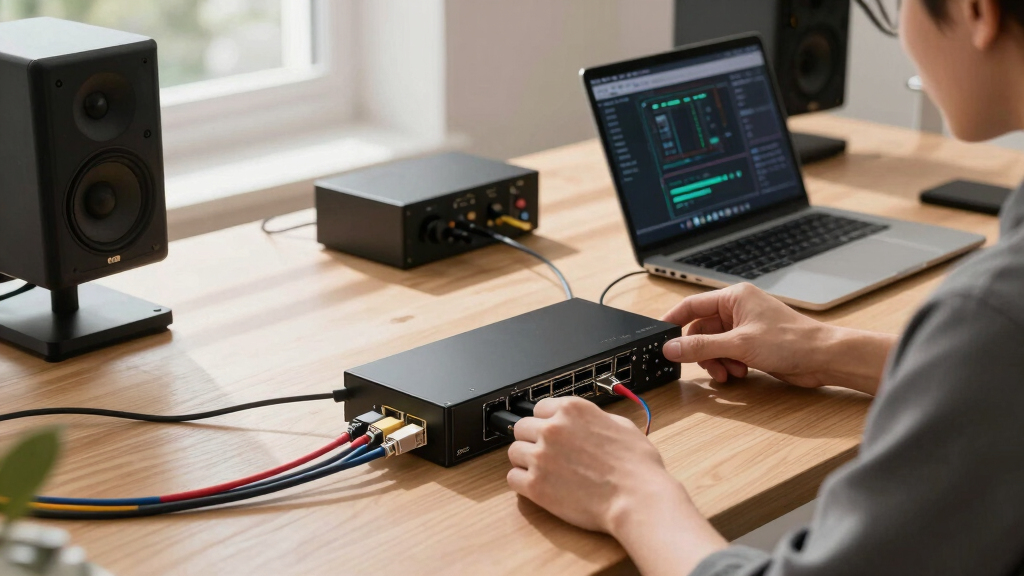

Choosing the best 10GbE switches for creator studios involves balancing performance, ease of setup, and price. The SODOLA 12 Port 10Gb Managed Switch stands out as the overall top pick for its robust features and flexibility. The NICGIGA 10 Port 10Gbps Network Switch offers excellent value with multiple port options, while the QNAP QSW-3216R-8S8T-US excels for those needing rackmount capacity. However, tradeoffs include complexity for advanced models and cost for premium options. Continue reading for a detailed breakdown to match your studio’s specific needs.

Play games on Amazon Luna for your next adventure, included with Prime
- A rotating selection of games, no download needed
- Play on TV, laptop or phone
- Fast, free delivery for your gear, too
Key Takeaways
- Managed switches provide more control but come at a higher price and complexity, suitable for larger or more advanced studios.
- Port variety and speed consistency are key; models with a mix of 10GbE and multi-gig ports offer greater flexibility.
- Unmanaged switches are simpler and cheaper but lack advanced features, ideal for smaller or less complex setups.
- Build quality and rackmount options matter if you plan to expand or need durable, professional-grade equipment.
- Tradeoffs often involve balancing initial cost versus long-term scalability and ease of management.
| SODOLA 12 Port 10Gb Managed Switch, 8x10G SFP+ & 4x10G RJ-45 |  | Best Overall for Small Creator Studios | Number of Ports: 12 | Compatible Devices: Desktop, Laptop, Server | Maximum Power: 96W | VIEW LATEST PRICE | See Our Full Breakdown |
| TRENDnet 5-Port 10G Switch, 100Gbps Switching Capacity TEG-S750 |  | Best Value for Budget-Conscious Creators | Ports: 5 x 10G RJ-45 | Switching Capacity: 100Gbps | Supports: 2.5G-BASE-T, 10G-BASE-T | VIEW LATEST PRICE | See Our Full Breakdown |
| NICGIGA 10 Port 10Gbps Network Switch with 2 x 10Gb and 8 x 2.5Gb Ports |  | Best for High-Speed Multi-Gig Environments | Number of Ports: 10 | 10Gb Ports: 2 | 2.5Gb Ports: 8 | VIEW LATEST PRICE | See Our Full Breakdown |
| MikroTik CRS304-4XG-IN 10 Gigabit Ethernet Switch with 4 Ports |  | Best Compact, Fanless 10G Switch | Number of Ports: 4x 10G Ethernet | Management Port: Gigabit Ethernet | Power Options: DC jacks, PoE-in | VIEW LATEST PRICE | See Our Full Breakdown |
| 8 Port 10G Ethernet Switch Unmanaged with 8x 10Gb Base-T Ports |  | Best for Simple, High-Capacity Desktop Networks | Ports: 8x 10Gb Base-T | Switching Capacity: 160Gbps | Supported Speeds: 10G, 5G, 2.5G, 1G, 100M | VIEW LATEST PRICE | See Our Full Breakdown |
| QNAP QSW-3216R-8S8T-US 16-Port Half-Width Rackmount 10GbE Switch |  | Best for High-Performance, Flexible Networking in Creator Studios | Ports: 16 (8 RJ45 10GbE, 8 SFP+ 10GbE) | Total Throughput: 160 Gbps | Switching Capacity: 320 Gbps | VIEW LATEST PRICE | See Our Full Breakdown |
| TP-Link TL-SX1008 8-Port 10G/Multi-Gig Unmanaged Ethernet Switch |  | Best for Easy High-Speed Connections in Smaller Studios | Number of Ports: 8 | Port Speed: 10G/Multi-Gig | Switching Capacity: 160 Gbps | VIEW LATEST PRICE | See Our Full Breakdown |
| TP-Link TL-SX105 5-Port 10G/Multi-Gig Unmanaged Ethernet Switch |  | Best for Compact, Quiet High-Speed Connectivity in Small Studios | Ports: 5 x 10-Gigabit ports | Switching Capacity: 100 Gbps | Supported Speeds: 100Mb/1G/2.5G/5G/10G | VIEW LATEST PRICE | See Our Full Breakdown |
| 10GbE switches for creator studio | Switching Capacity | Number of Ports | Ports |
|---|---|---|---|
| SODOLA 12 Port 10Gb Managed Sw | — | 12 | — |
| TRENDnet 5-Port 10G Switch | 100Gbps | — | 5 x 10G RJ-45 |
| NICGIGA 10 Port 10Gbps Network | 80Gbps | 10 | — |
| MikroTik CRS304-4XG-IN 10 Giga | — | 4x 10G Ethernet | — |
| 8 Port 10G Ethernet Switch Unm | 160Gbps | — | 8x 10Gb Base-T |
| QNAP QSW-3216R-8S8T-US 16-Port | 320 Gbps | — | 16 (8 RJ45 10GbE, 8 SFP+ 10GbE) |
| TP-Link TL-SX1008 8-Port 10G/M | 160 Gbps | 8 | — |
| TP-Link TL-SX105 5-Port 10G/Mu | 100 Gbps | — | 5 x 10-Gigabit ports |
More Details on Our Top Picks
SODOLA 12 Port 10Gb Managed Switch, 8x10G SFP+ & 4x10G RJ-45
This managed switch stands out for its versatility, offering a mix of 8 SFP+ fiber ports and 4 RJ-45 ports supporting 10G speeds, making it ideal for creator studios needing high-speed connectivity with flexible cabling options. Compared with the MikroTik CRS304-4XG-IN, it provides more ports and advanced management features, though it requires rack-mount space, which could be a drawback in compact setups. Its web GUI simplifies VLAN, QoS, and SNMP configuration, empowering small teams to optimize their network without extensive IT support. The built-in fan cooling ensures stable operation during intensive data transfers, but the absence of included transceivers and rack makes it less plug-and-play than unmanaged options. Overall, this switch offers a balanced mix of performance and control suited for creators who want scalable, managed networking in a compact form.
Pros:- Supports high-speed 10G fiber and Ethernet connections for versatile setups
- Web GUI for easy VLAN, QoS, and SNMP management
- Fan cooling ensures stable performance during prolonged use
Cons:- Requires rack-mount installation, which may not suit all environments
- No included rack or transceivers, adding to initial setup effort
Best for: Small creator studios needing managed, high-speed fiber and Ethernet connectivity with room for future expansion
Not ideal for: Solo content creators or home setups with limited rack space, due to its rack-mount requirement and complexity
- Number of Ports:12
- Compatible Devices:Desktop, Laptop, Server
- Maximum Power:96W
- Interface:RJ45, SFP+
- Data Transfer Rate:10 gigabits_per_second
- Switch Type:managed
Our verdict“This switch is best for creator studios that need managed, high-capacity networking with room for future growth.”
TRENDnet 5-Port 10G Switch, 100Gbps Switching Capacity TEG-S750
The TRENDnet TEG-S750 offers a compelling combination of performance and affordability with 5 unmanaged 10G ports and a 100Gbps switching capacity. Unlike the MikroTik CRS304-4XG-IN, it provides more straightforward, plug-and-play connectivity, making it suitable for creators who prefer simplicity without sacrificing speed. Its fanless design guarantees silent operation, ideal for quiet environments, and its compliance with NDAA and TAA assures suitability for professional or government use. However, as an unmanaged switch, it lacks advanced configuration options, which might limit customization for more complex setups. This model is perfect for creators who want reliable high-speed links without the need for detailed network management or extensive setup, but it’s less flexible for larger, more intricate networks.
Pros:- Supports a range of gigabit speeds including 2.5G and 10G for versatile connectivity
- Fanless design provides silent operation for noise-sensitive environments
- NDAA and TAA compliant suitable for professional or government use
Cons:- Unmanaged, so lacks advanced network configuration capabilities
- Requires compatible 10G line and network adapters for full speed
Best for: Content creators seeking straightforward, high-speed network expansion without advanced management features
Not ideal for: Pro studios or network administrators needing detailed control over traffic and VLAN management
- Ports:5 x 10G RJ-45
- Switching Capacity:100Gbps
- Supports:2.5G-BASE-T, 10G-BASE-T
- Design:Fanless
- Compliance:NDAA, TAA
Our verdict“This switch makes the most sense for creators who prioritize speed and simplicity over advanced network controls.”
NICGIGA 10 Port 10Gbps Network Switch with 2 x 10Gb and 8 x 2.5Gb Ports
The NICGIGA switch provides an excellent mix of ports, featuring 2 x 10Gb and 8 x 2.5Gb ports, making it ideal for high-speed data transfer and multi-gigabit networks. Compared to the MikroTik CRS304-4XG-IN, it offers more ports with a focus on multi-gig capabilities, though it remains unmanaged, limiting advanced control. Its plug-and-play setup and durable metal case make it suitable for users who want reliable, high-capacity networking without complex configuration. The fanless design ensures silent operation and the lightning protection enhances durability, but the limited network management features may be a downside for users needing detailed traffic control. This switch is well-suited for creators connecting multiple high-throughput devices like NAS and editing workstations.
Pros:- High-speed 10Gb and 2.5Gb ports for flexible device connections
- Plug-and-play with auto MDI/MDIX support
- Silent operation with durable metal construction
Cons:- No advanced network management features
- Limited info on power supply and network customization
Best for: Creators building multi-gigabit home or small studio networks with multiple 2.5G and 10G devices
Not ideal for: Large studios or users needing detailed traffic management and VLAN features
- Number of Ports:10
- 10Gb Ports:2
- 2.5Gb Ports:8
- Switching Capacity:80Gbps
- Protection:4KV lightning
- Mounting Options:Desktop/Wall
Our verdict“Ideal for creators seeking a reliable, multi-gigabit switch for connecting numerous high-speed devices seamlessly.”
MikroTik CRS304-4XG-IN 10 Gigabit Ethernet Switch with 4 Ports
The MikroTik CRS304-4XG-IN offers a compact, fanless design with four 10G ports and a gigabit management port, making it suitable for space-constrained environments. Compared with the NICGIGA, it provides fewer ports but excels in reliability and silent operation, thanks to its passive heat sink and versatile mounting options, including DIN rail. Its dual power inputs add to its robustness, though its limited port count may restrict scalability for larger setups. Advanced users will appreciate its dual-core ARM CPU and Marvell Prestera switch chip, but configuration can be complex for those unfamiliar with MikroTik’s RouterOS environment. This switch makes the most sense for creators needing high-performance, space-efficient networking for a small, quiet environment or mobile setup.
Pros:- High-performance 10G ports ready for demanding data transfers
- Fanless, silent operation ideal for noise-sensitive spaces
- Multiple mounting options including DIN rail for flexible installation
Cons:- Limited to 4 ports, less scalable for bigger networks
- Requires familiarity with MikroTik’s configuration environment
Best for: Creators requiring a small, silent, high-speed switch with flexible mounting options and minimal noise
Not ideal for: Larger studios or those needing more than four high-speed ports or advanced management features
- Number of Ports:4x 10G Ethernet
- Management Port:Gigabit Ethernet
- Power Options:DC jacks, PoE-in
- Cooling:Fanless, passive heat sink
- Form Factor:Compact
- CPU:Dual-core ARM
Our verdict“This switch is best suited for small, space-constrained creator setups that prioritize silent operation and high-speed links.”
8 Port 10G Ethernet Switch Unmanaged with 8x 10Gb Base-T Ports
This unmanaged switch with 8x 10Gb ports provides a straightforward solution for creators wanting high-speed, plug-and-play connectivity. Unlike the managed SODOLA switch, it offers no advanced control but excels in simplicity, making it ideal for quick setups. Its dual-side cooling holes and 5,000 RPM fan ensure reliable operation under load, while its durable metal case and lightning protection add to its resilience. It supports a wide range of speeds from 10G down to 100M, giving flexibility for different devices. The lack of management features means it’s less suitable for complex VLANs or traffic prioritization, but for creators focused on raw throughput and ease of use, it’s a solid choice. It’s less adaptable for larger or evolving networks where control is needed.
Pros:- Supports multiple high-speed standards including 10G and 5G
- Easy to set up with plug-and-play functionality
- Durable metal case with lightning protection
Cons:- No managed features for traffic control or VLAN setup
- Requires physical installation for rack mounting
Best for: Creators needing a reliable, high-speed switch for direct, unmanaged device connections with minimal fuss
Not ideal for: Professionals requiring detailed network management or VLAN segmentation for larger setups
- Ports:8x 10Gb Base-T
- Switching Capacity:160Gbps
- Supported Speeds:10G, 5G, 2.5G, 1G, 100M
- Form Factor:Desktop or 19-inch Rack
- Cooling:Dual Side Holes, 5000 RPM Fan
- Protection:4KV Lightning
Our verdict“This switch is ideal for creators who want simple, high-capacity 10G connectivity without the need for management features.”
QNAP QSW-3216R-8S8T-US 16-Port Half-Width Rackmount 10GbE Switch
This 16-port rackmount switch stands out for its versatile mix of eight 10GbE RJ45 ports and eight SFP+ fiber ports, making it ideal for complex studio setups that demand both wired and fiber connections. Compared to the TP-Link TL-SX1008, which offers fewer ports and unmanaged simplicity, the QNAP QSW-3216R provides a broader, high-throughput platform suited for demanding workflows. Its high switching capacity of 320 Gbps supports multiple high-bandwidth devices simultaneously, but the configuration complexity can pose challenges for users unfamiliar with network settings. The energy-efficient features are a plus for power-conscious environments, though the lack of integrated management might limit fine control for some professionals. This switch is best for studios needing a robust, multi-layer network backbone with room to grow, but not for those seeking plug-and-play simplicity or a budget solution.
Pros:- Flexible combination of RJ45 and SFP+ ports for diverse connectivity
- High throughput of 320 Gbps supports demanding data loads
- Supports energy-efficient Ethernet standards to reduce power consumption
- Ideal for complex, high-performance networks
Cons:- Complex configuration process may challenge beginners
- Limited to 16 ports, which might restrict larger network expansion
- No integrated management interface for advanced control
Best for: Advanced creator studios with existing network expertise seeking a high-capacity, flexible switch
Not ideal for: Beginners or small setups that require simple, unmanaged plug-and-play devices
- Ports:16 (8 RJ45 10GbE, 8 SFP+ 10GbE)
- Total Throughput:160 Gbps
- Switching Capacity:320 Gbps
- Form Factor:Half-Width Rackmount
- Standards:IEEE 802.3az, IEEE 802.3x
- Energy Efficiency:Yes
Our verdict“Best suited for professional studios requiring a high-capacity, flexible backbone with room for advanced configurations.”
TP-Link TL-SX1008 8-Port 10G/Multi-Gig Unmanaged Ethernet Switch
The TP-Link TL-SX1008 offers a straightforward, unmanaged solution with eight 10G/Multi-Gig ports, making it an excellent choice for creators who prioritize plug-and-play operation. Unlike the QNAP QSW-3216R, which provides extensive port options and management features, this model focuses on simplicity and reliability, supporting auto-negotiation across multiple speeds. Its durable metal case and fanless design ensure quiet operation in any environment, but it’s limited by its unmanaged nature, lacking advanced controls found in more sophisticated switches. The 160 Gbps switching capacity is sufficient for most studio workflows, but larger or more complex networks may find it restrictive. It makes the most sense for creators who want quick setup and dependable gigabit speeds without the fuss of management, though it’s less suited for those needing detailed control or expansion.
Pros:- Plug-and-play setup simplifies installation
- Supports high-speed 10G and multi-gig connections for demanding devices
- Durable metal casing ensures longevity and stability
- Quiet, fanless design suitable for any environment
Cons:- Limited to unmanaged switch features, restricting customization
- No PoE support for powering devices directly
- Lacks advanced management or monitoring tools
Best for: Small to medium creator studios seeking reliable, high-speed connectivity with minimal fuss
Not ideal for: Large, complex networks needing advanced management and customization
- Number of Ports:8
- Port Speed:10G/Multi-Gig
- Switching Capacity:160 Gbps
- Auto-Negotiation:Yes
- Design:Desktop/Rackmount
- Warranty:3 years
Our verdict“Ideal for creators wanting an easy-to-use, high-speed switch without management complexity, perfect for small to mid-sized setups.”
TP-Link TL-SX105 5-Port 10G/Multi-Gig Unmanaged Ethernet Switch
The TP-Link TL-SX105 provides a compact, fanless design with five 10-Gigabit ports, making it an excellent choice for tight spaces or low-noise environments. Compared to the 8-port TL-SX1008, it offers fewer ports but benefits from being completely silent and small enough to wall-mount or place on a desk. Its 100 Gbps switching capacity supports multi-gig speeds efficiently for a small number of high-performance devices, but the limited ports restrict scalability. Like the larger TP-Link switch, it is unmanaged, which simplifies deployment but limits customization. This switch makes the most sense for creators with minimal gear or those who want a discreet, high-speed connection hub in small or quiet spaces, but it’s not suitable for expanding networks or advanced control needs.
Pros:- Fanless, silent operation ideal for quiet environments
- Supports multi-gig speeds up to 10G across all ports
- Small, wall-mountable design saves space
- Plug-and-play setup with no configuration needed
Cons:- Limited to only five ports, restricting growth
- Lacks management features for network customization
- No PoE support for powering other devices
Best for: Solo creators or small studios needing a compact, high-speed switch with no management required
Not ideal for: Larger studios or users requiring advanced features and port expansion
- Ports:5 x 10-Gigabit ports
- Switching Capacity:100 Gbps
- Supported Speeds:100Mb/1G/2.5G/5G/10G
- Design:Fanless, metal casing
- Warranty:3 years
- Mounting:Wall-mountable
Our verdict“Best suited for small studios or individual creators seeking a quiet, high-speed connection point in a limited space.”

How We Picked
The products were evaluated based on performance metrics, build quality, ease of installation, management features, and overall value. Priority was given to switches that meet the specific demands of creator studios, such as reliable multi-gig support, straightforward setup, and future-proofing capabilities. The ranking reflects a balance between advanced features for professional use and simplicity for users new to network upgrades. Cost was also a factor, but not at the expense of essential performance and reliability. These criteria ensure the chosen switches deliver consistent, high-speed connectivity tailored for creative workflows.Factors to Consider When Choosing Best 10GbE Switches For Creator Studios
When selecting a 10GbE switch for a creator studio, it’s vital to consider several factors that influence performance, scalability, and ease of use. Choosing the wrong switch can lead to bottlenecks, unnecessary expenses, or complex setups that hinder workflow. Understanding these key aspects will help you make an informed decision that aligns with your current needs and future growth.Performance and Port Count
Performance is the core reason for choosing a 10GbE switch, but consider how many ports you need now and in the future. Larger studios might require 12 or more ports to connect multiple devices, while smaller setups can often get by with 5 or 8 ports. Look for switches that offer consistent 10GbE speeds across all ports to avoid bottlenecks, especially when transferring large files or streaming high-res content. Keep in mind that adding more ports later may require additional switches, so opting for a model with extra capacity can be more cost-effective long-term.
Managed vs. Unmanaged
Managed switches give you greater control over network configurations, VLANs, and traffic prioritization, which is valuable in a busy creator studio. However, they tend to be more complex and expensive. Unmanaged switches are simpler, plug-and-play solutions that suit smaller setups or those just starting to upgrade. The decision hinges on your technical comfort and future plans—if you anticipate expanding or needing advanced network segmentation, managed switches are worth the investment.
Build Quality and Reliability
Studio equipment needs to be durable, especially if it’s part of a professional setup. Look for switches with robust enclosures, heat dissipation features, and rackmount options if you plan to integrate into a larger network infrastructure. Cheaper models might save money upfront but could suffer from overheating or connectivity issues over time. Investing in well-built hardware reduces maintenance and downtime, ensuring your creative work stays uninterrupted.
Future-Proofing and Compatibility
As technology advances, having a switch that supports higher speeds, multi-gig ports, and future standards can protect your investment. Compatibility with existing network gear is key—check whether the switch supports multi-gig ports (2.5G, 5G) alongside 10G, as this flexibility can optimize your setup without additional upgrades. Consider whether the switch supports link aggregation or stacking if you plan to scale your network further down the line—these features can significantly enhance bandwidth and redundancy.
Cost and Value
Pricing varies widely, often reflecting features, build quality, and management capabilities. While it might be tempting to opt for the cheapest model, this can lead to limitations or reliability issues. Conversely, premium switches with advanced features may be unnecessary for basic needs. Aim for a balance—select a switch that offers essential features for your current setup but also allows room for growth without overpaying for capabilities you won’t use immediately.
Frequently Asked Questions
Can I use a 10GbE switch with my existing 1GbE network?
Yes, many 10GbE switches support multi-gig ports and backward compatibility with lower speeds like 1GbE. This allows you to upgrade your network gradually, connecting high-speed devices to the 10GbE ports while maintaining legacy connections. However, to maximize performance, ensure your cables and network cards also support higher speeds, and consider segmenting your network to prevent bottlenecks.
Is managed switching necessary for a creator studio?
Managed switches offer advanced features such as VLAN support, traffic prioritization, and detailed monitoring, which can be very beneficial in a busy studio environment. If your setup involves multiple devices, streaming, or network segmentation, managed switches help optimize workflow and troubleshoot issues. For small, simple setups with only a few devices, unmanaged switches may suffice and simplify installation.
Will a 10GbE switch improve my workflow if I mainly transfer small files?
While a 10GbE switch excels at transferring large files quickly, it may not significantly boost performance for small file transfers, which are often limited by disk speeds and other bottlenecks. If your workflow involves frequent large data transfers, a 10GbE switch can drastically reduce wait times. Otherwise, for casual or light use, a lower-cost gigabit switch might be adequate without the extra expense.
What should I consider if I want to expand my network later?
Look for switches that support stacking or link aggregation, which allow multiple switches to operate as a single unit, simplifying expansion. Also, select models with more ports than you currently need, and check compatibility with future devices. Ensuring your switch supports multi-gig ports and standard networking protocols will make future upgrades smoother and more cost-effective.
Are rackmount switches worth the investment?
Rackmount switches are generally more durable and suitable for professional setups, especially if you plan to scale your studio. They offer better cooling and a cleaner organization within server racks, reducing clutter and potential damage. However, for small or portable studios, desktop models may be enough and more affordable, offering easier mobility and setup.