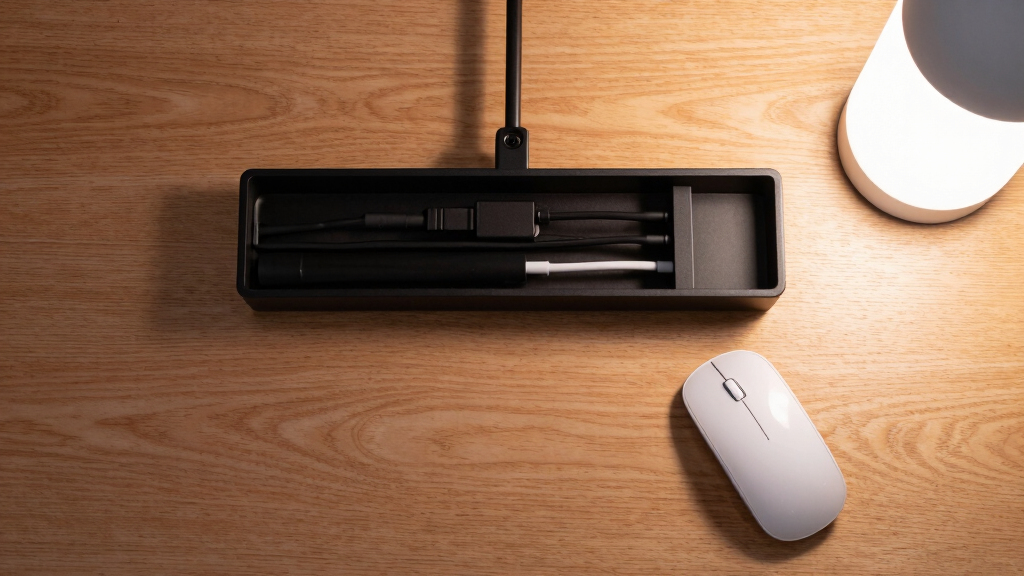
Finding the best under-desk cable trays for creator desks involves balancing organization, ease of installation, and durability. The top pick, Mount-It! Under Desk Cable Management Tray, stands out for its sturdy clamp-on design and spacious storage, making it ideal for cluttered setups. The Univivi No Drill Cable Tray offers a sleek, no-drill option perfect for renters or quick setups, while the Scanfield No-Screw Tray provides a budget-friendly, versatile solution. Buyers often face tradeoffs between installation complexity, capacity, and price. Continue reading for a full breakdown of the best options for your workspace needs.

Play games on Amazon Luna for your next adventure, included with Prime
- A rotating selection of games, no download needed
- Play on TV, laptop or phone
- Fast, free delivery for your gear, too
Complete the kit


Key Takeaways
- Clamp-on designs generally offer easier installation without drilling but may have limited capacity compared to screw-mounted options.
- Size and capacity vary significantly; larger trays accommodate more cables but can be bulkier and less subtle.
- Materials like steel provide durability and a premium feel, while fabric options are lighter and easier to reposition.
- No-drill solutions are ideal for renters or temporary setups but might compromise on stability or capacity.
- Pricing ranges reflect build quality, capacity, and ease of installation—spend more if you need heavy-duty, long-term durability.
| Under Desk Cable Management Tray No Drill, 2 Pieces Set |  | Best Budget Solution for Large Capacity and Easy Setup | Brand: Ultimate Setup | Indoor/Outdoor Usage: Indoor | Number of Pieces: 2 | VIEW LATEST PRICE | See Our Full Breakdown |
| Univivi No Drill Under Desk Cable Management Tray, 36 inch |  | Best for Large Capacity and Flexible Installation | Dimensions: 36″L x 5.5″W x 5.5″H | Material: 600D Oxford fabric, metal clips | Installation: No drill clamp-on or screw fixing | VIEW LATEST PRICE | See Our Full Breakdown |
| Mount-It! Under Desk Cable Management Tray – Clamp-On Metal Organizer for Power Strips and Cords, 23.6” Black |  | Best for Heavy Cables with Quick Clamp Installation | Material: Powder-coated steel | Length: 23.6 inches | Supports: Up to 11 lbs | VIEW LATEST PRICE | See Our Full Breakdown |
| Under Desk Cable Management Tray – Clamp/Screw Mount, Fabric Wire Organizer, Black, 35.8″×5.6″ |  | Best for Safety and Large Capacity with Flexible Mounting | Material: Oxford cloth | Dimensions: 35.8″×5.6″ | Mounting Options: Clamp or screw | VIEW LATEST PRICE | See Our Full Breakdown |
| Scanfield Under Desk Cable Management Tray, No-Screw, 17-Inch, 2-Pack White |  | Best for Easy, No-Tool Installation and Compact Spaces | Size: 17 inches | Number of Packs: 2 | Color: White | VIEW LATEST PRICE | See Our Full Breakdown |
| Cable Management Tray, 25.3 inches Under Desk No-Drill Clamp Mount |  | Best Overall for Versatility and Airflow | Length: 25.3 inches | Material: Metal | Supports: Up to 15 lbs | VIEW LATEST PRICE | See Our Full Breakdown |
| Under Desk Cable Management Tray No Drill Steel Tray Black |  | Best Value for Capacity and Durability | Material: Powder-coated carbon steel | Size: L15.7 x W4.7 x H6.3 inches | Number of cable organizers: 7 | VIEW LATEST PRICE | See Our Full Breakdown |
| Cable Management, 25” Under Desk Cable Tray |  | Best for Large Spaces and Ventilation | Length: 25 inches | Weight Capacity: 15 lbs | Material: Sturdy metal | VIEW LATEST PRICE | See Our Full Breakdown |
| KEEGH 16-inch Under Desk Cable Management Tray, Metal Cord Organizer, 2 Pack |  | Best for Compact, Multi-Use Setups | Dimensions: 16″L x 4.5″W x 6″H | Expandable Length: Up to 32″ | Material: Metal alloy | VIEW LATEST PRICE | See Our Full Breakdown |
| under-desk cable trays for creator desk | Material | Installation | Color |
|---|---|---|---|
| Under Desk Cable Management Tr | — | — | — |
| Univivi No Drill Under Desk Ca | 600D Oxford fabric, metal clips | No drill clamp-on or screw fixing | Black |
| Mount-It! Under Desk Cable Man | Powder-coated steel | Clamp-on, no drilling | Black |
| Under Desk Cable Management Tr | Oxford cloth | — | Black |
| Scanfield Under Desk Cable Man | — | — | White |
| Cable Management Tray | Metal | No-drill clamp mount | — |
| Under Desk Cable Management Tr | Powder-coated carbon steel | No drill | — |
| Cable Management | Sturdy metal | No drill, adjustable clamp | — |
| KEEGH 16-inch Under Desk Cable | Metal alloy | — | Black |
More Details on Our Top Picks
Under Desk Cable Management Tray No Drill, 2 Pieces Set
This set from Ultimate Setup excels in providing a large, sturdy solution without the need for drilling, making it ideal for renters or those wary of damaging their desks. Unlike the Scanfield No-Screw Tray, which focuses on quick adhesive installation, this set offers a more robust metal frame supporting heavier loads (up to 17.6 lbs), perfect for bulky power supplies. The included cable sorters and clips help maintain organization, but its design may not accommodate very large or oddly shaped power adapters. Its installation flexibility makes it a versatile pick for users who prioritize capacity and stability over sleekness. The main tradeoff is that some users might prefer a more integrated look, which this tray’s open design doesn’t fully provide.
Pros:- Supports up to 17.6 lbs, ideal for bulky power supplies
- Easy to install without drilling or gluing
- Includes cable sorters and clips for organized wiring
- Large capacity for wide and tall plugs
Cons:- May need screw mounting for extra stability
- Design may not fit very large or oddly shaped power supplies
Best for: Budget-conscious creators who need large capacity and easy installation without damaging their desks
Not ideal for: Users with very limited space under the desk or those requiring a completely hidden solution
- Brand:Ultimate Setup
- Indoor/Outdoor Usage:Indoor
- Number of Pieces:2
- Weight:1.17 kg
- Model Number:OL1114
- Warranty:5 years
- Load Capacity:17.6 lbs per tray
Our verdict“This set is best suited for budget-conscious users seeking a large, stable, and easy-to-install cable management solution.”
Univivi No Drill Under Desk Cable Management Tray, 36 inch
The Univivi 36-inch tray offers a substantial length for organizing all cables and adapters in one place, making it ideal for multi-device setups on larger desks. Compared with the Mount-It! Clamp-On, which is shorter at 23.6 inches, this tray provides more coverage, but it requires at least 5.3 inches of space along the edges to be effective. Its dual installation options (clamp or screw) provide versatility for different desk materials, though it’s not fully concealed once installed. The durable fabric and metal clips make it suitable for long-term use, but the fabric material could wear over time, especially under heavy loads. It’s a strong choice for creators wanting a spacious, fabric-based management system.
Pros:- Very large capacity to accommodate multiple cables and adapters
- Supports clamp-on or screw-fixed installation
- Durable, flame-retardant fabric for safety
- Flexible placement options
Cons:- Requires space on the tabletop for installation clips
- Cannot be fully hidden once installed
- Needs at least 5.3 inches of edge clearance
Best for: Creators with large, multi-device setups needing extensive cable organization and flexible installation options
Not ideal for: Users with minimal desk space or who prefer a more concealed setup without fabric materials
- Dimensions:36″L x 5.5″W x 5.5″H
- Material:600D Oxford fabric, metal clips
- Installation:No drill clamp-on or screw fixing
- Color:Black
- Suitable Desktop Thickness:At least 5.3 inches
- Brand:Univivi
Our verdict“This tray is ideal for creators seeking a spacious, flexible, and durable cable management solution for large setups.”
Mount-It! Under Desk Cable Management Tray – Clamp-On Metal Organizer for Power Strips and Cords, 23.6” Black
The Mount-It! 23.6-inch steel tray stands out for its quick clamp-on setup, making it perfect for users who want to avoid drilling and need a sturdy, heavy-duty solution. Its open wire design promotes airflow, preventing overheating of power strips and cables, which is a step up from fabric or enclosed trays. Compared to the Ultimate Setup set, which offers more capacity, this model is more compact and better suited for users with limited space or lighter cable loads. However, its support weight of only 11 lbs and compatibility with desks 0.2 to 1.97 inches thick make it less ideal for very heavy or bulky power setups. Its clamp design is simple but might not suit all desk materials, especially delicate surfaces.
Pros:- Supports up to 11 lbs, suitable for power strips and cables
- Easy clamp-on installation without drilling
- Open wire design for airflow and easy access
- Flexible for different desk thicknesses (0.2”–1.97”)
Cons:- Limited weight capacity for very heavy cables
- May not fit very large or bulky power strips
- Clamp-on may not be suitable for delicate or fragile desks
Best for: Users needing a quick, sturdy, and open cable tray for moderate cable loads on various desk materials
Not ideal for: Those with very heavy power setups or thicker desks outside the specified range
- Material:Powder-coated steel
- Length:23.6 inches
- Supports:Up to 11 lbs
- Installation:Clamp-on, no drilling
- Color:Black
- Compatibility:Desks 0.2” to 1.97” thick
Our verdict“This tray is best for users needing a quick, reliable, and airflow-friendly cable management solution for moderate loads.”
Under Desk Cable Management Tray – Clamp/Screw Mount, Fabric Wire Organizer, Black, 35.8″×5.6″
The fabric-based tray from KEEGH offers a safe, flame-retardant solution with a large capacity to hide wires and power strips. Its ability to be mounted via clamps or screws provides flexible installation options, making it suitable for a variety of desk types, including thicker surfaces up to 2.4 inches. Compared to the metal Mount-It! model, this fabric option emphasizes safety and aesthetics, although it may wear with heavy use or over time. Its flame-retardant material adds an extra layer of safety, especially in creative environments with multiple devices. The main limitation is that it’s less rigid, which could affect its ability to support very heavy or large items effectively, and it only comes in black, limiting aesthetic choices.
Pros:- Flame-retardant Oxford cloth for safety
- Large capacity for multiple wires and power strips
- Supports clamp or screw mounting for flexibility
- Suitable for desktops up to 2.4 inches thick
Cons:- Limited color options (only black)
- Fabric material may wear over heavy use
- Less rigid, possibly less supportive for very bulky items
Best for: Safety-conscious creators needing a large, adaptable cable management tray with a soft, flame-retardant surface
Not ideal for: Users requiring a rigid or fully concealed tray, or those with very thick desktops beyond 2.4 inches
- Material:Oxford cloth
- Dimensions:35.8″×5.6″
- Mounting Options:Clamp or screw
- Suitable Desktop Thickness:0.4 to 2.4 inches
- Color:Black
- Brand:KEEGH
Our verdict“This fabric tray is ideal for safety-minded users wanting a large, flexible, and safe cable management system.”
Scanfield Under Desk Cable Management Tray, No-Screw, 17-Inch, 2-Pack White
The Scanfield 17-inch trays excel in providing a quick, tool-free method to organize cables with their adhesive backing. Compared with larger or fabric options, this set is compact and straightforward, making it ideal for users who need to add or replace trays frequently or have limited under-desk space. Their 17-inch length is suitable for smaller setups but may fall short for extensive cable needs, unlike the 36-inch Univivi tray. The adhesive can weaken over time in humid or high-heat environments, which could lead to detachment. These trays are best for users prioritizing simplicity and minimal installation effort over capacity or concealment, especially in lighter cable configurations.
Pros:- Easy to install with strong adhesive backing
- No tools or screws needed
- Compact and space-efficient
- Suitable for light to moderate cable loads
Cons:- Adhesive may weaken over time
- Limited to under-desk installation
- Not suitable for very heavy or bulky cables
Best for: Creators seeking a simple, no-tools, quick-install option for small to medium cable loads
Not ideal for: Heavy or bulky cable setups requiring large capacity or long-term durability in high-humidity environments
- Size:17 inches
- Number of Packs:2
- Color:White
- Installation Method:Adhesive
Our verdict“This set is ideal for users who prioritize quick, tool-free installation and have modest cable management needs.”
Cable Management Tray, 25.3 inches Under Desk No-Drill Clamp Mount
This cable management tray stands out for its easy no-drill clamp installation combined with a durable metal build that supports up to 15 lbs. Its open mesh design promotes better airflow, helping to keep your workspace cooler and dust-free, which is a step up from the solid, less ventilated options like the KEEGH 16-inch tray. The large access holes make routing cords straightforward, but the clamp mount might not fit desks thicker than 2 inches, limiting its compatibility. Compared with products like the Under Desk Cable Management Tray No Drill Steel Tray, this tray offers a longer length without increasing complexity, making it suitable for larger setups. The tradeoff is that it’s not designed for wall mounting or very thick desks. This pick makes the most sense for users who want a sturdy, well-ventilated tray that installs quickly without tools.
Pros:- Easy no-drill clamp installation for quick setup
- Supports up to 15 lbs with sturdy metal construction
- Open mesh design improves airflow and reduces dust buildup
- Large access holes facilitate cord routing
Cons:- Clamp may not fit desks thicker than 2 inches
- Limited to under-desk use, not suitable for wall mounting
Best for: Creators or professionals with standard desks seeking a durable, well-ventilated tray that can be installed without drilling.
Not ideal for: People with very thick desks over 2 inches or those needing wall-mounted solutions, as the clamp may not fit or support additional mounting options.
- Length:25.3 inches
- Material:Metal
- Supports:Up to 15 lbs
- Installation:No-drill clamp mount
- Design:Open mesh
- Max Desk Thickness:2 inches
Our verdict“This tray is ideal for users who prioritize airflow, easy installation, and a sturdy metal build for standard desks.”
Under Desk Cable Management Tray No Drill Steel Tray Black
This steel tray excels in capacity and durability, making it a solid choice for those with multiple cables and power strips to organize. Its powder-coated steel surface is resistant to wear, and the inclusion of seven cable organizers (five cord and two wire) offers versatile management, surpassing more basic options like the Cable Management Tray, 25.3 inches. Installation is straightforward with no drilling required, and silicone pads protect your desk surface from scratches. However, its size might be a drawback for smaller or cluttered desks, and bulky power strips could be difficult to fit within its dimensions. Unlike the KEEGH 16-inch tray, this model provides a larger capacity at the expense of requiring more under-desk space. This pick is best for users who want a heavy-duty, high-capacity solution that is easy to dismantle and reconfigure.
Pros:- No drill installation for easy setup
- Durable powder-coated steel construction
- Large capacity with multiple cable organizers
- Protects desk surface with silicone pads
Cons:- May not fit very large or bulky power strips
- Requires space under the desk which could be limited
Best for: Professionals with multiple cables, power strips, and a need for a stable, large-capacity tray that doesn’t damage the desk surface.
Not ideal for: Users with limited under-desk space or bulky power strips, as the tray’s size and capacity might be too much for tight setups.
- Material:Powder-coated carbon steel
- Size:L15.7 x W4.7 x H6.3 inches
- Number of cable organizers:7
- Installation:No drill
- Supports:Multiple cables and power strips
- Mounting options:No-drill
Our verdict“This tray suits users needing maximum capacity and durability in a no-drill design for large cable setups.”
Cable Management, 25” Under Desk Cable Tray
This 25-inch tray offers ample space for organizing a substantial number of cables, making it ideal for busy creator desks with multiple devices. Its sturdy metal mesh structure facilitates excellent ventilation, preventing overheating and dust accumulation, unlike solid-sided trays that can trap heat. The no-drill, adjustable clamp installation allows for quick setup, but it requires some assembly with screws, which might be inconvenient for those seeking a truly tool-free experience. Its support for desks from 0.4 to 2 inches thick provides versatility, but users with thicker desks will need a different solution. Compared with the Cable Management Tray, 25.3 inches, it’s slightly more flexible in installation but shares similar size benefits. The main tradeoff is the assembly process and limited thickness compatibility. This model is best for users who want a large, well-ventilated tray with straightforward installation on standard desks.
Pros:- Large 25-inch size for extensive cable management
- Sturdy metal with mesh for ventilation
- No-drill adjustable clamp for quick setup
- Supports desks 0.4 to 2 inches thick
Cons:- Requires assembly with screws
- Limited to desks up to 2 inches thick
Best for: Creators with multiple cables and a preference for good airflow who are comfortable with minor assembly steps.
Not ideal for: Users with very thick desks over 2 inches or those who prefer completely drill-free, tool-free setups.
- Length:25 inches
- Weight Capacity:15 lbs
- Material:Sturdy metal
- Installation:No drill, adjustable clamp
- Suitable Desk Thickness:0.4 to 2 inches
Our verdict“This tray offers a spacious, ventilated solution ideal for users seeking a larger capacity with some assembly involved.”
KEEGH 16-inch Under Desk Cable Management Tray, Metal Cord Organizer, 2 Pack
The KEEGH 16-inch set offers a compact solution with two trays, making it suitable for smaller or segmented setups. Its metal construction ensures durability, and the option for both clamp and screw mounting adds flexibility compared to single-mount options. The shorter length limits capacity but makes it easier to fit on desks with limited space, unlike the longer 25-inch options. It’s ideal for users who want to organize cables in multiple zones or who prefer a modular approach. A drawback is that its size might be too small for users with extensive cable needs or bulky power strips, and the mounting options may not fit very thick desks over 2.2 inches. Compared with the Under Desk Cable Management Tray No Drill Steel Tray, this set offers more flexibility in placement but less overall capacity. This set is best for those who need a versatile, space-efficient solution for multiple small cable zones.
Pros:- Easy to install without tools
- Includes two trays for versatile placement
- Durable metal alloy construction
- Supports both clamp and screw mounts
Cons:- Limited length reduces capacity for large setups
- May not fit very thick desks over 2.2 inches
Best for: Small-scale creators or professionals who want multiple compact trays to organize cables in different areas of their desk.
Not ideal for: Users with large power strips or extensive cable setups, as the 16-inch size may be insufficient.
- Dimensions:16″L x 4.5″W x 6″H
- Expandable Length:Up to 32″
- Material:Metal alloy
- Mounting Options:No-drill clamp, screw mount
- Color:Black
- Number of Trays:2
Our verdict“This set suits users needing multiple small, flexible trays for organized, segmented cable management on compact desks.”
How We Picked
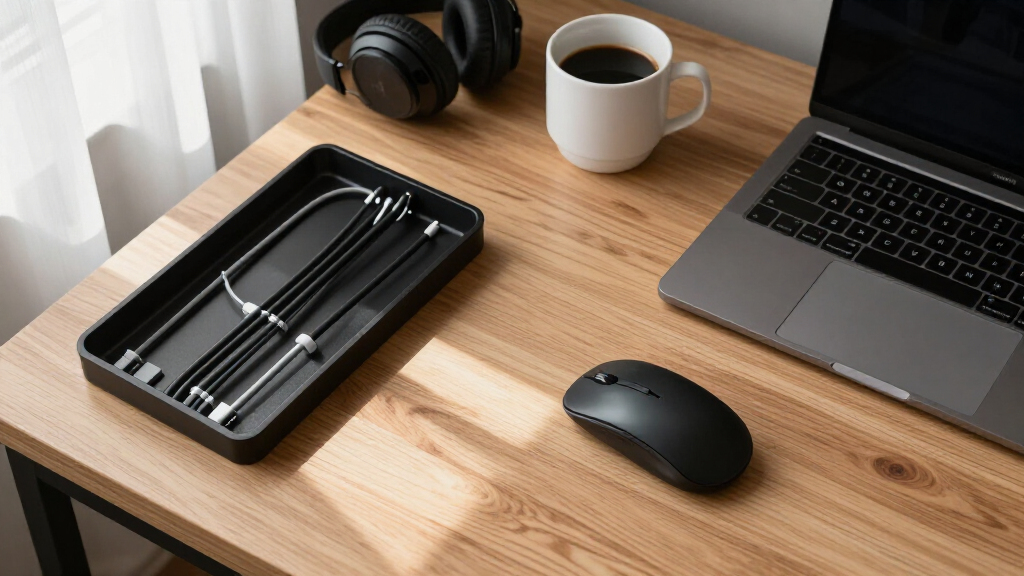
To determine the best under-desk cable trays for creator desks, I evaluated each product based on installation ease, capacity, build quality, versatility, and value for money. I prioritized trays that offer a balance between sturdy construction and user-friendly setup, especially for creators who need quick, reliable organization. Products were ranked higher if they combined durability with flexible mounting options—either clamp-on or screw-mounted—and reasonable pricing. The goal was to identify options suitable for different user needs, from temporary setups to long-term, heavy-use environments.
| under-desk cable trays for creator desk | Installation | Color |
|---|---|---|
| Under Desk Cable Management Tr | — | — |
| Univivi No Drill Under Desk Ca | No drill clamp-on or screw fixing | Black |
| Mount-It! Under Desk Cable Man | Clamp-on, no drilling | Black |
| Under Desk Cable Management Tr | — | Black |
| Scanfield Under Desk Cable Man | — | White |
| Cable Management Tray | No-drill clamp mount | — |
| Under Desk Cable Management Tr | No drill | — |
| Cable Management | No drill, adjustable clamp | — |
| KEEGH 16-inch Under Desk Cable | — | Black |
Factors to Consider When Choosing Best Under-desk Cable Trays For Creator Desks
Choosing the right under-desk cable tray involves several key considerations that go beyond just capacity and price. The right tray should fit your workspace, be easy to install, and accommodate your current and future cable needs. Understanding these factors helps prevent costly mistakes and ensures your workspace stays tidy and functional.
Installation Method and Flexibility
Decide whether you prefer a no-drill, clamp-on, or screw-mounted tray. No-drill options are quick and renter-friendly but may lack stability or capacity for larger setups. Clamp-on models typically offer a good balance of ease and security, while screw-mounted trays provide maximum stability and capacity but require tools and permanent installation. Your choice should align with your workspace’s permanence and your willingness to modify it.
Size and Capacity
Measure your available space and consider how many cables, power strips, and accessories you need to manage. Larger trays provide more room but can look bulkier and draw attention away from a clean aesthetic. Smaller, more compact trays work well for minimalist setups but might need to be replaced as your cable needs grow. Think about your current setup and future expansion when choosing size.
Material and Durability
Steel and metal trays offer the best durability and a sleek look, especially for long-term setups. Fabric or plastic options are lighter and easier to reposition but may lack the sturdiness for heavy cable loads. If you handle a large number of cables or heavy power strips, prioritize sturdy materials that won’t warp or bend over time. Balancing material choice with your usage expectations is key.
Ease of Maintenance and Repositioning
Consider how easy it is to access and clean your cable tray. No-drill and clamp-on models typically allow for quick repositioning, which is beneficial if your setup changes frequently. Screw-mounted trays are more permanent but generally more stable, especially in high-traffic or active workspaces. Think about how often you’ll need to adjust the tray and choose accordingly.
Price and Value
Higher-priced trays often feature better materials, larger capacities, and more secure mounting options, making them worth the investment for serious creators. Budget options can be effective for temporary setups or light cable loads but may require replacement sooner. Assess your budget relative to your needs—spending more now can save time and effort later if you require a durable, large-capacity solution.
Frequently Asked Questions
Can I install an under-desk cable tray without tools?
Yes, many trays are designed for no-drill installation, typically using clamps or adhesive pads. These are ideal for renters or those who want a quick setup without damaging their desk surface. However, no-drill options may have limited capacity and stability compared to screw-mounted trays, especially if you handle many cables or heavier equipment. Always check the weight limits and installation instructions to ensure they meet your needs.
What size cable tray should I choose for a multi-monitor setup?
For a multi-monitor setup, I recommend selecting a tray that offers at least 30-36 inches of length with a capacity to hold multiple power strips, bundles of cables, and accessories. Larger trays prevent overcrowding and help keep your workspace tidy. If your desk space is limited, consider a slightly narrower tray but prioritize capacity to avoid needing multiple trays or reorganizing frequently.
Are metal cable trays better than fabric or plastic options?
Metal trays, especially steel, tend to be more durable and support heavier cable loads, making them a good choice for long-term, high-usage setups. Fabric or plastic trays are lighter and easier to reposition, which is advantageous for temporary or flexible arrangements. The choice depends on your cable volume, weight, and whether you prefer a permanent or temporary solution.
How do I prevent my cable tray from slipping or falling?
For clamp-on or no-drill trays, ensure the clamps are tightly secured and compatible with your desk thickness. Screw-mounted trays are inherently more stable but require proper installation. Regularly check the mounting points and adjust as needed to maintain stability, especially if you frequently add or remove cables. Using trays with textured or rubberized contact surfaces can also improve grip and prevent slipping.
Is it worth investing in a premium cable tray?
Investing in a premium tray often means better materials, larger capacity, and more secure mounting options, which can be worthwhile for professional creators or those with extensive cable management needs. Higher-quality trays tend to last longer and better resist wear and tear, reducing replacement costs over time. If your workspace demands a neat, professional look and reliable performance, spending more upfront can pay off in the long run.
Conclusion
For creators seeking the best overall balance of durability, capacity, and ease of installation, the Mount-It! Under Desk Cable Management Tray makes a strong case as the top choice. If budget is a primary concern, the Scanfield No-Screw Tray offers solid performance at a lower price point, perfect for temporary or light use. Those who prioritize a sleek, no-drill setup should consider the Univivi No Drill Cable Tray, especially for rental spaces. For heavy-duty, long-term solutions, investing in a high-quality, metal screw-mounted tray will provide maximum stability and capacity. Ultimately, your choice should reflect your workspace size, cable volume, and whether you prefer a temporary or permanent setup.