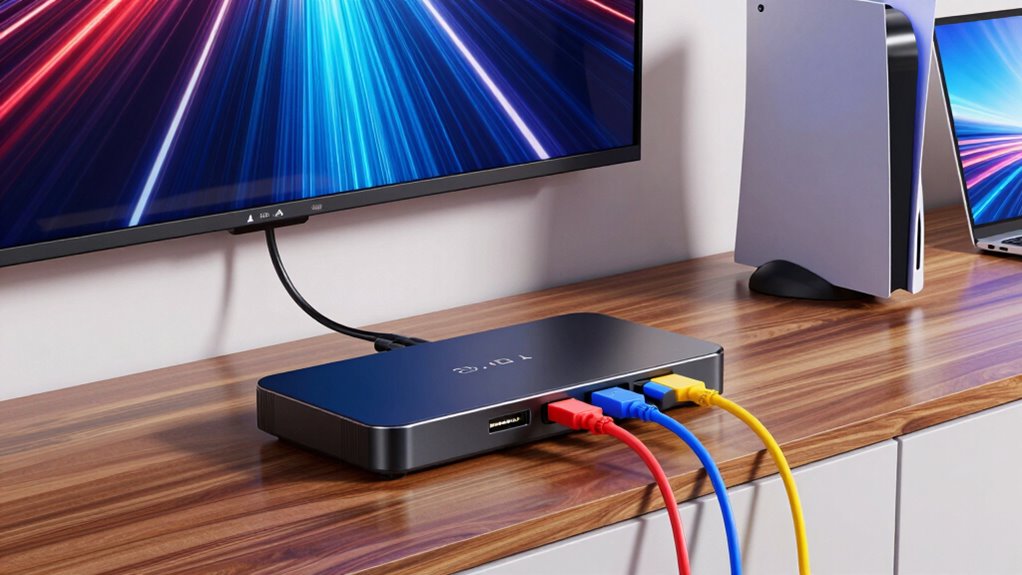

Setting up multiple gaming consoles on a single display often requires a reliable HDMI switch. The best models seamlessly handle multiple inputs, support high resolutions like 4K or 8K, and include user-friendly features like remote control or manual switching. The standout pick for overall value is the UGREEN 8K@60Hz HDMI Switch 3 in 1 Out because of its excellent compatibility and smooth switching. For gamers needing high refresh rates, the HDMI Switch 4 in 1 Out with 4K@240Hz is a strong contender, while the premium choice, the HDMI 2.1 Switch 5 in 1 Out, offers future-proofing with 8K support. Readers face tradeoffs between price, resolution support, and ease of use. Continue reading for a detailed breakdown of these options and more.

Play games on Amazon Luna for your next adventure, included with Prime
- A rotating selection of games, no download needed
- Play on TV, laptop or phone
- Fast, free delivery for your gear, too
Key Takeaways
- Support for high resolutions like 8K and high refresh rates is a key differentiator for premium models.
- Remote control features significantly enhance convenience when switching between multiple consoles.
- Build quality and compatibility with various HDMI standards impact long-term reliability.
- Manual switches often save money but can be less convenient for frequent switching.
- Price correlates strongly with features like VRR, HDR, and high bandwidth support.
| HDMI 2.1 Switch 5 in 1 Out 8K 60Hz 4K 120Hz with Remote |  | Best Overall for High-End Gaming and Home Theater | Input Ports: 5 HDMI | Output Ports: 1 HDMI | Resolution Support: 8K@60Hz, 4K@120Hz, 2K@240Hz | VIEW ON AMAZON | See Our Full Breakdown |
| HDMI Switch 4K@60Hz Splitter, GANA Aluminum Bidirectional HDMI Switcher 2 in 1 Out |  | Best for Flexible Source and Display Management | HDMI Ports: 3 | Resolution Support: 4K@60Hz | Power: None required | VIEW ON AMAZON | See Our Full Breakdown |
| UGREEN 8K@60Hz HDMI 2.1 Switch 3 in 1 Out with Remote, VRR, 4K@240Hz |  | Best for High-Refresh Gaming and Dynamic Media | Resolution Support: 8K@60Hz, 4K@240Hz | Input Ports: 3 | Power Supply: USB 5V/1A | VIEW ON AMAZON | See Our Full Breakdown |
| HDMI Switcher 4 in 1 Out – 8K@60Hz, 4K@240Hz/144Hz/120Hz HDMI Splitter with Remote |  | Best for Versatile High-Resolution Multi-Device Connection | Number of Ports: 4 in, 1 out | Maximum Resolution: 8K@60Hz, 4K@240Hz | Bandwidth: 48Gbps | VIEW ON AMAZON | See Our Full Breakdown |
| UGREEN HDMI Switch 5 in 1 Out, 4K@60Hz, with Remote, HDR, VRR, 3D, Black |  | Best for Multi-Device Gaming and Media Integration | Number of Inputs: 5 | Resolution Support: 4K@60Hz | HDR: Yes | VIEW ON AMAZON | See Our Full Breakdown |
| HDMI Switch 5 in 1 Out 4K@60Hz with Remote, Aluminum HDMI 2.0 Switch Box Hub for Gaming Consoles and Devices |  | Best Overall for Versatile Multi-Device Setup | Resolution Support: 4K@60Hz | Backward Compatibility: 4K@30Hz, 2560×1440@120Hz, 1920×1080@240Hz | Input Ports: 5 HDMI | VIEW ON AMAZON | See Our Full Breakdown |
| UGREEN 8K@60Hz HDMI Switch 5 in 1 Out, Aluminum, HDR10+, with Remote |  | Best for 8K Gaming and Streaming Enthusiasts | Number of Inputs: 5 | Resolution Support: 8K@60Hz, 4K@60Hz, 1080P@240Hz | HDR Support: HDR10+ | VIEW ON AMAZON | See Our Full Breakdown |
| NEWCARE HDMI Switch 3 in 1 Out, 4K@60Hz HDMI Switcher with 2.6ft HDMI Cable |  | Best for Compact, Budget-Friendly Multi-Device Connections | Number of HDMI Inputs: 3 | Number of HDMI Outputs: 1 | Resolution Support: 4K@60Hz | VIEW ON AMAZON | See Our Full Breakdown |
| Anker HDMI Switch, 4 in 1 Out 4K@60Hz HDMI Switcher with Remote Selector |  | Best for Easy Device Switching with Remote Control | Input Ports: 4 HDMI | Output Ports: 1 HDMI | Resolution: 4K@60Hz | VIEW ON AMAZON | See Our Full Breakdown |
| Acer 5-in-1 HDMI Switch 4K@60Hz HDMI 2.0 with Remote for PS5 Xbox TV |  | Best for Gaming Consoles and Durable Home Use | Number of Inputs: 5 | Resolution Support: 4K@60Hz | HDMI Version: HDMI 2.0/1.4 | VIEW ON AMAZON | See Our Full Breakdown |
| HDMI 2.1 Switch 4 in 1 Out 8K 60Hz 4K 120Hz for PS5 Xbox Apple TV |  | Best Overall for High-End Gaming and Home Theater | Input Ports: 4 HDMI | Output Ports: 1 HDMI | Resolution Support: 8K@60Hz, 4K@120Hz, 2K@240Hz | VIEW ON AMAZON | See Our Full Breakdown |
| BENFEI HDMI Switch 4 in 1 Out 4K@60Hz, 2K@144Hz, HDCP 2.3, Supports Adaptive Equalization, 10M HDMI Transmit, Compatible with PS5/4, Xbox, Roku, FireStick, Switch |  | Best Value for Versatile Gaming and Media Setup | Resolution Support: 4K@60Hz, 2K@144Hz | HDMI Version: HDMI 2.0b, HDMI 1.4 | HDCP Version: HDCP 2.3 | VIEW ON AMAZON | See Our Full Breakdown |
| UGREEN HDMI Switch 3 in 1 Out, 4K@60Hz, with Remote, HDR10+, 3D, Dolby | 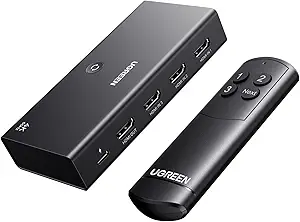 | Best for Simplicity and Cost-Effective Multi-Source Management | Input Ports: 3 HDMI | Output Ports: 1 HDMI | Resolution Support: 4K@60Hz | VIEW ON AMAZON | See Our Full Breakdown |
| hdmi switch for multiple console | Resolution Support |
|---|---|
| HDMI 2.1 Switch 5 in 1 Out 8K | 8K@60Hz, 4K@120Hz, 2K@240Hz |
| HDMI Switch 4K@60Hz Splitter | 4K@60Hz |
| UGREEN 8K@60Hz HDMI 2.1 Switch | 8K@60Hz, 4K@240Hz |
| HDMI Switcher 4 in 1 Out | — |
| UGREEN HDMI Switch 5 in 1 Out | 4K@60Hz |
| HDMI Switch 5 in 1 Out 4K@60Hz | 4K@60Hz |
| UGREEN 8K@60Hz HDMI Switch 5 i | 8K@60Hz, 4K@60Hz, 1080P@240Hz |
| NEWCARE HDMI Switch 3 in 1 Out | 4K@60Hz |
| Anker HDMI Switch | — |
| Acer 5-in-1 HDMI Switch 4K@60H | 4K@60Hz |
| HDMI 2.1 Switch 4 in 1 Out 8K | 8K@60Hz, 4K@120Hz, 2K@240Hz |
| BENFEI HDMI Switch 4 in 1 Out | 4K@60Hz, 2K@144Hz |
| UGREEN HDMI Switch 3 in 1 Out | 4K@60Hz |
More Details on Our Top Picks
HDMI 2.1 Switch 5 in 1 Out 8K 60Hz 4K 120Hz with Remote
This HDMI 2.1 switch excels in environments where maximum resolution and refresh rate matter, supporting up to 8K@60Hz and 4K@120Hz, making it ideal for gamers with high-performance consoles like PS5 and Xbox Series X. Compared to the UGREEN 8K@60Hz HDMI 2.1 Switch 3 in 1 Out, it offers more input options—five versus three—and full HDMI 2.1 features, but it comes with a higher price and the need for HDMI 2.1 cables to realize full 8K performance. Its remote control and auto-detection add convenience, though remote batteries are not included, requiring an extra purchase. This pick makes the most sense for advanced users who want top-tier gaming visuals and want to future-proof their setup.
Pros:- Supports 8K@60Hz and 4K@120Hz resolutions for ultra-sharp visuals
- Full HDMI 2.1 feature set including VRR and ALLM for gaming
- Multiple switching modes with remote and auto-detection
Cons:- Requires HDMI 2.1 cables for 8K performance, which are more expensive
- Remote batteries are not included, adding to setup cost
- Limited to five input ports, less flexible than larger switchers
Best for: Power users with multiple high-resolution consoles and demanding home theater setups
Not ideal for: Casual gamers or users with only two or three devices who do not need 8K support
- Input Ports:5 HDMI
- Output Ports:1 HDMI
- Resolution Support:8K@60Hz, 4K@120Hz, 2K@240Hz
- Bandwidth:48Gbps
- HDR Support:HDR10+, Dolby Vision
- Features:VRR, ALLM, QFT, auto-source detection
Our verdict“This switch is ideal for serious gamers and home theater enthusiasts who need maximum resolution and feature support.”
HDMI Switch 4K@60Hz Splitter, GANA Aluminum Bidirectional HDMI Switcher 2 in 1 Out
This bidirectional switch offers a practical solution for users who need to connect two sources to a single display or vice versa without complex setups, supporting 4K@60Hz resolution. Unlike the UGREEN HDMI Switch 5 in 1 Out, it provides only three ports and lacks 8K support, but its bidirectional design adds valuable flexibility—perfect for small setups or shared screens. Its aluminum build ensures durability, and the LED indicators clarify which port is active, though it can only handle one display at a time and doesn’t include HDMI cables. This device is well-suited for users who want a simple, space-efficient switch for occasional switching between devices.
Pros:- Supports 4K@60Hz with clear LED indicators
- Bidirectional design for versatile source/destination switching
- No external power needed, simplifying setup
Cons:- Limited to three ports, restricting expandability
- Only one display at a time when in use
- No included HDMI cables, may require additional purchase
Best for: Small households or offices needing flexible source-to-display connections
Not ideal for: Gamers or home theaters requiring 8K support or multiple inputs simultaneously
- HDMI Ports:3
- Resolution Support:4K@60Hz
- Power:None required
- Material:Aluminum
Our verdict“Ideal for users seeking a straightforward, durable switch for simple source management, with minimal fuss.”
UGREEN 8K@60Hz HDMI 2.1 Switch 3 in 1 Out with Remote, VRR, 4K@240Hz
The UGREEN HDMI switch stands out for gamers and media enthusiasts seeking ultra-high resolutions and refresh rates, supporting 8K@60Hz and 4K@240Hz, making it suitable for the latest gaming consoles. Unlike the HDMI Switch 5 in 1 Out 8K@60Hz, it offers fewer input ports—three—limiting device connection options but excels in supporting features like VRR, G-Sync, and FreeSync, which the other models lack. Its remote control adds convenience, though it requires a USB power source, and it doesn’t support automatic switching. This device is perfect for those who prioritize smooth, tear-free gaming over broad input capacity.
Pros:- Supports ultra-high resolutions up to 8K and 4K@240Hz
- Includes remote control for seamless source switching
- Supports VRR, G-Sync, and FreeSync for tear-free gameplay
Cons:- Requires external USB power, complicating setup
- No automatic source switching, manual control only
- Limited to three input sources, less expandable
Best for: Gamers with high-refresh-rate demands or users with fewer sources but high-quality displays
Not ideal for: Users needing more than three input devices or automatic switching features
- Resolution Support:8K@60Hz, 4K@240Hz
- Input Ports:3
- Power Supply:USB 5V/1A
- Additional Features:VRR, G-Sync, FreeSync
Our verdict“Best suited for serious gamers who want high refresh rates and dynamic HDR features in a compact switch.”
HDMI Switcher 4 in 1 Out – 8K@60Hz, 4K@240Hz/144Hz/120Hz HDMI Splitter with Remote
This versatile HDMI switcher supports four inputs and one output, with resolutions up to 8K@60Hz and 4K@240Hz, making it suitable for complex setups involving multiple gaming consoles, media players, or professional presentations. Compared to the UGREEN HDMI Switch 5 in 1 Out, it offers a similar input count but emphasizes long-distance stability—up to 10 meters—thanks to HDMI 2.1 transmission. The included remote makes switching simple, though it demands a constant external power supply, which could complicate placement. This switch is best for users with demanding resolution needs and multiple sources that require stable, extended cable runs.
Pros:- Supports ultra-high resolutions and refresh rates up to 8K@60Hz and 4K@240Hz
- Remote control for easy source management
- Supports long-distance transmission up to 10 meters
Cons:- Requires external power, adding complexity
- Setup may be more involved due to power and cable requirements
- Supports only one display at a time, not multi-monitor setups
Best for: Home theater enthusiasts or professionals needing reliable, high-quality multi-source switching over longer distances
Not ideal for: Casual users with only a few devices or those who prefer wireless switching
- Number of Ports:4 in, 1 out
- Maximum Resolution:8K@60Hz, 4K@240Hz
- Bandwidth:48Gbps
- Power:External DC 5V
Our verdict“Designed for demanding setups needing high-resolution stability over longer distances, ideal for professional or dedicated home theater use.”
UGREEN HDMI Switch 5 in 1 Out, 4K@60Hz, with Remote, HDR, VRR, 3D, Black
This UGREEN switch offers five inputs to connect multiple gaming consoles or media devices to a single display, supporting 4K@60Hz and HDR for vibrant visuals. Compared with the HDMI Switch 4 in 1 Out, it provides one extra input, making it suitable for larger console collections. Its remote control and manual button allow easy switching, but it doesn’t support automatic source detection, which can be less convenient during frequent device changes. The USB power requirement is minimal, yet the limited cable length for 4K operation might restrict placement options. This switch fits well for users who need multiple inputs but are comfortable with manual operation.
Pros:- Supports 4K@60Hz, HDR, and VRR for high-quality visuals
- Five input ports for multiple devices
- Remote and manual switching options
Cons:- No automatic switching, manual input selection required
- USB power needed, but power adapter not included
- Cable length for 4K operation is limited to about 3 meters
Best for: Gaming setups with multiple consoles and media players needing straightforward switching
Not ideal for: Users seeking automatic switching or minimal manual intervention
- Number of Inputs:5
- Resolution Support:4K@60Hz
- HDR:Yes
- Power Source:USB
Our verdict“Best for users with several devices who prefer manual control over a straightforward, reliable switch.”
HDMI Switch 5 in 1 Out 4K@60Hz with Remote, Aluminum HDMI 2.0 Switch Box Hub for Gaming Consoles and Devices
This switch stands out for its straightforward, reliable performance across multiple devices, supporting high-resolution 4K@60Hz and long-range remote control. Compared to the UGREEN 8K@60Hz HDMI Switch 5 in 1 Out, it offers similar device capacity but with a slightly lower maximum resolution and bandwidth, making it ideal for users prioritizing compatibility over ultra-high resolution. Its aluminum build provides durability, but the absence of a power adapter means you may need to buy one separately if you want optimal stability. The LED indicators simplify device management, and the remote range of 33 feet enhances convenience during gaming sessions or media streaming. However, no HDMI cables are included, and it only supports standard HDMI devices, limiting future-proofing for emerging tech.
Pros:- Supports high-resolution 4K@60Hz for crisp visuals
- Long-range remote control (33 ft) for convenience
- LED indicators for easy device tracking
- Sturdy aluminum construction
Cons:- HDMI cables not included, requiring additional purchase
- Power adapter not included, possibly affecting stability
Best for: Gamers and media enthusiasts who need a durable, reliable switch for multiple HDMI sources without requiring the highest resolutions.
Not ideal for: Users seeking 8K support or automatic switching features, as this model limits resolution options and manual operation.
- Resolution Support:4K@60Hz
- Backward Compatibility:4K@30Hz, 2560×1440@120Hz, 1920×1080@240Hz
- Input Ports:5 HDMI
- Output Ports:1 HDMI
- Transmission Speed:18Gbps
- Power Supply:USB powered (power adapter not included)
- Remote Control Range:33 feet
Our verdict“This pick suits users who prioritize reliable, multi-device switching at 4K resolution without needing advanced features like auto-switching or 8K support.”
UGREEN 8K@60Hz HDMI Switch 5 in 1 Out, Aluminum, HDR10+, with Remote
This model shines for users who want future-proof capabilities, supporting 8K@60Hz with HDR10+ and high refresh rates. Unlike the HDMI Switch 5 in 1 Out, it offers a broader resolution spectrum, making it ideal for gaming consoles, high-end PCs, and streaming devices that push beyond 4K. Its HDMI 2.1 compatibility and 40Gbps bandwidth ensure ultra-smooth visuals, but this high performance comes with a drawback—no auto-switching feature, requiring manual input selection. The included remote and long-range control add to its user-friendly design, yet the need for continuous power and cable length limitations might hinder some setups. This switch is best suited for those who prioritize maximum resolution and features over automatic device management.
Pros:- Supports 8K@60Hz for future-ready visuals
- HDR10+ for vibrant, high-contrast images
- Easy switching with remote and LED indicators
- Compatible with a wide range of devices
Cons:- No auto-switching, manual only
- Requires a constant power connection
- Cable length limitations for optimal 8K performance
Best for: Power users and gamers with 8K displays or planning to upgrade, looking for high bandwidth and advanced resolution support in a switch.
Not ideal for: Casual users or those with standard HD TVs who do not need 8K support or high refresh rates, as the extra features might be unnecessary.
- Number of Inputs:5
- Resolution Support:8K@60Hz, 4K@60Hz, 1080P@240Hz
- HDR Support:HDR10+
- HDMI Version:HDMI 2.1
- Bandwidth:40Gbps
- Remote Range:33 ft
- Power Supply:Included
Our verdict“This switch is perfect for users who want 8K support and high-end features, accepting manual operation as a tradeoff.”
NEWCARE HDMI Switch 3 in 1 Out, 4K@60Hz HDMI Switcher with 2.6ft HDMI Cable
This switch offers a simple, compact solution for users with limited space or budget constraints, supporting 4K@60Hz with reliable manual switching. Compared to larger models like the Anker 4 in 1 Out, it handles fewer devices but at a significantly lower cost and with a smaller footprint. The included 2.6 ft HDMI cable makes setup straightforward, but its manual operation and lack of remote control make it less convenient for frequent switching. Without auto-switching or power adapter, it’s best suited for stationary use where device order remains consistent. This choice is ideal for small setups or occasional use, but less so for active gaming or dynamic media environments.
Pros:- Supports 4K@60Hz resolution for quality video
- Compact size and included short HDMI cable
- Gold-plated connectors for stable signal transfer
- Reliable manual button switching
Cons:- No remote control or auto-switching
- Requires external power, adding complexity
- Limited device capacity with only 3 inputs
Best for: Small entertainment setups or users who need a simple, affordable switch with minimal features.
Not ideal for: Gamers or streamers who require remote control or auto-switching, as manual operation can be inconvenient.
- Number of HDMI Inputs:3
- Number of HDMI Outputs:1
- Resolution Support:4K@60Hz
- Cable Length:2.6 ft
- Supports 3D:Yes
- HDCP Support:HDCP2.2
- Power Supply:5V/1A
Our verdict“This switch is suitable for small-scale, budget-conscious users who value simplicity over advanced features.”
Anker HDMI Switch, 4 in 1 Out 4K@60Hz HDMI Switcher with Remote Selector
This model is tailored for users who want a straightforward switch with remote control, supporting 4K@60Hz for crisp visuals. Unlike the UGREEN 8K switch, it doesn’t support resolutions beyond 4K, but its simple design makes it easy to operate for daily device management. It can handle four inputs, making it suitable for home entertainment or office setups, but the absence of HDMI cables and limited resolution capabilities mean it might fall short for high-end gaming or future-proofing. The included remote simplifies switching, but the lack of HDMI-CEC support could be a downside for those seeking integrated device control. Overall, this switch offers a balance between convenience and performance for standard HD and 4K setups.
Pros:- Supports 4K@60Hz resolution
- Remote control for effortless switching
- Simple, reliable design
- Gold-plated HDMI ports
Cons:- No HDMI cables included
- Limited to 4K resolution, no 8K support
- No HDMI CEC functionality
Best for: Home users seeking an easy-to-use, remote-controlled switch for standard 4K devices without complex features.
Not ideal for: Advanced gamers or future-proofers interested in 8K or higher refresh rates, as this model caps at 4K.
- Input Ports:4 HDMI
- Output Ports:1 HDMI
- Resolution:4K@60Hz
- Power:USB-A to USB-C cable included
- Remote Control:Yes
- Supports HDMI CEC:No
Our verdict“This switch offers a user-friendly, remote-controlled solution ideal for basic 4K device management in everyday setups.”
Acer 5-in-1 HDMI Switch 4K@60Hz HDMI 2.0 with Remote for PS5 Xbox TV
This switch is built with gamers in mind, supporting 4K@60Hz with durable metal-like construction and remote control. It’s similar in device capacity to the other 5-in-1 options but emphasizes sturdy build quality with heat dissipation vents and corrosion-resistant ports. Unlike the UGREEN 8K model, it doesn’t support resolutions beyond 4K, but its physical buttons, LED indicators, and high-quality ports ensure a reliable experience for gaming consoles such as PS5 and Xbox. The absence of an included power supply and remote batteries could be a minor inconvenience. It’s a solid choice for gaming setups needing dependable performance and physical durability, but not for those eyeing 8K or automatic switching features.
Pros:- Supports 4K@60Hz resolution with stable performance
- Rugged metal-like body for durability
- Physical buttons and LED indicators for clarity
- High-quality ports with gold plating
Cons:- No automatic switching capability
- Remote and power supply not included
- Limited to 4K resolution only
Best for: Gamers and home entertainment users who need a durable, easy-to-operate switch for multiple gaming consoles and media devices.
Not ideal for: Users seeking 8K resolution support or automatic switching, as this model sticks to 4K and manual operation only.
- Number of Inputs:5
- Resolution Support:4K@60Hz
- HDMI Version:HDMI 2.0/1.4
- HDCP Version:2.3
- Bandwidth:18Gbps
- Body Material:Metal-like
- Ports:Gold-plated HDMI ports
Our verdict“This switch is perfect for gamers needing a durable, straightforward device switcher with manual operation for 4K setups.”
HDMI 2.1 Switch 4 in 1 Out 8K 60Hz 4K 120Hz for PS5 Xbox Apple TV
This HDMI 2.1 switch stands out for supporting ultra high resolutions up to 8K@60Hz and 4K@120Hz, making it ideal for those with the latest gaming consoles or high-end home theater setups. Compared with the UGREEN HDMI Switch 3 in 1 Out, it offers higher resolution support and advanced features like VRR, ALLM, and QFT, which translate into smoother gameplay and more responsive video. However, it requires HDMI 2.1 cables for optimal performance—these are an added cost—and its 2-meter maximum cable length for 8K signals limits placement flexibility. The remote control and auto-switching make device management effortless, but batteries are not included. This pick makes the most sense for gamers or enthusiasts who prioritize top-tier video quality and future-proofing, and are willing to invest in premium cables and equipment.
Pros:- Supports up to 8K@60Hz and 4K@120Hz for ultra high-resolution, smooth images
- Includes remote control and auto-switching for convenience
- Supports HDMI 2.1 features like VRR, ALLM, and QFT for gaming and streaming
Cons:- Requires HDMI 2.1 cables that may need to be purchased separately
- Limited to 2 meters for 8K signals, reducing placement flexibility
- Remote batteries are not included
Best for: High-end gamers and home theater enthusiasts wanting 8K and 4K@120Hz support with advanced gaming features
Not ideal for: Casual users or those with older HDMI devices who won’t benefit from 8K support or HDMI 2.1 features
- Input Ports:4 HDMI
- Output Ports:1 HDMI
- Resolution Support:8K@60Hz, 4K@120Hz, 2K@240Hz
- Bandwidth:48Gbps
- Audio Support:DTS5.1/7.1, Dolby Digital, LPCM5.1/7.1
- Cable Requirements:HDMI 2.1 certified cable, max length 2m for 8K
Our verdict“This switch is best suited for users seeking maximum resolution and gaming performance in a premium setup.”
BENFEI HDMI Switch 4 in 1 Out 4K@60Hz, 2K@144Hz, HDCP 2.3, Supports Adaptive Equalization, 10M HDMI Transmit, Compatible with PS5/4, Xbox, Roku, FireStick, Switch
The BENFEI HDMI Switch offers a practical balance between resolution support and affordability. It supports 4K@60Hz and a notably high 2K@144Hz, making it a strong choice for gamers who prioritize high refresh rates over ultra high resolutions. Unlike the UGREEN 3 in 1, it provides adaptive equalization for stable signal transmission over longer distances—up to 30 feet—though it requires a USB-C power cable, adding a layer of complexity. Its fixed HDMI cable simplifies setup but reduces flexibility if you need to position your devices differently. This switch is well-suited for users with a range of devices, including gaming consoles and media players, who want reliable performance without the highest-end features or resolutions. The tradeoff is that it doesn’t support HDMI 2.1 or HDR beyond HDR10+, limiting future-proofing for the most demanding setups.
Pros:- Supports 4K@60Hz and 2K@144Hz for high-refresh-rate gaming
- Adaptive equalization ensures stable signals over 30 feet
- Fixed HDMI cable reduces connection issues
Cons:- Requires external USB-C power supply, not included
- Limited to 4 inputs and 1 output, not expandable
- No support for HDMI 2.1 features like VRR or 8K resolution
Best for: Budget-conscious gamers or media lovers needing reliable high refresh rates and longer cable runs
Not ideal for: Users seeking 8K support or advanced HDMI 2.1 features like VRR and ALLM
- Resolution Support:4K@60Hz, 2K@144Hz
- HDMI Version:HDMI 2.0b, HDMI 1.4
- HDCP Version:HDCP 2.3
- Transmit Distance:Up to 30ft
- Power Supply:USB-C cable (included)
- Number of Ports:4 HDMI input ports
Our verdict“This switch offers reliable, long-distance HDMI performance at a budget-friendly price, ideal for mid-range gaming setups.”
UGREEN HDMI Switch 3 in 1 Out, 4K@60Hz, with Remote, HDR10+, 3D, Dolby
The UGREEN HDMI Switch is a straightforward choice for managing multiple sources with minimal fuss. It supports 4K@60Hz and HDR10+—ensuring good image quality—while offering remote control for easy switching. Compared to the BENFEI 4 in 1, it has fewer inputs but remains highly reliable for typical home setups. Its support for 3D and Dolby Atmos makes it suitable for media enthusiasts, but it lacks automatic switching, requiring manual input selection which could be inconvenient during active use. Also, it needs an external power supply (not included), adding some hassle. This switch is ideal for users with three primary sources who want a simple, reliable device without the need for advanced features like 8K or high refresh rates. Its main tradeoff is limited input capacity and no automatic switching, which could be a drawback in more complex systems.
Pros:- Supports 4K@60Hz and HDR10+ for high-quality images
- Includes remote control for easy switching
- Supports 3D and Dolby Atmos for enhanced media experience
Cons:- No automatic source switching—manual input selection needed
- Requires external power supply, not included
- Limited to 3 inputs, not expandable
Best for: Home users with three main HDMI sources who want easy, manual control without complex features
Not ideal for: Gamers or tech enthusiasts needing higher resolutions or automatic source switching
- Input Ports:3 HDMI
- Output Ports:1 HDMI
- Resolution Support:4K@60Hz
- HDR Support:HDR10+
- Video Features:3D, Dolby Atmos
- Power Supply:5V 1A or above (not included)
Our verdict“This switch offers dependable, straightforward source switching for users prioritizing simplicity and good picture quality.”

How We Picked
These HDMI switches were evaluated primarily on performance, build quality, and compatibility with modern gaming consoles and streaming devices. Ease of switching—whether via remote or manual button—was a crucial factor, as was the support for high resolutions and refresh rates that gamers demand. We also considered value for money, ensuring each pick offers a balance of features relative to its price. Products were ranked based on their versatility, longevity, and user-friendly features, helping readers find options suited for both casual and serious gaming setups.Factors to Consider When Choosing Hdmi Switch For Multiple Consoles
Choosing the right HDMI switch for multiple consoles involves understanding several key factors. Not all switches are created equal, especially when it comes to handling high resolutions, refresh rates, and the number of inputs and outputs. Investing in a model with future-proof features can save money long-term, but it often comes at a higher price. This guide highlights what to consider to match your specific setup, gaming needs, and budget.Resolution and Refresh Rate Support
Ensure the HDMI switch supports the highest resolution and refresh rate your consoles and display can handle. For modern gaming, 4K@60Hz is common, but if you own a PS5 or Xbox Series X, look for support for 4K@120Hz or 8K@60Hz to future-proof your setup. High refresh rates like 120Hz or 240Hz are crucial for smooth gameplay, especially in fast-paced titles. Choosing a switch with bandwidth capacity that exceeds your current needs can prevent bottlenecks as technology advances.
Number of Inputs and Outputs
Match the switch’s input/output count to your setup. If you own multiple consoles and streaming devices, a 4-in-1 or 5-in-1 model offers flexibility without clutter. Remember, more inputs often mean a higher price, but they can simplify your setup, reducing the need for multiple switches or adapters. Consider your future expansion plans—buying slightly more capacity than needed can be a smart move to avoid replacing the switch later.
Ease of Use and Switching Method
Decide whether you prefer remote control or manual switching. Remote-controlled switches are more convenient, especially if your consoles are in different locations or you switch frequently. Manual switches are typically cheaper but require physically pressing a button, which can be inconvenient during intense gaming sessions. Some models also support auto-switching, which detects active inputs, but reliability varies. Weigh the convenience against the cost and complexity for your setup.
Build Quality and Compatibility
Look for switches with solid construction and good shielding to prevent signal degradation. Compatibility with HDMI standards like 2.0, 2.1, or HDCP protocols ensures your devices work smoothly. Support for HDR, VRR, and Dolby Vision enhances visual quality in gaming and streaming. A sturdy, well-made switch minimizes connection issues and lasts longer, providing better value over time, especially if you plan to keep it for years.
Price and Future-Proofing
Higher-priced switches typically offer better performance, higher bandwidth, and more features like 8K support or VRR. However, evaluate whether these features match your current and future needs. A cheaper switch might suffice if you only use 1080p or 4K at 60Hz, but investing in a more capable model can extend its usefulness as your setup evolves. Balance your budget with the desire for longevity and compatibility with upcoming console generations.
Frequently Asked Questions
Will a 4K HDMI switch work with my 8K TV?
Yes, a 4K HDMI switch can work with an 8K TV, but it will limit the output to 4K resolution. If you want to fully support 8K content, you should choose a switch explicitly rated for 8K at 60Hz or higher. Using a 4K switch with an 8K TV won’t harm the device, but you won’t benefit from the higher resolution or future-proof features. Always verify the switch’s supported resolutions before purchasing if you have an 8K display.
Is a remote control necessary for an HDMI switch?
While not strictly necessary, a remote control adds significant convenience, especially if your consoles are in different locations or you switch inputs frequently. Without a remote, switching involves pressing a button on the device itself, which can be less practical during gaming or streaming sessions. If ease of use is a priority, investing in a switch with a remote is well worth it, even if it costs a bit more.
Can I connect both my PS5 and Xbox Series X to one HDMI switch?
Absolutely, as long as the switch has enough inputs—at least two in this case—and supports the resolutions and features your consoles require. Most modern switches support 4K@60Hz or higher, making them compatible with both consoles. Just ensure the switch supports the HDMI standards necessary for your devices, like HDMI 2.1 if you want 4K@120Hz or 8K support. Properly matching these specs ensures a smooth gaming experience without signal issues.
What is the main difference between HDMI 2.0 and HDMI 2.1 switches?
HDMI 2.1 switches support higher bandwidth, enabling features like 8K resolution at 60Hz, 4K at 120Hz, and advanced gaming features like VRR and ALLM. HDMI 2.0 switches are limited to 4K@60Hz and lack some of these newer capabilities. If you own or plan to upgrade to a console or device that leverages HDMI 2.1 features, choosing a compatible switch is essential for enjoying the full potential of your setup.
Conclusion
For most users, the UGREEN 8K@60Hz HDMI Switch 3 in 1 Out strikes an excellent balance between affordability, compatibility, and future-proofing, making it the best overall choice. Gamers seeking high refresh rates and maximum resolution support should consider the HDMI Switch 4 in 1 Out with 4K@240Hz for a more specialized setup. The HDMI 2.1 Switch 5 in 1 Out is ideal for those who want a premium, high-end device capable of handling 8K content and advanced gaming features. Beginners or casual users may find manual switches sufficient, while power users with complex setups will benefit from models with remote controls and higher bandwidth support to ensure seamless switching and compatibility across multiple devices.
Halloween Picks
halloween
As an affiliate, we earn on qualifying purchases.