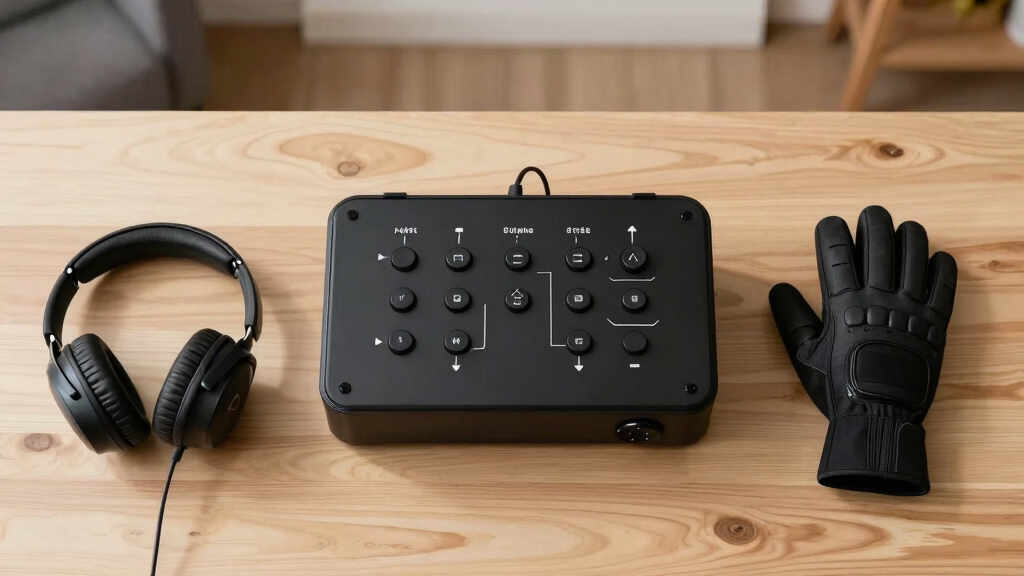
For VR sim racing enthusiasts, the right button box can dramatically enhance immersion and control. The ASETEK La Prima GT stands out as the overall best due to its high precision and extensive customization options. The PXN CB1 offers a flexible experience with a large number of programmable buttons, making it ideal for complex setups. Meanwhile, the MiYee Button Box provides a solid balance of build quality and affordability, perfect for those new to button boxes. The main challenge lies in balancing features, build quality, and price—more advanced models tend to be more expensive and complex, while budget options may lack durability or customization. Keep reading for a detailed breakdown that will help you find the ideal button box for your VR racing setup.
Key Takeaways
- The top-tier models like ASETEK La Prima GT excel in build quality and customization, justifying their higher price for serious racers.
- Programmable buttons and RGB lighting are common features that enhance usability and aesthetic appeal, especially for immersive VR experiences.
- Budget options, such as the MiYee, can provide reliable performance but often lack extensive customization or premium materials.
- Compatibility and mounting flexibility vary; selecting a model with VESA or desk mounts offers better integration into your racing setup.
- Tradeoffs between complexity and ease of use are significant; more advanced button boxes provide more control but require familiarization.


More Details on Our Top Picks
ASETEK La Prima GT Button Box | Sim Racing Control Panel for Gaming Steering Wheel | Steering Wheel PC Accessory for Ultimate Racing Experience | High Precision & Customizable Controls
The ASETEK La Prima GT Button Box stands out for its robust build quality and advanced customizability compared to the more basic MiYee option. Its heavy weight and stiff construction translate into precise feedback and durability, making it ideal for serious sim racers who value tactile response. Unlike the MiYee, which offers a straightforward plug-and-play experience, La Prima provides a more refined feel with premium encoders and switches. The quick-release mounting ensures easy swaps, but its weight can be a drawback for those with limited mounting space or who prefer lighter setups. Compared with the ASETEK Forte GT, it offers more tactile feedback and customization options, though at a higher price. This pick is perfect for experienced racers seeking high-end control with maximum tactile fidelity.
Pros:- Exceptional build quality with heavy, stiff construction
- High-precision encoders and switches for tactile feedback
- Wide customization options and quick-release mounting
Cons:- Heavy weight may complicate mounting or portability
- Higher price point might be prohibitive for casual users
Best for: Advanced sim racers who want a durable, highly customizable button box with premium tactile feedback.
Not ideal for: Casual players or beginners who prefer a lightweight, simple setup without complex customization.
- Compatible Devices:PC
- Controller Type:Button control
- Connectivity Technology:Asetek SimSports Quick Release
- Button Quantity:17
- Hardware Platform:PC
- Power Source:Asetek SimSports Quick Release
Bottom line: This is the best choice for seasoned sim racers demanding top-tier build quality and detailed control.
ASETEK Forte GT Button Box (Alu)| Sim Racing Control Panel for Gaming Steering Wheel | Steering Wheel PC Accessory for Ultimate Racing Experience | High Precision & Customizable Controls
The ASETEK Forte GT offers a compelling balance of performance, customization, and affordability, making it a smart pick for those new to sim racing or on a budget. Its interchangeable rims enable quick style changes, and the full control via RaceHub software allows users to tailor their experience without the complexity of premium options like La Prima. Compared to the MiYee, Forte GT provides more extensive customization and better build quality, though it sacrifices some tactile refinement. Its ergonomic design and seamless integration with popular racing sims make it accessible for all skill levels. However, it lacks the tactile feedback and weight of higher-end boxes, which might affect precision for advanced users. This button box is ideal for enthusiasts seeking versatile features at a reasonable price.
Pros:- Interchangeable rims for style and setup flexibility
- Full control via intuitive RaceHub software
- Affordable price with good build quality
Cons:- Lighter, less tactile feedback compared to premium models
- Limited weight and stiffness may impact feedback accuracy
Best for: Budget-conscious racers and beginners wanting a customizable, user-friendly button box with versatile rim options.
Not ideal for: Highly experienced racers who prioritize premium tactile feedback and heavy-duty construction.
- Compatible Devices:PC
- Controller Type:Control panel
- Connectivity Technology:USB
- Button Quantity:Multiple
- Hardware Platform:PC
- Additional Features:Interchangeable rims, software control
Bottom line: This is a great all-around choice for newcomers and hobbyists seeking value and customization.
MiYee Sim Racing Button Box Programmable Button Simulation Racing Control Box with Rotary Encoders, Momentary Push Buttons, Carbon Fiber Panel, Metal Housing, for Truck Simulator PC, Plug and Play
The MiYee Button Box is designed with simplicity and durability in mind, making it suitable for newcomers or casual racers. Its full-metal housing and carbon fiber faceplate ensure longevity, while the plug-and-play setup minimizes fuss. Compared to more complex options like La Prima or Forte GT, MiYee offers essential controls with a straightforward interface. Its programmable rotary encoders and backlit buttons add some customization, but overall, it doesn’t match the tactile feedback or extensive features of higher-tier boxes. The limited number of buttons and basic layout make it less suited for advanced setups. This is best for beginners who want a durable, easy-to-install control box without extra complexity.
Pros:- Robust metal construction with carbon fiber faceplate
- Driver-free, plug-and-play setup
- Backlit programmable buttons and rotary encoders
Cons:- Limited number of controls for complex setups
- Less tactile feedback compared to premium models
Best for: Entry-level users or casual racers seeking a durable, plug-and-play button box with basic programmable features.
Not ideal for: Competitive or advanced racers who need extensive customization and tactile feedback.
- Compatible Devices:PC
- Controller Type:Programmable buttons
- Connectivity Technology:USB
- Button Quantity:10+ rotary encoders
- Hardware Platform:PC
- Additional Features:Backlit, plug-and-play
Bottom line: This is a solid choice for beginners prioritizing durability and ease of use over advanced features.
The Obokidlyamor Truck Button Box excels for simulation players who focus on truck driving, with 16 customizable buttons and features like mic PTT and ignition switches that mirror real truck controls. Its easy setup and sturdy build make it appealing for truck sim enthusiasts, especially those using popular wheels like G27 or G29. Compared with the MiYee, it offers more specialized controls for trucking, though it lacks the tactile refinement of premium boxes like La Prima. The LED backlighting enhances visibility, but the plastic construction and small print lines could be a concern for long-term durability. It’s most suitable for players who want a realistic trucking experience but do not need extensive control options for racing sims. This button box is tailored to truck drivers and ATS/ETS2 fans.
Pros:- Realistic ignition switch and mic PTT functions
- Customizable lettering and lighting
- Sturdy build with easy key mapping
Cons:- Plastic housing may affect long-term durability
- Limited to truck sim functionalities, less versatile for racing
Best for: Truck simulator players who want realistic controls with mic communication features.
Not ideal for: Racing enthusiasts seeking a general-purpose or high-end control box for varied racing genres.
- Compatible Devices:G27, G29, G920, G923
- Controller Type:Customizable buttons
- Connectivity Technology:USB
- Button Quantity:16
- Hardware Platform:PC
- Additional Features:Mic PTT, customizable lighting
Bottom line: This button box is ideal for truck simulators focused on realism and communication, but less suited for diverse racing needs.
SIM-PANEL PC Sim Racing Gen 2 Button Box (Verticle Layout)
The SIM-PANEL Gen 2 Vertical Button Box offers a space-efficient, cockpit-mimicking layout that appeals to racers with limited space. Its vertical orientation makes mounting on side consoles or dashboards straightforward, unlike traditional horizontal boxes. While its customizable modes and ergonomic design enhance usability during intense races, its lower build quality (reflected in a 3-star customer rating) indicates it may not withstand heavy use over time. Compared with the Forte GT, which has a more premium feel, the SIM-PANEL provides a practical alternative for compact setups, though at the cost of some tactile richness. This makes it suitable for those prioritizing space-saving design over ultra-premium feel. Best suited for racers with limited space needing a functional, vertical control panel.
Pros:- Vertical layout ideal for limited space
- Easy to mount with included desk clamps and VESA compatibility
- Customizable control modes
Cons:- Build quality issues may affect longevity
- Customer reviews highlight durability concerns
Best for: Racers with tight cockpit setups requiring a space-saving, ergonomic button box.
Not ideal for: High-end enthusiasts seeking premium tactile feedback or extensive control arrays.
- Compatible Devices:PC
- Controller Type:Button box
- Connectivity Technology:USB
- Button Quantity:Multiple
- Hardware Platform:PC
- Additional Features:VESA mount, desk clamp
Bottom line: This is a practical, space-saving choice for racers with compact rigs needing essential controls in a vertical format.
This PXN CB1 stands out for its extensive programmability and flexible mounting options, making it a top choice for those who want a comprehensive control panel. Compared with the ASETEK Forte GT, which offers high precision but fewer programmable buttons, the CB1 provides up to 30 programmable inputs across 19 buttons and switches, allowing for more detailed customization. Its RGB backlighting enhances visual integration with your setup, and the driver-free USB connection simplifies installation. While the multitude of features is a major strength, the complexity might be overwhelming for beginners, and the size could be less suitable for limited space. This pick makes the most sense for advanced sim racers seeking a highly adaptable, full-featured button box that can be mounted in multiple ways.
Pros:- Up to 30 programmable inputs for maximum customization
- RGB backlit buttons for aesthetic and functional flexibility
- Versatile mounting options including desk clamps and VESA compatibility
- Driver-free connectivity for easy setup
Cons:- Complex configuration may be intimidating for new users
- Relatively larger size might not suit compact setups
- Initial button mapping required for optimal use
Best for: Experienced sim racers who need high configurability and flexible mounting options.
Not ideal for: Beginners or users with limited space who prefer a simpler, more straightforward control setup.
- Number of Buttons:19 programmable buttons
- Switch Types:9 types including rotary encoders, toggle, latching, and momentary buttons
- Backlight:RGB backlit with adjustable brightness
- Connection:Driver-free USB
- Mounting Options:Desk clamps and VESA mount
- Weight:1.7 pounds
- Dimensions:3.1 x 5.7 x 7.2 inches
- Compatibility:PC, PXN V9 GEN2, VD Series, V10 PRO/Ultra
Bottom line: This button box is best for experienced users seeking maximum flexibility and visual customization in their racing sims.
ASETEK Forte GT Button Box | Sim Racing Control Panel for Gaming Steering Wheel | Steering Wheel PC Accessory for Ultimate Racing Experience | High Precision & Customizable Controls
This ASETEK Forte GT excels in its high-precision controls and quick-release compatibility, making it ideal for racers who want stability without sacrificing ease of use. Compared to the PXN CB1, which offers more programmable buttons, the Forte GT emphasizes robust build quality and fast rim swaps, thanks to its revolutionary no-play quick-release system. Its rigid design and compatibility with various rims boost durability for intense racing sessions, but it might lack the extensive programmable inputs some users desire for complex setups. This makes it a perfect choice for racers prioritizing stability and rapid rim changes over extensive customization for casual or semi-pro use.
Pros:- High-precision controls with strong build quality
- No-play quick-release for fast rim swapping
- Stable and rigid design for intense racing
- Compatible with a wide range of rims and accessories
Cons:- Limited number of programmable buttons compared to other models
- Less focus on RGB lighting and visual customization
- May require additional accessories for full customization
Best for: Racers who value quick rim swaps and high control precision, especially in GT and rally setups.
Not ideal for: Users seeking a large number of programmable buttons or extensive lighting effects.
- Control Type:High-precision buttons and switches
- Quick Release:No-play quick-release system
- Compatibility:Various racing rims
- Material:Strong and rigid design
- Size:Approx. 150mm x 90mm x 60mm
- Connectivity:USB
- Weight:Not specified
- Lighting:None or minimal
Bottom line: Best suited for racers who want a durable, stable control panel with rapid rim change capability and excellent control fidelity.
This Obokidlyamor Truck Button Box offers a highly customizable experience tailored for truck sim players, with 27 buttons and a real start button switch, enhancing immersion. Compared to the PXN CB1, which is more general-purpose, this control box caters specifically to truck simulators like ATS and ETS2, including features like a one-button start and electronic parking brake for added realism. The inclusion of customizable lettering and LED backlighting allows for tailored setups, but it might be less versatile for non-truck sims or those wanting more advanced controls. Its design supports multiple wheel bases, making it ideal for dedicated truck enthusiasts who want a realistic and personalized control panel.
Pros:- Highly customizable with lettering and lighting
- Realistic start switch and parking brake features
- Compatible with multiple wheel bases and simulators
- Durable construction with metal switches
Cons:- Primarily designed for truck sims, limiting use in other racing genres
- Fewer programmable buttons than multi-purpose panels
- Setup complexity may be higher for casual users
Best for: Truck sim players looking for a realistic, customizable control panel with dedicated functions.
Not ideal for: Racing gamers focused on circuit or F1-style racing who need more generalized controls.
- Buttons:27 programmable buttons
- Lighting:Customizable LED backlighting
- Material:ABS and metal switches
- Size:150mm x 90mm x 60mm
- Connection:USB
- Compatibility:G27/G29/G920/G923, ATS/ETS2
- Features:Start button, parking brake, customizable lettering
- Weight:Not specified
Bottom line: Ideal for truck sim enthusiasts who want a realistic, customizable control experience tailored to their specific game.
PXN Multi-functional Sim Racing Button Box for Windows PC, CB1 USB PC Racing Simulator Instrument Center Control Button Box with 30 Programmable Buttons and Adjustable RGB Lighting
This PXN CB1 offers an expansive 30 programmable buttons combined with adjustable RGB lighting, making it perfect for racers who want maximum control and aesthetic flexibility. Compared to the ASETEK Forte GT, which excels in stability and quick rim swaps, the CB1 emphasizes a broad array of controls for diverse game types, including farming and rally simulators. Its industrial-grade ABS panel and metal contact points ensure durability, while the customizable lighting effects create immersive environments. However, the large number of buttons may be excessive for casual users or those with limited space, and some might find the configuration process complex. This model is best for gamers who prioritize sheer control options and visual customization in their racing experience.
Pros:- 30 programmable buttons for extensive customization
- Adjustable RGB lighting with 7 effects
- Durable ABS panel with metal contact points
- Supports multiple game types including farming and rally
Cons:- Large size may not suit small or cluttered setups
- Complex configuration process for new users
- Overkill for casual or less control-intensive players
Best for: Advanced sim racers who want maximum programmability and customizable lighting effects.
Not ideal for: Beginners or users who prefer a minimalistic control setup or limited space.
- Buttons:30 programmable
- Lighting:Adjustable RGB with 7 effects
- Material:ABS panel with metal contacts
- Size:5.68 x 3.1 x 7.25 inches
- Connection:USB
- Compatibility:Windows 7/8/10/11
- Features:Linkage lever, start/stop engine, customizable controls
- Weight:1.2 pounds
Bottom line: Best suited for experienced racers demanding a high number of customizable controls and lighting for immersive gameplay.
How We Picked
These products were evaluated based on several critical factors that matter most in VR sim racing. Performance was assessed through the range and responsiveness of buttons, programmability, and build quality. Usability considerations included ease of setup, compatibility with different racing sims, and mounting options. Value was measured by balancing features against price, ensuring that each pick offers a meaningful upgrade over cheaper alternatives. Durability and customization options also played key roles, as these influence long-term satisfaction and versatility. The ranking reflects a combination of these criteria, prioritizing products that deliver high-quality control and reliable performance for serious sim racers while acknowledging different budget and skill levels.Factors to Consider When Choosing Best Button Boxes For VR Sim Racing
Choosing the best button box for VR sim racing involves more than just looking at features. You need to consider compatibility with your existing setup, the number of programmable buttons, and how intuitive the controls are to use. Consider your racing style and whether you prefer a compact control panel or one with extensive customization. Durability and ease of mounting are also important, especially for long-term use. Understanding these broader factors helps prevent costly mistakes and ensures your investment truly enhances your racing experience.Compatibility and Mounting Options
Before choosing a button box, verify that it supports your racing wheel and sim software. Some models are specifically designed for certain wheel brands or base types, while others offer broad compatibility. Mounting options, such as VESA or desk clamps, are equally important for stability during intense racing. A flexible mounting system can significantly improve ergonomics and ease of setup, especially in VR where comfort is key. Ignoring these aspects may lead to frustration or the need for additional accessories.
Number of Programmable Buttons and Controls
The core purpose of a button box is to expand your control set. More programmable buttons mean greater flexibility for complex commands, especially useful in multi-car or multi-race setups. However, a larger number of buttons can also increase complexity, making it harder to find and press the right one quickly. Balance your needs: if you prefer minimalist layouts, a smaller, streamlined control panel might suit you better. For advanced racers, models with rotary encoders and multiple layers of programmability provide more options without cluttering your setup.
Build Quality and Durability
Since button boxes are used intensively, durability is essential. Look for models with high-quality materials like metal housings or reinforced panels, which stand up better over time. Cheaper plastics may degrade or become loose after frequent use. Additionally, a well-made button box with precise, responsive controls enhances the racing feel and reduces frustration. Investing in a sturdy build is especially worthwhile if you race regularly or want a setup that lasts for years.
Ease of Use and Customization
An intuitive layout and straightforward programming interface can save you a lot of time and effort. Button boxes with dedicated software or plug-and-play setups allow quick customization without technical headaches. If you’re new to sim racing, look for models with preset configurations or simple button mapping. Experienced racers should prioritize advanced features like macro programming and multi-layer controls, which enable more complex commands during races. Clarity in labeling and layout also helps minimize mistakes during intense VR sessions.
Price vs. Features Tradeoff
Higher-priced button boxes typically offer more controls, better build quality, and advanced customization. However, budget options can still deliver excellent value if you only need basic control functions. It’s important to identify which features genuinely improve your racing experience and which are surplus. For casual racers or newcomers, a mid-range model that balances price and features may be the best choice. Conversely, if you’re a serious competitor, investing in a premium, feature-rich model can provide a competitive edge and longer-term satisfaction.
Frequently Asked Questions
Can I use a button box with any VR racing game?
Most button boxes are compatible with a wide range of racing sims, especially if they connect via standard USB interfaces. Compatibility depends more on the software’s support for custom controllers and your PC setup rather than the VR headset itself. Many models come with configurable software that allows you to map controls to your preferred game. It’s always wise to verify compatibility with your specific game titles before making a purchase, especially for older or less common sims.
Is a more expensive button box worth the investment?
Higher-priced button boxes often feature better build quality, more programmable buttons, and advanced customization options, making them worthwhile for serious sim racers. If you race frequently or aim for competitive performance, investing in a premium model can improve control fidelity and durability. However, for casual players or those new to sim racing, a mid-range or budget option may suffice. Consider your commitment level and how much you value additional features before spending more.
How important is the number of buttons on a button box?
The number of buttons directly affects how many commands you can assign, which is vital for complex racing scenarios. More buttons enable quick access to a variety of controls without relying on keyboard shortcuts, especially in VR where switching focus can be cumbersome. However, too many buttons can lead to clutter and confusion unless well-organized. Think about what commands you use most often and choose a model that balances quantity with ease of use.
Are programmable buttons reliable over long-term use?
In well-made button boxes, programmable buttons tend to be very reliable, especially if they use quality switches and durable construction. Cheaper models might experience issues like unresponsive buttons or inconsistent behavior after extended use. Regular maintenance and proper setup can extend the lifespan of your control panel. Prioritize models with positive reviews on durability to avoid frustrations down the line.
Should I prioritize RGB lighting in my button box?
RGB lighting primarily enhances aesthetics and visibility in dark VR environments. While it can make your setup more visually appealing, it doesn’t impact performance. If you prefer a sleek look or want to match your racing environment, RGB can be a nice feature. However, if you need to prioritize controls, durability, or affordability, RGB lighting is optional and should not be the main deciding factor.
Conclusion
For most VR sim racers, the ASETEK La Prima GT offers the best overall experience with superior build quality and customization. Newcomers or casual players will find the MiYee Button Box to deliver great value without overwhelming complexity. Serious competitors aiming for maximum control and durability should consider the PXN CB1 or premium ASETEK options. Budget-conscious users can opt for reliable mid-range models, while those with specific needs, like multiple control layers or aesthetic preferences, should choose based on feature set. Ultimately, your choice depends on your racing style, budget, and how much you want to customize your VR setup.




![How I Saw The Solar Eclipse 2026 - [MSFS2024]](https://vrgearguide.com/wp-content/uploads/2026/08/how-i-saw-the-solar-eclipse-2026-msfs2024-featured-260x140.jpg)