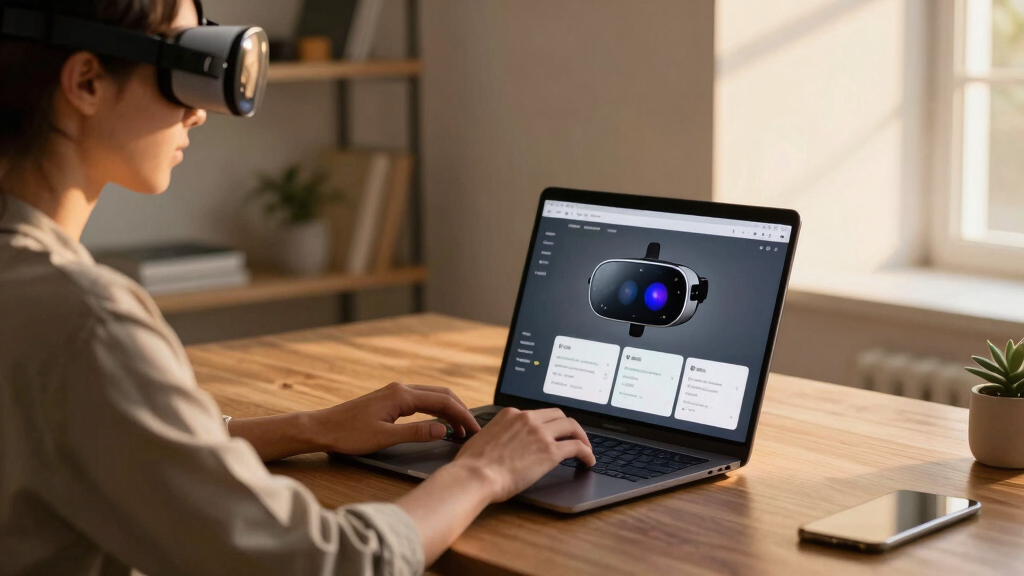

Finding the best AR glasses for virtual monitors for your laptop can transform your workspace, offering bigger screens and enhanced productivity. The XREAL 1S AR stands out for its impressive 500-inch virtual display and real 3D capabilities, ideal for immersive work. The VITURE Luma Pro XR impresses with its ultra-sharp 152-inch display and high refresh rate, making it perfect for detailed tasks. However, these options come with tradeoffs like bulkiness, battery life, or compatibility issues. Continue reading for a detailed comparison that helps you choose the right AR glasses based on your needs and budget.

Get VR and gaming gear delivered free — and shop member deals
- Fast, free delivery on millions of items
- Access to Prime Big Deal Days deals on October 6–7
- Prime Video, Amazon Music and more included
Key Takeaways
- Top picks balance display size, clarity, and comfort, but often compromise on weight or battery life.
- Compatibility with various devices varies; some glasses work seamlessly with iPhone, Android, and laptops, while others are more limited.
- Higher refresh rates and brightness improve visual quality but tend to increase cost and power consumption.
- Design and ergonomics significantly influence usability during extended periods—lighter models reduce fatigue.
- Price ranges reflect feature sets; premium options offer advanced features like electrochromic films and HDR, but may be overkill for casual users.


More Details on Our Top Picks
XREAL 1S AR/XR Smart Glasses with 500″ Virtual Screen and REAL 3D
This model stands out for delivering an expansive 500-inch virtual display with REAL 3D technology and a 52° field of view, making it ideal for users who prioritize immersive visual experiences. Compared to the VITURE Luma Pro XR, the XREAL 1S offers superior 3D capabilities, but its reliance on USB-C DP limits compatibility to specific devices, which could be a drawback for those seeking broader device support. The 120Hz refresh rate ensures smooth motion, reducing eye strain during extended sessions, while Bose-tuned audio enhances sound quality. However, the premium price reflects its advanced features, and its compatibility is restricted mainly to USB-C devices like smartphones and gaming handhelds. This pick makes the most sense for power users seeking high-fidelity AR/XR experiences, willing to invest in premium tech.
Pros:- Immersive 500-inch virtual screen with 3D support
- High 120Hz refresh rate for smooth motion
- Premium Bose-tuned audio for rich sound quality
Cons:- Premium price point may be prohibitive for some
- Limited to USB-C DP device compatibility
Best for: Tech enthusiasts and professionals needing a high-end, immersive virtual monitor experience
Not ideal for: Casual users or those with devices lacking USB-C DP output, due to limited connectivity
- Field of View:52 degrees
- Display Resolution:1920 x 1080 per eye
- Refresh Rate:120Hz (3DoF mode), 90Hz global
- Connectivity:USB-C DP
- Compatibility:Smartphones, Game Consoles, PCs (iOS/Android)
- IPD Range:59.5–70.5 mm
Bottom line: Ideal for users seeking the most immersive and high-quality AR virtual monitor, despite higher cost and device restrictions.
VITURE Luma Pro XR Glasses — 152” 1200p 120Hz Ultra Sharp Display, 52° FOV, Electrochromic Film,Myopia Adjustments, Harman Audio, AR Glasses for iPhone 17/16/15, Android, Mac, PC, Steam Deck, Switch 2
Compared with the XREAL 1S, the VITURE Luma Pro XR offers a stunning 152-inch virtual screen with 1200P resolution, making it the top choice for users who prioritize crystal-clear visuals for work or entertainment. Its industry-leading color accuracy (DeltaE < 2), dynamic lighting effects, and multi-screen support via SpaceWalker elevate its versatility, especially for multitasking or creative work. The adjustable IPD and comfort-focused design make it suitable for prolonged use, unlike the bulkier TOZO VIZO Z1 Pro. However, the extensive feature set comes with a higher price and some software complexity, and its size may not suit users seeking ultra-light glasses. This is the best pick for professionals and gamers wanting a powerful, versatile XR display.
Pros:- Stunning 152-inch virtual display with 1200P resolution
- Advanced color accuracy and dynamic light effects
- Supports multi-screen productivity with up to three virtual displays
Cons:- Higher price point and potentially complex setup
- Larger size may reduce comfort for some users
Best for: Creative professionals, multitaskers, and serious gamers seeking a high-resolution, feature-rich AR glasses
Not ideal for: Casual users or those preferring simple, lightweight glasses for occasional use
- Display Type:OLED
- Screen Size:152 inches
- Resolution per Eye:1200p
- Refresh Rate:120Hz
- Color Accuracy:DeltaE < 2
- Compatibility:Mac, PC, iPhone, Android, Switch 2
Bottom line: Best suited for demanding users who need a combination of ultra-sharp visuals and multitasking capabilities, accepting the higher cost and size.
RayNeo Air 4 Pro AR/XR Glasses
This pick excels in offering a lightweight, comfortable design at only 76g, with a large 201-inch virtual display and HDR10 visuals, making it ideal for extended use without fatigue. Compared to the VITURE Luma Pro XR, the RayNeo Air 4 Pro emphasizes portability and comfort, though its 3D movie conversion is limited to certain iPhone models, and adjusting to avoid blurry edges requires precise setup. The Bang & Olufsen audio and Vision 4000 chip for SDR-HDR upscaling provide immersive visuals and sound, but the limited 3D conversion support and need for accurate adjustment may frustrate some users. This model suits those prioritizing lightweight comfort and HDR visuals for casual entertainment or light productivity.
Pros:- Lightweight at 76g for comfortable extended wear
- HDR10 visuals with 201-inch virtual display
- Smart SDR-to-HDR upscaling for vivid visuals
Cons:- Limited 3D conversion to specific iPhone models
- Requires precise adjustment to avoid blurry edges
Best for: Casual users seeking portable, comfortable AR glasses with excellent HDR visuals
Not ideal for: Power users requiring extensive 3D content or broad device compatibility
- Display Type:LED
- Screen Size:201 inches
- Resolution per Eye:1920 x 1080
- Refresh Rate:120Hz
- Weight:76g
- Compatibility:iPhone 15/16/17, Android, Mac, PC
Bottom line: Perfect for users who want portable, high-quality HDR visuals in a lightweight form, with some limitations in 3D support.
TOZO VIZO Z1 Pro AR Glasses with 160″ OLED Display, 120Hz, Full HD 2D & 3D, 6000 nits Brightness, Lightweight, Compatible with iPhone/Android/Laptop
This option emphasizes high brightness (6000 nits) and a 160-inch OLED display, making it well-suited for outdoor use or brightly lit spaces. Its Full HD resolution per eye and 120Hz refresh rate deliver smooth, detailed visuals with excellent contrast and color. Compared with the RayNeo Air 4 Pro, the TOZO VIZO Z1 Pro offers a larger display with higher brightness, but its bulkier design may be less comfortable for extended wear. Its compatibility with both iPhone and Android devices adds versatility, though the increased size might deter those seeking ultra-light glasses. This pick makes sense for users who need vivid visuals in challenging lighting conditions, accepting some added bulk.
Pros:- Ultra-bright 6000 nits display for outdoor visibility
- Large 160-inch OLED virtual screen
- Supports 2D & 3D modes with high contrast
Cons:- Bulkier design may reduce comfort over long periods
- Less suited for indoor or extended use due to size
Best for: Outdoor enthusiasts, travelers, or those working in bright environments needing vivid AR displays
Not ideal for: Long-term wearers or users seeking ultra-light glasses for prolonged use
- Display Type:OLED
- Screen Size:160 inches
- Resolution per Eye:Full HD
- Refresh Rate:120Hz
- Brightness:6000 nits
- Compatibility:iPhone, Android, Laptop
Bottom line: Best for users needing vivid, bright visuals in outdoor or high-light settings, with some compromise on comfort due to size.
TOZO VIZO V1 AR Glasses with Ultra-Bright Display, Myopia Correction (0–500°), and 118″ Virtual Screen
This model combines a high 1800-nit brightness with adjustable myopia correction up to 500°, making it ideal for users with significant vision correction needs who also work or play outdoors. Its 118-inch virtual screen provides an immersive experience while maintaining a lightweight profile. Compared to the RayNeo Air 4 Pro, the VIZO V1 offers stronger brightness and more extensive myopia adjustments, though it may feel bulky for some during extended wear. Its built-in stereo speakers and compatibility with iPhone, Mac, and PC make it versatile for multimedia use. The higher brightness and correction range make it especially appealing for users with significant prescriptions, but the size could be limiting for prolonged comfort. This is the best choice for users needing substantial myopia correction and outdoor readability.
Pros:- Ultra-bright 1800-nit display for visibility in sunlight
- Adjustable myopia correction up to 500°
- Built-in stereo speakers for immersive audio
Cons:- Potentially bulky for all-day wear
- Higher price for advanced features
Best for: Users with high prescriptions seeking bright visuals and integrated vision correction in portable glasses
Not ideal for: Casual users or those prioritizing lightweight, minimalist design over correction range
- Brightness:1800 nits
- Myopia Adjustment:0–500°
- Display Size:118 inches
- Resolution per Eye:1920 x 1080
- Weight:Approx. 70-80g
- Compatibility:iPhone, Mac, PC
Bottom line: Best suited for high-prescription users requiring bright visuals and integrated correction, with some tradeoff in size and comfort.
VITURE Pro XR Glasses, 135″ 120Hz 4000 nits, Harman Audio, Electrochromic Film, Myopia Adjustments
The VITURE Pro XR glasses stand out for delivering an enormous 135-inch perceived display with a peak brightness of 4000 nits, surpassing many alternatives like the RayNeo Air 4 Pro, which offers a more modest 201-inch display. Compared to the XREAL One Pro, the VITURE’s ultra-bright, electrochromic lenses can block almost 100% external light, creating a more immersive environment with high privacy—ideal for users who need distraction-free work or gaming. The inclusion of myopia adjustments on a Micro-OLED panel ensures sharper visuals for nearsighted users, a feature not available on most AR glasses. However, the glasses are bulky and heavy, which could cause discomfort during extended use, and their optimal performance depends on IPD range, limiting some users. This makes the VITURE Pro XR best suited for professionals or gamers seeking the largest, brightest display with privacy, accepting some weight tradeoff.
Pros:- Massive 135-inch perceived display for immersive experience
- Peak brightness of 4000 nits for outdoor visibility
- Electrochromic film blocks external light completely for privacy
- Myopia adjustments on Micro-OLED panel improve clarity for nearsighted users
Cons:- Heavy and bulky design may cause discomfort over long periods
- Performance depends on IPD range, with potential for degraded image outside ideal IPD
Best for: Power users who prioritize maximum display size, brightness, and privacy for gaming or work in varied lighting conditions.
Not ideal for: Lightweight users or those needing long-term comfort, as the glasses are relatively bulky and heavy for prolonged wear.
- Display Size:135 inches perceived
- Refresh Rate:120Hz
- Peak Brightness:4000 nits
- Myopia Adjustment:Yes
- Lenses:Electrochromic film
- Build Quality:Aircraft-grade metal, titanium hinges
- Compatibility:USB-C, Android, iPhone, Mac, PC
- Eye-Care Certification:SGS A+
- Weight:78 grams
Bottom line: This pick is perfect for those needing the largest, brightest, and most private virtual display, despite its weight.
XREAL One Pro AR Glasses with X1 Chip, 3D Display for iPhone and PCs
The XREAL One Pro distinguishes itself with a 57° FOV, which translates into an immersive 171-inch virtual screen, making it ideal compared to the narrower ASUS AirVision M1. Its advanced X-Prism optics and 3D technology create lifelike visuals, perfect for multimedia enthusiasts who want a cinematic experience. The XREAL’s compatibility spans iPhones, Macs, PCs, and gaming devices like Steam Deck, providing versatile use beyond simple virtual monitors. Its adjustable IPD (66-75mm) and Bose-tuned audio enhance comfort and sound quality, but the price point—estimated around $600-$900—may be prohibitive for budget-conscious buyers. Additionally, the heavier weight, typical for premium AR headsets, could cause fatigue during extended sessions, and full 6DoF functionality relies on additional accessories. This makes the XREAL One Pro best suited for users seeking high-quality 3D visuals and broad compatibility, willing to accept a higher cost and weight.
Pros:- Wide 57° FOV equivalent to a 171-inch screen
- Lifelike 3D with REAL 3D technology
- Compatible with iPhone, Mac, PC, and gaming devices
- Adjustable IPD for personalized fit
Cons:- Premium price range limits accessibility
- Weight may lead to fatigue with prolonged use
- Requires accessories for full 6DoF experience
Best for: Multimedia consumers and professionals wanting immersive 3D visuals with high compatibility and adjustable ergonomics.
Not ideal for: Budget-conscious users or those prioritizing ultra-lightweight comfort for all-day wear, as the device can be heavier and costly.
- Display Technology:Sony 0.55′ Micro-OLED
- Refresh Rate:120Hz
- Field of View:57° (171-inch equivalent)
- Tracking:3DoF (6DoF with accessories)
- IPD Range:66-75mm
- Brightness:700 nits
- Compatibility:iPhone 16/15, Android, Mac, Windows, Steam Deck
- Audio:Bose-tuned speakers
- Weight:Heavy (not specified)
Bottom line: Ideal for users seeking immersive 3D and wide field of view, accepting the premium price and potential weight issues.
RayNeo Air 4 Pro × Batman Limited Edition, Collector-Grade AR/XR Glasses
The RayNeo Air 4 Pro Batman Limited Edition shines as a collector’s item with striking design and a focus on cinematic and narrative immersion. Its HDR10 support and AI-powered 1200 nits brightness deliver vivid contrast and deep blacks, surpassing many standard AR glasses like the ASUS AirVision M1 in visual punch. The AI SDR-to-HDR conversion enhances dark scenes, making it ideal for media consumption in low-light environments. The special edition includes a unique lens shade, adding to its collector appeal, coupled with Bang & Olufsen audio for a premium sound experience. However, its primary appeal is aesthetic—its performance as a virtual monitor is less emphasized, and it may lack versatility for productivity. The bulky and ornate design might not appeal for all-day use, restricting its role to leisure and display collection. This is best for fans and collectors who want a high-end, themed AR experience rather than a practical productivity tool.
Pros:- Collector-grade Batman design with premium aesthetic
- HDR10 and AI-enhanced brightness for vivid visuals
- Transformative 3D depth for media
- Audio tuned by Bang & Olufsen
Cons:- Primarily a collector’s piece, less suited for daily productivity
- Bulky design may cause discomfort for extended wear
- Limited functionality as a general virtual monitor
Best for: Collectors and fans desiring a premium, themed AR device with cinematic and immersive media features.
Not ideal for: Daily productivity or extended long-term use, due to its bulky design and niche focus.
- Display Brightness:1200 nits
- AI Processing:HDR10, SDR-to-HDR
- Video Depth:Immersive 3D
- Audio:Bang & Olufsen
- Design:Batman Collector Edition
- Field of View:Not specified
Bottom line: Best for collectors and media enthusiasts seeking a themed AR experience, not for everyday productivity.
ASUS AirVision M1 Smart AR Glasses – 100″ Micro-OLED, 1100 nits, Multi-Screen Support
The ASUS AirVision M1 offers a practical balance with a 100-inch Micro-OLED display, high brightness of 1100 nits, and broad device compatibility, making it a solid choice for productivity-focused users. Unlike the VITURE Pro XR or XREAL One Pro, the AirVision emphasizes multi-screen support, enabling seamless switching between tasks on different devices, which is ideal for multitasking and remote work. Its lightweight design at 87 grams and built-in audio with noise cancellation make long sessions more comfortable than bulkier options. However, the magnetic shade, while providing good display quality, can add some bulk, and its compatibility is limited to high-end devices, potentially excluding some users. This makes the AirVision M1 best suited for professionals seeking a portable, multi-screen virtual workspace, accepting some tradeoffs in size and device restrictions.
Pros:- High-brightness 1100 nits display for vivid visuals
- Lightweight at 87 grams for extended wear
- Supports multi-screen setups for productivity
- Broad device compatibility with USB-C
Cons:- Magnetic shade can add bulk and may be less comfortable for some
- Limited to high-end devices, restricting some users
- Not optimized for intensive gaming or long-term extended use
Best for: Remote workers and multitaskers who need a portable, high-brightness virtual display supporting multiple devices.
Not ideal for: Casual users or those looking for ultra-lightweight wearables, as the glasses, though lightweight, still have some bulk and require specific device compatibility.
- Display Type:Micro-OLED
- Screen Size:100 inches
- Brightness:1100 nits
- Color Gamut:95% DCI-P3
- Weight:87 grams
- Connectivity:USB-C
- Audio:Built-in, noise-canceling
- Use Case:Multi-screen productivity
Bottom line: Excellent for professionals needing a portable, multi-screen virtual monitor with high brightness, accepting some device restrictions and bulk.
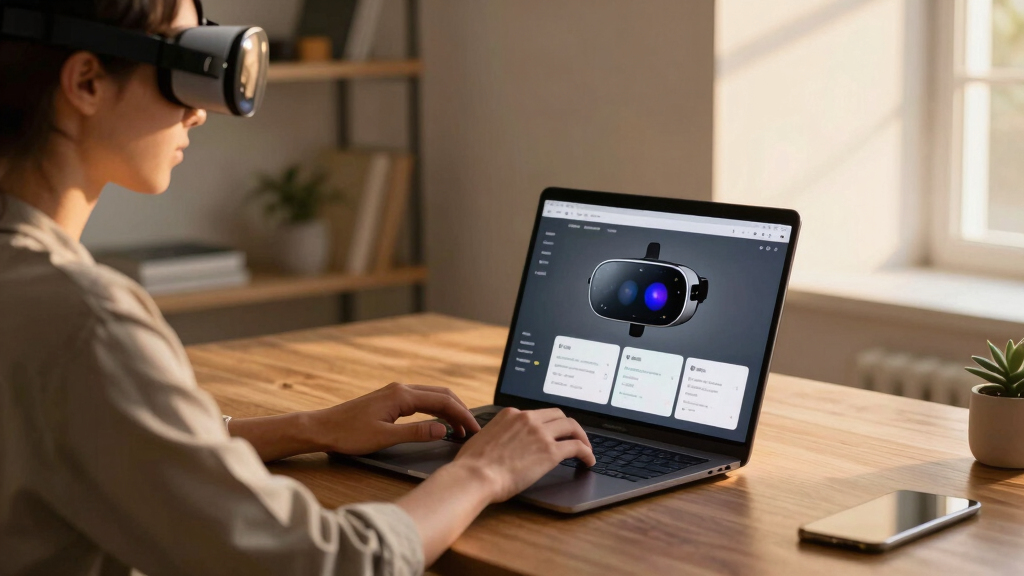
How We Picked
The products in this roundup were evaluated based on several key factors: display quality and size, device compatibility, comfort and ergonomics, battery life, and overall build quality. We prioritized models that deliver clear, sharp visuals with minimal latency, ensuring a seamless experience when used as virtual monitors. Cost and value also played a role, with an emphasis on balancing features against price. Our ranking reflects how well each product meets these criteria for different types of users, from casual users to professionals needing high performance and durability.Factors to Consider When Choosing Best AR Glasses For Virtual Monitors For Laptop
Choosing the best AR glasses for virtual monitors involves more than just display size. You should consider device compatibility, comfort for long-term use, display quality, and battery life. Understanding these factors helps prevent costly mistakes, such as buying a model incompatible with your laptop or one that causes fatigue during extended work sessions. A thoughtful selection ensures your investment enhances productivity without unnecessary compromises.Display Size and Resolution
Display size directly impacts how immersive your virtual workspace feels. Larger screens like 152 inches or more provide a more expansive view but can add bulk and weight, affecting comfort. Resolution matters too; higher resolutions offer sharper images, reducing eye strain and making detailed tasks easier. However, premium resolutions often come with increased costs and power demands, so it’s important to find a good balance based on your typical working distance and environment.
Device Compatibility and Connectivity
Ensure the glasses support your laptop’s operating system and your mobile devices. Some models connect via USB-C, HDMI, or wireless standards like Wi-Fi or Bluetooth, which can influence ease of setup and reliability. Compatibility issues can mean additional adapters or software, complicating your workflow. Picking a model that integrates smoothly with your existing tech setup minimizes frustration and maximizes productivity.
Comfort and Ergonomics
Extended use demands lightweight, well-balanced designs that don’t cause discomfort or fatigue. Adjustable straps, padding, and proper weight distribution are key features to look for. Some glasses, despite having excellent displays, may be bulky or poorly ventilated, leading to discomfort over time. Consider trying on different models or reading user reviews focusing on comfort if you plan to wear them for long periods.
Battery Life and Power Management
Long work sessions require glasses with sufficient battery life—ideally over 4-6 hours—especially if you plan to use them unplugged. Some high-end models compensate with quick charging or replaceable batteries, but these features add complexity and cost. Low battery life can interrupt your workflow, making it crucial to evaluate power demands relative to your typical usage pattern before making a decision.
Additional Features and Future Proofing
Extras like HDR support, electrochromic films, or advanced audio can enhance your experience but often come at a premium. Consider whether these features are necessary for your professional or recreational needs. Also, check for firmware updates and manufacturer support, as AR technology evolves quickly. Investing in a model with future-proof features or good software support can extend the lifespan and functionality of your glasses.
Frequently Asked Questions
Can I use these AR glasses with any laptop?
Most AR glasses are designed to be compatible with a wide range of laptops via USB-C, HDMI, or wireless connections. However, some models may require specific operating systems or drivers, so it’s essential to verify compatibility with your device before purchasing. Ensuring your laptop meets the minimum hardware requirements will help you avoid setup issues and ensure smooth performance.
Are AR glasses comfortable for all-day use?
Comfort varies significantly between models. Lighter, ergonomically designed glasses with adjustable straps and padding tend to be better suited for prolonged wear. Heavier or bulky designs may cause fatigue or discomfort after a few hours. Reading user reviews about comfort during extended use can provide valuable insights, especially if you plan to use them regularly for work or gaming.
How does display size affect productivity?
Larger virtual screens provide more workspace, enabling you to multitask more effectively. However, overly large or bulky glasses can become uncomfortable, especially if not well balanced. Smaller displays might be easier to wear but could limit usability for certain tasks. Finding a balance between size and comfort is key; the right choice depends on your typical workload and tolerance for bulk.
What should I prioritize: resolution or battery life?
Both are important, but your choice depends on your use case. High-resolution displays reduce eye strain and improve clarity, especially for detailed work. However, they tend to drain batteries faster. If you frequently work on the go without access to charging, prioritizing longer battery life may be more practical. Ideally, look for a model that offers a good compromise between the two, aligning with your typical usage pattern.
Are premium AR glasses worth the extra cost?
Premium models often include advanced features like HDR, electrochromic films, or superior audio, which can significantly enhance the experience. If you rely heavily on virtual monitors for professional tasks, investing in higher-end glasses can pay off through improved productivity and comfort. However, for casual use or occasional tasks, more affordable options may provide sufficient performance without the higher price tag.
Conclusion
For most users seeking a versatile virtual monitor experience, the XREAL 1S AR offers a compelling balance of size, clarity, and ease of use, making it the best overall choice. Those prioritizing value should consider the TOZO VIZO Z1 Pro, which combines good display quality with affordability. Professionals or enthusiasts looking for premium features and maximum immersion will find the RayNeo Air 4 Pro Batman Edition or VITURE Pro XR worth the investment. Beginners or casual users should focus on comfort and compatibility, opting for simpler, lightweight models like the ASUS AirVision M1. Tailor your choice to your specific needs, workflow, and budget for the best virtual monitor experience in 2026.
Halloween Picks
halloween
As an affiliate, we earn on qualifying purchases.