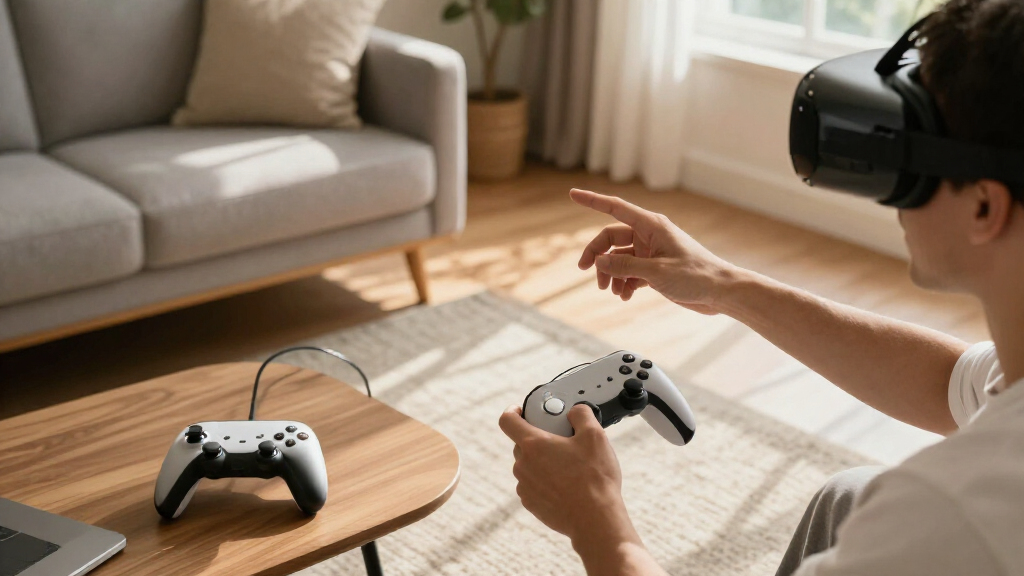

For most Meta Quest 3 or 3S owners replacing both controllers, I would start with the Touch Plus Replacement Controllers pair because it covers left and right sides in one listing. The single-hand Touch Plus options make more sense when only one controller is missing, while the GFTVRCE Quest 2 pair is the more direct match for Quest 2 owners. The biggest tradeoff is compatibility: a controller for one Quest generation is not automatically suitable for another, and single-hand listings can be easy to confuse. I also include the HTC Vive SteamVR Controller 1.0 as a separate fit for Vive systems, not as a Quest substitute. Read on for the full comparison and the checks I would make before ordering.

Play games on Amazon Luna for your next adventure, included with Prime
- A rotating selection of games, no download needed
- Play on TV, laptop or phone
- Fast, free delivery for your gear, too
Complete the kit

Key Takeaways
- Buying both sides at once favors the Quest 3/3S pair: the Touch Plus pair is the clearest listing here for replacing a complete set on those headsets.
- Single-controller listings are useful only when the missing side is certain: the separate right and left Quest 3/3S options avoid buying an unnecessary second controller, but require careful side matching.
- Quest 2 has a different replacement path: the GFTVRCE pair covers both hands, while its right-only and left-only listings suit one-sided repairs.
- The HTC Vive controller belongs to a different ecosystem: it is a SteamVR/Vive-specific choice rather than a broad substitute for Meta Quest controllers.
- Listing clarity matters as much as the product name: verify headset generation, hand, and whether the package contains one controller or a pair before committing.
| Touch Plus Replacement Controllers for Meta Quest 3 and 3S, Left and Right Pair |  | Best Complete Replacement Pair | Compatible devices: Meta Quest 3 and Quest 3S | Controller type: Wireless motion controllers | Package quantity: 2 controllers | VIEW LATEST PRICE | See Our Full Breakdown |
| Right Touch Plus Replacement Controller for Meta Quest 3 and Quest 3S |  | Best Single Right-Hand Replacement | Compatible devices: Meta Quest 3 and Quest 3S | Controller type: Wireless gamepad | Model: Touch Plus Controller (Right) | VIEW LATEST PRICE | See Our Full Breakdown |
| Left Touch Plus Controller for Meta Quest 3 and Quest 3S |  | Best Single Left-Hand Replacement | Compatible devices: Meta Quest 3 and Quest 3S | Controller type: Wireless VR motion controller | Model: Touch Plus (Left) | VIEW LATEST PRICE | See Our Full Breakdown |
| HTC Vive SteamVR Controller 1.0 |  | Best for HTC Vive Base Station 1.0 Setups | Compatibility: HTC Vive system; Base Station 1.0 | Sensors: 24 | Controls: Multifunction trackpad and dual-stage trigger | VIEW LATEST PRICE | See Our Full Breakdown |
| GFTVRCE Right-Hand Controller for Meta Quest 2 |  | Best Quest 2 Single-Side Alternative | Compatible device: Meta Quest 2 | Controller type: Gamepad | Connectivity: Bluetooth, wireless | VIEW LATEST PRICE | See Our Full Breakdown |
| GFTVRCE Right and Left Controllers for Meta Quest 2 |  | Best Quest 2 Pair Replacement | Brand: GFTVRCE | Compatible device: Meta Quest 2 | Controller type: Gamepad | VIEW LATEST PRICE | See Our Full Breakdown |
| GFTVRCE Left-Hand Controller for Meta Quest 2 |  | Best for a Quest 2 Left-Side Replacement | Brand: GFTVRCE | Compatibility: Meta/Oculus Quest 2 only | Controller side: Left | VIEW LATEST PRICE | See Our Full Breakdown |
| Touch Plus Left Controller for Meta Quest 3 and Quest 3S |  | Best for Quest 3/3S Left-Side Replacement | Brand: Generic | Manufacturer: Meta | Model: Touch Plus (Left) | VIEW LATEST PRICE | See Our Full Breakdown |
| VR headset replacement controller | Controller type | Package quantity | Color | Compatible devices |
|---|---|---|---|---|
| Touch Plus Replacement Control | Wireless motion controllers | 2 controllers | White, black, and grey | Meta Quest 3 and Quest 3S |
| Right Touch Plus Replacement C | Wireless gamepad | — | — | Meta Quest 3 and Quest 3S |
| Left Touch Plus Controller for | Wireless VR motion controller | 1 controller | — | Meta Quest 3 and Quest 3S |
| HTC Vive SteamVR Controller 1. | — | — | — | — |
| GFTVRCE Right-Hand Controller | Gamepad | 1 right-hand controller | White | — |
| GFTVRCE Right and Left Control | Gamepad | 1 | Black | — |
| GFTVRCE Left-Hand Controller f | — | — | White | — |
| Touch Plus Left Controller for | Motion Controller | 1 | White, Black, Grey | Meta Quest 3, Meta Quest 3S |
More Details on Our Top Picks
Touch Plus Replacement Controllers for Meta Quest 3 and 3S, Left and Right Pair
For a Quest 3 or Quest 3S owner who needs to replace both controllers, this left-and-right Touch Plus pair is the most direct fit in this group. It matches the headset generation and includes the two-handed controls, capacitive-touch inputs, two-stage triggers, precision pinch input, and advanced haptics expected for varied VR interactions. Buying the pair also avoids the mismatched-replacement problem of ordering one side at a time, as with the Right Touch Plus Replacement Controller or the left-hand-only Touch Plus option. The tradeoff is narrow compatibility: these controllers are not presented as replacements for Quest 2 or HTC Vive hardware. I’d choose this set when both sides need replacing; if only one controller has failed, a single-side Touch Plus replacement is the more targeted choice.
Pros:- Includes both left and right controllers for a complete matched replacement
- Compatible with Meta Quest 3 and Quest 3S
- Capacitive touch, precision pinch input, and two-stage triggers support varied interactions
- Wrist straps and advanced haptics are included
Cons:- Compatibility is limited to Meta Quest 3 and Quest 3S
- A full pair is unnecessary if only one controller needs replacing
Best for: Meta Quest 3 and Quest 3S owners whose left and right controllers both need replacement
Not ideal for: Quest 2 or HTC Vive owners, and Quest 3 or 3S owners who need only one side
- Compatible devices:Meta Quest 3 and Quest 3S
- Controller type:Wireless motion controllers
- Package quantity:2 controllers
- Inputs:A/B/X/Y buttons, thumbstick, thumbrest, two-stage trigger, precision pinch
- Touch features:Capacitive touch on buttons, thumbstick, and thumbrest
- Feedback:Motion control and advanced haptics
- Included accessories:Wrist straps and safety and warranty guide
- Color:White, black, and grey
- Manufacturer:Meta
Our verdict“Choose this matched pair if both controllers for a Quest 3 or Quest 3S need replacement; pick a single-side Touch Plus instead if only one is missing or damaged.”
Right Touch Plus Replacement Controller for Meta Quest 3 and Quest 3S
This is the focused choice for a Quest 3 or Quest 3S owner whose right controller alone needs replacing. Its A/B buttons, thumbstick, thumbrest, two-stage trigger, precision pinch input, and capacitive-touch features match the right-hand control role without requiring a second controller. The Touch Plus pair is the better fit when both sides are needed, while this single unit avoids buying an unneeded left controller. Advanced haptics and a wrist strap add useful interaction and handling details, but the product data lists it as battery powered without specifying battery details. It is also limited to Quest 3 and 3S, so it is not a cross-generation substitute for the Quest 2 controller or the HTC Vive SteamVR Controller 1.0.
Pros:- Replaces the right-hand controller for both Quest 3 and Quest 3S
- Combines capacitive-touch controls with a two-stage trigger and precision pinch input
- Advanced haptics provide tactile feedback
- Wrist strap and safety and warranty guide are included
Cons:- Includes only the right-hand controller
- Battery details are not specified in the product data
- Compatible only with Meta Quest 3 and Quest 3S
Best for: Quest 3 and Quest 3S players replacing a lost or damaged right-hand Touch Plus controller while keeping their existing left controller
Not ideal for: Buyers who need a matched pair, a left-hand controller, or a replacement for Quest 2 or HTC Vive
- Compatible devices:Meta Quest 3 and Quest 3S
- Controller type:Wireless gamepad
- Model:Touch Plus Controller (Right)
- Inputs:A/B buttons, thumbstick, thumbrest, two-stage trigger, precision pinch
- Capacitive-touch inputs:A/B buttons, thumbstick, and thumbrest
- Power:Battery powered; battery details not specified
- Included items:Right-hand controller, wrist strap/lanyard, safety and warranty guide
- Feedback:Motion control and advanced haptics
- Manufacturer:Meta
Our verdict“Pick this single controller when your Quest 3 or 3S right side needs replacement and the left controller is still usable.”
Left Touch Plus Controller for Meta Quest 3 and Quest 3S
When the left side is the only missing link, this left-hand Touch Plus controller gives Quest 3 and Quest 3S owners a side-specific replacement with X/Y buttons, a thumbstick, thumbrest, two-stage trigger, and precision pinch input. Capacitive touch on the controls supports gestures that a basic button-only substitute may not offer, while haptic feedback adds tactile cues during play. Compared with the Right Touch Plus Replacement Controller, this is the corresponding option for left-hand controls; the two-controller Touch Plus set makes more sense if both sides are damaged or absent. The main limitation is the same generation-specific fit, plus the fact that it is sold as one controller. The product data specifies battery power but does not provide battery details.
Pros:- Designed for Meta Quest 3 and Quest 3S
- Left-side X/Y controls include a thumbstick and two-stage trigger
- Capacitive touch and precision pinch support varied hand interactions
- Wrist strap and haptic feedback are included
Cons:- Package contains one left-hand controller only
- Requires a Quest 3 or Quest 3S headset
- Battery details are not specified in the product data
Best for: Quest 3 and Quest 3S owners who need to replace only their left-hand Touch Plus controller
Not ideal for: People who need a right-hand controller, a complete pair, or a replacement for a different headset generation
- Compatible devices:Meta Quest 3 and Quest 3S
- Controller type:Wireless VR motion controller
- Model:Touch Plus (Left)
- Package quantity:1 controller
- Inputs:X/Y buttons, thumbstick, thumbrest, two-stage trigger, precision pinch
- Capacitive touch:X/Y buttons, thumbstick, and thumbrest
- Power:Battery powered; battery details not specified
- Included accessory:Wrist strap/lanyard
- Manufacturer:Meta
Our verdict“Choose this when you need the left Touch Plus controller for a Quest 3 or 3S and your right controller remains serviceable.”
HTC Vive SteamVR Controller 1.0
The HTC Vive SteamVR Controller 1.0 serves a different system from the Quest-focused Touch Plus options, so its value is in specific HTC Vive compatibility, not interchangeability. Its 24 sensors, multifunction trackpad, dual-stage trigger, and HD haptics offer a distinct control layout for the Vive environment. Unlike the wireless Quest controllers, it comes with a rechargeable 960 mAh battery, micro-USB cable, and power adapter, giving buyers a stated battery capacity and charging accessories. The catch is equally specific: it is listed for HTC Vive with Base Station 1.0, and only one controller is included. I’d skip it for Quest 3, Quest 3S, or Quest 2 owners; those systems call for their own compatible replacements, such as the Touch Plus pair or GFTVRCE Quest 2 controller.
Pros:- Designed for the HTC Vive system and Base Station 1.0
- 24 sensors, a multifunction trackpad, and a dual-stage trigger
- HD haptic feedback
- Rechargeable battery, lanyard, micro-USB cable, and power adapter are included
Cons:- Compatibility is specified for Base Station 1.0 and HTC Vive
- Only one controller is included
- Its control layout is not a replacement for Quest Touch Plus controllers
Best for: HTC Vive owners using a Base Station 1.0 setup who need one replacement controller and want included charging accessories
Not ideal for: Meta Quest owners or Vive users with a different tracking setup, and anyone needing two controllers at once
- Compatibility:HTC Vive system; Base Station 1.0
- Sensors:24
- Controls:Multifunction trackpad and dual-stage trigger
- Feedback:HD haptic feedback
- Battery:960 mAh lithium polymer, rechargeable
- Included accessories:Lanyard, micro-USB cable, and power adapter
- Model number:99HAFR001-00
- Weight:10.88 ounces
Our verdict“Choose this only for a compatible HTC Vive Base Station 1.0 setup that needs one controller, not for any Meta Quest headset.”
GFTVRCE Right-Hand Controller for Meta Quest 2
For a Quest 2 owner replacing only the right-hand unit, this GFTVRCE controller is the lineup’s Quest 2-specific alternative to the Meta Touch Plus replacements, which are for Quest 3 and 3S. The listing describes wireless Bluetooth connectivity, an ergonomic design, and support for natural gestures and finger movement, making it a possible fit for buyers who want a single right-side replacement rather than a pair. Its limits deserve close attention: the listed controls are sparse, with two buttons, and the product is explicitly not compatible with the original Oculus Quest. It also arrives as one controller, so it cannot replace both sides by itself. Compared with the HTC Vive SteamVR Controller 1.0, it targets a different headset family and does not list a trackpad, sensor count, or rechargeable-battery capacity.
Pros:- Designed for Meta Quest 2
- Wireless Bluetooth connectivity
- Ergonomic design with support for natural gestures and finger movement
- Single-controller package suits right-side-only replacement needs
Cons:- Not compatible with the original Oculus Quest
- Only one right-hand controller is included
- Product data lists two buttons and gives limited detail about other inputs
Best for: Meta Quest 2 owners who need one right-hand controller and want a wireless, ergonomic replacement
Not ideal for: Original Oculus Quest owners, Quest 3 or 3S users, and buyers who need a pair or a fuller documented control layout
- Compatible device:Meta Quest 2
- Controller type:Gamepad
- Connectivity:Bluetooth, wireless
- Package quantity:1 right-hand controller
- Button quantity:2
- Power:Battery powered
- Features:Ergonomic design; supports natural gestures and finger movement
- Color:White
- Item dimensions:6.22 x 4.88 x 4.76 inches
Our verdict“Consider this for a Quest 2 right-side replacement, but avoid it if you own the original Quest, need both controllers, or want a better-documented control layout.”
GFTVRCE Right and Left Controllers for Meta Quest 2
For a Quest 2 owner who needs both hands covered, this wireless left-and-right set is a more direct fit than the single-controller GFTVRCE Left-Hand Controller for Meta Quest 2. Its ergonomic design and support for natural gestures and finger movement suit games and apps where hand movement matters more than a traditional gamepad layout. Bluetooth connectivity avoids a wired tether, while battery power means you will need to keep batteries ready. The main limitation is its narrow compatibility: it is listed for Meta Quest 2 only, not the original Quest or newer Quest 3 and 3S headsets. The package quantity is listed as one, so check the seller’s package details before assuming it includes two controllers. I’d skip it if you need a verified pair or a replacement for another headset generation.
Pros:- Designed for Meta Quest 2 compatibility
- Wireless Bluetooth connectivity avoids a controller cable
- Ergonomic design supports comfortable handling
- Supports natural gestures and finger movement
Cons:- Listed compatibility excludes Quest 1, Quest 3, and Quest 3S
- Battery-powered operation requires batteries
- Package quantity is listed as one despite the right-and-left title, so contents need verification
Best for: Meta Quest 2 owners replacing controllers for both hands who want wireless, gesture-oriented interaction and have confirmed the package contents.
Not ideal for: Quest 1, Quest 3, or Quest 3S owners, and buyers who need confirmation of a two-controller package before ordering.
- Brand:GFTVRCE
- Compatible device:Meta Quest 2
- Controller type:Gamepad
- Connectivity:Bluetooth
- Power source:Battery powered
- Features:Ergonomic, wireless
- Button quantity:16
- Color:Black
- Package quantity:1
Our verdict“Choose this for a Quest 2 replacement if you want both controller sides and have confirmed the package contents; otherwise, the single-side GFTVRCE options may be clearer replacements.”
GFTVRCE Left-Hand Controller for Meta Quest 2
If the left controller is the only part that needs replacing, this single-side Quest 2 option avoids buying another full set. It is a better match for that specific repair than the GFTVRCE Right and Left Controllers for Meta Quest 2, though the pair listing may suit owners who need both sides—provided its package contents are confirmed. The controller is described with inside-out tracking, wireless operation, and support for natural gestures and finger movement, features intended to keep movement untethered during VR play. Its USB Type-C connector is listed, but the supplied details do not explain its exact role in use. Compatibility is limited to Meta/Oculus Quest 2; it will not serve as a replacement for the original Quest or Quest 3/3S. The listed LCD and 60 Hz details are unusual for a controller, so I would not rely on them as evidence of a built-in display.
Pros:- Replaces the left side without requiring a right controller
- Designed specifically for Meta/Oculus Quest 2
- Wireless operation with inside-out tracking
- Ergonomic handling and natural gesture support
Cons:- Not compatible with the original Quest or newer Quest generations
- Only one controller is included
- The listing does not clarify the USB Type-C connector’s function
Best for: Quest 2 owners whose left controller needs replacement while the right controller still works.
Not ideal for: Owners of the original Quest, Quest 3, or Quest 3S, and anyone seeking a matched left-and-right set.
- Brand:GFTVRCE
- Compatibility:Meta/Oculus Quest 2 only
- Controller side:Left
- Color:White
- Connectivity:Wireless
- Connector type:USB Type-C
- Tracking technology:Inside-out tracking
- Platform:Standalone Meta Quest
- Quantity:1
Our verdict“Pick this when only your Quest 2 left controller needs replacing; choose a pair listing if both sides are missing or damaged.”
Touch Plus Left Controller for Meta Quest 3 and Quest 3S
This is the generation-specific pick for buyers replacing a left Touch Plus controller on Meta Quest 3 or Quest 3S. Unlike the GFTVRCE Left-Hand Controller for Meta Quest 2, it targets newer headsets, so the key choice is compatibility rather than a feature contest between models. The included wrist strap or lanyard gives the replacement a ready-to-use safety accessory, and the package also lists a safety and warranty guide. It is a single controller, not a pair, so a damaged right controller still needs a separate replacement; compare it with the Touch Plus Replacement Controllers for Meta Quest 3 and 3S, Left and Right Pair if both sides need attention. The listing gives no extra tracking or gesture details beyond identifying it as a Touch Plus motion controller, so buyers should confirm it matches their headset and replacement needs.
Pros:- Compatible with Meta Quest 3 and Quest 3S
- Specifically identified as the left Touch Plus motion controller
- Includes a wrist strap or lanyard
- Safety and warranty guide is included
Cons:- Includes only the left controller
- Listed compatibility excludes Quest 2 and other headset generations
- Product details provide limited information about tracking or additional controls
Best for: Meta Quest 3 and Quest 3S owners replacing only the left Touch Plus controller and wanting a wrist strap included.
Not ideal for: Quest 2 owners, buyers needing a right controller or a complete pair, and anyone whose headset compatibility is uncertain.
- Brand:Generic
- Manufacturer:Meta
- Model:Touch Plus (Left)
- Compatible devices:Meta Quest 3, Meta Quest 3S
- Controller type:Motion Controller
- Connectivity:Bluetooth
- Color:White, Black, Grey
- Package quantity:1
- Included items:Touch Plus controller, wrist strap/lanyard, safety and warranty guide
Our verdict“Choose this for a confirmed Quest 3 or 3S left-controller replacement; opt for the Touch Plus pair if both controllers need replacing.”
How We Picked
I ranked these options around the problem a replacement buyer actually has: matching the headset and generation, replacing the correct hand, and avoiding an incomplete or incompatible order. Pair listings earn an advantage for buyers replacing both controllers, while single-controller listings can rank well for a confirmed one-sided loss because they avoid purchasing an extra unit. I also separated Quest 2, Quest 3/3S, and HTC Vive options rather than treating all VR controllers as interchangeable.
Within each compatible group, I gave more weight to clear coverage and a straightforward buying decision than to claims not established by the product information. The Quest 3/3S pair leads for all-at-once replacement; the individual Touch Plus listings serve targeted repairs. The GFTVRCE Quest 2 choices follow as a distinct older-headset family, and the Vive controller sits apart because its usefulness depends on owning the matching Vive/SteamVR setup. The list reflects fit and replacement scope, not hands-on testing.
| VR headset replacement controller | Compatible devices | Controller type | Color | Connectivity |
|---|---|---|---|---|
| Touch Plus Replacement Control | Meta Quest 3 and Quest 3S | Wireless motion controllers | White, black, and grey | — |
| Right Touch Plus Replacement C | Meta Quest 3 and Quest 3S | Wireless gamepad | — | — |
| Left Touch Plus Controller for | Meta Quest 3 and Quest 3S | Wireless VR motion controller | — | — |
| HTC Vive SteamVR Controller 1. | — | — | — | — |
| GFTVRCE Right-Hand Controller | — | Gamepad | White | Bluetooth, wireless |
| GFTVRCE Right and Left Control | — | Gamepad | Black | Bluetooth |
| GFTVRCE Left-Hand Controller f | — | — | White | Wireless |
| Touch Plus Left Controller for | Meta Quest 3, Meta Quest 3S | Motion Controller | White, Black, Grey | Bluetooth |
Factors to Consider When Choosing VR Headset Replacement Controllers
Before choosing a replacement, I would treat compatibility and package contents as separate checks. A correct controller family can still be the wrong purchase if it is for the other hand or if you expect a pair but the listing supplies one unit. These broader checks can prevent an avoidable return and help you decide whether a single replacement or a matched set is the better fix.
Match the Headset Generation, Not Just the Brand
Start with the exact headset model printed in your device settings or documentation, then compare it with the controller listing. Shared branding does not mean controllers for Quest 2, Quest 3/3S, and Vive systems are interchangeable. A near-match in the product title can be misleading if the generation is different. If a listing names two compatible headset models, confirm that yours is one of them rather than relying on a product photo. When compatibility details are unclear, check the manufacturer’s support information before ordering. This is more useful than choosing by appearance, since similar-looking controllers can belong to different systems.
Decide Whether You Need One Controller or a Pair
Replacement listings may cover a single hand or both hands, so read the package contents before comparing options. If one controller is missing and the other works normally, a single-hand replacement can avoid duplicating the functioning side. If both are damaged, worn, or unreliable, a pair may be the simpler route and keeps the replacement decision in one order. A frequent mistake is to read “left and right” as a description of compatibility rather than confirmation that both units are included. Check the listing’s quantity and included-items details, not only its headline. Also think about whether you want a spare for a future failure; that can change the value of buying a pair.
Confirm Left and Right Before Checkout
Handedness is a small detail with a large effect: a right-hand controller will not solve a missing left-hand controller. Identify the damaged or lost side before browsing, and double-check the selected variant if the listing offers multiple options. Photos can show both hands even when the package includes only one, so written contents should take priority. If both controllers are being replaced, a clearly labeled pair removes this particular uncertainty. For a one-sided replacement, compare the controller’s hand designation with the side shown in your headset’s pairing or controller settings. This simple check is especially helpful when several listings share similar names.
Check the Pairing and Setup Requirements
A compatible replacement may still need to be paired or configured before it works with the headset. Look for setup instructions tied to your specific headset and controller generation, rather than assuming the process is identical across Quest and Vive systems. If you are replacing a controller because it stopped responding, first rule out depleted batteries, dirty contacts, or a temporary pairing issue. That can prevent buying hardware when the original controller only needs basic troubleshooting. For a used or third-party option, confirm that the seller describes its status and included accessories clearly. Keep the headset’s official pairing guidance available so you can distinguish a setup problem from a defective unit.
Compare Like-for-Like Value, Not Just Unit Count
A single-controller listing and a two-controller set do not serve the same repair, so comparing them as if they were equivalent can distort the decision. Work out the number of working controllers you already own, then choose the package that fills the actual gap. A pair is more practical when both sides need replacement; a single unit is more targeted when only one side has failed. Consider the cost of buying another compatible controller later, but do not buy an extra unit solely because a pair sounds more complete. Also check whether straps, batteries, or other accessories are included rather than assuming they come with the controller. Clear package details make it easier to judge what you are getting.
Treat Vive and Quest as Separate Ecosystems
The HTC Vive SteamVR Controller 1.0 is a different kind of replacement from the Quest-focused choices in this roundup. It makes sense only for buyers whose headset and tracking setup support that controller family; it is not a general-purpose VR controller. Before choosing it, verify compatibility with the exact Vive model and base-station setup you use. Quest owners should focus on the Quest-specific listings instead, even if a Vive controller appears similar in broad function. This distinction matters most when shopping across used or mixed-system equipment, where product titles may not explain the full setup needed. Choosing within the right ecosystem narrows the options and reduces mismatched purchases.
Frequently Asked Questions
Can I use a Quest 2 replacement controller with a Quest 3 or Quest 3S?
I would not assume that a Quest 2 controller will work with a Quest 3 or 3S just because both are Meta headsets. This roundup separates the Quest 2 GFTVRCE listings from the Touch Plus options labeled for Quest 3 and 3S. Match the replacement to the exact headset generation named by the listing and confirm compatibility with official support information if the wording is unclear. Similar product names or photos are not enough to establish compatibility. If you own more than one headset, keep the model name beside you while comparing listings.
Should I buy a pair if only one of my controllers is broken?
Not necessarily: a single-hand replacement is the more targeted choice when the other controller works reliably and the listing matches the missing side. A pair can make sense if both units are failing, if you want a complete replacement set, or if the pair listing is a better fit for your needs. Check whether the working controller is actually compatible with the replacement you plan to buy before mixing units. Also confirm the package contents, since a product title can mention both sides without including both controllers. For a straightforward repair, buy only what you need unless the pair offers a clear practical advantage.
How do I know whether I need the left-hand or right-hand replacement?
Check which physical controller is missing or malfunctioning and match that side to the listing’s exact hand designation. Do not infer the included side from a photo, since images may show a complete setup even when the package contains one controller. If the issue is intermittent, test both sides in the headset settings before ordering so you do not replace the wrong unit. For a complete two-controller replacement, choose a listing that explicitly says it includes both left and right controllers. Rechecking the selected variant at checkout can prevent an otherwise avoidable mix-up.
Is the HTC Vive SteamVR Controller 1.0 a suitable Quest replacement?
No; I would treat it as a controller for a compatible HTC Vive/SteamVR setup, not a replacement for a Quest controller. Quest and Vive controllers belong to different hardware ecosystems, and a similar role does not make them interchangeable. Confirm your headset model and tracking equipment against the controller’s compatibility details before purchasing. If you own a Quest 2, choose among the Quest 2-specific GFTVRCE listings; for Quest 3 or 3S, focus on the Touch Plus listings. This is one case where filtering by system first is more important than comparing features.
What should I check if a replacement controller will not pair?
First confirm that the controller is intended for your exact headset generation and that you have the correct hand. Then follow the headset maker’s pairing instructions, check battery condition and contact cleanliness, and restart the headset if the official guidance recommends it. A setup issue does not automatically mean the replacement is defective, but repeated failure after the specified steps may point to a compatibility or hardware problem. Keep the packaging and order details until pairing succeeds so you can reference the exact model and listing. If the listing’s instructions conflict with official headset support, use the manufacturer’s guidance or contact the seller for clarification.
Conclusion
For most buyers replacing both Quest 3 or 3S controllers, I recommend the Touch Plus Replacement Controllers pair as the best overall fit in this lineup. The GFTVRCE Quest 2 pair is the best value-style choice for Quest 2 owners who need both sides, while the matching single-hand GFTVRCE or Touch Plus listings make more sense for a confirmed one-controller repair. Beginners should favor a listing that names their headset and clearly states whether it includes one controller or a pair; that reduces the chance of ordering the wrong generation or side. For a premium or system-specific need, the HTC Vive SteamVR Controller 1.0 is the dedicated option here only for compatible Vive setups, not an upgrade path for Quest. Choose by headset first, then by hand and package contents.
Black Friday Picks

Kindle Paperwhite (16 GB) – 7 Glare-Free Display, Black
As an affiliate, we earn on qualifying purchases.