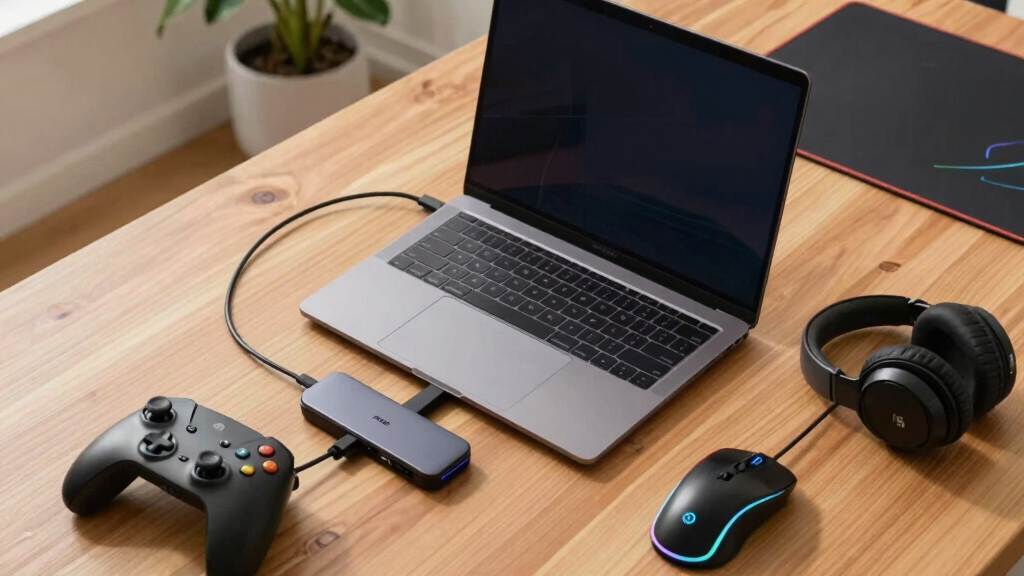

Choosing the best Thunderbolt dock for a gaming laptop involves balancing high-speed data transfer, multiple display support, and reliable power delivery. The Razer Thunderbolt 5 Dock stands out for its blazing 120Gbps transfer speeds and ability to run three 4K displays at 144Hz, making it ideal for serious gamers. The Anker Prime TB5 Dock offers a similar high-performance package with a robust cooling system and extensive ports, perfect for power users. However, many docks come with tradeoffs such as higher cost, bulkier design, or limited compatibility. Continue reading to see how these options compare and find the best fit for your gaming needs.
Key Takeaways
- High transfer speeds (up to 120Gbps) are essential for seamless gaming and data transfer, favoring Thunderbolt 5 options.
- Multiple 4K or 8K display support is a common feature, but running three 4K displays at high refresh rates requires powerful docks like Razer Thunderbolt 5 or Anker Prime.
- Power delivery varies from 85W to 140W; higher wattage supports charging gaming laptops during intense use, but may increase cost and size.
- Cooling systems and build quality differ, with premium docks offering active cooling to prevent throttling during extended gaming sessions.
- Compatibility and driver support are critical—ensure the dock matches your laptop’s Thunderbolt version and operating system for optimal performance.


More Details on Our Top Picks
Anker Laptop Docking Station Dual Monitor, 8-in-1 USB C Hub, 4K Dual Monitor with 2 HDMI, 1 Gbps Ethernet Hub, 85W Power Delivery, SD Card Reader, for XPS and More (Charger not Included)
This Anker dock offers a broad range of connectivity options from a single USB-C port, making it ideal for users who need a reliable all-in-one solution at an affordable price. Compared to the Razer Thunderbolt 5 Dock, it lacks the ultra-fast data transfer speeds and multi-4K display support, but for everyday multitasking, it excels. Its dual HDMI outputs support 4K at 60Hz on Windows and mirror displays on macOS, which is sufficient for most productivity tasks. The inclusion of Ethernet, SD card reader, and multiple USB-A ports enhances its utility without complicated setup. However, it requires a separate wall charger for full power delivery, and its cooling isn’t as robust as premium options, which could lead to overheating under heavy loads. Overall, this dock makes the most sense for budget-conscious users who want reliable port expansion without sacrificing core features.
Pros:- Affordable price with solid port options
- Supports dual 4K@60Hz on Windows
- Includes SD card reader and Ethernet
Cons:- Requires separate power adapter for full 85W charging
- Limited to mirror mode on macOS, not extend
Best for: Budget-conscious professionals needing reliable dual monitor support and multiple peripherals at home or office.
Not ideal for: Power users requiring ultra-fast data transfer or 3+ 4K displays, since its performance and output are limited compared to high-end docks.
- Total USB Ports:3
- HDMI Ports:2
- Wattage:85W
- Compatibility:USB-C, USB4, Thunderbolt
- Display Support:Dual 4K@60Hz (Windows), Mirror only (macOS)
- Size:4.65″L x 2.01″W x 0.69″H
Bottom line: This dock is ideal for everyday multitaskers who prioritize cost and reliable connectivity over maximum data throughput.
Razer Thunderbolt 5 Dock: 11 Port Docking Station with M.2 SSD Slot – 120Gbps Transfer Speeds – 3X 4K Displays at 144 Hz on TB5/4 Laptops – 140W PD Charging – Active Cooling – TB Share – Mercury
This Razer Thunderbolt 5 Dock stands out for its blazing 120Gbps transfer speeds, support for triple 4K displays at 144Hz, and the built-in M.2 SSD slot, making it perfect for gamers and content creators who demand high performance. Unlike the Anker dock, it offers true multi-display extension with high refresh rates and 8K support, catering to premium workflows. Its active cooling system ensures sustained performance during intensive gaming or rendering. The 140W PD provides rapid charging for high-performance laptops, and the multiple Thunderbolt 5 ports maximize expandability. The main tradeoff is its premium price and larger size, which reduces portability. If your setup benefits from maximum throughput, high refresh rate gaming, or large file handling, this dock delivers unmatched capabilities.
Pros:- 120Gbps data transfer speeds
- Supports triple 4K@144Hz or 8K at 60Hz
- Built-in M.2 SSD slot for up to 8TB storage
Cons:- High price point
- Larger footprint, less portable
Best for: High-end gamers, video editors, and power users with Thunderbolt 5 laptops needing maximum bandwidth and multi-monitor support.
Not ideal for: Casual users or those on a budget, as its high cost and size may be unnecessary for standard productivity tasks.
- Total USB Ports:6
- HDMI Ports:3
- Transfer Speeds:120Gbps
- Power Delivery:140W
- Display Support:Triple 4K@144Hz, 8K@60Hz
- M.2 SSD Slot:Yes
Bottom line: This dock is best suited for demanding creative professionals and gamers who need top-tier performance and expandability.
Anker Prime TB5 Docking Station, 14-in-1 Thunderbolt 5 Dock with 120Gbps Max Transfer, Thunderbolt Dock with 140W Max Charging, Cooling System, Up to 8K, Dual Display for TBT 5/4 Laptops
The Anker Prime TB5 Dock offers extensive connectivity with 14 ports, including dual Thunderbolt 5 ports, a 120Gbps transfer rate, and support for dual 8K displays at 60Hz, making it ideal for users with the latest high-end laptops. Its 140W charging supports even the most power-hungry machines, and the advanced cooling system ensures stable performance during prolonged use. Compared to the Razer dock, it provides more ports and better thermal management, but it is slightly bulkier and more expensive. The dock’s support for dual displays and high data transfer rates makes it a future-proof choice for professionals needing maximum bandwidth and expandability. A minor tradeoff is its size and weight, which might be less suitable for travel.
Pros:- 14 ports including dual Thunderbolt 5
- Supports dual 8K@60Hz or dual 4K@120Hz displays
- Advanced cooling system for sustained performance
Cons:- Larger and heavier than compact docks
- Premium price
Best for: Professional power users, content creators, and gamers with the latest Thunderbolt 5 laptops seeking top-tier expandability and performance.
Not ideal for: Travelers or casual users who need a lightweight, portable dock, as size and cost are higher than basic models.
- Total USB Ports:8
- HDMI Ports:2
- Transfer Speed:120Gbps
- Power Delivery:140W
- Display Support:Dual 8K@60Hz
- Cooling System:Yes
Bottom line: This dock is ideal for professionals demanding maximum performance, expandability, and future-proofing in a desktop setup.
Plugable Thunderbolt 4 Dock for M4/M5 MacBook Air & Pro: 100W Charging Driverless Laptop Docking Station with 4K HDMI Dual Monitor or Single 6K, 6X USB, SD, Ethernet, Thunderbolt Certified (TBT-UDM)
This Plugable Thunderbolt 4 Dock is an excellent choice for Mac users who want a driverless, plug-and-play experience with dual 4K monitors or a single 6K display, along with solid port options. It supports 100W charging and offers six USB ports, SD card reader, and Ethernet, making it versatile for creative workflows and multitasking. Unlike the Razer or Anker docks, it prioritizes simplicity and robust Mac compatibility, but it doesn’t support triple monitor setups or ultra-high data transfer speeds beyond 40Gbps. Its compact, lightweight design makes it more portable, but it’s less future-proof for Thunderbolt 5 or multi-display setups at higher resolutions. It’s a perfect fit for Mac users who want dependable performance without complexity.
Pros:- Driverless, plug-and-play setup
- Supports dual 4K@60Hz or single 6K display
- Compact and portable design
Cons:- Limited to dual 4K or single 6K display
- Less future-proof for Thunderbolt 5
Best for: Mac users needing a reliable, driverless dual monitor setup for creative work or general productivity.
Not ideal for: Power users with Thunderbolt 5 laptops or those wanting triple 4K displays at high refresh rates, due to speed and port limitations.
- Total USB Ports:6
- HDMI Ports:2
- Transfer Speed:40Gbps
- Power Delivery:100W
- Display Support:Dual 4K@60Hz or 6K @ 60Hz
- Size:4.56″L x 4.56″W x 2.95″H
Bottom line: This dock is best for Mac users who need reliable dual display support with minimal fuss and don’t require ultra-high data speeds.
Lenovo USA ThinkPad Thunderbolt 3 Dock Gen 2 135W (40AN0135US) Dual UHD 4K Display Capability, 2 HDMI, 2 DP, USB-C, USB 3.1, Black
This Lenovo ThinkPad Thunderbolt 3 Dock is a reliable choice for business environments and legacy systems, offering dual UHD 4K support via HDMI and DisplayPort, with plenty of USB ports and gigabit Ethernet. It’s less expensive than the newer Thunderbolt 5 docks and supports a wide range of ThinkPad models, making it ideal for corporate setups. The dock’s 135W power supply ensures robust charging for most laptops, and its compatibility with Windows 7 and 10 broadens its usability. Compared to more modern Thunderbolt 4 or 5 docks like the Plugable or Anker, it lacks the ultra-fast transfer speeds and high refresh rate support, but it excels in compatibility and stability. The main tradeoff is its age and limited future-proofing, so it’s best for users with existing systems seeking proven reliability.
Pros:- Supports dual 4K@60Hz displays
- Compatible with Windows 7 and 10
- Affordable for a dual UHD dock
Cons:- Limited transfer speed compared to Thunderbolt 4/5
- No support for high refresh rate gaming monitors
Best for: Business users with legacy laptops or ThinkPad owners needing a stable, dual 4K setup.
Not ideal for: High-end gamers or creative professionals requiring ultra-fast data transfer or high refresh rate displays.
- Total USB Ports:4
- HDMI Ports:2
- Display Support:Dual 4K@60Hz
- Power Delivery:135W
- Compatibility:Windows 7 & 10
- Size:8.66″L x 1.18″W x 3.15″H
Bottom line: This dock provides a dependable, budget-friendly dual 4K setup for business and legacy systems but isn’t suited for high-performance gaming or intensive data workflows.
Plugable Thunderbolt 4 Dock with 100W Charging, Thunderbolt Certified, Laptop Docking Station Dual Monitor Single 8K or Dual 4K HDMI for Windows and Mac, 4X USB, Gigabit Ethernet (TBT4-UD5)
The Plugable Thunderbolt 4 Dock TBT4-UD5 stands out for its comprehensive port selection and high-end performance, making it a top choice for gamers who demand reliability and quality. Its Thunderbolt 4 certification guarantees blazing-fast 40Gbps speeds, which is essential for seamless high-resolution gaming and data transfer. The dual HDMI ports support 4K at 60Hz or an impressive 8K display, providing stunning visuals that complement gaming setups. Unlike some docks that rely on DisplayLink technology, this model delivers native GPU output, resulting in no lag or distortion—crucial for competitive gaming or detailed creative work. While the 13 ports cover most needs, the dock’s size and weight might be less appealing for ultra-portable setups. Early users reported occasional monitor flicker, but Plugable’s dedicated support team handled the issue swiftly, reflecting their commitment to quality. Overall, this dock balances performance, expandability, and user support, making it ideal for gamers who want a stable, high-performance hub.
Pros:- Native GPU output for lag-free high-quality video
- Supports dual 4K or single 8K display configurations
- 13 high-performance ports including USB4, HDMI, Ethernet
Cons:- Relatively bulky and heavy for portable use
- Potential for monitor flicker early on, though support is responsive
Best for: Power users with gaming laptops who need dual high-resolution monitors, fast data transfer, and reliable charging.
Not ideal for: Travelers or users with very limited desk space, as its size may be cumbersome in compact environments.
- Thunderbolt Version:Thunderbolt 4
- Max Power Delivery:96W (certified)
- Display Support:Dual 4K @60Hz or 8K single
- Total Ports:13
- HDMI Ports:2
- Ethernet:Gigabit
- Size:8.9″L x 3.3″W x 0.9″H
- Weight:2.4 pounds
Bottom line: This dock is best suited for gamers who prioritize visual fidelity, high-speed data, and expandability over portability.
Razer USB 4 Dock: 14 Ports (Type C, Type A, HDMI, DP, Ethernet, SD, 3.5mm) – Dual Monitor Up to 4K 120 Hz – Laptop & Phone Fast Charge – Durable Lightweight Casing – Windows & Mac Compatible – Black
The Razer USB 4 Dock offers a highly versatile port array and high refresh rate display support, making it an excellent choice for gamers who want maximum flexibility. With 14 ports, including multiple USB-A, USB-C, HDMI, DisplayPort, Ethernet, SD card reader, and a 3.5mm audio jack, it minimizes the need for additional hubs and cables. The dual monitor setup supports up to 4K at 120Hz, appealing to gamers who value high-refresh-rate visuals without sacrificing port variety. Unlike the Plugable dock, which emphasizes stability and dual 4K/8K support, Razer’s dock prioritizes speed, device charging, and a sleek, lightweight build that’s perfect for gaming on the go. Its all-metal casing ensures durability, but the premium design comes at a higher price point. While it excels in speed and port diversity, it might be overkill for users only needing basic connections. This dock makes the most sense for gamers who desire a fast, stylish hub that handles multiple peripherals and high-refresh-rate displays effortlessly.
Pros:- Supports dual 4K at 120Hz for smooth visuals
- 14 versatile ports including SD and 3.5mm jack
- Power delivery up to 100W for fast charging
Cons:- Higher price compared to similar docks
- Larger, less portable than some compact options
Best for: High-end gamers and creative professionals who need multiple high-resolution outputs and extensive device connectivity.
Not ideal for: Budget-conscious users or those seeking ultra-compact docks, as its premium features come with a higher cost and size.
- Ports:14
- Display Output:Dual 4K @120Hz
- Power Delivery:100W
- Build Material:All metal
- Compatibility:Windows and Mac
- Size:Compact, lightweight
Bottom line: This dock is ideal for gamers who want a premium, multi-port solution with high refresh rate support and fast charging capabilities.

How We Picked
To select the best Thunderbolt docks for gaming laptops, I focused on performance, compatibility, build quality, and usability. Priority was given to transfer speeds, display support, and power delivery, as these directly impact gaming and multitasking. I also evaluated the docks’ cooling solutions and ease of setup, since extended gaming sessions demand reliable thermal management. Cost was considered to identify options that provide the best value without sacrificing essential features. Docks were ranked based on how well they balance these factors for gaming-specific needs, ensuring each offers a clear advantage for different types of users.Factors to Consider When Choosing Best Thunderbolt Docks For Gaming Laptops
When choosing the best Thunderbolt dock for a gaming laptop, several key factors influence performance and value. Understanding these will help you avoid common pitfalls and select a dock that enhances your gaming experience without unnecessary compromises.Transfer Speed and Data Throughput
High transfer speeds are vital for gaming setups that include external SSDs or require rapid data exchange. Thunderbolt 4 and 5 docks offer speeds up to 40Gbps and 120Gbps respectively, with the latter being ideal for demanding data tasks alongside gaming. However, higher speeds often come with increased cost and power consumption. Be sure the dock’s maximum transfer rate aligns with your data needs, especially if you plan to use high-capacity SSDs or stream high-resolution video.
Display Support and Video Output
Most gaming docks now support multiple 4K monitors, but the key is whether they can handle high refresh rates at those resolutions. For instance, running three 4K displays at 144Hz requires a dock with robust video output capabilities, such as Thunderbolt 5 docks. Keep in mind that not all docks support 8K or multiple high-refresh-rate monitors, and some may require specific configurations. Matching your gaming display setup with the dock’s output options prevents bottlenecks during intense gaming sessions.
Power Delivery and Charging
Power delivery (PD) determines how well the dock can charge your gaming laptop while in use. Docks offering 100W or more are recommended for high-performance gaming laptops, ensuring you don’t need a separate charger. Keep in mind that higher wattage can increase dock size and cost. If portability is a priority, balancing sufficient power delivery with compact design becomes essential—sometimes a dock with 85W may suffice for lighter gaming or less demanding laptops.
Build Quality and Cooling
Extended gaming sessions generate heat, making active cooling features a significant consideration. Premium docks often include fans or advanced thermal management, reducing the risk of throttling. Cheaper models might lack effective cooling, leading to performance drops over time. Consider the dock’s construction and cooling solutions if you plan to game for hours, as thermal management directly impacts stability and longevity.
Compatibility and Software Support
Ensure the dock is compatible with your specific laptop model and operating system. Thunderbolt 4 and 5 standards vary slightly in features, and driver support can influence stability. Some docks might require specific updates or software configurations, so checking manufacturer support and user reviews can save headaches. Compatibility issues can limit functionality, especially with high-refresh-rate displays or certain peripherals.
Frequently Asked Questions
Can I connect multiple gaming monitors to a Thunderbolt dock?
Yes, many Thunderbolt docks support multiple monitors, often up to three 4K displays or a single 8K display. The ability to run high-refresh-rate gaming monitors depends on the dock’s video output capabilities and the Thunderbolt version. For high-end gaming setups, choosing a dock with dedicated DisplayPort or HDMI outputs that support 144Hz at 4K is advisable. Always verify the maximum supported resolution and refresh rate before purchasing.
Will a Thunderbolt dock slow down my gaming performance?
In most cases, a well-designed Thunderbolt dock won’t impact gaming performance directly. However, if the dock causes system bottlenecks, such as limited bandwidth or insufficient power delivery, it could affect performance. High-quality docks with ample transfer speeds and cooling help maintain stability during intensive gaming. It’s also important to connect your GPU or gaming peripherals directly to the laptop or through the dock as recommended, to avoid unnecessary performance drops.
Is it better to choose a Thunderbolt 4 or Thunderbolt 5 dock for gaming?
Thunderbolt 5 docks offer significantly higher transfer speeds (up to 120Gbps) and improved display support, making them a better choice for future-proofing high-performance gaming setups. Thunderbolt 4 still provides excellent bandwidth (up to 40Gbps) suitable for most gaming needs, including multiple monitors and fast data transfer. If budget allows, opting for Thunderbolt 5 adds extra headroom for demanding tasks and peripherals, but Thunderbolt 4 remains a solid, more affordable option for current gaming requirements.
Do I need a dedicated cooling system in my Thunderbolt dock for gaming?
Active cooling can significantly improve performance stability during extended gaming sessions, especially for high-powered docks with multiple ports and high transfer rates. Without proper cooling, a dock may overheat, leading to throttling or reduced lifespan. If you plan to game for hours or use the dock intensively, choosing a model with a cooling fan or thermal management features can prevent performance drops and hardware issues.
Are Thunderbolt docks compatible with gaming laptops from all brands?
Most modern gaming laptops with Thunderbolt ports should work seamlessly with Thunderbolt docks, but compatibility can vary depending on the specific model and Thunderbolt version. It’s wise to check your laptop’s specifications and ensure the dock supports your operating system. Some brands may have proprietary hardware or software considerations, so reviewing user feedback and manufacturer details helps avoid connectivity issues and ensures optimal performance.