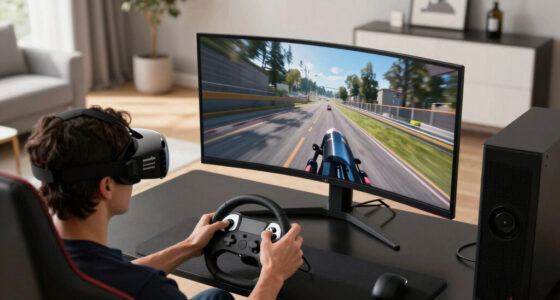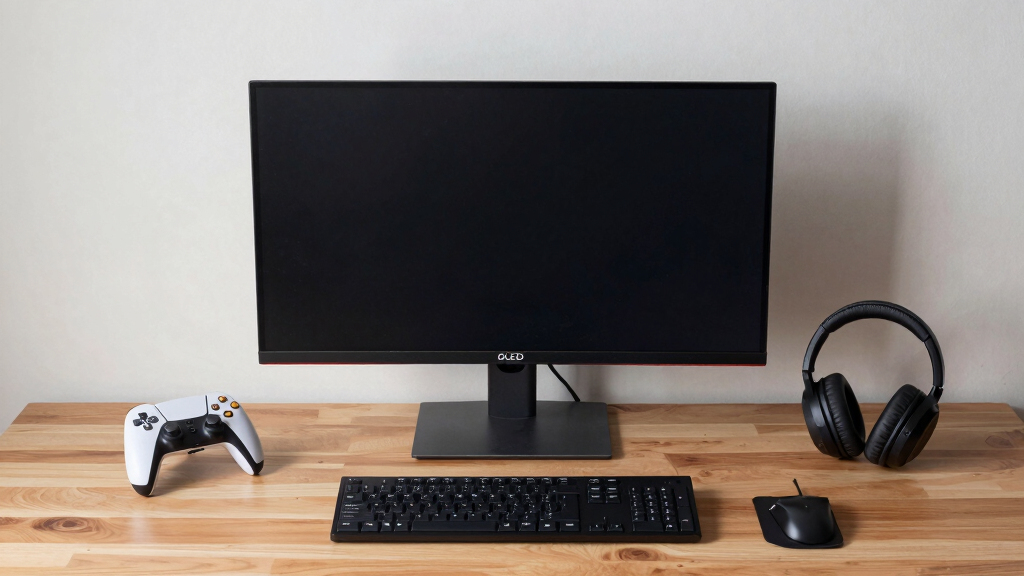

For gamers seeking the most immersive experience, OLED monitors offer unparalleled contrast, vibrant colors, and fast response times. The Samsung 27″ Odyssey OLED G6 stands out as the best overall choice thanks to its high refresh rate and exceptional image quality. For those prioritizing ultra-wide views, the Alienware 34 Curved OLED provides a sweeping, curved display that enhances immersion. Meanwhile, the LG Ultragear OLED offers a balance of performance and versatility with support for G-Sync and FreeSync. However, these monitors often come with tradeoffs like premium prices and potential burn-in risks. Keep reading for a detailed breakdown of each option to find the perfect fit for your setup.
Key Takeaways
- High refresh rates (240Hz) are common among the best OLED gaming monitors, ensuring smooth gameplay.
- Curved ultra-wide options like the Alienware 34 enhance immersion but require more desk space and may be more expensive.
- G-Sync and FreeSync support are widespread, offering tear-free gaming but can add to the cost.
- Color accuracy and HDR support vary, with Pantone validation and HDR10 being key indicators of quality.
- Price ranges are broad; investing in premium models often delivers better longevity and features, but value options still perform well.


More Details on Our Top Picks
Samsung 27″ Odyssey OLED G6 (G61SH) Gaming Monitor – QD-OLED, QHD (1440P), 240Hz, 0.03ms, Glare-Free, Pantone Validated, HDR10, Height-adjustable stand, OLED Safeguard, 3 Year Warranty, LS27HG612SNXZA
This Samsung model stands out for its QD-OLED technology that delivers stunning brightness alongside a wide color range, making it ideal for immersive gaming setups. Its 0.03ms response time and 240Hz refresh rate provide ultra-smooth motion, rivaling the LG UltraGear but with enhanced color vibrancy. The OLED Safeguard technology actively prevents burn-in, addressing a common concern with OLED monitors, though it does add some complexity with thermal modulation and auto-dimming features. Compared to the Alienware AW3425DW, it offers brighter highlights and a more vivid palette, but at the cost of higher power consumption and a more complex setup. The height-adjustable stand and glare-free coating enhance comfort and visibility, perfect for long gaming sessions. However, its premium price and burn-in prevention features might be overkill for casual users or those on a tight budget.
Pros:- Vivid, wide color gamut with Pantone validation
- Exceptional response time of 0.03ms for ultra-smooth gameplay
- Active OLED safeguard technology to prevent burn-in
Cons:- Higher power consumption compared to LCD-based monitors
- Complex thermal and brightness management might be confusing for some users
Best for: Gamers seeking top-tier visual immersion with vivid colors and fast response times, especially those willing to manage some setup complexity.
Not ideal for: Casual gamers or users with limited space who prefer a simpler, plug-and-play monitor without advanced burn-in safeguards.
- Display Size:27 inches
- Resolution:2560 x 1440 pixels
- Refresh Rate:240Hz
- Response Time:0.03ms
- Display Technology:QD-OLED
- Contrast Ratio:1,000,000:1
- Ports:HDMI, DisplayPort
- Warranty:3 years
- Brightness:400 Candela
Bottom line: Ideal for gamers who prioritize stunning visuals and fast response times and are comfortable with some setup nuances.
LG 27GS93QE 27-inch Ultragear OLED Gaming Monitor QHD 1440p 240Hz 0.03ms DisplayHDR True Black 400 AMD FreeSync Premium Pro NVIDIA G-Sync HDMI 2.1 DisplayPort Tilt/Height/Pivot Stand Black
This LG UltraGear OLED model makes the list for its impressive 98.5% DCI-P3 coverage and deep black levels, delivering vibrant visuals with exceptional contrast. Its 240Hz refresh rate and 0.03ms response time ensure smooth, responsive gameplay comparable to the Samsung G6, with the added benefit of NVIDIA G-SYNC compatibility. The monitor’s HDR True Black 400 certification guarantees rich shadow details in dark scenes, making it ideal for atmospheric horror or stealth games. Its anti-glare coating minimizes reflections, enhancing clarity even in brightly lit rooms. Compared to the Alienware AW3425DW’s curved design, LG’s flat panel offers a more traditional workspace feel, but some may find it less immersive. The extensive tilt, height, and pivot adjustments help tailor the viewing experience, though some users report that the stand is bulkier and less elegant than premium alternatives. It’s best suited for color-conscious gamers and content creators who want top-tier contrast and color fidelity.
Pros:- Excellent DCI-P3 coverage for vibrant, accurate colors
- Deep blacks with HDR True Black 400 certification
- G-SYNC and FreeSync Premium Pro support for tear-free gameplay
Cons:- Larger, bulkier stand that may not fit compact setups
- Flat panel may feel less immersive compared to curved monitors
Best for: Color-sensitive gamers and creators who need precise color accuracy and deep dark scene rendering.
Not ideal for: Casual players or those who prefer a curved, more immersive curved display for gaming focus.
- Display Size:27 inches
- Resolution:2560 x 1440 pixels
- Refresh Rate:240Hz
- Response Time:0.03ms
- Display Technology:OLED
- Contrast Ratio:1.5M:1
- Ports:HDMI 2.1, DisplayPort
- Warranty:2 years
- Brightness:400 Candela
Bottom line: Best suited for gamers who demand top-tier contrast, color fidelity, and smooth gameplay in dark scenes.
This Alienware 34″ QD-OLED curved monitor is designed for players who want an ultra-wide experience combined with rapid response. The 1800R curve enhances immersion, making it a natural fit for racing or flight simulations, while the WQHD resolution offers sharp details across a broad field of view. Its 0.03ms response time and 240Hz refresh rate match the performance of other top-tier OLEDs, with the added advantage of a wider aspect ratio for multitasking or panoramic views. The VESA DisplayHDR TrueBlack 400 along with 1000 nits peak brightness provides stunning contrast and vivid HDR in dark scenes. Compatibility with G-SYNC and FreeSync ensures tear-free gameplay, but the curved form factor may not appeal to users with limited desk space or those preferring traditional flat screens. The monitor’s expansive size and curve make it best for dedicated gaming setups focused on immersion and speed.
Pros:- Ultrawide 34.2-inch curved display for immersive gaming
- Fast 0.03ms response time and 240Hz refresh rate
- VESA HDR TrueBlack 400 and high brightness for vivid contrast
Cons:- Large size and curved shape may not suit all setups
- Less suited for productivity tasks compared to flat monitors
Best for: Players seeking an ultra-wide, curved display that excels at immersive gaming and fast-paced action.
Not ideal for: Users with small desks or those preferring flat monitors for productivity or limited space.
- Display Size:34.2 inches
- Resolution:3440 x 1440 pixels
- Refresh Rate:240Hz
- Response Time:0.03ms
- Display Technology:QD-OLED
- Contrast Ratio:1,000,000:1
- Ports:HDMI, DisplayPort
- Warranty:1 year
- Curvature:1800R
Bottom line: Best for gamers who want a panoramic, immersive experience with speed and contrast in one package.
ASUS ROG Strix 27” 1440P OLED Gaming Monitor (XG27AQDMG) – QHD, Glossy OLED, 240Hz, 0.03ms, Custom Heatsink, Anti-flicker,Uniform Brightness, G-SYNC Compatible, 99% DCI-P3, DisplayWidget, 3yr warranty
This ASUS ROG Strix monitor is tailored for gamers who want high refresh rates and reliable performance, with a focus on managing OLED burn-in risks. Its glossy OLED panel provides vibrant colors and fast response times, comparable to the LG UltraGear but with a custom heatsink and anti-flicker tech that help extend panel life. The 240Hz refresh rate and 0.03ms response time make it excellent for fast-paced games, while the 99% DCI-P3 coverage guarantees rich, accurate colors. Its DisplayWidget software offers customization options, though some users find the stand bulky and the glossy finish prone to fingerprints. The monitor’s advanced cooling and brightness uniformity address common OLED burn-in concerns, making it more suitable for prolonged use than earlier OLEDs. It’s best for competitive gamers and enthusiasts concerned about longevity and color accuracy.
Pros:- High 240Hz refresh rate with 0.03ms response time
- Excellent color coverage at 99% DCI-P3
- Innovative burn-in mitigation with heatsink and anti-flicker
Cons:- Bulky stand and glossy surface may be less ergonomic and prone to fingerprints
- Premium price and complex setup may deter casual users
Best for: High-performance gamers who need speed and color accuracy, with added burn-in protection for long-term use.
Not ideal for: Casual users or those preferring a flat display for multitasking or workspace versatility.
- Display Size:27 inches
- Resolution:2560 x 1440 pixels
- Refresh Rate:240Hz
- Response Time:0.03ms
- Display Technology:OLED
- Color Coverage:99% DCI-P3
- Ports:HDMI, DisplayPort
- Warranty:3 years
- Brightness:600 Candela
Bottom line: Best suited for competitive gamers wanting speed, vivid colors, and longer panel life.
INNOCN 49″ Curved Gaming Monitor 144Hz Ultrawide 32:9 WDFHD 3840 x 1080P, R1800, 99% sRGB, HDR400, USB Type C, DisplayPort, HDMI, Built-in Speakers, Height/Tilt Adjustable – 49C1G
This INNOCN ultra-wide monitor excels for users who want a broad field of view combined with good color and flexibility. Its 32:9 aspect ratio and 144Hz refresh rate make it suitable for immersive gaming and productivity, though the resolution is effectively dual FHD displays across a single panel. The HDR400 support and 99% sRGB coverage deliver decent color and contrast, but it can’t match the contrast ratio of OLEDs like Samsung or LG models. The curved R1800 design enhances immersion for gaming, especially in racing or flight sims, but may be less suitable for detailed work requiring pixel-perfect accuracy. Its extensive connectivity options, including USB-C with Power Delivery, add convenience for multitasking. This monitor makes a compelling choice for multitaskers and gamers who value screen real estate over pixel-level detail but are willing to accept some limitations on contrast and color depth.
Pros:- Massive 49-inch curved ultrawide display for multitasking
- 144Hz refresh rate with HDR400 support
- Flexible connectivity with USB-C Power Delivery
Cons:- Lower resolution compared to dedicated 4K or QHD OLEDs
- Contrast ratio and black levels are inferior to OLED counterparts
Best for: Multitaskers and gamers needing a wide, curved display for productivity and immersive gameplay.
Not ideal for: Users seeking high contrast and deep black levels for dark scene gaming or professional color work.
- Display Size:49 inches
- Resolution:3840 x 1080 pixels
- Refresh Rate:144Hz
- Response Time:1ms
- Display Technology:VA LCD
- Contrast Ratio:3000:1
- Ports:HDMI, DisplayPort, USB-C
- Warranty:1 year
- Curvature:1800R
Bottom line: Best for users who prioritize expansive screen space and versatility over deep contrast or pixel-perfect color.
AOC 27″ QD OLED Gaming Monitor, QHD 2560×1440, 240Hz, 0.03ms GtG, G-SYNC Compatible, HDR Ready, DisplayPort, HDMI, VESA Mountable, Console Gaming Ready, Q27GAZD
This AOC QD OLED monitor stands out for combining stunning visual quality with ultra-fast response times, making it ideal for immersive gaming setups. Its 27-inch QHD display with a 240Hz refresh rate and 0.03ms GtG response ensures smooth, blur-free action that rivals pricier options like the Samsung G5, but it also offers broader color coverage and deeper blacks thanks to QD OLED technology. Compared to the Samsung G5, it delivers richer colors and contrast, though it might lack some of the glare reduction features or adjustable stand options. The HDR400 True Black certification enhances contrast, creating more realistic scenes, but the panel’s brightness may be less than some competing HDR monitors. This pick is perfect for gamers who prioritize vibrant visuals and responsiveness, with a preference for crisp detail over adjustable ergonomics.
Pros:- Exceptional color accuracy and wide gamut coverage thanks to QD OLED technology
- Incredibly fast 0.03ms response time for blur-free gameplay
- High 240Hz refresh rate ensures smooth motion during fast-paced scenes
- HDR400 True Black provides deeper contrast and more realistic visuals
Cons:- Limited brightness compared to some HDR-capable monitors, potentially affecting HDR impact
- Lack of ergonomic adjustments like height or pivot for personalized setup
- Higher price point may be prohibitive for budget-conscious gamers
Best for: Gamers seeking a high-quality, visually stunning monitor with rapid response times for competitive play and immersive experiences.
Not ideal for: Users who need advanced ergonomic adjustments or a matte, glare-reducing screen, as this model emphasizes vivid visuals over reflection control.
- Display Size:27 Inches
- Resolution:2560 x 1440 (QHD)
- Refresh Rate:240Hz
- Response Time:0.03ms GtG
- HDR Certification:HDR400 True Black
- Panel Technology:Quantum Dot OLED
- Connectivity:DisplayPort, HDMI
- Color Coverage:147.6% sRGB, 110.2% DCI-P3
Bottom line: This monitor is best suited for gamers who prioritize vibrant, high-contrast imagery alongside ultra-responsive gameplay, and don’t mind sacrificing some ergonomic flexibility.
Samsung 27” Odyssey OLED G5 (G50SF) QHD & QD-OLED Gaming Monitor, 180Hz Refresh Rate, 0.03ms (GtG) Response Time, NVIDIA G-Sync Compatible, AMD FreeSync™, LS27FG500SNXZA
This Samsung Odyssey OLED G5 makes a compelling choice for immersive gaming with its QD-OLED panel, offering a vivid, bright display at QHD resolution with a 180Hz refresh rate and 0.03ms response time. Its Pantone validation and HDR10 support ensure color accuracy and dynamic shadows, making it ideal for detailed visual storytelling. The onboard OLED Safeguard system actively manages heat and reduces burn-in risk, unlike some older OLEDs, while glare-free technology helps maintain clarity in bright environments. Compared to the AOC QD OLED, it provides slightly less refresh rate but compensates with a built-in thermal management system and versatile connectivity, including auto source switching. However, some users may find the 180Hz limit less appealing than higher refresh options. This monitor suits gamers who want a bright, accurate display with safeguards for long-term durability.
Pros:- Excellent color accuracy with Pantone validation and HDR10 for depth and vibrancy
- Active OLED Safeguard system reduces burn-in risk with thermal modulation
- Glare Free technology keeps the screen clear in bright rooms
- Fast 0.03ms response time delivers quick reactions
Cons:- Slightly lower 180Hz refresh rate compared to competitors like the AOC’s 240Hz
- Price can be higher due to the advanced features and OLED technology
- Limited ergonomic adjustments, similar to other OLEDs, may restrict positioning
Best for: Enthusiasts who value color precision, brightness, and long-term OLED reliability in fast-paced gaming environments.
Not ideal for: Budget-conscious buyers or those seeking the highest refresh rates, as the 180Hz may be less optimal for competitive FPS players compared to 240Hz models.
- Display Size:27 Inches
- Resolution:2560 x 1440 (QHD)
- Refresh Rate:180Hz
- Response Time:0.03ms GtG
- HDR Support:HDR10
- Panel Technology:QD-OLED
- Connectivity:HDMI, DisplayPort
- Color Coverage:2100+ colors, Pantone Validated
Bottom line: This monitor is ideal for gamers who prioritize color fidelity, brightness, and long-term OLED health, accepting a modest refresh rate for enhanced visuals and durability.

How We Picked
These monitors were selected based on a combination of performance, usability, build quality, and value. Priority was given to response times, refresh rates, and HDR capabilities because they directly impact gaming immersion. Durability, ergonomic features, and warranty length also influenced rankings, as these factors affect long-term satisfaction. To ensure relevance, each monitor was evaluated for its compatibility with immersive setups, including ultra-wide and curved displays. The ranking reflects a balance between top-tier performance and practical considerations, ensuring each option serves a distinct type of gamer.Factors to Consider When Choosing Best OLED Gaming Monitors For Immersive Setups
Choosing the right OLED gaming monitor for an immersive setup involves several key considerations. Beyond just screen size, factors like curvature and resolution impact how deeply you feel part of the game world. It’s also important to consider compatibility with your gaming hardware, especially if you want support for G-Sync or FreeSync. Price can be a significant factor, but investing in higher-end models often means better longevity and features. Understanding these broader considerations helps avoid common pitfalls, like overspending on unnecessary features or choosing monitors that don’t fit your space or gaming style.Size and Curvature
Screen size and curvature play a vital role in creating an immersive experience. Larger, curved displays wrap around your field of view, making you feel more involved in the game. Ultra-wide monitors, like the 34-inch Alienware, are particularly effective for simulation and racing games. However, bigger screens require more desk space and may be more expensive. Curvature helps reduce eye strain and enhances depth perception, but a poor curvature choice can lead to distortion or discomfort. Consider your gaming space and how much immersion you desire when selecting size and curvature.
Resolution and Panel Technology
Resolution impacts the clarity and detail of your visuals. QHD (1440p) is a common sweet spot for balancing performance and image sharpness, especially on 27-inch screens. OLED panel technology provides deeper blacks and richer colors compared to traditional LCDs, significantly boosting immersion. However, higher resolutions like 4K are less common among OLED gaming monitors due to cost and refresh rate limitations. Be mindful of how resolution pairs with your GPU to avoid frame drops. Also, check for color accuracy and HDR support, which enhance the vibrancy and realism of your gaming environment.
Response Time and Refresh Rate
Fast response times and high refresh rates are essential for smooth, tear-free gameplay. Most top OLED monitors in this list feature 240Hz refresh rates and 0.03ms response times, providing ultra-smooth motion with minimal blur. These specs matter most in fast-paced genres like FPS and racing games, where every millisecond counts. However, achieving such performance can increase costs and sometimes impact longevity. If you primarily play slower-paced titles, slightly lower specs might suffice, but for competitive gaming, these high-performance features are a must-have for full immersion.
HDR and Color Gamut
HDR support and wide color gamuts enhance the depth and realism of visuals. Look for HDR standards like HDR10 or DisplayHDR True Black 400, which indicate capable HDR performance. Pantone validation can also suggest better color accuracy, important for content creators and gamers who value precise hues. Keep in mind that HDR performance on OLEDs can vary based on peak brightness and local dimming capabilities. For immersive setups, vibrant, true blacks and rich colors significantly elevate the gaming experience, but be prepared for higher prices and potential burn-in concerns.
Build Quality and Ergonomics
Durability and ergonomic features like height adjustment, tilt, and swivel are vital for comfortable long gaming sessions. OLED monitors tend to be lighter and thinner, but quality build ensures longevity. Adjustable stands improve viewing angles and help prevent neck strain, especially in large, immersive setups. VESA compatibility is also worth considering if you plan to mount your monitor for a cleaner look or flexible positioning. While premium models often excel here, more affordable options can still offer decent ergonomics, so prioritize your comfort and space constraints when making a choice.
Frequently Asked Questions
Does OLED gaming monitor burn-in affect performance over time?
Burn-in is a concern with OLED screens because static images left on the display for long periods can cause ghosting or permanent marks. However, many modern OLED monitors incorporate safeguards like pixel shifting, screensavers, and usage algorithms to minimize this risk. For gaming, avoiding static HUD elements or leaving the same image on screen for extended times helps preserve panel health. Overall, with proper use, burn-in is manageable, but it remains a factor to consider if you plan to use the monitor for non-gaming tasks as well.
Are OLED monitors worth the extra cost compared to high-end LCDs?
OLED monitors generally deliver superior contrast, richer colors, and faster response times, which significantly boost immersion. For gamers who prioritize image quality and realism, the investment can be justified. That said, they tend to be pricier and may have concerns like burn-in or shorter longevity. If your gaming involves long sessions with static elements or you have a tight budget, high-end LCDs with mini-LED backlights can offer a compelling alternative. Ultimately, the value depends on how much you prioritize visual fidelity and how well you can manage potential drawbacks.
What size should I choose for maximum immersion in a gaming setup?
Choosing the right size depends on your gaming space and viewing distance. Larger screens, like 34-inch ultrawides, create a more enveloping experience but require more desk space and deeper seating. For smaller rooms, a 27-inch monitor offers a good balance of immersion without overwhelming the space. Curved displays enhance the sense of depth, especially in wider screens, but can distort viewing angles if not chosen carefully. Consider your typical viewing distance and whether you prefer a more panoramic view or a more focused experience when selecting size.
Is G-Sync or FreeSync support necessary for immersive gaming?
Support for G-Sync or FreeSync helps eliminate screen tearing, making gameplay smoother and more consistent. For immersive experiences, tear-free visuals are essential, especially during fast-paced action. If your GPU supports G-Sync or FreeSync, choosing a monitor with compatible technology maximizes your gaming fluidity. Some monitors support both, providing greater flexibility. While these features can add to the cost, they significantly improve visual coherence, making them a worthwhile consideration for a truly immersive setup.
How important is HDR support for an immersive OLED gaming monitor?
HDR support enhances contrast and color range, making scenes more lifelike and engaging. OLED panels excel at delivering deep blacks and high contrast, which amplifies the impact of HDR. Look for standards like HDR10 or DisplayHDR True Black 400 for the best effect. While HDR can be costly and sometimes inconsistent across models, a well-implemented HDR experience greatly elevates immersion. For gamers who value visual realism and vivid colors, prioritizing HDR support is a key step in selecting an immersive monitor.