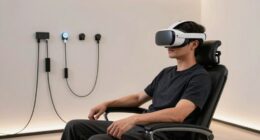
For shoppers seeking a VR headset for back to school, I rank the Oculus Quest 2 128GB as the best overall pick because its standalone design offers a broader learning and gaming library without tying up a phone. The TECKNET VR Headset for Phone with Controller is my value choice for students who already own a compatible smartphone, while Google Cardboard Topmaxions offers the simplest entry point for short classroom demonstrations. The main choice is between an inexpensive phone viewer and a more capable standalone or PC-based system. Buyers also need to weigh comfort, content compatibility, accessory costs, classroom controls, and the risks of buying older hardware. Continue reading for my full breakdown of where each headset fits and which students should skip it.

Play games on Amazon Luna for your next adventure, included with Prime
- A rotating selection of games, no download needed
- Play on TV, laptop or phone
- Fast, free delivery for your gear, too
Complete the kit



Key Takeaways
- The Oculus Quest 2 128GB ranks first because it is the only listed all-in-one headset combining tracked controllers, standalone apps, and enough capability for learning beyond basic 360-degree video.
- Most options in this roundup are phone-based viewers, so their usefulness depends more on the student’s phone, app support, and sensor quality than on ambitious lens or field-of-view claims.
- The TECKNET models with controllers provide the strongest value balance, but their simple remotes cannot match the positional tracking of Quest controllers.
- Google Cardboard Topmaxions is the easiest beginner and group-demo choice, although its limited comfort and controls make it a poor fit for long lessons or interactive projects.
- The HTC VIVE Pro headset-only package offers the strongest premium PC path, yet required base stations, controllers, and a capable computer make it suitable mainly for equipped labs.
| TECKNET VR Headset for Phone with Controller, 3D Virtual Reality Goggles for Kids and Adults |  | Best Overall Phone-Based Kit | Field of View: 90°–110° | Phone Compatibility: Smartphones 4.7–7.2 inches | Weight: 268g | VIEW LATEST PRICE | See Our Full Breakdown |
| VR Headset, Universal 3D Virtual Reality Goggles with 360° Panorama, Adjustable Pupil Distance, Anti-Blue Light, Compatible with Smartphones 4.7-7 inches |  | Best for Portable 360° Lessons | Phone Compatibility: Smartphones 4.7–7 inches | Platforms: Android and iOS | Field of View: 90° | VIEW LATEST PRICE | See Our Full Breakdown |
| TECKNET VR Headset for Phone with Bluetooth Controller, 4.7-7.2 inch Compatible |  | Best Alternate Controller Bundle | Field of View: 90°–110° | Screen Size Compatibility: 4.7–7.2 inches | Weight: 268g | VIEW LATEST PRICE | See Our Full Breakdown |
| Google Cardboard Topmaxions 3D VR Virtual Reality Headset for 3D Movies and Games |  | Best for Older Small Phones | Device Compatibility: Android and Apple phones | Supported Screen Size: 3.5–6 inches | Material: Plastic | VIEW LATEST PRICE | See Our Full Breakdown |
| VR Headset with Built-in Headphones – 120° FOV, 3D Movie & Gaming Compatible with Smartphones |  | Best for Movies and Private Listening | Field of View: 120° | Lens Type: Aspherical optical lens | Supported Resolution: 1080P | VIEW LATEST PRICE | See Our Full Breakdown |
| Oculus Quest 2 128GB All-in-One VR Headset |  | Best Overall for School and Home | Storage Capacity: 128GB | Display Resolution: 1832 x 1920 pixels per eye | Processor: Blazing-fast processor | VIEW LATEST PRICE | See Our Full Breakdown |
| VR Headset for Phone with Controller |  | Best Budget Starter Kit | Phone Compatibility: iPhone and Android | Supported Screen Size: 4.5-6.7 inches | Maximum Phone Dimensions: 6.3 x 3.3 inches | VIEW LATEST PRICE | See Our Full Breakdown |
| 3D VR Glasses Virtual Reality Headset for 4.5-7 Inch Phones | | Best for Larger Phones | Compatible Screen Size: 4.5-7 inches | Myopia Support: Yes | Interpupillary Distance: Adjustable | VIEW LATEST PRICE | See Our Full Breakdown |
| 3D VR Headset Virtual Reality Glasses with Controller |  | Best for Comfortable Media Viewing | Material: PU leather | Lens Type: Double spherical optical lens | Lens Protection: Multilayer protection | VIEW LATEST PRICE | See Our Full Breakdown |
| VR Headset 3D VR Glasses Universal Virtual Reality Goggles |  | Best for Android Panoramic Lessons | Supported Phone Size: 4.7-7 inches | Field of View: 90 degrees | Maximum Resolution: 1920 x 1080 | VIEW LATEST PRICE | See Our Full Breakdown |
| 3D VR Headset for Kids + Android Remote for iPhone & Android Phones |  | Best for Younger Beginners | Phone platform: iPhone and Android | Controller: Android remote included | Included media: VR apps and videos | VIEW LATEST PRICE | See Our Full Breakdown |
| VR Headset for Smartphones with Bluetooth Controller, HD Aspheric Lenses, Adjustable Focus & IPD, Compatible with 4.7-7 Inch Phones |  | Best Smartphone VR Overall | Phone compatibility: 4.7-7 inch smartphones | Controller: Bluetooth controller included | Field of view: 120 degrees | VIEW LATEST PRICE | See Our Full Breakdown |
| HTC VIVE Pro Virtual Reality Headset Only |  | Best for Advanced School Projects | Package type: Headset only | Display resolution: 2880 x 1660 | Pixel density: 615 PPI | VIEW LATEST PRICE | See Our Full Breakdown |
| VR Headset for Phone with Controller, 3D Family Virtual Reality Goggles, 110° FOV, Anti-Blue Light HD Lenses, Compatible with iPhone, Samsung, Android |  | Best for Shared Family Use | Field of view: 110 degrees | Weight: 13 oz | Lens type: HD anti-blue-light aspheric | VIEW LATEST PRICE | See Our Full Breakdown |
| Virtual Reality Goggles, Adjustable 3D VR Headset with Wide Angle Lens for Phones |  | Best for Nearsighted Students | Lens type: Double spherical optical lens | Field of view: 100 degrees | Phone compatibility: 4.7-7.2 inch phones | VIEW LATEST PRICE | See Our Full Breakdown |
| VR headset for back to school | Field of View | Phone Compatibility |
|---|---|---|
| TECKNET VR Headset for Phone w | 90°–110° | Smartphones 4.7–7.2 inches |
| VR Headset | 90° | Smartphones 4.7–7 inches |
| TECKNET VR Headset for Phone w | 90°–110° | — |
| Google Cardboard Topmaxions 3D | — | — |
| VR Headset with Built-in Headp | 120° | Smartphones 4.7–7.2 inches |
| Oculus Quest 2 128GB All-in-On | — | — |
| VR Headset for Phone with Cont | 110 degrees | iPhone and Android |
| 3D VR Glasses Virtual Reality | — | — |
| 3D VR Headset Virtual Reality | — | iPhone and Android |
| VR Headset 3D VR Glasses Unive | 90 degrees | — |
| 3D VR Headset for Kids + Andro | — | — |
| VR Headset for Smartphones wit | 120 degrees | 4.7-7 inch smartphones |
| HTC VIVE Pro Virtual Reality H | — | — |
| VR Headset for Phone with Cont | 110 degrees | iPhone, Samsung, and Android |
| Virtual Reality Goggles | 100 degrees | 4.7-7.2 inch phones |
More Details on Our Top Picks
TECKNET VR Headset for Phone with Controller, 3D Virtual Reality Goggles for Kids and Adults
I rank the TECKNET VR Headset for Phone with Controller first among these phone-based options because it balances classroom versatility, fit adjustment, and included controls. The 90°–110° field of view can make virtual tours and educational simulations more engaging, while adjustable focus and pupil distance help when several family members share one headset. Its Bluetooth controller gives it an interaction advantage over the VR Headset with Built-in Headphones, which focuses more on private movie viewing. At 268g, this model is manageable for storage between school sessions, and the blue-light-filtering lenses add a useful comfort feature. I would still plan regular viewing breaks. It cannot create 3D content from ordinary media, compatible apps are required, and fitting a larger phone may involve removing the screen frame.
Pros:- Wide 90°–110° field of view supports engaging virtual lessons and entertainment
- Bluetooth controller allows easier interaction than headset-only alternatives
- Focus and pupil-distance adjustments accommodate multiple users
- Blue-light-filtering lenses and ergonomic construction support more comfortable sessions
Cons:- Requires separately sourced VR apps and properly formatted 3D content
- Does not convert ordinary images or videos into 3D
- Larger phones may require removal of the internal screen frame
Best for: Students and families seeking a versatile phone-based headset with a controller for virtual tours, learning apps, games, and occasional movies
Not ideal for: Buyers expecting standalone VR or instant conversion of standard videos into 3D content
- Field of View:90°–110°
- Phone Compatibility:Smartphones 4.7–7.2 inches
- Weight:268g
- Controller:Bluetooth controller included
- Blue Light Protection:Yes
- Pupil Distance:Adjustable
- Focal Length:Adjustable; supports myopia within 600°
Our verdict“I recommend this as the most balanced school-year phone VR kit for buyers who want adjustable optics and a controller in one package.”
VR Headset, Universal 3D Virtual Reality Goggles with 360° Panorama, Adjustable Pupil Distance, Anti-Blue Light, Compatible with Smartphones 4.7-7 inches
I place the Universal 3D Virtual Reality Goggles second for students who value a lightweight headset for 360° videos, museum tours, and geography content. Its adjustable pupil distance and myopia support can help different users obtain a clearer image, while the T-shaped headband distributes the headset across the head. Compared with the TECKNET VR Headset for Phone with Controller, this model accepts a slightly smaller maximum phone and lacks the same included wireless-control advantage. The listed LCD resolution also trails dedicated systems such as the Oculus Quest 2, so fine text and detailed virtual environments may appear less crisp. I see it as a practical viewer rather than a gaming upgrade. Its wired connectivity can add clutter, and buyers still need a compatible Android or iOS phone with suitable VR content.
Pros:- Lightweight construction is easier to carry and store with school supplies
- Adjustable pupil distance helps different household users find a clearer view
- Supports myopia users and includes anti-blue-light lens technology
- Works with both Android and iOS phones
Cons:- Wired connectivity is less convenient than Bluetooth-controlled alternatives
- Listed resolution is modest beside dedicated VR headsets
- Phone support stops at 7 inches, excluding some larger devices
Best for: Students carrying a compatible phone who mainly want a lightweight viewer for 360° educational videos and virtual field trips
Not ideal for: Students seeking sharp standalone graphics or cable-free interactive gaming, since this is a wired smartphone viewer
- Phone Compatibility:Smartphones 4.7–7 inches
- Platforms:Android and iOS
- Field of View:90°
- Display Type:LCD
- Resolution per Eye:1280 × 720
- Maximum Display Resolution:1280 × 1080
- Lens Technology:Anti-blue light
- Connectivity:Wired
- Sensors:Gyroscope, accelerometer, and proximity
Our verdict“I would choose this for portable 360° learning content, but not as a substitute for a sharper standalone gaming headset.”
TECKNET VR Headset for Phone with Bluetooth Controller, 4.7-7.2 inch Compatible
The TECKNET VR Headset with Bluetooth Controller fills a narrow but useful role: it is my backup choice when the higher-ranked TECKNET model is unavailable. Its listed hardware is nearly identical, including a 268g body, 90°–110° viewing range, adjustable focus, and support for phones up to 7.2 inches. Those features make it flexible enough for shared virtual field trips, basic learning apps, and after-class games. The controller also makes menu input easier than on the VR Headset with Built-in Headphones, which does not include one. Yet I cannot justify ranking this version above the other TECKNET listing because the supplied specifications reveal no meaningful functional upgrade. It shares the same content limitations: no automatic 3D conversion, dependence on compatible apps, and possible frame removal when installing a large phone.
Pros:- Included Bluetooth controller supports easier menu and app interaction
- Wide phone compatibility covers 4.7–7.2-inch devices
- Adjustable focus and pupil distance suit shared household use
- Blue-light filtering and a 268g design support comfortable short sessions
Cons:- Offers no clear specification advantage over the other TECKNET controller model
- Compatible VR apps and 3D media must be sourced separately
- Large phones may require removal of the screen frame
Best for: Families wanting a controller-equipped TECKNET headset when the leading TECKNET listing is unavailable or less favorably priced
Not ideal for: Buyers who already have access to the other TECKNET controller bundle, since the listed capabilities are effectively the same
- Field of View:90°–110°
- Screen Size Compatibility:4.7–7.2 inches
- Weight:268g
- Controller:Bluetooth controller included
- Blue Light Protection:Yes
- Pupil Distance:Adjustable
- Focal Length:Adjustable; supports myopia within 600°
Our verdict“I see this as a sensible alternate TECKNET bundle, with availability or price serving as the main reason to choose it.”
Google Cardboard Topmaxions 3D VR Virtual Reality Headset for 3D Movies and Games
I include the Google Cardboard Topmaxions headset for households repurposing an older 3.5- to 6-inch phone as a simple school VR viewer. That broader support at the small end distinguishes it from the Universal 3D Virtual Reality Goggles, which start at 4.7 inches. Sponge pads at the nose and forehead soften the basic plastic shell, while suction-cup phone retention helps keep the device stable during virtual tours or short 3D videos. This is still the most basic pick in the group. It lacks the adjustable optics, blue-light filtering, and bundled controller found on the TECKNET models, and manual setup may frustrate younger students without adult help. The 6-inch upper limit also rules out many current large-screen phones. I would treat it as an introductory viewer for occasional assignments, not a full-featured gaming system.
Pros:- Supports smaller 3.5-inch phones excluded by the other listed viewers
- Sponge nose and forehead pads improve comfort over bare plastic designs
- Suction cups provide additional phone stability
- Lengthened headband accommodates a wider range of users
Cons:- Maximum 6-inch phone size excludes many current smartphones
- Basic design lacks adjustable optics and advanced eye-comfort features
- Manual setup makes it less convenient for independent younger users
Best for: Families repurposing a 3.5- to 6-inch Android or Apple phone for occasional virtual field trips and simple 3D assignments
Not ideal for: Owners of modern phones larger than 6 inches or students who need adjustable optics and controller-based interaction
- Device Compatibility:Android and Apple phones
- Supported Screen Size:3.5–6 inches
- Material:Plastic
- Face Padding:Sponge nose and forehead pads
- Headband:Lengthened design
- Phone Retention:Suction cups
Our verdict“I recommend this only as a straightforward way to reuse a smaller phone for occasional school VR activities.”
VR Headset with Built-in Headphones – 120° FOV, 3D Movie & Gaming Compatible with Smartphones
I would pick the VR Headset with Built-in Headphones for dorm-room movies, language videos, and other school media where private sound matters as much as the image. Its 42mm headphone drivers remove the need to pack separate earbuds, and the 120° field of view is wider than the 90°–110° range listed for both TECKNET models. A magnetic front cover aids heat dissipation, which is useful when a phone is driving longer videos. The tradeoff is weaker interaction: unlike the TECKNET VR Headset for Phone with Controller, this model includes no Bluetooth controller. Manual lens and headband adjustment also adds setup time when students share it. Although 1080P support and aspherical lenses suit media viewing, image quality still depends heavily on the installed phone. I rank it as a specialist entertainment pick rather than the best all-purpose school headset.
Pros:- Built-in 42mm stereo headphones reduce the number of accessories to carry
- 120° field of view is wider than the listed TECKNET alternatives
- Aspherical optical lenses support immersive movie viewing
- Magnetic front cover assists with phone heat dissipation
Cons:- No Bluetooth controller is included for interactive apps or games
- Headband and lenses require manual adjustment between users
- Performance and image quality remain dependent on the installed smartphone
Best for: College students who want private audio for 3D movies, language content, and virtual lectures on a compatible smartphone
Not ideal for: Students prioritizing controller-based games or standalone VR, because no controller is included and a phone remains required
- Field of View:120°
- Lens Type:Aspherical optical lens
- Supported Resolution:1080P
- Headphones:Built-in stereo headphones with 42mm drivers
- Phone Compatibility:Smartphones 4.7–7.2 inches
- Platforms:Android and iOS
- Heat Dissipation:Magnetic front cover
- Adjustability:Adjustable headband and lens angle
Our verdict“I favor this for students who want wide-view phone VR with integrated private audio and can accept limited controls.”
Oculus Quest 2 128GB All-in-One VR Headset
I rank the Oculus Quest 2 128GB first because its standalone hardware offers a fuller back-to-school platform than any phone-based model here. The 1832 x 1920 resolution per eye makes text, simulations, and virtual field trips easier to view, while hand tracking and included controllers support more varied apps. Compared with the VR Headset for Phone with Controller, it does not borrow a phone’s screen or battery, and optional PC VR support adds room for advanced coursework. That capability costs more, however, and the listed setup requires wireless internet and a Facebook account. The separate Oculus Link cable raises the cost of PC use, while variable battery life can interrupt longer sessions. I see it as the strongest multipurpose choice, but not the simplest or cheapest classroom accessory.
Pros:- Standalone operation requires no phone, console, or gaming PC
- High-resolution display supports clearer text and detailed virtual environments
- 128GB storage provides room for a varied app library
- Hand tracking, 3D audio, and improved controllers broaden its uses
Cons:- Listed setup requires a Facebook account and wireless internet
- Oculus Link cable for PC VR is sold separately
- Battery life varies by workload and may not cover long sessions
Best for: Students and families seeking a capable standalone headset for educational apps, games, virtual events, and optional PC VR
Not ideal for: Budget-focused buyers or schools that cannot accommodate account-based setup and regular charging
- Storage Capacity:128GB
- Display Resolution:1832 x 1920 pixels per eye
- Processor:Blazing-fast processor
- Controller Grip Material:Silicone
- Included Controllers:Two touch controllers with two AA batteries
- Included Fit Accessories:Silicone cover and glasses spacer
- Wireless Internet:Required
- PC VR Compatibility:Supported through Oculus Link cable, sold separately
Our verdict“I recommend this for students who want the most versatile school-and-entertainment headset in the group and can accept its higher cost and account requirements.”
VR Headset for Phone with Controller
I place the VR Headset for Phone with Controller in the budget-starter slot because it bundles Bluetooth control, adjustable focus, and a 110-degree view without requiring dedicated VR hardware. For a student exploring 360-degree lessons or virtual field trips, that means a lower entry cost and fewer devices to manage. Compared with the Oculus Quest 2 128GB, however, this is a viewer built around a phone rather than a self-contained computing platform, so app quality, image clarity, sensors, and battery demands depend on the handset. Its adjustable headband and lens settings make sharing between a child and an adult more practical. Phone fit is the main catch: the listed compatibility covers 4.5- to 6.7-inch models, yet the housing limit is 6.3 by 3.3 inches. I would measure the phone before buying.
Pros:- Bluetooth controller is included for easier media and app interaction
- 110-degree field of view is broad for an entry-level phone viewer
- Adjustable headband, pupil distance, and object distance support shared use
- Works with both Android and iOS phones
Cons:- Cannot run VR content without a compatible smartphone
- Phone dimensions may exclude some devices despite the broad screen-size claim
- Build durability may trail dedicated headsets
Best for: Families buying a first low-cost headset for phone-based educational videos, 360-degree tours, and casual games
Not ideal for: Students who need standalone VR apps or whose phone exceeds the housing’s 6.3-by-3.3-inch limit
- Phone Compatibility:iPhone and Android
- Supported Screen Size:4.5-6.7 inches
- Maximum Phone Dimensions:6.3 x 3.3 inches
- Field of View:110 degrees
- Connectivity:Bluetooth
- Adjustments:Headband, pupil distance, and object distance
- Lens Feature:Anti-blue lens
- Color:Black
Our verdict“I recommend this as an affordable first headset when a compatible phone is already available and standalone VR is unnecessary.”
3D VR Glasses Virtual Reality Headset for 4.5-7 Inch Phones
The 3D VR Glasses Virtual Reality Headset earns this role because its 4.5- to 7-inch compatibility range accepts larger phones than the VR Headset for Phone with Controller, whose housing is limited to 6.3 by 3.3 inches. That broader fit can save a student from replacing an otherwise suitable handset. I also favor the myopia support and adjustable interpupillary distance for households sharing one viewer, since each user can tune the image more closely. Its lightweight plastic body and T-shaped strap suit transport between home and a dorm, though they do not promise the secure feel or durability of the Oculus Quest 2 128GB. Precise phone alignment is required, and comfort may decline during a long film or lesson. With no supplied controller listed, this model makes more sense for passive 3D video and panoramic material than interactive school projects.
Pros:- Accommodates phones from 4.5 to 7 inches
- Myopia support can reduce dependence on glasses for some users
- Adjustable interpupillary distance helps users refine image clarity
- Lightweight body is easier to carry in a school or travel bag
Cons:- Phone alignment must be precise for a clear image
- Plastic construction may be less durable than higher-priced hardware
- Extended sessions may become uncomfortable
Best for: Students with 6.7- to 7-inch phones who mainly want portable 3D videos, panoramic lessons, and adjustable viewing
Not ideal for: Buyers seeking controller-led interaction, premium construction, or comfortable all-day viewing
- Compatible Screen Size:4.5-7 inches
- Myopia Support:Yes
- Interpupillary Distance:Adjustable
- Viewing Format:360-degree panoramic
- Weight:Lightweight
- Material:Plastic
- Blue-Light Protection:Yes
- Headband:T-shaped
Our verdict“I recommend this for students with larger phones who value broad device fit and vision adjustments more than interactive controls.”
3D VR Headset Virtual Reality Glasses with Controller
I give the 3D VR Headset Virtual Reality Glasses with Controller the comfort-focused role because its breathable PU leather interface is better suited to movie-length viewing than the plain plastic construction listed for the 3D VR Glasses Virtual Reality Headset. The bundled remote also lets a student pause a lecture or control media without repeatedly removing the viewer. Its double spherical optical lenses and viewing angle of up to 110 degrees aim for a broad, clear image, while 4.5- to 6.7-inch phone support covers many family handsets. This remains smartphone VR rather than standalone VR, so it cannot match the Oculus Quest 2 128GB for motion tracking, app depth, or PC connectivity. The padded build may also feel bulky to smaller users, and scheduled eye breaks still make sense during longer assignments. I rank it above bare-bones viewers for media, but below dedicated hardware for interactive learning.
Pros:- Breathable PU leather improves face-contact comfort
- Included remote simplifies video and basic app control
- Double spherical optical lenses use multilayer protection
- Supports a broad range of 4.5- to 6.7-inch phones
Cons:- Bulky housing may fit smaller users poorly
- Depends on a compatible smartphone for its display and processing
- Long viewing sessions still require regular breaks
Best for: Students who expect to watch longer 3D videos or virtual lectures and want padded contact surfaces plus remote media control
Not ideal for: Younger users sensitive to headset bulk or students needing standalone apps and tracked VR controllers
- Material:PU leather
- Lens Type:Double spherical optical lens
- Lens Protection:Multilayer protection
- Phone Compatibility:iPhone and Android
- Supported Screen Size:4.5-6.7 inches
- Viewing Angle:Up to 110 degrees
- Included Control:Remote controller
Our verdict“I recommend this for phone-based lectures and movies when padding and convenient media control matter more than advanced VR interaction.”
VR Headset 3D VR Glasses Universal Virtual Reality Goggles
I assign the VR Headset 3D VR Glasses Universal Virtual Reality Goggles this role because its listed Android platform, accelerometer, gyroscope, and proximity sensors align well with phone-based 360-degree lessons. The 4.7- to 7-inch phone range is broader at the upper end than the 3D VR Headset Virtual Reality Glasses with Controller, making it the safer choice for a large Android handset. Adjustable pupil distance, myopia support, and anti-blue-light optics add useful viewing flexibility for shared school use. Yet the listed 90-degree field of view is narrower than that controller model’s 110 degrees, and this headset does not offer mixed reality. It also relies on careful phone alignment, while the quoted 1920 x 1080 ceiling cannot rival the per-eye detail of the Oculus Quest 2 128GB. I favor it for panoramic coursework, not demanding interactive VR.
Pros:- Supports Android phones across a broad 4.7- to 7-inch size range
- Adjustable pupil distance and myopia support help refine focus
- Anti-blue-light optics are aimed at reducing viewing strain
- Listed motion and proximity sensors support panoramic phone content
Cons:- 90-degree field of view is narrower than some phone-based rivals
- No mixed-reality capability
- Correct phone alignment is required for a clear viewing experience
Best for: Android users with 4.7- to 7-inch phones who want an adjustable viewer for 360-degree geography, history, or science material
Not ideal for: Students seeking mixed reality, a wide 110-degree view, or standalone processing independent of a phone
- Supported Phone Size:4.7-7 inches
- Field of View:90 degrees
- Maximum Resolution:1920 x 1080
- Platform:Android
- Display Type:LCD or LED
- Lens Technology:Optical
- Connectivity:Bluetooth
- Sensor Technology:Accelerometer, gyroscope, and proximity
- Warranty:Amazon.com 30-Day Return Guarantee
Our verdict“I recommend this for Android-based panoramic school content when large-phone compatibility and focus adjustment outweigh field-of-view width.”
3D VR Headset for Kids + Android Remote for iPhone & Android Phones
I rank this as the best entry point for younger students because its phone-based setup, included starter content, larger lenses, and padded face area keep the learning curve modest. It makes sense for short classroom demonstrations, virtual field trips, and supervised entertainment without the cost of dedicated hardware. Compared with the VR Headset for Phone with Controller, 3D Family Virtual Reality Goggles, it lacks stated focus and pupil-distance adjustments, so accommodating several family members may be harder. The Android remote adds basic control, but functionality can vary by phone and app. This is also a casual VR viewer, not a substitute for the HTC VIVE Pro or Oculus Quest 2. I would choose it for affordability and approachability, while accepting limited immersion and fit customization.
Pros:- Works with both iPhone and Android phones
- Larger lenses and face padding support approachable short sessions
- Includes VR apps, videos, and beginner-oriented material
- Android remote provides basic app and media control
Cons:- Limited to casual smartphone VR rather than room-scale experiences
- No stated focus, pupil-distance, or head-fit adjustments
- Requires a suitable smartphone, and remote support may vary by app
Best for: Parents buying a first VR viewer for a younger student who will use guided phone apps, videos, and virtual field trips
Not ideal for: Older students seeking advanced games, precise head tracking, or a fit that can be finely adjusted
- Phone platform:iPhone and Android
- Controller:Android remote included
- Included media:VR apps and videos
- Lens design:Larger lenses
- Face interface:Padded
- Experience type:Smartphone-based 3D VR
- Target users:Kids and beginners
Our verdict“This is my pick for parents who want an inexpensive, approachable first VR viewer for supervised school-age use.”
VR Headset for Smartphones with Bluetooth Controller, HD Aspheric Lenses, Adjustable Focus & IPD, Compatible with 4.7-7 Inch Phones
I place this first among the phone-powered options because it combines a 120-degree field of view, aspheric lenses, adjustable focus, adjustable pupil distance, and a Bluetooth controller. Those controls make it easier to share between students than the 3D VR Headset for Kids, which has no stated optical adjustments. It also offers a wider view than the Virtual Reality Goggles with Wide Angle Lens, helping movies and simple simulations feel less confined. Breathable materials and heat dissipation are useful during longer study breaks, although comfort will still depend on head shape and phone weight. Its 1080P presentation remains phone-dependent, and it cannot match the tracking or software depth of the HTC VIVE Pro. For a school buyer staying with smartphone VR, I think it offers the strongest balance of adjustment and immersion.
Pros:- Adjustable focus and pupil distance accommodate more users
- 120-degree field of view is the widest among these five picks
- Aspheric lenses are designed to reduce peripheral distortion
- Bluetooth controller simplifies compatible media and app navigation
Cons:- Visual quality and performance depend heavily on the inserted phone
- No standalone processing or positional tracking
- Comfort may vary with head shape and the weight of the phone
Best for: Students who want the most adjustable phone-based headset for educational videos, casual games, and shared household use
Not ideal for: Buyers who need standalone apps, room-scale tracking, or support for phones outside the 4.7-to-7-inch range
- Phone compatibility:4.7-7 inch smartphones
- Controller:Bluetooth controller included
- Field of view:120 degrees
- Resolution:1080P
- Lens type:Aspherical
- Focus adjustment:Yes
- Pupil-distance adjustment:Yes
- Cooling:Heat-dissipation design
Our verdict“I would choose this for a student who wants the most capable and adjustable smartphone VR option without paying for a dedicated system.”
HTC VIVE Pro Virtual Reality Headset Only
I reserve this premium PC-VR pick for older students working with 3D design, simulations, development, or organized VR clubs. Its high-resolution panel, millimeter-scale 360-degree tracking, integrated headphones, and large supported play area operate on another level from the smartphone-based VR Headset for Smartphones with Bluetooth Controller. That added capability carries the biggest burden in this group: the listing is for the headset only, so a capable PC, compatible base stations, and controllers may add substantial cost and setup work. Compared with the Oculus Quest 2 128GB, it is less convenient for dorm rooms or moving between classes because it relies on external hardware. I would not rank it as the default back-to-school purchase, but its precise tracking and richer project potential make it the specialist choice.
Pros:- High-resolution display supports detailed simulations and design work
- 360-degree tracking captures full-body-area movement with high precision
- Integrated high-impedance headphones include active noise cancellation
- Supports seated, standing, and large room-scale setups
Cons:- Headset-only package may omit the controllers and base stations needed for full operation
- Requires a suitably powerful PC and a more involved installation
- Far less portable and budget-friendly than phone-based or all-in-one headsets
Best for: High-school or college VR clubs, design students, and simulation projects with access to a powerful PC and compatible tracking hardware
Not ideal for: Families seeking a complete, portable headset because this headset-only package requires additional equipment
- Package type:Headset only
- Display resolution:2880 x 1660
- Pixel density:615 PPI
- Tracking:360-degree headset and controller tracking
- Maximum play area:22 ft 11 in x 22 ft 11 in
- Play modes:Seated, standing, and room-scale
- Audio:Integrated high-resolution, high-impedance headphones
- Noise control:Active noise cancellation
- Included service:Two months of VIVEPORT Infinity
Our verdict“I recommend the VIVE Pro only for advanced student projects that can justify its PC, tracking hardware, space, and higher total cost.”
VR Headset for Phone with Controller, 3D Family Virtual Reality Goggles, 110° FOV, Anti-Blue Light HD Lenses, Compatible with iPhone, Samsung, Android
I give this the family role because its 13-ounce body, adjustable focus, pupil-distance controls, and broad iPhone and Android compatibility suit a household passing one headset between adults and children. It is more adaptable than the 3D VR Headset for Kids, while its anti-blue-light aspheric lenses add a viewing feature aimed at screen-heavy routines. Compared with the VR Headset for Smartphones with Bluetooth Controller, its 110-degree view is narrower, yet the lighter stated design may be preferable for travel or brief after-school sessions. The wireless remote reduces the need to remove the phone for every command, though app support can differ. I see this as a flexible entertainment and virtual-field-trip viewer, not serious VR hardware: it has no standalone software, positional tracking, or dedicated display. Its main compromise is convenience over technical depth.
Pros:- Lightweight 13-ounce design is practical for travel and shorter sessions
- Focus and pupil-distance controls help multiple family members share it
- 110-degree field of view offers a broad phone-VR image
- Wireless remote supports easier navigation in compatible apps
Cons:- Cannot run VR content without a compatible smartphone
- Lacks standalone processing and positional tracking
- Universal styling may still fit some children or adults poorly
Best for: Families sharing one phone-based headset across children and adults for videos, virtual field trips, and casual games
Not ideal for: Students who want room-scale movement, standalone software, or guaranteed comfort across every head size
- Field of view:110 degrees
- Weight:13 oz
- Lens type:HD anti-blue-light aspheric
- Phone compatibility:iPhone, Samsung, and Android
- Listed iPhone support:iPhone 12 through 17
- Focus adjustment:Yes
- Pupil-distance adjustment:Yes
- Controller:Wireless remote included
Our verdict“This makes the most sense for a family that values a light, adjustable headset shared across several phone users.”
Virtual Reality Goggles, Adjustable 3D VR Headset with Wide Angle Lens for Phones
I include this model for students who need more optical adjustment from an inexpensive phone viewer. Its pupil-distance and object-distance controls, paired with listed myopia support up to 600 degrees, may let some nearsighted users view content without glasses. The 4.7-to-7.2-inch phone range is broader than the VR Headset for Smartphones with Bluetooth Controller, but its 100-degree field of view is narrower than that model’s 120-degree view. It also lacks the wireless remote supplied with the VR Headset for Phone with Controller, making menu navigation less convenient. Double spherical lenses and full-screen viewing suit videos and simple 3D apps, yet the experience remains dependent on phone resolution and app quality. I rank it as a specialized budget choice: useful for adjustable eyesight, but weaker for controls, cooling, and long-session comfort.
Pros:- Supports pupil-distance and object-distance adjustment
- Listed myopia correction reaches up to 600 degrees
- Accepts a broad 4.7-to-7.2-inch phone range
- Double spherical optical lenses provide full-screen viewing
Cons:- 100-degree field of view is narrower than several competing phone headsets
- No controller or remote is listed
- Extended comfort and heat management are not established in the product data
Best for: Nearsighted students seeking a low-cost phone viewer with pupil and object-distance adjustments
Not ideal for: Students who prioritize controller-based navigation, the widest field of view, or dependable comfort during long study sessions
- Lens type:Double spherical optical lens
- Field of view:100 degrees
- Phone compatibility:4.7-7.2 inch phones
- Myopia support:Up to 600 degrees
- Pupil-distance adjustment:Yes
- Object-distance adjustment:Yes
- Viewing format:Full-screen without black-box effects
- Supported content:3D games and movies
Our verdict“I would pick this for a nearsighted student who values optical adjustment more than controller convenience or maximum immersion.”
How We Picked
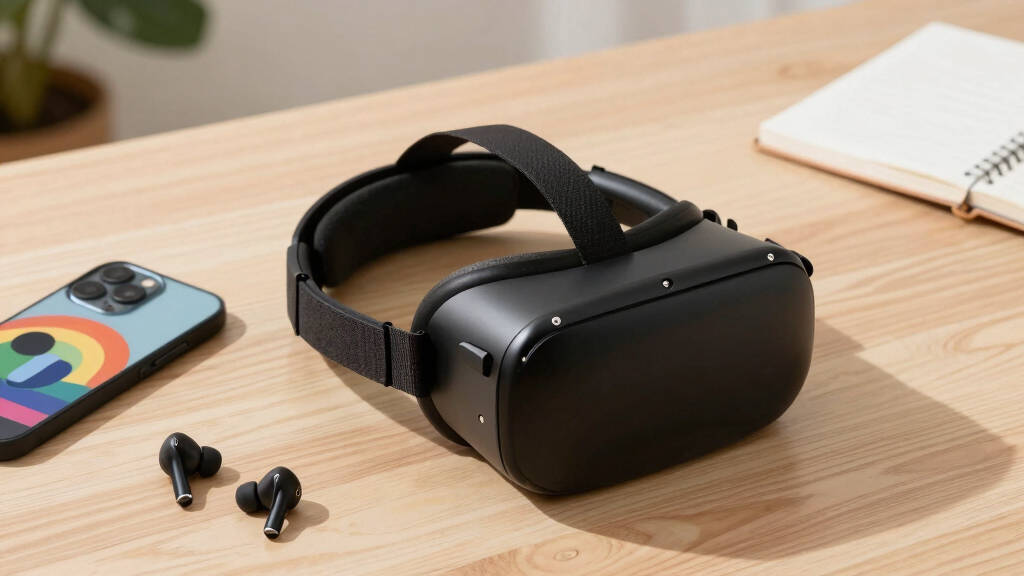
I ranked these headsets around the demands of a school year rather than treating every VR device as interchangeable. My highest weights went to content access, setup simplicity, controller capability, comfort, and whether a student could move from passive videos to interactive learning. I also examined phone-size compatibility, focus adjustment, lens design, storage, portability, hygiene, and adult supervision needs. Products moved down the order when attractive headline specifications depended heavily on an unspecified phone or missing accessories.
Value was judged by the complete working cost, not merely the listed headset price. That distinction favors Quest 2 over basic viewers for capable standalone use, but it makes TECKNET and Cardboard more sensible for short assignments or shared demonstrations. The HTC VIVE Pro scored well for tracking and PC capability but lost ground because this headset-only listing needs an expensive supporting system. I also treated older hardware, replacement-part access, account support, and return protection as ranking factors because a low price is less useful if the device cannot serve through the school year.
Factors to Consider When Choosing VR Headset For Back To School
I would start by matching the headset to the student’s actual assignments, available devices, and likely session length. A low-cost viewer can handle virtual field trips, while interactive simulations need tracked controls and a stronger app platform. The sections below explain the broader tradeoffs that separate a useful school tool from a device that spends the semester in a drawer.
Match the Platform to the Learning Material
I recommend checking the required app or lesson before choosing any hardware. Phone viewers are mainly suited to 360-degree videos, virtual tours, and simple gaze-controlled experiences, while standalone headsets can support richer simulations and tracked interaction. A phone fitting inside the shell does not mean its operating system, sensors, or screen will run every VR app well. Schools may also block app installations or require accounts that a student cannot create independently. PC-based headsets belong in a different class because they need compatible software, ports, graphics hardware, and room tracking. I would ask the teacher for an app name or platform requirement before paying extra for capability the course may never use.
Calculate the Complete School-Year Cost
The lowest sticker price can hide the largest practical compromises. A phone headset may need a newer smartphone, replacement remote batteries, headphones, and paid apps, while a standalone model may require a protective case or replacement face interface. The HTC VIVE Pro headset-only listing is the clearest warning: buyers still need controllers, base stations, and a suitable computer. Older standalone hardware can also carry costs through worn batteries or scarce replacement parts. I would compare the ready-to-use total and expected years of support rather than saving a small amount at checkout. Paying more makes sense when tracked interaction is tied to repeated coursework, but it is hard to justify for a single virtual field trip.
Prioritize Fit, Focus, and Shared-Use Hygiene
A headset that causes pressure or blurred text will shorten every study session. I give extra weight to adjustable focus and pupil distance, but adjustment ranges vary and may not suit every face or prescription. Glasses wearers should check interior clearance because tight frames can scratch lenses or press against the nose. Weight distribution matters more during interactive lessons than during a two-minute demonstration, especially with phone viewers that place a heavy device at the front. For siblings or classroom groups, I would favor wipeable contact surfaces or replaceable facial pads and clean them according to the maker’s guidance. Anti-blue-light wording does not replace sensible breaks, a clear play area, or a properly focused image.
Separate Simple Remotes From Tracked Controllers
Several phone headsets include a controller, but that label can create the wrong expectation. A basic Bluetooth remote usually handles menu selection, media playback, or simple game input; it does not track a student’s hands through space. Positional controllers support manipulation, drawing, lab simulations, and movement-based learning that a remote cannot reproduce. Some mobile operating systems may also limit remote buttons or require manual pairing each time. I would treat an included remote as a convenience accessory, not proof that the headset supports full interactive VR. Students focused on creation or simulation work gain more from a tracked platform, while video-led lessons rarely justify the added expense.
Plan for Safety, Portability, and School Rules
Back-to-school use introduces rules that do not matter as much in a private gaming setup. A student may need permission to bring a phone, connect to campus Wi-Fi, create an account, record movement data, or install software. I would look for a secure carrying method, protected lenses, simple cleaning, and a design that can survive frequent packing. Interactive VR also needs a clear floor area and supervision suited to the student’s age and the headset maker’s guidance. Seated viewing is easier to manage in a classroom, while room-scale activities fit better in a lab or supervised home space. The best school purchase is the model that works within real campus policies, not the one with the longest feature list.
Frequently Asked Questions
Should I Buy a Phone-Based or Standalone VR Headset for School?
I would choose a phone-based headset for short 360-degree videos, virtual field trips, or a limited budget. A standalone headset makes more sense for recurring lessons, tracked interaction, creative apps, and simulations. Phone viewers rely on the handset’s display, sensors, battery, and app compatibility, which produces uneven results between students. Standalone models cost more and need account management, charging, and closer supervision. The course material should decide the platform, since extra capability has little value when every assignment is a simple video.
Is the Oculus Quest 2 Still a Sensible Back-to-School Purchase in 2026?
The Oculus Quest 2 128GB remains the most capable all-in-one product in this particular lineup, but I would approach older stock or used units carefully. Battery condition, controller wear, account setup, app availability, and seller return protection can change the value of the purchase. It is a better functional choice than the listed phone viewers when a student needs tracked applications, yet a low price does not erase its age. I would verify that required school software still supports the device before buying. For casual video viewing, a simpler headset may offer a cleaner cost-to-use balance.
Can These Headsets Replace a Laptop or Tablet for Schoolwork?
I would treat these headsets as supplementary learning devices, not replacements for a laptop or tablet. VR can add value to spatial subjects, virtual tours, training simulations, and three-dimensional creative work. Typing essays, managing files, joining ordinary class portals, and reading long documents remain easier on conventional screens. Phone viewers are even narrower because they mainly present compatible mobile content rather than a full working environment. A headset earns its place when the school has a specific VR activity, not when it merely promises a more futuristic way to study.
Which Headset Type Works Best for Younger Students and First-Time Users?
For a brief supervised introduction, I favor the Google Cardboard Topmaxions because its controls and purpose are easy to understand. A padded phone headset may feel more secure for repeated viewing, but heavier shells can create front pressure on smaller faces. I would check the headset maker’s age guidance, keep sessions short, and stop if the student reports discomfort, dizziness, or blurred vision. Simple viewers suit passive lessons, while tracked standalone systems demand more space and instruction. The best beginner choice is the one an adult can set up and supervise without turning the lesson into technical support.
What Should I Check Before Buying a Used or Headset-Only VR Listing?
I would confirm exactly what is included, since headset-only listings may omit controllers, tracking equipment, cables, chargers, or required adapters. For used devices, I would inspect lens scratches, sun damage, facial padding, controller drift, charging behavior, and battery life. Account locks and unsupported school apps can make apparently healthy hardware unusable for the planned lesson. The HTC VIVE Pro also needs compatible base stations, controllers, and a VR-ready PC, while Quest 2 needs working tracked controllers for its strongest applications. A clear return window and an itemized accessory list are more valuable than a small upfront discount.
Conclusion
My best overall choice is the Oculus Quest 2 128GB because it offers the broadest standalone learning capability and proper tracked controls, provided the required apps remain compatible and the unit has solid purchase protection. For best value, I would choose the TECKNET VR Headset for Phone with Controller, which suits families that already own a compatible handset and mainly need video-led learning or simple mobile interaction. Google Cardboard Topmaxions is my best beginner pick for inexpensive, supervised demonstrations, while the HTC VIVE Pro is the best premium lab option only for buyers who already have or plan to buy the complete PC tracking system. Students focused on private media viewing may prefer the model with built-in headphones, and families sharing one phone headset should favor adjustable focus, broad phone fit, and easy-clean contact surfaces. The right choice follows the assignment: I would spend more for repeated interactive coursework and stay with a simple viewer for occasional virtual tours.