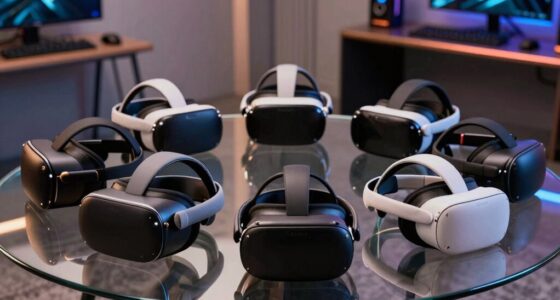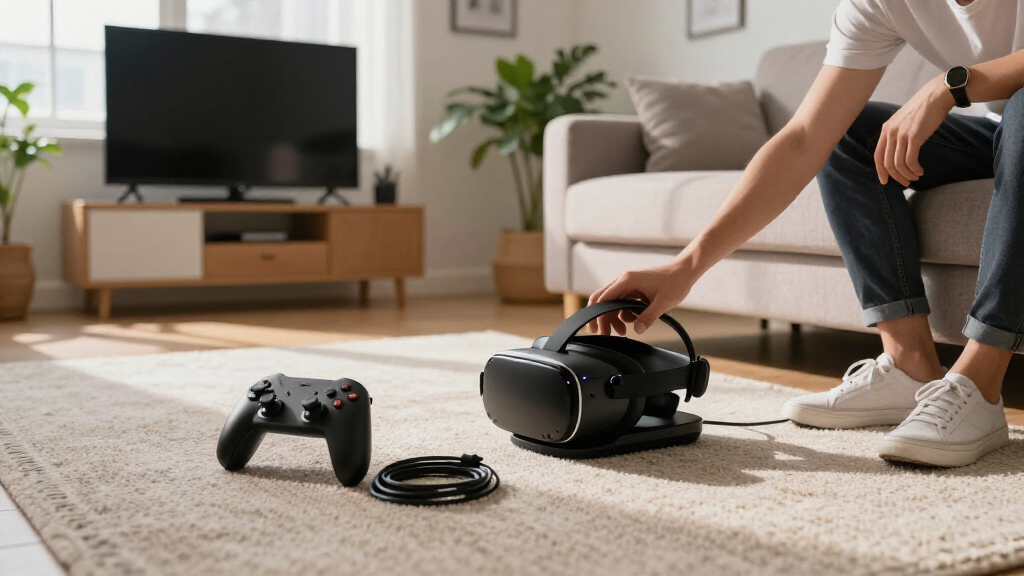
VR headset charging docks can charge controllers and headsets while keeping a play area tidier, but compatibility and how the controllers attach matter as much as appearance. My best overall pick is the NexiGo Enhanced Charging Dock for Quest 3 and 3S owners seeking a dedicated charging setup; the Hagibis Magnetic Charging Dock stands out for magnetic placement, while the TechKen Vertical Stand suits buyers who need room for grip covers or Elite straps. The main tradeoffs are charging convenience versus fit flexibility, and an all-in-one charging dock versus a simpler stand with fewer parts. Some models target specific Quest generations, and the PS VR2 option is for a different headset family altogether. Read on for the full breakdown, ranking logic, and fit checks that can help you choose.

Get VR and gaming gear delivered free — and shop member deals
- Fast, free delivery on millions of items
- Access to Prime Big Deal Days deals on October 6–7
- Prime Video, Amazon Music and more included
Complete the kit


Key Takeaways
- Compatibility is the first filter: most products here target Quest 3 and 3S, some also list Quest 2, and the PS VR2 dock is a separate platform-specific choice.
- Magnetic placement is a convenience feature, not a universal fit guarantee: check the included charging contacts and controller shape against your exact headset generation.
- Accessory clearance separates flexible stands from compact setups: the TechKen listing specifically calls out grip covers and Elite straps, while buyers of other docks should verify clearance before ordering.
- Several products combine charging with storage or display: vertical stands such as the CBDYWVR and Lampelc can reduce clutter, but a display-oriented footprint may not suit every shelf or desk.
- The lineup splits into distinct buyer paths: the AMVR listing includes rechargeable controller batteries, the KINWIN RGB model adds lighting, and the Smatree Quest 2 dock serves an older headset generation.
| CBDYWVR Charging Dock and Vertical Stand for Meta Quest 3S, Quest 3, and Quest 2 |  | Best for Display and Easy Access | Compatible devices: Meta Quest 3S, Quest 3, Quest 2 | Mounting type: Tabletop | Material: Plastic | VIEW LATEST PRICE | See Our Full Breakdown |
| Hagibis Magnetic Charging Dock for Meta Quest 3S, Quest 3, and Quest 2 |  | Best Overall for Simultaneous Charging | Compatibility: Meta Quest 3S, Quest 3, Quest 2 | Charging power: 20 W PD | Headset charging time: About 2.5 hours | VIEW LATEST PRICE | See Our Full Breakdown |
| G-STORY Charging Dock for Quest 3, 3S, and 2 VR Headsets |  | Best Simple Headset-Only Dock | Compatible devices: Meta Quest 3, Quest 3S, Quest 2, and other standard-sized VR headsets | Charging connector: Type-C | Charging indicators: Red and green LED lights | VIEW LATEST PRICE | See Our Full Breakdown |
| KINWIN 18W Magnetic Charging Dock for Meta Quest 3 and 3S |  | Best Magnetic Pick for Quest 3 and 3S | Compatibility: Meta Quest 3 and Meta Quest 3S | Wattage: 18 watts | Input voltage: 10 volts | VIEW LATEST PRICE | See Our Full Breakdown |
| NexiGo Enhanced Charging Dock for Meta Quest 3 and 3S | 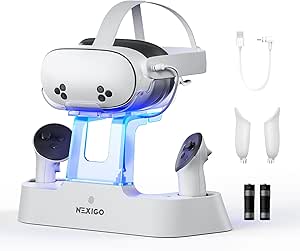 | Best for Elite Strap with Battery Storage | Compatible devices: Meta Quest 3, Meta Quest 3S, Elite Strap with Battery | Hardware interface: USB Type-C | USB ports: 1 | VIEW LATEST PRICE | See Our Full Breakdown |
| Smatree Charging Dock for Meta Quest 3S and Quest 3 | 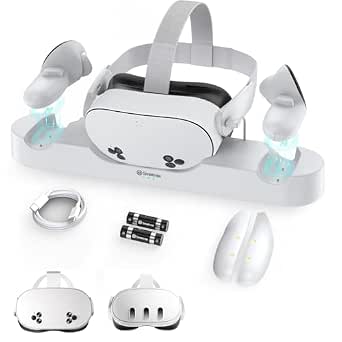 | Best for Faster All-in-One Charging | Compatibility: Meta Quest 3S and Quest 3 | Charging: Headset and controllers simultaneously | Charging time: About 2.5 hours | VIEW LATEST PRICE | See Our Full Breakdown |
| KINWIN Magnetic Charging Dock for Meta Quest 3S/3 |  | Best for Status Lighting | Compatibility: Meta Quest 3S and Quest 3 | Charging capacity: Headset and 2 controllers simultaneously | Charging time: Headset: about 3 hours; controllers: about 4 hours | VIEW LATEST PRICE | See Our Full Breakdown |
| Smatree Charging Dock for Meta Quest 2 Headset and Controllers |  | Best for Quest 2 Owners | Compatibility: Meta Quest 2 | Charging: Headset and two controllers simultaneously | Charging time: About 2.5 hours | VIEW LATEST PRICE | See Our Full Breakdown |
| VR Headset Charging Stand for Meta Quest 3, Quest 3S, and Quest 2 |  | Best for Display and Storage | Compatible headsets: Meta Quest 2, Quest 3S, Quest 3, and most headsets with Type-C charging | Controller charging: Not supported | Headset charging time: Approximately 3–5 hours | VIEW LATEST PRICE | See Our Full Breakdown |
| Kinwin Magnetic Charging Dock for Meta Quest 3S and Quest 3 with RGB Lighting |  | Best for RGB Desk Setups | Compatibility: Meta Quest 3S and Quest 3 | Charging: Headset and both controllers simultaneously | Charging time: Headset: about 3 hours; controllers: about 4 hours | VIEW LATEST PRICE | See Our Full Breakdown |
| Lampelc VR Charging Dock and Storage Stand for Meta Quest 3, Quest 3S, and Quest 2 |  | Best for Simple, Compact Storage | Compatible devices: Meta Quest 3, Meta Quest 3S, Meta Quest 2 | Mounting type: Tabletop | Charging: Headset only; controllers are not chargeable | VIEW LATEST PRICE | See Our Full Breakdown |
| AodoT RGB Charging Dock for Meta Quest 3S, Quest 3, and Quest 2 |  | Best for Ambient Lighting | Compatible devices: Meta Quest 3S, Quest 3, Quest 2 | Model number: HBV-641 | Connector details: Mini USB; wired charging connector listed as USB 2.0 Micro B | VIEW LATEST PRICE | See Our Full Breakdown |
| TechKen VR Charging Dock for Meta Quest 3S/Quest 3/Quest 2 – Vertical Stand & Fast Charge Station with Type-C Cable, Supports Controllers with Grip Covers & Elite Straps |  | Best for Bulky Controller Accessories | Compatibility: Meta Quest 3S, Quest 3, Quest 2 | Connector type: USB Type-C | Charging cable: Included | VIEW LATEST PRICE | See Our Full Breakdown |
| PS VR2 Controller Charging Dock with Headset Stand |  | Best for PS VR2 Controller Charging | Compatibility: PS VR2 controllers | Charging capacity: 2 controllers simultaneously | Charging time: 1.5–2 hours | VIEW LATEST PRICE | See Our Full Breakdown |
| AMVR Magnetic Charging Dock for Meta Quest 3/3S with Rechargeable Controller Batteries |  | Best All-in-One Charging | Compatibility: Meta Quest 3 and Quest 3S | Charging adapter: 33W PD | Controller batteries: Two 1500mAh rechargeable batteries | VIEW LATEST PRICE | See Our Full Breakdown |
| VR headset charging dock | Compatibility |
|---|---|
| CBDYWVR Charging Dock and Vert | — |
| Hagibis Magnetic Charging Dock | Meta Quest 3S, Quest 3, Quest 2 |
| G-STORY Charging Dock for Ques | — |
| KINWIN 18W Magnetic Charging D | Meta Quest 3 and Meta Quest 3S |
| NexiGo Enhanced Charging Dock | — |
| Smatree Charging Dock for Meta | Meta Quest 3S and Quest 3 |
| KINWIN Magnetic Charging Dock | Meta Quest 3S and Quest 3 |
| Smatree Charging Dock for Meta | Meta Quest 2 |
| VR Headset Charging Stand for | — |
| Kinwin Magnetic Charging Dock | Meta Quest 3S and Quest 3 |
| Lampelc VR Charging Dock and S | — |
| AodoT RGB Charging Dock for Me | — |
| TechKen VR Charging Dock for M | Meta Quest 3S, Quest 3, Quest 2 |
| PS VR2 Controller Charging Doc | PS VR2 controllers |
| AMVR Magnetic Charging Dock fo | Meta Quest 3 and Quest 3S |
More Details on Our Top Picks
CBDYWVR Charging Dock and Vertical Stand for Meta Quest 3S, Quest 3, and Quest 2
The CBDYWVR is better understood as an organizer with limited charging support than as a full charging dock. Its open tabletop layout keeps a compatible headset visible and easy to pick up, while three lighting modes give the setup a display-like feel. The key limitation is that the stand does not charge controllers; it supports Quest 3S controller charging, but the stand itself cannot do that job. That makes it less suitable for buyers seeking an all-in-one power station than the Hagibis Magnetic Charging Dock, which charges a headset and controllers together. In return, this compact stand avoids the more involved charging setup and focuses on storage and access. Choose it for a tidy display, not for charging every part of a VR kit.
Pros:- Organizes and displays a compatible headset and accessories
- Compact tabletop footprint
- Three LED lighting modes
- Open design makes the headset easy to access
Cons:- Does not charge controllers
- Charging support varies by device, so buyers should check compatibility
Best for: Quest owners who want a compact, illuminated tabletop display and easy access to their headset.
Not ideal for: Buyers who want one dock to charge both headset and controllers, since this stand cannot charge controllers.
- Compatible devices:Meta Quest 3S, Quest 3, Quest 2
- Mounting type:Tabletop
- Material:Plastic
- Color:White
- Lighting modes:3
- Controller charging:Supports Quest 3S controller charging; stand itself cannot charge controllers
- Included components:Vertical stand, top tray, 2 handle brackets, base, charging cable
Our verdict“Choose the CBDYWVR if display and quick headset access matter more than charging your controllers on the stand.”
Hagibis Magnetic Charging Dock for Meta Quest 3S, Quest 3, and Quest 2
The Hagibis is the most complete charging-focused pick in this group: it powers a compatible headset and both controllers at once, and its magnetic USB-C connectors help the headset dock into place without fiddling with a standard plug each time. The included rechargeable batteries, controller covers, power adapter, and status indicators mean fewer add-ons to source. Compared with the KINWIN 18W Magnetic Charging Dock, it lists 20 W PD charging and broader compatibility that includes Quest 2, though both still depend on good contact at the charging points. Controller pin alignment may need checking, and the headset may need repositioning if the cable feels short. This is a stronger fit for a shared, ready-to-play setup than the G-STORY Charging Dock, which charges the headset only.
Pros:- Charges headset and controllers simultaneously
- Includes two rechargeable batteries and controller covers
- Magnetic connectors help position the headset connection
- RGB lighting and indicators show charging status
Cons:- Controller charging can require checking pin alignment
- Headset may need repositioning if the cable feels short
Best for: Quest 2, Quest 3, or Quest 3S owners who want a single station to recharge the headset and controllers between sessions.
Not ideal for: Buyers who prefer a simple display stand or want a setup with no controller contact points to align.
- Compatibility:Meta Quest 3S, Quest 3, Quest 2
- Charging power:20 W PD
- Headset charging time:About 2.5 hours
- Controller charging time:About 4 hours
- Dimensions:13 x 3.6 x 2.5 inches
- Weight:1.46 pounds
- Included batteries:2 lithium polymer batteries
- Included accessories:Controller battery covers, power adapter, USB-C cable
Our verdict“Pick the Hagibis for a more complete multi-device charging setup, provided you are comfortable checking the magnetic and controller connections.”
G-STORY Charging Dock for Quest 3, 3S, and 2 VR Headsets
The G-STORY keeps the job narrow: it charges a compatible headset through a Type-C connector and leaves controller charging out of the setup. Its weighted base and anti-slip silicone are useful if you want a stand that stays put while you dock or lift the headset, and red and green indicators make charging status easy to read. It also assembles without tools, unlike a more accessory-heavy station such as the Hagibis Magnetic Charging Dock, which is built to power controllers as well. That simpler design means less functionality, not an all-in-one solution: you will need another way to recharge controllers. Compatibility with other standard-sized headsets may depend on their size and Type-C connection. Consider this one when headset charging and stable storage are the priorities.
Pros:- Weighted base and anti-slip silicone help keep the stand stable
- Red and green LEDs show charging status
- Tool-free assembly and disassembly
- Includes listed protection against overcharging, overheating, and electrical faults
Cons:- Does not charge controllers
- Fit may depend on headset size and Type-C connector compatibility
Best for: Quest owners who want a stable, straightforward headset charging stand and already have a separate controller-charging routine.
Not ideal for: Buyers who need a single dock for the headset and controllers, or whose headset fit and Type-C connection are uncertain.
- Compatible devices:Meta Quest 3, Quest 3S, Quest 2, and other standard-sized VR headsets
- Charging connector:Type-C
- Charging indicators:Red and green LED lights
- Materials:ABS plastic and silicone
- Mounting type:Tabletop
- Weight:0.49 kg
- Included quantity:1
Our verdict“Choose the G-STORY for stable headset-only charging, but look to the Hagibis if controller charging needs to share the same dock.”
KINWIN 18W Magnetic Charging Dock for Meta Quest 3 and 3S
For Quest 3 and 3S owners, KINWIN combines headset and controller charging with an included 18 W adapter, rechargeable batteries, and controller covers. Its magnetic USB-C connection is meant to make docking easier and reduce repeated wear on the headset port; RGB lighting also provides charging and standby cues. Compared with the Hagibis Magnetic Charging Dock, KINWIN is a Quest 3/3S-specific option rather than one listed for Quest 2, and its stated output is 18 W rather than 20 W PD. The two products share a practical caveat: a magnetic connection still needs accurate contact, and KINWIN notes the headset may need repositioning while controller pins may require adjustment if loose. It suits owners who want a bundled charger for newer Quest models, but not buyers seeking wider stated compatibility.
Pros:- Charges the headset and controllers together
- Includes an 18 W adapter, rechargeable batteries, and controller covers
- Magnetic USB-C connections are designed for easier alignment
- RGB indicators distinguish charging and standby
Cons:- Headset may need repositioning to establish a good connection
- Controller charging pins may need adjustment if they become loose
Best for: Meta Quest 3 and 3S owners who want magnetic headset docking, controller charging, and an adapter included in the box.
Not ideal for: Quest 2 owners or buyers who want a dock with broader listed compatibility and do not want to adjust charging contacts.
- Compatibility:Meta Quest 3 and Meta Quest 3S
- Wattage:18 watts
- Input voltage:10 volts
- Output:5 volts, 2 A
- Charging connector:USB Type-C
- Headset charging time:2–2.5 hours
- Controller charging time:About 4 hours
- Included accessories:18 W adapter, 2 rechargeable batteries, 2 controller covers, 2 magnetic charging interfaces, USB-C to USB-C cable, user manual
Our verdict“Choose KINWIN for a bundled magnetic charging station tailored to Quest 3 and 3S, not for broader Quest compatibility.”
NexiGo Enhanced Charging Dock for Meta Quest 3 and 3S
The NexiGo stands out for its stated ability to store and charge a Quest 3 or 3S with an Elite Strap with Battery, giving it a role beyond the more headset-focused G-STORY Charging Dock. It also charges controllers, includes rechargeable controller batteries, and uses LED indicators and built-in protection against overcharging, overload, and excess current. Its main compromise is speed: the headset takes a stated 4.4 hours with an 18 W adapter, slower than the Hagibis estimate of about 2.5 hours. The adapter is required but not listed among the included components, so buyers should plan to supply one. At 1.15 kg, it is also a substantial dock rather than a lightweight display stand. This is a practical match for an expanded Quest setup, not a quick-turnaround charging priority.
Pros:- Supports storage and charging for an Elite Strap with Battery
- Charges headset and controllers together
- Includes rechargeable controller batteries
- LED indicators and built-in charging protection
Cons:- Headset charging takes 4.4 hours with an 18 W adapter
- Requires an 18 W USB-C power adapter
Best for: Quest 3 or 3S owners who use an Elite Strap with Battery and want the headset, strap, and controllers stored together.
Not ideal for: Buyers who prioritize faster headset charging, need a lighter dock, or do not already have an 18 W USB-C adapter.
- Compatible devices:Meta Quest 3, Meta Quest 3S, Elite Strap with Battery
- Hardware interface:USB Type-C
- USB ports:1
- Wattage:18 W
- Input voltage:5 V
- Item weight:1.15 kg
- Headset charging time:4.4 hours with an 18 W adapter
- Controller charging time:3 hours
Our verdict“Choose the NexiGo when Elite Strap with Battery support matters more than faster charging or a lighter footprint.”
Smatree Charging Dock for Meta Quest 3S and Quest 3
The Smatree Quest 3S/Quest 3 dock is a strong fit if you want the headset and both controllers charging together without juggling separate cables. Its claimed about 2.5-hour charging time is shorter than the roughly 3-hour headset and 4-hour controller times listed for the KINWIN Magnetic Charging Dock. Magnetic drop-in placement also makes setting the headset down simpler, while the included rechargeable AA batteries replace disposable controller cells. Smatree supports most Elite Straps with a battery, which gives it more setup flexibility than a basic charging cradle. The tradeoff is that an AC adapter is not included, so you will need a suitable power source, and neither the headset nor controllers come in the box. Choose it for charging speed and included batteries, not as a complete out-of-box power setup.
Pros:- Charges the headset and both controllers at the same time.
- Magnetic drop-in placement makes docking easier.
- Includes two 1800 mAh rechargeable AA batteries and controller battery covers.
- Supports most Elite Straps with a battery.
Cons:- AC adapter is not included, adding a separate power-supply requirement.
- Headset and controllers must be supplied separately.
- The stated charging time is a manufacturer estimate, not a guarantee for every setup.
Best for: Quest 3S and Quest 3 owners who want one dock for the headset and controllers, value the shorter stated charging time, and already have a compatible USB power adapter.
Not ideal for: Buyers who need an AC adapter in the box or want to charge a different headset generation; this dock is specified for Quest 3S and Quest 3.
- Compatibility:Meta Quest 3S and Quest 3
- Charging:Headset and controllers simultaneously
- Charging time:About 2.5 hours
- Controller batteries:2 × 1800 mAh rechargeable AA batteries
- Recharge cycles:Up to 2000+
- Connection:USB Type-C
- Included:Dock, USB-C cable, 2 battery covers, 2 rechargeable AA batteries, user manual
- AC adapter:Not included
- Warranty:1 year
Our verdict“Choose this Smatree dock if you want a fast, simultaneous Quest 3S or Quest 3 charging setup and already own a suitable adapter.”
KINWIN Magnetic Charging Dock for Meta Quest 3S/3
The KINWIN Magnetic Charging Dock suits a Quest 3S or Quest 3 setup where clear charging status matters as much as keeping the headset and controllers together. It charges all three at once, and its RGB indicators help show whether the dock is charging or on standby. That gives it a visual cue the Smatree Quest 3S/Quest 3 dock does not emphasize, but the listed charge times are longer: about 3 hours for the headset and 4 for the controllers, versus Smatree’s stated 2.5 hours. KINWIN includes rechargeable controller batteries, covers, and magnetic connectors, though it still needs a separate power adapter; the recommended adapter is 18 W. The supplied cable may also be short for some furniture layouts. Pick it for visible status and magnetic convenience, not the quickest stated recharge.
Pros:- Charges the headset and both controllers simultaneously.
- Magnetic connections simplify placement and reduce repeated plugging.
- Includes rechargeable batteries, controller covers, and magnetic headset connectors.
- RGB indicators show charging and standby status.
Cons:- A power adapter is required separately; an 18 W adapter is recommended.
- Listed charging times are about 3 hours for the headset and 4 hours for controllers.
- The cable may be too short for some desk or shelf arrangements.
Best for: Quest 3S and Quest 3 owners who want a magnetic all-in-one dock with visible RGB charging status and can place it near a suitable power source.
Not ideal for: Buyers prioritizing the shortest stated charging time, or anyone who needs a power adapter and a longer cable included for flexible placement.
- Compatibility:Meta Quest 3S and Quest 3
- Charging capacity:Headset and 2 controllers simultaneously
- Charging time:Headset: about 3 hours; controllers: about 4 hours
- Connection:USB Type-C
- Input:10 V, 3 A, 15 W
- Output:10 V, 2 A
- Included accessories:2 rechargeable batteries, 2 battery covers, 2 magnetic headset connectors, wipe cloths, USB-C to USB-C cable, user manual
- Power adapter:Not included; 18 W recommended
- Special features:Magnetic charging, RGB ambient light, charging indicator
Our verdict“Pick KINWIN if RGB status cues and magnetic docking matter more to you than the faster stated charge time of the Smatree dock.”
Smatree Charging Dock for Meta Quest 2 Headset and Controllers
For a Quest 2 household, this Smatree dock keeps the headset and both controllers in one charging routine, with a stated full charge in about 2.5 hours. It includes rechargeable AA batteries and the covers needed to use them, plus a USB-C cable and adapter—a more complete power bundle than the newer Smatree Quest 3S/Quest 3 dock, which omits its AC adapter. Its magnetic controller charging reduces the need to plug controller cables in and out, and compatibility with the Elite Strap with Battery helps owners keep a familiar accessory setup. The key limitation is its generation: the supplied data lists Quest 2 compatibility, not Quest 3 or 3S. It also cannot replace the headset and controllers themselves, which are sold separately. This is the dedicated pick for Quest 2, rather than a flexible option for mixed-generation households.
Pros:- Charges the Quest 2 headset and both controllers simultaneously.
- Includes two rechargeable 1800 mAh AA batteries and battery covers.
- Magnetic controller charging simplifies returning controllers to the dock.
- Includes a USB-C cable and USB-C adapter and supports the Elite Strap with Battery.
Cons:- Compatibility is listed for Meta Quest 2, not Quest 3 or Quest 3S.
- The headset and controllers are not included.
- The stated 2.5-hour charging time may vary with power setup and use.
Best for: Quest 2 owners who want simultaneous headset and controller charging, rechargeable controller batteries, and an included adapter.
Not ideal for: Quest 3 or Quest 3S owners, or households seeking one dock for several headset generations; this model is listed for Quest 2.
- Compatibility:Meta Quest 2
- Charging:Headset and two controllers simultaneously
- Charging time:About 2.5 hours
- Controller batteries:2 × 1800 mAh rechargeable AA batteries
- Connection:USB Type-C
- Strap compatibility:Elite Strap with Battery
- Included accessories:USB-C to USB-C cable, USB-C adapter, 2 battery covers
- Headset and controllers:Not included
Our verdict“Choose this model if you own a Quest 2 and want an all-in-one charging dock with its adapter and rechargeable controller batteries included.”
VR Headset Charging Stand for Meta Quest 3, Quest 3S, and Quest 2
This tabletop VR headset charging stand is for buyers who want a tidy place to park a headset and controllers, rather than a dock that charges every device. It supports Quest 2, Quest 3S, Quest 3, and many other headsets with Type-C charging, making it more generation-flexible than the Quest 2-specific Smatree dock. A Type-C cable charges the headset, while the stand holds the controllers—including Quest 3 controllers with silicone sleeves—and four non-slip pads help steady the base. The compromise is central to the choice: controllers are not charged, so this stand cannot replace KINWIN’s all-in-one magnetic dock for a fully charged setup. Headset charging is listed at about 3–5 hours and depends on the adapter. Choose it for organization and display, not reduced controller charging chores.
Pros:- Supports Quest 2, Quest 3S, Quest 3, and many Type-C VR headsets.
- Stores and displays a headset and controllers in one tabletop spot.
- Holds Quest 3 controllers with silicone sleeves.
- Four non-slip pads help keep the stand stable.
Cons:- Does not charge controllers, unlike the KINWIN magnetic dock.
- Headset charging is listed at about 3–5 hours and can be slow with an underpowered adapter.
- A suitable power adapter may need to be sourced separately.
Best for: VR owners who want a stable tabletop display and storage spot for a headset and controllers, especially in a mixed-headset home.
Not ideal for: Buyers who want one dock to charge the headset and both controllers together; this stand does not charge controllers.
- Compatible headsets:Meta Quest 2, Quest 3S, Quest 3, and most headsets with Type-C charging
- Controller charging:Not supported
- Headset charging time:Approximately 3–5 hours
- Material:ABS plastic
- Mounting type:Tabletop
- Color:White
- Power adapter recommendations:5 V/3 A, 9 V/3 A, or 12 V/3 A
- Base:Four non-slip pads
Our verdict“Choose this stand if organized display and broad headset compatibility matter more than charging your controllers on the dock.”
Kinwin Magnetic Charging Dock for Meta Quest 3S and Quest 3 with RGB Lighting
This Kinwin RGB magnetic dock combines simultaneous charging with lighting that doubles as a status cue, making it a natural match for a visible gaming desk. It supports Quest 3S and Quest 3, and includes rechargeable controller batteries, covers, magnetic headset connectors, and a USB-C cable. Its stated charging times—about 3 hours for the headset and 4 for the controllers—match the other KINWIN Magnetic Charging Dock in this lineup, so the distinction is mainly the described feature set rather than faster charging. Magnetic placement can make daily docking less fiddly, but the manufacturer recommends an 18 W adapter that is not listed among the included items. The instructions also mention that controller charging may require adjusting a pin or battery placement, a hands-on setup wrinkle absent from the straightforward appeal of the Smatree dock. Choose it for RGB presentation if you can accommodate that setup.
Pros:- Charges the headset and both controllers simultaneously.
- Magnetic connections help position the headset for charging.
- Includes two rechargeable batteries, controller covers, and magnetic headset connectors.
- RGB lighting provides charging and standby status cues.
Cons:- An 18 W power adapter is recommended but is not listed among the included items.
- Controller charging may require adjusting a charging pin or battery placement.
- Listed charging times are about 3 hours for the headset and 4 hours for controllers.
Best for: Quest 3S and Quest 3 owners who want a simultaneous magnetic charger with RGB lighting on a gaming desk and are comfortable checking controller alignment during setup.
Not ideal for: Buyers who want an adapter included, prefer a no-adjustment controller setup, or prioritize a shorter stated charging time than the Smatree dock offers.
- Compatibility:Meta Quest 3S and Quest 3
- Charging:Headset and both controllers simultaneously
- Charging time:Headset: about 3 hours; controllers: about 4 hours
- Connection:USB Type-C
- Input:10 V, 1 A, 15 W
- Output:10 V, 2 A
- Included accessories:2 rechargeable batteries, 2 battery covers, 2 magnetic headset connectors, 2 wipe cloths, USB-C to USB-C cable, user manual
- Power adapter:18 W recommended; not listed among included items
- Special features:Charging indicator, RGB lighting, magnetic charging, short-circuit protection
Our verdict“Choose this Kinwin dock if RGB desk lighting and magnetic all-in-one charging are your priorities and you do not mind sourcing an adapter and tuning controller placement.”
Lampelc VR Charging Dock and Storage Stand for Meta Quest 3, Quest 3S, and Quest 2
The Lampelc makes most sense for Quest owners who want a tidy place to park their headset and a way to charge it, without needing a full controller-charging setup. Its vertical tabletop design stores the headset and controllers together, while the non-slip base helps keep the stand steady on a desk. It also fits Quest 3, Quest 3S, and Quest 2, giving it broader compatibility than the AMVR dock, which supports Quest 3 and 3S only.
The main compromise is significant for a charging dock: controllers are stored but not charged. Buyers who want everything ready for play should look instead at the AMVR, which charges the headset and controllers at once. The Lampelc is the simpler choice for buyers who value neat storage and headset charging over an all-in-one charging station.
Pros:- Compatible with Meta Quest 3, Quest 3S, and Quest 2
- Stores the headset and controllers together
- Vertical layout and non-slip base help keep a desk organized
- Snap-on assembly is straightforward
Cons:- Does not charge controllers
- Plastic construction offers a basic rather than premium stand
Best for: Quest 2, Quest 3, or Quest 3S owners who want a compact display stand that charges the headset and keeps controllers and cables organized.
Not ideal for: Players who want controllers charged alongside the headset, since the stand only charges the headset.
- Compatible devices:Meta Quest 3, Meta Quest 3S, Meta Quest 2
- Mounting type:Tabletop
- Charging:Headset only; controllers are not chargeable
- Material:Plastic
- Dimensions:6.77 x 8.03 x 11.1 inches
- Special features:Non-slip base, space-saving design, Type-C charger
- Warranty:1 year
Our verdict“Choose the Lampelc if you want a stable, space-conscious stand for three Quest generations and only need charging for the headset.”
AodoT RGB Charging Dock for Meta Quest 3S, Quest 3, and Quest 2
The AodoT is a storage-and-charging stand for buyers who want their VR setup to have a bit of color. Its adjustable RGB ambient lighting distinguishes it from the Lampelc, which keeps things more plain and practical, while compatibility with Quest 3S, Quest 3, and Quest 2 covers three headset generations. The anti-slip base also helps the stationary dock stay put as gear is placed or removed.
This is not an all-in-one charging station: it does not charge controllers, and it needs a USB power connection. The AMVR offers simultaneous headset and controller charging, making it a stronger fit for players who want a fully charged kit. AodoT suits buyers who care more about a lit, organized display than charging every device in one place. Its listed connectors include Mini USB and USB 2.0 Micro B, so check the supplied charging arrangement against your setup before buying.
Pros:- Compatible with Quest 3S, Quest 3, and Quest 2
- Adjustable RGB lighting adds a customizable display effect
- Anti-slip base helps stabilize the dock
- Keeps the headset and play area organized
Cons:- Does not charge controllers
- Requires a USB power connection
- Listed Mini USB and Micro B connector details may need checking against the intended setup
Best for: Quest owners who want a white tabletop stand with adjustable lighting and headset charging, and do not need controller charging.
Not ideal for: Players looking for one dock to charge the headset and controllers together, or anyone who prefers a charging stand without lighting.
- Compatible devices:Meta Quest 3S, Quest 3, Quest 2
- Model number:HBV-641
- Connector details:Mini USB; wired charging connector listed as USB 2.0 Micro B
- Output voltage:5V
- USB ports:1
- Power source:DC
- Color and material:White plastic
- Form factor:Stationary
Our verdict“Pick the AodoT for a lit Quest display and headset charging, but choose the AMVR if charging controllers is part of the goal.”
TechKen VR Charging Dock for Meta Quest 3S/Quest 3/Quest 2 – Vertical Stand & Fast Charge Station with Type-C Cable, Supports Controllers with Grip Covers & Elite Straps
The TechKen stands out for a fit problem that can make other docks inconvenient: it is designed to accommodate controllers with grip covers or elite straps still attached. Its vertical stand saves desk space, and the included USB Type-C cable and LED charging indicator keep the setup straightforward. Like the Lampelc, it supports Quest 3S, Quest 3, and Quest 2; unlike that stand, its defining advantage is room for controller accessories rather than a basic storage-first layout.
The product details describe the controllers as accommodated, but do not state that they charge, so buyers should not assume it replaces a controller charging solution. The AMVR explicitly charges headset and controllers together, making it the clearer pick for all-in-one charging. TechKen is best for accessory-heavy setups where leaving grips or straps on matters more than confirmed controller charging. It is also limited to the listed Meta Quest models, not other VR headsets.
Pros:- Accommodates controllers with grip covers or elite straps attached
- Vertical stand saves desk space
- USB Type-C charging cable is included
- LED indicator shows charging status
Cons:- Compatibility is limited to Quest 3S, Quest 3, and Quest 2
- Product details do not confirm controller charging
- No charging times or output specifications are provided
Best for: Quest 2, Quest 3, or Quest 3S owners who keep grip covers or elite straps on their controllers and want a compact vertical stand.
Not ideal for: Buyers who need confirmed simultaneous headset and controller charging, or who own a VR headset outside the listed Quest models.
- Compatibility:Meta Quest 3S, Quest 3, Quest 2
- Connector type:USB Type-C
- Charging cable:Included
- LED indicator:Yes
- Stand design:Vertical
- Controller fit:Accommodates grip covers and elite straps
- Warranty:1 year
Our verdict“Choose TechKen if you want to store controllers without removing bulky accessories, but look to the AMVR for clearly specified controller charging.”
PS VR2 Controller Charging Dock with Headset Stand
Unlike the Quest-focused docks in this roundup, this tabletop unit is built for PS VR2 Sense controllers. It charges two controllers at the same time, and its magnetic connectors help guide them into place; LED indicators show charging status. The detachable headset stand adds a place to display the headset, though it does not charge it. That makes the dock a more focused controller solution than the Lampelc, which charges a Quest headset but leaves controllers uncharged.
The tradeoff is clear: this is not a headset charging dock in the usual all-in-one sense. The headset stand is for storage, and setup requires inserting magnetic dongles into the controllers. The AMVR is the better match for Quest 3 or 3S owners seeking simultaneous headset and controller charging. Choose this PS VR2 model only if controller charging is your priority and you are comfortable with its dongle-based connection.
Pros:- Charges two PS VR2 Sense controllers simultaneously
- Magnetic connectors help align controllers for charging
- LED indicators show charging status
- Detachable headset stand provides a storage and display spot
Cons:- Does not charge the headset
- Requires magnetic dongles to be inserted into the controllers
- Not compatible with the Meta Quest models supported by the other docks
Best for: PS VR2 owners who want both Sense controllers charging together and a detachable stand for displaying the headset.
Not ideal for: Quest owners, or PS VR2 players who expect the dock to charge the headset as well as the controllers.
- Compatibility:PS VR2 controllers
- Charging capacity:2 controllers simultaneously
- Charging time:1.5–2 hours
- Input:5 V, 2 A
- Output:5 V, 2 A
- Connector:USB Type-C
- Features:Magnetic charging connectors, LED indicators, detachable headset stand
- Mounting type:Tabletop
Our verdict“Buy this for convenient two-controller charging on PS VR2, not for headset charging or Quest compatibility.”
AMVR Magnetic Charging Dock for Meta Quest 3/3S with Rechargeable Controller Batteries
The AMVR is the most complete Quest charging setup in this group: it charges the headset and both controllers simultaneously, with two included 1500mAh rechargeable controller batteries and a 33W PD adapter. That gives it a stronger all-in-one case than the Lampelc and AodoT, which charge the headset but not the controllers. It also adds six RGB lighting modes and a USB 3.0 hub with two ports, so the stand can serve as both a charging spot and a small connection hub.
That breadth comes with limits. Compatibility is restricted to Quest 3 and Quest 3S, unlike the Lampelc, TechKen, and AodoT, which also list Quest 2. The USB hub cannot handle charging and data transfer at the same time, and charging durations can vary with device and use. Choose AMVR if coordinated charging matters more than broad headset compatibility or uninterrupted hub use.
Pros:- Charges the headset and controllers simultaneously
- Includes two 1500mAh rechargeable controller batteries and a 33W PD adapter
- USB 3.0 hub provides two ports and supports transfer speeds up to 5Gbps
- Six RGB lighting modes add a customizable display option
Cons:- Does not list compatibility with Quest 2 or other VR headsets
- Charging and data transfer cannot occur simultaneously
- Charging times vary by device and use
Best for: Quest 3 and Quest 3S owners who want one dock to charge the headset and controllers together, with rechargeable controller batteries included.
Not ideal for: Quest 2 owners, or users who need simultaneous USB data transfer and charging through the dock.
- Compatibility:Meta Quest 3 and Quest 3S
- Charging adapter:33W PD
- Controller batteries:Two 1500mAh rechargeable batteries
- USB interface:USB 3.0, up to 5Gbps
- USB ports:2
- Charging time:Headset: about 2 hours; controllers: about 3.5 hours
- Lighting:6 RGB modes
- Warranty:1 year
Our verdict“Choose AMVR for the most complete Quest 3 or 3S charging setup, provided you do not need Quest 2 support or simultaneous hub data transfer.”

How We Picked
I ranked these VR headset charging docks around the jobs buyers actually need them to do: match the headset generation, charge the headset and controllers in a practical way, and keep accessories easy to place and retrieve. I also weighed listed extras such as magnetic contacts, rechargeable batteries, storage, RGB lighting, and support for controller covers or Elite straps. Those features matter only when they solve a real fit or organization problem, so a longer feature list did not automatically earn a higher place.
The ranking favors options with a clear use case and a useful balance of charging, compatibility, and day-to-day handling. Models aimed at several Quest generations can suit households with mixed devices, while generation-specific docks may be a better fit for owners who want a focused setup. I treated the PS VR2 dock as a separate recommendation rather than comparing it directly with Quest accessories. Since product names and listings do not settle every detail—such as exact strap clearance, power supply requirements, or charging behavior—I recommend confirming those points for your headset and accessories before buying.
| VR headset charging dock | Compatibility |
|---|---|
| CBDYWVR Charging Dock and Vert | — |
| Hagibis Magnetic Charging Dock | Meta Quest 3S, Quest 3, Quest 2 |
| G-STORY Charging Dock for Ques | — |
| KINWIN 18W Magnetic Charging D | Meta Quest 3 and Meta Quest 3S |
| NexiGo Enhanced Charging Dock | — |
| Smatree Charging Dock for Meta | Meta Quest 3S and Quest 3 |
| KINWIN Magnetic Charging Dock | Meta Quest 3S and Quest 3 |
| Smatree Charging Dock for Meta | Meta Quest 2 |
| VR Headset Charging Stand for | — |
| Kinwin Magnetic Charging Dock | Meta Quest 3S and Quest 3 |
| Lampelc VR Charging Dock and S | — |
| AodoT RGB Charging Dock for Me | — |
| TechKen VR Charging Dock for M | Meta Quest 3S, Quest 3, Quest 2 |
| PS VR2 Controller Charging Doc | PS VR2 controllers |
| AMVR Magnetic Charging Dock fo | Meta Quest 3 and Quest 3S |
Factors to Consider When Choosing VR Headset Charging Docks
Choosing a dock is less about adding the most features and more about avoiding a mismatch between your headset, controllers, and storage habits. I would check the fit and charging method first, then decide whether added batteries, lighting, or a display stand are useful enough to justify extra parts and desk space.
Match the Dock to Your Exact Headset Generation
Start with the compatibility list, not the dock’s overall shape or brand. Quest 2, Quest 3, and Quest 3S accessories can have different fit requirements, and a listing that names multiple generations is not proof that every charging piece fits every controller in the box. Check whether the headset, controllers, and any included battery covers are all supported. This matters most when upgrading from an older headset but keeping a dock or accessories. Avoid assuming that a universal-looking stand also provides charging for every listed model. If the dock targets one generation, that narrower fit can be a sensible choice when you do not need to share it.
Understand What Actually Charges
A charging stand may charge the headset, controllers, or both, so confirm which devices receive power before choosing. Magnetic contacts can make controller placement quicker, but they work only when the controller sits in the correct position and uses compatible contacts or covers. A dock that relies on rechargeable controller batteries may have a different setup routine from one that uses your existing batteries. Check what power adapter and cables are included, as a dock may not be ready to use straight from the box. Also think about whether you want a single place to charge everything or only a reliable place to park the headset. These details prevent the common disappointment of buying a stand that organizes gear but does not meet your charging needs.
Check Clearance for Straps and Controller Grips
Aftermarket grips, controller covers, and Elite-style straps can change how a controller fits into a dock. A snug charging cradle may be convenient with bare controllers yet awkward if you need to remove accessories every time you charge. Look for explicit support for your accessories rather than relying on product photos or broad compatibility claims. If you switch between accessories, a more open stand can be easier to live with even if it takes up more room. Consider how the headset strap hangs as well; it should not press against the dock or block access to the controllers. Buyers often overlook this until the dock becomes a chore to use daily.
Choose Between Charging, Storage, and Display
Some docks are primarily charging stations, while vertical stands also act as a home for the headset and controllers. A combined stand can clear a desk and keep gear together, but it may take more space than a compact charging base. Think about where the dock will sit and whether the headset needs to be easy to lift without moving other accessories. RGB lighting is an appearance feature, not a sign of stronger charging performance, so weigh it against your preference for a quieter setup. If you store the headset in a shared room, a stable stand and tidy cable routing may matter more than lighting. Pick the layout that fits your routine rather than the one with the most visible extras.
Decide Whether Rechargeable Batteries Are Worth the Extra Setup
A dock bundled with rechargeable controller batteries can reduce disposable battery use and keep charging in one place. It also adds a dependency: the supplied batteries or covers must fit correctly, and you need to follow the intended charging method. If you already have rechargeable batteries you like, a dock built around a different battery arrangement may offer less value. Check whether the headset itself also charges on the dock, since controller charging alone may not replace your usual headset charger. For households sharing a headset, a dock that makes battery status and placement easy to manage can be more useful than one with extra visual features. Consider your existing charging habits before paying for a battery system you may not use.
Allow for Desk Space, Cable Access, and Future Changes
Measure the spot where the dock will live, including room to lift the headset off its supports and reach the charging cable. A vertical stand can save surface area compared with laying the headset down, but its height may conflict with shelves or nearby screens. Keep cable access in mind: a neat dock is less useful if the plug is hard to reach or the cable crosses a walkway. If you may change headset generations soon, a model listing support for several Quest versions could offer more flexibility, though you should confirm which pieces need replacing. A platform-specific dock is a cleaner match when you are committed to one system. The best choice is the one that still fits your space and accessories after the first setup.
Frequently Asked Questions
Will a Quest 3 charging dock also work with Quest 3S or Quest 2?
Not automatically. Several products in this roundup list support for more than one Quest generation, but compatibility can depend on the headset cradle, controller contacts, and any supplied covers. Check the exact model names in the listing and confirm that both the headset and controllers are covered. If you own two generations, verify whether you can charge both with the same included parts or need to swap components. A dock that fits your current headset but not your controllers may be less convenient than a dedicated model.
Can I leave controller grips or an Elite strap on while the headset is docked?
That depends on the shape of the dock and the accessories fitted to your gear. The TechKen listing specifically mentions support for controller grip covers and Elite straps, making it a clearer lead for buyers with those add-ons. For other models, look for explicit clearance information rather than assuming the accessory will fit because the headset does. If the dock requires bare controllers, decide whether removing covers after every session is acceptable. A slightly larger stand can be easier to use than a close-fitting cradle when you regularly change accessories.
Is a magnetic charging dock easier to use than a standard charging stand?
Magnetic contacts can make controller placement faster because they help guide the controller into a charging position. They are useful only when the controller and charging contacts line up correctly, so they do not remove the need to check compatibility. Some docks may also require particular rechargeable batteries or covers for the contacts to work. A standard stand can be simpler if your priority is storage and you do not mind charging devices separately. Choose magnetic charging for routine convenience, not on the assumption that it guarantees a fit with every controller setup.
Should I choose a dock with rechargeable controller batteries?
It can make sense if you want a repeatable charging routine and prefer not to replace disposable batteries. The AMVR option in this roundup specifically lists rechargeable controller batteries, giving it a distinct role for buyers who want that bundled approach. Before choosing it, check how the batteries are installed and whether the dock charges the headset as well as the controllers. If you already own compatible rechargeables or use a different battery system, the extra components may add little. Compare the convenience of an integrated routine with the flexibility of using your existing charging gear.
Can I use a Meta Quest charging dock with PS VR2 controllers?
Do not assume so. The Quest docks in this roundup are designed for Meta Quest headset and controller setups, while the PS VR2 charging dock with headset stand is listed for a different platform. Controller shape, charging contacts, and headset supports are system-specific, even when two products look similar. If you own both systems, plan on separate compatible docks rather than trying to adapt a Quest product. Confirm that a PS VR2 listing supports the particular controllers and headset components you intend to store or charge.
Conclusion
For most Quest 3 or 3S owners seeking a dedicated charging setup, I would start with the NexiGo Enhanced Charging Dock as the best overall pick. The Hagibis Magnetic Charging Dock is a strong alternative if quick magnetic placement is your priority, while the AMVR Magnetic Charging Dock makes more sense for buyers who want rechargeable controller batteries included. For a flexible accessory setup, the TechKen Vertical Stand is the best fit for buyers using grip covers or Elite straps; beginners should favor a dock whose listing clearly matches their headset and controllers over extra lighting or add-ons. If you want a display-oriented storage stand, compare the CBDYWVR and Lampelc options, and if you own PS VR2, choose the dedicated PS VR2 Controller Charging Dock with Headset Stand rather than a Quest dock. My final check would be exact device compatibility, accessory clearance, and the included charging components.
Halloween Picks
halloween
As an affiliate, we earn on qualifying purchases.