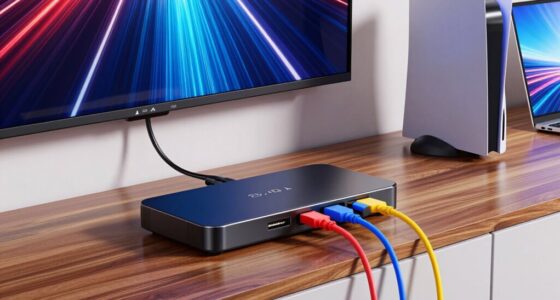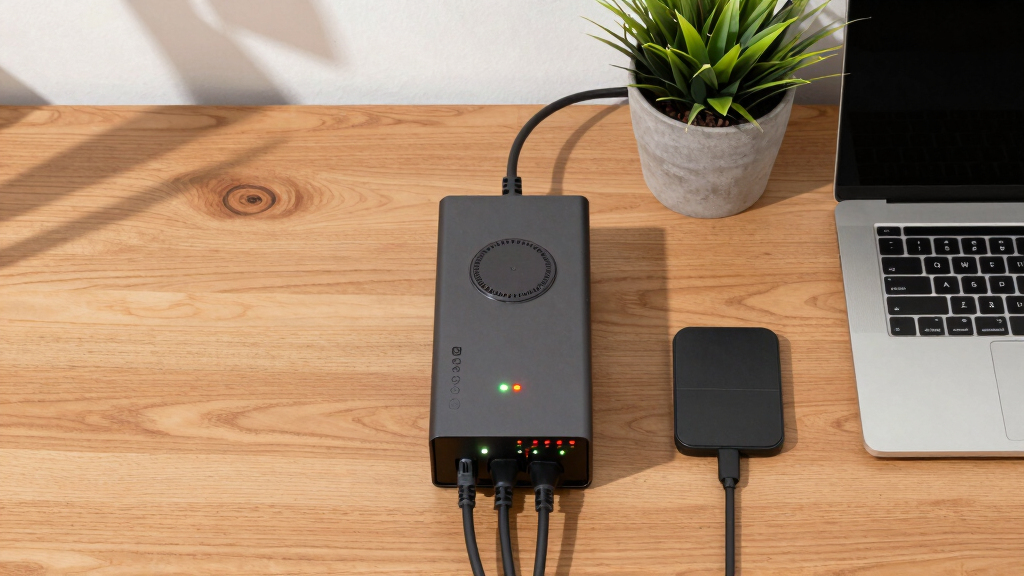

Choosing the best UPS system for a home office involves balancing power capacity, reliability, and affordability. The CyberPower CP1500PFCLCD stands out as the overall best, thanks to its robust 1500VA capacity and pure sine wave output, ideal for sensitive electronics. The APC 1500VA/900W Pure Sine Wave UPS also makes a strong case for high-performance needs, especially for users with multiple devices. However, buyers face tradeoffs such as higher cost versus longer battery life or more features. Continue reading for a detailed breakdown of these options and how to pick the right UPS for your home workspace.
Play games included with Prime
Start a Prime free trial and play with Amazon Luna on your devices.
Start playingAs an affiliate, we earn on qualifying purchases.
Key Takeaways
- The top-ranked UPS systems combine high capacity with reliable sine wave output for sensitive electronics.
- Price often correlates with features; more affordable models tend to have lower capacity or fewer outlets.
- Pure sine wave models are better suited for modern electronics, but they come at a higher cost.
- Size and form factor vary, with compact options ideal for limited spaces and larger units providing longer backup times.
- Ease of setup and management features like LCD screens add convenience but may increase price.
| CyberPower CP1500PFCLCD PFC Sinewave UPS Battery Backup and Surge Protector, 1500VA/1000W, 12 Outlets, AVR, Mini Tower, UL Certified |  | Best Overall for Versatile Home Office Power Needs | Capacity: 1500VA/1000W | Outlets: 12 (6 backup, 6 surge protected) | Input Plug: NEMA 5-15P right angle, 45° offset | VIEW LATEST PRICE | See Our Full Breakdown |
| APC 1500VA/900W Pure Sine Wave UPS for Computer and Electronics |  | Best for Sensitive Electronics with Long Runtime | Capacity: 1500VA/900W | Runtime at 100W: 73 minutes | Outlets: 10 (6 backup, 4 surge-only) | VIEW LATEST PRICE | See Our Full Breakdown |
| APC UPS 600VA/330W Battery Backup for Computer, Router, NAS |  | Best for Budget-Conscious Basic Backup | Capacity: 600VA/330W | Runtime: 23 minutes at 100W | Outlets: 5 with backup, 2 surge-only | VIEW LATEST PRICE | See Our Full Breakdown |
| APC 1000VA/600W Pro UPS Battery Backup for Office Electronics, AVR, BX1000M |  | Best for Reliable Power with User-Replaceable Battery | Capacity: 1000VA/600W | Backup Runtime: Over 42 minutes at 100W | Outlets: 8 (4 backup, 4 surge-only) | VIEW LATEST PRICE | See Our Full Breakdown |
| Vertiv PSA6S-1500LVT 1440VA & 915W Premium Line Interactive Power UPS |  | Best for High Capacity and Premium Monitoring | Output: 1500VA / 935W | Input: 120VAC at 50/60 Hz | Outlets: 7 Battery and Surge, 3 Surge-only | VIEW LATEST PRICE | See Our Full Breakdown |
| APC BR1000MS 1000VA/600W Pure Sine Wave UPS for Computer and Electronics |  | Best Overall for Sensitive Electronics and Network Equipment | Capacity: 1000VA / 600W | Output Type: Pure Sine Wave | Outlets: 6 battery backup + surge protection, 4 surge-only | VIEW LATEST PRICE | See Our Full Breakdown |
| APC 1500VA/900W UPS Battery Backup & Surge Protector BX1500M |  | Best Value for Robust Backup Power with Expandability | VA Capacity: 1500VA | Wattage: 900W | Backup Runtime: Up to 68 minutes at 100W | VIEW LATEST PRICE | See Our Full Breakdown |
| CyberPower CP1500AVRLCD3 Intelligent LCD UPS Battery Backup |  | Best for Visual Monitoring and Versatile Device Support | Capacity: 1500VA / 900W | Outlets: 12 NEMA 5-15R | Display: Color LCD panel | VIEW LATEST PRICE | See Our Full Breakdown |
| UPS systems for home office | Outlets | Capacity |
|---|---|---|
| CyberPower CP1500PFCLCD PFC Si | 12 (6 backup, 6 surge protected) | 1500VA/1000W |
| APC 1500VA/900W Pure Sine Wave | 10 (6 backup, 4 surge-only) | 1500VA/900W |
| APC UPS 600VA/330W Battery Bac | 5 with backup, 2 surge-only | 600VA/330W |
| APC 1000VA/600W Pro UPS Batter | 8 (4 backup, 4 surge-only) | 1000VA/600W |
| Vertiv PSA6S-1500LVT 1440VA & | 7 Battery and Surge, 3 Surge-only | — |
| APC BR1000MS 1000VA/600W Pure | 6 battery backup + surge protection, 4 surge-only | 1000VA / 600W |
| APC 1500VA/900W UPS Battery Ba | 10 (5 battery backup + 5 surge-only) | — |
| CyberPower CP1500AVRLCD3 Intel | 12 NEMA 5-15R | 1500VA / 900W |
More Details on Our Top Picks
CyberPower CP1500PFCLCD PFC Sinewave UPS Battery Backup and Surge Protector, 1500VA/1000W, 12 Outlets, AVR, Mini Tower, UL Certified
The CyberPower CP1500PFCLCD stands out for its ability to handle active PFC power supplies, making it a top choice for users with modern computers and networking gear. Its 1500VA capacity with 12 outlets—split evenly between battery backup and surge protection—offers plenty of flexibility. The color LCD provides detailed real-time data, which is especially helpful compared to simpler models like the APC 600VA. However, its bulkier mini tower design may not fit neatly into tight spaces, and replacing the battery could require professional help. Compared to the APC BX1000M, this model offers more outlets and a larger capacity, although it comes at a slightly higher size. Ideal for users needing reliable, high-capacity power protection with monitoring features, but less suited for tight spaces or those looking for quick DIY battery swaps.Pros:- Handles active PFC power supplies effectively
- Multiple outlets with both backup and surge protection
- Color LCD display offers detailed real-time info
- Includes USB charging ports and AVR
Cons:- Bulkier design may not fit in tight spots
- Battery replacement might require professional help
Best for: Home office users with multiple devices including active PFC power supplies looking for comprehensive monitoring and reliable capacity.
Not ideal for: Small spaces or users seeking a lightweight, compact UPS that fits easily on a desk with minimal setup.
- Capacity:1500VA/1000W
- Outlets:12 (6 backup, 6 surge protected)
- Input Plug:NEMA 5-15P right angle, 45° offset
- Power Cord Length:5 feet
- USB Ports:2 (1 Type-A, 1 Type-C)
- Display:Color LCD panel
Our verdict“This UPS is best suited for tech-savvy home office users with multiple devices needing detailed monitoring and high capacity.”
APC 1500VA/900W Pure Sine Wave UPS for Computer and Electronics
The APC BR1500MS2 is tailored for users who prioritize clean power for sensitive devices, offering a pure sine wave output that’s safer for high-end computers and audio equipment. Its runtime of up to 73 minutes at 100W exceeds many competitors like the APC BX1000M, making it ideal for longer outages. The LCD display provides critical data like load and battery health, comparable to the CyberPower but with a focus on safe power delivery. Its bulk and weight can be a downside for those with limited space or portability needs, and capacity limits it to 1500VA. This model is less suited for high-power setups, unlike the CyberPower CP1500PFCLCD, which offers more outlets and monitoring features. Perfect for professionals or home users who need dependable, clean power for sensitive electronics, but may be overkill for basic setups.Pros:- Pure sine wave output safe for sensitive devices
- Long runtime of up to 73 minutes at 100W
- Comprehensive surge protection for data lines
- LCD provides load, runtime, and battery info
Cons:- Bulky and heavy for some users
- Limited to 1500VA capacity, not suitable for very high loads
Best for: Home office users with high-value or sensitive electronics requiring clean, stable power and long runtime during outages.
Not ideal for: Those with limited space or minimal backup needs, as the UPS is relatively heavy and bulky.
- Capacity:1500VA/900W
- Runtime at 100W:73 minutes
- Outlets:10 (6 backup, 4 surge-only)
- Surge Protection:Yes, including coax and Ethernet
- Display:LCD showing runtime, load, and battery health
Our verdict“This UPS is ideal for sensitive electronics requiring clean power and extended runtime, especially in a professional home office setting.”
APC UPS 600VA/330W Battery Backup for Computer, Router, NAS
The APC 600VA/330W offers a straightforward solution for safeguarding basic home office essentials like routers and low-power computers. Its 23-minute runtime at 100W is sufficient for brief outages, making it a practical choice for minimal backup needs. The USB port allows quick phone charging, and surge protection shields against spikes, matching basic models like the CyberPower CP1500PFCLCD in core features but with less capacity. Battery replacement is simple but requires purchasing separate batteries, which could add to long-term costs. Compared to higher-capacity UPSs, this model is less suited for powering multiple devices simultaneously or during extended outages. Ideal for users on a tight budget or with low-power devices, but not for those needing extended backup or supporting many devices.Pros:- Affordable price point
- Easy battery replacement
- Surge protection for connected devices
- USB port for quick phone charging
Cons:- Limited runtime for high-power devices
- Battery replacement requires purchasing separate batteries
Best for: Home users needing a simple, affordable backup for essential devices like routers and basic computers.
Not ideal for: Powering multiple high-demand devices or during long outages where extended runtime is necessary.
- Capacity:600VA/330W
- Runtime:23 minutes at 100W
- Outlets:5 with backup, 2 surge-only
- USB Port:1.5A
- Protection:Surge and spike protection
Our verdict“This UPS is best suited for budget-conscious users with minimal backup needs for basic devices.”
APC 1000VA/600W Pro UPS Battery Backup for Office Electronics, AVR, BX1000M
The APC BX1000M offers a balanced mix of capacity and ease of maintenance, making it attractive for users who want dependable backup without frequent replacements. Its 1000VA capacity with over 42 minutes runtime at 100W provides solid support for essential devices. The LCD display aids in monitoring, and automatic voltage regulation helps extend runtime and protect connected gear. Unlike the CyberPower CP1500PFCLCD, it has fewer outlets but is easier to maintain with a user-replaceable battery, a plus for those who prefer DIY upgrades. However, the setup can seem complex to newcomers, and the runtime may be limited for larger setups. Best suited for small to medium home office environments that value long-term maintenance over maximum capacity, but less ideal for very high power demands.Pros:- User-replaceable battery prolongs device lifespan
- Reliable backup power with 1000VA capacity
- LCD display for real-time info
- Automatic voltage regulation
Cons:- Setup can be complex for novices
- Limited runtime for larger loads
Best for: Home office users who prioritize easy maintenance and reliable backup for essential equipment, with some technical comfort.
Not ideal for: Beginners or those needing extensive runtime or high capacity for multiple devices simultaneously.
- Capacity:1000VA/600W
- Backup Runtime:Over 42 minutes at 100W
- Outlets:8 (4 backup, 4 surge-only)
- Automatic Voltage Regulation:Yes
- Warranty:3 years
Our verdict“This UPS is best for users seeking long-term ease of maintenance and reliable power support for essential devices.”
Vertiv PSA6S-1500LVT 1440VA & 915W Premium Line Interactive Power UPS
The Vertiv PSA6S-1500LVT offers a high 1440VA/915W output, making it suitable for demanding home office setups with multiple devices. Its multiple outlets, including surge-only options, combined with USB charging ports, provide versatile support. The color LCD simplifies real-time monitoring, and user-replaceable batteries extend its lifespan—a feature that appeals over sealed models like the APC BX1500M. Its price isn’t specified here, but it typically targets premium users who want advanced features and robust equipment protection. The main tradeoff is that it requires some user maintenance, and its higher capacity means a larger footprint. This model makes sense for power users who need a high-capacity, customizable UPS with detailed monitoring, but may be overkill for basic needs.Pros:- High capacity with 1440VA / 915W output
- Multiple outlets including surge-only options
- Color LCD for easy monitoring
- User-replaceable batteries
Cons:- Requires user maintenance for batteries
- Larger footprint due to high capacity
Best for: Advanced home office setups with high power demands and users comfortable with maintenance tasks.
Not ideal for: Casual users or those with limited space who need a simple, plug-and-play solution.
- Output:1500VA / 935W
- Input:120VAC at 50/60 Hz
- Outlets:7 Battery and Surge, 3 Surge-only
- Charging Ports:USB-A & USB-C
- Batteries:User replaceable
Our verdict“This UPS fits power users seeking high capacity, detailed control, and long-term reliability in a premium package.”
APC BR1000MS 1000VA/600W Pure Sine Wave UPS for Computer and Electronics
The APC BR1000MS stands out for delivering clean, pure sine wave power, making it ideal for sensitive electronics like computers and home networking gear. Compared with the CyberPower CP1500AVRLCD3, it offers a slightly lower capacity but provides a more seamless power output that better protects delicate components. Its automatic voltage regulation (AVR) ensures stable performance during fluctuating power conditions, which is crucial for maintaining equipment health. The 42-minute runtime at 100W is ample for safe shutdowns, though the battery is user-replaceable, requiring a separate purchase, which could be inconvenient for some. Its LCD display simplifies monitoring, and surge protection extends to coaxial and Ethernet lines, adding comprehensive coverage. However, its 600W capacity limits use to moderate loads, and setup may be complex for less tech-savvy users. This model suits home offices with sensitive electronics that demand pure sine wave power and reliable backup, but it’s less ideal for high-power devices or those seeking plug-and-play simplicity.
Pros:- Delivers clean, pure sine wave power suitable for sensitive electronics
- Up to 42 minutes of backup at 100W load
- Includes automatic voltage regulation and comprehensive surge protection
Cons:- Limited to 600W capacity, not suitable for high-power devices
- Battery replacement involves purchasing a separate unit and may be complex for some users
Best for: Home office users with sensitive electronics, including computers, NAS, and network equipment, needing clean power and decent runtime.
Not ideal for: Users with high-power devices or those who prefer simple, one-click setup without additional batteries.
- Capacity:1000VA / 600W
- Output Type:Pure Sine Wave
- Outlets:6 battery backup + surge protection, 4 surge-only
- Surge Energy Rating:1,080 Joules
- Runtime at 100W load:Up to 42 minutes
- Built-in Ports:Coaxial and Ethernet surge protection, USB-C, USB-A
Our verdict“This UPS is best for home offices with sensitive, low to moderate power devices that need stable, clean power and reliable backup time.”
APC 1500VA/900W UPS Battery Backup & Surge Protector BX1500M
The APC BX1500M offers a compelling balance of capacity and reliability, making it a strong choice for those who want more outlets and longer runtime than smaller models like the APC 600VA. Its 900W capacity supports most home office setups, including multiple devices, while the 68-minute backup at 100W exceeds many competitors, providing ample time for safe shutdowns or continued work during outages. The inclusion of automatic voltage regulation helps stabilize fluctuating power, and the user-replaceable battery adds to its longevity. Compared to the CyberPower CP1500AVRLCD3, it offers more outlets (10 vs. 12) and a higher watt capacity, but the battery replacement process can be less straightforward and potentially costlier over time. Its Energy Star certification emphasizes efficiency, but users expecting plug-and-play simplicity may find replacing batteries or managing capacity limits less convenient. This model is best suited for users with multiple devices and a desire for longer runtime, but it might be overkill for minimal setups.
Pros:- Provides up to 68 minutes of backup at 100W load
- Supports multiple outlets with surge protection
- Automatic voltage regulation enhances power stability
Cons:- Battery replacement requires purchasing a separate unit and may be less user-friendly
- Limited runtime for high-power devices
Best for: Home offices with multiple devices, including computers, printers, and entertainment systems, needing extended backup and surge protection.
Not ideal for: Users with very high-power equipment or those seeking a compact, lightweight solution for minimal devices.
- VA Capacity:1500VA
- Wattage:900W
- Backup Runtime:Up to 68 minutes at 100W
- Outlets:10 (5 battery backup + 5 surge-only)
- Automatic Voltage Regulation:Yes
- Energy Star Certified:Yes
Our verdict“This UPS offers excellent value for larger home office setups that require extended backup and multiple device support.”
CyberPower CP1500AVRLCD3 Intelligent LCD UPS Battery Backup
The CyberPower CP1500AVRLCD3 makes a solid impression with its color LCD panel providing real-time updates, which is especially helpful for users managing multiple devices. Its 1500VA/900W capacity supports a broad range of home office gear, although for very high-power setups, a more robust UPS might be necessary. The automatic voltage regulation ensures stable power despite fluctuations, making it suitable for environments with inconsistent power. The design includes 12 outlets, offering flexibility for various configurations, and the UL certification adds peace of mind. Compared with the APC BX1500M, it provides a similar capacity but with a more user-friendly color LCD for status monitoring. Nevertheless, its simulated sine wave output may not be ideal for sensitive audio equipment, and battery replacement after the warranty period could be cumbersome. This UPS is best for users seeking detailed status visibility and multi-device support, but it’s less suited for very high-power or audio-sensitive applications.
Pros:- Color LCD display provides real-time status and alerts
- Supports up to 12 outlets for extensive device coverage
- Automatic voltage regulation stabilizes power during fluctuations
Cons:- Simulated sine wave may not be suitable for sensitive audio equipment
- Battery replacement can be less straightforward after warranty
Best for: Home office professionals who value clear, real-time system monitoring and need to support multiple devices with surge protection.
Not ideal for: Those with high-power or audio-sensitive equipment that requires pure sine wave power for optimal performance.
- Capacity:1500VA / 900W
- Outlets:12 NEMA 5-15R
- Display:Color LCD panel
- Input:NEMA 5-15P, 6-foot cord
- USB Ports:1 Type-A, 1 Type-C
- Warranty:3 years including battery
Our verdict“This UPS suits users who want comprehensive device support combined with easy-to-read status updates, but may not be ideal for audio-sensitive gear or high-power needs.”
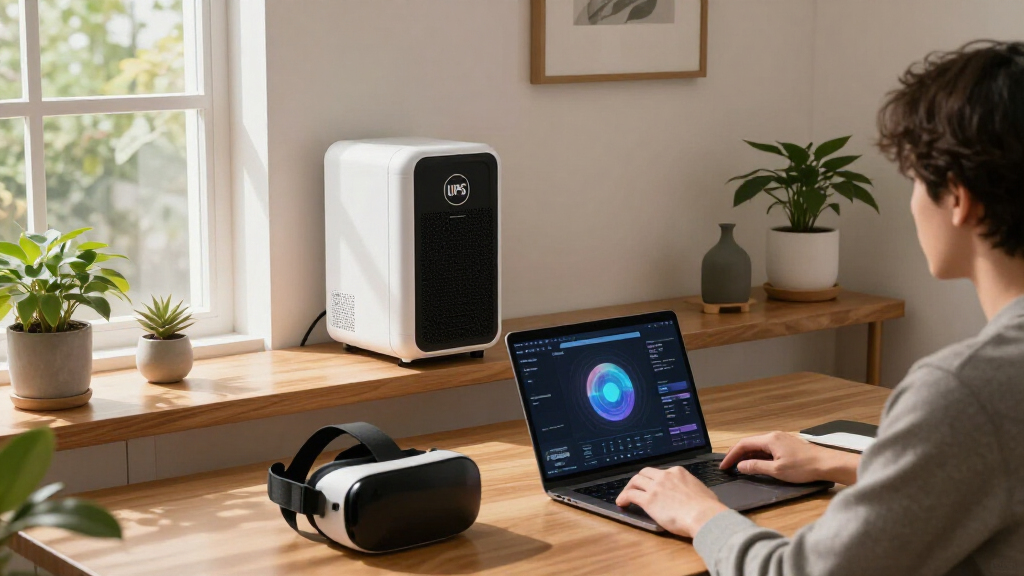
How We Picked
I evaluated these UPS systems based on several key criteria relevant to home office users: power capacity (VA and wattage), battery runtime, output quality (sine wave vs. simulated sine wave), build quality, ease of use, and value for money. Reliability and safety certifications also played a role in the selection process. Products were ranked to balance performance and affordability, ensuring that each chosen model addresses different user needs—from basic backup to advanced protection—without compromising essential features. The list prioritizes units that are straightforward to install and maintain, making them suitable for non-technical users.Factors to Consider When Choosing Best UPS Systems For Home Offices
Selecting the best UPS system for your home office involves understanding several core factors. Beyond just capacity and price, you should consider how the UPS manages power quality, its runtime during outages, and how easy it is to operate. Making the right choice can prevent data loss, protect sensitive equipment, and ensure workflow continuity. Here are key factors to keep in mind before making your decision.Capacity and Power Output
Understanding your power needs is essential. Calculate the total wattage of all devices you plan to connect and choose a UPS with at least 20-30% more capacity to handle surges and startup spikes. Oversized units provide longer backup times but come at a higher cost, while undersized models risk shutdowns during outages. Balance your current requirements with future expansion possibilities to avoid needing a new UPS sooner than expected.
Output Waveform and Compatibility
For sensitive electronics like computers, routers, and NAS devices, a pure sine wave output is preferable. It delivers cleaner power, reducing the risk of damage or performance issues. Many budget models use simulated sine wave which works fine for simpler devices but may cause problems with more sensitive gear. Investing in a pure sine wave UPS can be more costly upfront but offers better long-term protection and efficiency.
Runtime and Battery Life
Consider how long you need your devices to stay powered during an outage. Basic units may only provide a few minutes of backup, enough to save work and shut down safely. For longer outages, look for models with larger batteries or the ability to extend runtime with additional modules. Remember, increased runtime usually means higher cost and larger size, so match your needs with a practical choice.
Ease of Use and Management Features
Features like LCD displays, automatic shutdown software, and user-friendly interfaces make managing your UPS more straightforward. These features help monitor battery status, provide alerts, and simplify setup. However, they often add to the price, so weigh the convenience against your budget. For non-technical users, straightforward operation can prevent mishaps and ensure reliable performance.
Build Quality and Certification
Look for units with certifications such as UL or CE, indicating safety and quality standards. Good build quality ensures longevity and consistent performance, especially under frequent power fluctuations. Cheaper models might save money initially but could require more maintenance or replacement over time. Investing in a well-built UPS can provide peace of mind and better protection for your equipment.
Frequently Asked Questions
How do I determine the right capacity for my home office UPS?
Start by listing all devices you intend to connect, including computers, monitors, routers, and external drives. Find their wattage ratings and add them together to determine your total load. Then, choose a UPS with at least 20-30% more capacity than your total to accommodate startup surges and future expansion. This approach helps prevent overloads and ensures your equipment remains protected during outages.
Is a pure sine wave UPS worth the extra cost?
For most home office setups with sensitive electronics like modern computers, routers, and NAS devices, a pure sine wave UPS offers significant advantages. It provides cleaner power, reducing the risk of equipment damage or performance issues. While more expensive, a pure sine wave model can extend the lifespan of your devices and ensure stable operation during power fluctuations, making it a worthwhile investment for critical equipment.
How long should a UPS keep my devices powered during an outage?
The ideal runtime depends on your needs. For quick shutdowns, 5-10 minutes might suffice. If you want to keep your system running longer, look for units with larger batteries or the ability to add modules. Keep in mind that larger batteries increase size and cost, so consider how much backup time is truly necessary to avoid overspending on unnecessary capacity.
Can I connect my UPS to a surge protector?
Many UPS units include surge protection built into their outlets, but it’s often recommended to connect sensitive electronics directly to the UPS while using an additional surge protector for less vulnerable devices. This setup maximizes surge protection and ensures your critical equipment benefits from both power conditioning and backup. Avoid daisy-chaining multiple surge protectors with your UPS, as this can cause inefficiencies and safety issues.
What maintenance does a UPS require?
Regularly check your UPS for battery health, especially if it’s used frequently or during power outages. Most models have indicators or software notifications to alert you when batteries need replacement—typically every 3-5 years. Keep the unit in a cool, dry place to extend battery life, and perform periodic shutdowns to test backup performance. Proper maintenance ensures reliable operation over its lifespan.
Conclusion
For most home office users, the CyberPower CP1500PFCLCD offers the best balance of power, features, and affordability, making it ideal for those seeking reliable protection without overspending. The APC 1500VA/900W Pure Sine Wave UPS is best suited for users with sensitive equipment who prioritize power quality. Budget-conscious buyers should consider the APC UPS 600VA for basic backup needs, while those with high-performance setups might prefer the Vertiv PSA6S-1500LVT for extended runtime and robust build. Beginners or those with limited space will appreciate compact models like the APC BR1000MS, which simplify installation. Ultimately, your choice depends on your specific device load, budget, and desired features.NFL season / tailgating Picks
team gear
As an affiliate, we earn on qualifying purchases.