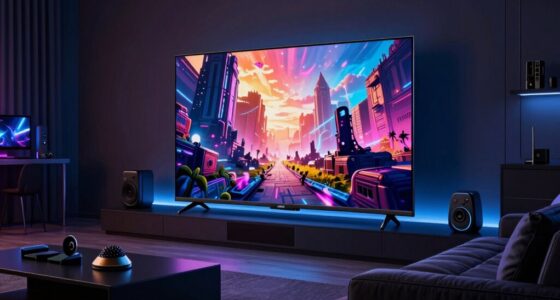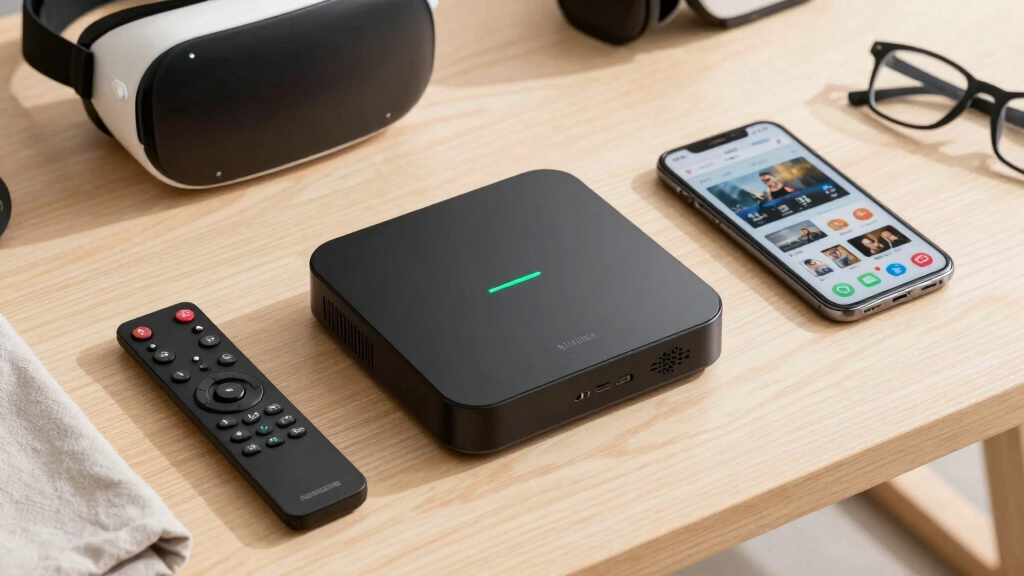

The best streaming devices in 2026 are split less by app access and more by speed, interface style, remote design, and ecosystem fit. My best overall pick is the Roku Ultra Streaming Player with Wi-Fi 6 because it pairs a clean platform with broad 4K HDR support, Ethernet, Dolby Vision, Dolby Atmos, and the Voice Remote Pro. The Onn 4K Plus is the sharper value play for buyers who want Google TV, Dolby Vision, and Wi-Fi 6 for far less, while the NVIDIA Shield Android TV Pro still makes sense for Plex, local files, and cloud gaming. The main tradeoff is whether you want Roku simplicity, Fire TV’s Alexa-heavy shopping-and-live-TV style, Google TV recommendations, or a higher-priced box built for power users. Keep reading for the full breakdown of how I rank the lineup and which device fits each kind of TV setup.

Play games on Amazon Luna for your next adventure, included with Prime
- A rotating selection of games, no download needed
- Play on TV, laptop or phone
- Fast, free delivery for your gear, too
Key Takeaways
- Roku Ultra earns the top spot because it combines the simplest interface with the strongest full-size box extras: Ethernet, Wi-Fi 6, Dolby Vision, Atmos, USB playback, and a better remote.
- Onn 4K Plus changes the value math by bringing Google TV, Dolby Vision, Wi-Fi 6, and 16GB storage into a much cheaper slot than Google TV Streamer 4K.
- Fire TV buyers should pick by household habits: the 4K Max and Cube make sense for Alexa homes, while the 4K Select is more about lower-cost 4K than format depth.
- NVIDIA Shield TV Pro remains the power-user choice, but its price is harder to justify for basic Netflix, Hulu, Disney+, and live TV viewing.
- Duplicate Roku Ultra and Fire TV Max listings make generation checks matter; the newer Wi-Fi 6 or Wi-Fi 6E models rank higher unless an older bundle is much cheaper.


More Details on Our Top Picks
Roku Ultra Streaming Device 4K HDR Dolby Vision Atmos with Voice Remote Pro
I rank the Roku Ultra as my most complete pick because it balances broad app access with the extras that change daily use: 4K HDR, Dolby Vision, Dolby Atmos, a rechargeable remote, headphone mode, and Ethernet. Compared with the Roku Streaming Stick HD, this is the clear upgrade for newer TVs and busier homes where Wi-Fi can be uneven. It also feels more suited to a main room than the Xiaomi TV Box S 3rd Gen because the remote features, lost remote finder, and wired networking solve common annoyances. The tradeoff is value: storage is only 8 GB, and buyers who just need casual HD streaming will pay for capabilities they may rarely use.
Pros:- 4K HDR with Dolby Vision and Dolby Atmos suits premium TVs
- Ethernet port gives more stable streaming than Wi-Fi-only sticks
- Rechargeable Voice Remote Pro adds hands-free control, headphone mode, and lost remote finder
- Broad Roku app support with live TV access
Cons:- Costs more than basic HD and budget 4K streamers
- 8 GB storage is lean beside Xiaomi TV Box S 3rd Gen
- Larger box needs more space than a stick
Best for: I would recommend it for households with a 4K TV, mixed streaming apps, and Wi-Fi dead spots that make Ethernet useful.
Not ideal for: I would skip it for spare-room HD TVs or buyers who want lots of local app storage; it is pricier than necessary and limited to 8 GB.
- Connectivity:Bluetooth, Ethernet, Wi-Fi, USB
- Connector Type:HDMI
- Supported Resolutions:4K, HDR, Dolby Vision
- Audio Support:Dolby Atmos
- Remote:Voice Remote Pro with hands-free controls
- RAM:2 GB
- Storage:8 GB
- Video Codec:H.265
- Compatible Device:Television
Bottom line: I would choose the Roku Ultra as the safest main-TV pick when picture formats, remote comfort, and wired networking matter.
Xiaomi TV Box S 3rd Gen – 4K UHD, Google TV, 32GB Memory, Dolby Vision & Atmos, WiFi 6, HDMI 2.1
I place the Xiaomi TV Box S 3rd Gen just behind the Roku Ultra because it offers a stronger spec sheet for Google TV fans: 4K UHD with Dolby Vision and HDR10+, Dolby Atmos, Wi-Fi 6, and 32 GB of storage. That extra storage gives it more breathing room than the Onn 4K Plus and Roku Ultra, especially for households that install many apps. Compared with the Fire TV Stick 4K Select, it is the better fit for buyers who prefer Google recommendations over Alexa. The catch is that 2 GB RAM leaves limited headroom, and the lack of Ethernet makes it less reassuring than the Roku Ultra for crowded Wi-Fi setups.
Pros:- 32 GB storage gives apps more room than most small streamers here
- Dolby Vision, HDR10+, and Dolby Atmos suit modern 4K TVs
- Google TV interface fits households tied to Google services
- Wi-Fi 6 and HDMI 2.1 are strong connectivity specs for the size
Cons:- No Ethernet port for homes with unreliable Wi-Fi
- 2 GB RAM may feel limiting for heavier app switching
- Google TV can feel busier than Roku’s simpler layout
Best for: I would recommend it for Google TV households that install many apps and want 4K Dolby formats without the Roku Ultra’s price.
Not ideal for: I would skip it for buyers who need wired networking or expect heavy multitasking from a small streaming box.
- Resolution:3840 x 2160 (4K UHD)
- HDR:Dolby Vision, HDR10+
- Audio Support:Dolby Atmos
- Processor:Quad-Core CPU up to 2.5GHz
- GPU:ARM G310 V2
- RAM:2 GB
- Storage:32 GB
- Connectivity:Wi-Fi 6, Bluetooth 5.2, HDMI 2.1, USB 2.0
- Video Codec:H.265/HEVC, VP9
Bottom line: I would choose it when Google TV and app space matter more than Ethernet or a premium remote.
Amazon Fire TV Stick 4K Select (Newest Model)
The Amazon Fire TV Stick 4K Select earns its spot as my Alexa-friendly pick because it combines 4K Ultra HD with HDR10+ and voice-first control in a simple stick format. It is not as feature-rich as the Roku Ultra, which adds Ethernet, Dolby Vision, Dolby Atmos, and a more capable remote, but it makes more sense for buyers already using Alexa routines or Amazon content. Compared with the Xiaomi TV Box S 3rd Gen, the Fire TV interface will suit Amazon households better, while Google TV fans may prefer Xiaomi. The gaming angle is useful, though Xbox Game Pass, a controller, and strong Wi-Fi add cost and friction.
Pros:- 4K Ultra HD with HDR10+ is a strong picture upgrade over HD sticks
- Alexa Voice Remote fits voice search and smart-home control
- Stick design keeps the setup compact
- Xbox Game Pass support adds casual cloud gaming potential
Cons:- Xbox Game Pass subscription and controller cost extra
- Wi-Fi-only connection is less stable than Roku Ultra’s Ethernet option
- Dolby Vision and Dolby Atmos are not listed in the provided specs
Best for: I would recommend it for Prime Video viewers and Alexa smart-home users who want affordable 4K in a stick.
Not ideal for: I would skip it for Google TV or Roku loyalists, wired-networking homes, and buyers who want Dolby Vision listed in the specs.
- Resolution:4K Ultra HD
- HDR:HDR10+
- Connectivity:Wi-Fi
- Remote:Alexa Voice Remote
- Voice Control:Alexa
- Included Items:Fire TV Stick, Alexa Voice Remote
- Gaming Support:Xbox Game Pass cloud gaming
- Gaming Requirement:Xbox Game Pass subscription and controller sold separately
Bottom line: I would pick it for Alexa-centered homes that want 4K streaming with light cloud gaming on the side.
Onn 4K Plus Streaming Device with Google TV – 16GB Storage, 2GB RAM, Wi-Fi 6, Dolby Vision & Atmos, Voice Remote
I see the Onn 4K Plus as the sharper value play for people who want Google TV without paying Roku Ultra money. It keeps the major home-theater boxes checked with 4K, Dolby Vision, Dolby Atmos, Wi-Fi 6, and a voice remote, so the viewing payoff is closer to Xiaomi TV Box S 3rd Gen than its lower profile suggests. The main reason I rank Xiaomi higher is storage: 16 GB can fill up faster than Xiaomi’s 32 GB if apps pile up. Compared with the Roku Streaming Stick HD, though, Onn is the better match for a modern 4K television. The interface may feel busier at first than Roku’s simpler layout.
Pros:- 4K with Dolby Vision and Dolby Atmos covers key home-theater formats
- Wi-Fi 6 is strong for a value-focused streaming box
- Google Assistant voice remote supports faster search
- 16 GB storage gives more room than many basic sticks
Cons:- 16 GB storage is still half of Xiaomi TV Box S 3rd Gen
- No Ethernet is listed for wired internet
- Google TV may feel less simple than Roku for first-time streamers
Best for: I would recommend it for budget-minded Google TV buyers with a 4K television and reliable Wi-Fi.
Not ideal for: I would skip it for app-heavy households or homes that need Ethernet, since Xiaomi gives more storage and Roku Ultra gives wired networking.
- Connector:HDMI
- Resolution:4K / 3840 pixels
- HDR:Dolby Vision
- Audio Support:Dolby Atmos
- RAM:2 GB
- Storage:16 GB
- Wireless:Wi-Fi 6
- Video Codec:H.264, H.265/HEVC
- Controller:Voice remote with Google Assistant
Bottom line: I would choose it as the budget Google TV route when 4K Dolby support matters more than storage or wired networking.
Roku Streaming Stick HD – HD Streaming Device with Voice Remote
The Roku Streaming Stick HD lands lower in my ranking because it is capped at HD, yet that limit is also its point: it is the cleanest choice for older TVs, guest rooms, and travel. Compared with the Amazon Fire TV Stick 4K Select or Onn 4K Plus, it gives up 4K and advanced HDR, so it is not the right buy for a new main television. What it does well is remove clutter: the stick hides behind the TV, powers from the set, and still includes a voice remote. Roku’s simple interface is easier than Google TV for some beginners, but buyers who want richer picture formats should step up.
Pros:- Compact stick design stays hidden behind the TV
- TV-powered setup avoids an extra wall outlet
- Voice remote is useful at this price level
- 500+ free HD channels add value for casual viewing
Cons:- HD-only output is a poor match for 4K televisions
- Basic interface may feel limited beside Google TV or Fire TV
- Requires Wi-Fi with no wired backup
Best for: I would recommend it for older 1080p TVs, guest rooms, dorms, and travelers who want simple Roku streaming.
Not ideal for: I would skip it for new 4K TVs or home-theater setups, where Fire TV Stick 4K Select or Roku Ultra will make better use of the screen.
- Connectivity:Bluetooth, Wi-Fi
- Connector Type:HDMI
- Resolution:HD
- Remote:Voice remote
- Free Channels:500+ free HD channels
- Power:TV-powered, no wall outlet required
- Form Factor:Compact streaming stick
- Live Content:News, weather, and sports
Bottom line: I would buy it only for simple HD streaming where low clutter matters more than 4K picture quality.
Amazon Fire TV Stick HD with Alexa Voice Remote and Live TV
I rank the Amazon Fire TV Stick HD as the sensible pick for buyers keeping an older HDTV in service. Compared with the Fire TV Stick 4K Max or Roku Ultra, it skips 4K, Dolby Vision, and premium audio extras, but that restraint is the point: it gives a spare-room, dorm, or travel TV a modern app library without paying for picture features the screen cannot show. Alexa voice control also makes it easier to search across apps and control smart-home gear from one remote. The tradeoff is longevity. Its 8 GB storage can feel tight if many apps are installed, and the 90-day warranty is shorter than some buyers may expect. I would treat it as a low-cost upgrade, not a future-proof main-room streamer.
Pros:- Affordable way to add streaming to an HD TV
- Alexa Voice Remote supports search and smart-home control
- Compact stick design is easy to move between TVs
- Supports HDR10, HDR10+, and HLG for compatible HD content
Cons:- No 4K output, so it is a weak match for modern main-room TVs
- 8 GB storage can fill quickly with apps and updates
- Short 90-day limited warranty
Best for: Buyers with a 720p or 1080p TV who want cheap access to major streaming apps, live TV, and Alexa voice control.
Not ideal for: Home theater owners with a 4K TV, Atmos soundbar, or large app library, because this stick leaves those upgrades unused.
- Resolution:1080p and 720p up to 60 fps
- Processor:Quad-core 1.7 GHz
- Storage:8 GB
- Wi-Fi:Dual-band 802.11a/b/g/n/ac with MIMO
- Bluetooth:Bluetooth 5.0 and BLE
- Voice Support:Alexa Voice Remote
- Ports:HDMI output, micro-USB for power
- Size:3.4 x 1.2 x 0.5 in
Bottom line: Buy this for a low-cost HD TV refresh, but step up to a 4K model for a primary entertainment setup.
Roku Ultra Streaming Device with 4K, HDR, Dolby Vision, Dolby Atmos, Bluetooth, Voice Remote, and Premium HDMI Cable
The Roku Ultra earns its place because it combines a fast Roku interface with features that solve daily annoyances. Against the Amazon Fire TV Stick HD, it is far more capable for a 4K living-room TV, adding Dolby Vision, Dolby Atmos, Ethernet, and a remote with private listening through a headphone jack. Compared with the newer Roku Ultra models in the wider lineup, though, this version is less about having the newest wireless spec and more about dependable box-style streaming. I like it most for households that value app neutrality and quick channel access over deeper smart-home control. The weak points are practical: the compact remote can still disappear, and strong network quality matters if 4K HDR streams are the main use. It is polished, but not the cheapest path to Roku.
Pros:- 4K, HDR, Dolby Vision, and Dolby Atmos support for better home-theater playback
- Ethernet gives a steadier option than Wi-Fi alone
- Voice remote includes headphone jack, personal shortcuts, and remote finder
- Premium HDMI cable is included
Cons:- Costs more than simpler Roku streaming sticks
- Small remote is still easy to misplace despite the finder feature
- Best 4K performance depends on a stable network
Best for: Roku loyalists who want 4K Dolby Vision, wired Ethernet, and private listening without moving into a more complex ecosystem.
Not ideal for: Budget buyers who only need basic 4K streaming, since a Roku Express 4K+ or similar stick can cost less.
- Resolution:4K, HDR, Dolby Vision
- Audio:Dolby Atmos
- Connectivity:Wi-Fi and Ethernet
- Remote:Voice remote with headphone jack
- Remote Extras:Personal shortcuts and remote finder button
- Included Cable:Premium HDMI cable
Bottom line: Pick the Roku Ultra if remote convenience and a clean Roku interface matter more than getting the lowest price.
Amazon Fire TV Stick 4K Max (2026 Model), Streaming Device with Alexa+ and Wi-Fi 6E Support
I place the Amazon Fire TV Stick 4K Max above basic Fire TV sticks because its speed and wireless support make a visible difference in daily use. Compared with the Amazon Fire TV Stick HD, this model is built for modern 4K TVs, with Dolby Vision, HDR10+, Dolby Atmos, AV1, and a faster quad-core processor. It also has twice the storage at 16 GB, which gives heavier app users more breathing room. Next to the NVIDIA Shield TV Pro, it is less expandable and less suited to media-server or gaming-heavy setups, but it is smaller, simpler, and likely a better value for most Fire TV households. The catch is ecosystem fit: Alexa+ and personalized recommendations favor Amazon users, while gaming via Xbox Game Pass needs extra hardware and a subscription.
Pros:- Fast quad-core 2.0 GHz processor helps menus and app launches feel quicker
- Wi-Fi 6E support improves performance on compatible networks
- Supports 4K, Dolby Vision, HDR10+, HLG, AV1, and Dolby Atmos
- 16 GB storage is roomier than basic Fire TV sticks
Cons:- Needs a compatible 4K TV to justify its video features
- Game Pass play requires a subscription and separate controller
- Amazon-centered recommendations may not suit every household
Best for: Prime Video and Alexa users with a 4K TV who want fast app launches, strong format support, and Wi-Fi 6E in a small stick.
Not ideal for: Buyers who want a neutral home screen or advanced local-media features, since this stick leans into Amazon services.
- Resolution:2160p, 1080p, and 720p up to 60 fps
- Processor:Quad-core 2.0 GHz
- GPU:850 MHz
- Storage:16 GB
- Wi-Fi:Wi-Fi 6E tri-band
- Bluetooth:Bluetooth 5.2 + BLE
- Remote:Alexa Voice Remote Enhanced
- HDMI:HDMI 2.1 with ARC support
- Audio:Dolby Atmos, 7.1 surround sound, HDMI pass-through
Bottom line: This is the Fire TV stick I would choose for a 4K TV when speed and Alexa integration matter.
Google TV Streamer 4K with Voice Remote and Smart Home Control
The Google TV Streamer 4K is the pick I would put in front of buyers who want the home screen to organize what to watch, not just list apps. Compared with the Roku Ultra, it leans more into personalized rows, Google voice search, and a smart home panel, making it a better match for households already using Google services. It also outclasses the Fire TV Stick 4K Max on storage, with 32 GB for apps and updates. The tradeoffs are oddly practical for a premium-feeling streamer: the HDMI cable is sold separately, and buyers may need the right HDMI 2.1 cable to get the cleanest setup. Its storage is generous for streaming apps, but it is still not a Shield-style box for big local media libraries.
Pros:- Google TV interface organizes shows and movies across services
- 32 GB storage gives more room than many compact streamers
- Supports 4K HDR, Dolby Vision, and Dolby Atmos
- Voice remote includes customizable buttons and a find-remote function
Cons:- HDMI cable is not included
- Best setup may require a compatible HDMI 2.1 cable
- Less expandable than NVIDIA Shield TV Pro for local media and advanced use
Best for: Google Home users who want 4K streaming, personalized recommendations, voice search, and living-room smart-home controls.
Not ideal for: Buyers who want everything in the box, since the HDMI cable is sold separately.
- Resolution:Up to 4K HDR with Dolby Vision
- Audio:Dolby Atmos support
- Storage:32 GB
- Processor:22% faster than previous generation
- Connectivity:HDMI 2.1, cable sold separately
- Remote:Voice search, customizable buttons, find remote function
- Smart Home:Home panel control
Bottom line: Choose this if Google TV recommendations and smart-home control are more useful to you than Roku simplicity or Fire TV’s Amazon tie-ins.
NVIDIA Shield Android TV Pro 4K HDR Streaming Media Player
The NVIDIA Shield TV Pro sits at the top of this group for buyers who want more than app streaming. Compared with the Google TV Streamer 4K and Fire TV Stick 4K Max, it adds a stronger media-hub identity: Gigabit Ethernet, two USB 3.0 ports, expandable storage, built-in Plex Media Server support, and cloud gaming options. That makes it the better fit for home theater owners with local files, network storage, or GeForce NOW interest. I would not rank it as the best casual streamer, though. The price is higher, game controllers cost extra, and the feature set can feel like overkill if the goal is only Netflix, Hulu, and Disney+. Its Tegra X1+ hardware gives it staying power, but simplicity is not its main appeal.
Pros:- Powerful NVIDIA Tegra X1+ platform for streaming, media serving, and gaming
- Supports 4K HDR, Dolby Vision, Dolby Atmos, and Dolby Digital Plus
- Gigabit Ethernet and two USB 3.0 ports support more advanced setups
- Built-in Plex Media Server and expandable storage add real media-hub value
Cons:- Higher price than stick-style streaming devices
- Game controllers are sold separately
- Advanced features may feel excessive for simple streaming
Best for: Home theater buyers, Plex users, and cloud-gaming households that want a powerful streamer with Ethernet and USB expansion.
Not ideal for: Casual viewers who mainly open a few streaming apps, because the cost and setup flexibility may be more than they need.
- Processor:NVIDIA Tegra X1+
- RAM:3 GB
- Storage:16 GB, expandable via USB
- Video Output:4K HDR with Dolby Vision
- Audio:Dolby Atmos and Dolby Digital Plus
- Connectivity:Gigabit Ethernet, dual-band AC Wi-Fi, Bluetooth 5.0
- Ports:2 USB 3.0 ports
- Gaming:AAA Android games, GeForce NOW, cloud gaming
- Smart Home:Google Assistant, Alexa, Echo, and SmartThings compatible
Bottom line: Buy the Shield TV Pro if you want a streaming device that can also act like the center of a serious media setup.
Roku Express 4K+ Streaming Device with Voice Remote
I’d rank the Roku Express 4K+ as the budget 4K choice because it gives buyers the clean Roku interface, 4K/HDR playback, and a voice remote without pushing them into a premium box. Compared with the Roku Ultra, it is less powerful and skips extras like Ethernet, Dolby Vision, and a rechargeable remote, but it keeps the core job simple: stream popular apps in sharp quality with little setup friction. It also feels less Amazon-centered than the Fire TV Stick 4K Plus, which may suit viewers who want a more neutral home screen. The tradeoff is speed and connection flexibility. Since it depends on Wi-Fi and lacks physical media support, I’d pick it for a secondary TV or price-conscious 4K upgrade, not a demanding home theater.
Pros:- Affordable access to 4K and HDR streaming
- Simple Roku interface with broad app support
- Voice remote included for easier searching
- No separate power adapter needed in many setups
Cons:- Wi-Fi-only design can struggle on weak networks
- No Dolby Vision, Ethernet, or premium remote features
- Streaming-only device with no physical media playback
Best for: Budget-focused 4K TV owners who want a simple streaming upgrade without buying into a premium ecosystem.
Not ideal for: Home theater buyers who want Dolby Vision, Ethernet, faster hardware, or advanced audio support.
- Resolution:4K/HDR
- Remote:Voice remote included
- Connectivity:Wireless Wi-Fi
- Power:No power adapter needed
- Channels:350+ free and premium channels
- Voice Assistant Support:Works with Siri, Alexa, and Google Assistant
Bottom line: Choose this if price and simplicity matter more than premium home theater features.
Amazon Fire TV Stick 4K Max Streaming Device
The Amazon Fire TV Stick 4K Max earns its place as the value play for buyers who want stronger Fire TV performance without paying Cube money. Its Wi-Fi 6E, 16GB storage, Dolby Vision, HDR10+, and Dolby Atmos support give it more headroom than the Fire TV Stick 4K Plus, especially for heavier app users or anyone curious about cloud gaming through Xbox Game Pass or Luna. Compared with the Fire TV Cube, though, it lacks the same hands-free control setup and broader port selection. The refurbished status is the main buyer split: the specs are attractive, but generic packaging and renewed-device expectations make it a less giftable choice. I’d place it above basic sticks for speed, but below the Cube for full living-room control.
Pros:- Wi-Fi 6E and fast hardware support quick app loading
- Dolby Vision, HDR10+, and Dolby Atmos cover major home theater formats
- 16GB storage is roomier than the Fire TV Stick 4K Plus
- Supports cloud gaming through Xbox Game Pass and Luna
Cons:- Refurbished unit may arrive in generic packaging
- Still limited to 16GB for apps and games
- Some streaming and gaming features require paid subscriptions
Best for: Amazon Prime households and cloud-gaming-curious buyers who want a faster 4K stick at a lower renewed-device price.
Not ideal for: Gift buyers or anyone who wants factory-new packaging, maximum storage, or full hands-free Alexa hardware.
- Storage:16GB
- Video Resolution:4K Ultra HD
- HDR Support:Dolby Vision, HDR10+
- Audio:Dolby Atmos
- Wi-Fi:Wi-Fi 6E
- Remote:Enhanced remote with voice control and dedicated buttons
- Packaging:Refurbished, generic box
- Gaming Support:Xbox Game Pass and Luna cloud gaming
Bottom line: Pick this if performance per dollar matters and a refurbished device is acceptable.
Roku Ultra Streaming Player with 4K HDR10+, Dolby Vision & Atmos, Voice Remote Pro, Wi-Fi 6
The Roku Ultra is the premium Roku I’d point to when the buyer wants Roku’s app-neutral feel but does not want the compromises of the Roku Express 4K+. The case for spending more is clear: Dolby Vision, HDR10+, Dolby Atmos, Wi-Fi 6, Ethernet, and the rechargeable Voice Remote Pro all make daily use smoother on a main TV. Compared with the Fire TV Cube, it is less focused on smart-home control and Alexa-first voice commands, but it also keeps the interface cleaner for households split across Netflix, Disney+, Apple TV, and other services. The remote is a real differentiator thanks to backlit buttons and a lost remote finder, though USB-C charging adds one more maintenance habit. I’d rank it highest for Roku loyalists, not for buyers who want Amazon’s ecosystem at the center.
Pros:- Dolby Vision, HDR10+, and Dolby Atmos suit higher-end TVs and sound systems
- Wi-Fi 6 and Ethernet give stronger connection options than budget Roku models
- Rechargeable Voice Remote Pro adds backlighting, hands-free voice, and lost remote finder
- Faster performance than earlier Roku Ultra models
Cons:- Costs more than basic Roku and Fire TV sticks
- Remote requires USB-C charging
- Less smart-home focused than the Fire TV Cube
Best for: Roku fans upgrading a main 4K TV who want Dolby Vision, wired networking, and a better remote.
Not ideal for: Alexa-heavy smart home users who want hands-free room control built into the streamer.
- Resolution:4K
- HDR:HDR10+
- Video Formats:Dolby Vision
- Audio:Dolby Atmos
- Remote:Rechargeable Voice Remote Pro with backlit buttons
- Voice Features:Hands-free voice control and lost remote finder
- Connectivity:Wi-Fi 6 and Ethernet
- Remote Charging:USB-C
Bottom line: This is the Roku to buy for a primary TV when the remote, speed, and connection options matter.
Fire TV Cube (3rd Gen) – Hands-Free Streaming Device with Alexa, Wi-Fi 6E, 4K Ultra HD
The Fire TV Cube sits at the top of this batch for buyers who want a streamer to act like a living-room control hub, not just an app launcher. Compared with the Amazon Fire TV Stick 4K Max, it adds a much stronger hardware setup, hands-free Alexa, HDMI input and output, USB-A, Ethernet, and IR control options for a TV or soundbar. That makes it better suited to a central media setup than a spare-bedroom screen. Against the Roku Ultra, the Cube trades Roku’s cleaner, more neutral feel for deeper Amazon integration and broader smart-home control. The catch is cost and setup fit: its best features need a compatible 4K TV, a strong network, and buyers who actually want voice control in the room. I’d skip it for simple app streaming.
Pros:- Octa-core processor gives it stronger performance than Fire TV sticks
- Hands-free Alexa can control entertainment gear and smart home devices
- Wi-Fi 6E, Ethernet, HDMI input, and HDMI output add setup flexibility
- Supports 4K Ultra HD, Dolby Vision, HDR10+, and Dolby Atmos
Cons:- Higher price than stick-style streamers
- Best features depend on compatible 4K gear and a strong network
- Amazon-heavy interface will not suit every household
Best for: Alexa smart home users who want one device to control streaming, TV power, soundbar commands, and connected-home routines.
Not ideal for: Minimalist streamers who only need Netflix and YouTube on a secondary TV.
- Size:3.38 x 3.38 x 2.99 in
- Weight:513g
- Processor:Octa-core 4x 2.2GHz, 4x 2.0GHz
- Storage:16GB
- Memory:2GB
- Wi-Fi:Wi-Fi 6E tri-band
- Ports:HDMI 2.1 input, HDMI 2.1 output, IR extender, power, USB-A 2.0, Ethernet
- Resolution:2160p, 1080p, 720p up to 60 fps
- Audio Support:Dolby Atmos, 7.1 surround sound, HDMI audio pass-through up to 5.1
Bottom line: Buy the Cube when streaming, voice control, and device control all matter in the same room.
Fire TV Stick 4K Plus (2023 Model) with Alexa Voice Remote and Wi-Fi 6
The Fire TV Stick 4K Plus is the sensible middle Fire TV pick: more capable than a basic HD stick, less expensive and less room-dominating than the Fire TV Cube. Its Dolby Vision, HDR10+, Dolby Atmos, Wi-Fi 6, and Alexa Voice Remote cover the features most 4K TV owners actually use. Compared with the Amazon Fire TV Stick 4K Max, though, it has less storage at 8GB and uses Wi-Fi 6 rather than Wi-Fi 6E, so app collectors and cloud-gaming users may feel the ceiling sooner. I’d also choose the Roku Express 4K+ over this for shoppers who want a less Amazon-shaped interface. This stick makes sense when Prime Video, Alexa search, and compact hardware are the draw, but it is not the strongest performance pick here.
Pros:- Compact stick design is easy to add behind a TV
- Dolby Vision, HDR10+, and Dolby Atmos support strong picture and sound formats
- Wi-Fi 6 helps in homes with many connected devices
- Alexa Voice Remote adds search and TV control
Cons:- 8GB storage can feel tight with many apps installed
- Less powerful than the Fire TV Stick 4K Max and Fire TV Cube
- 4K and HDR availability varies by service and region
Best for: Prime Video viewers who want a compact 4K Fire TV device with modern HDR and Alexa voice control.
Not ideal for: Heavy app users or cloud gamers who need more storage and faster Wi-Fi 6E hardware.
- Size:99 mm x 30 mm x 14 mm housing; 108 mm x 30 mm x 14 mm including connector
- Weight:43.5g
- Processor:Quad-core 1.7GHz
- Storage:8GB
- Wi-Fi:Wi-Fi 6 dual-band
- Bluetooth:Bluetooth 5.2 + BLE
- Ports:HDMI 2.1 with ARC, micro USB
- Supported Resolutions:2160p, 1080p, 720p up to 60 fps
- Remote:Alexa Voice Remote with IR control
Bottom line: Choose this for a compact Fire TV upgrade when convenience matters more than maximum speed or storage.
How We Picked
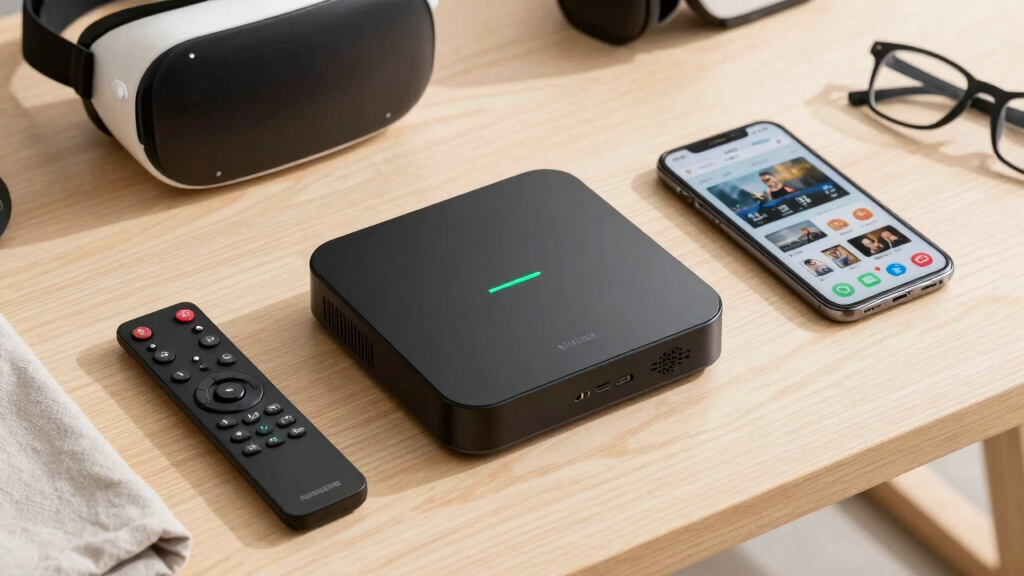
I ranked these 15 picks by how well each one solves the real job of a streamer: fast app loading, stable wireless or wired networking, broad app support, useful voice search, and a remote that does not make everyday TV feel fussy. Picture and audio support mattered, but I weighted them only when the rest of the chain could use them; Dolby Vision and Dolby Atmos help more on a capable 4K TV with a sound system than on a guest-room screen. I also scored storage, update path, platform friction, and whether the device adds value beyond the apps already built into a smart TV.
The order rewards devices that balance performance, usability, and price instead of chasing the longest spec sheet. That is why the Roku Ultra sits above the NVIDIA Shield for most buyers, even though the Shield is stronger for local media and cloud gaming, and why Onn 4K Plus outranks several name-brand sticks on value. Duplicate or older SKUs were treated carefully: when two Roku Ultra or Fire TV Stick 4K Max listings overlap, I ranked the one with newer connectivity and clearer buyer benefit higher. I checked source details from Roku, Amazon Fire TV specs, Xiaomi, NVIDIA, and current reporting on Google TV Streamer and Onn 4K Plus.
Factors to Consider When Choosing Best Streaming Devices
I would start with the TV, apps, and household rather than the sticker price. The right streamer should make the screen feel faster, reduce remote juggling, and fit the voice assistant or smart home gear already in the room.
Choose the Platform Before the Hardware
I would pick the software platform before getting lost in processor names because it shapes every daily interaction. Roku is the easiest recommendation for mixed households because it feels neutral, app-focused, and less tied to one store. Fire TV makes more sense when Alexa, Prime Video, Ring cameras, and Amazon live channels are already part of the home, but buyers who dislike sponsored rows may find it busy. Google TV is better when search, Watchlist, YouTube, Google Cast, and smart home controls matter more than a bare-bones menu. NVIDIA Shield and Xiaomi sit in the Android/Google lane, but they appeal to different buyers: Shield for advanced media handling, Xiaomi for more storage at a midrange price. The mistake I would avoid is buying the cheapest stick and then fighting an interface that never matches how the household actually watches TV.
Do Not Overpay for 4K on the Wrong TV
4K support only pays off when the TV, HDMI input, internet speed, and streaming plan can show 4K content. For an older bedroom TV, I would keep the Roku Streaming Stick HD or Fire TV Stick HD in play because they solve app access without charging for picture formats the screen cannot display. For a main 4K TV, the better buy usually shifts toward Roku Ultra, Onn 4K Plus, Fire TV Stick 4K Max, or Google TV Streamer 4K because HDR handling and faster chips make the upgrade easier to notice. Dolby Vision matters most if the TV supports it; HDR10+ matters more for certain Samsung sets. Dolby Atmos also needs the right soundbar, receiver, or speaker setup, so a spec badge alone does not create better sound. My rule is simple: pay for 4K HDR and Atmos on the screen where movie night happens, not on every secondary TV.
Prioritize Speed, Storage, and Wi-Fi
A streamer that technically supports 4K can still feel cheap if app switching lags or the home screen reloads constantly. I rank devices with more storage and newer Wi-Fi higher because crowded apps, live TV services, and system updates can make small 8GB sticks feel tight over time. Onn 4K Plus and Xiaomi TV Box S 3rd Gen stand out here because they offer more storage than many entry sticks, while Google TV Streamer 4K gives Google TV buyers even more room. Roku Ultra and Fire TV Cube earn their higher prices partly by adding Ethernet or stronger networking, which can matter more than a tiny resolution bump in rooms far from the router. Wi-Fi 6E on the Fire TV Stick 4K Max and Fire TV Cube is only a real gain if the home network has a 6GHz router and the device is placed where that signal reaches. I would buy speed before novelty features because daily responsiveness is the upgrade people notice every night.
Know When a Box Beats a Stick
Sticks are tidy, cheap, and easy to hide, but they often give up ports, heat headroom, and remote extras. A box like Roku Ultra, Google TV Streamer 4K, Fire TV Cube, or NVIDIA Shield TV Pro makes more sense when the TV is the center of a living room setup. Boxes can add Ethernet, USB, HDMI input, lost-remote tools, smart home controls, or local media support that a small stick cannot match. The Fire TV Cube is the clearest example: it costs more than Fire TV Stick 4K Max, but adds hands-free Alexa and an HDMI input for buyers who want voice control across gear. NVIDIA Shield costs even more, but its Plex, USB, audio passthrough, and gaming strengths are aimed at people who ask more from a streamer than opening Netflix. I would only pay box prices when those extras replace another device or remove a real pain point.
Watch Out for Generations and Bundles
This lineup has several products with names that look nearly identical, and that can hide real differences. Roku Ultra appears in multiple listings, but the version with Wi-Fi 6, HDR10+, Dolby Vision, Atmos, and Voice Remote Pro is the one I would put first unless an older bundle is heavily discounted. The same goes for Fire TV Stick 4K Max: a newer listing with Wi-Fi 6E or Alexa+ should not be treated like an older Max if prices are close. Roku Express 4K+ is another example because it may appear as remaining stock even after Roku pushes newer stick-shaped replacements. Before buying, I would check release year, storage, Wi-Fi generation, included remote, and whether the listing is a bundle with an HDMI cable rather than a newer player. The easiest way to avoid buyer’s remorse is to compare generation details, not just the product family name.
Frequently Asked Questions
Should I buy Roku, Fire TV, or Google TV?
I would choose Roku if the priority is a simple home screen, broad app support, and a remote that most guests can understand quickly. I would choose Fire TV if Alexa, Prime Video, Ring cameras, and Amazon live channels already shape the home setup. I would choose Google TV if search, recommendations, YouTube, Google Cast, and Google Home controls matter more than a plain app grid. The tradeoff is that Roku feels cleaner, Fire TV can feel busier, and Google TV can be more helpful but more recommendation-heavy. For mixed households, my default is Roku Ultra; for Google homes, I would move to Google TV Streamer 4K or Onn 4K Plus; for Alexa homes, I would pick Fire TV Stick 4K Max or Fire TV Cube.
Is a 4K streaming device worth it if I only have an HD TV?
Usually, I would not pay much extra for 4K hardware if the TV is capped at 1080p and there is no upgrade planned soon. Roku Streaming Stick HD and Fire TV Stick HD still make sense for older screens because their real job is app access, voice search, and a cleaner remote setup. A 4K model can be reasonable if the price gap is tiny or the device will move to a main TV later. The limit is that Dolby Vision, HDR10+, and 4K resolution will not appear on an HD display, no matter what the streamer supports. I would put the extra money toward the living-room device where stronger processing, better HDR, and better networking can actually show up.
Why are there so many similar Roku Ultra and Fire TV Stick 4K Max listings?
Retailers often keep older stock, bundle pages, and newer generations live at the same time, which makes the names look more alike than the hardware. With Roku Ultra, I would check for Wi-Fi 6, HDR10+, Dolby Vision, Dolby Atmos, and the Voice Remote Pro before assuming every listing is the same. With Fire TV Stick 4K Max, I would compare storage, Wi-Fi 6E support, release year, and the remote rather than relying on the Max label alone. Some bundles add an HDMI cable or changed packaging without changing the streamer itself. My advice is to buy the newer-generation device when prices are close and only pick the older listing when the discount is large enough to make the missing features harmless.
Is the NVIDIA Shield TV Pro still worth buying in 2026?
NVIDIA Shield TV Pro is still worth buying for a narrow group: Plex users, local-file collectors, GeForce Now players, and home theater owners who care about audio passthrough and USB storage. It is not the pick I would give to someone who mainly opens Netflix, Disney+, Hulu, or YouTube because Roku Ultra and Google TV Streamer 4K cost less and feel more direct for everyday streaming. Compared with Fire TV Cube, Shield is less about voice control and more about media flexibility. Its older Wi-Fi spec and higher price make it less appealing as a casual living-room streamer. I would buy it only if its advanced features replace a mini PC, NAS-adjacent setup, or gaming box.
Should I get Fire TV Cube or Fire TV Stick 4K Max?
I would choose Fire TV Stick 4K Max if the goal is fast 4K streaming in the smallest, cheaper Fire TV package. It gives Alexa buyers strong performance and Wi-Fi 6E on supported versions without paying for a full box. I would choose Fire TV Cube if hands-free control, HDMI input, built-in Ethernet, and controlling a TV or soundbar from across the room sound useful. The Cube is overkill for a secondary TV because most of its value comes from being the voice-control center of a main setup. If the remote is usually in your hand anyway, the 4K Max is the cleaner Fire TV buy.
Conclusion
My best overall pick is Roku Ultra because it balances speed, a clean interface, Dolby Vision, Dolby Atmos, Wi-Fi 6, Ethernet, and a better remote without getting too niche. My best value choice is Onn 4K Plus because it brings Google TV, Dolby Vision, Wi-Fi 6, and more usable storage into a low-cost box. For best premium, I would choose NVIDIA Shield TV Pro when Plex, local media, USB storage, and gaming matter more than price.
For best for beginners, I would pick Roku Streaming Stick HD for an older HD TV, or the newest Roku 4K option in this group when the TV supports HDR. For Alexa households, Fire TV Stick 4K Max is the best small Fire TV, while Fire TV Cube is the right upgrade for hands-free control in a main room. For specific needs, Google TV Streamer 4K is the polished smart-home pick, Xiaomi TV Box S 3rd Gen is better for buyers who want Google TV with 32GB storage at a lower price, and NVIDIA Shield remains the specialist media box. If the listing names feel confusing, I would choose the newest generation with the clearest networking, storage, and remote advantages rather than the cheapest familiar name.
Fall Picks
fall essentials
As an affiliate, we earn on qualifying purchases.