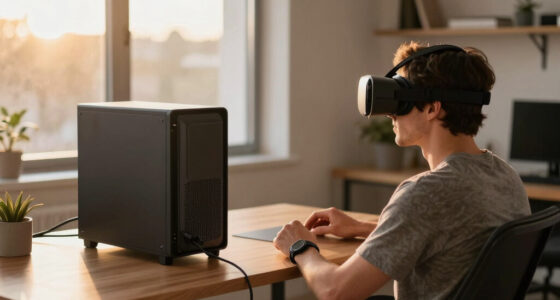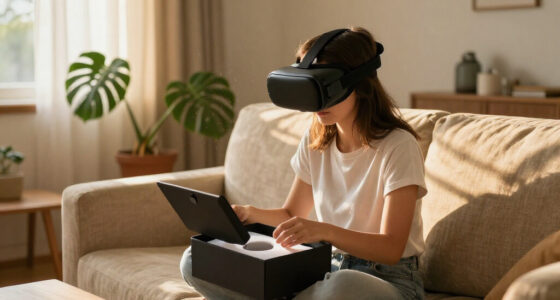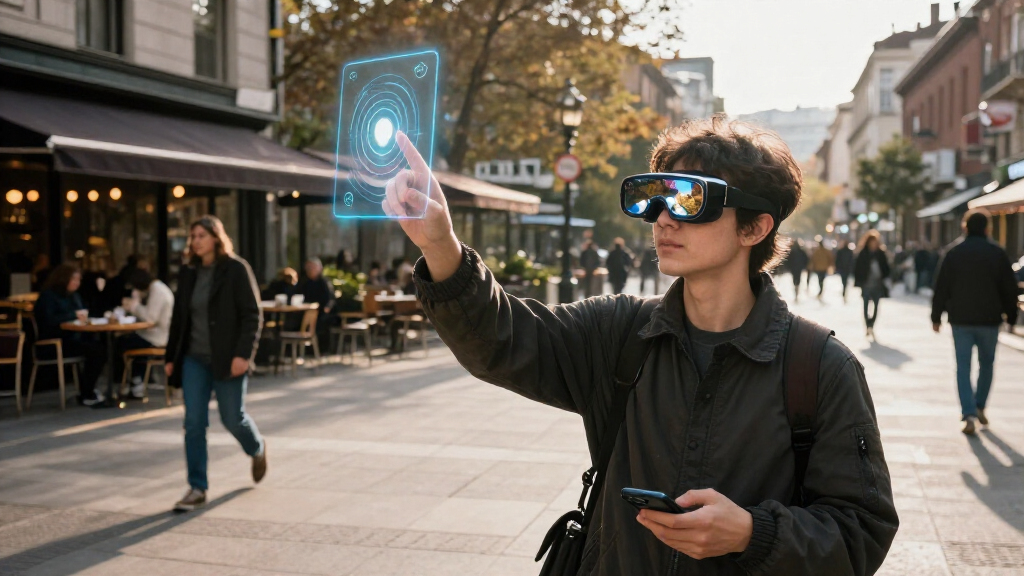

The XREAL One Pro is my best overall pick among these augmented reality smart glasses because its X1 chip and native 3DoF tracking offer a more spatial viewing experience than glasses that act mainly as a wearable screen. The VITURE Luma Pro stands out for its 1200p display and 52-degree field of view, while the RayNeo Air 4 Pro is a notable option for HDR10 and Bang & Olufsen audio. The main tradeoff is between a larger, steadier virtual screen and lighter, simpler glasses that are easier to use with a phone or handheld device. Compatibility, fit, prescription support, and whether you want AR interaction or just a private display can matter as much as resolution. Read on for my comparisons of all 15 options and guidance on choosing the right kind of glasses for your setup.

Play games on Amazon Luna for your next adventure, included with Prime
- A rotating selection of games, no download needed
- Play on TV, laptop or phone
- Fast, free delivery for your gear, too
Key Takeaways
- Spatial tracking separates the leading picks: the XREAL One Pro and XREAL 1S list native 3DoF, a feature that matters when you want a virtual screen to stay positioned rather than simply follow your head.
- Display size claims do not tell the whole story: the VITURE Luma Pro’s 1200p resolution and 52-degree field of view offer more useful comparison points than virtual-screen size alone.
- Some products serve very different jobs: the AI Smart Glasses and INMO GO3 emphasize translation and teleprompter functions, while the Ray-Ban Meta Wayfarer is a camera-and-audio smart-glasses option rather than a private large-screen display.
- Bundles and device compatibility shape value: the Rokid Max2 with Station2 adds a 3-screen setup, but buyers should weigh the extra hardware against the simpler glasses-only options.
- Several listings overlap closely: the two XREAL One Pro entries name the same model, so the roundup treats them as one distinct product rather than implying a meaningful difference.
| Rokid Max 2 AR Glasses, Black |  | Best for Myopia Adjustment | Display: Micro-OLED | Virtual screen: 215 inches at 6 meters | Field of view: 50° | VIEW LATEST PRICE | See Our Full Breakdown |
| VITURE Pro 2 XR Glasses with 120Hz Display and Adjustable Myopia Focus |  | Best Lightweight Pick | Display panels: Sony Micro-OLED | Resolution: 1080p | Virtual screen: 146 inches | VIEW LATEST PRICE | See Our Full Breakdown |
| VITURE Luma Pro XR/AR Glasses, 1200p Display, 52° Field of View |  | Best for a Wider, Sharper View | Display resolution: 1200p | Virtual screen: 152 inches | Field of view: 52° | VIEW LATEST PRICE | See Our Full Breakdown |
| XREAL One Pro AR Glasses with X1 Chip, 171-Inch 120Hz FHD Display and Native 3DoF | 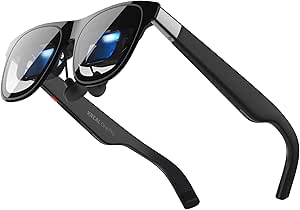 | Best for Spatial Tracking | Display: Sony 0.55-inch Micro-OLED | Resolution: FHD | Virtual screen: 171 inches | VIEW LATEST PRICE | See Our Full Breakdown |
| RayNeo Air 3s AR/XR Glasses with 201-Inch FHD HueView Display |  | Best for Colorful Media | Virtual screen: 201 inches | Resolution: FHD | Refresh rate: 120 Hz | VIEW LATEST PRICE | See Our Full Breakdown |
| Lenovo Legion Glasses Gen 2 Micro-OLED Wearable Display |  | Best for Plug-and-Play Gaming | Display: Micro-OLED | Resolution: 1920 × 1080 | Refresh rate: 120Hz | VIEW LATEST PRICE | See Our Full Breakdown |
| RayNeo Air 4 Pro AR/XR Glasses with HDR10 Display and Bang & Olufsen Audio |  | Best for HDR Viewing and Open-Ear Audio | Stated virtual display size: 201 inches | Display: HDR10 | Refresh rate: 120Hz | VIEW LATEST PRICE | See Our Full Breakdown |
| XREAL 1S AR Glasses with X1 Chip and Native 3DoF |  | Best for Built-In Spatial Viewing Modes | Display type: OLED | Resolution: 1920 × 1200 | Refresh rate: Up to 120Hz | VIEW LATEST PRICE | See Our Full Breakdown |
| VITURE Beast XR/AR Glasses with 174-Inch Virtual Display |  | Best for Immersive Viewing and Adjustable Light Control | Display: Sony Micro-OLED | Resolution: 1200p per eye | Field of view: 58° | VIEW LATEST PRICE | See Our Full Breakdown |
| Rokid Max2 AR Glasses with Station2 Spatial Computer, 3-Screen Display, 120Hz Micro-OLED |  | Best for Three-Screen Multitasking | Display type: OLED / Micro-OLED | Display resolution: 1920 × 1200 | Refresh rate: 120Hz | VIEW LATEST PRICE | See Our Full Breakdown |
| AI Smart Glasses with AR Display, Real-Time Translation, and Teleprompter |  | Best for Hands-Free Prompts | Display: 1.5-inch AMOLED | Weight: 40 g | Battery capacity: 183 mAh | VIEW LATEST PRICE | See Our Full Breakdown |
| INMO GO3 Smart Glasses with AI Translation and Teleprompter |  | Best for Translation and Communication | Display: Dual-eye monochrome LED | Translation languages: 98 | Camera: 8 MP | VIEW LATEST PRICE | See Our Full Breakdown |
| Ray-Ban Meta Gen 2 Wayfarer Large Smart Glasses with Green Lenses |  | Best for Everyday Wear and Capture | Model: Ray-Ban Meta Gen 2 | Frame style and size: Wayfarer, Large | Lens color: Green | VIEW LATEST PRICE | See Our Full Breakdown |
| XREAL xbx a01+ AR Glasses with 147-Inch Virtual Display |  | Best for a Big Screen Across Devices | Display: Dual Micro-OLED | Resolution: 1920 × 1080 per eye | Virtual display size: 147 inches | VIEW LATEST PRICE | See Our Full Breakdown |
| XREAL One Pro AR Glasses with X1 Chip, 171-Inch 120Hz FHD Display and Native 3DoF | | Best Premium Spatial Display | Processor: XREAL X1 spatial computing chip | Tracking: Native 3DoF; optional 6DoF with XREAL Eye | Virtual screen size: 171 inches | VIEW LATEST PRICE | See Our Full Breakdown |
| augmented reality smart glasse | Refresh rate | Display | Weight | Field of view |
|---|---|---|---|---|
| Rokid Max 2 AR Glasses | 120 Hz | Micro-OLED | 75 g | 50° |
| VITURE Pro 2 XR Glasses with 1 | 120 Hz | — | 63 g | 50° |
| VITURE Luma Pro XR/AR Glasses | 120 Hz | — | 81 g | 52° |
| XREAL One Pro AR Glasses with | 120 Hz | Sony 0.55-inch Micro-OLED | — | 57° |
| RayNeo Air 3s AR/XR Glasses wi | 120 Hz | — | — | — |
| Lenovo Legion Glasses Gen 2 Mi | 120Hz | Micro-OLED | 65 g | — |
| RayNeo Air 4 Pro AR/XR Glasses | 120Hz | HDR10 | 2.72 ounces | — |
| XREAL 1S AR Glasses with X1 Ch | Up to 120Hz | — | — | 52 degrees |
| VITURE Beast XR/AR Glasses wit | 120Hz | Sony Micro-OLED | 88 g | 58° |
| Rokid Max2 AR Glasses with Sta | 120Hz | — | — | — |
| AI Smart Glasses with AR Displ | — | 1.5-inch AMOLED | 40 g | — |
| INMO GO3 Smart Glasses with AI | — | Dual-eye monochrome LED | 53 g | — |
| Ray-Ban Meta Gen 2 Wayfarer La | — | — | — | — |
| XREAL xbx a01+ AR Glasses with | — | Dual Micro-OLED | 62 g | 50° |
| XREAL One Pro AR Glasses with | 120 Hz | Sony 0.55-inch Micro-OLED | — | 57° |
More Details on Our Top Picks
Rokid Max 2 AR Glasses, Black
The Rokid Max 2 is a strong fit for nearsighted viewers who want a large personal screen without prescription inserts. Its built-in adjustment covers myopia up to 600 diopters, a broader stated range than the VITURE Pro 2’s 0 to -5.00D adjustment. The 215-inch virtual display and 120 Hz Micro-OLED panel also make it appealing for video and gaming, while the 75 g frame is heavier than the VITURE Pro 2’s 63 g design. USB-C carries video and power, so there is no glasses battery to charge, but the host device must support compatible video output. The tradeoff for the generous myopia range is that it does not correct astigmatism or presbyopia; users with those needs may require separate prescription solutions.
Pros:- Built-in myopia adjustment supports up to 600 diopters.
- 215-inch virtual Micro-OLED display with a 120 Hz refresh rate.
- USB-C connection draws power from the connected device, eliminating glasses charging.
- Interchangeable nose pads allow some fit adjustment.
Cons:- Does not support astigmatism or presbyopia correction.
- At 75 g, it is heavier than the 63 g VITURE Pro 2.
- Compatibility depends on USB-C video support from the connected device.
Best for: Nearsighted viewers who want adjustable focus in the glasses and a large virtual screen for compatible USB-C phones, tablets, or computers.
Not ideal for: People with astigmatism or presbyopia, myopia beyond the adjustment range, or devices without compatible USB-C video output.
- Display:Micro-OLED
- Virtual screen:215 inches at 6 meters
- Field of view:50°
- Refresh rate:120 Hz
- Maximum brightness:600 nits
- Connectivity:USB-C
- Myopia adjustment:Up to 600 diopters
- Weight:75 g
Our verdict“Choose the Rokid Max 2 if its broad myopia adjustment and large screen matter more to you than a lighter frame or correction for other vision needs.”
VITURE Pro 2 XR Glasses with 120Hz Display and Adjustable Myopia Focus
For buyers who expect to wear display glasses for longer sessions, the 63 g VITURE Pro 2 has a clear comfort advantage over the 75 g Rokid Max 2 and 81 g VITURE Luma Pro. Its 1080p Sony Micro-OLED display, 120 Hz refresh rate, and stated peak brightness of 1600 nits make it a capable option for games and films, while independent 0 to -5.00D myopia adjustment can serve many nearsighted users without inserts. Seven nose-pad sizes and an included lens shade give it more fit and light-control flexibility than a basic setup. The main compromise is a smaller 146-inch virtual screen than the Rokid Max 2’s stated 215 inches. Connection also depends on USB-C video output, and some devices need separately sold accessories.
Pros:- Light 63 g design is lighter than the Rokid Max 2 and VITURE Luma Pro.
- 1080p Sony Micro-OLED display with a 120 Hz refresh rate.
- Independent myopia adjustment from 0 to -5.00D for each eye.
- Seven nose-pad sizes and an included removable lens shade.
Cons:- 146-inch virtual screen is smaller than the Rokid Max 2’s stated 215-inch display.
- Some consoles and non-USB-C setups require separately sold accessories.
- May feel warm during use.
Best for: People prioritizing a lighter frame for extended gaming or video sessions, especially nearsighted users within its adjustment range.
Not ideal for: Buyers seeking the largest stated virtual screen, correction beyond -5.00D, or straightforward connection to HDMI-only devices.
- Display panels:Sony Micro-OLED
- Resolution:1080p
- Virtual screen:146 inches
- Refresh rate:120 Hz
- Peak brightness:1600 nits
- Field of view:50°
- Myopia adjustment:0 to -5.00D, independently adjustable for each eye
- Weight:63 g
Our verdict“Pick the VITURE Pro 2 if low weight and built-in myopia adjustment are higher priorities than the biggest virtual screen.”
VITURE Luma Pro XR/AR Glasses, 1200p Display, 52° Field of View
The VITURE Luma Pro suits buyers who want more viewing area and resolution than the VITURE Pro 2’s 1080p, 146-inch presentation. Its 1200p display, 52° field of view, and 120 Hz refresh rate are aimed at immersive games, video, and compatible multi-screen workspaces. Electrochromic dimming lets users adjust lens darkness for changing surroundings, while adjustable temples and a magnetic nose pad offer fit flexibility. At 81 g, however, it is the heaviest of these five picks, so the lighter VITURE Pro 2 is a more natural choice for weight-sensitive wearers. HARMAN-tuned audio is built in, but multi-screen workspaces and 2D-to-3D conversion depend on compatible software. The programmable lighting is described as coming soon, so it should not drive a purchase decision.
Pros:- 1200p virtual display with a 52° field of view and 120 Hz refresh rate.
- Electrochromic dimming adjusts lens darkness to surroundings.
- Adjustable temples and magnetic nose pad support fit customization.
- HARMAN-tuned built-in audio.
Cons:- At 81 g, it is heavier than the VITURE Pro 2 and Rokid Max 2.
- Multi-screen workspace and 2D-to-3D functions require compatible software.
- Programmable RGB lighting is described as a coming-soon feature.
Best for: Users seeking a wider, higher-resolution personal display for gaming, media, or software-supported multi-screen work, with fit adjustments and lens dimming.
Not ideal for: People sensitive to frame weight or buyers who need multi-screen and 2D-to-3D features to work without compatible software.
- Display resolution:1200p
- Virtual screen:152 inches
- Field of view:52°
- Brightness:1000 nits
- Refresh rate:120 Hz
- Weight:81 g
- Connector:USB Type-C
- Audio:HARMAN-tuned
Our verdict“Choose the Luma Pro for its wider 1200p view and adjustable lens tint, provided its heavier frame and software-dependent features suit your setup.”
XREAL One Pro AR Glasses with X1 Chip, 171-Inch 120Hz FHD Display and Native 3DoF
The XREAL One Pro stands apart from the VITURE Luma Pro and RayNeo Air 3s by adding native 3DoF tracking through its built-in X1 chip. That lets the virtual display remain positioned in space rather than behaving only like a screen fixed to your view, which is useful for users who value spatial presentation. Its 57° field of view is the widest stated here, paired with a 171-inch FHD Micro-OLED display and 120 Hz refresh rate. Bose-tuned audio and adjustable electrochromic tint round out the viewing setup. The boundary is that full 6DoF spatial anchoring needs the optional XREAL Eye; the included native tracking is 3DoF. HDMI sources may also need an extra Beam or adapter, so this is less direct for non-USB-C gear.
Pros:- Built-in X1 chip provides native 3DoF tracking.
- 57° field of view is wider than the other listed glasses.
- 120 Hz Sony Micro-OLED display with up to 700 nits brightness.
- Adjustable electrochromic tint and Bose-tuned built-in audio.
Cons:- 6DoF spatial anchoring requires the optional XREAL Eye.
- Some HDMI devices need an additional Beam or adapter.
- FHD resolution is not as high as the VITURE Luma Pro’s stated 1200p.
Best for: AR display users who want native 3DoF screen positioning for compatible USB-C video devices and may later add optional 6DoF capability.
Not ideal for: Buyers expecting full 6DoF tracking out of the box or those who need to connect HDMI devices without extra hardware.
- Display:Sony 0.55-inch Micro-OLED
- Resolution:FHD
- Virtual screen:171 inches
- Field of view:57°
- Refresh rate:120 Hz
- Brightness:Up to 700 nits
- Tracking:Native 3DoF; optional 6DoF with XREAL Eye
- Motion-to-photon latency:3 ms
Our verdict“Choose the XREAL One Pro if native 3DoF tracking and a wide view matter more than out-of-box 6DoF or higher stated resolution.”
RayNeo Air 3s AR/XR Glasses with 201-Inch FHD HueView Display
The RayNeo Air 3s makes the most sense for buyers focused on colorful films and games rather than spatial tracking. Its 201-inch FHD virtual display combines a 98% DCI-P3 gamut, stated ΔE below 2, and a 120 Hz refresh rate, giving it a color-focused pitch that differs from the XREAL One Pro’s emphasis on native 3DoF. OptiCare pairs DC and PWM dimming with stepless brightness control, and the display carries TÜV SÜD low-blue-light and flicker-free certifications. Those features are intended to support viewing comfort, but they do not remove the need for breaks: the manufacturer recommends a 10-minute rest after every 30 minutes. Unlike the Rokid Max 2, this model lists USB connectivity rather than USB-C, so buyers should verify their device and connection needs before choosing it.
Pros:- 201-inch FHD virtual display with a 120 Hz refresh rate.
- 98% DCI-P3 color gamut and stated color accuracy of ΔE <2.
- OptiCare combines DC and PWM dimming with stepless brightness control.
- Built-in dual opposing acoustic chamber speakers.
Cons:- Does not list spatial tracking like the XREAL One Pro’s native 3DoF.
- Not water resistant.
- Manufacturer recommends a 10-minute break after every 30 minutes of use.
Best for: Movie and gaming viewers who prioritize wide-gamut color, smooth motion, and built-in speakers for compatible phones, computers, or consoles.
Not ideal for: People seeking spatial tracking, water resistance, or a long continuous viewing session without following the maker’s break guidance.
- Virtual screen:201 inches
- Resolution:FHD
- Refresh rate:120 Hz
- Color gamut:98% DCI-P3
- Color accuracy:ΔE <2
- Contrast ratio:200,000:1
- Dimming:3840 Hz DC dimming and PWM dimming
- Connectivity:USB
Our verdict“Pick the RayNeo Air 3s for color-focused media and gaming, but choose another option if spatial tracking or uninterrupted long sessions are priorities.”
Lenovo Legion Glasses Gen 2 Micro-OLED Wearable Display
I’d pick the Lenovo Legion Glasses Gen 2 for buyers who want a personal gaming or media screen without adding a separate spatial-computing device. Its 1920 × 1080 micro-OLED display and 120Hz refresh rate suit fast-moving games, while USB-C DisplayPort Alt Mode lets compatible devices send video directly to the glasses. Compared with the Rokid Max2 with Station2, Lenovo’s setup is simpler, but it doesn’t offer a bundled computer for standalone apps or three-screen multitasking. The tradeoff is device dependence: a USB-C connector alone is not enough unless it supports DisplayPort Alt Mode. Adjustable nose pads, a carry case, and a prescription lens frame help with fit and travel, though corrective lenses are sold separately. This is a wearable display, not a self-contained AR system, and its lack of water resistance limits where I’d take it.
Pros:- Full HD micro-OLED display paired with a 120Hz refresh rate
- Direct USB-C DisplayPort Alt Mode connection avoids a separate companion computer
- Built-in speakers provide audio without headphones
- Adjustable nose pads, carry case, and prescription lens frame are included
Cons:- Requires a compatible USB-C port with DisplayPort Alt Mode
- Prescription lenses must be purchased separately
- Not water resistant
Best for: Handheld-console and laptop gamers who want a portable private screen and already own a USB-C DisplayPort Alt Mode device.
Not ideal for: Buyers seeking standalone apps, advanced spatial multitasking, or glasses that work with any USB-C phone regardless of video output support.
- Display:Micro-OLED
- Resolution:1920 × 1080
- Refresh rate:120Hz
- Maximum brightness:800 nits
- Connectivity:USB-C with DisplayPort Alt Mode
- Audio:Built-in high-fidelity speakers
- Weight:65 g
- Included accessories:Carry case, adjustable nose pads, prescription lens frame
Our verdict“Choose Lenovo for a straightforward gaming display, but choose the Rokid Max2 bundle if you want a dedicated spatial computer and multitasking features.”
RayNeo Air 4 Pro AR/XR Glasses with HDR10 Display and Bang & Olufsen Audio
The RayNeo Air 4 Pro is the pick I’d make for viewers who care more about vivid video and built-in sound than about on-glasses spatial controls. Its HDR10 display, 120Hz refresh rate, and Vision 4000 chip are aimed at rich, smooth playback; four Bang & Olufsen-tuned speakers also make private viewing less dependent on headphones. Against the Lenovo Legion Glasses Gen 2, RayNeo emphasizes HDR processing and a larger stated virtual screen rather than Lenovo’s straightforward Full HD gaming-display pitch. Neither is self-contained: Air 4 Pro has no internal battery and needs a compatible connected device for power and content. Native 3D and AI 2D-to-3D conversion add appeal for compatible iPhones, but that conversion support is narrower than the broad USB-C device list. Buyers who need more focused audio may also want the separately sold Sound Tube.
Pros:- HDR10 display and Vision 4000 processing target enhanced color and contrast
- 120Hz refresh rate supports smooth gaming and video
- Four Bang & Olufsen-tuned speakers provide open-ear audio
- USB-C plug-and-play design requires no Wi-Fi or companion app
Cons:- Has no internal battery and depends on a connected compatible device
- 2D-to-3D conversion is specified for compatible iPhones
- Optional Sound Tube for more focused listening is sold separately
Best for: Phone, tablet, and handheld-console viewers who want HDR-style media, high-refresh playback, and open-ear audio from a lightweight USB-C display.
Not ideal for: Buyers who need glasses that operate without a connected device, want fully self-contained AR functions, or expect 2D-to-3D conversion across all platforms.
- Stated virtual display size:201 inches
- Display:HDR10
- Refresh rate:120Hz
- Processor:Vision 4000
- Audio:Four Bang & Olufsen-tuned speakers
- Connectivity:USB Type-C
- Power:No internal battery; powered through connected device
- Weight:2.72 ounces
Our verdict“Choose RayNeo for HDR-focused viewing and built-in open-ear sound, while Lenovo is the simpler alternative if Full HD gaming display use is your main goal.”
XREAL 1S AR Glasses with X1 Chip and Native 3DoF
The XREAL 1S makes the most sense for buyers who want more than a fixed screen: its X1 chip supports native 3DoF viewing, with modes for anchoring, follow viewing, ultrawide layouts, and 3D. That gives it a more spatial focus than the Lenovo Legion Glasses Gen 2, which is primarily a direct-connected display. The 1920 × 1200 OLED panel and refresh rates up to 120Hz in 3DoF mode also give games and video a sharp, fluid canvas. On-device display adjustments mean less reliance on a companion app for basic tuning. There are compatibility caveats, though: spatial features require a USB-C DisplayPort-enabled device, and the supplied platform details are not fully consistent, listing iOS as the operating system while also naming Android among supported platforms. I’d verify support for my specific device before choosing it.
Pros:- Native 3DoF and multiple spatial viewing modes are built in
- 1920 × 1200 OLED display supports refresh rates up to 120Hz in 3DoF mode
- X1 chip enables on-device brightness, color, tint, and mode adjustments
- Bose-co-developed open-ear audio and certified eye-comfort functions are included
Cons:- Spatial viewing requires a USB-C DisplayPort-enabled device
- Operating-system and platform compatibility details are inconsistent
- The stated screen size is a virtual image, not a physical panel
Best for: Mobile gamers and media viewers who want anchored or ultrawide virtual screens and have a verified USB-C DisplayPort-compatible device.
Not ideal for: Buyers who need broad, clearly documented device compatibility or expect AR glasses to work through USB-C charging ports without video output.
- Display type:OLED
- Resolution:1920 × 1200
- Refresh rate:Up to 120Hz
- Field of view:52 degrees
- Stated virtual screen size:Up to 500 inches
- Connectivity:USB-C DisplayPort
- Sensors:Accelerometer and gyroscope
- IPD range:59.5–70.5 mm
Our verdict“Choose XREAL 1S for native spatial modes and on-device adjustments, but confirm device support before buying; Lenovo is a simpler fixed-display option.”
VITURE Beast XR/AR Glasses with 174-Inch Virtual Display
I’d put the VITURE Beast ahead of simpler display glasses for buyers who want a wide, adjustable view without relying on software running on the glasses themselves. Its 58° field of view, 1200p-per-eye Sony Micro-OLED display, and built-in 3DoF tracking support a more spatial feel than the fixed-screen approach of the Lenovo Legion Glasses Gen 2. Electrochromic dimming offers several levels of light control, while Auto Transparency helps shift back toward awareness of the surroundings. The aluminum-magnesium frame and adjustable temples add a more substantial fit-focused design, but at 88 g it is heavier than the 65 g Lenovo. It also depends on an external device for content and SpaceWalker features, so the 174-inch figure describes a virtual image rather than a physical screen. Prescription-ready support is useful, though fit still depends on matching the stated IPD size range.
Pros:- Sony Micro-OLED display offers 1200p resolution per eye and 120Hz refresh
- Built-in 3DoF tracking and screen customization support spatial viewing
- Electrochromic dimming and Auto Transparency help balance immersion with awareness
- Adjustable temples, interchangeable nose pads, and prescription-ready design support fit options
Cons:- Requires an external device for content and SpaceWalker features
- At 88 g, it is heavier than the Lenovo Legion Glasses Gen 2
- The 174-inch screen is a virtual image, not a physical display
Best for: Frequent travelers and spatial-screen users who want built-in 3DoF, a wide field of view, adjustable dimming, and prescription-lens compatibility.
Not ideal for: Buyers prioritizing the lightest possible glasses, standalone content, or a physical 174-inch display.
- Display:Sony Micro-OLED
- Resolution:1200p per eye
- Field of view:58°
- Refresh rate:120Hz
- Peak brightness:1250 nits
- Tracking:Built-in 3DoF
- Dimming:9+ electrochromic levels
- Weight:88 g
- Frame material:Aerospace-grade aluminum-magnesium alloy
Our verdict“Choose VITURE Beast for spatial viewing and adjustable light control, but choose Lenovo if lower weight and a straightforward display connection matter more.”
Rokid Max2 AR Glasses with Station2 Spatial Computer, 3-Screen Display, 120Hz Micro-OLED
The Rokid Max2 with Station2 is the strongest fit here for people who want a more self-contained spatial setup, not just glasses that mirror a connected device. Station2 runs YodaOS-Master and supports three-screen multitasking, giving it a different job from the direct-connected Lenovo Legion Glasses Gen 2. The glasses’ 1920 × 1200 display and 120Hz refresh rate suit media and gaming, while adjustable myopia correction can reduce dependence on prescription inserts for some users. Station2 also adds Wi-Fi, storage, and a 5,000mAh battery, but its listed runtime is only 3.5 hours, so longer sessions may need a charging plan. Android users should note that three-screen display is limited to DLNA connections. The glasses weigh 75 g, and the combined glasses-and-computer setup is less minimal than a direct USB-C pair.
Pros:- Station2 enables three-screen multitasking and multiple viewing modes
- 1920 × 1200 display with a 120Hz refresh rate
- Adjustable myopia correction up to 600 degrees and Station2 IPD adjustment
- Station2 includes 8GB RAM, 128GB storage, Wi-Fi 6, and Bluetooth 5.2
Cons:- Station2 runtime is listed as 3.5 hours
- Three-screen display on Android is limited to DLNA connections
- Myopia correction does not support astigmatism and is limited to 600 degrees
Best for: Multitaskers who want several virtual screens and are comfortable carrying a companion computer for apps, media, and spatial features.
Not ideal for: Buyers who want the lightest, simplest glasses-only connection, need longer untethered sessions, or have astigmatism that requires correction.
- Display type:OLED / Micro-OLED
- Display resolution:1920 × 1200
- Refresh rate:120Hz
- Maximum brightness:600 nits
- Myopia correction:Up to 600 degrees
- Glasses weight:75 g
- Station2 battery and runtime:5,000mAh; 3.5 hours
- Memory and storage:8GB RAM; 128GB
- Operating system:YodaOS-Master
Our verdict“Choose Rokid Max2 with Station2 for three-screen multitasking and a companion spatial computer, but choose Lenovo for a lighter, direct-connected display setup.”
AI Smart Glasses with AR Display, Real-Time Translation, and Teleprompter
This is the most task-focused option here for buyers who want information in their line of sight rather than a large virtual screen. Its 1.5-inch AMOLED display can show translation, navigation cues, notifications, and teleprompter scripts, giving it a different purpose from the XREAL xbx a01+, which is built around viewing a large video or work display. Bluetooth support for iOS and Android, voice control, and gesture input offer several ways to interact without reaching for a phone. At 40 g, it is also lighter than the INMO GO3. The tradeoff is endurance: its listed 2.5-hour battery life is far shorter than the GO3’s up-to-eight-hour claim. Water protection is only described as water repellent, so I would not treat it as weatherproof.
Pros:- Displays translation, notifications, teleprompter scripts, and navigation cues in the user’s line of sight.
- Works with iOS and Android devices through Bluetooth.
- Voice control and gesture input support hands-free interaction.
- Light 40 g frame with open-ear audio.
Cons:- Listed battery life is only 2.5 hours.
- Water protection is described only as water repellent.
- Its small information display is not a substitute for a large virtual screen like the XREAL xbx a01+.
Best for: Presenters, travelers, and mobile workers who want short prompts, translation, or navigation cues in their view without using a phone screen.
Not ideal for: People who need all-day wearable battery life, a large entertainment display, or clearly specified water resistance.
- Display:1.5-inch AMOLED
- Weight:40 g
- Battery capacity:183 mAh
- Listed battery life:2.5 hours
- Compatibility:Android Wear 8.1; iOS 10 and above
- Connectivity:Bluetooth
- Controls:Gesture input and microphone
- Frame material:Nylon and polycarbonate
Our verdict“Choose these for lightweight, glanceable work and travel prompts, but skip them if you need long battery life or immersive screen viewing.”
INMO GO3 Smart Glasses with AI Translation and Teleprompter
The GO3 is the communication specialist in this group: its dual-eye monochrome display supports live captions, navigation, and translation across 98 languages, while the teleprompter is aimed at speeches and reports. That wider language coverage and its included camera give it more communication tools than the simpler AI Smart Glasses in this roundup. The two magnetic-swap batteries and claimed up-to-eight-hour runtime also make it a stronger choice for extended sessions than that model’s 2.5-hour battery life. The compromise is a heavier 53 g frame and no water resistance, so I would keep it away from rain. It has built-in HERE Maps navigation but no GPS, which makes it less suited to buyers who specifically need GPS-based location features.
Pros:- Supports translation across 98 languages, plus photo translation and live captions.
- Includes a teleprompter, 8MP camera, and AI meeting and voice assistant features.
- Two magnetic-swap batteries are included, with up to 8 hours of stated battery life.
- Dual-eye display presents captions and prompts across both eyes.
Cons:- Not water resistant.
- No GPS; navigation uses built-in HERE Maps.
- At 53 g, it weighs more than the 40 g AI Smart Glasses in this roundup.
Best for: Frequent travelers, multilingual professionals, and speakers who need live captions, translation, and teleprompter support across longer sessions.
Not ideal for: Outdoor users who need water resistance or GPS, and buyers who prefer a lighter frame or a full-color display.
- Display:Dual-eye monochrome LED
- Translation languages:98
- Camera:8 MP
- Battery life:Up to 8 hours
- Included batteries:2 magnetic-swap batteries
- Weight:53 g
- Navigation:HERE Maps; no GPS
- Water resistance:Not water resistant
Our verdict“Pick the GO3 for language-heavy travel and presentation work, provided you can protect it from water and do not require GPS.”
Ray-Ban Meta Gen 2 Wayfarer Large Smart Glasses with Green Lenses
These Ray-Bans suit buyers who want familiar sunglasses with a camera, calls, open-ear audio, and voice-enabled Meta AI—not a literal AR display. That distinction matters: unlike the prompt-oriented INMO GO3 or screen-focused XREAL xbx a01+, the Wayfarer does not project information into the wearer’s view. Its strength is a conventional-looking frame that combines hands-free capture and audio without asking the wearer to adopt a conspicuous display-first design. The up-to-eight-hour battery life is backed by a case offering up to 48 additional hours of charging, which gives it a different kind of everyday convenience than the glasses that rely on a short standalone charge. Still, buyers seeking overlays, captions, or spatial screens should skip it; the AR display is not included, and battery life varies with use.
Pros:- Classic large Wayfarer frame with green lenses.
- Camera supports hands-free capture.
- Open-ear audio and hands-free calls let users stay aware of their surroundings.
- Charging case provides up to 48 additional hours of charging.
Cons:- No augmented-reality display, unlike the INMO GO3 and XREAL models in this roundup.
- Battery life varies with use.
- Its camera-and-audio focus does not provide the in-view prompts or virtual screens some AR buyers want.
Best for: People who want Wayfarer-style sunglasses with hands-free photos, calls, open-ear audio, and voice AI, but do not need visual AR overlays.
Not ideal for: Buyers specifically seeking augmented-reality display content, teleprompter text, live captions, or a virtual screen.
- Model:Ray-Ban Meta Gen 2
- Frame style and size:Wayfarer, Large
- Lens color:Green
- Features:Camera, open-ear audio, Bluetooth, hands-free calls, Meta AI
- Battery life:Up to 8 hours with moderate use
- Charging case:Up to 48 additional hours of charging
- Augmented-reality display:Not included
Our verdict“Choose these for everyday smart sunglasses and hands-free capture, not for an actual AR display.”
XREAL xbx a01+ AR Glasses with 147-Inch Virtual Display
The xbx a01+ is a wearable display first: its dual Full HD Micro-OLED panels create a virtual screen for compatible phones, handhelds, tablets, and computers. That makes it a better fit for movies or a private work screen than the INMO GO3, whose smaller monochrome display focuses on text, translation, and prompts. Compared with the XREAL One Pro, this model offers a slightly smaller stated virtual screen and narrower field of view, but its USB-C DisplayPort connection keeps the setup direct and powers the glasses without a separate battery. The connection is also the main limitation: devices without compatible video output may need an adapter, and the glasses are not water resistant. Prescription inserts are sold separately, which adds another fit-related purchase for some wearers.
Pros:- Dual 1920 × 1080 Micro-OLED panels support HDR10.
- Up to 1600 nits of stated brightness helps the virtual display remain visible across varied viewing conditions.
- USB-C DisplayPort connection powers the glasses without a separate battery.
- Directional speakers and three included nose-pad sizes support personal viewing and fit adjustment.
Cons:- Some devices require an adapter, including Nintendo Switch/Switch 2 and older Lightning iPhones.
- Prescription inserts are sold separately.
- Not water resistant and offers a narrower 50° field of view than the XREAL One Pro.
Best for: Handheld gaming, laptop, tablet, and phone users who want a bright private virtual screen and have compatible USB-C DisplayPort output.
Not ideal for: People seeking translation or teleprompter overlays, users with devices lacking compatible video output, or anyone needing water resistance.
- Display:Dual Micro-OLED
- Resolution:1920 × 1080 per eye
- Virtual display size:147 inches
- Maximum brightness:1600 nits
- Field of view:50°
- Connectivity:USB-C DisplayPort
- Weight:62 g
- Water resistance:Not water resistant
Our verdict“Choose the xbx a01+ for a bright, wired virtual screen across compatible devices, but check video-output support before buying.”
XREAL One Pro AR Glasses with X1 Chip, 171-Inch 120Hz FHD Display and Native 3DoF
The One Pro earns the premium spatial-display role through a combination of native 3DoF tracking, a 120Hz Micro-OLED screen, and a wider 57° field of view. Rather than keeping the virtual screen fixed to every head movement, its X1 chip can hold the display in a chosen position in space, a meaningful step up from the xbx a01+’s stated stabilized screen tracking. Its 171-inch virtual screen is also larger than that model’s 147-inch screen, while Bose-tuned audio adds an entertainment-focused touch. The tradeoffs are practical: compatible devices need USB-C video output, and the listed 6DoF spatial anchoring requires the optional XREAL Eye. Buyers who mainly need translation or glanceable prompts may find the INMO GO3 better matched to their tasks than this screen-centered design.
Pros:- Native 3DoF tracking is built in through the XREAL X1 chip.
- 120Hz Sony Micro-OLED display and 57° field of view support a fluid, broad viewing experience.
- Adjustable electrochromic tint and customizable fit help adapt the glasses to different users and environments.
- Bose-tuned audio is built into the glasses.
Cons:- USB-C video output is required for device compatibility.
- 6DoF spatial anchoring requires the optional XREAL Eye.
- Its screen-first approach is less suited to translation and teleprompter tasks than the INMO GO3.
Best for: Frequent users of compatible phones, handhelds, or computers who want a large high-refresh virtual screen with spatial positioning for gaming or media.
Not ideal for: Buyers whose devices lack USB-C video output, those seeking translation-first glasses, or anyone expecting 6DoF anchoring without the optional XREAL Eye.
- Processor:XREAL X1 spatial computing chip
- Tracking:Native 3DoF; optional 6DoF with XREAL Eye
- Virtual screen size:171 inches
- Display:Sony 0.55-inch Micro-OLED
- Refresh rate:120 Hz
- Field of view:57°
- Motion-to-photon latency:3 ms
- Compatibility:USB-C devices with video output
Our verdict“Choose the One Pro for a spatially positioned, high-refresh virtual display if your device supports USB-C video and 3DoF meets your needs.”

How We Picked
I ranked these augmented reality smart glasses by how well their stated features match practical buyer needs: private-screen viewing, spatial placement, display clarity, comfort-related adjustment, and everyday smart functions. I gave more weight to features that change the experience—such as native 3DoF, adjustable myopia focus, HDR10, and a wider field of view—than to large virtual-screen figures on their own. I also separated display-focused glasses from camera, translation, and teleprompter models, since they solve different problems and should not be compared as if they were interchangeable.
The order favors options with a clearer combination of useful display features and spatial capability, followed by more specialized or simpler alternatives. I considered system complexity and compatibility as part of the tradeoff: a glasses-and-computing-station bundle may suit a buyer seeking multiple screens, but it adds another device to manage. Product names and supplied specifications were the basis for this editorial comparison; where the listing gives limited detail, I avoid treating an unlisted capability as a confirmed advantage. The duplicate XREAL One Pro listing is identified as a duplicate, not counted as a distinct design.
Factors to Consider When Choosing Augmented Reality Smart Glasses
Before choosing, decide what you expect the glasses to do on an ordinary day. A wearable display, spatial AR interface, and AI smart-glasses assistant are different product categories, even when listings use the same AR or XR labels. These factors can help you avoid paying for features that do not match your devices or habits.
Choose Between a Private Screen and Spatial AR
Start by asking whether you want a screen for films, games, or laptop work, or whether you want content anchored in space as you move your head. A display-focused model can be a strong fit for private viewing even if it lacks advanced spatial behavior. Native 3DoF, named on the XREAL One Pro and XREAL 1S, points to a more spatial viewing approach, but it does not by itself tell you how every app will behave. A common mistake is assuming that every product called AR glasses can run the same apps or place content in the same way. Check which devices and software support the exact experience you want before treating a feature label as a guarantee. If your priority is a stable virtual screen, focus on tracking and the platform alongside image quality.
Look Past the Virtual Screen Size
Listings often describe a virtual display by comparing it with a large screen viewed at a distance, but that figure alone does not explain how the image feels through the lenses. Resolution, field of view, contrast features, and how well the glasses fit your face all affect perceived clarity and immersion. The VITURE Luma Pro lists both 1200p and a 52-degree field of view, giving buyers more context than a screen-size claim by itself. A wider view may feel more enveloping, while a sharper image can help small text; neither automatically makes a pair better for every use. If you mainly read documents, prioritize legibility and comfortable alignment over the biggest screen figure. For video, weigh image characteristics with the audio and device setup you plan to use.
Check Fit and Prescription Needs Before Features
Glasses sit close to the eyes, so fit can decide whether a strong display is usable for more than a short session. Nose support, weight distribution, lens alignment, and the ability to accommodate your prescription are worth checking in the manufacturer’s specifications and fit guidance. The VITURE Pro 2 explicitly lists adjustable myopia focus, which may be useful for some nearsighted buyers, but that does not mean it replaces every prescription solution. Do not assume that a focus adjustment will suit your eyesight or that standard frames will fit comfortably over your regular glasses. If possible, verify prescription options and return terms before purchase. Buyers who skip fit checks may end up with a capable device that is tiring or difficult to align.
Match the Glasses to Your Source Device
Compatibility is a practical gate, not a small detail: the glasses need to work with the phone, computer, handheld console, or other source you intend to use. Confirm the connection method, supported devices, and whether the desired functions require an app, adapter, or separate computing accessory. The Rokid Max2 bundle with Station2 offers a more involved multi-screen setup, while many other entries are presented primarily as glasses. Extra hardware can broaden what a setup does, but it also means another device to charge, carry, and troubleshoot. Check whether your main device can provide the video output the glasses need before focusing on display specifications. A compatibility mismatch can matter more than a modest difference in resolution.
Separate Display Glasses from AI and Camera Glasses
The phrase smart glasses covers products with different priorities, so compare the task rather than the label. The AI Smart Glasses and INMO GO3 highlight translation and teleprompter tools, while the Ray-Ban Meta Wayfarer is framed around camera and audio functions. Those roles differ from a wearable cinema-style display such as the Rokid or VITURE options. Consider where you will use the device, whether you need a visible display, and whether recording or translation functions suit your privacy expectations. A camera-equipped pair is not automatically a substitute for a private screen, and a display-focused pair may not offer the hands-free assistance you want. Choose the function you will use most often, then treat secondary features as bonuses.
Pay More Only for a Feature You Will Use
Higher-end features have value when they address a specific limit in your current setup. Native spatial tracking may matter to someone who wants a screen positioned in space, while HDR10 may appeal to a buyer focused on supported video content. Adjustable focus can matter more than either feature for a buyer whose eyesight makes alignment difficult. Do not let a bundle, a large screen comparison, or a long feature list stand in for a clear use case. List your main source device, typical session length, and most frequent task before comparing models. If a simpler pair meets those needs, added hardware and functions may create complexity without improving your daily use.
Frequently Asked Questions
Are these glasses a replacement for a monitor or television?
They can provide a private virtual screen for compatible devices, but they do not replace every feature of a conventional monitor or television. You still need to check connection support, how the image is positioned, and whether the glasses suit your intended session length. A spatial feature such as native 3DoF may help keep a screen placed in view, while basic display glasses may behave more like a screen that follows your head. For shared viewing, a regular display remains more practical. Treat glasses as a personal display option and verify the workflow you expect before buying.
Do I need native 3DoF for watching videos or playing games?
No; native 3DoF is not a requirement for every video or gaming setup. It matters more if you want a virtual screen to remain in a position as you turn your head, rather than staying centered with your view. For straightforward viewing, display quality, comfort, and compatibility with your source device may matter more. The XREAL One Pro and XREAL 1S list native 3DoF, while buyers should check the exact behavior and app support for their chosen setup. Decide whether spatial placement is part of your routine before paying extra attention to tracking features.
Can I use augmented reality smart glasses if I wear prescription glasses?
Possibly, but the answer depends on the model, your prescription, and how the lenses align with your eyes. Some designs may allow prescription inserts or offer focus adjustment, while others may not fit comfortably over regular frames. The VITURE Pro 2 lists adjustable myopia focus, but buyers should confirm whether that adjustment matches their vision needs rather than assuming it replaces prescription lenses. Check the manufacturer’s supported prescription range and fit guidance before ordering. If vision correction is necessary, treat it as a compatibility requirement, not an optional accessory.
Should I buy glasses with a separate computing station?
A separate station can make sense if it adds functions you will use, such as the Rokid Max2 bundle’s advertised 3-screen setup. It also adds another piece of hardware to carry, charge, connect, and maintain. If your phone, computer, or handheld device already supports the display workflow you need, a glasses-only setup may be simpler. Before choosing a bundle, identify which tasks the station enables and check whether those tasks work with your devices. Buy the extra hardware for a defined capability, not just because a bundle sounds more complete.
Which type should I choose if I want translation or hands-free assistance rather than a large screen?
Look first at models that explicitly list those functions rather than assuming a wearable display will provide them. The AI Smart Glasses and INMO GO3 list translation and teleprompter features, while the Ray-Ban Meta Wayfarer is a different smart-glasses option centered on camera and audio. These products serve distinct needs, and their feature labels do not establish that they share the same language support, privacy controls, or app compatibility. Check supported languages, how information appears, and whether the device requires a connected phone. If a large private screen is not your goal, a display-first model may add little value.
Conclusion
For the best overall balance, I recommend the XREAL One Pro for buyers who want a wearable display with native 3DoF; the supplied list names it twice, but those entries describe the same model. For best value, I would compare the RayNeo Air 3s and Lenovo Legion Glasses Gen 2 against your source device and display needs, since the provided specifications do not establish a clear price advantage. The best premium-style display pick is the VITURE Luma Pro for buyers drawn to its stated 1200p resolution and 52-degree field of view, while the best option for beginners is a simpler display-first model that works with a device they already own and does not require an added station. For spatial viewing, look at the XREAL One Pro or XREAL 1S; for a multi-screen bundle, consider the Rokid Max2 with Station2; and for translation or teleprompter needs, compare the AI Smart Glasses with the INMO GO3. Choose based on your main task, compatibility, and fit—not the largest virtual-screen claim.