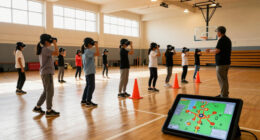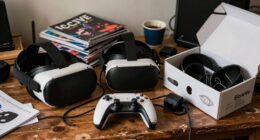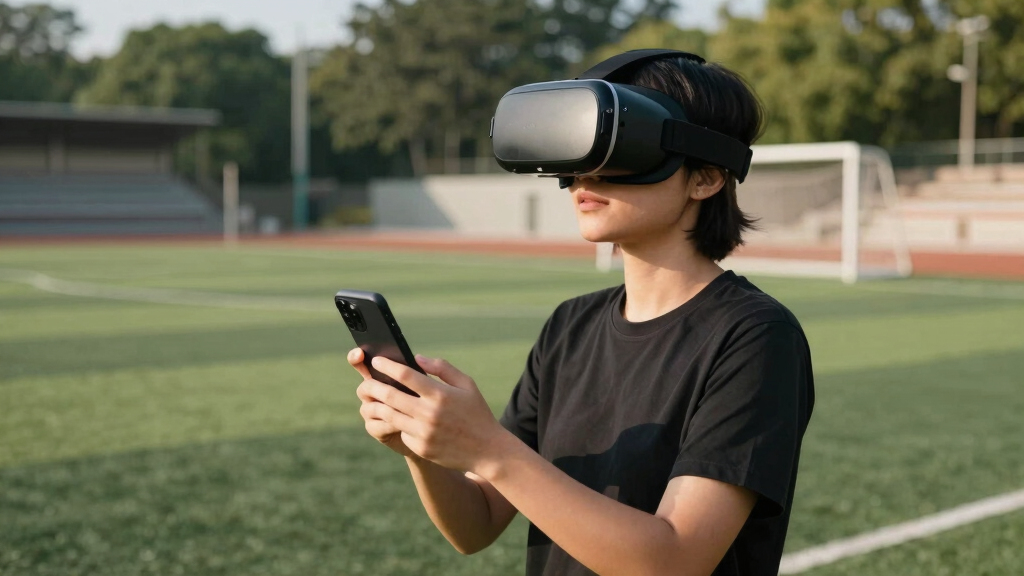
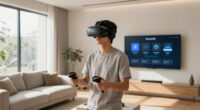
The Meta Quest 3S 128GB is my best overall choice among VR headsets for soccer viewing because its standalone platform offers the strongest mix of immersion, usability, and app flexibility. The GOOVIS G3 Max is the premium choice for buyers focused on a sharp personal-cinema presentation, while the VR Headset with Built-in Headphones offers a simpler, lower-cost route for smartphone viewing. The main choice is between a true standalone VR system, display glasses that mirror a conventional stream, and inexpensive phone goggles with limited image quality. Buyers must also weigh comfort, broadcast compatibility, resolution, and the extra hardware needed to play a match. Continue reading for the full breakdown and buyer-specific recommendations.

Play games on Amazon Luna for your next adventure, included with Prime
- A rotating selection of games, no download needed
- Play on TV, laptop or phone
- Fast, free delivery for your gear, too
Complete the kit



Key Takeaways
- Meta Quest 3S ranks first because its standalone hardware and established software platform make it more versatile than phone goggles and less dependent on a wired source than display glasses.
- GOOVIS G3 Max is the premium viewing pick, but its personal-cinema focus and higher cost make it less flexible than Meta Quest 3S for buyers who also want room-scale VR.
- RayNeo Air 4 Pro and Air 3s Pro suit conventional match streams displayed on a large virtual screen; they do not deliver the same head-tracked stadium feeling as a dedicated VR broadcast.
- Built-in audio separates the strongest budget option from the many similar smartphone shells, although phone resolution, heat, battery drain, and streaming quality still set the ceiling.
- Content access matters more than headline field of view: no headset can create an immersive soccer broadcast when the league, broadcaster, or app supplies only a standard flat video feed.
| Meta Quest 3S 128GB VR Headset |  | Best Overall | Storage: 128GB | Battery Life: 2+ hours | Memory: 8GB RAM | VIEW LATEST PRICE | See Our Full Breakdown |
| VR Headset with Built-in Headphones |  | Best Budget Match-Day Audio | Field of View: 120 degrees | Lens Resolution Claim: 1080P | Phone Compatibility: 4.7 to 7.2 inches | VIEW LATEST PRICE | See Our Full Breakdown |
| GOOVIS G3 Max XR Head Mounted Display |  | Best Premium Picture | Display: Dual 2.5K Sony Micro OLED | Virtual Screen Size: Up to 1000 inches | Refresh Rate: 120Hz | VIEW LATEST PRICE | See Our Full Breakdown |
| Universal 3D Virtual Reality Goggles |  | Best for Shared Family Viewing | Phone Compatibility: 4.7 to 7 inches | Pupil Distance: Adjustable | Blue-Light Filtering: Supported | VIEW LATEST PRICE | See Our Full Breakdown |
| 3D VR Headset Virtual Reality Glasses with Controller |  | Best for Remote Media Control | Phone Compatibility: 4.5 to 6.7 inches | Mobile Platforms: iPhone and Android | Viewing Angle: Up to 110 degrees | VIEW LATEST PRICE | See Our Full Breakdown |
| VR Headset 3D VR Glasses Virtual Reality Goggles |  | Best Budget Phone Viewer | Minimum phone size: 4.7 inches | Maximum phone size: 7 inches | Device type: Smartphone VR viewer | VIEW LATEST PRICE | See Our Full Breakdown |
| VR Headset for Phone with Controller |  | Best for Families | Device type: Smartphone VR headset | Maximum phone size: 6.3 inches | iPhone compatibility: iPhone 12, 13, 14, 15, and 16 series | VIEW LATEST PRICE | See Our Full Breakdown |
| RayNeo Air 3s Pro AR/XR Glasses |  | Best for Bright Rooms | Brightness: 1,200 nits | Virtual display size: 201 inches | Display technology: Micro-OLED | VIEW LATEST PRICE | See Our Full Breakdown |
| RayNeo Air 4 Pro AR/XR Glasses |  | Best Premium Match Display | Virtual display size: 201 inches | Display format: HDR10, flicker-free | Refresh rate: 120Hz | VIEW LATEST PRICE | See Our Full Breakdown |
| XREAL Beam Pro AR Glasses with 3D Cameras and Android 14 |  | Best Spatial Media Hub | Display resolution: FHD 1080p | Refresh rate: 90Hz | Operating system: Android 14 | VIEW LATEST PRICE | See Our Full Breakdown |
| 3D VR Headset for 5.0-7.0 Inch Smartphones |  | Best for Built-In Media Controls | Headset Type: Smartphone-based 3D VR headset | Phone Compatibility: 5.0-7.0-inch smartphones | Focus Adjustment: Adjustable | VIEW LATEST PRICE | See Our Full Breakdown |
| Virtual Reality Goggles with Wide-Angle Lens |  | Best for Wider Phone Compatibility | Headset Type: Smartphone-based 3D VR goggles | Lens Type: Double-spherical optical lenses | Field of View: 100 degrees | VIEW LATEST PRICE | See Our Full Breakdown |
More Details on Our Top Picks
Meta Quest 3S 128GB VR Headset
I rank the Meta Quest 3S first because its standalone, wireless design offers the most flexible route to virtual soccer broadcasts, social watch parties, and other immersive content without requiring a phone or video source. Its Snapdragon XR2 Gen 2 processor and 8GB of memory also make it more capable than the smartphone-powered models here. The GOOVIS G3 Max XR offers sharper Micro OLED screens for conventional match video, but it needs an external device and costs more. The Quest has its own compromises: two-plus-hour battery life may not cover a match with extended pregame and postgame coverage, while 128GB can feel restrictive once games and media apps accumulate. The Gorilla Tag extras add gaming value, though they do little for a buyer focused solely on soccer.
Pros:- Standalone wireless operation does not depend on a smartphone or video cable
- Snapdragon XR2 Gen 2 supports responsive apps and faster loading
- Dual RGB cameras support color passthrough and mixed-reality features
- Horizon+ trial adds access to a broader VR content library
Cons:- Battery may run short during a match surrounded by lengthy studio coverage
- 128GB storage can fill quickly when shared with games and downloaded media
- Soccer viewing options depend on regional app and broadcast availability
Best for: Soccer fans who want a wireless standalone headset for immersive broadcasts, social viewing, and VR entertainment beyond match day
Not ideal for: Viewers who need enough battery for long broadcasts without recharging or who only want a private screen for standard TV coverage
- Storage:128GB
- Battery Life:2+ hours
- Memory:8GB RAM
- Processor:Snapdragon XR2 Gen 2
- Cameras:Dual RGB color cameras
- Operation:Wireless standalone VR
- Included Bundle:Gorilla Tag items
- Trial:3 months of Meta Horizon+
Our verdict“The Meta Quest 3S is my best all-around choice for soccer viewers who want standalone VR flexibility and accept limited battery life.”
VR Headset with Built-in Headphones
I place this phone-based headset above the other basic goggles for viewers who want built-in stereo headphones without buying separate audio gear. Its 120-degree field of view is wider than the 110-degree rating of the 3D VR Headset with Controller, which can make compatible soccer footage feel less boxed in. It also accepts phones up to 7.2 inches, giving it the broadest stated size range in this batch. Still, the 1080P lens claim does not replace the phone’s own display resolution, and ordinary broadcast video will remain a large virtual screen rather than true field-level VR. Unlike the controller-equipped model, it provides only button control, so navigation may require removing the phone. Manual lens and headband adjustments also make it less immediate than the Meta Quest 3S.
Pros:- Built-in adjustable stereo headphones combine viewing and audio in one unit
- 120-degree field of view is wider than the controller-equipped phone headset
- Supports a broad range of 4.7-to-7.2-inch Android and iOS phones
- Magnetic front cover supports heat dissipation around the phone
Cons:- No Bluetooth controller is supplied for navigating apps at a distance
- Final image quality depends heavily on the installed smartphone
- Manual fit adjustments add setup time before viewing
Best for: Budget viewers who want private stereo sound and a wide view while watching phone-based soccer video
Not ideal for: Fans seeking standalone VR apps or convenient wireless menu control, since a compatible phone is required and no Bluetooth controller is included
- Field of View:120 degrees
- Lens Resolution Claim:1080P
- Phone Compatibility:4.7 to 7.2 inches
- Platforms:Android and iOS
- Lens Technology:Aspherical
- Controls:Button control
- Audio:Built-in stereo headphones
- Headband:Adjustable
- Front Cover:Magnetic heat-dissipation cover
Our verdict“This is my budget audio pick for phone viewers who value a wide field of view more than standalone operation or remote control.”
GOOVIS G3 Max XR Head Mounted Display
I give the GOOVIS G3 Max XR the premium-picture role because its dual 2.5K Sony Micro OLED panels, 95% DCI-P3 color coverage, and 120Hz refresh rate are the strongest display credentials in this group. For watching a standard soccer feed as a private cinema screen, it should provide finer detail and richer color than the phone-dependent goggles. Its adjustable diopter and IPD also offer more precise vision correction than the Universal 3D Virtual Reality Goggles. This is not the most flexible VR choice, though: the 1000-inch virtual screen is aimed more at personal media viewing than room-scale interaction, and USB-C or HDMI source hardware is required. At 300g, it is less featherweight than glasses-style displays elsewhere in the roundup. Its premium price also makes little sense for occasional match viewing.
Pros:- Dual 2.5K Sony Micro OLED displays provide the strongest stated image hardware in this batch
- 120Hz support can deliver smooth motion from compatible sources
- Wide diopter and IPD ranges support personalized focus and alignment
- USB-C and HDMI connectivity accommodate varied source devices
Cons:- Requires a compatible USB-C or HDMI source rather than operating independently
- Premium pricing is difficult to justify for occasional soccer viewing
- 300g head-mounted weight may become tiring across longer broadcasts
Best for: Picture-focused soccer viewers who regularly watch high-quality feeds from HDMI or USB-C devices and want extensive optical adjustment
Not ideal for: Casual fans seeking an inexpensive phone holder or standalone VR apps without an external video source
- Display:Dual 2.5K Sony Micro OLED
- Virtual Screen Size:Up to 1000 inches
- Refresh Rate:120Hz
- Color Gamut:95% DCI-P3
- Weight:300g
- Diopter Adjustment:+2.0D to -7.0D
- IPD Adjustment:58–74mm
- Connectivity:USB-C and HDMI
- 3D Support:Blu-ray 3D
Our verdict“The GOOVIS G3 Max XR is my premium choice for buyers who put screen quality and optical adjustment ahead of price and standalone convenience.”
Universal 3D Virtual Reality Goggles
I assign these Universal 3D Virtual Reality Goggles the family role because their adjustable pupil distance, lightweight construction, and stated suitability for children and adults make sharing easier than with a heavily personalized premium display. The 4.7-to-7-inch phone range also accommodates many household devices. Compared with the VR Headset with Built-in Headphones, however, this model supplies no integrated audio specification, no stated field of view, and fewer details about its lenses or build. That uncertainty matters when tracking a fast-moving ball or wearing the headset for a full half. The anti-blue-light feature may appeal to parents, but it does not remove the need for breaks or prove broader eye protection. I see the 360-degree support as useful for compatible clips, while ordinary soccer broadcasts will still behave like phone video.
Pros:- Adjustable pupil distance helps different family members align the image
- Supports smartphones from 4.7 to 7 inches
- Lightweight design is suited to shorter shared viewing sessions
- Anti-blue-light feature adds a screen-filtering measure
Cons:- No stated field of view, lens specification, weight, or dimensions
- Build quality and long-session comfort cannot be judged from the supplied data
- Requires a smartphone and compatible 360-degree content
Best for: Families who want one lightweight phone headset that can be adjusted between an older child and an adult for short soccer clips
Not ideal for: Detail-focused buyers who need verified display, field-of-view, audio, or construction specifications before purchasing
- Phone Compatibility:4.7 to 7 inches
- Pupil Distance:Adjustable
- Blue-Light Filtering:Supported
- Viewing Format:3D and 360-degree panorama
- Weight Class:Lightweight; exact weight not specified
- Intended Users:Children and adults
- Media Uses:Movies and games
- Required Display:Compatible smartphone
Our verdict“These goggles are my family-sharing pick for short phone-based sessions, but sparse hardware details make them a poor choice for demanding viewers.”
3D VR Headset Virtual Reality Glasses with Controller
I choose the 3D VR Headset with Controller for viewers who dislike reaching up to the headset whenever a soccer stream needs pausing or navigating. The included remote gives it a practical advantage over the VR Headset with Built-in Headphones, which has no Bluetooth controller, while PU leather contact surfaces are intended to make the fit feel softer. Its 110-degree view is narrower than that rival’s 120-degree field, and the supported phone range stops at 6.7 inches rather than 7.2 inches. The double spherical lenses promise a broad image, yet sharpness still depends on the phone and source video. Weight is not stated, and the supplied guidance recommends viewing breaks, so I would not assume full-match comfort. This pick offers easier media control, but buyers trade away integrated headphones and broader device compatibility.
Pros:- Included controller supports more convenient media operation
- Up-to-110-degree viewing angle provides a broad virtual image
- PU leather contact material is designed for a softer fit
- Supports both iPhone and Android devices within the stated size range
Cons:- Narrower stated field of view than the built-in-headphone model
- No integrated headphone specification is provided
- Unspecified weight and recommended breaks raise questions about full-match comfort
Best for: Phone-based soccer viewers who want a supplied remote for pausing streams and navigating media without repeatedly opening the headset
Not ideal for: Owners of phones larger than 6.7 inches or viewers who want built-in audio and verified long-match comfort
- Phone Compatibility:4.5 to 6.7 inches
- Mobile Platforms:iPhone and Android
- Viewing Angle:Up to 110 degrees
- Lens Type:Double spherical optical lens
- Lens Protection:Multi-layer protection
- Face Material:PU leather
- Controller:Remote controller included
- Viewing Format:3D smartphone VR
Our verdict“This is my controller-focused pick for viewers who prioritize easy phone-media operation over integrated sound and the widest possible view.”
VR Headset 3D VR Glasses Virtual Reality Goggles
I rank this as the Best Budget Phone Viewer because its 4.7-to-7-inch phone support covers more devices than the VR Headset for Phone with Controller, which stops at 6.3 inches. That flexibility makes it a practical route into mobile soccer streams and 360-degree match videos without buying a standalone system. Adjustable pupil distance can sharpen score graphics and distant players, while the anti-blue-light design may make a full match easier on the eyes. The tradeoff is that the phone supplies all processing and video quality; this headset cannot match the clarity, app access, or smooth display of the RayNeo Air 4 Pro. I would also avoid treating “360-degree panoramic” as proof that ordinary broadcasts become immersive VR. It remains a simple phone viewer, and long sessions may still cause visual fatigue.
Pros:- Accepts phones from 4.7 to 7 inches, covering a broader size range than many basic viewers
- Adjustable pupil distance helps users find a clearer view of players and score graphics
- Lightweight construction is easier to carry to watch parties or while traveling
- Anti-blue-light treatment is aimed at reducing eye strain
Cons:- Video resolution, streaming performance, and app access depend entirely on the inserted phone
- Ordinary soccer broadcasts do not automatically become true 360-degree VR
- Extended match viewing may still cause visual fatigue
Best for: I recommend it to budget buyers with 4.7-to-7-inch phones who mainly watch mobile soccer streams or compatible 360-degree match footage.
Not ideal for: I would skip it if you want native streaming apps, high-resolution optics, or a comfortable replacement for watching every full-length match on a television.
- Minimum phone size:4.7 inches
- Maximum phone size:7 inches
- Device type:Smartphone VR viewer
- Adjustable pupil distance:Yes
- Eye protection:Anti-blue-light design
- Viewing format:360° panoramic content
- Weight class:Lightweight
Our verdict“I see this as the sensible low-cost choice for broad phone compatibility, provided buyers accept basic mobile VR rather than a dedicated match-viewing platform.”
VR Headset for Phone with Controller
The adjustable lenses and head strap give this model a clearer family role than the wider-fitting VR Headset 3D VR Glasses. It is listed for ages eight and up, so I favor it for households sharing one viewer between adults and older children for soccer highlights, virtual stadium clips, and casual games. The included controller also adds more value outside match viewing than a passive phone shell. Its main limitation is the 6.3-inch phone ceiling, which rules out larger handsets accepted by the 4.7-to-7-inch alternative. Like that model, it relies on a phone for resolution, streaming apps, and motion performance; it does not provide the polished 201-inch display effect of the RayNeo Air 3s Pro. I would choose it for adjustable shared use, not as a serious television replacement for weekly matches.
Pros:- Adjustable lenses accommodate different users in a shared household
- Adjustable head strap supports both older children and adults
- Controller broadens its usefulness beyond passive video viewing
- Works with listed iPhone, Samsung Galaxy, and other Android models
Cons:- Phones longer than 6.3 inches are excluded
- Picture quality and streaming speed remain dependent on the phone
- Its age rating starts at eight, so it is not intended for younger children
Best for: I recommend it to families with children aged eight or older who share a compatible phone and want soccer viewing mixed with simple mobile VR games.
Not ideal for: I would skip it if your phone exceeds 6.3 inches or if you want a self-contained headset with dedicated soccer-streaming apps.
- Device type:Smartphone VR headset
- Maximum phone size:6.3 inches
- iPhone compatibility:iPhone 12, 13, 14, 15, and 16 series
- Samsung compatibility:Galaxy S8, S9, S10, and S20
- Other compatibility:Android phones within 6.3 inches
- Adjustable lenses:Yes
- Adjustable head strap:Yes
- Minimum recommended age:8 years
- Controller:Included
Our verdict“I would pick this for a family sharing one phone-based viewer, but owners of larger phones should choose the broader-compatible budget model.”
RayNeo Air 3s Pro AR/XR Glasses
I give the RayNeo Air 3s Pro the Best for Bright Rooms role because its 1,200-nit Micro-OLED display directly addresses washed-out images when watching daytime soccer. The claimed 201-inch virtual screen makes players and tactical spacing easier to follow than on a phone inside the VR Headset 3D VR Glasses, while 120Hz motion capability is well suited to rapid passes and camera pans. Six viewing modes add flexibility, and the low-blue-light, flicker-free certification supports longer sessions. Yet the newer RayNeo Air 4 Pro is the stronger premium choice: it adds HDR10, a specified 76-gram weight, and upgraded audio details. The Air 3s Pro also lacks supplied battery and weight figures, and buyers needing vision correction may face extra lens costs. I rank it below the Air 4 Pro but favor it when brightness is the main concern.
Pros:- 1,200-nit brightness supports clearer viewing in well-lit rooms
- Micro-OLED display delivers strong contrast for uniforms, pitch markings, and score graphics
- 120Hz refresh rate can render fast camera movement smoothly
- Broad compatibility covers phones, computers, consoles, and Steam Deck
Cons:- Prescription inserts may add cost for buyers who need vision correction
- No battery-life or weight figure is supplied
- It lacks the Air 4 Pro’s stated HDR10 processing and premium audio features
Best for: I recommend it to daytime soccer viewers who watch near windows or in bright rooms and want a large private display across several source devices.
Not ideal for: I would skip it if you need built-in streaming, confirmed battery endurance, or prescription correction without purchasing extra lenses.
- Brightness:1,200 nits
- Virtual display size:201 inches
- Display technology:Micro-OLED
- Refresh rate:120Hz
- Viewing modes:6
- Eye-comfort certification:TÜV SÜD Low Blue Light and Flicker-Free
- PWM dimming frequency:3,840Hz
- Compatible mobile devices:iPhone and Android
- Other compatible devices:Mac, Switch, PS5, and Steam Deck
Our verdict“I recommend the Air 3s Pro when high brightness matters more than having the newer Air 4 Pro’s HDR, weight disclosure, and audio package.”
RayNeo Air 4 Pro AR/XR Glasses
The RayNeo Air 4 Pro earns my Best Premium Match Display ranking by pairing a 201-inch virtual image with HDR10 and 120Hz output. Compared with the RayNeo Air 3s Pro, its specified 76-gram weight and Bang & Olufsen speakers make the package easier to judge for a full match, while HDR can preserve more detail between a bright pitch and shaded stands. USB-C support spans recent iPhones, Android devices, consoles, and Steam Deck, giving it the broadest high-end source flexibility here. This is still a display rather than an independent streaming headset: it needs a connected USB-C device and draws external power. The optional Sound Tube costs extra, and devices without compatible video output may need an adapter. I place it above the Air 3s Pro for picture quality and disclosed comfort, though value-focused viewers will find the phone headsets far cheaper.
Pros:- HDR10 and a 201-inch virtual display support vivid, large-format match viewing
- 120Hz refresh rate suits quick ball movement and sweeping camera pans
- 76-gram design is better suited to long fixtures than a bulky phone enclosure
- Bang & Olufsen speakers and whisper mode offer more private listening options
Cons:- No internal battery means it must remain connected to a powered source device
- Compatibility is limited to devices that can provide suitable USB-C output
- The optional Sound Tube is sold separately
Best for: I recommend it to frequent soccer viewers who want a premium private screen for compatible USB-C phones, consoles, or handheld gaming PCs.
Not ideal for: I would skip it if you need wireless standalone viewing, use devices without USB-C video output, or want the lowest-cost way to watch occasional matches.
- Virtual display size:201 inches
- Display format:HDR10, flicker-free
- Refresh rate:120Hz
- Weight:76g
- Connectivity:USB-C
- Mobile compatibility:iPhone 15, 16, and 17; Android
- Gaming compatibility:Switch 2, PS5, and Steam Deck
- Audio:Bang & Olufsen speakers with whisper mode
- Eye protection:TÜV-certified low-blue-light design
Our verdict“I would choose the Air 4 Pro for premium wired soccer viewing when HDR, low weight, and broad USB-C source support justify the higher cost.”
XREAL Beam Pro AR Glasses with 3D Cameras and Android 14
I rank the XREAL Beam Pro as the Best Spatial Media Hub, not the best pure match display. Android 14 and Google Play Store access give it a stronger app story than the display-focused RayNeo Air 4 Pro, while Wi-Fi 6 can support responsive soccer streaming when the network is fast. Its dual 50MP cameras also let buyers capture 3D photos and video, a capability none of the basic phone viewers offers. With 8GB of RAM and 256GB of storage, it is built for more than watching fixtures. The buying case becomes less convincing for viewers who only want a large virtual screen: its FHD 1080p specification is less ambitious than the RayNeo models’ HDR and Micro-OLED pitch, and full functionality may require another compatible Android device. Battery endurance is not supplied either. I would choose it for apps, spatial capture, and cloud gaming rather than soccer alone.
Pros:- Android 14 and Google Play Store support provide access to a broad range of streaming apps
- Dual 50MP cameras capture 3D images and videos
- Wi-Fi 6 supports low-latency streaming on a capable network
- 8GB RAM and 256GB storage suit apps, media, and cloud gaming
Cons:- Full functionality requires a compatible Android device according to the supplied product data
- Battery-life information is not provided
- Its advanced spatial features may add cost without improving ordinary soccer broadcasts
Best for: I recommend it to Android-oriented buyers who want soccer-streaming apps, spatial photo and video capture, and cloud gaming in one portable system.
Not ideal for: I would skip it if your only goal is the sharpest large-screen match presentation or if you do not want compatibility dependencies and undisclosed battery endurance.
- Display resolution:FHD 1080p
- Refresh rate:90Hz
- Operating system:Android 14
- Memory:8GB RAM
- Storage:256GB
- Cameras:Dual 50MP ASPH 3D cameras
- Wireless connectivity:Wi-Fi 6
- App support:Google Play Store apps
- Gaming support:Cloud gaming platforms
Our verdict“I recommend the Beam Pro to buyers who value Android apps and 3D creation as much as soccer viewing, while display-first viewers should favor the RayNeo Air 4 Pro.”
3D VR Headset for 5.0-7.0 Inch Smartphones
I rank the 3D VR Headset as the best option for built-in media controls because its music and volume controls reduce the need to remove a phone during a match. Its 5.0-7.0-inch compatibility covers many current phones, while pupil, object-distance, and focus adjustments can sharpen scoreboards and player movement when a soccer stream supports split-screen VR viewing. Compared with the Virtual Reality Goggles B0GG9W3P1W, it accepts a narrower range of phone sizes and lacks a stated 100-degree field of view, so it ranks lower for broad compatibility and panoramic scale. The soft nose piece and adjustable strap suit shared family use, but correct phone alignment is fussy; poor setup can produce distortion that makes a long soccer broadcast tiring. It also depends entirely on the phone and streaming app, unlike the standalone Meta Quest 3S.
Pros:- Built-in music and volume controls reduce interruptions during a match
- Focus, pupil-distance, and object-distance adjustments help clarify on-screen action
- Soft nose piece and adjustable strap accommodate kids and adults
- Supports a broad selection of 5.0-7.0-inch smartphones
Cons:- Phone alignment must be precise to avoid distortion
- Offers no standalone apps, processing, or match-streaming capability
- Phone compatibility is narrower than the B0GG9W3P1W model
Best for: I recommend this to families who want simple headset-mounted media controls and already own a 5.0-7.0-inch phone that supports their preferred soccer-viewing app.
Not ideal for: I would skip it if the buyer wants native VR soccer apps, automatic alignment, or compatibility with a phone outside the stated size range.
- Headset Type:Smartphone-based 3D VR headset
- Phone Compatibility:5.0-7.0-inch smartphones
- Focus Adjustment:Adjustable
- Pupil Distance:Adjustable
- Object Distance:Adjustable
- Field of View:Wide; angle not specified
- Fit Features:Adjustable head strap and soft nose piece
- Integrated Controls:Music and volume controls
Our verdict“I would choose this model for convenient phone-based soccer viewing when physical media controls matter more than maximum phone compatibility.”
Virtual Reality Goggles with Wide-Angle Lens
I place the Virtual Reality Goggles B0GG9W3P1W in the best for wider phone compatibility slot: its 4.7-7.2-inch range gives households more flexibility when choosing a handset for soccer streams. The double-spherical lenses and stated 100-degree field of view should create a broader stadium presentation than the 3D VR Headset B0GT4QXJMQ, whose field of view is described only as wide and whose phone range starts at 5.0 inches. Adjustable pupil and object distance also help tune scoreboard text and player detail, while myopia support up to 600 degrees may let some viewers watch without glasses. Yet this remains a phone shell, not a standalone match platform like the Meta Quest 3S. Buyers still need compatible VR video, careful phone positioning, and possibly an auxiliary frame; stronger prescriptions fall outside its stated correction range.
Pros:- 4.7-7.2-inch compatibility accommodates more phone sizes than the B0GT4QXJMQ headset
- 100-degree field of view offers a broader presentation for stadium footage
- Adjustable pupil and object distance support clearer viewing
- Myopia adjustment up to 600 degrees may reduce dependence on glasses
Cons:- Some compatible phones may require an auxiliary frame
- Cannot supply soccer content or run apps without a phone
- Stated myopia range will not cover stronger prescriptions
Best for: I recommend this to households sharing several phone sizes or nearsighted viewers seeking a wider lens presentation for compatible soccer streams.
Not ideal for: I would skip it for severe myopia, conventional flat broadcasts without a VR viewing mode, or buyers who want a self-contained headset.
- Headset Type:Smartphone-based 3D VR goggles
- Lens Type:Double-spherical optical lenses
- Field of View:100 degrees
- Phone Compatibility:4.7-7.2-inch mobile phones
- Myopia Compatibility:Up to 600 degrees
- Pupil Distance:Adjustable
- Object Distance:Adjustable
- Viewing Modes:3D movies, games, and 360-degree panoramic content
Our verdict“I favor this headset for phone-sharing households that want broader compatibility and a specified 100-degree view without paying for a standalone system.”
How We Picked
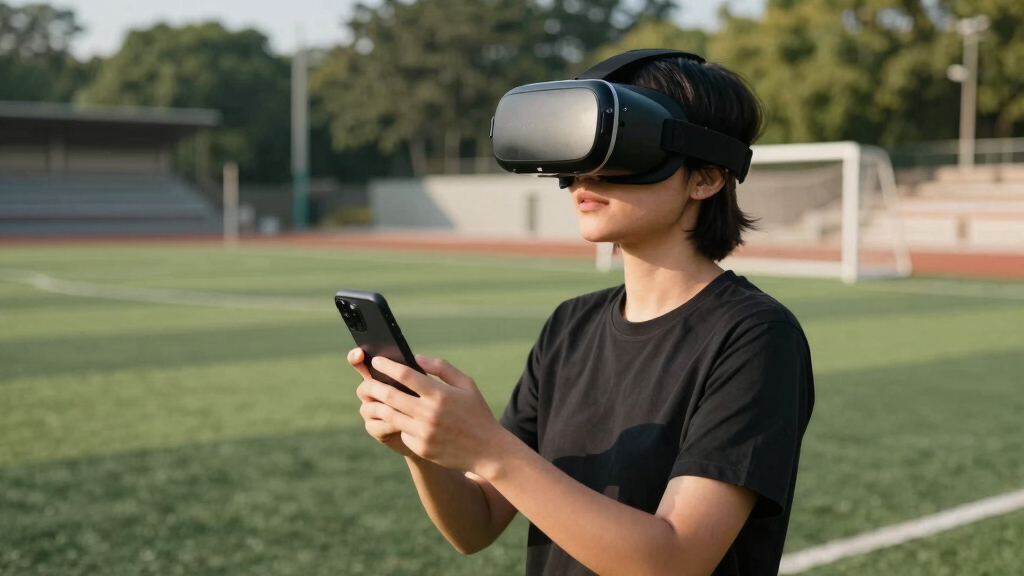
I ranked these products by how well they address the actual demands of watching a full soccer match, rather than by gaming features alone. My main criteria were streaming compatibility, image clarity, viewing comfort, audio integration, setup effort, and total cost. I also examined whether each option works independently, requires a smartphone, or needs a separate playback device, since those differences shape how quickly a buyer can reach a live broadcast.
The ranking favors products that provide a clear and repeatable viewing path across more services. Standalone capability placed Meta Quest 3S ahead of basic phone viewers, while display-focused models earned higher positions when their clarity and comfort better suited long matches. Lower-cost goggles were separated by useful additions such as headphones, controllers, wide lenses, adjustment controls, and broad phone support. I reduced the standing of products with vague specifications or heavy dependence on the buyer’s phone because their real-world result is harder to predict.
Factors to Consider When Choosing VR Headsets For Soccer Viewing
I would choose a soccer-viewing headset by starting with the broadcast source, then matching the hardware to the kind of presentation that source supports. A premium headset cannot turn an ordinary television stream into a seat inside the stadium, and an inexpensive viewer may still be adequate when the goal is simply a private virtual screen.
Start With the Broadcast, Not the Headset
The most common buying mistake is assuming every live match has a dedicated VR mode. Many league and broadcaster apps provide only a flat 2D stream, which a headset places on a virtual screen rather than around the viewer. Before buying, I would check whether the required service has a native headset app, works in a headset browser, or permits casting and screen mirroring. Subscription access may differ between mobile, television, and headset versions of the same service. Regional restrictions can also block matches even when the app itself installs correctly. If the intended service offers only standard video, display glasses may be more practical than a full VR system.
Choose Between Standalone VR, Display Glasses, and Phone Goggles
A standalone headset offers the broadest range of viewing formats, including native apps, browser streams, virtual screens, and any immersive broadcasts that become available. AR or XR display glasses usually mirror video from a phone, handheld console, or media device, making them lighter but more dependent on cables and source compatibility. Phone goggles are simple optical shells that divide a smartphone screen into two views. Their low price is appealing, yet the phone supplies the display, processing, connectivity, and battery. I would choose standalone VR for flexibility, display glasses for lightweight private viewing, and phone goggles for occasional experimentation. These formats solve different problems, so their field-of-view numbers should not be compared without that context.
Prioritize Clarity for Following the Ball
Soccer places unusual pressure on display quality because the ball is small, players move quickly, and broadcast graphics contain fine text. Resolution and lens clarity affect whether distant action remains readable, while refresh rate shapes the smoothness of camera pans. A wide field of view can feel immersive, but soft edges and weak focus may make that extra width less useful. Smartphone viewers inherit the pixel density and brightness limits of the inserted phone, and splitting its screen between two eyes can expose visible pixels. Display glasses can look sharper for standard video because they present a controlled virtual screen rather than stretching an image across a large VR environment. Buyers who mainly watch 90-minute matches should place clean central detail above exaggerated screen-size claims.
Plan for Match-Length Comfort
A headset that feels acceptable for a short demo may become distracting before halftime. I would look at front weight, strap design, facial pressure, ventilation, and lens adjustment, not weight alone. Glasses-style displays can reduce facial bulk, although cables and limited fit adjustments create their own annoyances. Phone goggles add the weight and heat of the handset directly to the viewer. Prescription-glasses support or compatible lens inserts may matter more than a small difference in display specifications. A generous return policy is useful because head shape, pupil distance, and sensitivity to motion vary widely between buyers.
Account for Audio, Battery, and Connections
Crowd sound and commentary are a large part of a live match, yet budget headsets often leave audio entirely to the phone. Integrated headphones reduce setup clutter, while open speakers make it easier to hear people nearby but provide less isolation. A wired display may draw power from its source, shortening the phone or handheld device’s battery life during extra time. Standalone headsets also need enough charge for pre-match coverage, halftime, and possible penalties. USB-C video support is not universal across phones, even when the connector physically fits. I would budget for any required adapter, power bank, headphones, or companion device when comparing the true purchase price.
Know When Paying More Changes the Experience
Higher prices are easier to justify when the buyer watches frequently, values fine image detail, or wants uses beyond soccer. Premium optics can improve focus consistency and text readability, while stronger platforms offer more playback routes when an app is unavailable. Paying extra does not guarantee access to more leagues or immersive camera angles. Occasional viewers using ordinary mobile streams may gain little from specialized cinema hardware. Families should also weigh user profiles, fit adjustment, cleaning, and how easily the headset can be shared. I see the best value point as the least expensive product that supports the buyer’s actual stream without awkward workarounds.
Frequently Asked Questions
Can I Watch Live Soccer in True VR With Any of These Headsets?
No, because true VR coverage depends on the broadcaster, not only on the headset. Most live services still deliver a standard television feed that appears on a large virtual screen. A standalone model such as Meta Quest 3S provides more ways to access compatible apps and browsers, but it cannot add a stadium camera angle that the provider does not offer. I would verify the league, match, region, and subscription tier before purchasing hardware for a specific broadcast. Buyers happy with a private cinema-style screen have far more workable choices.
Is Meta Quest 3S Better Than AR Glasses for Watching Soccer?
Meta Quest 3S is better for flexibility and immersion, while AR glasses are often better for lightness and familiar flat-video playback. Quest can run standalone apps and virtual environments without keeping a phone attached throughout the match. RayNeo models behave more like a wearable external display and may feel less enclosed during long sessions. Their usefulness depends on a compatible USB-C source or adapter. I would choose Quest for varied VR use and AR glasses for portable personal-screen viewing.
Are Cheap Smartphone VR Headsets Good Enough for a Full Match?
They can work for occasional viewing, but their quality depends heavily on the inserted phone. Screen resolution, brightness, heat, and battery drain can all become more visible across a full match. Phone weight may also create more facial pressure than buyers expect from the product photos. Models with pupil adjustment, ventilation, secure phone mounting, and integrated audio are the safer budget choices. I would treat these headsets as an inexpensive trial of virtual-screen viewing rather than a direct substitute for standalone VR.
Will These Headsets Work With My Existing Soccer Streaming Subscription?
Compatibility varies by service, device, operating system, and region. Some subscriptions work through a native app or browser, while others restrict mirroring or require a television-specific plan. Display glasses also need a compatible video output, and many phones have USB-C ports that do not transmit video. I would check the broadcaster’s supported-device list and test browser playback on the intended source. An adapter can solve some connection problems, but it cannot bypass account or digital-rights restrictions.
Do I Need a Controller to Watch Soccer in VR?
A controller is useful for menus, browser controls, screen placement, and playback commands, but it is not always required once the stream begins. Standalone VR platforms usually rely on tracked controllers or hand tracking for setup. Phone-headset controllers tend to offer simpler input and may not work consistently across every mobile app. Controller inclusion should not outweigh lens quality or streaming support when soccer is the main use. I would view it as a convenience feature unless the chosen app specifically requires one.
Conclusion
For most buyers, I recommend the Meta Quest 3S 128GB as the best overall because it combines standalone operation, broad software flexibility, and room for uses beyond soccer. The VR Headset with Built-in Headphones is my best-value choice for phone-based viewing, since integrated audio removes one common source of clutter. Beginners who want the lowest-commitment introduction should look at the VR Headset for Phone with Controller, provided their phone fits and supplies adequate display quality. The GOOVIS G3 Max makes the most sense for premium buyers who favor a polished personal-cinema image over room-scale VR features. For lightweight conventional streaming, I would choose the RayNeo Air 4 Pro, while the XREAL Beam Pro better suits buyers building a portable Android-based media setup. Buyers seeking only occasional movie and match viewing can choose one of the adjustable universal phone goggles, but I would avoid paying extra for vague specifications when the phone remains the main limit.
Halloween Picks
halloween
As an affiliate, we earn on qualifying purchases.