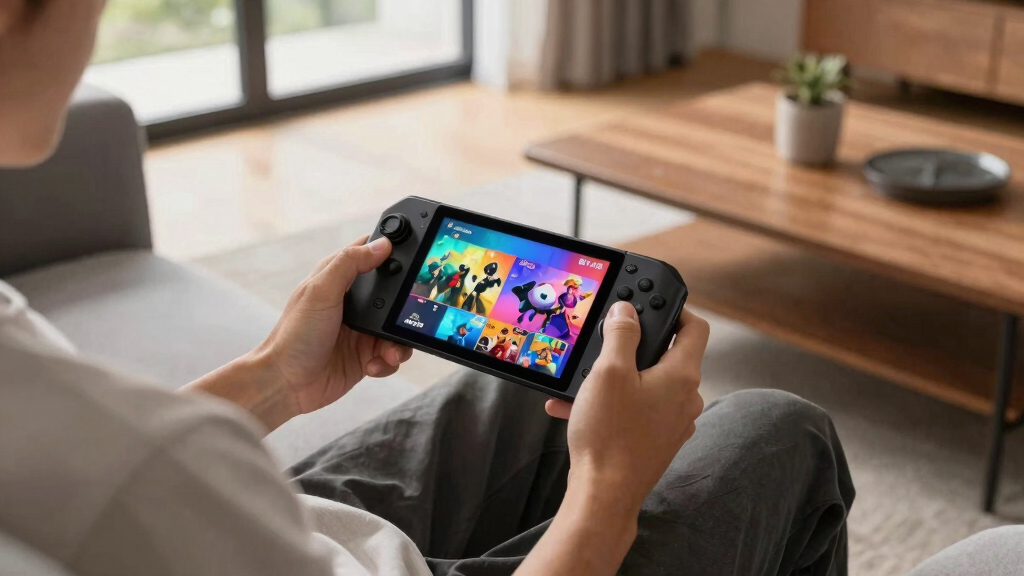

The Valve Steam Deck OLED 1TB is my best overall portable gaming console because it pairs a strong PC game library with an OLED display, generous storage, and a handheld-friendly interface. The Retroid Pocket 5 is the better-value choice for retro gaming, while the Lenovo Legion Go stands out for buyers who want a larger display and more flexible controls. The main choice is between the convenience of SteamOS, the freedom and friction of Windows, the simplicity of cloud streaming, and the compact size of an Android retro handheld. Battery life, game compatibility, weight, and setup effort separate these options more than headline specifications alone. Continue reading for the full breakdown of the best portable gaming consoles and the buyer each model suits.

Play games on Amazon Luna for your next adventure, included with Prime
- A rotating selection of games, no download needed
- Play on TV, laptop or phone
- Fast, free delivery for your gear, too
Key Takeaways
- The Steam Deck OLED 1TB leads the roundup because its display, storage, interface, and PC library form the strongest all-around package rather than chasing raw speed alone.
- Windows handhelds offer broader software freedom, but the Lenovo Legion Go and ASUS ROG Ally models demand more setup and desktop-style management than the Steam Deck.
- The processor tier matters within similar-looking models: the ROG Ally Z1 Extreme is the stronger performance choice than the standard Z1 version, while Lenovo‘s Z2 and Z2 Go configurations target different budgets.
- Retroid owns the compact and retro-focused roles, with the Pocket 5 offering the best balance, the Flip 2 adding clamshell protection, and the Pocket Classic favoring maximum portability.
- Cloud-first handhelds trade local power for battery-friendly simplicity; the Logitech G Cloud is the safer beginner pick, while the OnePro is harder to place ahead of better-established alternatives.
| Logitech G Cloud Gaming Handheld |  | Best for Cloud Gaming | Display: 7-inch Full HD 1080p touchscreen | Battery Life: 12+ hours | Weight: 463 g | VIEW LATEST PRICE | See Our Full Breakdown |
| Valve Steam Deck OLED 1TB |  | Best Overall | Storage: 1TB NVMe SSD | Display: 7.4-inch HDR OLED | Resolution: 1280 x 800 | VIEW LATEST PRICE | See Our Full Breakdown |
| Lenovo Legion Go S 2025 |  | Best Large-Screen PC Handheld | Display: 8-inch PureSight IPS touchscreen | Refresh Rate: 120Hz | Processor: AMD Ryzen Z2 Go | VIEW LATEST PRICE | See Our Full Breakdown |
| Retroid Pocket Flip 2 |  | Best Clamshell Retro Handheld | Display: 5.5-inch AMOLED | Resolution: 1080p | Processor: Qualcomm Snapdragon 865 | VIEW LATEST PRICE | See Our Full Breakdown |
| OnePro Cloud Handheld |  | Best Multi-Mode Handheld | Display: 7-inch 1080p touchscreen | Processor: MediaTek Genio 510 | Storage: 64GB | VIEW LATEST PRICE | See Our Full Breakdown |
| Retroid Pocket Classic |  | Best Compact Retro Handheld | Display: 3.92-inch OLED touchscreen | Resolution: 1240×1080 | Refresh Rate: 60Hz | VIEW LATEST PRICE | See Our Full Breakdown |
| Retroid Pocket 5 |  | Best Android Performance | Display: 5.5-inch HD touchscreen | Processor: Qualcomm Snapdragon 865 | Graphics: Adreno 650 | VIEW LATEST PRICE | See Our Full Breakdown |
| ASUS ROG Ally Z1 |  | Best Entry-Level Windows Handheld | Display: 7-inch Full HD touchscreen | Resolution: 1920×1080 | Refresh Rate: 120Hz | VIEW LATEST PRICE | See Our Full Breakdown |
| Lenovo Legion Go |  | Best Large-Screen Handheld | Display: 8.8-inch WQXGA IPS touchscreen | Resolution: 2560×1600 | Refresh Rate: 144Hz | VIEW LATEST PRICE | See Our Full Breakdown |
| ASUS ROG Ally Z1 Extreme |  | Best Balance of Power and Portability | Display: 7-inch Full HD touchscreen | Resolution: 1920×1080 | Refresh Rate: 120Hz | VIEW LATEST PRICE | See Our Full Breakdown |
| Lenovo Legion Go S Handheld Gaming Console |  | Best High-Capacity Pick | Display: 8-inch 120Hz IPS LCD touchscreen | Processor: AMD Ryzen Z2 Go | Graphics: Integrated AMD RDNA graphics | VIEW LATEST PRICE | See Our Full Breakdown |
| portable gaming console | Display | Storage | Processor | Resolution |
|---|---|---|---|---|
| Logitech G Cloud Gaming Handhe | 7-inch Full HD 1080p touchscreen | — | — | — |
| Valve Steam Deck OLED 1TB | 7.4-inch HDR OLED | 1TB NVMe SSD | — | 1280 x 800 |
| Lenovo Legion Go S 2025 | 8-inch PureSight IPS touchscreen | 512GB | AMD Ryzen Z2 Go | — |
| Retroid Pocket Flip 2 | 5.5-inch AMOLED | 128GB UFS 3.1 | Qualcomm Snapdragon 865 | 1080p |
| OnePro Cloud Handheld | 7-inch 1080p touchscreen | 64GB | MediaTek Genio 510 | — |
| Retroid Pocket Classic | 3.92-inch OLED touchscreen | 128GB internal | — | 1240×1080 |
| Retroid Pocket 5 | 5.5-inch HD touchscreen | 128GB | Qualcomm Snapdragon 865 | — |
| ASUS ROG Ally Z1 | 7-inch Full HD touchscreen | 512GB | AMD Z1 APU | 1920×1080 |
| Lenovo Legion Go | 8.8-inch WQXGA IPS touchscreen | 512GB PCIe NVMe SSD | AMD Ryzen Z1 Extreme, 8 cores and 16 threads | 2560×1600 |
| ASUS ROG Ally Z1 Extreme | 7-inch Full HD touchscreen | 512GB | AMD Ryzen Z1 Extreme | 1920×1080 |
| Lenovo Legion Go S Handheld Ga | 8-inch 120Hz IPS LCD touchscreen | 1TB SSD | AMD Ryzen Z2 Go | — |
More Details on Our Top Picks
Logitech G Cloud Gaming Handheld
I rank the Logitech G Cloud as the strongest cloud-focused pick because its 12-plus-hour battery, comfortable controls, and 463 g body suit long streaming sessions. It is lighter than the Valve Steam Deck OLED and lasts longer when demanding PC games drain that model quickly. The 7-inch 1080p touchscreen also gives Xbox Cloud Gaming and GeForce NOW enough space to feel console-like rather than cramped. That efficiency comes from relying on remote hardware: it cannot match the Steam Deck OLED for native PC gaming, and its quality rises or falls with Wi-Fi stability, server access, and paid subscriptions. Although Google Play adds Android flexibility, this remains a streaming-first device. I would place it above the OnePro Cloud Handheld for its longer battery and established service support, but below the Steam Deck overall because it is less capable away from a network.
Pros:- 12-plus-hour battery supports long streaming sessions
- 463 g body is lighter than many PC gaming handhelds
- 7-inch 1080p touchscreen provides a clear, spacious cloud-gaming view
- Supports Xbox Cloud Gaming, NVIDIA GeForce NOW, and Google Play
Cons:- Game quality and responsiveness depend heavily on network stability
- Cloud services may require separate paid subscriptions
- Far less capable than a Steam Deck for native offline PC gaming
Best for: Cloud-gaming subscribers who want a lightweight handheld for long sessions on reliable home or travel Wi-Fi
Not ideal for: Frequent offline players or buyers who want to install and run a large native PC game library
- Display:7-inch Full HD 1080p touchscreen
- Battery Life:12+ hours
- Weight:463 g
- Connectivity:5GHz Wi-Fi, up to 800 Mbps
- Controls:Haptics, gyroscope, and remappable controls
- Cloud Services:Xbox Cloud Gaming and NVIDIA GeForce NOW
- App Access:Google Play Store
Our verdict“I recommend this to committed cloud gamers who prioritize comfort and battery life over native PC performance.”
Valve Steam Deck OLED 1TB
The Valve Steam Deck OLED 1TB takes my top position because it balances local PC gaming, generous storage, and a display that improves nearly every game. Its 7.4-inch HDR OLED panel offers richer contrast than the IPS screen on the Lenovo Legion Go S, while the 90Hz ceiling is still smooth enough for many handheld-friendly titles. The built-in 1TB SSD also holds far more games than the 64GB OnePro Cloud Handheld without making expansion an immediate concern. Lenovo’s model counters with a larger 8-inch, 120Hz screen, so competitive players may prefer its faster panel. The Steam Deck’s other compromise is portability: it is bulkier than cloud and retro handhelds, and battery life can fall toward three hours with demanding software. Even so, I give it the lead for its strongest all-around balance and native offline library access.
Pros:- HDR OLED panel delivers deep contrast and vivid color
- 1TB NVMe SSD accommodates a substantial local game library
- Up to 90Hz refresh rate supports fluid handheld play
- Wi-Fi 6E improves connectivity on compatible networks
Cons:- Battery life can drop to around three hours with demanding content
- Bulkier and heavier to hold than cloud-focused or compact retro devices
- Lower maximum refresh rate than the 120Hz Lenovo Legion Go S
Best for: PC gamers who want a large local library, premium display, and balanced handheld experience in one device
Not ideal for: Buyers seeking a light travel handheld or consistently long battery life while playing demanding games
- Storage:1TB NVMe SSD
- Display:7.4-inch HDR OLED
- Resolution:1280 x 800
- Refresh Rate:Up to 90Hz
- Battery:50Whr
- Estimated Play Time:3-12 hours, depending on content
- Connectivity:Wi-Fi 6E
- Included Accessory:Carrying case with removable liner
Our verdict“I see the Steam Deck OLED as the best choice for most PC players who accept extra bulk in return for display quality, storage, and offline freedom.”
Lenovo Legion Go S 2025
I place the Lenovo Legion Go S 2025 in the large-screen role because its 8-inch 120Hz IPS display gives PC games more room for text, menus, and fast movement than the 7.4-inch, 90Hz Steam Deck OLED. The Ryzen Z2 Go processor, Radeon graphics, and 16GB of memory make it better suited to local PC titles than the streaming-dependent Logitech G Cloud. Its 55.5Whr battery and ColdFront cooling support that higher-performance focus, though runtime will still vary with game settings and workload. The tradeoff is that a larger display and active cooling do not create the same compact feel as the Retroid Pocket Flip 2. Its 512GB storage can also fill quickly with modern releases, especially beside the Steam Deck OLED’s 1TB drive. I rank it below Valve’s model overall because the Steam Deck pairs twice the storage with OLED contrast, but Lenovo wins for screen size and refresh rate.
Pros:- Large 8-inch display makes interfaces and game text easier to read
- 120Hz refresh rate suits fast-moving games
- Ryzen Z2 Go processor, Radeon graphics, and 16GB memory support local PC play
- ColdFront cooling is designed to manage sustained gaming loads
Cons:- 512GB storage can fill quickly with modern PC games
- Larger design is less travel-friendly than compact retro handhelds
- IPS panel cannot match the Steam Deck OLED for black levels and contrast
Best for: PC players who prioritize a roomy 120Hz screen for detailed games, small text, and fast-paced action
Not ideal for: Travelers seeking a compact handheld or players with large game libraries who do not want to manage 512GB of storage
- Display:8-inch PureSight IPS touchscreen
- Refresh Rate:120Hz
- Processor:AMD Ryzen Z2 Go
- Graphics:AMD Radeon
- Memory:16GB
- Storage:512GB
- Battery:55.5Whr
- Cooling:Legion ColdFront
- Color:Glacier White
Our verdict“I favor the Legion Go S for buyers who value a bigger, faster display more than compact dimensions or maximum built-in storage.”
Retroid Pocket Flip 2
The Retroid Pocket Flip 2 earns my retro-focused slot by combining a protective clamshell with a 5.5-inch 1080p AMOLED screen. It is easier to pack than the Lenovo Legion Go S, while its Snapdragon 865, 8GB of RAM, and Android 13 provide more app and emulator flexibility than a basic single-purpose retro device. Hall-effect sticks also reduce the mechanical wear associated with conventional analog designs. Compared with the Retroid Pocket 5, the defining advantage is the folding body rather than a major performance leap, since both use the Snapdragon 865. Buyers must supply and configure their own legally obtained games, and emulator results depend on software and system compatibility. The hinge can also make the layout less direct than a slab-style handheld. I rank it behind the Steam Deck OLED for broad modern gaming, but its pocket-friendly protection and retro-oriented controls make it the more practical travel companion.
Pros:- Clamshell protects the display and controls during travel
- 5.5-inch 1080p AMOLED panel offers sharp images and strong contrast
- Hall-effect sticks resist the wear that can cause analog drift
- Snapdragon 865 and 8GB RAM provide capable Android and emulation hardware
Cons:- Ships without games and requires hands-on software setup
- Emulation performance varies by platform, title, and app
- Folding design may make some ports or controls less convenient to reach
Best for: Retro enthusiasts who want an Android clamshell with protected controls, a vivid screen, and room for emulator setup
Not ideal for: Buyers expecting preloaded games or effortless compatibility across every emulated platform
- Display:5.5-inch AMOLED
- Resolution:1080p
- Processor:Qualcomm Snapdragon 865
- Memory:8GB LPDDR4x
- Storage:128GB UFS 3.1
- Battery:5000mAh
- Operating System:Android 13
- Wireless:Wi-Fi 6 and Bluetooth 5.1
- Ports:USB-C and 3.5mm audio jack
Our verdict“I recommend the Pocket Flip 2 to setup-savvy retro players who want a protected clamshell more than plug-and-play simplicity.”
OnePro Cloud Handheld
I assign the OnePro Cloud Handheld the multi-mode role because it combines cloud streaming, remote play, Android apps, retro emulation, and 4K video output in a 430 g device. That range makes it more flexible than the cloud-centered Logitech G Cloud, and its 7-inch 1080p touchscreen is much larger than the Retroid Pocket Flip 2’s display. The catch is weaker specialization. Logitech offers over 12 hours of battery life versus the OnePro’s stated eight-plus hours, while the Retroid’s Snapdragon 865 and 128GB storage provide a stronger foundation for Android use and emulation. Here, the MediaTek Genio 510 and 64GB internal storage suit lighter workloads but leave less space for apps and game files. Cloud and remote-play quality also depends on broadband and subscriptions. I would choose it for one-device versatility, not for the best native performance or longest unplugged sessions.
Pros:- Supports cloud gaming, remote play, Android apps, and retro emulation
- 430 g weight makes it the lightest of these five picks
- 7-inch 1080p touchscreen offers a spacious portable view
- 4K video output adds flexibility for external displays
Cons:- 64GB internal storage is restrictive for apps and local game files
- Eight-plus-hour battery trails the Logitech G Cloud
- Remote and cloud play depend on broadband quality and may require subscriptions
Best for: Casual players who want one lightweight device for cloud gaming, remote play, Android apps, retro emulation, and TV output
Not ideal for: Performance-focused PC gamers or offline users who need ample internal storage and dependable native game support
- Display:7-inch 1080p touchscreen
- Processor:MediaTek Genio 510
- Storage:64GB
- Battery Life:8+ hours
- Weight:430 g
- Wi-Fi:2T2R MU-MIMO
- Video Output:Up to 4K
- Controls:Capacitive digital joystick, haptics, and gyroscope
Our verdict“I would pick the OnePro for buyers who want many ways to play in one light device and can accept modest storage and network dependence.”
Retroid Pocket Classic
I rank the Retroid Pocket Classic as the compact choice for buyers who value sharp retro visuals over broad PC-game access. Its 3.92-inch OLED touchscreen delivers deep blacks and a dense 1240×1080 resolution, making pixel art look richer than it does on many basic LCD handhelds. It is far smaller than the Lenovo Legion Go, so it slips into a bag more easily and feels better suited to short sessions. Android 14, Google Play access, and a microSD slot offer flexibility, while the 5000mAh battery supports longer play away from an outlet. The tradeoff is setup: no games are included, and buyers must source software and configure compatible apps themselves. Compared with the Retroid Pocket 5, it also has a smaller screen and a narrower performance focus.
Pros:- High-resolution OLED panel produces deep blacks and crisp retro graphics
- Compact body is easier to carry than 7-inch and 8.8-inch handhelds
- Android 14 provides access to Google Play apps
- microSD expansion accommodates larger personal game libraries
Cons:- No games are preinstalled, creating extra setup work
- Small display is less comfortable for text-heavy games
- Game support is limited to compatible Android software and user-configured retro platforms
Best for: Retro enthusiasts who want a small OLED handheld and are comfortable installing games and configuring Android apps
Not ideal for: Buyers seeking ready-to-play software or access to demanding Windows PC games
- Display:3.92-inch OLED touchscreen
- Resolution:1240×1080
- Refresh Rate:60Hz
- Operating System:Android 14
- Storage:128GB internal
- Expandable Storage:microSD card slot
- Battery:5000mAh
- Wireless:Wi-Fi 5 and Bluetooth 5.1
- Port:USB-C
Our verdict“I recommend this to setup-savvy retro players who prioritize OLED image quality and pocket-friendly dimensions.”
Retroid Pocket 5
The Retroid Pocket 5 earns its place by pairing Android flexibility with more processing headroom than the Retroid Pocket Classic. Its Snapdragon 865 and Adreno 650 are better suited to demanding Android games and a wider range of user-configured retro systems, while the 5.5-inch touchscreen gives menus and text more room. It remains easier to carry than the ASUS ROG Ally models, and its 5000mAh battery supports mobile play without adopting the size of a Windows handheld. I would pick it over the Pocket Classic when performance and screen space matter more than maximum compactness. It still requires patience: games are not preloaded, compatibility varies by app, and software setup falls to the buyer. Reports of slow charging after inactivity and a battery-protection mode also make power behavior less straightforward than I would like.
Pros:- Snapdragon 865 delivers stronger Android gaming performance than the Pocket Classic
- 5.5-inch touchscreen balances readability with portability
- 8GB RAM supports smoother app switching and more demanding software
- microSD slot makes library expansion affordable
Cons:- No preloaded games or ready-made library
- Compatibility and setup depend on the buyer’s chosen apps
- Charging after long inactivity and battery-protection behavior may require troubleshooting
Best for: Android gamers and retro enthusiasts who want stronger performance than a small entry-level emulation handheld provides
Not ideal for: Players who want a polished console-style setup with an included game library and minimal configuration
- Display:5.5-inch HD touchscreen
- Processor:Qualcomm Snapdragon 865
- Graphics:Adreno 650
- Operating System:Android 13
- RAM:8GB
- Storage:128GB
- Expandable Storage:microSD card slot
- Battery:5000mAh
Our verdict“I see this as the strongest choice here for buyers who want capable Android gaming without moving to a full Windows handheld.”
ASUS ROG Ally Z1
I place the ASUS ROG Ally Z1 below the Z1 Extreme version on raw performance, but it fills a useful role for buyers entering handheld PC gaming. Windows compatibility opens Steam, Xbox Game Pass, and other PC storefronts, giving it a much broader commercial library than the Retroid Pocket 5. The 7-inch 1080p 120Hz display also provides smoother motion and more readable interfaces than smaller retro devices, while FreeSync Premium helps reduce visible tearing. A bundled 90-day Game Pass Ultimate membership adds immediate value. The standard Z1 processor is the compromise: demanding games may need lower graphics settings, and the faster ROG Ally Z1 Extreme offers more headroom. The supplied data does not establish battery runtime, while 512GB of storage can fill quickly once large PC releases are installed.
Pros:- Runs Windows-compatible games across multiple PC storefronts
- 120Hz Full HD display provides smooth motion and clear text
- FreeSync Premium reduces tearing during fluctuating frame rates
- Includes 90 days of Xbox Game Pass Ultimate
Cons:- Standard Z1 processor trails the Z1 Extreme model in demanding games
- 512GB storage can be restrictive for a large PC game library
- Battery runtime is not stated in the supplied product data
Best for: PC gamers who want a relatively approachable Windows handheld for indie titles, streaming, and moderately demanding games
Not ideal for: Performance-focused buyers who expect demanding PC releases to run at high settings without adjustment
- Display:7-inch Full HD touchscreen
- Resolution:1920×1080
- Refresh Rate:120Hz
- Processor:AMD Z1 APU
- Graphics:AMD RDNA 3
- Adaptive Sync:AMD FreeSync Premium
- Storage:512GB
- Included Subscription:90-day Xbox Game Pass Ultimate
Our verdict“I recommend this version to Windows-game buyers who value broad compatibility more than maximum handheld performance.”
Lenovo Legion Go
The Lenovo Legion Go takes the large-screen spot because its 8.8-inch, 2560×1600 panel gives strategy games, dense interfaces, and desktop windows more breathing room than either ASUS ROG Ally. Its 144Hz refresh rate and 500-nit brightness also suit fast games and brighter rooms, while the Ryzen Z1 Extreme, 16GB of fast memory, and PCIe storage provide serious PC capability. Two USB4 ports and microSD expansion make it more adaptable at a desk than the smaller Retroid models. That versatility comes with a portability penalty: the large chassis can feel heavy during extended handheld sessions and takes up more bag space. Native 1600p is also demanding, so many games will run better at reduced resolution. With no stated battery figure, I cannot rank it as the safest choice for long unplugged sessions.
Pros:- Large 8.8-inch display improves readability and visual immersion
- Ryzen Z1 Extreme and 16GB LPDDR5x memory support demanding PC workloads
- 144Hz panel provides smoother motion than 120Hz competitors
- Two USB4 ports, microSD support, and an M.2 slot expand desk and storage options
Cons:- Large body may become tiring during long handheld sessions
- 2560×1600 native resolution can exceed the practical performance of demanding games
- Battery runtime is not provided in the supplied specifications
Best for: PC players who want a spacious handheld screen for strategy games, detailed interfaces, and occasional desktop-style use
Not ideal for: Commuters and players with smaller hands who prioritize low weight, compact storage, or predictable battery endurance
- Display:8.8-inch WQXGA IPS touchscreen
- Resolution:2560×1600
- Refresh Rate:144Hz
- Processor:AMD Ryzen Z1 Extreme, 8 cores and 16 threads
- RAM:16GB LPDDR5x-7500
- Storage:512GB PCIe NVMe SSD
- Expandable Storage:microSD reader and M.2 PCIe 4.0 x4 slot
- Wireless:Wi-Fi 6E and Bluetooth 5.3
- Ports:Two USB4 40Gbps ports
Our verdict“I would choose the Legion Go when screen size and connectivity outweigh the need for the lightest travel companion.”
ASUS ROG Ally Z1 Extreme
I rank the ASUS ROG Ally Z1 Extreme as the balanced performance pick: it offers far more PC gaming power than the standard ROG Ally Z1 without growing to the Lenovo Legion Go’s 8.8-inch footprint. The Ryzen Z1 Extreme and 16GB RAM give demanding games and multitasking more headroom, while Windows 11 supports major PC stores rather than tying buyers to one library. Its 7-inch 1080p, 120Hz screen is less expansive than the Legion Go panel, yet that lower resolution is a more realistic match for portable graphics performance and makes the unit easier to carry. The drawbacks center on uncertainty and capacity. No battery runtime is supplied, performance can come at the cost of unplugged play, and 512GB storage is modest for modern releases. The provided details also leave its port selection and included accessories unclear.
Pros:- Ryzen Z1 Extreme supplies more gaming headroom than the standard Z1 model
- 7-inch chassis strikes a practical balance between readability and portability
- 120Hz Full HD touchscreen supports fluid play without an overly demanding native resolution
- Windows 11 provides access to multiple PC game stores and launchers
Cons:- 512GB storage fills quickly with large PC releases
- Battery runtime and charging time are not specified
- Supplied product information does not clarify ports or included accessories
Best for: PC gamers who want strong Windows performance in a more compact format than the large Lenovo Legion Go
Not ideal for: Buyers who need documented all-day battery life or enough built-in storage for many large games
- Display:7-inch Full HD touchscreen
- Resolution:1920×1080
- Refresh Rate:120Hz
- Processor:AMD Ryzen Z1 Extreme
- Architecture:Zen 4
- Operating System:Windows 11 Home
- RAM:16GB
- Storage:512GB
- Charging:USB-C
Our verdict“I favor this model for buyers seeking strong Windows gaming power without accepting the Legion Go’s extra bulk.”
Lenovo Legion Go S Handheld Gaming Console
I rank the Lenovo Legion Go S 1TB as the best high-capacity pick because its spacious SSD leaves more room for large PC games than the 512GB Legion Go S 2025 or ASUS ROG Ally Z1 Extreme. Its 8-inch 120Hz touchscreen also provides a larger viewing area than either 7-inch ROG Ally, making detailed interfaces and text easier to read while preserving fluid motion. Dual USB-C 4.0 ports add uncommon flexibility for monitors, docks, and compatible eGPUs. The compromises are meaningful: the Ryzen Z2 Go may trail higher-tier chips such as the Z1 Extreme, and the large screen makes this less compact than Retroid’s handhelds. I would also verify the seller’s upgrade terms because the original seal was opened, while unspecified battery-life figures make unplugged endurance harder to predict.
Pros:- 1TB SSD accommodates more large PC games than common 512GB handhelds
- 8-inch 120Hz IPS touchscreen balances a roomy view with smooth motion
- Dual USB-C 4.0 ports support flexible monitor, dock, and compatible eGPU setups
- Customizable controls and profiles suit different games and play styles
Cons:- Ryzen Z2 Go may deliver lower gaming performance than Z1 Extreme alternatives
- Original factory seal was opened for the storage upgrade
- No stated battery-life estimate makes portable runtime difficult to judge
Best for: PC gamers with large libraries who want an 8-inch display, 1TB of local storage, and flexible dock or monitor connections
Not ideal for: Performance-focused buyers who want a Z1 Extreme-class processor, or shoppers uncomfortable with a seller-opened device and unclear battery endurance
- Display:8-inch 120Hz IPS LCD touchscreen
- Processor:AMD Ryzen Z2 Go
- Graphics:Integrated AMD RDNA graphics
- Memory:16GB RAM
- Storage:1TB SSD
- Ports:Dual USB-C 4.0
- Video Output:DisplayPort 1.4
- Power Management:Adjustable power modes
Our verdict“This is my pick for storage-hungry PC gamers who value a larger screen and broad connectivity more than maximum processor speed or factory-sealed packaging.”
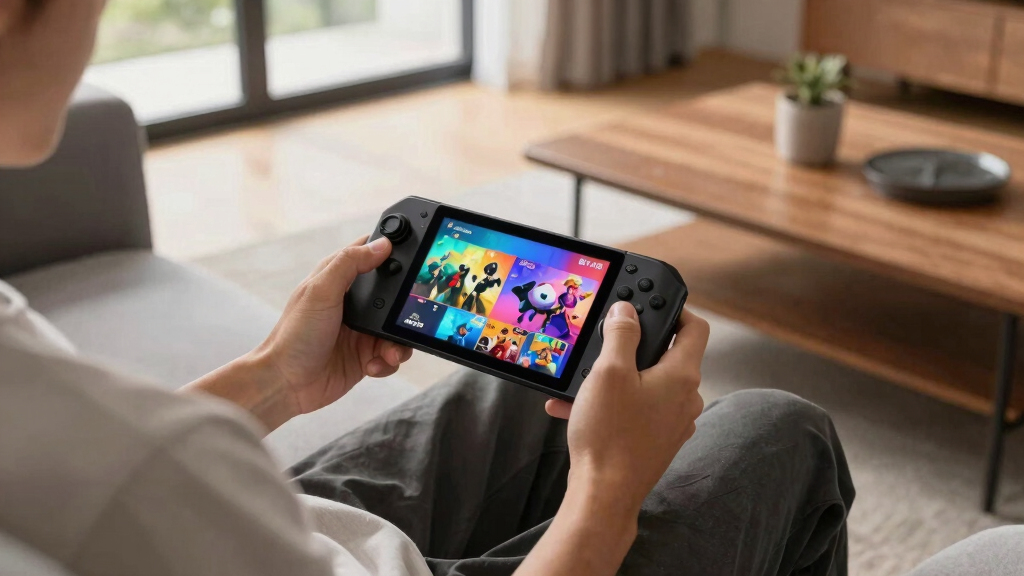
How We Picked
I ranked these consoles by how well they work as complete portable gaming systems, not by processor speed alone. My evaluation weighed game access, sustained performance, display quality, control comfort, battery demands, operating-system friction, storage, portability, and price relative to capability. I gave extra weight to usability away from a desk, since a powerful handheld loses appeal when its weight, short runtime, or awkward software makes short sessions inconvenient.
The highest positions go to products with the fewest major compromises for their intended audience. The Steam Deck OLED ranks first for its balanced hardware and software experience, while Windows models earn specialist roles for performance, screen size, or launcher freedom. Retroid systems rank by form factor, emulation scope, and everyday carry appeal rather than competing directly with full PC handhelds. Cloud-only value depends heavily on an existing game service and reliable internet, so I placed those models behind devices with stronger local play options.
| portable gaming console | Processor |
|---|---|
| Logitech G Cloud Gaming Handhe | — |
| Valve Steam Deck OLED 1TB | — |
| Lenovo Legion Go S 2025 | AMD Ryzen Z2 Go |
| Retroid Pocket Flip 2 | Qualcomm Snapdragon 865 |
| OnePro Cloud Handheld | MediaTek Genio 510 |
| Retroid Pocket Classic | — |
| Retroid Pocket 5 | Qualcomm Snapdragon 865 |
| ASUS ROG Ally Z1 | AMD Z1 APU |
| Lenovo Legion Go | AMD Ryzen Z1 Extreme, 8 cores and 16 threads |
| ASUS ROG Ally Z1 Extreme | AMD Ryzen Z1 Extreme |
| Lenovo Legion Go S Handheld Ga | AMD Ryzen Z2 Go |
Factors to Consider When Choosing Best Portable Gaming Consoles
The best portable gaming console depends on where the games run, which library I want to access, and how much setup I will tolerate. These factors help separate a true everyday handheld from a device that only looks compelling on a specification sheet.
Choose a Gaming Ecosystem Before Choosing Hardware
I would start with the games rather than the processor. A SteamOS handheld offers a console-like path into much of a Steam library, but anti-cheat systems and unsupported titles can create gaps. A Windows handheld can reach more stores and subscription services, though managing launchers, updates, and small desktop controls adds friction. Android models fit retro libraries, mobile games, and streaming better than recent PC releases. Cloud-focused systems depend on subscriptions, account ownership, network quality, and the continued availability of each service. Choosing the wrong ecosystem is the costliest mistake because faster hardware cannot fix missing access to the games I actually want.
Balance Performance Against Battery Demands
Higher frame rates and sharper graphics usually require more power, which can shorten unplugged sessions and increase fan noise. I would treat advertised processor names as a starting point, since power limits and cooling also shape real gaming speed. Demanding PC games benefit from stronger chips, while retro titles and streaming gain little from paying for maximum performance. Lowering resolution or frame rate can produce a better portable experience than running every game at its highest setting. A large battery does not automatically mean long runtime when paired with a bright high-refresh display and power-hungry processor. The right target is enough speed for my library, not the fastest specification available.
Match the Screen to How and Where You Play
A larger screen makes strategy games, small interface text, and detailed PC releases easier to read, but it also increases the console’s footprint and weight. Compact OLED panels suit retro games and travel, while seven- to nine-inch displays provide more room for modern interfaces. High refresh rates can make motion look smoother, yet many demanding games will not reach 120 frames per second without lower settings. Resolution also carries a performance cost, so a very sharp panel may be most useful for media, menus, and lighter games. I would prioritize brightness, contrast, text readability, and comfortable viewing distance before chasing pixel count. For frequent travel, screen protection and overall size may matter more than the largest available panel.
Account for Controls, Weight, and Repair Risk
Portable comfort depends on grip shape, stick placement, trigger reach, and weight distribution rather than weight alone. A heavier handheld can feel balanced with substantial grips, while a smaller flat device may cause hand fatigue during long sessions. Hall effect sticks can reduce the mechanical wear associated with traditional potentiometer designs, though buttons and hinges remain possible failure points. Detachable controls add tabletop flexibility but introduce extra joints, rails, and pieces to manage. Clamshell systems protect their screens in a bag, while exposed displays usually need a case. I would favor comfortable controls and dependable construction over accessories that sound useful but do not match my normal play style.
Plan Storage Around Game Size and Expansion
Storage needs vary sharply between retro files, streamed games, and current PC releases. A 128GB Android handheld can hold a large curated retro library, while a few modern PC games may fill 512GB quickly. One terabyte reduces routine file management, especially for buyers who rotate among several large games. A microSD slot can provide inexpensive capacity, but internal storage is generally the better home for games with heavy loading or frequent asset streaming. I would also check how difficult an internal SSD upgrade is and whether opening the console affects warranty support. Paying more for storage makes sense when convenience matters more than upgrade savings.
Know When Cloud Gaming Is the Better Fit
Cloud handhelds make sense when I already own a gaming PC or subscribe to a compatible streaming service. They can offer lighter hardware and longer unplugged use because remote servers or another device handle the game processing. The compromise is dependence on fast, stable Wi-Fi with low latency, which makes travel performance unpredictable. Hotel networks, crowded public connections, and data caps can turn a convenient system into an unusable one. Local Android games may provide a fallback, but they do not replace a full PC or console library. I would choose a cloud-first model only when streaming is my normal way to play, not as a substitute for local gaming in every setting.
Frequently Asked Questions
Is the Steam Deck OLED a better buy than a Windows handheld?
The Steam Deck OLED is the better choice when I want a streamlined interface, a strong Steam library, and less time managing Windows. A Windows handheld is more suitable when access to multiple PC stores, Game Pass downloads, or software outside Steam takes priority. Windows offers broader flexibility, but launcher updates and desktop navigation can feel awkward on a small touchscreen. Some multiplayer games with anti-cheat systems may also favor Windows. I would choose the Deck for handheld simplicity and a Windows model for maximum software reach.
Do I need a Z1 Extreme or Z2 processor for portable gaming?
I would pay for a higher-performance processor when modern PC releases, higher frame rates, or external-monitor play form a large part of the plan. The standard Z1 and lower-tier Z2 Go configurations can still suit lighter games, older releases, and buyers willing to reduce settings. A stronger chip does not guarantee better battery life, and its advantage shrinks during streaming or retro play. Screen resolution, memory bandwidth, cooling, and power mode also influence the result. For a mixed PC library, the Z1 Extreme class offers more headroom than an entry-level processor.
Can a cloud gaming handheld replace a Steam Deck or ROG Ally?
A cloud handheld can replace a PC handheld only when I have reliable internet and compatible services in nearly every place I play. It offers a simpler, lighter way to stream demanding games without paying for powerful local hardware. It cannot match the offline freedom of a Steam Deck, ROG Ally, or Legion Go during flights, commutes, and unreliable network conditions. Subscription costs and remote-host availability also become part of the purchase. The Logitech G Cloud makes sense as a streaming companion, but it is not the strongest single-device choice for local PC gaming.
Which Retroid handheld is the best choice for retro games?
The Retroid Pocket 5 is my broadest recommendation because its 5.5-inch display, Snapdragon 865 platform, and 8GB of RAM provide a balanced Android retro setup. The Pocket Flip 2 is better when I want a clamshell design that protects the screen and packs neatly. The Pocket Classic suits older systems and buyers who place compact size above screen room and control versatility. Emulation results vary by platform, game, emulator, and settings, so no Android handheld promises flawless support across every generation. I would pick based on target systems and preferred form factor rather than storage capacity alone.
Is 512GB enough storage for a portable gaming console?
512GB is workable for a focused PC game collection, but it can feel restrictive when several large releases stay installed together. Buyers who dislike deleting and redownloading games will find 1TB more comfortable. Retro and cloud-focused handhelds need far less local capacity, making 128GB or even 64GB practical in narrower roles. Expandable storage can lower the cost, though loading behavior may differ between internal storage and a microSD card. I would choose capacity according to game size and download access, not the number of titles listed in my library.
Conclusion
The Valve Steam Deck OLED 1TB is my best overall recommendation because it offers the most convincing balance of display quality, storage, game access, and handheld-friendly software. For value-focused retro players, the Retroid Pocket 5 provides a more sensible mix of capability and portability than paying for PC-class hardware. The Lenovo Legion Go with Ryzen Z1 Extreme is my premium choice for buyers who prioritize a large screen and flexible controls, while the Logitech G Cloud is the easiest beginner option for an existing cloud or remote-play setup. Performance-focused Windows buyers should favor the ASUS ROG Ally Z1 Extreme over the standard Z1 model, and frequent travelers may prefer the protective clamshell design of the Retroid Pocket Flip 2. For the smallest retro setup, I would choose the Retroid Pocket Classic; for broad local PC gaming with minimal interface friction, I would return to the Steam Deck OLED.
Halloween Picks
halloween
As an affiliate, we earn on qualifying purchases.