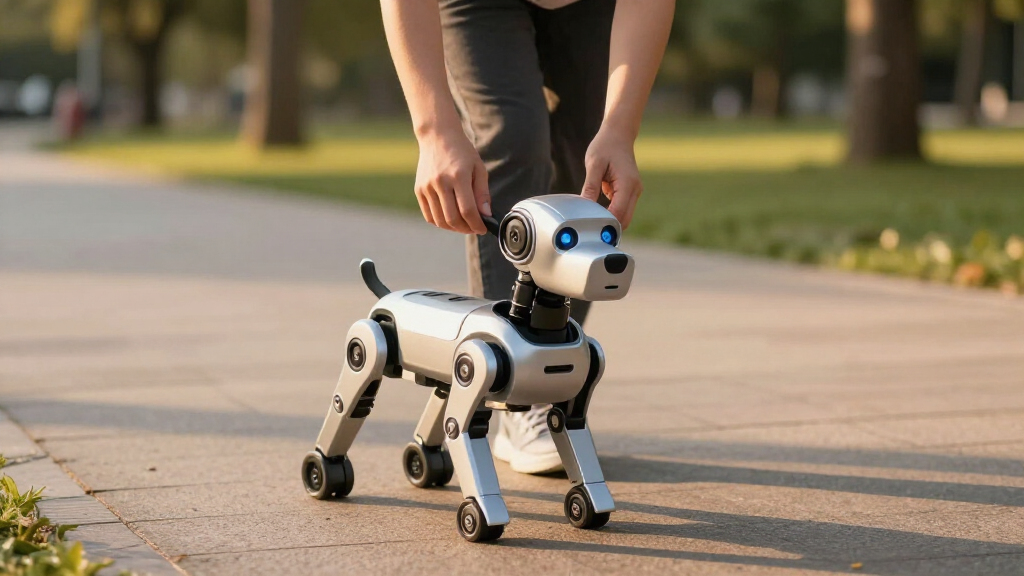

The best robot dogs range from affordable children’s toys to coding kits and advanced quadruped platforms. My best overall pick is Loona because its responsive interactions, varied controls, and charging dock create a more convincing robotic-pet experience than the simpler toys here. SunFounder PiDog is the stronger choice for hands-on coding, while Unitree Go2 is the premium option for adults exploring serious robotics. The main tradeoffs are programming depth, ease of setup, movement quality, battery management, and whether the buyer wants entertainment or an expandable technical platform. Continue reading for the full breakdown and a buyer-focused comparison of all 11 options.

Play games on Amazon Luna for your next adventure, included with Prime
- A rotating selection of games, no download needed
- Play on TV, laptop or phone
- Fast, free delivery for your gear, too
Key Takeaways
- Loona earns the top position because it combines expressive interaction, several control methods, autonomous charging, and home-monitoring features in one consumer-friendly robot.
- Power Puppy offers the best value balance: programmability, gesture control, a remote, and rechargeable power give it more play variety than basic dancing or singing models.
- SunFounder PiDog is the maker-focused choice, but its Raspberry Pi foundation and kit format demand more setup and technical involvement than any children’s robotic pet.
- Unitree Go2 occupies a separate premium class; it offers an advanced quadruped platform for adult users, but its price, complexity, and intended applications make it excessive for casual play.
- Control design separates the children’s models more clearly than trick counts: touch and follow modes suit younger beginners, remotes support immediate play, and app programming offers greater longevity for older children.
| Power Puppy Robot Dog (Model DOG01) |  | Best for Gesture-Controlled Play | Brand: LEXiBOOK | Model: DOG01 | Figure Type: Dog play figure | VIEW LATEST PRICE | See Our Full Breakdown |
| Robot Dog for Kids Ages 6-12 with Bionic Movements |  | Best All-Terrain Pick | Preset Actions: 30+ bionic movements | Control Modes: Remote, sound response, and action customization | Battery: 3.7V 1200mAh rechargeable lithium-ion | VIEW LATEST PRICE | See Our Full Breakdown |
| Smart Robot Dog with Remote and App Control |  | Best for App Programming | Control Modes: 2.4GHz remote and app | Voice Commands: 13 recognized commands | Programming Capacity: Up to 50 motion sequences | VIEW LATEST PRICE | See Our Full Breakdown |
| Robot Dog Toy for Kids 3-12 with Touch and Follow |  | Best for Younger Children | Age Range: 3-12 years | Interactive Technology: Touch and follow | Programming: Programmable tricks | VIEW LATEST PRICE | See Our Full Breakdown |
| SunFounder PiDog AI Robot Dog Kit |  | Best Advanced Robotics Kit | Compatibility: Raspberry Pi 5, 4, 3B+, and Zero 2W | Raspberry Pi Included: No | Servos: 12 | VIEW LATEST PRICE | See Our Full Breakdown |
| Loona Robot Pet Dog with ChatGPT-4 |  | Best AI Companion | Brand: Loona | Model: KYO04LN01 | Age Range: 3 years and up | VIEW LATEST PRICE | See Our Full Breakdown |
| Smart Robot Dog with 30+ Actions and App Programming |  | Best for Long Play Sessions | Recommended Age: 6 years and up | Action Library: 30+ actions | Control Methods: Voice, app, and remote | VIEW LATEST PRICE | See Our Full Breakdown |
| Dwi Dowellin Robot Dog for Kids 8-12 |  | Best for Storytelling Play | Brand: Dwi Dowellin | Model: Y878 | Age Range: 8-12 years | VIEW LATEST PRICE | See Our Full Breakdown |
| Smart Robot Dog for Kids 6+ with Mist Spraying |  | Best for Sensory Play | Age Range: 6 years and up | Control Methods: App, voice, touch, and remote | Programming: Custom programmable actions | VIEW LATEST PRICE | See Our Full Breakdown |
| Remote Control Robot Dog Toy with Dancing, Singing and STEM Learning |  | Best Screen-Free STEM Pick | Age Range: 6-13 years | Control: Remote control | Movement Features: Remote-controlled movement and dancing | VIEW LATEST PRICE | See Our Full Breakdown |
| Unitree Go2 Air Robot Dog |  | Best Premium Quadruped | Dimensions: 27.6 x 12.2 x 15.7 inches | Weight: 33 lbs | Maximum load: 15.4 lbs | VIEW LATEST PRICE | See Our Full Breakdown |
| robot dog | Material |
|---|---|
| Power Puppy Robot Dog | — |
| Robot Dog for Kids Ages 6-12 w | ABS plastic |
| Smart Robot Dog with Remote an | Non-toxic, BPA-free material |
| Robot Dog Toy for Kids 3-12 wi | Child-safe, durable materials |
| SunFounder PiDog AI Robot Dog | — |
| Loona Robot Pet Dog with ChatG | Plastic |
| Smart Robot Dog with 30+ Actio | Non-toxic ABS plastic |
| Dwi Dowellin Robot Dog for Kid | Plastic |
| Smart Robot Dog for Kids 6+ wi | Child-safe, durable material |
| Remote Control Robot Dog Toy w | Durable plastic |
| Unitree Go2 Air Robot Dog | — |
More Details on Our Top Picks
Power Puppy Robot Dog (Model DOG01)
I rank the Power Puppy Robot Dog as the strongest choice for children who want immediate, physical interaction without relying on a phone. Its remote, gesture, and touch controls support dancing, singing, and tricks, creating more varied play than a basic remote-control puppy. Compared with the Smart Robot Dog with Remote and App Control, it offers less programming depth but has a simpler setup and no app dependency. That makes it easier to share among siblings or use away from Wi-Fi. The tradeoff is that learning every control may still take younger children some time, and remote batteries are sold separately. I would choose this over the app-controlled model for accessible entertainment, but not for a child primarily interested in advanced coding activities.
Pros:- Gesture, touch, and remote inputs provide several ways to interact
- Performs tricks, dances, and songs for varied play
- Light and sound feedback makes commands easy for children to recognize
- Rechargeable robot battery reduces disposable-battery use
Cons:- Batteries for the remote are not included
- Control combinations may take younger children time to learn
- Programming is less capable than app-based alternatives
Best for: Children ages 4 and up who want responsive gesture, touch, and remote-controlled play without using a mobile app
Not ideal for: Families seeking deep programming lessons or a fully ready-to-play package, since the remote requires separately purchased batteries
- Brand:LEXiBOOK
- Model:DOG01
- Figure Type:Dog play figure
- Control Methods:Remote, gesture, and touch
- Minimum Age:36 months
- Robot Power:Rechargeable battery
- Remote Power:2 batteries, not included
- Included Components:Robot dog, remote control, and instruction manual
Our verdict“I recommend this model for children who value easy, screen-free interaction more than sophisticated programming.”
Robot Dog for Kids Ages 6-12 with Bionic Movements
I place the Robot Dog for Kids Ages 6-12 high in this lineup because it combines 30-plus movements with wheels made for grass, asphalt, carpet, and tile. Its 25-meter control range gives children more room for active play than the Power Puppy Robot Dog, which is better suited to close-range tricks and gestures. Up to two hours of runtime also makes this a practical choice for longer outdoor sessions. Yet wheels cannot recreate the articulated walking motion of the SunFounder PiDog, and the controls may feel busy for younger users. The all-terrain design also comes with a likely price premium over simpler indoor toys. I favor this model for movement variety and surface flexibility, while buyers seeking voice-rich interaction or serious coding should choose a more advanced option.
Pros:- More than 30 preset actions create broad stunt variety
- Wheels support play across several indoor and outdoor surfaces
- Up to two hours of runtime suits longer play sessions
- 25-meter range gives children room for active control
Cons:- Multiple controls and actions may overwhelm younger children
- Wheeled movement is less lifelike than a servo-driven quadruped
- Advanced mobility may cost more than basic indoor robot dogs
Best for: Children ages 6-12 who want long-range stunt play across indoor floors, carpets, pavement, and short grass
Not ideal for: Young beginners or coding-focused teens who need simpler controls or an open programming platform
- Preset Actions:30+ bionic movements
- Control Modes:Remote, sound response, and action customization
- Battery:3.7V 1200mAh rechargeable lithium-ion
- Charging Time:1.5 hours
- Playtime:Up to 2 hours
- Surface Compatibility:Grass, asphalt, carpet, and tile
- Control Range:25 meters
- Material:ABS plastic
Our verdict“I would pick this for active children who value range and mixed-surface mobility over lifelike walking or open-ended coding.”
Smart Robot Dog with Remote and App Control
I see the Smart Robot Dog with Remote and App Control as the best bridge between toy-style play and structured programming. It stores up to 50 motion sequences, far beyond the preset entertainment focus of the Power Puppy Robot Dog, while 13 voice commands and touch sensors keep it approachable when a child does not want to build a routine. App control adds flexibility, and the 2.4GHz remote prevents the phone from becoming mandatory for every session. Still, buyers need a compatible device to access its fullest feature set, and younger children may need help pairing the app or arranging longer sequences. The SunFounder PiDog offers much deeper Python and AI work, but also demands greater technical skill and extra hardware. I rank this model as the middle ground for STEM play, with LED expressions adding personality without replacing a real articulated face.
Pros:- Stores up to 50 actions for longer custom routines
- Remote and app controls support both quick and structured play
- Thirteen voice commands and touch sensing broaden interaction
- USB Type-C charging is more convenient than proprietary charging
Cons:- A phone and app familiarity are needed for the fullest feature set
- Sequence programming may require adult help for younger children
- Battery duration is described only as hours, without a precise runtime
Best for: Children ages 7-12 who want to create multi-step routines while retaining straightforward remote and voice play
Not ideal for: Households avoiding companion apps or buyers who want a true Python-based robotics platform
- Control Modes:2.4GHz remote and app
- Voice Commands:13 recognized commands
- Programming Capacity:Up to 50 motion sequences
- Interactive Inputs:Voice and touch sensors
- Display Features:LED expressions
- Charging:USB Type-C rechargeable
- Material:Non-toxic, BPA-free material
- Suitable Age:5-12 years
Our verdict“I recommend this as the programming-focused middle choice for children who have outgrown simple tricks but are not ready for a build-it-yourself robot.”
Robot Dog Toy for Kids 3-12 with Touch and Follow
I choose the Robot Dog Toy with Touch and Follow for younger children because its responsive following and touch actions make play less dependent on memorizing commands. Compared with the Smart Robot Dog with Remote and App Control, it offers a gentler entry point: children can prompt movement directly, then explore programmed tricks as their confidence grows. Dancing, spinning, bowing, and walking give it more personality than a basic rolling toy, while light-up eyes provide clear feedback. Its broad 3-12 age claim is less persuasive for older children, who may prefer the deeper sequences or app controls of other picks. Battery requirements are also unspecified, making running costs harder to predict. I rank it for accessible interactive play, though its programming ceiling is modest beside the SunFounder PiDog and app-based models.
Pros:- Touch and follow responses reduce reliance on complex commands
- Dancing, spinning, bowing, and walking support imaginative play
- Programmable tricks introduce basic sequencing
- Child-safe materials suit its younger target audience
Cons:- Battery type, runtime, and inclusion are not stated
- Programming options appear limited beside app-controlled models
- The broad age range may overstate its appeal for older children
Best for: Families buying a first interactive robot pet for children ages 3-6 who benefit from touch and follow responses
Not ideal for: Older children seeking detailed app programming, published battery performance, or advanced robotics instruction
- Age Range:3-12 years
- Interactive Technology:Touch and follow
- Programming:Programmable tricks
- Movement Functions:Dancing, walking, spinning, and bowing
- Visual Feedback:Light-up eyes
- Material:Child-safe, durable materials
Our verdict“I would select this as a first robot dog for younger children who need direct, approachable interaction rather than technical depth.”
SunFounder PiDog AI Robot Dog Kit
I rank the SunFounder PiDog AI Robot Dog Kit as the clear choice for serious learning rather than casual toy play. Twelve servos support articulated walking, sitting, head movement, and tail wagging, giving it more realistic motion than the wheeled Robot Dog for Kids Ages 6-12. Its Python programming and sensor suite also open projects involving vision, sound, balance, distance detection, and AI conversation. That freedom carries the steepest learning curve in this group: assembly and coding target users 15 and older, and a compatible Raspberry Pi must be purchased separately. The Smart Robot Dog with Remote and App Control is much easier for children who only want to arrange motion sequences. I would reserve PiDog for committed hobbyists, classrooms, and family projects that can justify the added setup, hardware cost, and multi-LLM configuration required to use its advanced AI features.
Pros:- Twelve servos create articulated, dog-like body movement
- Python support allows open-ended robotics projects
- Camera, microphone, gyroscope, touch, sound, and ultrasonic sensing enable varied experiments
- App-based FPV and multi-LLM support extend its AI capabilities
Cons:- A compatible Raspberry Pi is not included
- Assembly, programming, and AI setup demand substantial technical confidence
- Total cost can exceed that of ready-to-play robot dogs
Best for: Teen robotics students, makers, and supervised classroom groups seeking Python, sensors, computer vision, and AI experimentation
Not ideal for: Young children or gift buyers wanting an inexpensive robot dog that works with little assembly or setup
- Compatibility:Raspberry Pi 5, 4, 3B+, and Zero 2W
- Raspberry Pi Included:No
- Servos:12
- Sensors:Ultrasonic, touch, gyroscope, sound, camera, and microphone
- Programming:Python
- Control:App control with first-person view
- AI Support:OpenClaw and multiple LLMs, including ChatGPT, Gemini, and Grok
- Movements:Walking, sitting, standing, head shaking, tail wagging, and tricks
- Recommended Age:15 years and older
Our verdict“I recommend PiDog only when robotics education and customization matter more than low cost or immediate play.”
Loona Robot Pet Dog with ChatGPT-4
I rank Loona Robot Pet Dog highest for buyers seeking conversation and responsive companionship rather than a conventional remote-control toy. Face recognition, gesture understanding, and real-time AI voice interaction give it a broader personality than the Smart Robot Dog with 30+ Actions, whose main strengths are programmed tricks and STEM activities. Loona can also patrol preset routes, return to its charging dock, and work as a home-monitoring camera, making its higher-tech design useful after playtime ends. Those abilities come with more dependencies: reliable Wi-Fi is needed for connected functions, camera recognition works best in good lighting, and the missing runtime figure makes daily endurance hard to judge. I see this as the most versatile companion here, but younger children wanting simple buttons may find a basic remote-controlled model easier.
Pros:- Face recognition and gesture understanding create more responsive interactions
- ChatGPT-powered voice conversations offer more variety than fixed commands
- Automatic docking reduces the need for manual charging routines
- Home monitoring gives the robot a practical role beyond play
Cons:- Core connected features may depend on stable Wi-Fi
- Camera performance is weaker in poorly lit rooms
- No stated battery runtime makes playtime planning difficult
Best for: Tech-oriented families wanting an expressive AI pet that can also provide remote home monitoring
Not ideal for: Households with unreliable Wi-Fi or dim play areas, since connected responses and camera recognition may suffer
- Brand:Loona
- Model:KYO04LN01
- Age Range:3 years and up
- Material:Plastic
- Charging Time:2.5 hours
- Charging System:Automatic charging dock
- Included Accessories:Charging dock, USB cable, game prop kit, user manual, and warranty card
- Warranty:1 year
Our verdict“I recommend Loona to families willing to pay for richer AI interaction and monitoring rather than straightforward toy controls.”
Smart Robot Dog with 30+ Actions and App Programming
The Smart Robot Dog with 30+ Actions earns its place through a claimed six-hour runtime, which is far longer than the roughly 60 minutes listed for the Dwi Dowellin Robot Dog. I would choose it for children who alternate between free play and app-based STEM programming: voice, remote, and app controls provide several entry points, while tricks such as kung fu and pranks keep programmed sequences from feeling like homework. USB-C charging is another practical advantage for busy households. The tradeoff is added complexity. Full control calls for a compatible phone or tablet, and younger children may need help configuring the app or building routines. It also sits above basic robotic puppies on price. For school-age users who will exploit the extended battery life and coding features, that premium has a clearer purpose.
Pros:- Claimed six-hour runtime supports extended play
- More than 30 actions provide broad trick variety
- Voice, app, and remote controls suit different skill levels
- USB-C charging is more convenient than older charging connections
Cons:- A compatible iOS or Android device is needed for full control
- Programming options may overwhelm very young users
- Costs more than simpler remote-controlled robot dogs
Best for: School-age children who want lengthy play sessions and will actively create routines through an app
Not ideal for: Younger children or screen-limited households that want immediate access to every feature without app setup
- Recommended Age:6 years and up
- Action Library:30+ actions
- Control Methods:Voice, app, and remote
- Battery Capacity:600mAh
- Runtime:Up to 6 hours
- Charging:USB-C fast charging
- Material:Non-toxic ABS plastic
- Languages:Chinese and English
Our verdict“I favor this model for children who want both long runtime and meaningful app-programming depth.”
Dwi Dowellin Robot Dog for Kids 8-12
I place the Dwi Dowellin Robot Dog in the storytelling slot because its songs, stories, dances, and animal sounds encourage imaginative play beyond repeating programmed movement sequences. Compared with the Remote Control Robot Dog Toy with Dancing, Singing & STEM Learning, this puppy leans more toward character-driven entertainment and touch interaction than hands-on coding. That makes it approachable for children who want an animated playmate, while the remote still offers direct movement control. Its largest compromise is a roughly 60-minute runtime, far behind the six-hour claim of the Smart Robot Dog with 30+ Actions. The remote also needs two separately purchased AAA batteries, and programming may call for adult help. I would pick it for creative indoor sessions, not for children expecting hours of uninterrupted robotic play or substantial coding depth.
Pros:- Storytelling and animal sounds support imaginative play
- Touch responses make interaction feel more immediate
- Singing and dancing provide varied entertainment
- Rechargeable robot battery is included
Cons:- Runtime is limited to about 60 minutes per charge
- Two AAA batteries for the remote are not included
- Some programming functions may require adult supervision
Best for: Children ages 8-12 who enjoy stories, music, animal sounds, and imaginative indoor play
Not ideal for: Children wanting long sessions or deeper independent programming, due to the one-hour runtime and possible need for adult help
- Brand:Dwi Dowellin
- Model:Y878
- Age Range:8-12 years
- Material:Plastic
- Robot Battery:3.7V rechargeable battery included
- Runtime:About 60 minutes per charge
- Remote Power:2 AAA batteries, not included
- Control Methods:Touch and remote control
Our verdict“I would choose this puppy for creative children who value stories and touch responses more than battery endurance or coding depth.”
Smart Robot Dog for Kids 6+ with Mist Spraying
The Smart Robot Dog for Kids 6+ separates itself through touch responses and mist spraying, creating a more sensory style of play than the Dwi Dowellin Robot Dog’s story-and-song focus. I also like the range of control choices: app programming supports creative sequences, while voice, touch, and remote input let children play without remaining tied to one interface. Its realistic puppy behaviors make it better suited to children seeking pet-like reactions, and surprise dances add variety. Yet it is not the easiest package to start using. The rechargeable battery is not included, app programming needs a phone or tablet, and indoor-only operation narrows where it can be enjoyed. Compared with Loona, it lacks advanced conversation and monitoring, but it offers a more toy-focused experience for families drawn to movement, touch, and playful effects.
Pros:- Mist spraying adds a distinctive sensory play feature
- App, voice, touch, and remote controls offer flexible interaction
- Programmable actions introduce creative STEM play
- Puppy-like responses provide more pet-style engagement than basic trick toys
Cons:- Rechargeable battery is not included
- App programming requires a smartphone or tablet
- Indoor-only design limits play locations
Best for: Children ages 6 and up who enjoy touch-responsive toys, playful effects, and building action sequences in an app
Not ideal for: Families wanting an all-inclusive package or outdoor toy, since the battery is absent and use is limited to indoor spaces
- Age Range:6 years and up
- Control Methods:App, voice, touch, and remote
- Programming:Custom programmable actions
- Play Features:Dancing and mist spraying
- Behavior Style:Realistic puppy behaviors
- Material:Child-safe, durable material
- Power:Rechargeable battery, not included
- Use:Indoor play
Our verdict“I recommend this model for children who prize touch reactions and playful surprises over an included battery or advanced AI conversation.”
Remote Control Robot Dog Toy with Dancing, Singing and STEM Learning
I chose the Remote Control Robot Dog Toy for families seeking introductory programming without making a phone or tablet central to play. Its remote-controlled movement and programmable actions provide a simpler STEM pathway than the app-dependent Smart Robot Dog with 30+ Actions, while dancing and singing supply instant entertainment between coding activities. The broad 6-13 age range also makes it easier to share among siblings. Simplicity brings limits: children do not get app-based customization, voice control, touch responses, or Loona’s conversational AI. The robot is also intended only for indoor use, and the listing does not clarify whether the remote’s batteries are supplied. I see its hands-on controls as the main selling point. Buyers wanting sophisticated routines should move up to an app-enabled model, but beginners may prefer this lower-friction STEM experience.
Pros:- Remote-based programming avoids reliance on a mobile device
- Dancing and singing add immediate play value
- Simple controls are accessible to programming beginners
- Rechargeable power avoids repeatedly replacing the robot’s batteries
Cons:- Programming is less flexible than on app-enabled models
- Indoor-only use restricts play settings
- Remote battery requirements and inclusion are not specified
Best for: Families seeking a screen-free introduction to programmable robot play for children ages 6-13
Not ideal for: Children wanting voice interaction, touch responses, app customization, or outdoor operation
- Age Range:6-13 years
- Control:Remote control
- Movement Features:Remote-controlled movement and dancing
- Audio Feature:Singing
- Programming:Programmable actions
- Power:Rechargeable
- Material:Durable plastic
- Use:Indoor
Our verdict“I would buy this for a beginner who wants approachable, screen-free programming rather than advanced AI or app control.”
Unitree Go2 Air Robot Dog
I rank the Unitree Go2 Air as the premium choice because its 2.5 m/s speed, 30-degree slope capability, and 15.4-pound payload move it far beyond toy-grade robot dogs. Compared with the SunFounder PiDog, it arrives as a more physically capable platform without requiring Raspberry Pi assembly, while its all-terrain movement makes the home-focused Loona Robot Pet Dog feel less adventurous. The HD camera and app control support live piloting and visual exploration, and multiple gaits give adult hobbyists more room to experiment. That capability comes with serious compromises: obstacle avoidance requires manual activation, the body cannot tolerate rain, and activated units are non-returnable. With only one to two hours of operation, the high price and limited runtime make this a specialist robotics purchase rather than a casual electronic pet.
Pros:- Fast 2.5 m/s movement with multiple gaits and dance modes
- Handles 30-degree slopes and obstacles up to 5.9 inches
- App control, Wi-Fi 6, and Bluetooth 5.2 support responsive operation
- Carries loads up to 15.4 pounds
Cons:- Not waterproof and unsuitable for rain or wet ground
- Obstacle avoidance must be enabled manually rather than operating by default
- Activated units are non-returnable, raising the risk of an expensive purchase
Best for: Adult robotics enthusiasts, educators, and developers who want a capable preassembled quadruped for movement experiments and controlled outdoor exploration
Not ideal for: Families seeking an inexpensive child-friendly pet or wet-weather users, since this 33-pound platform is not waterproof and cannot be returned after activation
- Dimensions:27.6 x 12.2 x 15.7 inches
- Weight:33 lbs
- Maximum load:15.4 lbs
- Maximum speed:2.5 m/s
- Battery capacity:8000 mAh
- Operating time:1–2 hours
- Slope capability:Up to 30 degrees
- Maximum obstacle height:5.9 inches
- Camera resolution:1280 x 720
Our verdict“I recommend the Go2 Air for serious adult hobbyists who value real quadruped mobility enough to accept limited runtime, weather restrictions, and a strict activation policy.”
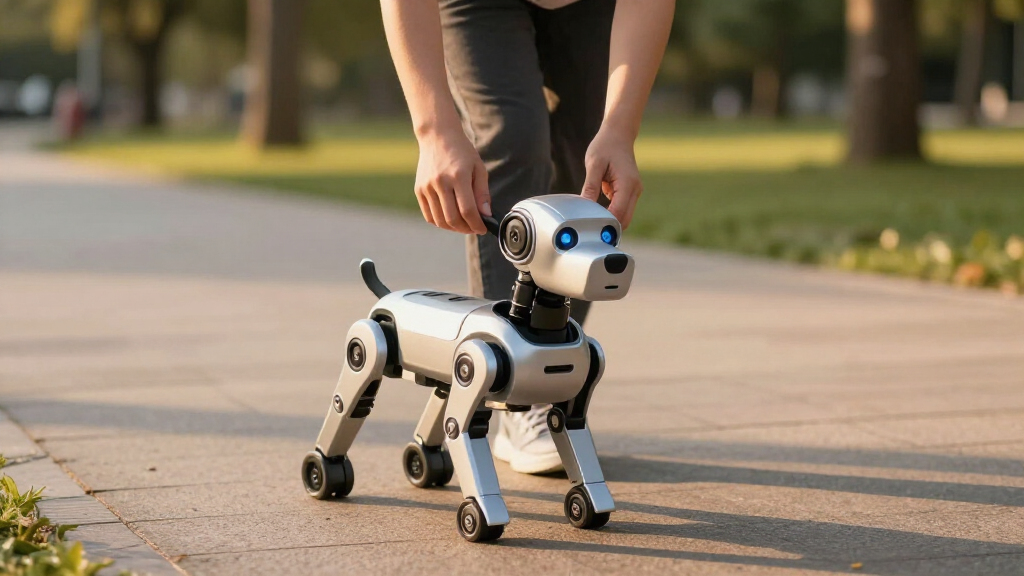
How We Picked
I ranked these robot dogs by interaction quality, control accessibility, programming depth, movement capability, and the amount of ongoing effort each model asks from its owner. I also weighed build expectations, charging convenience, age suitability, setup demands, privacy implications, and whether the feature set supports repeat play rather than a short-lived novelty. Higher placement went to products that serve a clearly defined buyer while offering enough versatility to remain engaging. Price alone did not determine value; I favored models whose capabilities match what their intended users can realistically access.
The roles reflect those differences. Loona is Best Overall, Power Puppy is Best Value, and the touch-and-follow Robot Dog Toy is Best for Beginners. PiDog is Best Coding Kit, Unitree Go2 is Best Premium Robotics Platform, and the bionic-movement model is Best for Lifelike Motion. The remote-and-app model is Best App-Controlled Starter, the 30+ action STEM pet is Best for Guided STEM Play, Dwi Dowellin is Best for Simple Remote Play, the app-and-voice STEM puppy is Best for Control Variety, and the dancing-and-singing model is Best for Music-Led Play. This ordering keeps advanced capability from automatically outranking usability: a sophisticated robot scores highly only when its complexity serves its target buyer.
Factors to Consider When Choosing Best Robot Dogs
I would start by deciding whether the robot dog needs to be a plaything, an interactive companion, a coding project, or a robotics platform. Those categories overlap, but they carry very different expectations for price, setup, supervision, and long-term use. A clear purpose makes the crowded field much easier to sort.
Choose the Right Type of Robot Dog
A children’s robot dog is usually designed around immediate play and simple commands, while an interactive companion places more weight on personality, autonomous reactions, and repeat engagement. Coding kits trade instant gratification for assembly, experimentation, and access to hardware or software. Advanced quadrupeds sit in another category, serving research, development, education, or specialized adult projects. Buying across these categories is a common mistake because similar dog-shaped bodies can hide radically different capabilities. I would choose a toy for accessible fun, a companion for expressive interaction, and a platform only when the buyer has a clear technical goal. More advanced does not automatically mean more enjoyable for a child or casual owner.
Match the Controls to the User
Remote controls provide the shortest learning curve and keep play possible when an app is unavailable. Touch and follow functions are especially useful for younger children because they make the robot respond without menus or command phrases. Voice control feels natural, but recognition can vary with room noise, speaking clarity, and supported command wording. Apps can add programming and customization, though they also introduce device compatibility, permissions, updates, and screen time. Gesture control is entertaining but may work best as a secondary input rather than the main way to direct a robot. For shared family use, I favor models offering at least one screen-free control method alongside any app features.
Separate Real Programming From Recorded Tricks
The word programmable can describe very different systems. Some toys only let a child record a short sequence of preset actions, which is approachable but offers limited creative depth. App-based block coding can teach sequencing, loops, and cause-and-effect without demanding typed code. A Raspberry Pi kit can support richer projects, sensors, and custom behaviors, yet it requires patience and technical support. Parents buying for STEM learning should check what the child can actually change rather than relying on the programming label alone. I would pay more for coding depth when the user already enjoys building or problem-solving; otherwise, simple action sequencing may produce more independent play.
Plan for Charging and Everyday Upkeep
Battery design shapes how often a robot dog gets used. A charging dock reduces friction because a compatible autonomous robot can return to a familiar base rather than waiting for someone to connect a cable. Removable batteries may extend play when spares are available, while sealed rechargeable packs are simpler but can become a long-term wear point. Movement, speakers, cameras, wireless connections, and onboard processing can all shorten runtime. Buyers should also account for cable storage, app updates, joint cleaning, and access to replacement parts. I would favor easy charging over headline runtime when the robot is expected to become part of a daily routine.
Check Movement Space, Noise, and Durability
A robot that walks well on a hard floor may struggle on deep carpet, clutter, thresholds, or uneven outdoor ground. Room layout matters as much as movement speed, especially for models with follow modes or autonomous roaming. Dancing and motorized tricks can be noisy, making them less appealing in apartments, classrooms, or shared workspaces. Lightweight toy bodies are easier for children to carry but may not tolerate falls, rough handling, or repeated collisions. Larger quadrupeds require greater clearance and more careful supervision around people, pets, and fragile objects. Before buying, I would identify where the robot will move and choose a size and gait suited to that space.
Know When Paying More Makes Sense
Higher prices are easiest to justify when they buy better autonomy, broader programmability, stronger hardware, or useful support. Paying extra for a long list of similar songs and tricks rarely adds the same lasting value. Younger children may get more enjoyment from a responsive remote-control puppy than from a technically ambitious model they cannot operate alone. Hobbyists benefit from accessible code, documentation, replacement components, and an active development ecosystem. Camera-equipped or connected models also deserve a close look at account requirements, data handling, and whether core functions remain available without cloud services. My value test is simple: pay for capabilities the intended owner will use repeatedly, not for complexity that will remain untouched.
Frequently Asked Questions
Is Loona Worth Paying More for Than a Basic Robot Dog Toy?
Loona makes sense when the buyer wants an interactive companion rather than a short set of remote-controlled tricks. Its varied inputs, real-time responses, home-monitoring function, and charging dock support more frequent interaction than a basic toy. The added cost is harder to justify for a young child who mainly wants dancing, walking, and button-driven commands. Connected features may also bring app, network, account, and privacy questions that simpler toys avoid. I would choose Loona for richer autonomous behavior and Power Puppy or a basic remote model for casual play.
Should I Buy PiDog or a Prebuilt Programmable Robot Dog?
PiDog is the better fit for a maker who wants assembly, Raspberry Pi development, and room to create custom projects. A prebuilt programmable toy is better for a child who wants to start playing quickly and learn through preset actions or block-based sequences. The kit may require separate compatible hardware, troubleshooting, and adult guidance, so the total commitment extends beyond its purchase price. Its reward is a much higher ceiling for experimentation than the app-programmable children’s models offer. I would pick PiDog for technical learning and a prebuilt STEM pet for accessible, guided coding.
Is Unitree Go2 Suitable as a Family Robot Pet?
Unitree Go2 is better viewed as an advanced robotics platform than as a conventional children’s toy. Its capabilities and physical scale suit adult hobbyists, developers, educators, and buyers with a defined robotics application. Families seeking songs, touch reactions, simple programming, or low-supervision indoor play will find Loona or one of the child-focused models easier to own. A larger quadruped also demands more attention to operating space, safety practices, support, and maintenance. I would reserve Go2 for serious technical use, not buy it merely because it is the most advanced dog-shaped robot in the lineup.
What Age Is Best for a Programmable Robot Dog?
Simple touch and remote models suit younger children because their cause-and-effect controls require little reading or setup. Children around six and older may be ready for recorded action sequences, voice commands, and beginner app programming, depending on their patience and device familiarity. Raspberry Pi projects fit older learners or younger makers working closely with an adult. Manufacturer age labels help with small parts and intended complexity, but they do not reveal whether a child can use the main features independently. I would match the robot to attention span and technical confidence rather than buying solely by the age printed on the box.
Do I Need an App or Wi-Fi to Get a Good Robot Dog?
No app is needed for satisfying basic play when a robot includes a responsive remote, touch sensors, or onboard voice commands. Apps become more valuable for block coding, behavior customization, updates, camera access, or detailed settings. Wi-Fi-connected models may offer richer interactions, but their experience can depend on network quality, service availability, and account support. Buyers who prefer privacy, travel frequently, or want a child to play without a phone should prioritize strong offline functions. My preference is a hybrid control system that remains useful without an app while offering digital features when wanted.
Conclusion
For most buyers, I recommend Loona as the best overall robot dog because it offers the strongest mix of expressive interaction, varied controls, autonomous charging, and household utility. Power Puppy is my best-value choice for families seeking programmability, remote operation, gesture control, and rechargeable power without moving into companion-robot pricing. Beginners and younger children are better served by the touch-and-follow Robot Dog Toy, whose direct interactions reduce setup and screen dependence. The Dwi Dowellin model is another sensible choice when straightforward remote play matters more than apps or coding.
For technical buyers, SunFounder PiDog is my preferred coding kit, while the 30+ action STEM pet offers a gentler route into programming for school-age children. Buyers prioritizing lifelike play should examine the voice-and-remote model with bionic movements, and those wanting the broadest mix of app, voice, touch, and remote inputs should favor the control-variety STEM puppy. The dancing-and-singing model fits music-led play, while the remote-and-app option gives new app users a simpler starting point. Unitree Go2 is the premium recommendation for adults pursuing advanced robotics, but Loona remains the more practical high-end choice for anyone who wants a robotic pet rather than a development platform.
Halloween Picks
halloween
As an affiliate, we earn on qualifying purchases.