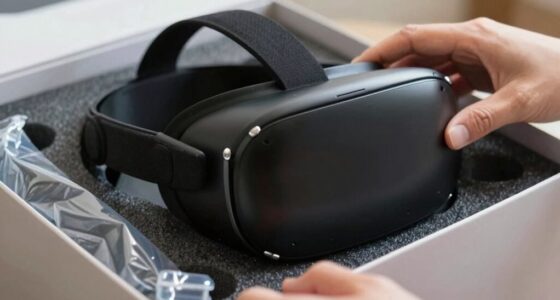
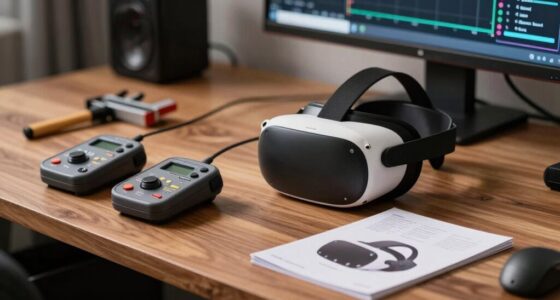
During your first week with VR, expect to feel some disorientation, dizziness, or fatigue as your brain adjusts to new visual cues and movements. You’ll need to spend time familiarizing yourself with your equipment, adjusting the headset for comfort, and practicing gentle movements to prevent motion sickness. Enjoy your exploration, but remember to take frequent breaks and manage your expectations. As you adapt, everything will start to feel more natural—if you continue exploring, you’ll discover more helpful tips along the way.
Key Takeaways
- Expect initial disorientation, blurry visuals, and mild dizziness as your brain adapts to virtual environments.
- Take frequent breaks and start with short sessions to prevent fatigue and motion sickness.
- Familiarize yourself with controllers and navigation to build confidence and ease discomfort.
- Understand that mastering VR skills takes time; patience and gradual exploration are essential.
- Maintain good posture, stay hydrated, and listen to your body to ensure a safe and enjoyable experience.
Getting Comfortable With Your Equipment

To get comfortable with your equipment, you should start by familiarizing yourself with the VR headset and controllers. Put on the headset carefully, adjusting the straps so it fits snugly but comfortably around your head. Take a moment to explore the device, feeling how it sits and how the strap tightens. Hold the controllers in your hands and get used to their weight and shape. Press the buttons gently to see how they respond, and practice holding and moving them naturally. Make sure you know where the thumbsticks, triggers, and grip buttons are located. Keep your movements slow and deliberate as you get used to the feel of the equipment. This initial familiarity will help you feel more relaxed during your first virtual experiences. Additionally, taking the time to understand VR comfort and safety tips can help prevent discomfort or motion sickness. Being aware of Free Floating principles can also help you navigate virtual environments more safely and comfortably. Practicing proper ergonomic posture during use can further reduce fatigue and ensure a more enjoyable experience. Remember, practicing these basics can also improve your immersion experience, making your first week more enjoyable and less stressful.
Navigating New Sensations and Movements

As you start exploring VR, you might notice some motion sickness or feelings of imbalance. Your sense of direction and orientation can also feel off as your brain adjusts to the new visuals and movements. Don’t worry—taking breaks and adjusting your settings can help you get used to these sensations more comfortably. Paying attention to visual clarity and comfort can also reduce discomfort during your initial experiences. Additionally, ensuring your hardware setup is optimized can contribute to a smoother and more comfortable VR experience. Being aware of energy-efficient technologies used in your devices can further enhance overall performance and sustainability during your VR sessions. Regular device maintenance not only prevents overheating but also helps maintain device longevity, ensuring consistent performance.
Expect Motion Sickness
When you start exploring virtual reality, it’s common to feel some motion sickness due to the brain receiving conflicting signals from your eyes and inner ear. Your eyes might see movement, but your inner ear senses stillness, confusing your brain. This mismatch can cause nausea, dizziness, or discomfort. To reduce symptoms, take frequent breaks, especially if you start feeling unwell. Start with shorter VR sessions, gradually increasing duration as your tolerance builds. Keep the environment well-ventilated and stay hydrated. Focus on steady, stable visuals and avoid rapid movements or quick turns initially. Remember, these sensations often pass quickly once you step away from the headset. Be patient and listen to your body—you’ll adapt over time, making future experiences more comfortable. Additionally, understanding technological integration can help optimize your experience and minimize discomfort. Being aware of motion sickness triggers can help you better prepare for and manage symptoms during your VR sessions. Incorporating comfort-enhancing accessories, like padding or adjustable straps, can also improve overall comfort and reduce discomfort during extended use. Recognizing the importance of user acclimatization can further help your body adjust smoothly to virtual environments.
Balance and Orientation
Adjusting to new sensations in virtual reality can feel disorienting, especially as your brain receives conflicting signals about your movements. You might feel off-balance or unsure whether you’re upright or leaning, which is normal during the early days. Your body relies on sensory input from your eyes, inner ear, and muscles to maintain balance, but VR can disrupt this harmony. To help, start slowly and take breaks if you feel dizzy. Focus on steady, deliberate movements, and avoid quick turns or jerky motions. Over time, your brain will adapt, and your sense of orientation will improve. Remember, it’s okay to feel a bit unsteady initially — your balance will stabilize as you become more familiar with the virtual environment.
Adjusting to Visual Cades
Getting used to visual cues in VR can be challenging because your eyes are processing a completely new way of seeing and moving through space. Your brain has to adapt to the depth, scale, and motion that feel unfamiliar. You might experience some disorientation or visual mismatches initially. To help your eyes adjust, try focusing on static objects before moving around. Take breaks if you feel overwhelmed. Remember, your brain will gradually learn to interpret these cues more accurately. Here’s a quick guide:
| Cue Type | Common Experience | Tips |
|---|---|---|
| Depth Perception | Objects seem closer or farther | Focus on nearby objects first |
| Motion Sickness | Feeling dizzy or nauseous | Short sessions, stay hydrated |
| Scale | Environments feel off | Use calibration tools if available |
| Focus | Blurry visuals | Blink or look away briefly |
Understanding the Virtual Environment

Have you ever wondered what exactly makes up the virtual environment you’re exploring? It’s a blend of digital images, sounds, and interactive elements designed to immerse you. These environments are created with 3D models, textures, and spatial audio that mimic real-world or fantastical settings. Understanding these components helps you navigate and interact confidently. Smart home technology—including AI-powered devices and automation—also enhances the immersive experience by creating dynamic, responsive environments that adapt to your preferences. Key aspects include:
- 3D models that form the visual scenery
- Textures adding realism to surfaces
- Spatial audio for directional sound cues
- Interactive objects you can manipulate
- User interface elements guiding your actions
- Integrating haptic feedback can further simulate touch sensations, making interactions more lifelike. Recognizing how visual rendering techniques work helps you appreciate the realism behind the graphics you see. Additionally, understanding how digital environment components combine allows you to better anticipate how virtual worlds respond to your movements. Knowing how these pieces fit together enhances your immersion and makes your VR experience smoother. It’s like stepping into a digital world built to respond to your presence and actions.
Managing Discomfort and Motion Sickness

While understanding the components of the virtual environment helps you navigate confidently, it’s equally important to address how you can stay comfortable during your VR sessions. Motion sickness and discomfort are common at first but manageable with simple strategies. Take regular breaks—every 15-20 minutes—to reduce strain. Adjust the headset to ensure a snug but comfortable fit, and try to keep your room well-ventilated. Using the table below, you can quickly identify helpful tips:
| Tip | Why it helps | When to apply |
|---|---|---|
| Take frequent breaks | Prevents fatigue and nausea | During long sessions |
| Adjust headset fit | Reduces pressure and discomfort | Before starting each session |
| Keep room ventilated | Maintains comfort and reduces heat | Throughout your VR experience |
| Limit session time | Avoids overstimulation | Especially initially |
| Focus on stable objects | Reduces motion sickness | During movement-heavy scenes |
Additionally, being mindful of sensory overload can further improve your comfort and overall experience. Recognizing how your physical sensations change during VR can help you notice when you need a break or adjustments, enhancing comfort and safety. Incorporating proper hydration can also help reduce discomfort during extended VR use. Being aware of auditory processing challenges or sensitivities can help you tailor your experience to avoid unnecessary stress. Remember that mindfulness of your body’s responses can help you manage discomfort more effectively and enjoy a more relaxed VR experience.
Setting Realistic Expectations and Goals

Before you start exploring VR, it’s important to clarify what you hope to achieve. Setting realistic goals helps you stay motivated and avoid frustration if things take longer than expected. Remember, progress in VR is a journey, not a race.
Clarify Your VR Goals
Clarifying your VR goals helps you stay focused and set realistic expectations for your experience. Knowing what you want to attain ensures you don’t get overwhelmed or discouraged along the way. Take a moment to define your primary objectives, whether it’s exploring new environments, gaming, or training. This clarity helps you choose appropriate apps and set manageable time limits. Keep in mind:
- Your initial goals should be simple and achievable
- Focus on enjoying the experience, not perfection
- Be flexible as you learn what VR can do for you
- Prioritize comfort and safety during sessions
- Track your progress to see how your goals evolve
- Understanding vital aspects of rhythm and sound quality can enhance your VR experience and help tailor content to your interests
Avoid Unrealistic Expectations
Setting realistic expectations is essential to enjoy your VR experience without frustration. Don’t expect to master every game or become an expert overnight. VR can be overwhelming at first, and it takes time to adjust physically and mentally. Remember that your comfort and safety come first; don’t push yourself too hard or try long sessions right away. It’s normal to feel disoriented or tired after short periods. Instead, focus on gradual progress and exploring different experiences. Keep in mind that some features may not meet your expectations immediately. Patience is key—your skills, comfort, and enjoyment will improve over time. By setting achievable goals, you’ll stay motivated and avoid disappointment during your first week in VR.
Troubleshooting Common Technical Issues

Are technical issues disrupting your VR experience? Don’t worry—many problems are fixable with quick troubleshooting. First, verify your headset is properly connected and all cables are secure. Restart your device to resolve minor glitches. Check for software updates, as outdated firmware can cause issues. If tracking feels off, clean the sensors and remove obstructions. For audio problems, verify your headphones are correctly plugged in and settings are configured. FINALLY, consult your device’s support resources if problems persist. Remember these key tips:
Facing VR glitches? Restart, check connections, update software, clean sensors, and consult support if issues continue.
- Keep firmware and software up to date
- Regularly clean sensors and lenses
- Restart your headset before troubleshooting
- Ensure all cables are firmly connected
- Consult official support for persistent issues
Staying calm and methodical makes fixing technical hiccups easier.
Frequently Asked Questions
How Long Should I Wear My VR Headset During My First Session?
You should start by wearing your VR headset for about 15 to 20 minutes during your first session. This allows your eyes and mind to adjust comfortably without feeling overwhelmed. Take regular breaks every 15-20 minutes to rest your eyes and prevent fatigue. As you get more accustomed, you can gradually extend your sessions. Listen to your body and don’t push yourself too hard initially.
Can VR Cause Long-Term Health Issues?
VR generally doesn’t cause long-term health issues if you take regular breaks and follow safety guidelines. Studies show that over 90% of users experience no lasting effects. However, prolonged use might lead to eye strain, headaches, or dizziness for some. You should listen to your body, limit session times, and make certain of proper fit. Staying mindful helps you enjoy VR safely without risking your long-term health.
What Accessories Can Enhance My VR Experience?
You can enhance your VR experience with accessories like adjustable head straps for comfort, high-quality headphones for immersive sound, and VR gloves to improve interaction. Consider a standing or treadmill base for more movement, and add face padding for prolonged use comfort. External sensors or cameras can increase tracking accuracy, while cable management systems prevent tangles. These accessories make your VR sessions more immersive, comfortable, and engaging.
How Do I Prevent VR Motion Sickness?
Feeling uneasy in VR? To prevent motion sickness, start slowly and take regular breaks. Keep your headset fit snug but comfortable, and stay hydrated. Focus on steady, fixed points in the virtual environment, and avoid rapid movements. If you feel queasy, pause and breathe deeply. With these tips, you’ll enjoy your experience without discomfort and stay immersed in the virtual world longer.
Is It Safe for Children to Use VR?
VR can be safe for children if you monitor their use carefully. Make sure the content is age-appropriate, and limit session lengths to prevent eye strain or discomfort. You should also verify the headset fits properly and that your child takes regular breaks. Always supervise their use to prevent accidents or overuse, and consult with a healthcare professional if you notice any signs of discomfort or other concerns.
Conclusion
Your first VR week might feel overwhelming, but remember, you’re beginning on a journey that could change how you see the world. With patience and practice, you’ll master your equipment, navigate sensations, and enjoy immersive adventures. Don’t let minor discomforts or technical hiccups scare you off—these are just tiny speed bumps on your epic voyage. Embrace every moment; soon, VR will become as natural as breathing, opening doors to worlds beyond your wildest dreams.