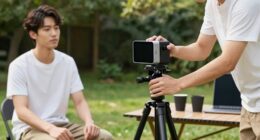
To keep your VR room camera-friendly for streaming or TikTok, focus on optimizing lighting by using natural light and diffused sources like softbox or ring lights, which help highlight your features evenly. Tidy up your background by removing clutter and choosing simple, neat decor to minimize distractions. Position your camera at eye level and ensure it’s stable for clear shots. Regularly test and adjust your setup to maintain a polished look—continue exploring these tips for the best results.
Key Takeaways
- Position your camera at eye level to ensure a natural and engaging perspective.
- Keep the background clean and organized, removing clutter and distracting objects.
- Use good lighting, such as softbox or ring lights, for even and professional illumination.
- Ensure your VR space is well-lit without shadows or glare that can interfere with camera clarity.
- Test your setup beforehand, adjusting camera angle and lighting for optimal face visibility and background simplicity.

Setting up a VR room that stays camera-friendly is vital for a smooth and immersive experience. Whether you’re streaming on Twitch, creating TikTok videos, or just sharing your gameplay, your camera setup plays a fundamental role in how your audience perceives you. To guarantee your space looks professional and engaging, start by focusing on lighting optimization. Proper lighting highlights your face clearly, reduces shadows, and prevents glare that can distract viewers. Natural light is ideal, so position yourself near a window during the day, but if that’s not possible, invest in softbox lights or ring lights. Aim for even, diffused lighting that illuminates your face without creating harsh shadows or overexposure. Adjust your lights as needed to avoid uneven brightness and to enhance your facial expressions.
Optimizing lighting is key to making your VR streaming space appear professional and engaging.
Next, pay attention to background clutter. A clean, organized background not only looks better on camera but also minimizes distractions for your viewers. Clear out any random objects, cluttered shelves, or messy piles that don’t add value to your content. Instead, create a simple, tidy backdrop—whether that’s a plain wall, a neatly arranged bookshelf, or a designated streaming corner. If you want to add personality, incorporate a few minimal decorations or themed elements that reflect your style without overwhelming the shot. Keep in mind that clutter can divert attention away from you, so regularly tidy up your space before each recording or stream.
Positioning your camera is equally important. Place it at eye level to establish a natural connection with your audience. This angle is more engaging and makes your expressions more visible, which enhances viewer interaction. Make sure your entire face is well-framed within the shot, leaving some space above your head and avoiding too much empty space around you. You might need to experiment with different camera heights and distances to find what works best. Also, consider using a stable mount or tripod to prevent shaky footage, which can look unprofessional and distract viewers.
Finally, test your setup before going live or recording. Watch the footage to check lighting, background, and framing. Adjust as needed to guarantee your face is well-lit, your background is clean, and you’re comfortably centered in the frame. A little extra effort in optimizing lighting and minimizing background clutter goes a long way in making your VR room camera-friendly, helping you deliver more polished, engaging content that keeps your viewers coming back. Additionally, ensure your European cloud servers are reliable and secure to maintain a smooth streaming experience, especially if you’re broadcasting high-quality content.
Frequently Asked Questions
How Can I Improve Lighting for Better Camera Visibility?
To improve lighting for better camera visibility, set up a balanced lighting setup with soft, diffuse lights to reduce shadows and glare. Use multiple light sources at different camera angles to evenly illuminate your face and background. Position lights in front and slightly above you, avoiding harsh backlighting. Adjust the lighting intensity to match your environment, ensuring your face is clear and well-lit for streaming or TikTok videos.
What Are Common Background Distractions to Avoid?
Like a knight in shining armor, you want to shield your camera from distractions. Avoid background clutter and distracting objects that draw attention away from you. Keep your space tidy, removing unnecessary items, and choose a clean, simple backdrop. This helps viewers focus on your content without visual chaos, ensuring your stream stays professional and engaging. A clutter-free background makes your VR setup look polished and keeps distractions at bay.
How Do I Position My VR Sensors for Optimal Tracking?
Position your VR sensors at chest or eye level, facing towards your play area, to maximize sensor placement and improve tracking accuracy. Keep them evenly spaced, with a clear line of sight, ideally diagonally across the room. Avoid placing sensors near reflectors or metal objects, as they can interfere with tracking. Regularly check and adjust their angles to ensure smooth, precise movements during your gaming or streaming sessions.
What Clothing Should I Wear to Enhance Camera Clarity?
Think of your clothing as a canvas, setting the stage for clarity. Wear outfits with strong contrast—bright against dark—to make your movements pop. Opt for smooth fabrics like cotton or polyester that reflect light evenly, avoiding busy patterns or shiny textures that can distort camera focus. Your goal is to create a visual harmony, allowing the camera to capture your actions with crisp precision, turning your performance into a seamless visual story.
How Can I Reduce Glare and Reflections in My VR Space?
To reduce glare and reflections in your VR space, start by using matte or non-reflective paint on walls and furniture, which helps minimize reflection. Position lights to avoid direct angles that cause glare, and consider using diffusers or soft lighting. Keep screens and shiny surfaces covered when not in use, and adjust your camera angles to avoid capturing reflective surfaces. These glare reduction techniques will improve your camera clarity during streaming or TikTok recordings.
Conclusion
Now that you know the secrets to a sleek, stream-ready space, it’s time to take action! Keep clutter clear, lighting luscious, and camera comfort constant. With these simple steps, you’ll create a enthralling, camera-friendly corner that captivates viewers and keeps your content consistent. Stay savvy, stay structured, and let your space shine so your streams and TikToks truly stand out. Your perfect VR room is just a few small steps away—start shaping it today!