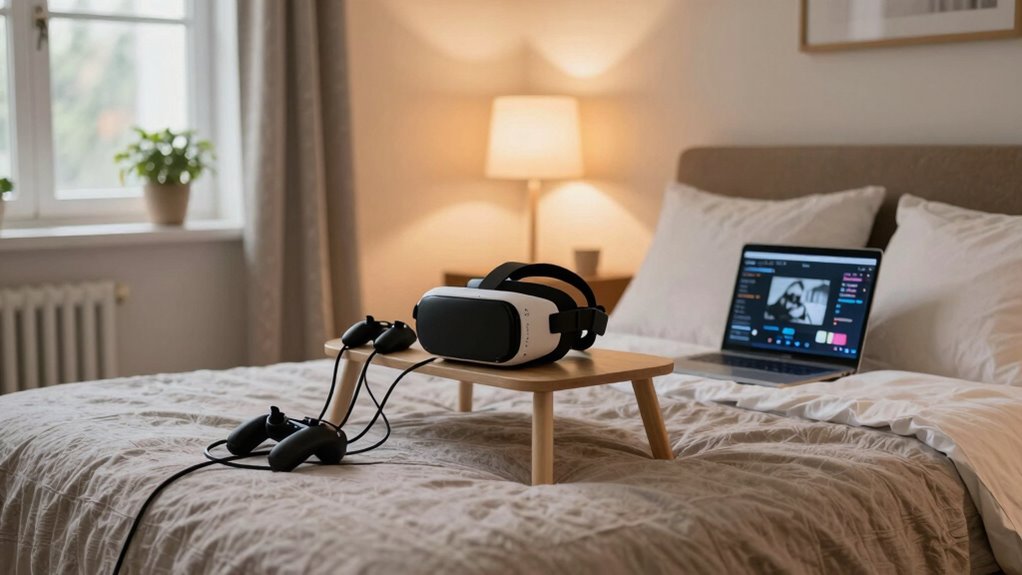
When setting up VR in a temporary space like a hotel or Airbnb, first measure the area to make certain you have enough clearance for safe movement. Clear clutter, reposition furniture, and use vertical surfaces for sensors to maximize space. Test your Wi-Fi strength and consider portable boosters for stable connection. Use wireless equipment to avoid cords and plan your layout for quick transformation. For more tips on creating a safe, immersive VR experience anywhere, keep exploring this guide.
Key Takeaways
- Measure and clear the available space, rearranging or moving furniture to create a safe, dedicated VR zone.
- Use vertical surfaces or corners for sensor mounting to maximize limited space.
- Test Wi-Fi stability and consider portable hotspots to ensure a lag-free wireless connection.
- Opt for portable, foldable furniture and organize cables to maintain safety and ease of setup.
- Perform safety checks, confirming space clearance and stable connections before starting VR sessions.

Ever wondered how to set up a VR station in a temporary space? Whether you’re staying at a hotel, Airbnb, or guest room, creating an effective virtual reality setup requires careful planning, especially when it comes to space optimization and wireless connectivity. Since temporary spaces often have limited room and unpredictable layouts, your goal is to make the most of what’s available without sacrificing comfort or safety. Start by evaluating the area carefully. Measure the space to determine how much room you can dedicate to your VR activities. You want enough clearance to move freely without knocking into furniture or walls. If the space is tight, consider rearranging or temporarily moving furniture to create a dedicated zone. This not only maximizes space but also minimizes potential hazards, making your VR experience safer and more immersive.
Maximize your temporary VR space by measuring carefully, rearranging furniture, and creating a safe, open zone for immersive experiences.
Wireless connectivity plays a vital role in a temporary setting. Unlike permanent setups that can rely on wired connections, portable VR stations benefit greatly from strong, stable Wi-Fi. Before you begin, test the internet in the space to confirm it can handle high data demands without lag or interruptions. If Wi-Fi signals are weak or inconsistent, consider using a portable Wi-Fi hotspot or a mesh network device to boost signal strength. This ensures seamless streaming of VR content and reduces latency, which is essential for an enjoyable experience. Keep your VR headset’s wireless connection equipment close to your play area but out of the way of movement to prevent accidental disconnections or damage.
To optimize space further, utilize vertical surfaces or corners for mounting accessories like sensors or controllers if your setup includes them. Wireless sensors and controllers mean you don’t have to worry about long cables cluttering your limited space. Additionally, choose a clear, clutter-free zone where you can quickly put on or remove your headset without tripping over objects. Using foldable or portable furniture can help you quickly transform the room for VR use and revert it afterward. Always make sure you have enough clearance around you—at least six feet in all directions—to fully enjoy the experience without feeling cramped or risking injury. Furthermore, selecting a high-quality projector or display can significantly enhance your visual immersion, especially in a temporary environment where traditional large screens might not be feasible.
Finally, organize your setup with safety and convenience in mind. Keep cables and accessories neatly stored when not in use, and double-check that your wireless connections are stable before jumping into your VR adventure. With a little planning, even a temporary space can become a functional, immersive VR environment that offers excellent space optimization and reliable wireless connectivity. This way, you get to enjoy all the benefits of virtual reality without the hassle of a permanent, dedicated setup.
Frequently Asked Questions
How Can I Ensure Wi-Fi Stability for Smooth VR Experiences?
To make certain Wi-Fi stability for smooth VR experiences, you should boost your Wi-Fi signal by using signal boosters or extenders. Place them near your VR area to improve connection strength. Also, secure your network with strong passwords and updated firmware to prevent interference. Prioritize bandwidth for your VR device, and minimize other device usage during your session. These tips help maintain a reliable, fast connection for immersive VR gameplay.
What Safety Precautions Should I Take in Unfamiliar Spaces?
Think of yourself as an explorer venturing into new territory—you need safety as your compass. Guarantee ample space clearance to avoid collisions, and keep pathways clear of obstacles. Check electrical safety by inspecting outlets and cords for damage, and avoid overloading circuits. Use secure mounts for equipment, and stay aware of your surroundings. Taking these precautions helps you enjoy VR safely, even in unfamiliar spaces, just like a seasoned traveler.
How Do I Manage Cable Clutter in Tight Hotel Rooms?
To manage cable clutter in tight hotel rooms, focus on cable management by using zip ties or velcro straps to bundle cords neatly. Position your equipment close to power outlets to reduce excess slack. Use adhesive cable clips on furniture or walls to secure cables and prevent tripping hazards. This clutter reduction keeps your VR setup safe and organized, allowing you to enjoy immersive experiences without worrying about tangled cords or accidents.
Can I Set up VR Without Permanent Modifications?
Did you know that 78% of VR users prefer temporary setups for flexibility? You can absolutely set up VR without permanent modifications by using portable equipment. Focus on lightweight headsets, wireless options, and adjustable mounts. This way, you can easily move or store your gear between spaces, making your temporary setup hassle-free. Just make sure your space has enough room and good Wi-Fi for a smooth experience.
What Are the Best Portable VR Storage Options?
You should consider a sturdy portable case or a dedicated backpack storage for your VR gear. A hard-shell case keeps your headset, controllers, and cables protected during travel and quick setup. Alternatively, a spacious backpack designed for tech gear offers convenience and easy access. Both options are lightweight, durable, and ideal for temporary spaces, ensuring your VR setup stays safe and organized wherever you go.
Conclusion
Just like explorers charting unknown lands, setting up VR in a temporary space lets you craft your own adventure wherever you go. With a few simple steps, you transform any guest room or hotel into a gateway to new worlds. Remember, every journey begins with a single step—so don’t hesitate to take yours. Embrace the freedom of temporary spaces, and let your virtual voyage unfold, no matter where life takes you.





