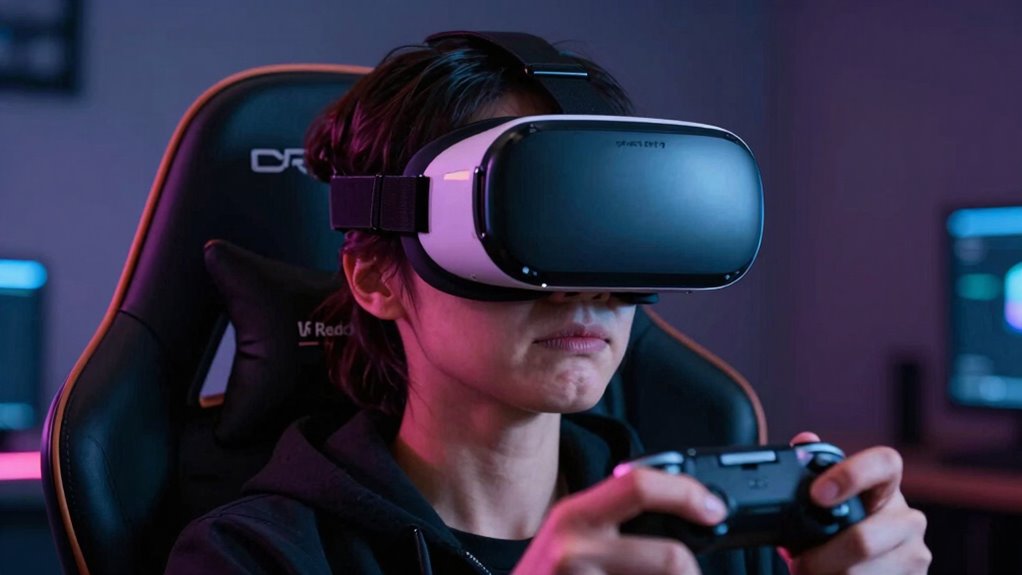

A “VR Ready” label mostly highlights performance specs like resolution and processing power, but it doesn’t promise comfort for long sessions. Poor ergonomic design, heavy weights, and uneven weight distribution can cause discomfort, headaches, or fatigue, regardless of the headset’s specs. These factors greatly impact your immersion and enjoyment. To truly find a headset that feels good over time, you need to take into account ergonomic features alongside performance. Keep exploring to discover what makes a headset comfortable for extended use.
Key Takeaways
- “VR Ready” labels focus on performance specs, not ergonomic comfort or weight distribution.
- High specs don’t guarantee a headset’s design prevents discomfort during extended use.
- Poor ergonomic design causes pressure points, headaches, and physical fatigue, regardless of performance.
- Motion sickness is influenced by latency and tracking, not just technical specifications.
- Combining technical power with thoughtful ergonomic features is essential for a comfortable VR experience.

Virtual reality has become more immersive and accessible than ever, but comfort remains a crucial factor for an enjoyable experience. Just because a headset is labeled “VR Ready” doesn’t automatically mean it’s comfortable to wear for extended periods. Many devices focus on raw performance—high resolution, fast refresh rates, and powerful processors—yet overlook the importance of ergonomic design. A well-designed headset should distribute weight evenly across your head and face, minimizing pressure points that can cause discomfort or fatigue. When a headset isn’t built with ergonomic principles in mind, you might find yourself adjusting it constantly or experiencing headaches after a brief session.
Comfort is key—ergonomic design ensures extended VR sessions avoid fatigue and discomfort.
Even if a headset is technically “VR Ready,” poor ergonomic design can make prolonged use unpleasant. Straps that dig into your skin, heavy front weights, or poorly balanced devices contribute to discomfort. This can lead to a distraction from the experience itself, making you less likely to enjoy longer sessions or immersive storytelling. Comfort isn’t just about feeling good; it’s about maintaining focus and immersion without physical strain pulling you out of the virtual world. Proper ergonomic support plays a vital role in enhancing the overall VR experience and reducing fatigue. Additionally, ergonomic principles can help prevent long-term discomfort or injury from extended use.
Another critical aspect that often gets overlooked is motion sickness. Many users experience this when the VR experience isn’t optimized for comfort. Motion sickness occurs when your brain receives conflicting signals—your eyes see movement, but your inner ear doesn’t sense it, or vice versa. A VR headset with subpar latency, low frame rates, or inconsistent tracking can exacerbate these feelings, making you feel dizzy or nauseous. Even the most advanced systems, if not designed with user comfort in mind, can trigger motion sickness.
Manufacturers that prioritize ergonomic design and smooth motion tracking can help mitigate these issues. Features like adjustable straps, padding that conforms to your head shape, and balanced weight distribution improve comfort. Meanwhile, high refresh rates and low latency ensure the virtual environment responds seamlessly to your movements, reducing the likelihood of motion sickness. When these elements are missing, even a “VR Ready” device can become a source of discomfort rather than entertainment.
In essence, being “VR Ready” isn’t just about specs—it’s about how those specs translate into user comfort. The best VR experiences are those that balance technical prowess with thoughtful ergonomic design and motion sickness mitigation. If you’re considering a new headset, look beyond the specifications and ask how it’s built to keep you comfortable. After all, the true power of virtual reality lies in immersion, and that’s only sustainable when comfort is a priority. A focus on ergonomic design can significantly enhance your overall experience and enjoyment.
comfortable VR headset with ergonomic design
As an affiliate, we earn on qualifying purchases.
As an affiliate, we earn on qualifying purchases.
Frequently Asked Questions
Can VR Comfort Vary Between Different Headsets?
Yes, VR comfort can vary between different headsets. You should pay attention to ergonomic design, which influences how comfortably a headset fits your head. Additionally, head strap adjustments allow you to customize the fit, reducing pressure points and improving comfort during extended sessions. Some headsets prioritize lightweight materials, while others focus on adjustable features, so choosing one that suits your head shape and preferences can substantially enhance your VR experience.
How Long Should I Wear a VR Headset Safely?
You should wear a VR headset for no more than 30 to 60 minutes at a time, taking breaks to rest your eyes and prevent discomfort. Pay attention to ergonomic design and weight distribution—choose headsets that fit well and are lightweight. If you experience discomfort, headaches, or dizziness, remove the headset immediately and take longer breaks. Proper fit and regular breaks are key to safe, comfortable VR experiences.
Do VR Accessories Improve Overall Comfort?
A stitch in time saves nine, and the same applies to VR accessories. Yes, they improve overall comfort by addressing ergonomic design issues and distributing weight more evenly. However, guarantee accessory compatibility with your headset to avoid discomfort or technical issues. When chosen wisely, these add-ons can make your VR experience more enjoyable, reducing fatigue and improving long-term comfort during extended sessions.
What Are Common Signs of VR Discomfort?
You might notice signs of VR discomfort like dizziness or nausea, often caused by motion sickness from rapid movements or lag. Eye strain is common if images are blurry or your headset doesn’t fit well, leading to headaches or fatigue. If you experience these symptoms, take breaks regularly, adjust the headset for comfort, and consider reducing session durations to prevent long-term discomfort.
Does Age Affect VR Comfort Levels?
You might find that age influences your VR comfort levels, as older users often experience more age-related sensitivity, making VR sessions less comfortable. Studies show that younger users adapt quicker, while older individuals may need longer to adjust. To enhance comfort, focus on comfort enhancement features like adjustable headsets and tailored settings. Being aware of your age-related sensitivities can help you customize your experience for a more enjoyable VR session.
lightweight VR headset for extended use
As an affiliate, we earn on qualifying purchases.
As an affiliate, we earn on qualifying purchases.
Conclusion
While a device being labeled “VR Ready” might seem like a guarantee of comfort, it’s not always the case. Many users experience discomfort despite specs claiming readiness, highlighting that hardware isn’t everything. In fact, studies show that over 60% of VR users report some level of motion sickness or discomfort, emphasizing the importance of user-specific adjustments. So, don’t just rely on the label—pay attention to comfort settings and personal fit for a truly immersive experience.
VR headset with adjustable straps and padding
As an affiliate, we earn on qualifying purchases.
As an affiliate, we earn on qualifying purchases.
ergonomic VR head strap and face cushion
As an affiliate, we earn on qualifying purchases.
As an affiliate, we earn on qualifying purchases.