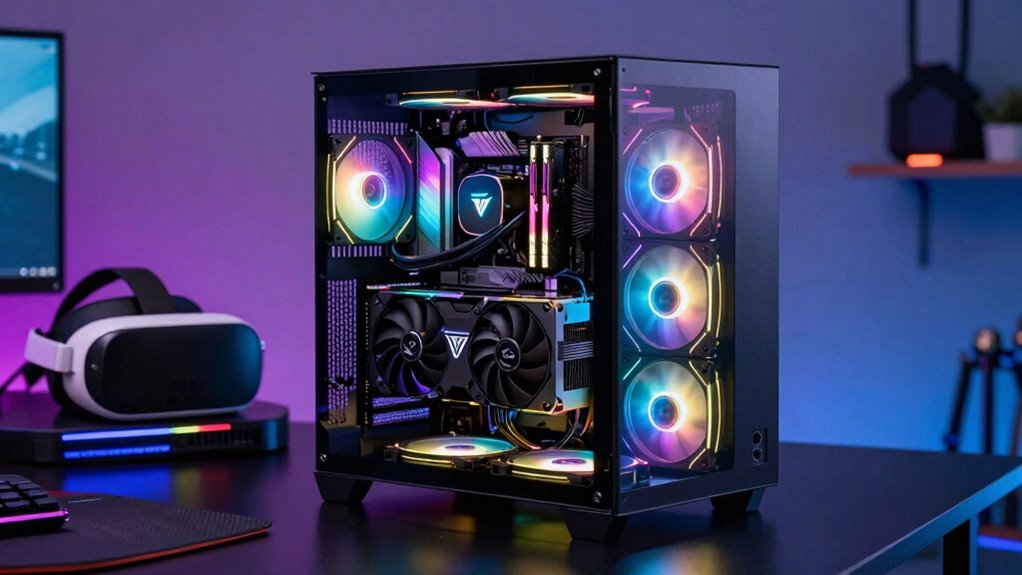

The best GPU for VR isn’t just about raw power because compatibility, graphical fidelity, and system stability matter just as much. You need a GPU that fits your headset’s standards, supports the right connection types, and works well with your PC’s components. Overlooking these factors can cause bottlenecks, overheating, or performance issues. If you keep exploring, you’ll find how these elements combine to give you a truly immersive VR experience.
Key Takeaways
- Compatibility with VR headsets and connection standards ensures the GPU can effectively support your specific setup.
- Driver support and software ecosystem are crucial for stability, updates, and performance optimization during VR use.
- Cooling and power consumption impact sustained performance and prevent overheating or system failures.
- Achieving high graphical fidelity requires balanced system integration to avoid bottlenecks.
- Overall system harmony, including other components, is essential for a smooth, immersive VR experience beyond raw GPU power.

Choosing the optimal GPU for VR can profoundly enhance your immersive experience, whether you’re gaming, designing, or exploring virtual worlds. While raw power is often the first thing that comes to mind, it’s not the only factor that determines how well a GPU performs in virtual reality. Graphical fidelity plays a crucial role—higher-quality visuals create more realistic and engaging environments, but achieving this depends on the GPU’s ability to render detailed textures, complex shaders, and smooth frame rates. A GPU with ample power is essential, but it must also strike a balance with other components to optimize performance.
Balancing GPU power with graphical quality and system compatibility ensures a smooth, immersive VR experience.
Hardware compatibility is equally important. Not all GPUs work seamlessly with every VR headset or PC setup. You need to ensure the graphics card supports the specific VR standards and connection types your headset requires. For instance, some headsets demand HDMI 2.1 or DisplayPort 1.4 outputs, and your GPU should be compatible with these to avoid bottlenecks. Additionally, the physical size of the GPU matters; larger cards may not fit into smaller cases, which can limit your upgrade options or require additional modifications. Ensuring hardware compatibility can prevent costly mismatches and installation issues that hinder VR performance.
Another aspect often overlooked is driver support and software ecosystem. A GPU with robust, regularly updated drivers ensures stability and compatibility with the latest VR titles and features. The software ecosystem, including tools for optimizing performance and troubleshooting, can considerably influence your experience. For example, some manufacturers offer VR-specific settings that help balance graphical fidelity with performance, reducing latency and motion sickness. Moreover, a well-supported driver ecosystem can help mitigate issues related to system stability during intensive VR sessions. This ongoing support can be crucial for maintaining a smooth and enjoyable VR experience over time.
Power consumption and cooling are also critical considerations. A GPU that consumes too much power or runs too hot can lead to thermal throttling, reducing performance during intensive VR sessions. Ensuring your power supply can handle the GPU’s demands and that your case has adequate airflow will keep your system running smoothly. Remember, a high-end GPU that overheats or isn’t compatible with your system’s power setup can cause frustrations and compromise your immersive experience. Additionally, considering cooling solutions can help maintain optimal performance during extended VR use. Proper cooling and power management are essential to sustain performance and avoid hardware failures.
Ultimately, choosing the best GPU for VR isn’t just about chasing the highest benchmark scores. It’s about finding a balanced combination of graphical fidelity, hardware compatibility, and system integration. This ensures you get smooth, realistic visuals without sacrificing stability or performance. When you prioritize these factors alongside raw power, you’ll set yourself up for a truly immersive virtual reality experience that’s as seamless and engaging as possible.
As an affiliate, we earn on qualifying purchases.
Frequently Asked Questions
How Does GPU Compatibility Affect VR Headset Performance?
Your GPU compatibility directly impacts VR headset performance by preventing hardware bottlenecks that cause lag or stuttering. If your GPU isn’t compatible or powerful enough, it struggles to handle high display resolutions, leading to a less immersive experience. Ensuring your GPU matches your VR headset’s requirements helps you achieve smooth visuals and reduces latency, making your VR sessions more enjoyable and realistic.
What Role Does VR Software Optimization Play in GPU Choice?
VR software optimization greatly influences your GPU choice because well-optimized software guarantees smoother gameplay and reduces latency, enhancing your immersive experience. Even with powerful VR hardware, poorly optimized software can cause stuttering or lag. By choosing a GPU compatible with optimized VR titles, you get better frame rates and visuals. This synergy between VR software and hardware creates a seamless, immersive experience, proving that software optimization is just as vital as raw GPU power.
Are Specific GPUS Better for Wireless VR Setups?
Yes, some GPUs are better for wireless VR setups because they handle wireless latency better and offer efficient cooling. Look for GPUs with lower latency features to reduce lag, which improves your experience. Also, consider models with good GPU cooling systems, as wireless VR can cause your hardware to work harder, generating more heat. These factors guarantee smoother gameplay, minimal lag, and a comfortable experience during extended VR sessions.
How Important Is Driver Support for VR Gaming?
Driver support is the backbone of your VR gaming experience, like a steady captain guiding a ship through turbulent waters. It’s essential because it guarantees your VR hardware functions smoothly and that graphic fidelity remains high. Without reliable driver updates, you risk lag, glitches, or crashes, which can ruin immersion. Good driver support keeps your VR experience seamless, allowing you to focus on the game rather than technical issues, maximizing your enjoyment.
Can a Less Powerful GPU Still Deliver a Good VR Experience?
A less powerful GPU can still deliver a decent VR experience if it handles graphics resolution and frame synchronization well. Lowering resolution can boost performance, making visuals smoother. Ensuring proper frame synchronization prevents lag and motion sickness. While you’re limited compared to high-end GPUs, optimizing these settings can make your VR sessions more enjoyable and comfortable, even with a less powerful graphics card.
As an affiliate, we earn on qualifying purchases.
Conclusion
Choosing the best GPU for VR isn’t just about grabbing the one with the most horsepower; it’s like picking a skilled pilot for a complex flight. You need the right balance of power, compatibility, and smooth performance to truly enjoy the ride. So, don’t just chase numbers—consider your specific setup and needs. When you find that perfect match, your VR experience will soar, turning virtual worlds into breathtaking adventures rather than bumpy journeys.
VR gaming GPU with driver support
As an affiliate, we earn on qualifying purchases.
As an affiliate, we earn on qualifying purchases.
As an affiliate, we earn on qualifying purchases.



![Stepping Inside The Design: How VR Is Advancing USACE Projects [Image 5 Of 7]](https://vrgearguide.com/wp-content/uploads/2026/08/stepping-inside-the-design-how-vr-is-advancing-usace-projects-image-5-of-7-featured-260x140.jpg)