Warm rooms can make your VR experience much worse because heat causes sweating, restlessness, and discomfort. When you’re too hot, your body works harder to cool down, which leads to fatigue and distraction. Poor airflow makes heat stagnate, increasing heat buildup and hot spots. Maintaining a cooler, well-ventilated space helps prevent overheating and keeps you focused. If you want to discover how to improve your environment, keep exploring ways to boost your VR comfort.

Play games on Amazon Luna for your next adventure, included with Prime
- A rotating selection of games, no download needed
- Play on TV, laptop or phone
- Fast, free delivery for your gear, too
Key Takeaways
- Warm environments cause sweating and discomfort, reducing focus and enjoyment during VR sessions.
- Elevated temperatures lead to quicker fatigue and physical restlessness, impairing immersion.
- Poor airflow results in heat buildup, making the environment feel stuffy and uncomfortable.
- Overheating forces the body to work harder, diverting energy from VR engagement.
- Maintaining proper ventilation and airflow helps regulate temperature, enhancing comfort and VR experience.
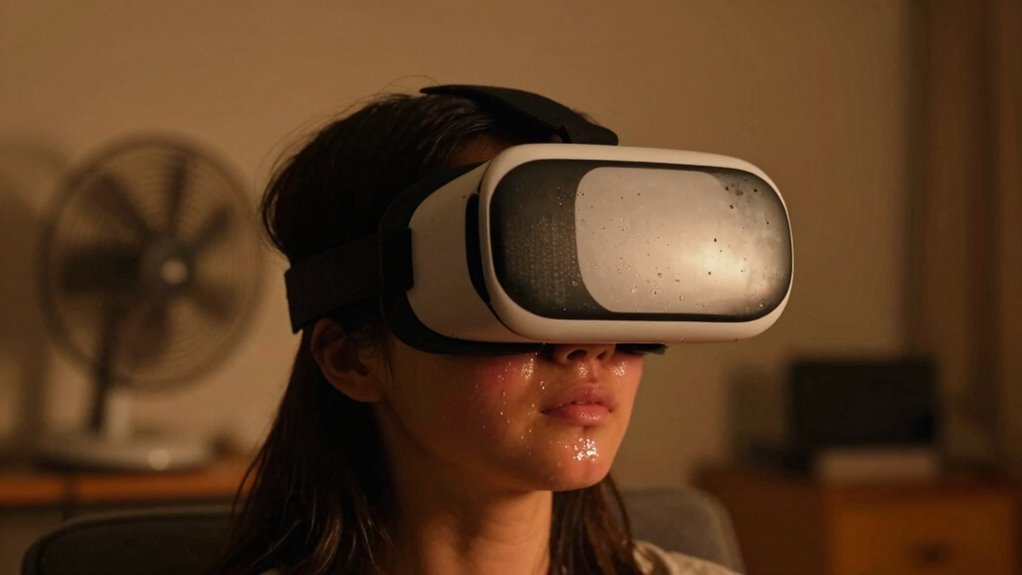
If you’ve ever noticed that virtual reality experiences feel more uncomfortable in a warm room, you’re not imagining things. The temperature around you plays a significant role in how immersive and enjoyable your VR session feels. When the room is too warm, your sense of thermal comfort gets disrupted, making it harder to focus and enjoy the experience. Your body naturally reacts to heat by sweating and feeling restless, which can distract you from the virtual environment. This discomfort often leads to quicker fatigue and a desire to end your session sooner than you’d like.
Warm rooms can disrupt VR comfort, causing sweating, restlessness, and quicker fatigue. Keep the environment cool for better immersion.
Maintaining proper airflow management becomes essential in these situations. Good airflow helps regulate your body temperature and prevents the buildup of heat around you. If airflow is poor, the warm air stagnates, intensifying feelings of discomfort. On the other hand, well-designed airflow can create a cooling breeze that offsets the heat, helping you stay relaxed and alert. Small changes, like adjusting ceiling fans or using portable fans directed at your seating area, can make a noticeable difference in how comfortable you feel during VR. The goal is to keep the air moving gently around you, making sure that heat doesn’t accumulate and cause you to feel overheated.
Thermal comfort isn’t just about feeling cool; it’s about creating an environment where your body’s temperature stays within a comfortable range. When you’re too warm, your body works harder to cool itself, diverting energy from enjoying the VR experience. You might notice yourself fidgeting, sweating, or feeling sluggish—signs that your environment isn’t supporting your comfort. Managing airflow effectively is a simple but powerful way to improve this. For example, opening windows or using oscillating fans can help circulate air evenly in the room, preventing hot spots and reducing overall heat buildup. Additionally, air quality improvements can contribute to a more comfortable environment by reducing humidity and pollutants that can make you feel even warmer or more uncomfortable. Proper temperature regulation is equally important in maintaining consistent comfort levels during extended VR sessions. Believe it or not, air circulation plays a crucial role in maintaining thermal equilibrium and preventing hot spots that can lead to discomfort. Ensuring good ventilation can also help remove excess humidity, which contributes to feeling warmer and more uncomfortable.
Ultimately, your VR experience depends heavily on the environment around you. If you want to maximize comfort and immersion, pay attention to thermal comfort and airflow management. Keep the room cool enough to prevent overheating, and make sure that air moves freely to carry away excess heat. Doing so will help you stay engaged longer, reduce fatigue, and fully enjoy the virtual world without being distracted by physical discomfort. Remember, a cool, well-ventilated space isn’t just a luxury—it’s an essential part of making your VR sessions more enjoyable and less exhausting.
As an affiliate, we earn on qualifying purchases.
Frequently Asked Questions
How Does Body Temperature Affect VR Experience?
Your body temperature directly impacts your VR experience through thermal regulation and sweat management. When you’re too warm, your body struggles to cool down, causing discomfort and distraction. Sweating increases, making the headset slip and reducing immersion. To stay comfortable, you should maintain a cool environment, wear breathable clothing, and take breaks. Proper thermal regulation keeps you focused and enhances your overall VR enjoyment.
Can Cooling Devices Improve VR Comfort?
Cooling devices can definitely improve your VR comfort by enhancing air circulation and using advanced cooling technology. When your environment stays cooler, you’ll experience less sweating and discomfort, allowing you to enjoy longer VR sessions. Proper air circulation helps distribute cool air evenly, preventing hot spots. Investing in good cooling tech creates a more pleasant experience, reducing fatigue and heat-related issues, so you stay focused and immersed in your virtual world.
Do Warm Rooms Cause VR Motion Sickness?
Think of your body like a finely tuned instrument—warm rooms can cause VR motion sickness by disrupting temperature regulation and sensory adaptation. When it’s too hot, your body struggles to adjust, making you feel dizzy or disoriented. Maintaining a cooler environment helps your senses adapt smoothly, reducing discomfort. So, keeping the room temperature ideal allows your body to stay balanced and enjoy VR without the unpleasant side effects.
What Are the Best Room Conditions for VR?
For the best VR experience, keep your room cool and comfortable. Use ambient lighting to reduce glare and eye strain, creating a cozy environment. Maintain moderate room humidity to prevent dryness or discomfort, which can distract you during gameplay. A well-ventilated space with balanced lighting and humidity helps your body stay relaxed, minimizing motion sickness and enhancing immersion, so you can enjoy VR sessions without unnecessary discomfort or distractions.
How Quickly Does Room Temperature Impact VR Sensation?
Room temperature affects your VR sensation within minutes, especially if ambient humidity is high or airflow circulation is poor. When the room’s warm, you may start feeling uncomfortable and sweaty quickly, which can distort your experience. Proper airflow circulation helps regulate temperature, reducing discomfort. Keep the room cool and well-ventilated, and you’ll notice a faster, more comfortable VR session, with less sensation of heat or stickiness.
oscillating desk fan for cooling
As an affiliate, we earn on qualifying purchases.
As an affiliate, we earn on qualifying purchases.
Conclusion
So, next time you notice your VR experience feeling off, consider the temperature. It’s funny how something as simple as a warm room can make everything seem more intense or uncomfortable. Maybe it’s just coincidence, or maybe your body’s telling you to cool down. Either way, a cooler space might be the key to a smoother, more immersive VR adventure. Sometimes, the tiniest change can make all the difference—who knew?
As an affiliate, we earn on qualifying purchases.
air circulator fan for gaming room
As an affiliate, we earn on qualifying purchases.
As an affiliate, we earn on qualifying purchases.
Fall Picks
fall essentials
As an affiliate, we earn on qualifying purchases.