To set up a VR safe word for new players, choose a simple, easy-to-remember word like “red” or “pause” that won’t be accidentally said during gameplay. Include this safe word in your pre-session checklist and explain its purpose clearly to everyone involved. Make sure controllers and headsets are comfortable and easy to use, so players can respond quickly if needed. If you keep these tips in mind, you’ll learn more about creating a safe and enjoyable VR environment.

Play games on Amazon Luna for your next adventure, included with Prime
- A rotating selection of games, no download needed
- Play on TV, laptop or phone
- Fast, free delivery for your gear, too
Key Takeaways
- Choose a short, easy-to-remember word like “red” or “pause” that won’t be mistaken for commands.
- Clearly explain the safe word’s purpose to all players before starting the VR session.
- Incorporate the safe word into pre-session safety checklists and routines.
- Practice saying the safe word in low-stress moments to ensure quick, instinctive use during immersion.
- Use comfortable, adjustable equipment to stay relaxed and attentive, making safe word activation more effective.
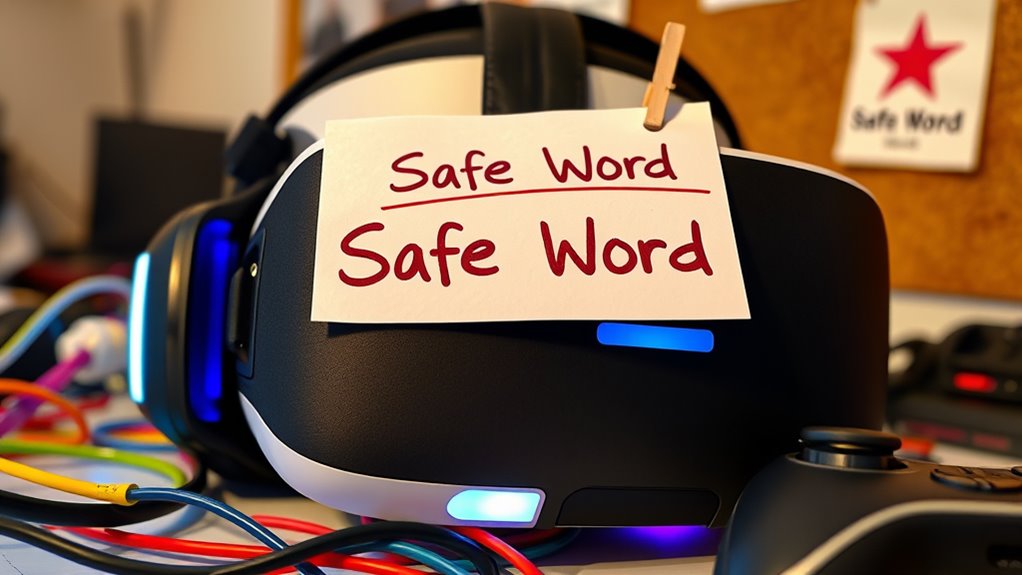
When diving into virtual reality experiences, having a clear and reliable safe word is essential for maintaining comfort and control. Virtual reality (VR) can be incredibly immersive, but it also has the potential to overwhelm or unsettle you if boundaries aren’t clearly established. That’s why setting up a VR safe word should be a priority before you start exploring new worlds. Your safe word acts as a quick, unmistakable signal that you need to pause, adjust, or stop entirely. It’s a simple yet powerful tool to ensure your experience remains positive and that your player comfort is always prioritized.
Having a clear safe word in VR ensures comfort and control during immersive experiences.
First, choose a safe word that’s easy to remember, quick to say, and unlikely to be mistaken for normal gameplay commands. Something short like “red” or “pause” works well because they’re unambiguous. When selecting your safe word, think about your natural speech patterns—avoid words you might accidentally say during gameplay. The goal is for the safe word to be instinctive and effortless to use, even in moments of heightened emotion or surprise.
Next, incorporate your safe word into your VR setup and routine. Make it a part of your pre-session checklist. Prior to starting, communicate clearly to yourself or your fellow players that this word is your signal for stopping or taking a break. If you’re using VR with friends or a partner, ensure everyone understands the safe word and respects it. This shared understanding creates a safe environment where player comfort is always maintained.
When it comes to VR equipment, the focus should be on comfort and ease of use. Comfortable headsets, adjustable straps, and well-positioned controllers help reduce physical strain, making it easier to stay relaxed. The more comfortable you are physically, the more attuned you’ll be to your emotional and physical cues, which makes using your safe word more effective. If you feel any discomfort — whether it’s from the headset, motion sickness, or fatigue — don’t hesitate to pause using your safe word. Remember, your well-being is more important than completing a session. Additionally, understanding user comfort and how it affects your ability to respond quickly can greatly enhance your safety measures.
Finally, practice using your safe word in non-critical situations to build confidence in your ability to activate it when needed. This might mean rehearsing during less intense moments or testing how quickly you can say the word while immersed in a VR experience. The more familiar you are with your safe word, the more instinctive it becomes, ensuring you always have a reliable tool to maintain your comfort and control. By establishing a clear safe word and prioritizing player comfort, you set the stage for safer, more enjoyable VR adventures.
VR headset with adjustable straps
As an affiliate, we earn on qualifying purchases.
As an affiliate, we earn on qualifying purchases.
Frequently Asked Questions
How Do I Choose the Right Safe Word for VR Experiences?
When choosing the right safe word for VR experiences, focus on selecting memorable words or custom safe word phrases that stand out. Avoid common words to prevent accidental activation. Make sure it’s easy to say quickly, even in intense moments. You might use a unique phrase or combination that’s personal and easy to recall. This helps you communicate clearly, ensuring safety and comfort during your VR sessions.
Can Safe Words Be Different for Each VR Session?
Yes, safe words can differ for each VR session. You should establish custom safe word protocols tailored to each VR session’s variations, ensuring they suit different scenarios and participant comfort levels. This flexibility helps you respond effectively to changing experiences, making sure everyone feels safe and respected. Always communicate these protocols beforehand and adapt them as needed, so your safe words remain effective across various VR sessions.
What if My Safe Word Gets Accidentally Triggered?
If your safe word gets accidentally triggered, don’t panic. Prioritize privacy by quickly clearing your VR session, safeguarding safe word privacy, and preventing unintended disclosures. Remember, accidental safe word triggers happen; stay calm and communicate clearly with your partner. Reassure them that it was unintentional, and reset with a new safe word if needed. Staying composed helps maintain trust and guarantees a safe, supportive experience for everyone involved.
How Do I Communicate a Safe Word in Multiplayer VR?
To communicate a safe word in multiplayer VR, you should use clear voice communication etiquette, saying your safe word loudly and confidently through your VR headset’s microphone. Make certain your headset remains comfortable so your speech is clear. Always establish the safe word beforehand with your group, and remind everyone to respect it. This way, you maintain a safe, respectful environment while enjoying immersive VR experiences.
Are There Alternative Signals to Safe Words in VR Settings?
Think of alternative signals like a lighthouse guiding you through fog. You can rely on haptic feedback cues, such as a sudden vibration, or visual indicator signals like flashing lights, to communicate discomfort or need to pause. These tools act as silent alarms, ensuring you stay safe without breaking immersion. Using these cues helps create a safer, more responsive VR environment where you can trust your boundaries are respected.
As an affiliate, we earn on qualifying purchases.
Conclusion
Remember, establishing a VR safe word isn’t just about rules—it’s about trust. Think of that one time you almost missed a warning, only to realize a simple word could have saved the moment. By setting your safe word now, you’re creating a safety net for when it matters most. It’s a small step that could make all the difference, turning unexpected surprises into opportunities for confidence and connection in your virtual adventures.
As an affiliate, we earn on qualifying purchases.
As an affiliate, we earn on qualifying purchases.
Fall Picks
fall essentials
As an affiliate, we earn on qualifying purchases.