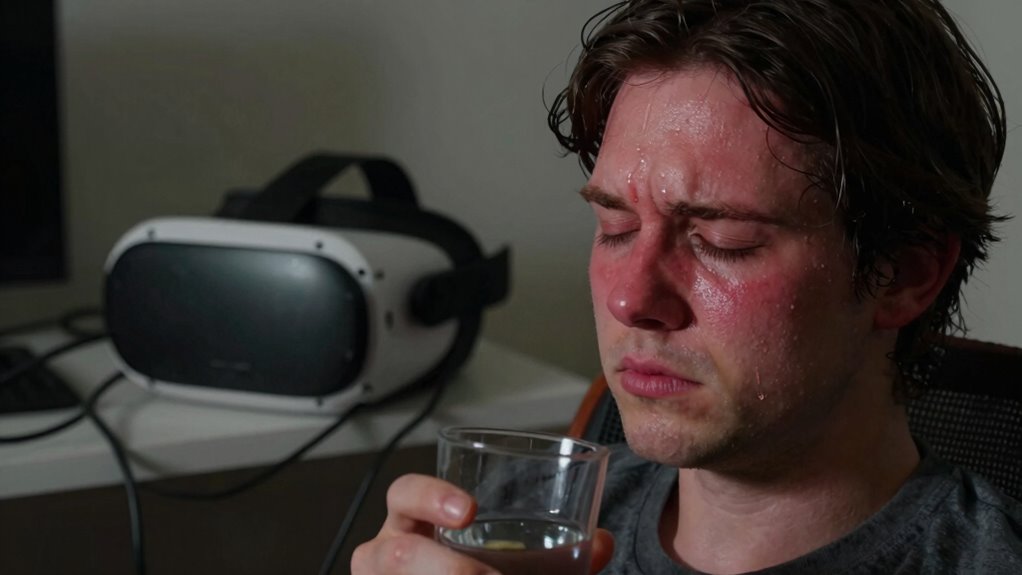
Feeling dizzy after VR happens because your brain struggles to resolve conflicting signals from your eyes and inner ear, causing disorientation and discomfort. This sensory mismatch can also lead to nausea, headaches, and blurred vision. To recover faster, sit or lie down in a stable position, hydrate slowly, and focus on a fixed point while resting. Proper equipment setup and regular breaks help prevent future issues—keep exploring to learn effective strategies for comfort and safety.
Key Takeaways
- Sensory conflict between visual cues and inner ear signals causes dizziness after VR use.
- Rest in a stable position, hydrate, and focus on a fixed point to help recover faster.
- Take regular breaks during VR sessions to prevent sensory overload and reduce post-use dizziness.
- Properly calibrate and fit your VR headset to minimize visual-vestibular mismatches.
- Maintain good physical health habits, including hydration, sleep, and eye exercises, to improve adaptation and reduce discomfort.
Understanding the Causes of VR Dizziness
Dizziness after using virtual reality often happens because your brain receives conflicting signals from your eyes and inner ear. When you’re immersed in VR, your eyes see movement and changes in the environment, but your inner ear, which helps control balance, doesn’t sense these motions. This mismatch confuses your brain, making it struggle to interpret what’s real. The visual cues suggest you’re moving, yet your inner ear feels still, creating a sensory conflict. The inconsistency can lead to feelings of dizziness, nausea, or disorientation. Factors like rapid movements, long sessions, or low-quality graphics can intensify these effects. Understanding these causes helps you recognize that VR dizziness stems from how your brain processes conflicting sensory information, not from any physical injury. Additionally, calibration of VR equipment can help reduce the severity of these symptoms by ensuring the visual input aligns more closely with your body’s actual movements. Proper sensory processing is essential for your brain to interpret virtual environments accurately, which can help mitigate discomfort. Being aware of sensory conflicts can also guide you in taking steps to minimize discomfort during VR use. Recognizing the importance of brain response to sensory inputs can further assist in developing effective strategies to prevent dizziness. Moreover, sensory integration plays a key role in how your brain resolves these conflicting signals and adapts to virtual environments.
The Role of Sensory Conflicts in Feelings of Disorientation
When your brain receives conflicting signals from your eyes and inner ear during VR use, it can trigger feelings of disorientation. Your eyes perceive movement and changes in the virtual environment, but your inner ear senses that your body is still. This mismatch creates a sensory conflict, confusing your brain about your actual position and motion. Because your eyes tell you you’re moving, but your balance system says you’re stationary, your brain struggles to reconcile these signals. This confusion can lead to dizziness, nausea, and disorientation. The more intense or prolonged the conflict, the more likely you are to feel unsteady. Understanding this mismatch helps explain why certain VR experiences cause discomfort and emphasizes the importance of aligning sensory inputs for a more comfortable experience. Incorporating adaptive technology that adjusts visuals based on your movements can help reduce these sensory discrepancies. Additionally, taking regular breaks and gradually acclimating to VR environments can assist your brain in sensory adaptation, minimizing discomfort.
How Motion Sickness Develops in Virtual Environments
Motion sickness in virtual environments develops when your brain receives conflicting signals about movement, especially during rapid or intense changes in the virtual world. This mismatch confuses your sensory systems, leading to symptoms like dizziness and nausea. The main factors include:
- Visual cues indicating movement that your inner ear doesn’t detect.
- Rapid shifts in perspective or camera angles.
- Inconsistent frame rates or lag, which disrupt smooth motion.
- Virtual environments with unnatural or exaggerated motions.
These discrepancies overload your brain’s ability to interpret sensory information correctly. As a result, your nervous system struggles to reconcile what your eyes see with what your body feels, triggering motion sickness. Understanding this process helps you recognize why certain VR experiences affect you more strongly.
The Impact of Visual and Vestibular System Mismatch
When your visual cues don’t match what your inner ear senses, your brain gets confused. This conflict between what you see and what your vestibular system feels disrupts your sensory processing. As a result, you may experience dizziness and disorientation after VR use.
Visual-Vestibular Conflict
A mismatch between what your eyes see and what your inner ear detects can cause dizziness after using virtual reality. This visual-vestibular conflict occurs when your brain receives conflicting signals: your eyes perceive movement, but your inner ear senses none. To understand this better:
- Your eyes track movement inside the VR headset, indicating motion.
- Your vestibular system, in your inner ear, detects no actual movement.
- Your brain struggles to reconcile these conflicting signals.
- This confusion leads to symptoms like dizziness, nausea, and disorientation.
This mismatch overloads your brain’s ability to interpret spatial cues, resulting in discomfort. Minimizing this conflict by adjusting VR settings or limiting session duration helps your brain realign these signals, reducing dizziness and speeding up recovery.
Sensory Processing Disruption
The mismatch between what your visual system perceives and what your vestibular system detects can disrupt how your brain processes sensory information during VR use. Your brain relies on integrating signals from both systems to maintain balance and spatial awareness. When these signals don’t align, your brain struggles to interpret your movements accurately. This disruption can cause dizziness, disorientation, and nausea. The mismatch confuses your sensory processing, making it harder for your brain to distinguish between real movement and visual cues from the VR environment. As a result, your nervous system becomes overwhelmed, leading to sensory overload. To minimize this, take breaks frequently, gradually increase VR sessions, and ensure your visual environment matches your physical movements as closely as possible. Understanding sensory integration can help you better manage these effects and improve your VR experience.
Recognizing Symptoms of VR-Induced Dizziness
You might notice certain signs when VR causes dizziness, like feeling lightheaded or unsteady. Visual disorientation, such as blurred vision or difficulty focusing, is also common. Additionally, physical discomforts like nausea or headaches can signal that your body is reacting to VR. To help your body recover more quickly, ensure your environment is well-lit and take regular breaks to optimize indoor air quality, which can support overall comfort and safety. Maintaining a comfortable indoor environment can also reduce sensory overload and help your body adapt more effectively. Proper air circulation can also prevent the buildup of indoor pollutants that may contribute to discomfort during VR sessions.
Common Dizziness Signs
Dizziness after using VR can manifest through several clear signs that indicate your body is reacting to the immersive experience. Recognizing these symptoms helps you take quick action to recover. Common dizziness signs include:
- Feeling lightheaded or faint, as if your head is spinning.
- Nausea or an upset stomach that develops during or after VR use.
- Blurred or double vision that doesn’t clear quickly.
- A sense of disorientation, making it hard to focus or maintain balance.
- Using proper preventive maintenance techniques, such as taking regular breaks and ensuring your equipment is properly calibrated, can help reduce the likelihood of dizziness. Additionally, understanding how sound healing science influences brainwave patterns may provide insights into calming your mind post-VR. Incorporating mindfulness practices can also support recovery by promoting relaxation. Maintaining good air quality in your environment can further aid in quicker recovery by reducing potential irritants that may exacerbate dizziness. Being aware of VR ergonomics is crucial in preventing unnecessary strain that could contribute to dizziness. If you notice any of these signs, it’s important to stop using the VR device immediately. Rest in a comfortable position, hydrate, and give your body time to recover before trying again. Recognizing these symptoms helps prevent more serious issues.
Visual Disorientation Symptoms
Have you ever noticed your vision becoming blurry or double after using a VR headset? That’s a common sign of visual disorientation, which happens when your eyes struggle to process the virtual environment correctly. You might feel like the images are shifting or warping, or that your surroundings don’t match what your eyes are seeing. Sometimes, objects in the virtual world seem to jump or flicker, making it hard to focus. These symptoms can cause a sense of imbalance or confusion, intensifying dizziness. Visual disorientation occurs because your eyes and brain are getting mixed signals from the headset’s display, disrupting your usual visual cues. Recognizing these symptoms early helps you take steps to prevent further discomfort and recover faster.
Physical Discomfort Indicators
Physical discomfort symptoms often serve as clear signs that your body is reacting to VR-induced dizziness. Recognizing these indicators helps you respond quickly and prevent further issues. Some common physical discomforts include:
- Nausea or queasiness, making you feel sick or on the verge of vomiting.
- Headaches or migraines, often persistent after VR sessions.
- Eye strain or blurred vision, indicating overexposure or improper headset fit.
- Muscle tension or soreness, especially in your neck and shoulders from prolonged use. Paying attention to these signals; they suggest your body needs a break or adjustment. Ignoring them can prolong discomfort or worsen symptoms. Responding promptly ensures a safer, more comfortable VR experience. Additionally, maintaining proper skin care can help reduce overall discomfort during extended headset wear, as healthy skin supports better skin barrier function and reduces irritation. Proper hydration and nutrition also play a crucial role in minimizing dizziness and fatigue during VR use. Incorporating regular breaks into your VR sessions can significantly decrease the likelihood of these physical symptoms developing. Ensuring your environment has good air quality can also prevent additional discomfort caused by dry or polluted air, which can aggravate symptoms.
Immediate Steps to Alleviate Dizziness After VR Use

When you start feeling dizzy after VR sessions, taking immediate action can help restore your balance. First, sit or lie down in a comfortable position to prevent falls. Drinking water helps rehydrate your body and ease dizziness. Focus on a fixed point in your environment to stabilize your vision. Deep breathing can also calm your nervous system. Here’s a quick guide:
| Action | Why it helps | Tips |
|---|---|---|
| Sit or lie down | Prevent falls and injury | Use a sturdy chair or the floor |
| Hydrate | Addresses dehydration | Drink slowly and steadily |
| Focus on a fixed point | Stabilizes vision | Pick a spot in your room |
| Deep breathing | Reduces anxiety and dizziness | Inhale slowly, exhale gently |
| Rest briefly | Allows recovery | Wait until symptoms fade |
Additionally, if dizziness persists, it may be helpful to understand the importance of cookies in digital spaces, as some symptoms could be related to sensory overload or disorientation from digital environments. Being aware of how your environment and digital experiences can contribute to sensory overload may help you manage symptoms more effectively.
Techniques to Prevent Future Disorientation
To reduce the chances of feeling dizzy during future VR sessions, adopting preventive techniques can make a significant difference. First, take regular breaks—every 15-20 minutes—to give your eyes and brain a rest. Second, start with shorter sessions and gradually increase duration as your tolerance builds. Third, ensure your VR environment is well-lit and free of distracting movements, which can overstimulate your senses. Fourth, stay seated or in a stable position, especially when trying new experiences. These steps help your brain adapt smoothly to VR stimuli and decrease disorientation. Consistently applying these techniques can improve your comfort and prevent dizziness during future VR adventures.
The Importance of Proper VR Equipment and Setup
Using proper VR equipment and setup is essential for minimizing discomfort and preventing dizziness. Ensuring your headset fits correctly reduces strain on your eyes and neck, while high-quality displays provide smoother visuals that lessen motion sickness. Proper calibration helps align the visuals with your natural vision, reducing disorientation. The table below highlights key factors for an ideal setup:
| Equipment Aspect | Impact on Comfort |
|---|---|
| Headset Fit | Prevents pressure points, reduces strain |
| Display Resolution | Clearer images, less eye fatigue |
| Tracking Accuracy | Smoother movements, fewer glitches |
| Environmental Setup | Minimized glare, comfortable space |
Investing in quality gear and correct setup makes a significant difference in your VR experience and overall well-being.
Long-Term Strategies for Reducing VR-Related Discomfort
Implementing long-term strategies can markedly reduce VR-related discomfort over time. To do this effectively, consider these steps:
Adopting gradual exposure, regular breaks, and healthy habits can significantly lessen VR discomfort over time.
- Gradually increase your VR sessions to build tolerance.
- Take regular breaks to prevent sensory overload.
- Maintain good physical health through hydration, sleep, and exercise.
- Practice eye exercises to reduce visual fatigue and improve focus.
Frequently Asked Questions
Can Certain Health Conditions Increase VR Dizziness Risk?
Yes, certain health conditions can increase your risk of VR dizziness. If you have inner ear issues, vestibular disorders, migraines, or neurological conditions, you’re more likely to experience dizziness or nausea after VR sessions. It’s important to consult your doctor before using VR if you have these conditions. Taking breaks, staying hydrated, and gradually building up your tolerance can also help reduce dizziness symptoms.
Does Age Affect Susceptibility to Vr-Induced Dizziness?
In the days of yore, folks believed age didn’t matter much, but now you should know that age does influence your susceptibility to VR-induced dizziness. As you grow older, your inner ear and vision systems might not coordinate as well, making you more prone to dizziness. Younger users typically recover faster, but everyone should take breaks and listen to their body to avoid feeling unsteady.
Are There Specific VR Games More Likely to Cause Dizziness?
Certain VR games are more likely to cause dizziness, especially those with fast-paced movement, rapid camera shifts, or intense visual effects. Games that require quick head turns or have inconsistent motion can disrupt your sense of balance. To reduce dizziness, choose slower-paced experiences, take regular breaks, and gradually build your tolerance. Listening to your body helps prevent discomfort and makes your VR sessions more enjoyable and comfortable.
How Does Dehydration Influence VR Motion Sickness?
Dehydration can hit you like a tidal wave, markedly worsening VR motion sickness. When you’re dehydrated, your blood flow drops, making it harder for your brain to process visual cues, leading to dizziness and nausea. To recover faster, drink plenty of water before and after VR sessions, stay hydrated, and take regular breaks. Keeping your hydration levels up helps your body adapt better, reducing the impact of VR-induced dizziness.
Is It Safe to Continue VR Use After Feeling Dizzy?
It’s best to pause VR use if you feel dizzy. Continuing can increase your risk of falling or injuring yourself. Sit or lie down until the dizziness subsides, and hydrate well. If symptoms persist or worsen, stop using VR and consult a healthcare professional. Listening to your body is key; don’t push through dizziness, as it signals your body needs a break and recovery time.
Conclusion
Feeling dizzy after VR isn’t just uncomfortable—it’s your body’s way of telling you to take a break. By understanding the causes and following proper precautions, you can enjoy virtual worlds without the unwanted side effects. Are you ready to improve your VR experience and keep dizziness at bay? Remember, listening to your body and practicing good habits can make all the difference. So, why not take a moment now to guarantee your next session is safer and more comfortable?