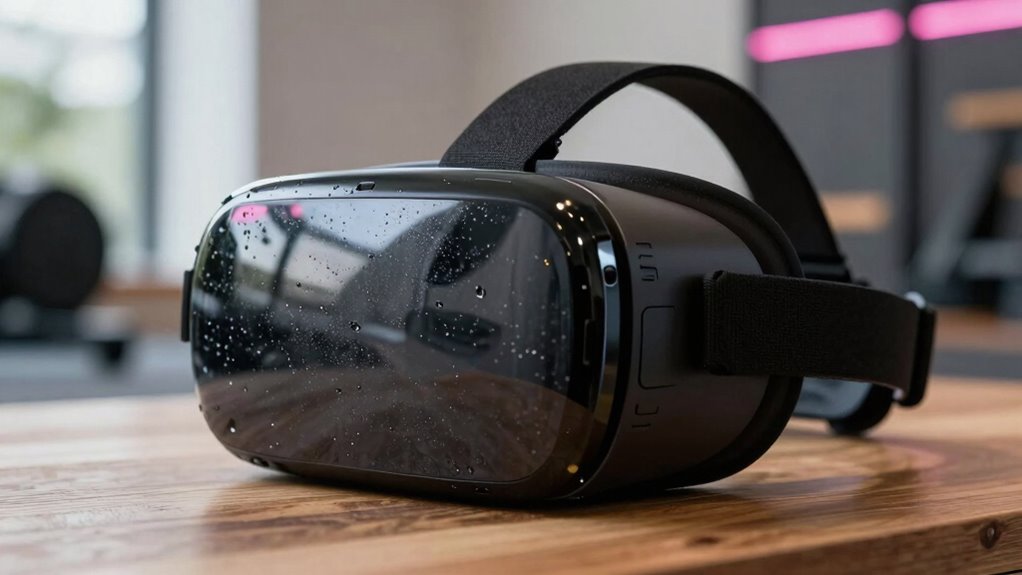

During intense VR workouts, your body heats up and you sweat more, which speeds up headset lens fogging. The warmth and moisture escape around your face, creating condensation on the lenses. Higher effort means more sweat, making fog arrive faster. To keep your view clear, you can adjust the fit, control room temperature, or use anti-fog products. If you want to stay comfortable and maximize your experience, there’s more to explore below.
Key Takeaways
- High-intensity VR workouts increase sweating and body heat, accelerating lens fogging.
- Haptic feedback boosts activity levels, leading to more heat and moisture buildup inside the headset.
- Proper headset fit and ventilation reduce warm, moist air reaching the lenses, slowing fog formation.
- Cooler, low-humidity environments help control condensation and maintain clearer lenses.
- Using anti-fog solutions and wiping lenses during breaks can significantly minimize fog during intense sessions.

Virtual reality workouts offer an immersive and engaging way to exercise, but headset fog can quickly turn into a major inconvenience. When you’re pushing yourself during high-intensity sessions, your body produces more sweat and heat, which can cause the headset lenses to cloud up faster. This fogging reduces visibility, interrupts your workout flow, and can even lead to discomfort or distraction. To stay focused on your fitness goals, it’s essential to understand why fog forms and how to minimize it, especially if you’re incorporating features like haptic feedback that boost workout intensity.
High-intensity VR workouts increase sweat and heat, causing headset fog and reducing visibility.
Haptic feedback enhances your VR experience by providing tactile sensations that simulate real-world interactions, making every punch, jump, or squat feel more realistic. However, this added sensory stimulation can also contribute indirectly to increased sweating because it encourages you to engage more vigorously. The more intense your workout, the more your body heats up, and sweat accumulates around your face and head. The combination of heat and moisture accelerates lens fogging, which is why high-intensity sessions tend to make headset fog appear more rapidly.
To combat this, you need to address both the physical and environmental factors. Start by ensuring your VR headset fits snugly but comfortably, preventing warm, moist air from escaping into the lenses. Using anti-fog solutions or wipes designed specifically for lenses can create a barrier that reduces condensation. Additionally, controlling the room temperature and humidity levels can considerably impact how quickly fog develops. Cooler, less humid environments help keep the lenses clear, allowing you to maintain clarity during your workouts. Moreover, choosing a headset with built-in ventilation or fans can significantly improve airflow and reduce fogging during intense sessions.
Another effective tactic is to manage your workout intensity wisely. While it’s tempting to go all out with haptic feedback-driven, high-intensity routines, taking short breaks to wipe your lenses or cool down can make a big difference. Using a fan or opening a window can also help circulate air and keep humidity in check. Some VR headsets come with built-in ventilation systems or fans—if yours does, make sure it’s functioning properly. Wearing a headband or a sweat-wicking cloth around your forehead can absorb excess moisture before it reaches the lenses, further delaying fog formation.
Ultimately, understanding how your body’s response to intense exercise impacts headset fog allows you to adopt practical solutions. By optimizing fit, environment, and workout pace, you can enjoy the immersive power of VR workouts without constantly battling fogged lenses. This way, you stay focused, motivated, and able to maximize every session—haptic feedback included—without interruption. Recognizing the importance of high-performance projectors in creating an ideal home or gaming setup can also enhance your overall VR experience.
Frequently Asked Questions
Can Using Airflow Fans Prevent Headset Fog During VR Workouts?
Yes, using airflow fans can prevent headset fog during VR workouts. Proper fan placement enhances airflow effectiveness, helping to keep your headset clear. Position fans to blow air directly at your face or around your headset to improve ventilation. This reduces humidity buildup and prevents fogging. Make sure the fans aren’t too strong or too close, as that could cause discomfort or disrupt your gameplay.
Do Different VR Headsets Have Varying Susceptibility to Fogging?
Think of headsets like different raincoats—some keep you dry better. Your VR headset’s susceptibility to fogging depends on materials and lens coatings. For example, some headsets with anti-fog coatings and better ventilation resist fog more effectively. If you’ve noticed fogging during workouts, it’s likely your headset’s materials or lens coatings aren’t optimized, making fog buildup faster. Upgrading or adjusting these features can help keep your vision clear.
Is There a Recommended Cleaning Routine to Minimize Fog Buildup?
To minimize fog buildup, you should regularly clean your headset using gentle cleaning techniques with a microfiber cloth and a mild cleaning solution. Applying anti fog solutions specifically designed for VR lenses can also help. Avoid harsh chemicals, and make sure to clean the vents and facial interface to prevent moisture buildup. Doing this consistently keeps your headset clear and enhances your VR workout experience.
How Do Ambient Room Temperature and Humidity Affect Fog Formation?
Higher humidity levels and warmer temperatures in your room increase fog formation inside your VR headset. When the air is humid, moisture condenses on the cooler lenses, creating fog. To reduce this, maintain proper temperature control and keep humidity levels moderate. Use a dehumidifier or air conditioning to regulate room temperature, and avoid hot, humid environments during your VR workouts to keep your headset clear.
Are There Specific VR Workout Types More Prone to Causing Fogging?
High-intensity VR workouts and longer sessions are more prone to fogging because they produce more sweat and increase your body heat. You might feel like you’re pushing your limits during intense cardio or boxing, causing your headset to fog faster. To keep your vision clear, try shorter sessions, take breaks, and stay cool. This way, you enjoy a smooth experience without fog distracting you from your workout goals.
Conclusion
To keep your VR headset clear and prevent fog from taking over like a sneaky ninja, make sure to optimize your workout setup. Stay hydrated, take regular breaks, and consider using anti-fog solutions. With these simple tricks, you’ll be able to enjoy intense VR workouts without your headset turning into a foggy swamp. Trust me, once you master these tips, you’ll be smashing virtual targets with crystal-clear vision—your headset will thank you for it!