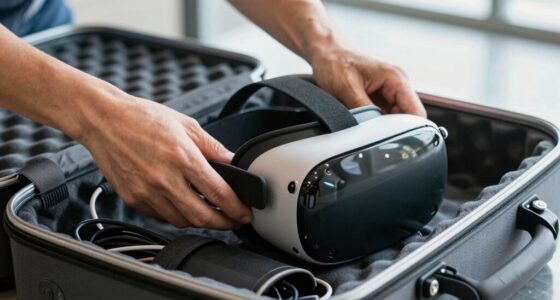

To protect your privacy in social VR, start by understanding and regularly reviewing platform privacy policies to know what data is collected and how it’s used. Adjust your privacy settings to limit data shared publicly and disable location services if possible. Be cautious about sharing personal details or sensitive info during interactions and use pseudonyms for added safety. Keep your VR software updated and stay aware of platform security features—learning more about these will help you stay safer in shared virtual spaces.

Get VR and gaming gear delivered free — and shop member deals
- Fast, free delivery on millions of items
- Access to Prime Big Deal Days deals on October 6–7
- Prime Video, Amazon Music and more included
Key Takeaways
- Review and customize privacy settings in VR platforms to control data sharing and visibility.
- Use strong encryption and secure transmission methods for all data exchanges.
- Limit personal information shared during interactions and avoid disclosing sensitive details.
- Regularly update privacy policies, security features, and VR software to stay protected.
- Be cautious about recording, monitoring, and who can access your shared virtual content.

As virtual reality becomes more popular for social and shared experiences, safeguarding your privacy is more important than ever. When you’re immersed in a VR environment, your actions, conversations, and even your physical movements can be recorded and stored. To protect your personal information, one of the first steps you should take is understanding how your data is being handled. Many VR platforms use data encryption to guard your sensitive information from unauthorized access. Data encryption converts your data into a code that only authorized parties can decode, making it much harder for hackers or third parties to intercept and misuse your information. Always verify that the VR service you’re using employs robust encryption methods, especially when transmitting data over the internet.
Use data encryption and verify secure transmission to protect your VR personal information from unauthorized access.
Another critical aspect of privacy protection revolves around user consent. Before sharing any personal details or participating in social VR activities, you should carefully read and understand the platform’s privacy policies. These policies outline what data is collected, how it’s used, and who has access to it. By giving informed user consent, you’re actively choosing what information you’re comfortable sharing, which helps you maintain control over your privacy. Avoid platforms that push you into agreeing to lengthy or vague terms without clear explanations. Take the time to adjust your privacy settings within the VR app or device. Many platforms offer options to limit data collection, disable location services, or restrict the visibility of your activity to others. Customizing these settings provides an added layer of control, ensuring your shared virtual experiences don’t compromise your privacy.
In addition, be cautious about sharing personal or sensitive information during VR interactions. Remember that conversations and interactions might be recorded or monitored, so it’s wise to avoid disclosing details like your home address, financial information, or other private data. When participating in multiplayer VR environments, pay attention to who can see your profile and what data is publicly accessible. Using pseudonyms instead of your real name can add another layer of protection. Also, stay updated on the latest privacy features and security updates offered by your VR platform, as developers often release patches that enhance user privacy and data security. Regularly reviewing privacy policies and security features can help you stay informed about potential vulnerabilities.
Ultimately, protecting your privacy in social and shared VR relies on a combination of technological safeguards, informed decisions, and cautious behavior. By prioritizing data encryption and user consent, you actively reduce the risk of your personal information being exploited. Stay vigilant, regularly review your privacy settings, and be mindful of what you share. These steps will help ensure that your immersive virtual experiences are fun and social without compromising your privacy.
As an affiliate, we earn on qualifying purchases.
Frequently Asked Questions
How Can I Detect if My VR Data Is Being Shared Without Consent?
You can detect if your VR data is being shared without consent by monitoring app permissions and privacy settings regularly. Look for unusual data activity or unfamiliar connections. Confirm your data is encrypted through secure protocols, and verify that user consent is obtained before any data sharing occurs. Stay updated on your VR platform’s privacy policies, and use security tools to alert you of unauthorized data access or sharing attempts.
Are There Specific Privacy Laws Governing VR User Data?
Think of privacy laws governing VR user data like fences around a yard—they set boundaries you must follow. While specific laws vary by country, many countries have regulations like the GDPR or CCPA that govern virtual data, requiring companies to protect your privacy. Always read privacy policies before using VR platforms, as they detail how your virtual data is collected, stored, and shared, helping you stay informed and protected.
What Should I Do if I Suspect a Privacy Breach in VR?
If you suspect a privacy breach in VR, act quickly by removing yourself from the environment and documenting any suspicious activity. Prioritize maintaining your virtual anonymity by changing your login details if possible. Contact the VR platform’s support team and report the breach, emphasizing concerns about data encryption and privacy safeguards. Stay informed about your rights and regularly update your security settings to protect your data and identity effectively.
Can VR Platforms Track My Physical Movements Outside the Headset?
You might think your VR platform only tracks your virtual moves, but surprisingly, it can also monitor your physical movements outside the headset—your virtual footprint extends beyond what you see! To stay protected, make sure the platform uses data encryption and review privacy settings regularly. Being aware of what data is collected helps you maintain control and keeps your real-world movements private, even in a virtual world.
How Do I Control Who Sees My VR Activity or Profile?
You can control who sees your VR activity or profile by adjusting privacy settings within the VR platform. Look for options to restrict profile visibility and manage friend lists or groups. Make sure your user privacy preferences are set to limit sharing. Additionally, verify that data encryption is enabled to protect your data during transmission. Regularly review privacy settings to maintain control over your VR presence and keep your information secure.
As an affiliate, we earn on qualifying purchases.
Conclusion
In the vast landscape of shared VR, safeguarding your privacy is like shielding a delicate flame in a storm—your personal boundaries can easily be overwhelmed if you’re not vigilant. By staying aware of what you share, using privacy settings, and being cautious about your digital footprints, you hold the power to keep your virtual world secure. Remember, your privacy is your fortress—guard it fiercely, and let your virtual adventures be both exciting and safe.
As an affiliate, we earn on qualifying purchases.
As an affiliate, we earn on qualifying purchases.
Halloween Picks
halloween
As an affiliate, we earn on qualifying purchases.