
Buying VR gear in the wrong order can quickly become expensive because incompatible accessories or unsupported hardware often force you to make costly replacements or upgrades later. If you skip checking compatibility with controllers, wireless adapters, or headsets, you risk wasting money on devices that won’t work well together. Poor planning can trap you in limited ecosystems, leading to more expenses down the line. Keep exploring how to make smarter, budget-friendly choices now.

Play games on Amazon Luna for your next adventure, included with Prime
- A rotating selection of games, no download needed
- Play on TV, laptop or phone
- Fast, free delivery for your gear, too
Key Takeaways
- Purchasing incompatible accessories or controllers can lead to costly replacements and wasted money.
- Skipping compatibility research may cause setup issues and future upgrade limitations.
- Buying hardware without considering future accessory support reduces device lifespan and increases long-term costs.
- Failing to plan for wireless adapter support can result in tethered setups and additional expenses.
- Not evaluating ecosystem compatibility early can lock users into limited systems, necessitating costly full replacements.

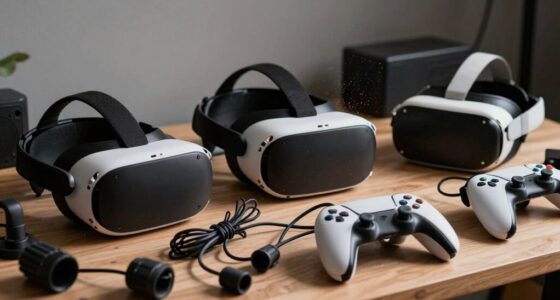
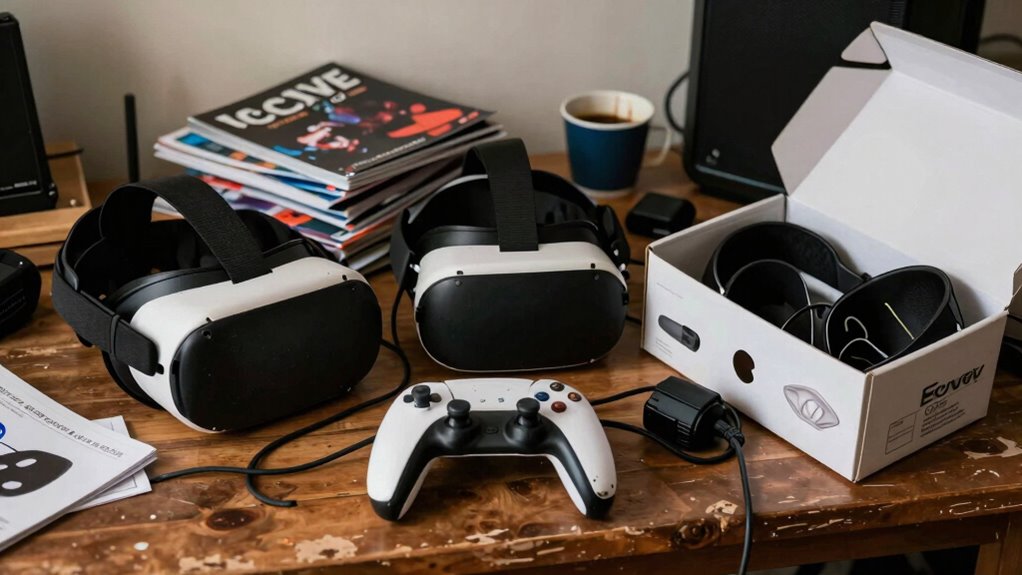
Are you making common mistakes when buying VR gear that could cost you more in the long run? Many newcomers jump into the market without a clear plan, only to find themselves spending extra money fixing issues they could have avoided. One of the biggest pitfalls is not considering compatibility and future-proofing. For instance, you might buy a VR headset that requires specific handheld controllers, which may not work with other devices you plan to upgrade to later. This oversight can lead you to purchase new controllers sooner than expected, increasing your overall expense. Similarly, neglecting the importance of wireless adapters can limit your experience or force you into buying additional accessories. If your headset isn’t compatible with wireless adapters, you could end up tethered to your PC or console, reducing immersion and mobility, which are core reasons for choosing VR in the first place.
Avoid costly mistakes by checking VR headset compatibility and future-proofing your setup from the start.
When you buy a VR headset without thinking about how you’ll connect it, you risk compatibility issues that can be costly. Wireless adapters are designed to make your experience smoother and more immersive by eliminating cables, but not all headsets support them out of the box. If you skip researching whether your device supports wireless adapters, you might find yourself stuck with a wired setup or forced to buy an adapter separately. That can add up quickly, especially if you need a high-quality, reliable connection. Also, not all handheld controllers are interchangeable across different headsets, so purchasing controllers that aren’t compatible with your chosen device can lead to wasted money. Instead, it’s smart to verify which controllers are compatible with your headset before you buy, ensuring you don’t have to replace them later. Additionally, understanding the importance of compatibility with accessories can help you make better long-term decisions for your setup. Being aware of hardware compatibility can prevent you from investing in incompatible equipment that becomes obsolete quickly.
Another mistake is assuming you’ll want to upgrade your VR gear in the future without planning for it now. For example, if you buy a headset that’s locked into a specific ecosystem, upgrading later might mean replacing your entire setup. By choosing a headset that supports a broad range of accessories like wireless adapters and compatible controllers, you can extend the lifespan of your investment. It’s also worth noting that some headsets offer better support for accessories, which can save you money down the line. Being aware of future-proofing strategies can help you avoid unnecessary hardware replacements and maximize your investment. When you take the time to research these features upfront, you prevent yourself from having to buy new hardware prematurely, ultimately saving a significant amount of cash.
In the end, making informed decisions about your VR gear—focusing on compatibility with controllers and wireless adapters—can prevent costly mistakes. You’ll enjoy a more seamless, immersive experience without the frustration or expense of constant upgrades. Think ahead, verify compatibility, and prioritize future-proof options to get the most value out of your investment.
Products Worth Considering

Logitech MX Keys S Combo Wireless Keyboard and Mouse, Graphite

Bose QuietComfort Wireless Noise-Cancelling Headphones, White Smoke

Apple AirPods Pro 3 Wireless Earbuds with Active Noise Cancellation
As an affiliate, we earn on qualifying purchases.
Frequently Asked Questions
How Do I Determine the Right VR Headset for My Budget?
To find the right VR headset for your budget, start by setting a clear price range. Look for budget-friendly VR options that match your needs and check VR headset compatibility with your device—PC, console, or standalone. Compare features like resolution, tracking, and comfort within your budget. Prioritize what matters most to you, and read reviews to guarantee you’re investing in a headset that offers the best value for your money.
Are There Compatibility Issues Between Different VR Accessories?
Compatibility issues can turn your VR setup into a nightmare — imagine your accessories refusing to work together! Accessory compatibility is essential, so check if your gear supports your headset. Firmware updates often fix bugs and improve performance, but they can also cause compatibility hiccups. Always verify manufacturer recommendations and update your firmware carefully to avoid costly mishaps. Staying informed keeps your VR experience smooth and enjoyable.
What Are the Long-Term Costs of Maintaining VR Gear?
The long-term costs of maintaining your VR gear mainly involve hardware longevity and ongoing maintenance costs. Over time, components like headsets and controllers may wear out or become outdated, requiring replacements. Regular cleaning and software updates help extend hardware longevity, but eventually, parts might need repairs or upgrades. Staying aware of these costs guarantees you budget wisely, avoiding unexpected expenses that can add up quickly if you don’t plan ahead.
Can I Upgrade My VR System Easily Later On?
You can absolutely upgrade your VR system later on, but if you choose incompatible gear or ignore upgrade pathways, you’ll face a nightmare of virtual compatibility issues. Imagine throwing away your entire setup just because your headset doesn’t support new controllers or graphics cards. To avoid this, pick gear with flexible upgrade pathways, ensuring future-proofing, and compatibility so you can smoothly enhance your experience without starting from scratch every time.
How Do I Avoid Buying Outdated VR Technology?
To avoid buying outdated VR technology, stay informed about the latest VR software and hardware releases. Research upcoming updates and new headset features to guarantee your purchase supports immersive experiences well into the future. Consider choosing a versatile headset with broad compatibility, and prioritize devices with upgrade paths or modular components. This way, you maximize your investment and enjoy cutting-edge immersive experiences without constantly replacing gear.
Conclusion
Jumping into VR gear without a plan can quickly drain your wallet, making it clear that haste makes waste. If you buy the wrong equipment first, you’ll end up upgrading or replacing sooner than you’d like, wasting money and time. Think of it like building a house on shaky ground—you need a solid foundation first. Take your time, research your needs, and invest wisely from the start. It’s better to be safe than sorry, especially in the world of VR.