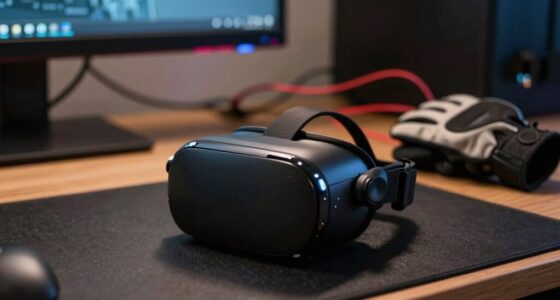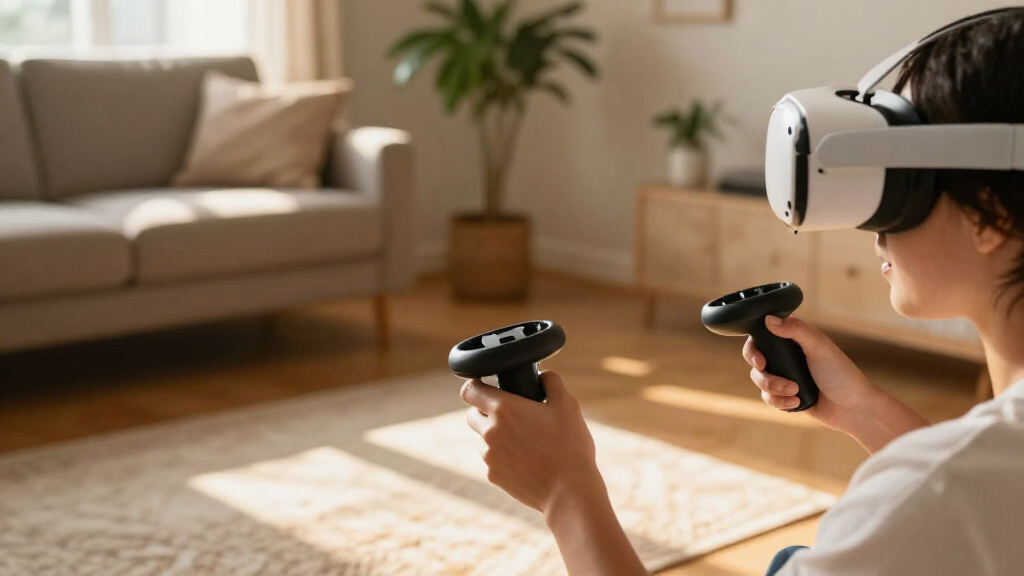

Meta Quest 3 and PlayStation VR2 both use motion controllers for room-scale games, but they suit different setups. Quest 3 runs games on the headset itself, can connect to a gaming PC, and also works as a mixed-reality device. PS VR2 requires a PlayStation 5 and focuses on immersive console VR, with features such as eye tracking, headset vibration, and OLED displays. The real choice is flexibility versus a more tightly integrated PS5 experience. Choose Quest 3 if you want VR without another gaming system or value access to standalone and PC libraries; choose PS VR2 if you already own a PS5 and care most about its exclusive games and display immersion.

Play games on Amazon Luna for your next adventure, included with Prime
- A rotating selection of games, no download needed
- Play on TV, laptop or phone
- Fast, free delivery for your gear, too

Meta Quest 3 512GB VR Headset with GOLF+
- ✔ Platform: Meta Horizon OS; standalone
- ✔ Storage: 512 GB
- ✔ Resolution: 4128 × 2208 pixels (2064 × 2208 per eye)

Sony PlayStation VR Marvel’s Iron Man VR Bundle (PS4/PS5 Compatible)
- ✔ Platform: PlayStation 4, PlayStation 5
- ✔ Display: OLED
- ✔ Resolution: 1920 × 1080 pixels

PlayStation VR Marvel’s Iron Man VR Bundle with Headset, Camera, Move Controllers, and Charging Dock
- ✔ Platform: PlayStation 4
- ✔ Display: 5.7-inch OLED
- ✔ Maximum resolution: 1920 × 1080 pixels
At a Glance
| Criteria | Meta Quest 3 | PlayStation VR2 | Winner |
|---|---|---|---|
| Required hardware and setup | Standalone headset; optional gaming PC for PC VR | Requires a PlayStation 5; connects by cable | A |
| Display and immersion | LCD, 2064 × 2208 pixels per eye, up to 120 Hz | OLED, 2000 × 2040 pixels per eye, up to 120 Hz, HDR | B |
| Motion tracking and controls | Inside-out tracking; Touch Plus controllers; hand tracking supported | Inside-out tracking; Sense controllers with adaptive triggers and haptics; eye tracking | Depends |
| Game library and PC use | Standalone library plus PC VR through Link or Air Link | PS VR2 library on PS5; PC use requires an adapter and compatible PC | Depends |
| Mixed reality and everyday flexibility | Color passthrough and mixed-reality apps | Basic monochrome passthrough; primarily a VR gaming headset | A |
| Value and ongoing costs | Lower entry cost if no console or gaming PC is needed | Added cost if buying a PS5; stronger value for existing PS5 owners | Depends |
Meta Quest 3 512GB VR Headset with GOLF+
Quest 3 is the most adaptable choice in this group because the headset runs games on its own and does not require a PlayStation console or an external tracking camera. Its included motion controllers suit buyers who want to move around without managing a cable connection to a console or arranging a camera to watch the play area. That flexibility is the main reason it ranks above the two Iron Man bundles, which are more dependent on PlayStation hardware and a camera-based setup.The headset also supports mixed reality through its color cameras, making it distinct from the PSVR options, which are presented here as conventional console VR bundles. Its higher listed display resolution and 120 Hz refresh rate give it a stronger spec profile than either PlayStation bundle. Still, those numbers do not make it the right pick for every buyer: the experience depends on Meta’s platform, initial setup uses the Meta Horizon app, and the stated battery life is about 2.2 hours per charge. The included GOLF+ content is a useful starting point, but buyers looking specifically for Iron Man VR or PlayStation exclusives should choose one of the PSVR bundles instead.For a buyer who wants a single headset for wireless VR and mixed reality, Quest 3 has the clearest advantage. Compared with the first Iron Man bundle, it avoids external camera placement; compared with the second, it offers a broader standalone setup rather than extra PlayStation game content and a charging dock. Its drawback is that the shorter battery life can interrupt longer sessions, so it suits shorter play periods or buyers willing to plan around charging.
Pros:
- Standalone headset does not require a PlayStation console or external camera
- Includes motion controllers for untethered play
- Color passthrough cameras enable mixed-reality experiences
- Higher listed resolution and refresh rate than either PSVR bundle
Cons:
- Listed battery life is approximately 2.2 hours per charge
- Initial setup and game redemption require the Meta Horizon app
- Included GOLF+ content may not appeal to buyers seeking broader game variety
Best for: Buyers who want standalone, wireless VR with motion controls and mixed-reality features, without relying on a PlayStation console.
Not ideal for: PlayStation owners primarily seeking Iron Man VR or other PSVR titles, and anyone who needs long sessions without recharging.
Bottom line: Choose Quest 3 for the most flexible motion-controlled setup here, provided its battery life and Meta platform suit the way we play.
“Choose Quest 3 for the most flexible motion-controlled setup here, provided its battery life and Meta platform suit the way we play.”
Sony PlayStation VR Marvel’s Iron Man VR Bundle (PS4/PS5 Compatible)
This bundle makes the most sense for PlayStation owners who want to use motion controls for a specific, included game. Two PlayStation Move controllers let us aim and fire Iron Man’s repulsor jets through arm movements, while the camera tracks motion during play. That focused setup gives it a clearer purpose than the standalone Quest 3, which is more flexible but does not include Iron Man VR or connect to the PlayStation catalog.Its strongest practical advantage over the second Iron Man bundle is the stated PS4 and PS5 compatibility. Both include a camera and Move controllers, but this one explicitly serves buyers with either PlayStation generation. The listed OLED panel, 1920 × 1080 resolution, 90 Hz refresh rate, and 110-degree field of view also compare favorably on paper with the second bundle’s listed 60 Hz refresh rate and 90-degree field of view. The supplied specifications do not establish that every PS5 configuration works without additional hardware, so buyers should check the requirements for their console and games before purchasing.This remains an older, camera-dependent system rather than a modern wireless all-purpose headset. Camera placement and multiple cables make setup less convenient than Quest 3, and the product description frames the bundle around Iron Man VR and PSVR-compatible titles. We would pick it over the second PSVR bundle when the broader stated console compatibility and simpler included game package matter more than extra content or a charging dock.
Pros:
- Includes headset, camera, two Move controllers, and Iron Man VR
- Listed as compatible with PlayStation 4 and PlayStation 5
- OLED display with a listed 90 Hz refresh rate
- Ready-to-play bundle includes cables and accessories
Cons:
- External camera positioning and multiple cables add setup work
- Motion-controlled play requires enough clear physical space
- Game selection is limited to titles compatible with PSVR hardware
Best for: PlayStation owners who want an Iron Man VR package with headset, camera, two Move controllers, and stated compatibility with PS4 and PS5.
Not ideal for: Buyers who want wireless standalone VR, a simple camera-free setup, or access to a broad range of non-PlayStation games.
Bottom line: This is the better Iron Man package for PlayStation households that value its listed PS4 and PS5 reach over Quest 3’s wireless freedom.
“This is the better Iron Man package for PlayStation households that value its listed PS4 and PS5 reach over Quest 3’s wireless freedom.”
PlayStation VR Marvel’s Iron Man VR Bundle with Headset, Camera, Move Controllers, and Charging Dock
For a buyer already set on PS4, this bundle’s appeal is its collection of extras. Alongside the headset, camera, and two Move controllers, it lists Iron Man VR, Batman: Arkham VR, demo content, and a charging dock. That makes it a more content-heavy starting package than the first Iron Man bundle, which centers on Iron Man VR and a demo disc. The dock may also make controller upkeep easier between sessions, though it does not change the camera-based tracking or the need for a clear play area.Its limitations matter when we compare it directly with the other picks. The listing specifies PlayStation 4 compatibility, while the first PSVR bundle also states PS5 compatibility, giving that bundle a wider stated console range. The second bundle’s listed refresh rate is 60 Hz and field of view is 90 degrees, compared with 90 Hz and 110 degrees for the first bundle. These specifications make the first bundle the stronger choice for buyers weighing the listed headset figures, while Quest 3 is the stronger option for anyone who wants to avoid console and camera dependence.The dock and additional content give this package a distinct role, but they do not remove PSVR’s setup compromises. Buyers still need to position the camera, connect the headset, and check game compatibility. The listing’s dock description says wireless charging takes two hours; buyers should confirm that the included accessory suits their Move controllers and setup. We would choose this bundle when its extra PS4 content and charging accessory are the deciding factors, not as the most flexible route into motion-controlled VR.
Pros:
- Includes a camera and two Move motion controllers
- Bundle lists Iron Man VR, Batman: Arkham VR, and demo content
- Includes a Move controller charging dock
- OLED display with up to 1920 × 1080 resolution
Cons:
- Listed for PlayStation 4 compatibility
- Listed 60 Hz refresh rate and 90-degree field of view trail the first PSVR bundle’s figures
- Camera placement, cables, and clear-space needs remain part of setup
Best for: PS4 owners who want Iron Man VR plus additional listed VR content and a charging dock in one bundle.
Not ideal for: PS5-only households, buyers who prioritize a higher listed refresh rate, or anyone looking for standalone wireless VR.
Bottom line: Choose this PS4 bundle for its extra listed games and charging dock, while accepting its narrower platform listing and lower stated refresh rate.
“Choose this PS4 bundle for its extra listed games and charging dock, while accepting its narrower platform listing and lower stated refresh rate.”
As an Amazon Associate we earn from qualifying purchases.
Key Differences
The biggest practical difference is what powers the games. Quest 3 can run its own titles without a console or PC, so it is easier to move between rooms and share with other people. Add a compatible gaming PC and it can access PC VR as well. PS VR2 sends its games from a PS5 over a cable. That limits portability, but gives PlayStation owners access to console VR titles without buying a gaming PC. For someone starting from scratch, the cost of the required hardware can decide the comparison before display specifications do.
PS VR2 has the stronger case for display-led immersion: its OLED panel provides deep blacks and HDR, while eye tracking and headset feedback can add to supported games. Quest 3 counters with sharper per-eye resolution, pancake lenses that keep more of the image clear as the headset shifts, and color passthrough for mixed-reality experiences. These strengths serve different purposes. PS VR2 feels built around playing selected VR games; Quest 3 has more uses beyond a single console library.
Neither headset is the automatic winner for every player. Choose Quest 3 for standalone convenience, mixed reality, and broad PC access. Choose PS VR2 if you already own a PS5, want its VR exclusives, and value OLED contrast and console integration. The price premium of a full PS VR2 setup is hard to justify without a PS5. Quest 3 is usually the more adaptable purchase, while PS VR2 can be the better gaming upgrade for an existing PlayStation household.
Detailed Comparison
Required hardware and setup (Meta Quest 3 wins — major)
Quest 3 wins by a major margin for independence: it runs games on the headset and can be used without a console or PC. PS VR2 needs a PS5 and a wired connection to play. If you already own that console, setup is straightforward; if you do not, the added hardware cost and fixed play area weigh heavily. Quest 3 is the simpler choice for a first headset or a home with varied gaming devices.
Display and immersion (moderate difference)
PS VR2 has the edge for contrast and supported HDR: OLED produces deep blacks that suit dark scenes. Quest 3 offers higher per-eye resolution and pancake lenses, which keep more of the view clear across the lenses. The difference is moderate and depends on the game and fit. Pick PS VR2 for rich dark scenes and supported eye-tracked effects; pick Quest 3 for a crisp image across a more flexible headset.
Motion tracking and controls (moderate difference)
Both use inside-out tracking, so neither needs external base stations. PS VR2’s Sense controllers add adaptive triggers and haptic feedback, and the headset can track the player’s eyes in supported games. Quest 3 offers Touch Plus controllers and hand tracking, giving it more ways to interact outside controller-led games. PS VR2 has a moderate advantage for supported console games that make specific use of its haptics and eye tracking; Quest 3 is more flexible across apps.
Game library and PC use (major difference)
This is a close choice shaped by the games you want. Quest 3 has its own standalone catalog and can stream or connect to a gaming PC for PC VR. PS VR2 offers a focused set of PS5 VR games, including console exclusives, but does not use the broad Quest standalone library. Sony’s PC adapter allows compatible PC VR use, though it requires a suitable PC and some PS VR2 features are unavailable there. Quest 3 is the more versatile system overall; PS VR2 wins for a buyer whose priority is a specific PS5 exclusive.
Mixed reality and everyday flexibility (Meta Quest 3 wins — major)
Quest 3 wins by a major margin. Its color passthrough supports mixed-reality games and apps that place digital elements in the room, and the standalone design makes it easy to use in different spaces. PS VR2 includes passthrough for checking surroundings, but its monochrome view and console-first setup do not offer the same breadth of mixed-reality use. Choose Quest 3 if you expect to use the headset for more than seated or room-scale VR gaming.
Value and ongoing costs (major difference)
Quest 3 offers better value to most newcomers because the headset includes the hardware needed to start playing. PS VR2 can be a strong value for an existing PS5 owner who wants high-end console VR, but buying a PS5 as well makes the total commitment much larger. Neither system’s game purchases are included in the headset price, and PC VR on either option requires compatible PC hardware. Pay the extra system cost for PS VR2 only if its PlayStation games and display strengths matter to you.
Meta Quest 3: Pros and Cons
Pros:
- Runs games without a console or PC
- Can connect to a gaming PC for PC VR
- Color passthrough supports mixed-reality apps
- Higher per-eye resolution and pancake lenses
Cons:
- LCD blacks and contrast are weaker than OLED
- Some demanding standalone games make visual or performance compromises
- Standalone and PC VR libraries differ, so purchases and setup may be split
PlayStation VR2: Pros and Cons
Pros:
- OLED display with deep blacks and HDR support
- Sense controller haptics and adaptive triggers in supported games
- Eye tracking can support foveated rendering and game interactions
- A strong fit for PS5 owners seeking console VR exclusives
Cons:
- Requires a PS5 and a cable during play
- Buying the console raises the total entry cost
- Limited mixed-reality capability compared with Quest 3
- Some headset features are unavailable when used with a PC adapter
Who Should Choose What
Choose Meta Quest 3 if:
- You want VR without buying a console or gaming PC.
- You want to use mixed-reality apps or take the headset between rooms.
- You want access to both standalone VR and PC VR libraries.
Choose PlayStation VR2 if:
- You already own a PS5 and want to play PS VR2 exclusives.
- You care more about OLED contrast, HDR, and supported headset feedback than wireless standalone use.
- You prefer gaming through your PlayStation setup and accept a cable during play.
Skip both if: Skip both if you do not have a clear use for VR games or apps, or if you need a light, low-cost headset for frequent long sessions; compare comfort and fit in person before buying.
Value for Money
For most first-time buyers, Quest 3 is the better value because it works on its own and leaves PC VR as an option rather than a requirement. Its standalone library makes the headset usable without a second major purchase. PS VR2 is worth paying for when you already have a PS5 and expect to play its VR catalog regularly. In that case, the console is already accounted for, and the OLED screen, eye tracking, and controller feedback can make the headset a satisfying extension of the system. Buying both a PS5 and PS VR2 solely to try VR is a much harder value case. Compare the full setup cost with the specific games you intend to play.
Final Verdict
For most people shopping for a motion-controller VR headset, choose Meta Quest 3. It costs less to get started without other gaming hardware, works untethered, and covers standalone, mixed-reality, and PC VR use. Choose PlayStation VR2 if you already own a PS5 and want its VR games, especially if OLED contrast and supported headset and controller effects matter to you. The deciding factor is your existing platform: Quest 3 is the better all-purpose buy, while PS VR2 is the more compelling focused upgrade for a PlayStation player.
Frequently Asked Questions
Can either headset work without a console or gaming PC?
Quest 3 can run compatible games on its own. PS VR2 needs a PS5 for its console games; PC VR is possible with Sony’s PC adapter and a compatible computer.
Which headset has the better display?
PS VR2’s OLED panel has stronger blacks and HDR support, which can improve dark scenes. Quest 3 has higher per-eye resolution and pancake lenses that keep more of the view clear. The better choice depends on whether contrast or lens clarity matters more to you.
Which has more games?
Quest 3 draws on its standalone library and can also access PC VR games. PS VR2 has a smaller, focused PS5 catalog, including exclusives. Count the games you actually want to play: a specific PS VR2 title can matter more than a broader catalog.
Is PS VR2 worth buying if I already own a PS5?
It can be, if the PS VR2 library appeals to you and you will play often. Existing PS5 ownership removes the largest extra hardware cost. If you mainly want mixed reality, wireless standalone play, or wider platform flexibility, Quest 3 is a stronger fit.