
Your success with wireless earbuds in VR depends on factors like audio latency, fit, and your ear shape. If the sound syncs well with visuals and the earbuds fit comfortably, you’ll enjoy a smoother, more immersive experience. Poor fit or high latency can disrupt immersion and cause discomfort. Since ear shapes vary, finding earbuds suited for your ears is key. Keep exploring, and you’ll discover how to optimize your VR audio for a seamless adventure.
Open a free Amazon Business account
Business pricing, bulk buying and tax-exempt orders.
As an affiliate, we earn on qualifying purchases.
Key Takeaways
- Individual ear shape and anatomy affect fit, comfort, and audio performance, influencing VR experience success.
- Properly fitted earbuds with low latency ensure sound synchronization, enhancing immersion.
- Comfort and stability prevent discomfort and movement, maintaining consistent audio quality during VR use.
- Variability in ear anatomy requires personalized or adjustable earbuds for optimal fit and sound.
- Mismatched latency or poor fit can disrupt immersion, causing some users’ VR experiences to fail.

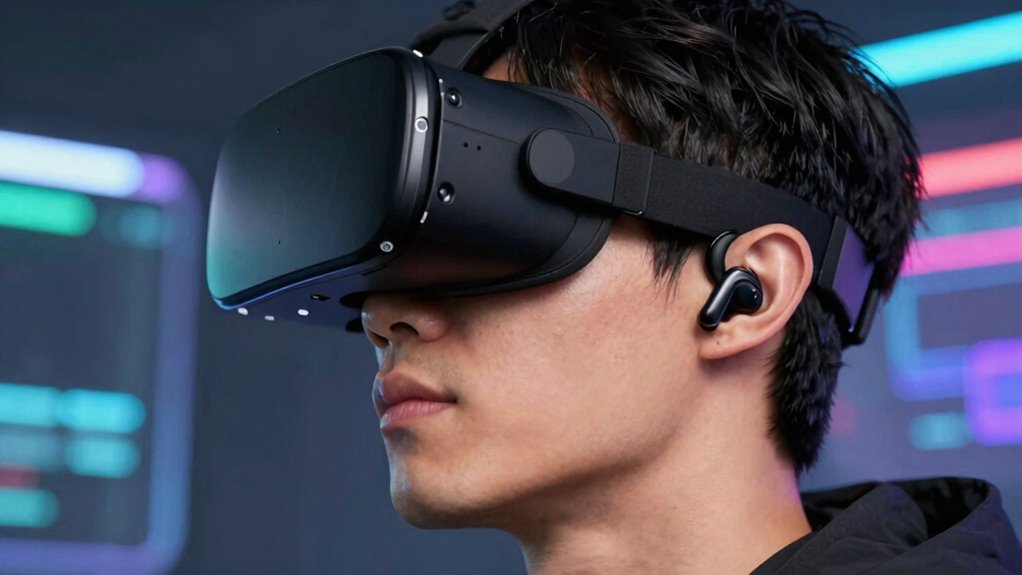
Wireless earbuds have become a popular accessory for VR enthusiasts, but their performance can vary widely from person to person. One of the main reasons some users find them effective is due to how well they handle audio latency. When you’re immersed in a virtual environment, even a slight delay between the action and the sound can break the sense of realism. If your earbuds have low audio latency, the sound aligns perfectly with your visual cues, giving you a more seamless experience. Conversely, high latency can cause noticeable lag, making it difficult to pinpoint sounds or enjoy fast-paced games. This discrepancy often explains why some users report a smooth, synchronized audio experience, while others struggle with delays that throw them off.
Another critical factor is fit comfort. When earbuds fit snugly and comfortably, they stay in place during vigorous movements, which is especially important in VR where you’re often shifting your head and body. If your earbuds are uncomfortable or don’t fit properly, you might find yourself constantly adjusting them or removing them altogether. This not only interrupts your immersion but can also lead to sound leakage or poor audio quality. A proper fit ensures that the earbuds maintain a good seal, which enhances audio clarity and bass response, making the VR experience more engaging. On the other hand, ill-fitting earbuds can cause discomfort over time, leading you to abandon them in favor of other audio solutions. To maximize comfort and performance, choosing earbud designs that accommodate different ear shapes is essential.
Your ear shape plays a significant role here. Some earbuds are designed with adjustable tips or customizable ear hooks to better accommodate different ears. If you choose earbuds that don’t fit your ears well, you might experience issues with both comfort and audio performance. A comfortable fit also reduces external noise, helping you focus on what’s happening in the virtual world without distractions. The diversity of ear anatomy can influence how well earbuds perform in VR, emphasizing the importance of selecting models tailored to individual needs. The combination of low audio latency and a secure, comfortable fit is what makes wireless earbuds work well for some VR users, but if either is lacking, your experience can suffer dramatically. Audio latency is a crucial aspect that can determine the success of wireless earbuds in VR. Also, fit comfort can be significantly affected by how well the earbuds are designed to match individual ear shapes, which varies from person to person.
Further, individual ear differences can influence how well earbuds perform in VR, highlighting the importance of choosing models that cater to diverse ear anatomies. Ultimately, whether wireless earbuds succeed or fail for you depends on how well they match your individual needs. Factors like audio latency and fit comfort aren’t just minor details—they’re core to creating an immersive, enjoyable VR experience. If you notice lag or discomfort, it might be worth experimenting with different models or adjusting your setup. When these elements align, wireless earbuds can transform your VR sessions into more seamless and engaging adventures.
low latency wireless earbuds for VR
As an affiliate, we earn on qualifying purchases.
As an affiliate, we earn on qualifying purchases.
Frequently Asked Questions
Do All VR Headsets Support Wireless Earbuds Equally?
Not all VR headsets support wireless earbuds equally. Some models handle them better, minimizing latency issues that can cause audio lag, while others struggle, impacting your experience. Comfort considerations also vary; certain headsets have better designs for wireless earbuds, making them more comfortable during long sessions. Check compatibility and user reviews before buying, ensuring your chosen VR headset offers reliable wireless audio, reducing latency issues, and providing a comfortable fit.
Can Software Updates Improve Wireless Earbud Connectivity in VR?
Yes, software updates can improve wireless earbud connectivity in VR. You might notice enhanced firmware compatibility, making pairing smoother and more reliable. Updates also often address signal interference issues, reducing dropouts during your immersive experience. Keep your VR headset and earbuds up-to-date to enable better performance, ensuring you stay fully connected and immersed. Don’t overlook these updates—they could be the key to a seamless, frustration-free VR audio experience.
Are There Specific Brands of Earbuds Better Suited for VR?
Certain brands are better suited for VR due to earbud compatibility and brand variability. You’ll find that brands like Sony, Bose, and Samsung often offer earbuds with low latency, stable connections, and good noise isolation, making them more compatible with VR headsets. However, brand variability means not all earbuds work equally well; always check compatibility specs before purchasing to guarantee your earbuds will perform seamlessly during VR sessions.
How Does Bluetooth Version Affect VR Wireless Earbud Performance?
Think of Bluetooth version as the engine behind your earbuds’ performance—higher versions like 5.0 or newer deliver faster, more reliable connections. A better Bluetooth version extends your range, reducing interference issues that can cause lag or dropouts in VR. If your device supports advanced Bluetooth standards, your wireless earbuds will sync smoothly, providing immersive audio without interruptions. Lower versions, however, might leave you stranded in a noisy, disconnected world.
What Impact Do Different VR Environments Have on Wireless Earbud Connection?
Different VR environments impact your wireless earbud connection mainly through interference challenges and acoustic differences. In busy or signal-heavy settings, interference can disrupt your audio, causing lag or disconnections. Acoustic differences, like open versus enclosed spaces, also affect sound quality and stability. You’ll find that quieter, less crowded environments typically offer a smoother experience, while complex environments may require higher-quality earbuds or additional signal management to maintain a reliable connection.
comfortable adjustable earbuds for VR
As an affiliate, we earn on qualifying purchases.
As an affiliate, we earn on qualifying purchases.
Conclusion
Ultimately, the success or failure of wireless earbuds in VR hinges on harmony, hardware, and habits. If you prioritize proper pairing, invest in compatible equipment, and maintain mindful movement, you’ll likely find a flawless fit. However, neglecting these nuances can cause chaos, confusion, and connectivity crashes. By embracing the essentials and honing your headset habits, you’ll enhance your immersive experience, ensuring seamless sound and sustained satisfaction—making every virtual venture a victorious voyage.
best fit wireless earbuds for virtual reality
As an affiliate, we earn on qualifying purchases.
As an affiliate, we earn on qualifying purchases.
earbuds with customizable tips for VR
As an affiliate, we earn on qualifying purchases.
As an affiliate, we earn on qualifying purchases.
Flea & tick season Picks
flea and tick prevention
As an affiliate, we earn on qualifying purchases.