
TL;DR

Play games on Amazon Luna for your next adventure, included with Prime
- A rotating selection of games, no download needed
- Play on TV, laptop or phone
- Fast, free delivery for your gear, too
Valve’s Steam VR Frame is a wireless VR headset designed as a successor to the Valve Index, offering both standalone and PC streaming capabilities. Its high price reflects its advanced features, with limited accessories available and ongoing questions about comfort and performance.
Valve has officially launched the Steam VR Frame, its first standalone wireless VR headset, designed to serve as a successor to the Valve Index. This device offers a hybrid experience, combining wireless streaming from a gaming PC with standalone capabilities, making it a significant development in the VR hardware market. The headset’s release is notable for its high price point and its focus on Steam platform integration, attracting PC VR enthusiasts and early adopters.
The Steam VR Frame features a Qualcomm Snapdragon 8 Gen 3 chipset, 16GB of RAM, and runs SteamOS, enabling users to play PC VR titles wirelessly via a dedicated Wi-Fi 6E 6GHz adapter. It also supports local gaming through onboard hardware, with an estimated two hours of battery life for the headset itself. The device ships with motion controllers that support both VR gameplay and traditional gamepad input, powered by AA batteries offering up to 40 hours of use. The initial pricing is set at $1,059 for the 256GB version and $1,299 for the 1TB model, positioning it as a premium product in the VR market.
Official accessories are limited but include a dedicated power supply ($29), an ergonomic accessories kit ($59), and a replacement kit ($49). An upcoming color passthrough camera add-on, priced at $150, will enhance environmental mapping and spatial video recording capabilities. Valve has indicated that glasses compatibility is possible with a magnetic spacer, and prescription lens inserts are expected from third-party providers, though no specific release dates are confirmed.
While the headset offers wireless streaming advantages, it is not yet clear how it compares in long-term comfort, ergonomics, and visual quality, as Valve is still evaluating issues like chromatic aberration and motion blur. The device’s native game library is still growing, and current compatibility with Steam’s full catalog is limited, unlike the extensive library available on Quest devices.
The Essential Guide To Purchasing A Steam VR Frame
Valve’s first standalone wireless headset succeeds the Index with hybrid PC streaming and onboard play — at a premium price. Here is everything buyers need to know before committing.
Why the Steam VR Frame Changes the VR Landscape
Blending wireless streaming with standalone power, Valve aims to bridge tethered PC VR and all-in-one devices — while its price and limited accessories clearly target enthusiasts and early adopters.
Native Steam Integration
Deep SteamOS integration positions the Frame as a hub for PC VR gaming and a potential flagship for open-platform headsets.
Premium Enthusiast Tier
A high price and sparse accessory lineup separate it from consumer-focused models like Meta’s Quest series, which dominates the affordable all-in-one market.
Unproven Long-Term
Comfort, visual quality, and software support remain open questions — chromatic aberration and motion blur are still under evaluation.
Pricing & Official Accessories
Accessory options are limited at launch. A color passthrough camera add-on at $150 is coming to boost environmental mapping and spatial video recording.
| Item | Type | Price | Status |
|---|---|---|---|
| Steam VR Frame 256GB | Headset | $1,059 | ✓ Available |
| Steam VR Frame 1TB | Headset | $1,299 | ✓ Available |
| Dedicated power supply | Accessory | $29 | ✓ Available |
| Ergonomic accessories kit | Accessory | $59 | ✓ Available |
| Replacement kit | Accessory | $49 | ✓ Available |
| Color passthrough camera | Add-on | $150 | ~ Upcoming |
| Prescription lens inserts | Third-party | TBA | ~ No release date |
The Hybrid VR Pipeline
Two paths to play: stream your PC library wirelessly, or run titles locally on onboard hardware.
Gaming PC
Your rig renders PC VR titles from your Steam library.
Wi-Fi 6E 6GHz
Dedicated adapter streams the signal with low latency.
Steam VR Frame
SteamOS displays gameplay with onboard Snapdragon power.
Controllers
Dual-mode input: VR motion plus traditional gamepad.
Native game compatibility with Steam’s full catalog is still limited — unlike the extensive optimized library available on Quest devices. Early adopters should temper library expectations at launch.
Steam VR Frame vs. Meta Quest 3
Both offer wireless streaming and standalone play, but they diverge on PC integration and library depth.
| Feature | Steam VR Frame | Meta Quest 3 |
|---|---|---|
| PC VR streaming | ✓ Dedicated Wi-Fi 6E dongle | ~ Third-party streaming solutions |
| Native PC game playback | ✓ Via SteamOS | ✗ Not native |
| Game library | ~ Growing, limited compatibility | ✓ Large optimized catalog |
| Open platform | ✓ Steam ecosystem | ~ More closed ecosystem |
| Price | ✗ $1,059+ premium | ✓ More affordable |
Confidence Snapshot
What we know with confidence versus what remains under evaluation ahead of Valve’s full review.
Buyer FAQ
Can I wear glasses with the Steam VR Frame?
Yes — a magnetic spacer is included to prevent scratching. Compatibility depends on glasses width, and prescription lens inserts are expected from third parties, though no release date is confirmed.
How does it compare to Meta Quest 3?
The Frame offers native PC game playback via its dedicated Wi-Fi 6E dongle, potentially reducing latency. Quest 3 has a larger optimized library but relies on variable-quality streaming for PC VR.
Is it worth the high price?
Enthusiasts valuing open-platform, high-performance VR may find it justified; casual users may prefer more affordable options like Quest. Long-term value hinges on software support and comfort.
Why the Steam VR Frame Changes the VR Landscape
The Steam VR Frame represents a major step forward in PC VR hardware, blending wireless streaming with standalone functionality, which could influence future headset designs. Its high price and limited accessories suggest it is targeted at enthusiasts and early adopters willing to invest in cutting-edge technology. The device’s native integration with Steam and SteamOS positions it as a potential hub for PC VR gaming, potentially expanding the market for open-platform headsets. However, uncertainties about long-term comfort, visual quality, and software support mean its true impact remains to be seen.
Products Worth Considering

DJI Mic 3 Wireless Microphone Kit (2 Transmitters, 1 Receiver, Charging Case)

Bose SoundLink Plus Portable Bluetooth Speaker, Wireless Outdoor Speaker, Up to 20 Hours Battery Life, Waterproof and Dustproof, Black
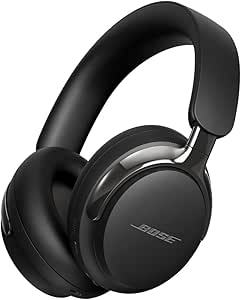
Bose QuietComfort Ultra Headphones (2nd Gen), Wireless Bluetooth Noise-Cancelling Over-Ear Headphones, Black
As an affiliate, we earn on qualifying purchases.
Background and Market Position of the Steam VR Frame
Valve’s entry into standalone VR hardware has been anticipated since the Valve Index’s 2019 release, which set a high standard for PC VR headsets. The company has previously emphasized openness and compatibility with Steam, making the Steam VR Frame a natural evolution in its hardware lineup. The VR market has been dominated by Meta’s Quest series, which offers a more affordable, all-in-one experience, but with less native PC integration. Valve’s move to combine wireless streaming with a powerful onboard processor aims to bridge the gap between tethered PC VR and standalone devices, addressing consumer demand for more flexible VR setups.
Prior to the official announcement, rumors suggested Valve was developing a high-end, SteamOS-based headset capable of native PC game playback and wireless streaming. The device’s high price reflects its premium features, positioning it differently from more consumer-focused models like Quest. As the VR ecosystem evolves, the Steam VR Frame could influence future hardware development, especially if it gains traction among enthusiasts.
Unanswered Questions About Comfort, Compatibility, and Software Support
It remains unclear how comfortable the Steam VR Frame will be during extended use, as ergonomic testing is ongoing. Long-term issues like motion sickness, fit, and weight distribution are still being evaluated. Additionally, the extent of native game compatibility and the quality of wireless streaming under different network conditions are not yet confirmed. Valve has not provided detailed timelines for third-party accessory support or prescription lens availability, leaving some aspects of user customization uncertain.
Upcoming Tests, Software Updates, and Market Reception
Valve plans to release a full review once ongoing ergonomic and performance testing concludes. Software updates may improve compatibility and visual quality, especially as developers optimize titles for the headset. The company is also expected to expand accessory options and introduce prescription lens inserts in the coming months. Market reception will depend on how well the device performs in real-world conditions and whether early adopters find the high price justified by its features.
Key Questions
Can I wear glasses with the Steam VR Frame?
Yes, the Steam VR Frame can accommodate glasses, with a magnetic spacer included to prevent scratching. Compatibility depends on your glasses’ width, and prescription lens inserts are expected from third-party providers, though no specific release date has been announced.
How does the Steam VR Frame compare to Meta Quest 3?
While both support wireless streaming and standalone use, the Steam VR Frame offers native PC game playback via a dedicated Wi-Fi 6E dongle, potentially reducing latency and improving performance. Quest 3 has a larger library of optimized titles but relies on streaming solutions for PC compatibility, which can vary in quality.
What accessories are available for the Steam VR Frame?
Currently, official accessories include a power supply ($29), an ergonomic kit ($59), and a replacement kit ($49). An upcoming color passthrough camera add-on ($150) will enhance environmental mapping and spatial recording capabilities.
Is the Steam VR Frame worth its high price?
This depends on individual needs and budget. Enthusiasts valuing open-platform, high-performance VR may find it justified, but casual users might prefer more affordable options like Quest. The device’s long-term value will depend on software support and ergonomic comfort.
Source: Road to VR