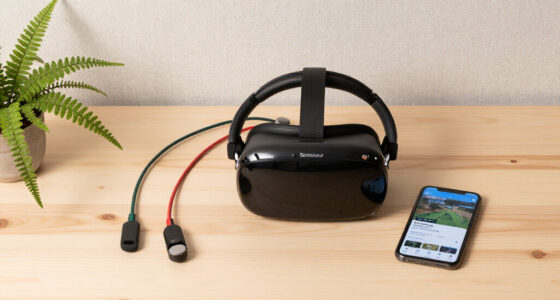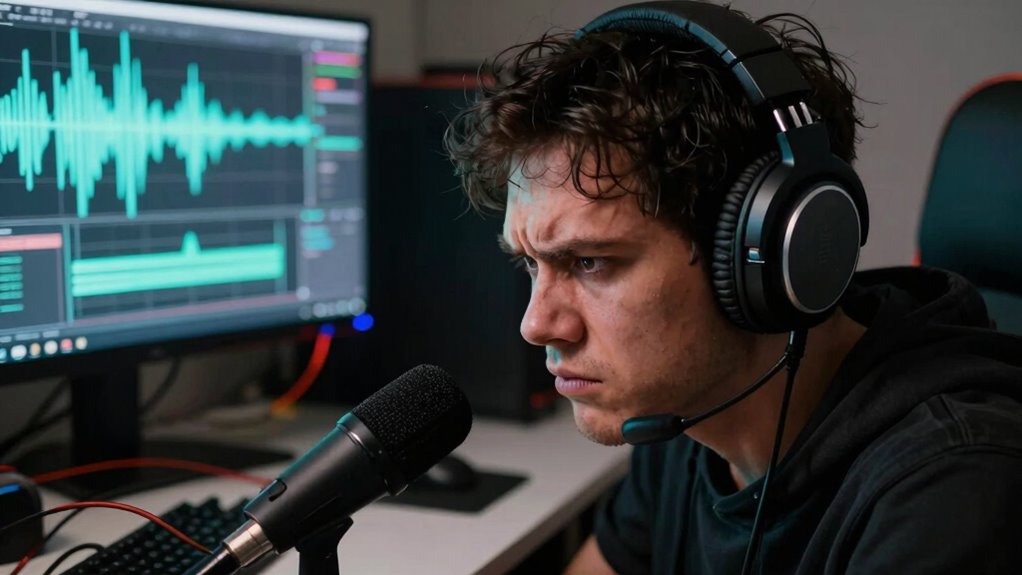

Poor audio settings can instantly break your immersive experience because they distort spatial cues, making it hard to tell where sounds come from. When sounds are unbalanced or out of sync, it pulls you out of the environment and creates confusion. Background noise can distract you, causing missed cues and mistakes. Inconsistent levels force you to constantly tweak settings, disrupting focus. Keep going to discover how fixing these issues can completely transform your virtual adventures.

Play games on Amazon Luna for your next adventure, included with Prime
- A rotating selection of games, no download needed
- Play on TV, laptop or phone
- Fast, free delivery for your gear, too
Key Takeaways
- Poor calibration causes unbalanced, unclear sounds that disrupt the virtual environment’s realism.
- Background noise and misaligned spatial cues distract and disorient players quickly.
- Inconsistent audio levels force frequent adjustments, breaking focus and immersion.
- Sound misdirection hampers navigation and combat, reducing gameplay effectiveness.
- Subtle audio issues create a disconnect, diminishing emotional engagement and overall experience.

Poor audio settings can quickly shatter your immersion in a game or virtual experience, pulling you out of the moment and disrupting your focus. When your sound isn’t properly calibrated, you may miss essential cues or become overwhelmed by inconsistent volume levels. Audio calibration isn’t just about making everything sound good; it assures that sounds are balanced, clear, and in sync with the visuals. Without it, you might find yourself straining to hear important dialogue or environmental effects, which pulls your attention away from the gameplay or story. Even subtle misalignments can create a disconnect, making the experience feel less realistic and more jarring.
Background noise also plays a significant role in breaking immersion. If your environment isn’t quiet or if your audio settings aren’t optimized to filter out unnecessary sounds, you’re more likely to be distracted. Excessive background noise can mask essential audio cues, such as enemy footsteps, scripted sound effects, or in-game alerts, leading to missed opportunities or mistakes. When you’re unable to distinguish between game sounds and real-world disturbances, your focus shifts from the virtual environment to your surroundings. This distraction can cause frustration, especially in tense moments where every sound matters. Additionally, proper audio calibration helps ensure that your audio setup maximizes clarity and spatial awareness, making it easier to stay immersed in your experience. Regularly reviewing your audio settings can also help maintain consistent sound quality over time. Ensuring your audio environment is optimized can further enhance your overall immersion and prevent distractions. Paying attention to sound consistency across different sessions can help keep your experience seamless and immersive. Moreover, taking steps to eliminate background noise can significantly improve your listening experience and focus.
Moreover, poor audio settings can distort the sense of spatial awareness, which is key for immersion in many games and VR experiences. When audio isn’t correctly calibrated, sounds may seem to come from the wrong directions or at unnatural volumes, confusing your sense of where things are happening. This disorientation can make you feel disconnected from the environment, reducing the realism and engagement that good audio design aims to deliver. When you rely on spatial audio cues for navigation or combat, any misconfiguration undermines these cues, making the experience less intuitive and more frustrating.
In addition, inconsistent audio levels from poorly configured settings force you to constantly adjust your volume or strain to hear what’s important. This constant fiddling pulls you out of the experience repeatedly, preventing you from fully immersing yourself in the story or gameplay. To counter this, you should regularly check your audio calibration, guarantee background noise is minimized, and customize your sound settings to suit your environment. Sound balancing is crucial for achieving a seamless experience and ensuring that game sounds and environmental cues are clear and distinct. Doing so helps maintain the balance between game sounds and your surroundings, allowing you to stay focused and engaged longer. Ultimately, paying attention to your audio setup isn’t just about better sound; it’s about preserving the integrity of your entire virtual experience.
gaming headset with surround sound
As an affiliate, we earn on qualifying purchases.
As an affiliate, we earn on qualifying purchases.
Frequently Asked Questions
How Do Audio Settings Impact Emotional Engagement in Games?
Your audio settings directly impact emotional immersion by shaping how sound design influences your feelings. Clear, well-balanced audio enhances tension, excitement, or fear, making scenes more believable. Poor settings can create dissonance, breaking immersion and lessening emotional engagement. When you optimize sound design through proper audio settings, you foster a deeper connection to the game’s story and environment, making every moment more intense and emotionally resonant.
Can Poor Audio Settings Cause Physical Discomfort or Fatigue?
Poor audio settings can cause physical discomfort or fatigue, especially when headphone comfort is overlooked. Uncomfortable headphones lead to muscle strain, while audio distortion strains your ears, causing fatigue. When sound isn’t clear, you strain to understand, which tires your mind and body. You might experience headaches, ear pain, or even dizziness. To prevent this, make certain your headphones fit well, and tweak your audio settings for balanced, distortion-free sound.
How Quickly Can Bad Audio Settings Ruin the Gaming Experience?
Bad audio settings can ruin your gaming experience almost instantly. Poor sound design and improper audio calibration make it hard to pinpoint in-game cues, leading to frustration and disorientation. Within minutes, your immersion drops as sounds become overwhelming or muffled. You might miss critical clues, feel disconnected, or experience discomfort. That’s why ensuring proper audio calibration and high-quality sound design are essential—they keep your focus sharp and gameplay engaging from the start.
Do Audio Issues Affect Multiplayer or Online Gameplay More?
Audio issues affect multiplayer gameplay more because voice clarity and sound localization are vital for team coordination. Poor audio makes it hard to understand teammates’ commands or pinpoint enemy movements, leading to confusion and mistakes. When you can’t rely on clear voice communication or accurate sound cues, your immersion drops, and the gameplay becomes frustrating. Good audio setup enhances teamwork, keeps you immersed, and gives you a competitive edge.
Are There Specific Genres More Sensitive to Audio Misconfigurations?
Certain genres, like horror and stealth, are more sensitive to audio misconfigurations because they rely heavily on audio clarity and spatial cues for immersion. When sound is unclear or distorted, you might miss important cues, reducing tension and situational awareness. Action games and shooters also suffer, but genres emphasizing atmosphere, suspense, or precision audio are most affected by poor audio settings, breaking immersion faster and impacting your overall experience.
As an affiliate, we earn on qualifying purchases.
Conclusion
Don’t disregard your device’s details—dive into the settings and dial in your audio. Poorly configured sound stifles your senses, shattering the seamless space you seek. Small tweaks can transform your experience from flat to fantastic, fostering focus and fueling fun. Remember, fine-tuning your audio isn’t just about hearing—it’s about harnessing harmony, heightening immersion, and holding onto the heart of your game or media. So, set wisely, and let your senses soar!
noise cancelling headphones for gaming
As an affiliate, we earn on qualifying purchases.
As an affiliate, we earn on qualifying purchases.
As an affiliate, we earn on qualifying purchases.
Fall Picks
fall essentials
As an affiliate, we earn on qualifying purchases.