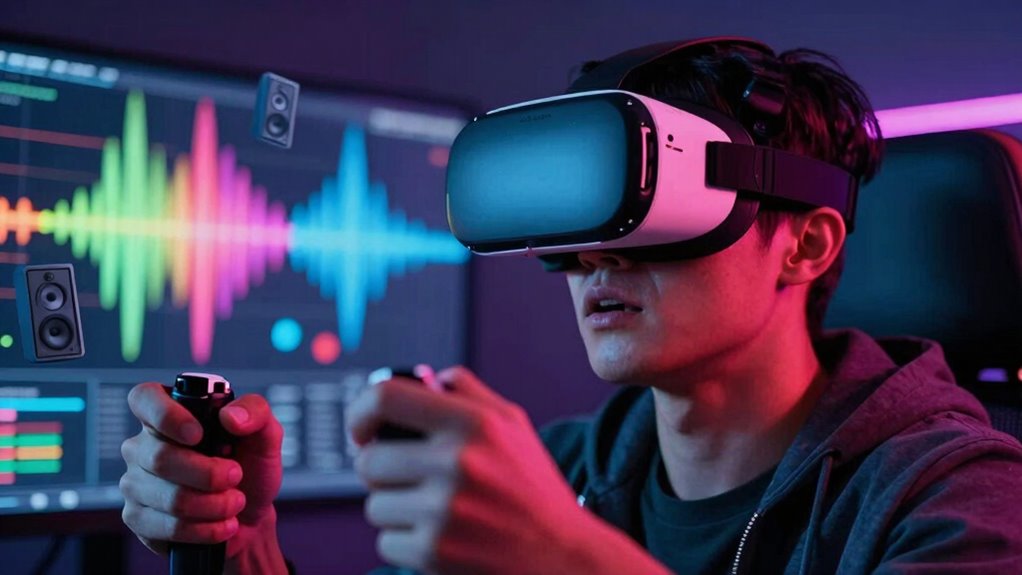
Loud audio in VR forces your auditory system to work harder, which can lead to overstimulation and discomfort during extended use. When sounds are too intense, your brain has to strain more to process spatial cues and separate important sounds from background noise, increasing mental effort. This heightened effort can cause fatigue and stress, making your VR experience less comfortable. If you keep exploring, you’ll discover even more ways loud audio impacts your VR sessions.

Play games on Amazon Luna for your next adventure, included with Prime
- A rotating selection of games, no download needed
- Play on TV, laptop or phone
- Fast, free delivery for your gear, too
Key Takeaways
- Loud audio increases auditory workload, leading to faster fatigue during prolonged VR use.
- Excessive volume causes overstimulation, discomfort, and strain on the auditory system.
- Misaligned sound cues distort localization, forcing constant mental adjustments and increasing cognitive effort.
- Sudden loud noises trigger stress responses, amplifying fatigue and reducing immersion.
- Poorly calibrated audio creates imbalance, forcing users to compensate and experience greater mental and physical exhaustion.

As virtual reality becomes more immersive, many users are discovering that loud audio can contribute to fatigue and discomfort. When you’re immersed in a VR experience, sound plays a vital role in creating a convincing environment, but pushing the volume too high can backfire. One reason is that loud audio demands more from your auditory system, forcing it to work harder to process sounds accurately. This is where proper audio calibration becomes necessary. If your VR system isn’t calibrated correctly, sounds can seem off in volume or pitch, making it harder for your brain to interpret spatial cues. When audio isn’t calibrated well, your brain struggles to distinguish between important sounds and background noise, increasing mental load and leading to quicker fatigue. Additionally, loud audio can cause your auditory system to become overstimulated, which can heighten discomfort during prolonged use. Sound localization—the ability to identify where sounds are coming from—is another key factor affected by loud audio. When sounds are too loud or improperly balanced, your brain’s natural ability to pinpoint audio sources becomes distorted. Instead of seamlessly integrating sounds into the environment, you might find yourself constantly adjusting or feeling disoriented, which heightens fatigue. This misalignment can cause your brain to work overtime trying to interpret spatial cues that don’t match your visual input, creating a sense of imbalance and discomfort. Moreover, auditory overstimulation can lead to increased stress and mental fatigue during extended VR sessions. Loud audio also amplifies the impact of sudden or unexpected noises, which can startle you and break immersion. This abruptness not only disrupts your focus but also triggers a stress response, contributing further to fatigue. Exposure to excessively loud sounds over time can cause temporary or even long-term hearing discomfort, adding to overall fatigue and reducing your endurance during extended VR sessions. Recognizing the importance of sound calibration can significantly improve comfort and reduce fatigue during VR experiences. Proper audio calibration helps prevent overstimulation and maintains a balanced auditory environment. Paying attention to sound levels and ensuring they are appropriate for your environment can further protect your hearing health. Adjust your volume to a comfortable level where sounds are clear and well-balanced without overwhelming your senses. Good calibration ensures that sound localization remains accurate, helping your brain build a coherent spatial map of the virtual environment. When you’re able to perceive sounds naturally and without strain, you’ll find the experience more comfortable and less tiring.
Products Worth Considering

Bose QuietComfort Headphones (2nd Gen), Wireless Over-Ear Noise-Cancelling Headphones, Hazelnut Taupe
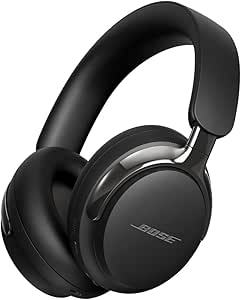
Bose QuietComfort Ultra Headphones (2nd Gen), Wireless Bluetooth Noise-Cancelling Over-Ear Headphones, Black

Bose QuietComfort True Wireless Earbuds with Active Noise Cancellation, Black
As an affiliate, we earn on qualifying purchases.
Frequently Asked Questions
How Does Loud Audio Affect Different Types of VR Users?
Loud audio affects you differently depending on your audio sensitivity and hearing fatigue. If you’re more sensitive, loud sounds can quickly overwhelm you, causing discomfort or disorientation. For others experiencing hearing fatigue, loud audio worsens exhaustion and reduces immersion. You may find yourself needing to lower volume or take breaks more often. Managing audio levels helps prevent fatigue, ensuring a more comfortable and enjoyable VR experience tailored to your hearing needs.
Can Adjusting Volume Levels Reduce VR Fatigue Effectively?
Adjusting volume levels can considerably reduce VR fatigue. Studies show that improper audio levels cause discomfort for 65% of users. By focusing on audio calibration and volume normalization, you guarantee sound remains comfortable and immersive without being overwhelming. Lowering or fine-tuning volume helps prevent sensory overload, making your VR experience more enjoyable and less tiring. Regularly adjusting audio settings allows you to maintain comfort and prolong your VR sessions effectively.
Are There Specific Genres of VR Content More Affected by Loud Audio?
Certain VR genres, like horror or action, are more affected by loud audio because they amplify emotional responses and heighten spatial awareness. Loud sounds can intensify fear, excitement, or tension, leading to quicker fatigue. You might notice that in these genres, loud audio overwhelms your senses faster, making it harder to focus or stay comfortable. To reduce fatigue, consider adjusting volume levels or using sound moderation features, especially during intense scenes.
What Are the Long-Term Health Effects of Frequent Loud VR Audio Exposure?
Frequent loud VR audio can lead to hearing damage and ear strain over time, much like listening to loud music daily. While VR immerses you in exciting worlds, ignoring volume levels risks long-term health effects. You might experience persistent ear discomfort or even permanent hearing loss. To protect yourself, lower the volume, take regular breaks, and be mindful of your hearing health, ensuring your VR experiences remain enjoyable without harm.
How Do Individual Hearing Sensitivities Influence VR Fatigue?
Your hearing sensitivities greatly influence VR fatigue, as lower hearing thresholds mean you’re more easily overwhelmed by loud sounds, increasing fatigue. Sensory adaptation can help, but if your ears are highly sensitive, loud audio may cause discomfort faster, leading to quicker exhaustion. By adjusting audio levels to match your hearing thresholds, you can reduce fatigue and enjoy VR experiences more comfortably without overstimulating your senses.
Conclusion
So, if you crank up the volume in VR, you’re not just risking minor discomfort—you’re inviting an onslaught of audio chaos that could drain your energy faster than a rocket launch! Loud sounds can turn an immersive adventure into a deafening nightmare, leaving you exhausted and overwhelmed in record time. Keep the volume in check, or you might find yourself crashing harder than a spaceship in a fiery explosion. Stay safe, stay sane, and keep the noise reasonable!