
In VR, sound balance is essential because it anchors you within the digital space, helping you perceive direction and distance accurately. Unlike flat screens, where visuals dominate, VR relies heavily on audio cues to create a sense of presence and realism. Properly calibrated audio enhances spatial awareness and safety, making interactions seamless. If you want to understand how precise sound localization dramatically elevates your immersive experience, keep exploring the deeper details behind VR audio.
Play games included with Prime
Start a Prime free trial and play with Amazon Luna on your devices.
As an affiliate, we earn on qualifying purchases.
Key Takeaways
- VR relies heavily on accurate spatial audio to create a convincing and immersive environment.
- Proper audio balance enhances spatial awareness, critical for navigation and interaction in 3D space.
- Misaligned sound sources in VR break realism and diminish user engagement.
- Calibration techniques optimize sound placement, compensating for hardware limitations unique to VR setups.
- Flat screens lack the need for precise audio localization, making audio balance less critical outside VR.
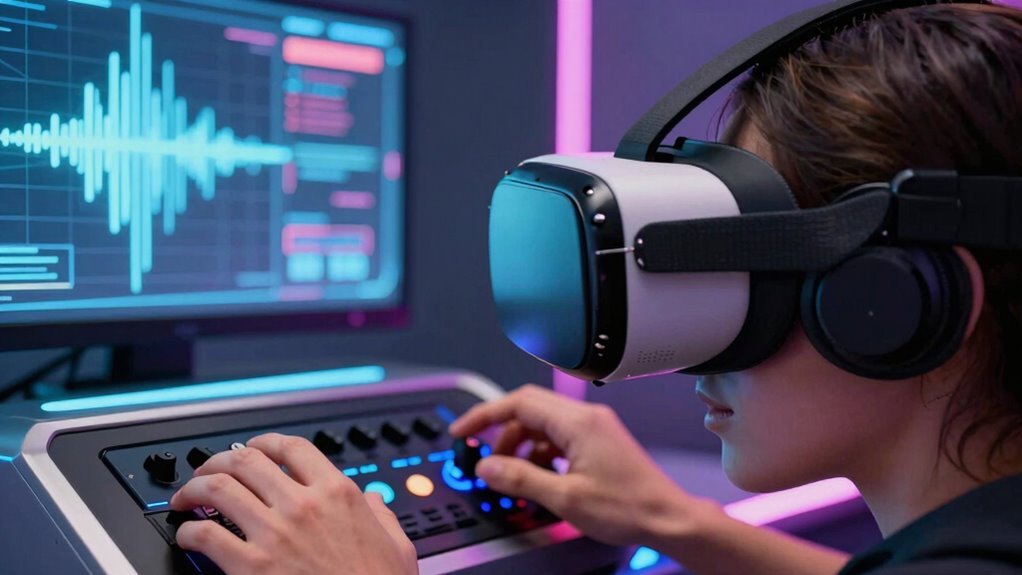
In virtual reality, achieving the right audio balance is essential for creating an immersive experience, as sound plays a critical role in grounding you within the digital environment. Unlike flat screens, where visuals are the primary focus, VR relies heavily on audio cues to simulate a real-world setting. When sound is balanced correctly, it enhances your spatial awareness, allowing you to perceive where objects, characters, or events are happening around you. This sense of space isn’t just about hearing sounds; it’s about understanding their direction and distance, which is where sound localization becomes vital. Proper audio balance ensures that each sound source is distinct and appropriately positioned, making your experience feel authentic and convincing.
Balanced audio enhances spatial awareness, making VR environments feel authentic and immersive through precise sound localization.
If the audio isn’t balanced well, you might find yourself confused about the environment. For example, if a virtual character speaks from the left but the sound comes from the center, it breaks the sense of realism and pulls you out of the experience. This disconnect stems from poor sound localization, which can diminish your ability to navigate or react naturally within the VR world. When sounds are accurately placed in 3D space, your brain can interpret their origin intuitively, helping you move and interact seamlessly. This heightened spatial awareness is indispensable in VR because it directly impacts your safety, decision-making, and overall immersion. Additionally, sound processing techniques can further enhance this effect by refining how sounds are rendered for different environments and head movements.
Achieving ideal audio balance means carefully calibrating volume levels, speaker placement, and sound processing. When done right, it creates a layered soundscape that mimics real life, where multiple sounds coexist without overpowering each other. This balance not only clarifies individual sounds but also maintains the spatial relationships between them. As a result, your brain can effortlessly interpret complex auditory scenes, supporting more natural reactions and interactions. In VR, this accurate sound localization helps you identify threats, find objects, or follow conversations without relying solely on visual cues. Additionally, understanding the importance of sound localization can help developers optimize their VR environments for heightened realism. Moreover, calibration techniques are crucial to ensure the audio experience adapts to different hardware and user preferences, further improving immersion. Proper audio calibration can also compensate for hardware limitations and environmental factors, making the experience more consistent across various setups. Recognizing the significance of auditory accuracy emphasizes how critical precise sound design is for truly immersive VR experiences.
Ultimately, the importance of audio balance in VR extends beyond just hearing — it’s about feeling present in a convincing, believable environment. When your senses are aligned through well-balanced audio, your spatial awareness sharpens, making the virtual world more tangible and engaging. Without it, even the most stunning visuals can feel hollow or disconnected. So, paying attention to how sounds are balanced and localized isn’t just a technical detail; it’s a fundamental element that shapes your entire VR experience.
As an affiliate, we earn on qualifying purchases.
Frequently Asked Questions
How Does Audio Balance Impact Immersion in VR Environments?
Audio balance greatly impacts your immersion in VR environments by accurately delivering spatial audio and binaural cues. When sound levels are balanced, you can precisely locate sources and feel surrounded by the scene, making it more believable. Poor balance disrupts this, breaking your sense of presence. By maintaining proper audio balance, you enhance realism, deepen immersion, and guarantee that every sound contributes effectively to your overall VR experience.
Can Poor Audio Balance Cause VR Motion Sickness?
Poor audio balance can definitely cause VR motion sickness because it disrupts sound localization, making it hard for your brain to interpret spatial cues accurately. If your audio calibration is off, sounds may seem misplaced or inconsistent, increasing disorientation. This mismatch between visual cues and audio can lead to discomfort and nausea. Ensuring proper audio calibration helps maintain realistic sound localization, reducing the risk of motion sickness and improving your overall VR experience.
What Are the Best Tools for Adjusting Audio in VR?
You need powerful tools to fine-tune your VR audio experience, and the best are those that support spatial audio and binaural rendering. Software like Steam Audio, DearVR, and Oculus Spatializer allow you to adjust audio placement precisely, creating immersive environments. These tools help you balance sound sources effectively, ensuring your VR experience feels natural and avoids discomfort. Mastering them can truly transform your virtual worlds into lifelike adventures.
How Does Head Movement Influence Audio Perception?
Head movement considerably influences your audio perception in VR through head tracking and binaural cues. As you move your head, the system adjusts the sound sources, making them seem more realistic and immersive. Binaural cues, like interaural time and level differences, help your brain locate sounds accurately. This dynamic adjustment enhances spatial awareness, ensuring you perceive audio as coming from specific directions, which is essential for a truly immersive VR experience.
Are There Standards for Audio Balance in VR Development?
Think of VR audio like a symphony where every note must be perfectly calibrated. While no strict universal standards exist, developers often rely on industry best practices for audio calibration and binaural accuracy to create immersive experiences. You should prioritize precise audio balance, ensuring sounds stay consistent with head movements, enhancing realism. Following these guidelines helps achieve a believable environment, making your VR experience more engaging and authentic for users.
As an affiliate, we earn on qualifying purchases.
Conclusion
Remember, in VR, audio balance isn’t just a detail—it’s the compass guiding your immersion. When sounds are perfectly balanced, it’s like stepping into a world where every whisper and roar feels real, pulling you deeper into the experience. If your audio isn’t aligned, the magic fades, much like a symphony missing its conductor. So, take the time to get your audio right; it’s the heartbeat that keeps your virtual world alive.
As an affiliate, we earn on qualifying purchases.
As an affiliate, we earn on qualifying purchases.
NFL season / tailgating Picks
team gear
As an affiliate, we earn on qualifying purchases.