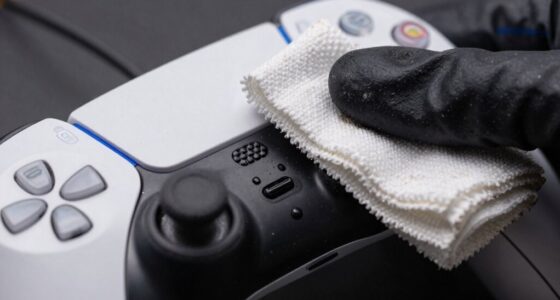
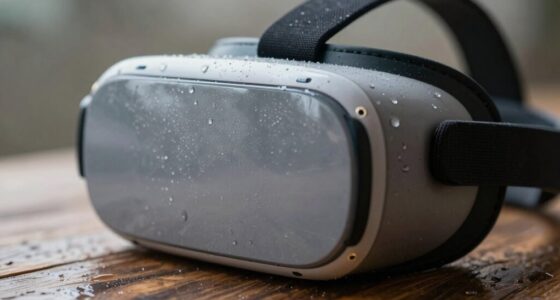
To make your VR gear last through heavy weekly use, you should regularly clean and inspect it, wipe lenses with a microfiber cloth, and check for loose or frayed cables. Store it in a cool, dry place, and avoid exposing it to excessive heat or moisture. Handle it carefully, adjust straps properly, and avoid unnecessary modifications to prevent wear. Following these steps will keep your equipment in top shape and perform smoothly for longer. Keep exploring for more tips!

Play games on Amazon Luna for your next adventure, included with Prime
- A rotating selection of games, no download needed
- Play on TV, laptop or phone
- Fast, free delivery for your gear, too
Key Takeaways
- Properly adjust straps for a secure, comfortable fit to prevent damage and reduce strain during heavy use.
- Regularly clean lenses, straps, and cables to maintain performance and identify early signs of wear.
- Store VR gear in a cool, dry environment to prevent damage from heat and humidity.
- Schedule weekly maintenance, including firmware updates and thorough inspections for loose or damaged parts.
- Handle the equipment carefully, avoiding unnecessary adjustments and drops to prolong lifespan.

Virtual reality gear can be a significant investment, but with proper care, it can last for years. If you’re using your VR headset heavily each week, maintaining its condition is vital. The key is understanding VR ergonomics and sticking to regular maintenance routines. VR ergonomics isn’t just about comfort; it also impacts the longevity of your gear. Properly adjusting the straps and ensuring a snug but not tight fit prevents unnecessary strain on the device’s components. When your headset fits well, you reduce the chance of accidental drops or damage, which can be costly to repair. Pay attention to how you wear and handle your headset, making sure it’s secure but not overly tight, and avoid unnecessary adjustments that could loosen parts over time. Developing a good handling technique helps prolong your VR gear’s lifespan and ensures a safer experience.
Routine maintenance is your best defense against wear and tear. Every week, take a few minutes to clean your VR equipment properly. Use a microfiber cloth to wipe down the lenses, removing dust and fingerprints that could impair visual clarity or cause scratches. For the straps and exterior, a slightly damp cloth works well—just avoid harsh chemicals that could degrade materials. Regularly inspecting wires, cables, and connectors helps catch loose or fraying parts early, preventing failures during intense sessions. Additionally, environmental factors such as temperature and humidity can accelerate wear, so storing your gear in a cool, dry place is essential. Proper storage not only protects your equipment but also helps maintain optimal performance over time. Incorporating device longevity tips into your routine can further safeguard your investment and keep your VR setup in top condition. Proper storage not only protects your equipment but also helps maintain optimal performance over time. Ensuring proper ventilation prevents overheating that could damage internal electronics during extended use. Also, store your gear in a cool, dry place when not in use. Excess heat or humidity can damage internal electronics over time, so keeping your VR setup in a safe environment extends its lifespan.
Creating a routine around VR ergonomics and maintenance routines is essential. When you put on your headset, take a moment to adjust it properly, ensuring comfort and stability. After each session, wipe down surfaces and check for any signs of damage. This proactive approach helps you catch issues early and avoid costly repairs. Additionally, updating firmware and software regularly ensures your VR gear functions smoothly and securely, which contributes to its durability. Heavy weekly use demands more attentive care, but investing a few extra minutes daily will save you from potential replacements or repairs down the line. Incorporating preventive care into your routine can significantly extend the lifespan of your VR gear.
VR headset lens cleaning microfiber cloth
As an affiliate, we earn on qualifying purchases.
As an affiliate, we earn on qualifying purchases.
Frequently Asked Questions
Can I Upgrade the VR Headset’s Hardware Components Easily?
You can upgrade your VR headset’s hardware components, but it depends on hardware compatibility and the upgrade procedures. Many headsets have limited upgrade options, often requiring you to replace entire parts or buy newer models. For easier upgrades, choose models with modular components or open architecture. Always check manufacturer guidelines and compatibility before attempting upgrades, and follow recommended procedures to avoid damaging your device or voiding warranties.
What Are the Best Storage Practices to Prevent Damage?
Picture your VR gear nestled safely in a protective case, shielded from accidental bumps or drops. Proper ventilation is key; store your headset in a cool, dry place to prevent overheating and moisture damage. Always avoid leaving it in direct sunlight or cramped spaces. By consistently using protective cases and ensuring good airflow, you safeguard your investment, making your VR gear last longer, ready for intense weekly sessions without worry.
How Often Should I Replace VR Headset Parts?
You should replace VR headset parts like foam padding or lenses every 6 to 12 months, depending on wear and tear. Regular VR controller maintenance helps prevent damage and extends lifespan, so clean controllers and check buttons weekly. Make headset fitting adjustments as needed to avoid strain, which can cause damage over time. Staying proactive with these practices guarantees your gear remains comfortable, functional, and lasts longer despite heavy weekly use.
Are There Specific Cleaning Products for VR Lenses?
You should use specific cleaning solutions designed for VR lenses to keep them clear and prevent damage. Look for gentle, alcohol-free lens care products that won’t scratch or degrade the lens coating. Avoid household cleaners or harsh chemicals. Use a microfiber cloth for gentle wiping, and always follow the manufacturer’s instructions. Regular lens care with appropriate cleaning solutions helps maintain clarity and extends the life of your VR headset.
How Do I Troubleshoot Connectivity Issues With My VR Gear?
Think of troubleshooting as your “DeLorean”—it’s crucial for fixing issues before time’s up. First, check your VR calibration to guarantee proper tracking. For wireless connectivity, restart your VR headset and router, then re-pair the device. Make sure firmware and drivers are up-to-date. If problems persist, move closer to your router or reduce interference. These steps help maintain a seamless experience, even during heavy weekly use.
VR cable management and inspection tools
As an affiliate, we earn on qualifying purchases.
As an affiliate, we earn on qualifying purchases.
Conclusion
If you follow these tips, your VR gear will stay in great shape through heavy weekly use. It’s funny how a simple wipe or proper storage can unexpectedly extend its life, saving you money and frustration. Just like you might find a lost sock tucked away in a drawer, taking small care steps can prevent bigger issues down the line. With a little attention, your VR gear will be ready for countless immersive adventures.
As an affiliate, we earn on qualifying purchases.
As an affiliate, we earn on qualifying purchases.
Fall Picks
fall essentials
As an affiliate, we earn on qualifying purchases.