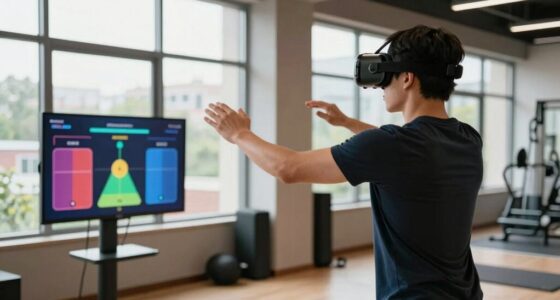
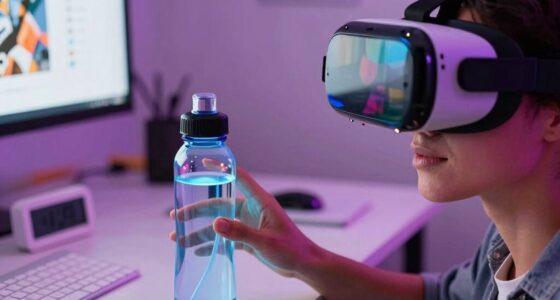
To use VR for stress relief without overdoing screen time, set clear limits on session lengths—aim for 10-15 minutes—and take breaks to prevent fatigue. Be mindful of how you feel afterward, and incorporate grounding activities like stretching or outdoor walks. Use VR intentionally, focusing on calming environments, and balance it with real-world interactions to support your overall well-being. If you’re interested, there’s more to discover about making the most of your VR stress relief routine.
Key Takeaways
- Limit VR sessions to 10-15 minutes and avoid prolonged use to prevent fatigue and eye strain.
- Schedule VR experiences a few times weekly, integrating grounding activities like stretching afterward.
- Focus on intentional, mindful use of VR for relaxation rather than habitual or excessive sessions.
- Balance VR with real-world interactions and outdoor activities to maintain overall mental well-being.
- Monitor your post-use feelings to ensure VR enhances relaxation without causing disconnection or fatigue.

Virtual reality (VR) is transforming the way people manage stress by offering immersive, calming experiences that are accessible anytime. With just a headset and a few clicks, you can step into tranquil environments that help you relax and reset your mind. These immersive environments are designed to simulate peaceful settings like beaches, forests, or serene gardens, allowing you to escape your daily stressors without leaving your home. One effective way to maximize these experiences is by combining them with mindfulness exercises, which can deepen your sense of calm and presence. As you wear the VR headset, you might find yourself breathing more slowly, feeling more grounded, and experiencing a genuine sense of tranquility.
The key to using VR for stress relief without overdoing screen time is to set clear boundaries. While these immersive environments are incredibly effective, they shouldn’t replace your overall mental health routine or become a distraction. Instead, think of VR as a tool to enhance your existing stress management practices. For instance, you can schedule short, specific sessions—say, 10 to 15 minutes—focused on mindfulness exercises like deep breathing, body scans, or guided visualization within the VR environment. These exercises help you stay present, reduce anxiety, and improve your overall mood. Remember, the goal is to use VR as a supplement, not a constant escape, so you maintain balance in your daily routine.
To avoid overexposure, be mindful of how often you use VR. It’s tempting to indulge in long sessions, especially if the environments are soothing, but prolonged use can lead to eye strain, fatigue, or disconnection from real-world interactions. Instead, consider integrating VR into your self-care schedule a few times a week, always paying attention to how it makes you feel afterward. Use it as an opportunity to practice mindfulness exercises in a controlled, immersive setting, and then take time to ground yourself back into reality with gentle stretches or a walk outside. This approach ensures you reap the benefits of VR’s calming potential without risking overdependence or exhaustion.
Ultimately, the power of VR for stress relief lies in moderation and intentionality. When used wisely, it can provide a much-needed mental escape and a chance to cultivate mindfulness, helping you manage stress more effectively. By balancing immersive experiences with real-world activities, you create a sustainable routine that enhances your well-being without overdoing screen time. Remember, the goal isn’t just to escape but to develop skills that support your mental health in all areas of life.
Prioritizing ergonomics and a thoughtful setup can further enhance your comfort during VR practices, ensuring your physical well-being is maintained as you explore these calming environments.
Frequently Asked Questions
Can VR Cause Motion Sickness or Dizziness?
Yes, VR can cause motion sickness or dizziness if you’re sensitive or use it excessively. You might feel disoriented, experience nausea, or dizziness after prolonged sessions. To prevent this, take regular breaks, start with short sessions, and choose VR experiences designed to minimize motion sickness. Staying seated and maintaining good ventilation can also help. Listening to your body guarantees you enjoy VR safely without discomfort.
How Long Should I Use VR for Stress Relief Each Session?
You should aim for session duration of about 10 to 15 minutes for stress relief, as this tends to be ideal timing without causing fatigue or discomfort. Pay attention to how you feel during and after each session, and if you notice dizziness or eye strain, take a break. Keep your sessions consistent but brief, gradually increasing if comfortable, to maximize benefits without overdoing it.
Are There Age Restrictions for VR Stress Relief Apps?
Yes, there are age restrictions for VR stress relief apps, typically recommended for users aged 12 and above. Always check the app’s guidelines for specific age requirements. Parental guidance is essential for younger users to guarantee safe usage, monitor screen time, and prevent overstimulation. Making certain children follow age restrictions helps protect their developing eyes and mental health while enjoying the benefits of VR relaxation techniques.
What Are the Signs of Overusing VR Technology?
If you overuse VR technology, you might notice signs like virtual fatigue, where your eyes feel tired or strained, and sensory overload, causing headaches or dizziness. You could also experience difficulty concentrating, nausea, or a feeling of disorientation. To avoid these issues, limit your VR sessions, take regular breaks, and listen to your body’s signals. Staying mindful helps you enjoy the benefits without risking negative effects.
Is VR Therapy Suitable for Everyone Experiencing Stress?
VR therapy can be a helpful alternative therapy for many experiencing stress, but it’s not suitable for everyone. Your doctor should evaluate your mental and physical health to determine if VR is appropriate. Look for accessibility options, such as adjustable settings or support features, to guarantee a comfortable experience. Always start with short sessions, and stop if you feel discomfort or dizziness, prioritizing your well-being.
Conclusion
As you gently lift your headset, imagine leaving behind the bustling world and stepping into a calm, serene forest or a quiet beach. VR can be your peaceful retreat, but remember to balance your screen time. Let each session refresh your mind without overwhelming it. By blending immersive escapes with real-world moments, you create a soothing harmony—where relaxation flows effortlessly, and stress melts away like waves on a tranquil shore.