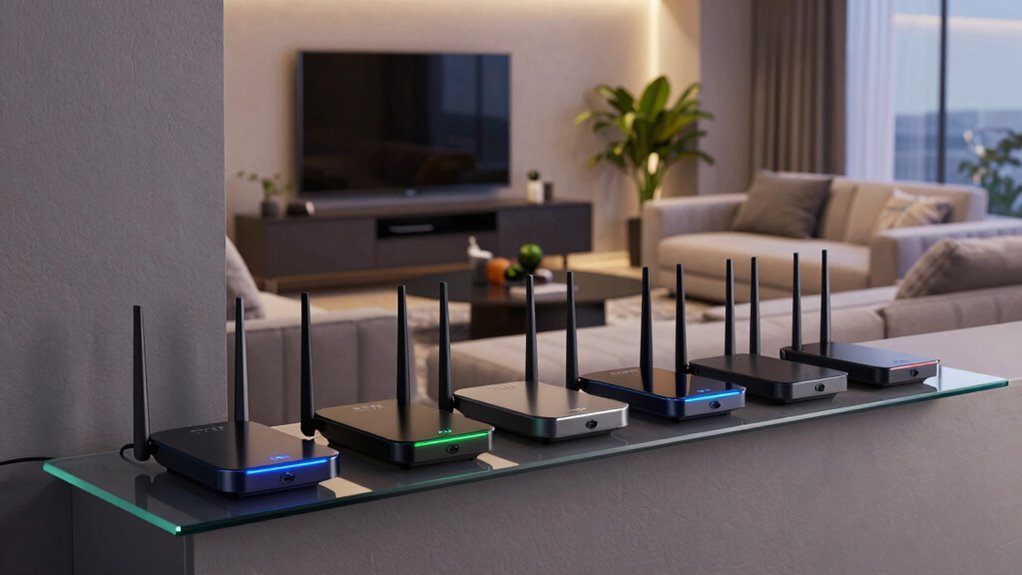
Getting the right router for VR in an apartment can be tricky, especially with limited space and multiple devices. The best options offer fast, reliable connections with strong coverage to handle demanding VR sessions without lag. The TP-Link AXE5400 Tri-Band WiFi 6E Router stands out for its cutting-edge WiFi 6E technology, while the NETGEAR Nighthawk WiFi 6 Router R6700AX provides solid performance at a more affordable price. The main tradeoffs often involve balancing coverage, speed, and ease of setup. Continue reading for an in-depth breakdown to help you choose the perfect fit for your apartment setup.

Play games on Amazon Luna for your next adventure, included with Prime
- A rotating selection of games, no download needed
- Play on TV, laptop or phone
- Fast, free delivery for your gear, too
Key Takeaways
- Tri-band and WiFi 6/6E routers provide the best performance for VR in apartments by reducing lag and congestion.
- Coverage area is critical; larger apartments benefit from routers with wider range or mesh capabilities.
- Price varies widely, but investing in a quality router often pays off in stability and future-proofing.
- Ease of setup and management features matter when integrating VR needs into a multi-device environment.
- Tradeoffs between advanced features and simplicity mean buyers should prioritize their specific VR performance needs.
| GL.iNet GL-SFT1200 Opal Travel Router, AC1200 Dual-Band Wi-Fi |  | Best for Portable, Secure VR Setup on the Go | Wireless Speed: AC1200 (300 Mbps 2.4GHz + 867 Mbps 5GHz) | Ports: 2 Gigabit LAN, 1 Gigabit WAN | Weight: 145g | VIEW ON AMAZON | See Our Full Breakdown |
| TP-Link AX1800 WiFi 6 Router (Archer AX21 V5) |  | Best for High-Speed, Multi-Device VR in Small Apartments | Technology: Wi-Fi 6 (802.11ax) | Bandwidth: 1.8 Gbps total (1200 Mbps on 5 GHz, 574 Mbps on 2.4 GHz) | Antennas: 4 high-gain | VIEW ON AMAZON | See Our Full Breakdown |
| TP-Link AXE5400 Tri-Band WiFi 6E Router |  | Best for Future-Proof, Low-Latency VR in Larger Apartments | WiFi Speed: up to 5400 Mbps | Bands: Tri-Band (6 GHz, 5 GHz, 2.4 GHz) | Processor: 1.0 GHz dual-core | VIEW ON AMAZON | See Our Full Breakdown |
| NETGEAR Nighthawk WiFi 6 Router R6700AX |  | Best for Compact, Reliable VR Coverage in Small Apartments | WiFi Standard: WiFi 6 | Max Speed: 1.8 Gbps | Coverage: 1500 sq ft | VIEW ON AMAZON | See Our Full Breakdown |
| ASUS RT-AX1800S Dual Band WiFi 6 Extendable Router |  | Best for Expandable, Secure VR in Smart Apartments | WiFi Standard: WiFi 6 (802.11ax) | Processor: Dual-core | Ports: 1 Gigabit WAN, 4 Gigabit LAN | VIEW ON AMAZON | See Our Full Breakdown |
| TP-Link Archer AX1450 WiFi 6 Dual-Band Wireless Router (Renewed) |  | Best Overall for Apartments with Multiple Devices | Wi-Fi Technology: Wi-Fi 6 | Max Speed: 1.45 Gbps | Frequency Bands: Dual-Band | VIEW ON AMAZON | See Our Full Breakdown |
| TP-Link AC1200 Gigabit Dual Band WiFi Router (Archer A6) |  | Best for Streaming and Gaming on a Budget | Speed: 1200 Mbps | Bands: Dual band (2.4GHz and 5GHz) | Ports: 4 Gigabit LAN ports | VIEW ON AMAZON | See Our Full Breakdown |
| Tenda AX3000 WiFi 6 Router, Dual-Band Gigabit Wireless Internet Router, Mesh & AP Mode |  | Best for Large Apartments with Multiple Needs | WiFi Speed: Up to 2402 Mbps (5GHz) + 574 Mbps (2.4GHz) | Technology: WiFi 6, OFDMA, MU-MIMO | Antennas: 7 dBi high-gain | VIEW ON AMAZON | See Our Full Breakdown |
| TP-Link BE6500 Dual-Band WiFi 7 Router (BE400) |  | Best for Future-Proofing with High-Speed Demands | Max Speed: 5764 Mbps (5GHz) | Coverage: Up to 2,400 sq. ft. | Number of Devices: Up to 90 | VIEW ON AMAZON | See Our Full Breakdown |
| TP-Link AC1200 WiFi Router Dual Band Wireless Internet Router (Archer A54) |  | Best for Easy Management and Moderate Coverage | Speed: 867 Mbps (5GHz) | Coverage Area: Up to 1,000 sq. ft. | Antennas: 4 external | VIEW ON AMAZON | See Our Full Breakdown |
| NETGEAR Nighthawk WiFi 7 Router RS90, Up to 2,000 sq ft, 3.6 Gbps |  | Best Overall for High-Speed VR in Apartments | WiFi Standard: WiFi 7 | Speed: 3.6 Gbps | Coverage: 2000 sq ft | VIEW ON AMAZON | See Our Full Breakdown |
| router for vr in apartment | Security | Ports |
|---|---|---|
| GL.iNet GL-SFT1200 Opal Travel | — | 2 Gigabit LAN, 1 Gigabit WAN |
| TP-Link AX1800 WiFi 6 Router | Supports Open VPN Server and PPTP VPN Server | — |
| TP-Link AXE5400 Tri-Band WiFi | — | — |
| NETGEAR Nighthawk WiFi 6 Route | — | — |
| ASUS RT-AX1800S Dual Band WiFi | AiProtection Classic, VPN | 1 Gigabit WAN, 4 Gigabit LAN |
| TP-Link Archer AX1450 WiFi 6 D | — | 1 Ethernet port |
| TP-Link AC1200 Gigabit Dual Ba | WPA3 | 4 Gigabit LAN ports |
| Tenda AX3000 WiFi 6 Router | Built-in VPN, IoT network isolation | 4× Gigabit Ethernet |
| TP-Link BE6500 Dual-Band WiFi | WPA3, HomeShield | 1x 2.5 Gbps WAN/LAN, 1x 2.5 Gbps LAN, 3x 1 Gbps LAN |
| TP-Link AC1200 WiFi Router Dua | WPA3 | — |
| NETGEAR Nighthawk WiFi 7 Route | NETGEAR Armor (subscription required) | — |
More Details on Our Top Picks
GL.iNet GL-SFT1200 Opal Travel Router, AC1200 Dual-Band Wi-Fi
The GL.iNet GL-SFT1200 Opal stands out for its portability and built-in VPN support, making it ideal for setting up a secure VR network in apartments where mobility and privacy matter. Compared with the NETGEAR Nighthawk R6700AX, it offers less raw speed but excels in compactness and travel-friendly features. Its dual-band Wi-Fi with speeds up to 867 Mbps on 5GHz ensures decent bandwidth, yet it doesn’t support tethering easily, which could be a downside for users needing quick network sharing. The full gigabit ports provide reliable wired connections, but its performance depends heavily on network conditions. This pick makes the most sense for VR enthusiasts who need a portable, privacy-focused router that can be easily moved between locations without sacrificing security.
Pros:- Supports dual-band Wi-Fi with high speeds for smooth VR streaming
- Compact and lightweight for easy transport
- Includes full gigabit ports for reliable wired connections
- Pre-installed VPN support for enhanced privacy
Cons:- Does not support easytethering for quick network sharing
- Speed may fluctuate depending on network conditions
Best for: Travelers and apartment dwellers who prioritize privacy and portability for VR setups
Not ideal for: Users seeking high-speed, stable home networks with extensive wired connectivity
- Wireless Speed:AC1200 (300 Mbps 2.4GHz + 867 Mbps 5GHz)
- Ports:2 Gigabit LAN, 1 Gigabit WAN
- Weight:145g
- VPN Support:OpenVPN, WireGuard
- Antennas:Retractable
Our verdict“This router is best suited for VR users who need a portable, secure connection on the go, rather than maximum speed or extensive wired features.”
TP-Link AX1800 WiFi 6 Router (Archer AX21 V5)
The TP-Link AX1800 WiFi 6 Router offers a significant upgrade in speed and device capacity compared to the NETGEAR Nighthawk R6700AX. Its dual-band Wi-Fi 6 with speeds up to 1.8 Gbps makes it a strong candidate for VR users who stream or game on multiple devices simultaneously. Its four high-gain antennas provide broad coverage, which is essential in typical apartment layouts. While it excels in speed and capacity, it doesn’t support the 6 GHz band, limiting future-proofing compared to tri-band options like the TP-Link AXE5400. Its performance can vary based on interference and environment, but overall, it’s a balanced choice for dense apartment setups. This router makes sense for apartment dwellers who need fast, reliable Wi-Fi across multiple devices for VR experiences and streaming.
Pros:- Fast dual-band Wi-Fi 6 speeds for smooth VR and streaming
- Supports multiple devices with OFDMA technology
- Extensive coverage with beamforming and high-gain antennas
- Includes advanced security features
Cons:- Lacks support for the 6 GHz band, limiting future expansion
- Performance depends on environment and interference
Best for: Residents needing high-speed Wi-Fi for multiple VR devices and streaming in a small apartment
Not ideal for: Users wanting Wi-Fi 6E or tri-band coverage for ultra-low latency VR or smart home integration
- Technology:Wi-Fi 6 (802.11ax)
- Bandwidth:1.8 Gbps total (1200 Mbps on 5 GHz, 574 Mbps on 2.4 GHz)
- Antennas:4 high-gain
- Security:Supports Open VPN Server and PPTP VPN Server
Our verdict“This router is a solid choice for apartment residents seeking reliable, high-speed Wi-Fi for multiple VR and streaming devices without needing the latest Wi-Fi 6E features.”
TP-Link AXE5400 Tri-Band WiFi 6E Router
The TP-Link AXE5400 Tri-Band WiFi 6E Router offers unparalleled speeds up to 5400 Mbps, including the new 6 GHz band, making it ideal for demanding VR setups in larger apartments. Its tri-band configuration ensures less congestion and ultra-low latency, which is crucial for smooth VR experiences. The powerful dual-core 1.0 GHz CPU and 512 MB RAM support seamless performance, even with multiple devices. The EasyMesh support enables easy expansion to cover entire larger spaces. However, this model requires a compatible modem and has a complex setup process, which could be daunting for less tech-savvy users. Compared to dual-band options like the TP-Link AX1800, it offers much more performance but at a higher complexity and cost. This router makes the most sense for advanced users who need the fastest, most reliable VR experience in a larger apartment environment.
Pros:- Extreme speeds with tri-band WiFi 6E, including 6 GHz for low latency
- Supports EasyMesh for seamless whole-home coverage
- Robust CPU and memory for demanding applications
- Advanced security and VPN features
Cons:- Requires a separate modem, adding to setup complexity
- Setup can be challenging for non-technical users
- Higher cost compared to dual-band alternatives
Best for: Tech-savvy users with large apartments seeking cutting-edge VR and smart home performance
Not ideal for: Basic users or those with smaller spaces who do not require tri-band Wi-Fi 6E
- WiFi Speed:up to 5400 Mbps
- Bands:Tri-Band (6 GHz, 5 GHz, 2.4 GHz)
- Processor:1.0 GHz dual-core
- Memory:512 MB RAM
- Compatibility:EasyMesh
Our verdict“This router is best for users who want the fastest, most reliable VR experience with future-proof features in larger apartments and are comfortable with complex setup processes.”
NETGEAR Nighthawk WiFi 6 Router R6700AX
The NETGEAR Nighthawk R6700AX provides solid Wi-Fi 6 speeds up to 1.8 Gbps, making it a reliable choice for smaller apartments where space is limited. Its coverage of approximately 1500 sq ft suits compact environments, and support for multiple devices ensures smooth VR experiences in limited layouts. Compared with the ASUS RT-AX1800S, it offers comparable speed but might lack some advanced security features. The device’s easy setup via the Nighthawk app is a plus, but its coverage can diminish with walls or interference, which might impact VR stability. For users with minimal space, it’s a dependable, straightforward option, though larger or more device-dense setups may require more robust hardware. This router makes sense for small apartment VR users seeking reliable coverage at a reasonable price.
Pros:- Fast Wi-Fi 6 speeds up to 1.8 Gbps for smooth VR streaming
- Easy setup with app-based configuration
- Supports multiple devices simultaneously
- WPA3 encryption for security
Cons:- Limited coverage; may struggle with walls or interference
- Requires a separate modem for internet access
Best for: Small apartment residents needing dependable Wi-Fi coverage for VR and streaming with simple setup
Not ideal for: Large or multi-room apartments requiring extensive coverage or high device capacity
- WiFi Standard:WiFi 6
- Max Speed:1.8 Gbps
- Coverage:1500 sq ft
- Number of Devices:Up to 20
- Encryption:WPA3
Our verdict“This router fits small apartment spaces well, providing reliable Wi-Fi for VR and streaming without complexity or overkill.”
ASUS RT-AX1800S Dual Band WiFi 6 Extendable Router
The ASUS RT-AX1800S combines WiFi 6 performance with extendability through AiMesh, making it suitable for apartment dwellers who want both stability and future expansion. Its MU-MIMO and OFDMA support ensure efficient handling of multiple VR devices and smart home gadgets. While it offers good wired options with four gigabit LAN ports, real-world coverage and throughput can vary based on environment—less than premium tri-band options like the TP-Link AXE5400. Its security features, including VPN and parental controls, are robust for an apartment with shared spaces. Compared to simpler routers, its extendability and security make it appealing, but setup and initial coverage might require some patience. This router is ideal for users who want a reliable, expandable Wi-Fi 6 network with good security features for smart apartments.
Pros:- Supports WiFi 6 with MU-MIMO and OFDMA for efficiency
- Extendable with AiMesh for larger or multi-room coverage
- Multiple gigabit ports for wired devices
- Built-in security with VPN and parental controls
Cons:- Performance may vary based on environment
- No specific range metrics provided
- Setup can be complex for non-technical users
Best for: Apartment residents seeking a flexible, secure Wi-Fi 6 system that can grow with their smart home needs
Not ideal for: Users needing maximum throughput or ultra-low latency VR for competitive gaming or 4K streaming
- WiFi Standard:WiFi 6 (802.11ax)
- Processor:Dual-core
- Ports:1 Gigabit WAN, 4 Gigabit LAN
- Security:AiProtection Classic, VPN
Our verdict“This router suits apartment users who want a flexible, secure Wi-Fi 6 network that can be expanded as their smart home grows, rather than maximum raw speed.”
TP-Link Archer AX1450 WiFi 6 Dual-Band Wireless Router (Renewed)
This renewed model shines as a reliable, high-speed Wi-Fi 6 router, making it ideal for apartments packed with multiple devices. Its dual-band speeds up to 1.45 Gbps and OFDMA support ensure smooth streaming, gaming, and video calls without lag—especially compared to the slower TP-Link AC1200 Archer A6, which offers less capacity. The setup via the Tether app is straightforward, and Beamforming with four antennas ensures broad coverage. However, being a renewed product, warranty support might be limited, and with only one Ethernet port, wired connections are constrained. This pick makes the most sense for tech-savvy users who prioritize speed and device handling over extensive wired options.
Pros:- Fast dual-band Wi-Fi 6 speeds up to 1.45 Gbps
- Supports multiple devices with OFDMA technology
- Easy setup using the TP-Link Tether app
- Reliable coverage with Beamforming and four antennas
Cons:- Renewed product may have limited warranty
- Only one Ethernet port available
- Performance depends on device compatibility
Best for: Apartment dwellers with many smart devices and high-speed needs who want reliable Wi-Fi 6 performance.
Not ideal for: Users needing multiple wired connections or those on a strict budget, due to the limited warranty and single Ethernet port.
- Wi-Fi Technology:Wi-Fi 6
- Max Speed:1.45 Gbps
- Frequency Bands:Dual-Band
- Antenna Count:4
- Security Protocols:WPA2, WPA3
- Ports:1 Ethernet port
Our verdict“A solid choice for apartment users seeking high-speed, multi-device Wi-Fi 6 with easy setup, despite some warranty limitations.”
TP-Link AC1200 Gigabit Dual Band WiFi Router (Archer A6)
Compared with higher-speed options like the AX1450, the Archer A6 offers solid dual-band performance up to 1200 Mbps, making it suitable for streaming and casual gaming in apartments. Its four external antennas with Beamforming extend coverage, and MU-MIMO allows multiple devices to connect simultaneously without slowing down. However, it requires a separate modem, which could add to setup complexity and cost. This router is better suited for users with modest internet needs who already have a modem or are on a tighter budget that doesn’t justify Wi-Fi 6 features. The lack of integrated modem limits its standalone utility for some, but it’s a reliable choice for straightforward internet use.
Pros:- High-speed dual-band performance up to 1200 Mbps
- Four external antennas with Beamforming for better coverage
- Supports MU-MIMO for multiple device connections
- WPA3 security for safer browsing
Cons:- Requires a separate modem for internet access
- No support for Wi-Fi 6 or newer standards
- Limited to wireless only, no advanced mesh features
Best for: Budget-conscious apartment residents who want decent speeds for streaming and browsing without needing Wi-Fi 6.
Not ideal for: Power users or smart home enthusiasts seeking future-proofing or extensive wired options, since it lacks advanced features and an integrated modem.
- Speed:1200 Mbps
- Bands:Dual band (2.4GHz and 5GHz)
- Ports:4 Gigabit LAN ports
- Antennas:4 external
- Technology:Beamforming, MU-MIMO
- Security:WPA3
Our verdict“A dependable, budget-friendly router ideal for apartment users prioritizing speed for streaming and gaming without the need for Wi-Fi 6.”
Tenda AX3000 WiFi 6 Router, Dual-Band Gigabit Wireless Internet Router, Mesh & AP Mode
The Tenda AX3000 delivers impressive dual-band Wi-Fi 6 speeds up to 2402 Mbps on 5GHz, making it a strong choice for larger apartments or households with heavy streaming, gaming, and smart device use. Its mesh capabilities expand coverage beyond a single router, unlike the single-unit TP-Link A6 or AX1450, making it ideal for sprawling layouts. The built-in VPN and IoT security features add peace of mind, and NFC tap-to-connect simplifies setup. A potential downside is that full feature utilization depends on compatible devices, and detailed parental controls are limited. This router suits tech-savvy users who want robust coverage and security but don’t mind a slightly more complex setup.
Pros:- Fast Wi-Fi speeds up to 2402 Mbps on 5GHz
- Mesh and AP modes extend coverage throughout large apartments
- Built-in VPN and IoT security features
- NFC tap-to-connect for easy setup
Cons:- Full features need compatible devices to maximize benefits
- Limited parental control options
- Potential complexity for non-technical users
Best for: Large apartment residents with multiple devices and security needs, seeking seamless mesh coverage and fast Wi-Fi 6.
Not ideal for: Less tech-savvy users or those with simple internet needs, since setup and full feature use require some familiarity.
- WiFi Speed:Up to 2402 Mbps (5GHz) + 574 Mbps (2.4GHz)
- Technology:WiFi 6, OFDMA, MU-MIMO
- Antennas:7 dBi high-gain
- Ports:4× Gigabit Ethernet
- Security:Built-in VPN, IoT network isolation
- Setup:NFC, app/web
Our verdict“An excellent choice for large apartments seeking high-speed Wi-Fi 6 with mesh expansion and advanced security features.”
TP-Link BE6500 Dual-Band WiFi 7 Router (BE400)
The BE6500 exemplifies the latest in Wi-Fi 7 technology, supporting speeds up to 5764 Mbps on 5GHz and providing extensive coverage for large, device-dense apartments. Its multi-link operation and OFDMA lead to exceptionally efficient performance, especially with many smart home gadgets and streaming devices working simultaneously. Unlike older Wi-Fi 6 routers, it offers advanced security with WPA3 and HomeShield, and its Tether app simplifies setup. The main limitation is that it isn’t compatible with mesh systems like Deco, which could be a drawback for those wanting seamless expansion. This router suits tech enthusiasts and future-proofers aiming for the highest speeds and performance longevity.
Pros:- Supports Wi-Fi 7 with up to 5764 Mbps
- Wide coverage for large apartments
- Advanced security with WPA3 and HomeShield
- Easy setup via Tether app
Cons:- Not compatible with mesh systems like Deco
- Requires a separate modem for internet
- Limited details on firmware update process
Best for: Tech-savvy users with large, device-rich apartments who want the latest Wi-Fi 7 features and maximum speed.
Not ideal for: Users with smaller spaces or those who prefer mesh systems, as it isn’t compatible with mesh Wi-Fi setups like Deco.
- Max Speed:5764 Mbps (5GHz)
- Coverage:Up to 2,400 sq. ft.
- Number of Devices:Up to 90
- Ports:1x 2.5 Gbps WAN/LAN, 1x 2.5 Gbps LAN, 3x 1 Gbps LAN
- Security:WPA3, HomeShield
- Technology:Wi-Fi 7, MU-MIMO, OFDMA
Our verdict“A compelling choice for early adopters seeking the fastest, most future-proof Wi-Fi with extensive coverage, despite mesh limitations.”
TP-Link AC1200 WiFi Router Dual Band Wireless Internet Router (Archer A54)
The Archer A54 provides a straightforward Wi-Fi 5 experience with speeds up to 867 Mbps on 5GHz, suitable for small to medium apartments. Its four external antennas deliver stable coverage up to approximately 1,000 sq. ft., comparable to the TP-Link A6 but with newer WPA3 security. It supports EasyMesh, allowing some expansion for whole-home coverage, but it doesn’t include the latest Wi-Fi 6 or 7 tech, limiting future-proofing. This router suits less tech-savvy users or those who prefer a simple, reliable setup over advanced features. It’s a good fit for basic streaming, browsing, and smart home use but not for demanding high-speed applications.
Pros:- Decent speeds up to 867 Mbps on 5GHz
- Supports EasyMesh for coverage expansion
- Four external antennas for stable coverage
- WPA3 security for safer browsing
Cons:- Limited to Wi-Fi 5, not Wi-Fi 6 or 7
- Requires a separate modem
- Performance may vary with obstacles and environment
Best for: Apartment residents seeking simple, reliable Wi-Fi with easy management and moderate coverage.
Not ideal for: Power users or those with many devices requiring high throughput or future-proofing, as it lacks Wi-Fi 6/7 and advanced security features.
- Speed:867 Mbps (5GHz)
- Coverage Area:Up to 1,000 sq. ft.
- Antennas:4 external
- Security:WPA3
- Additional Features:EasyMesh, Access Point Mode
- Compatibility:Works with all major ISPs
Our verdict“A dependable, easy-to-manage router for small to medium apartments that don’t require cutting-edge speeds.”
NETGEAR Nighthawk WiFi 7 Router RS90, Up to 2,000 sq ft, 3.6 Gbps
The NETGEAR Nighthawk RS90 stands out for its support of WiFi 7, offering speeds up to 3.6 Gbps that can handle demanding VR streams and multiple devices simultaneously. Compared with the TP-Link AX1800 WiFi 6 Router, it provides faster speeds and better future-proofing, especially in crowded apartments with many smart devices. Its coverage of 2,000 sq ft suits most apartment layouts, but larger multi-story spaces may still encounter dead zones unless paired with mesh systems. Setup is straightforward via the Nighthawk app, though the need for a subscription for NETGEAR Armor security after the trial adds a recurring cost. While the high speed and robust coverage make it ideal for serious VR users, the device’s size and premium price might deter those with simpler needs or limited budgets.
Pros:- Supports WiFi 7, enabling faster and more reliable VR streaming
- Provides up to 2,000 sq ft coverage, suitable for most apartments
- Easy to set up and manage via the Nighthawk app
- Multi-gig Ethernet port supports high-speed internet plans
Cons:- Real-world speeds depend heavily on device compatibility and ISP plan
- Additional subscription cost for NETGEAR Armor security after free trial
- Larger footprint may be less discreet in small spaces
Best for: VR enthusiasts or gamers in apartments who demand top-tier speed and reliable coverage without complex mesh setups.
Not ideal for: Renters in multi-story or larger apartments seeking a more budget-friendly or expandable mesh solution.
- WiFi Standard:WiFi 7
- Speed:3.6 Gbps
- Coverage:2000 sq ft
- Bands:Dual-band (2.4 GHz and 5 GHz)
- Ethernet Ports:4 Gigabit LAN, 1 Multi-Gig WAN (2.5 Gbps)
- Security:NETGEAR Armor (subscription required)
Our verdict“This router is best for apartment dwellers who prioritize cutting-edge WiFi speeds and comprehensive coverage for demanding VR setups.”

How We Picked
Our evaluation focused on performance, coverage, and stability, with an emphasis on how well each router supports high-bandwidth VR applications in apartment settings. We considered the latest WiFi standards, dual- or tri-band capabilities, and user-friendly features that simplify setup and maintenance. Price-to-performance ratio and future-proofing were also key factors, helping us rank devices that balance advanced technology with real-world usability. The top picks stand out for their ability to deliver consistent, lag-free VR experiences in typical apartment layouts, which often involve multiple connected devices and interference sources.| router for vr in apartment | Security |
|---|---|
| GL.iNet GL-SFT1200 Opal Travel | — |
| TP-Link AX1800 WiFi 6 Router | Supports Open VPN Server and PPTP VPN Server |
| TP-Link AXE5400 Tri-Band WiFi | — |
| NETGEAR Nighthawk WiFi 6 Route | — |
| ASUS RT-AX1800S Dual Band WiFi | AiProtection Classic, VPN |
| TP-Link Archer AX1450 WiFi 6 D | — |
| TP-Link AC1200 Gigabit Dual Ba | WPA3 |
| Tenda AX3000 WiFi 6 Router | Built-in VPN, IoT network isolation |
| TP-Link BE6500 Dual-Band WiFi | WPA3, HomeShield |
| TP-Link AC1200 WiFi Router Dua | WPA3 |
| NETGEAR Nighthawk WiFi 7 Route | NETGEAR Armor (subscription required) |
Factors to Consider When Choosing Router For Vr In Apartments
When selecting a router for VR in an apartment, several factors can influence your overall experience. VR demands high and stable bandwidth, so choosing the right WiFi standard and coverage is essential. Compatibility with your existing devices and ease of setup can save time and frustration. Additionally, features like mesh support and advanced security can enhance your home network without complicating usage. Understanding these key aspects helps ensure your VR sessions remain smooth and immersive, even in a compact living space.WiFi Standards and Speed
Choosing a router with WiFi 6 or WiFi 6E support is vital for VR, as these standards offer higher speeds and lower latency. The difference becomes noticeable in crowded environments, where older WiFi versions may struggle with interference, causing lag during gaming or VR use. If you plan to stream high-resolution content or run multiple devices simultaneously, prioritizing newer standards will help maintain a seamless experience. However, keep in mind that your VR headset and devices must also support these standards for full benefit.
Coverage Area and Signal Stability
In apartments, signal strength and coverage are often more critical than raw speed. Larger or multi-room layouts can introduce dead zones or weak signals, which cause lag or disconnection issues during VR sessions. Routers with wider range or mesh capabilities can help distribute a stable connection throughout your space. Consider the typical size of your apartment and potential interference sources—such as thick walls or electronic devices—and choose a router designed to handle these challenges effectively.
Number of Bands and Traffic Management
Tri-band routers or those with dedicated 5GHz bands can significantly reduce congestion, especially if multiple devices are streaming or gaming simultaneously. VR devices require consistent bandwidth to prevent lag, so a multi-band setup helps isolate VR traffic from other household activities. Mesh systems can extend coverage and improve reliability, but often come at a higher cost. Weigh your apartment’s size and your device count to decide whether investing in a tri-band or mesh system is justified.
Ease of Setup and Management
For many users, a straightforward setup process and intuitive management interface matter more than advanced features. Routers with user-friendly apps or web interfaces enable quick configuration, which is beneficial when optimizing settings for VR. Some models also offer parental controls or QoS (Quality of Service) features that prioritize VR traffic, reducing lag during gaming sessions. Consider your comfort with tech setup and the level of control you want over your network.
Price and Future-Proofing
While premium routers with latest standards and extensive features tend to cost more, they can provide longer-lasting performance as your needs evolve. Cheaper models may suffice for basic browsing but could fall short during intense VR use. Investing in a slightly higher-priced, future-proof router can save money and hassle down the line, especially if you plan to upgrade your VR gear or expand your smart home devices. Balance your budget with the expected lifespan and performance needs.
Frequently Asked Questions
Do I really need WiFi 6 or WiFi 6E for VR in my apartment?
Yes, WiFi 6 and WiFi 6E significantly improve bandwidth, reduce latency, and handle multiple devices better than previous standards. These improvements are particularly noticeable during VR gaming or streaming, where stable, high-speed connections are essential. If your current router supports only older standards, upgrading can dramatically enhance your VR experience, especially in busy or interference-prone environments like apartments.How much coverage do I need for a typical one-bedroom apartment?
Most one-bedroom apartments can be adequately covered by a router with a range of up to 1500 square feet, which is common among many modern models. If your apartment has thick walls or multiple rooms, opting for a mesh system or a router with extended range can prevent dead zones and maintain a stable connection during VR sessions. Assess your space carefully to avoid weak signals that can cause lag or disconnections.Is a mesh WiFi system better than a traditional router for VR in apartments?
A mesh WiFi system often provides better coverage and more consistent signals across larger or multi-room apartments, making it a strong choice for VR. It can eliminate dead zones and adapt to the layout of your home, which traditional routers might struggle with. However, mesh systems tend to be more expensive, so consider your apartment size and your budget before choosing this setup. For small apartments, a high-quality single router may suffice.Should I prioritize speed or coverage for VR in my apartment?
Both speed and coverage are important, but coverage often takes precedence in apartments. A router with high maximum speeds is useless if the signal doesn’t reach your VR setup reliably. Conversely, a router that provides broad coverage with stable signals can support VR even at slightly lower speeds. Ideally, look for a device that balances both, with enough bandwidth to handle VR streaming and enough range to cover your entire living space.How do I set up my router to optimize VR performance?
Start by placing your router in a central, open location away from thick walls and electronic interference. Enable dual- or tri-band functionality to separate VR traffic from other household devices. Using Quality of Service (QoS) settings to prioritize VR traffic can help reduce lag. Additionally, keep firmware updated and consider using a wired Ethernet connection for the VR headset if possible, for the most stable experience.Conclusion
For most apartment dwellers, the TP-Link AXE5400 Tri-Band WiFi 6E Router offers the best blend of future-proofing, speed, and coverage, making it ideal for dedicated VR users or tech enthusiasts. Those on a tighter budget can consider the NETGEAR Nighthawk WiFi 6 Router R6700AX, which provides solid performance without breaking the bank. Beginners and casual users will appreciate routers with simple setup and management, like the ASUS RT-AX1800S. For larger apartments or multi-device households, mesh systems or routers with extensive coverage are worth considering to ensure lag-free VR experiences. Ultimately, choosing the right router depends on your specific space, budget, and VR performance demands.