TL;DR
BRINK XR has integrated a detailed 3D capture of Iceland’s Landmannalaugar into Virtual Desktop, allowing users to explore a real-world location within their VR workspace. The collaboration aims to blend immersive travel with PC VR functionality, marking a new step in virtual environment customization.
BRINK XR has partnered with Virtual Desktop to bring a highly detailed, real-world location — the Icelandic Landmannalaugar — into the VR app as an explorable environment. This integration allows users to experience a stunning natural landscape within their virtual workspace, marking a significant development in combining real-world captures with PC VR streaming.
The new environment, named Iceland Riverbed, is a highly optimized version of BRINK XR’s original 3D capture of Landmannalaugar, designed specifically to run smoothly within Virtual Desktop on standalone VR headsets. Unlike traditional 360-degree photos or videos, BRINK’s location offers six degrees of freedom, enabling users to move around the environment with a sense of scale and depth. This marks a notable expansion from previous VR experiences, which were often limited to fixed viewpoints.
BRINK XR co-founder Akin Bilgic explained that the collaboration was driven by a desire to extend the immersive potential of their captures into practical VR applications. The team had previously developed a virtual home environment based on one of their locations for Quest, but efforts to bring more locations to Quest’s native environments stalled as Meta shifted its priorities. Bilgic approached Guy Godin, creator of Virtual Desktop, recognizing the app’s popularity and stability over the years, to explore integrating BRINK’s environments.
The challenge was that BRINK’s detailed environments are resource-intensive, often pushing standalone VR hardware to its limits. To adapt Landmannalaugar for Virtual Desktop, BRINK optimized the environment to reduce resource consumption while maintaining visual fidelity. The flat terrain of Landmannalaugar made it an ideal candidate for this process, as it allowed for a simplified yet immersive experience that could run smoothly alongside PC streaming and virtual screens within Virtual Desktop. The result is an environment that closely resembles the original, with some detail reduction in peripheral areas to ensure performance.
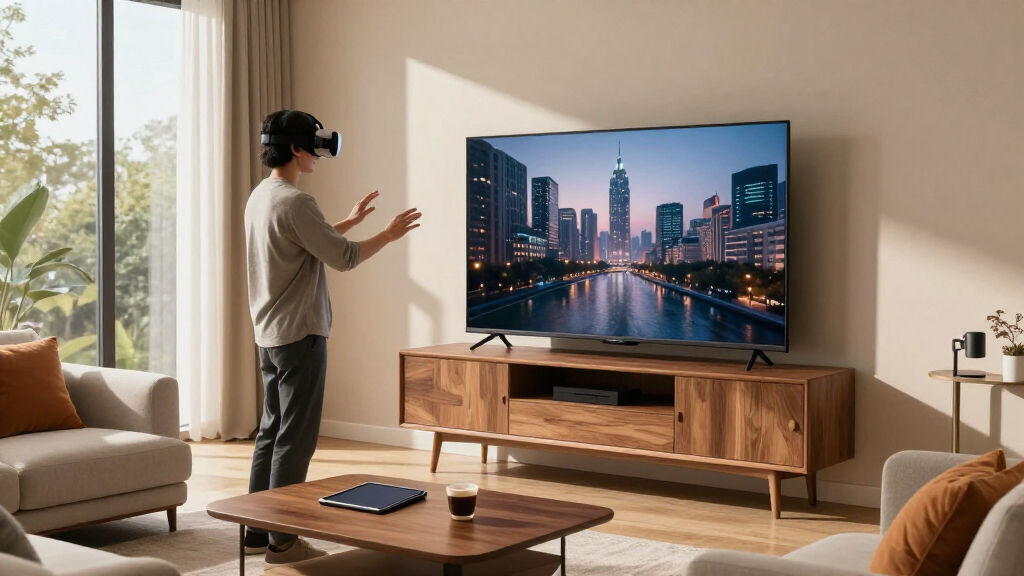
Users can now access this environment within Virtual Desktop, where they can browse the web, watch media, or work on virtual screens surrounded by the Icelandic landscape. During a demonstration, Bilgic showed how three PC monitors could be displayed simultaneously, running Netflix, Steam, and Discord, illustrating the environment’s capability to handle multitasking while immersed in a natural setting.
BRINK Traveler Brings One Of Its Real-World Locations To Virtual Desktop
BRINK XR has integrated a highly detailed 3D capture of Iceland’s Landmannalaugar into Virtual Desktop, letting users work, browse, and watch media surrounded by a real Icelandic landscape — a new step in blending immersive travel with PC VR functionality.
“These locations are all perfect. It’s like the desktop wallpaper of VR.”
— Akin Bilgic, Co-founder, BRINK XRIceland Riverbed: A Real Place In Your Workspace
Optimized 3D Capture
Iceland Riverbed is a performance-tuned version of BRINK XR’s original Landmannalaugar capture, designed specifically to run smoothly on standalone headsets within Virtual Desktop.
Beyond 360° Media
Unlike 360-degree photos or videos, the environment offers six degrees of freedom — users move through the landscape with a genuine sense of scale and depth.
Work In Nature
Browse the web, watch media, or work on virtual screens while immersed in Iceland’s colorful rhyolite hills and riverbeds — multitasking in a natural setting.
From Partnership To Release
Stalled Efforts
Plans to bring more locations to Quest’s native environments stalled as Meta shifted priorities.
New Partnership
Bilgic approached Guy Godin, creator of Virtual Desktop, drawn by the app’s popularity and stability.
Optimization
The resource-intensive capture was tuned to reduce consumption while preserving visual fidelity.
Release
Iceland Riverbed ships in the latest Virtual Desktop update, available to all compatible users.
Pushing Standalone Hardware To Its Limits
The flat terrain of Landmannalaugar made it an ideal first candidate: simplification was possible without destroying immersion. Detail reduction in peripheral areas ensures the environment runs alongside PC streaming and virtual screens — “a process of pushing what we could do visually, but also giving as much headroom as possible for Virtual Desktop to do its thing.”
Voices From The Collaboration
“When you’re in our locations in our app, the Quest is redlined. It’s using all the resources.”
— Akin Bilgic“It’s a process of pushing what we could do visually, but also giving as much headroom as possible for Virtual Desktop to do its thing.”
— Akin BilgicFrom Photogrammetry To Practical VR
Bilgic experiments with photogrammetry and 3D reconstruction, scanning locations he visited to replicate a sense of scale that photographs couldn’t provide.
Oculus closes Story Studio; Bilgic continues pursuing real-world capture for VR independently.
The platform debuts on Quest, including a virtual home environment based on one of its locations — feedback is positive and encourages further development.
Landmannalaugar arrives as an optimized, explorable 3D environment, translating detailed captures into functional everyday VR workspaces.
How It Stacks Up
| Feature | Iceland Riverbed (Virtual Desktop) | 360° Photos / Video | Full BRINK Traveler App |
|---|---|---|---|
| Movement (6DoF) | ✓ Full | ✗ Fixed viewpoint | ✓ Full |
| Sense of scale & depth | ✓ Strong | ~ Limited | ✓ Strong |
| Runs alongside virtual screens | ✓ Yes | ✗ No | ✗ No |
| Standalone performance headroom | ✓ Optimized | ✓ Lightweight | ✗ Redlined |
| Visual fidelity at edges | ~ Reduced | ~ Variable | ✓ High |
| Availability | Latest VD update | Widely available | Quest & PC VR |
What You Need To Know
Can I access the Iceland environment now in Virtual Desktop?
Yes — it has been released as part of the latest Virtual Desktop update and is available to users with the compatible version installed.
Will more real-world locations be added in the future?
Nothing has been officially announced, but developers have expressed interest in expanding the library — especially locations with simpler terrain for easier optimization.
Does this environment require high-end hardware?
It’s designed to run on standalone headsets within Virtual Desktop, but some visual compromises are made for performance. High-end PC VR setups handle it better.
How does it compare to traditional VR travel experiences?
It offers a more detailed, explorable environment than static images or videos, providing a sense of scale and depth that enhances immersion.
Are there limitations to the current environment?
Yes — at the edges of the environment, visual fidelity drops, with noticeable blurriness or distortion when moving away from the center.
Implications for VR Workspaces and Virtual Travel
This development demonstrates the potential for combining real-world locations with practical VR applications, such as work, gaming, and media consumption. By integrating detailed, explorable environments into Virtual Desktop, users can experience immersive travel or relaxation without leaving their home or office. It also highlights how developers are pushing the limits of optimization to bring high-fidelity environments to standalone VR hardware, broadening the scope of virtual experiences beyond traditional gaming.
The collaboration is notable because it bridges the gap between immersive environmental captures and everyday VR use cases, offering a glimpse into future possibilities where virtual spaces can serve both functional and recreational purposes. It may also influence how developers approach environment design, emphasizing resource efficiency while maintaining visual quality.
As an affiliate, we earn on qualifying purchases.
From Photogrammetry to Practical VR Environments
Bilgic’s interest in capturing real-world places for VR dates back to his time at Oculus Story Studio, where he experimented with photogrammetry and 3D reconstruction to create immersive environments for storytelling. His early work involved scanning locations he visited, aiming to replicate the sense of scale and presence that photographs couldn’t provide. After Oculus closed Story Studio in 2017, Bilgic pursued these ideas further, leading to the creation of BRINK Traveler, a platform for exploring real-world locations in VR.
Initially launched on Quest in 2021, BRINK Traveler included a virtual home environment based on one of its locations, which received positive feedback and encouraged further development. The recent partnership with Virtual Desktop marks a new chapter, translating these detailed captures into functional, resource-optimized environments suitable for everyday VR use. This approach aligns with broader trends in VR, where photogrammetry and 3D reconstruction are increasingly used to create realistic virtual spaces for various applications.
“These locations are all perfect. It’s like the desktop wallpaper of VR.”
— Akin Bilgic
As an affiliate, we earn on qualifying purchases.
Remaining Technical Challenges and Future Plans
While the optimized environment performs well within Virtual Desktop, differences in visual fidelity—such as blurriness or distortion at the edges—are noticeable when moving away from the center. It is unclear how much further optimization can be achieved or whether future updates will improve fidelity or performance. Additionally, the extent to which other locations can be similarly adapted remains unconfirmed, as each environment presents unique technical challenges. The long-term plans for expanding this approach to other real-world sites or integrating additional features are still under discussion.
VR environment exploration headset
As an affiliate, we earn on qualifying purchases.
As an affiliate, we earn on qualifying purchases.
Next Steps for Broader VR Environment Integration
Developers plan to continue refining the environment’s performance and visual quality based on user feedback. There is also potential for more locations to be adapted into Virtual Desktop, especially those with simpler topographies. The collaboration signals a broader interest in blending photogrammetry-based environments with practical VR applications, which could lead to more immersive workspaces, virtual travel options, and social experiences. Further updates or new releases are expected as the technology matures and developer resources allow.
As an affiliate, we earn on qualifying purchases.
Key Questions
Can I access the Iceland environment now in Virtual Desktop?
Yes, the environment has been released as part of the latest Virtual Desktop update and is available to users with the compatible version installed.
Will more real-world locations be added in the future?
While specific plans have not been officially announced, developers have expressed interest in expanding their library of environments, especially those with simpler terrain for easier optimization.
Does this environment require high-end hardware to run smoothly?
The optimized environment is designed to run within Virtual Desktop on standalone headsets, but some visual compromises are made to ensure performance. High-end PC VR setups will handle it better.
How does this compare to traditional VR travel experiences?
This approach offers a more detailed, explorable environment than static images or videos, providing a sense of scale and depth that enhances virtual travel or workspace immersion.
Are there any limitations to the current environment?
Yes, at the edges of the environment, visual fidelity decreases, and some distortion may occur. It is primarily optimized for stationary use within Virtual Desktop.
Source: UploadVR