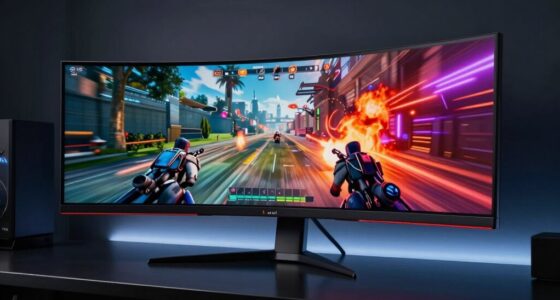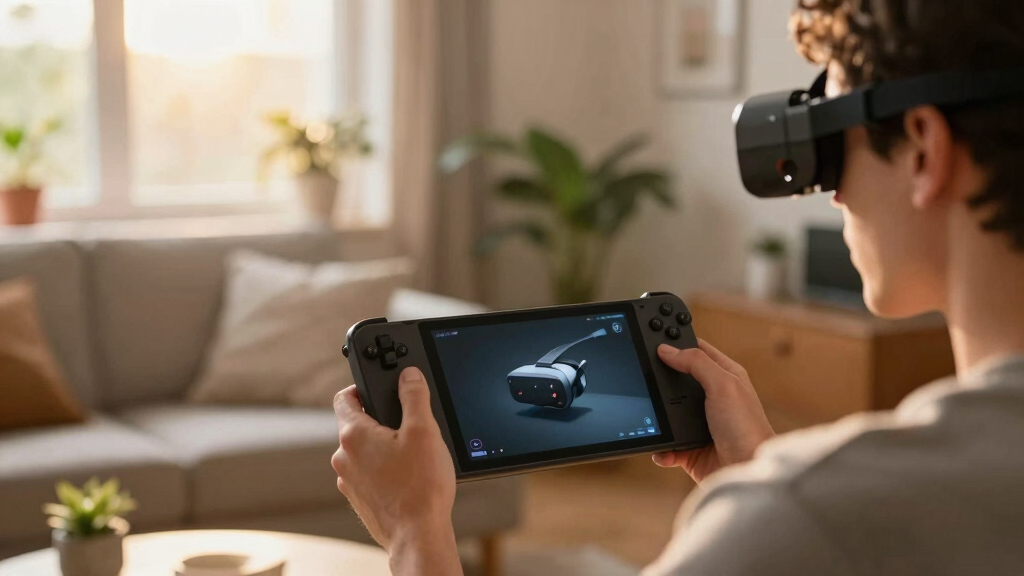

Finding the best AR glasses for Steam Deck involves balancing display quality, compatibility, and ease of use. The VITURE Pro XR stands out for its large 135-inch display and adjustable features, making it ideal for immersive gaming. The XREAL 1S offers a massive 500-inch virtual screen with real 3D technology, perfect for those seeking cinematic experiences. However, tradeoffs include bulkiness and higher cost for premium features. Readers should consider their specific needs—whether for casual gaming, high-end immersion, or budget-friendly options—before making a choice. Continue reading for the full breakdown of these top picks.
Key Takeaways
- Display size and resolution are key differentiators, with some models offering multi-hundred-inch virtual screens for immersive gaming.
- Compatibility with Steam Deck varies; some glasses are designed for multi-platform use, while others are optimized for specific devices.
- Field of view and tracking capabilities influence how natural and immersive the AR experience feels, with wider FOV generally preferred.
- Build quality, comfort, and adjustability significantly impact long gaming sessions, especially for heavier or bulkier glasses.
- Price range varies widely; premium models offer advanced features but come with a higher cost, making value a critical factor.


More Details on Our Top Picks
VITURE Pro XR/AR Glasses with 135″ Display, Myopia Adjustments, and Electrochromic Film
This flagship option stands out for its massive 135-inch display with peak brightness of 4000 nits, making it ideal for gaming or media in bright environments. It offers anti-glare tech and myopia adjustments, allowing sharper focus for personalized clarity, which sets it apart from the more portable XREAL models. The electrochromic film boosts privacy by blocking external light, making it well-suited for use in public or well-lit spaces. However, the high price reflects its premium hardware and software integration, and image quality can suffer for users with an IPD above 67.5mm. Its reliance on USB-C devices limits flexibility, especially if you want to connect to non-compatible hardware.
Pros:- Massive 135″ display with high brightness and anti-glare tech
- Myopia adjustments enable sharp focus tailored to the user
- Electrochromic film provides complete external light blocking for privacy
Cons:- Premium price tag may be prohibitive for casual users
- Image quality degrades with IPD above 67.5mm
- Requires USB-C device for operation, limiting flexibility
Best for: Gamers and media enthusiasts seeking a large, private, and adjustable AR experience compatible with multiple devices.
Not ideal for: Travelers or casual users with limited budgets, as the high cost and device dependency might be prohibitive.
- Display Size:135 inches
- Peak Brightness:4000 nits
- Refresh Rate:120Hz
- Focus Adjustment:Myopia adjustments
- External Light Blocking:Electrochromic film
- Compatibility:iPhone, Android, Mac, PC via USB-C
- Warranty:2 Years
- Included Accessories:Charging Cable, Glasses Case, Nose Pads, Anti-Clip Hair Cover
Bottom line: This model is best suited for users prioritizing an expansive, private viewing experience and willing to invest in premium hardware.
XREAL 1S AR/XR Glasses with 500″ Virtual Screen and REAL 3D Technology
The XREAL 1S offers an astonishing 500-inch virtual display with a 52° FOV, making it ideal for watching movies and immersive gaming. Powered by the X1 chip, it supports 120Hz in 3DoF mode and converts all content to spatial 3D, which enhances the experience compared to simpler 2D AR overlays like the XREAL One Pro. Its Bose-tuned audio creates a balanced, open-ear sound profile, perfect for distraction-free listening. However, the IPD range from 59.5 to 70.5mm excludes a small percentage of users, and the bulky design may affect comfort during extended use. Additionally, it demands USB-C DP support from connected devices, limiting compatibility with some hardware.
Pros:- Impressive 500-inch virtual screen ideal for movies and immersive content
- REAL 3D mode converts all content into spatial 3D with low latency
- Bose-tuned open-ear audio for balanced, immersive sound
Cons:- Limited IPD range excludes some users (5%)
- Bulkier design may reduce comfort for long sessions
- Requires USB-C DP support, restricting device compatibility
Best for: Media consumers and gamers who want a large, 3D-enabled AR experience with high immersion, especially on devices like Steam Deck or iPhone 17.
Not ideal for: Users requiring full 6DoF tracking without extra accessories or seeking ultra-portable glasses, as bulkiness and connectivity requirements can be restrictive.
- Virtual Screen Size:Up to 500 inches
- Field of View:52°
- Refresh Rate:120Hz
- Content Conversion:REAL 3D
- Audio:Bose-tuned open-ear
- Compatibility:USB-C DP devices including Steam Deck, iPhone 17
- IPD Range:59.5–70.5 mm
- Latency:3ms
Bottom line: Best suited for users seeking expansive, 3D immersive content with high-quality audio, willing to accept some bulkiness.
XREAL One Pro AR Glasses with X1 Chip, 3/6DoF Tracking, and 57° FOV Display
The XREAL One Pro stands out for its 171″ virtual display with REAL 3D conversion, supported by the X1 chip that provides native 3DoF tracking and optional 6DoF with the XREAL Eye accessory. Its 57° FOV coupled with Sony Micro-OLED technology delivers sharp visuals and a more precise spatial experience compared to the larger but less detailed ASUS AirVision M1. Compatibility with iPhone, Steam Deck, Mac, and PC makes it versatile for gaming and productivity. Still, the need for an additional XREAL Eye for full 6DoF can add complexity and cost, and the premium price might be steep for casual users. The glasses are also not water-resistant, limiting outdoor use.
Pros:- Immersive 171″ virtual display with REAL 3D conversion
- Native 3DoF tracking with optional 6DoF via accessory
- Wide compatibility including Steam Deck and iPhone
Cons:- Requires additional XREAL Eye for full 6DoF, increasing cost
- High price point may be a barrier for casual or budget users
- Not water-resistant, limiting outdoor durability
Best for: Gamers and productivity users who want a high-resolution, precise 3D AR experience with flexible device compatibility, especially for gaming and detailed work.
Not ideal for: Users seeking a lightweight, all-in-one AR device or those on a tight budget, as the additional accessory and high price may be prohibitive.
- Display Technology:Sony Micro-OLED
- Virtual Screen Size:171 inches
- FOV:57°
- Tracking:3DoF native, 6DoF with XREAL Eye
- Content Mode:REAL 3D
- Compatibility:iPhone, Steam Deck, Mac, PC
- Price:Premium
- Additional Accessories:XREAL Eye (for 6DoF)
Bottom line: Ideal for users who prioritize precise 3D spatial content and gaming compatibility over portability and cost.
XREAL One Pro AR Glasses with X1 Chip and 3D Display for iPhone, Steam Deck, Mac, PC & Android (M Size)
The XREAL One Pro M combines the X1 chip’s native 3DoF tracking with Sony’s Micro-OLED tech, delivering a sharp 171-inch virtual display at 57° FOV. Its adjustable IPD from 57 to 66mm ensures a comfortable fit for most users, and the device supports a broad range of platforms including iPhone, Steam Deck, Mac, and Android. The REAL 3D conversion adds depth to content, making it suitable for gaming, media, or work. While it’s highly versatile, the need for additional accessories to connect via HDMI and its weight could impact comfort during extended sessions. It also lacks water resistance, limiting outdoor use.
Pros:- High-resolution Micro-OLED with 171″ virtual display
- Adjustable IPD from 57 to 66mm for comfort
- Supports a broad range of devices including Steam Deck and iPhone
Cons:- Requires accessories (Beam/Adapter) for HDMI connectivity
- Potential weight issues for long-term comfort
- No water resistance, limiting outdoor durability
Best for: Users seeking a multi-platform AR device with high-resolution visuals and adjustable fit, especially for gaming and productivity on Steam Deck and other devices.
Not ideal for: Those looking for lightweight, all-in-one AR glasses or outdoor use, due to weight and accessory dependency.
- Display Size:171 inches
- Resolution:1920 x 1080
- FOV:57°
- Tracking:Native 3DoF, 6DoF with accessory
- Compatibility:iPhone, Steam Deck, Mac, PC, Android
- Build:Adjustable IPD
- Weight:Moderate
- Connectivity:Bluetooth, Wi-Fi
Bottom line: Best suited for users wanting a flexible, high-quality AR experience across multiple devices with comfort adjustments.
ASUS AirVision M1 Smart AR Glasses – 100″ Micro-OLED Wearable Display, 1100 nits, Multi-Screen, Speakers, USB-C, Magnetic Shade, Designed for ROG Ally/Steam Deck/PC/iPhone 16/15/Android/Mac/Tablet
The ASUS AirVision M1 offers a practical solution with a 100″ Micro-OLED display at 1100 nits brightness, making it suitable for both gaming and productivity. Its multi-screen support and USB-C connectivity allow easy integration with ROG Ally, Steam Deck, and other devices, making it a flexible choice for users who want more than just AR for entertainment. The built-in speakers and magnetic shade enhance usability, especially in bright environments. Nonetheless, at just 100″ and a relatively lower FOV, it doesn’t provide the same level of immersion as larger or more advanced models like the XREAL units. Its 2-year warranty and lightweight design make it appealing for casual or semi-professional users.
Pros:- Bright 1100 nits Micro-OLED display for outdoor usability
- Multi-screen support and USB-C connectivity for versatile use
- Lightweight (87g) with built-in speakers for convenience
Cons:- Limited virtual display size (100″) compared to larger AR glasses
- No full 6DoF tracking, only multi-screen support
- Less immersive than larger FOV models like XREAL or VITURE Pro
Best for: Budget-conscious gamers and professionals seeking an affordable, multi-purpose AR device compatible with Steam Deck and smartphones.
Not ideal for: Power users demanding ultra-wide FOV or full 6DoF tracking, as the device offers more basic AR features with less immersion.
- Display Type:Micro-OLED
- Display Size:100 inches
- Brightness:1100 nits
- FOV:Approx. 57°
- Weight:87g
- Connectivity:USB-C, Bluetooth, Wi-Fi
- Built-in Features:Speakers, Magnetic Shade
- Warranty:2 Years
Bottom line: A solid, budget-friendly AR option for those wanting multi-device support and decent image quality for gaming or productivity.
VITURE Luma AR/XR Glasses — 146” 1200p Ultra Sharp Display, 50° FOV, 3Dof,Electrochromic Film, Myopia Adjustments, Smart Glass for iPhone17/16/15, Android, Mac, PC, Steam Deck, PS5, Switch, Switch 2
The VITURE Luma AR/XR Glasses stands out for delivering a stunning 146-inch virtual screen with a crisp 1200P resolution, making it ideal for immersive gaming and media consumption. Its 50° FOV and 120Hz refresh rate strike a good balance between immersion and comfort, especially compared with the wider but bulkier XREAL One Pro. The glasses’ lightweight design and magnetic nose pads prioritize all-day wearability, but the limited 3DOF tracking may not satisfy those seeking full spatial interaction. Compatibility is broad thanks to USB-C plug-and-play with Steam Deck, Mac, and consoles, though multi-screen support requires an extra app, which adds a layer of setup. The electrochromic film offers instant focus control, a feature that outshines many competitors, yet the fixed 50° FOV can feel restrictive for some users craving more peripheral vision. Compared with the ASUS AirVision M1, the VITURE provides sharper visuals but sacrifices wider FOV for a more compact form. Overall, this pick is best for gamers and media lovers who want high-quality visuals without sacrificing portability, but it might fall short for those seeking full spatial tracking or a wider view.
Pros:- Stunning 146-inch virtual display with 1200P clarity
- Broad compatibility via USB-C with Steam Deck, Mac, and consoles
- Instant electrochromic lens shading for focus and reflections
Cons:- Limited 3DOF tracking, restricting spatial interaction
- Fixed 50° FOV may feel narrow for some users
- Requires extra app for multi-screen functionality
Best for: tech-savvy gamers and media enthusiasts who prioritize sharp visuals and broad device compatibility in a lightweight form.
Not ideal for: users seeking advanced 6DOF spatial tracking or a wider field of view for full-room AR experiences.
- Display Resolution:1920×1080 (1200P)
- Display Size:146 inches
- Field of View:50°
- Refresh Rate:120Hz
- Brightness:1000 nits
- Connectivity:USB-C
- Weight:2.72 ounces
- Adjustments:-6.0D Myopia correction
- Supported Devices:iPhone 16/17, Android, Mac, PC, Steam Deck, PS5, Switch
Bottom line: This model is ideal for users who want a high-resolution, portable AR headset for gaming and media, with some tradeoffs in spatial tracking and FOV.
How We Picked
These products were evaluated based on a combination of display quality, compatibility with Steam Deck and other devices, usability, build quality, and feature set. We prioritized models that offer a clear balance between immersive experience and practical use, considering factors like weight, comfort, and tracking accuracy. The ranking reflects a mix of performance, innovation, and overall value—highlighting options suitable for different budgets and user needs. We aimed to identify products that represent the best options for gamers seeking AR experiences with their Steam Deck, avoiding overly niche or underperforming models.Factors to Consider When Choosing Best AR Glasses For Steam Deck
Choosing the right AR glasses for Steam Deck involves understanding several key factors. Beyond raw display specs, considerations like device compatibility, comfort during extended use, and overall build quality play crucial roles. Knowing what tradeoffs are acceptable—such as size versus immersion or cost versus features—helps narrow down options. This guide covers the most important aspects to keep in mind, ensuring you select a pair that enhances your gaming without unnecessary compromises.Display Quality and Size
Display resolution, size, and field of view (FOV) directly influence how immersive your experience will be. Larger virtual screens create a more cinematic feel, but often add bulk to the glasses. Resolution clarity ensures sharp visuals, essential for gaming detail. Keep in mind that wider FOV can improve immersion but might also cause more eye strain if not well calibrated. Balancing size and quality based on your gaming style is key to finding the best fit.
Compatibility and Connectivity
Ensure the AR glasses are compatible with Steam Deck, especially considering input methods and connection types. Some models connect via USB-C or wireless, which affects setup and mobility. Multi-platform support can be valuable if you plan to use the glasses with other devices like smartphones or PCs. Compatibility issues can lead to frustration, so verify device specs and supported operating systems before purchasing.
Comfort and Fit
Comfort is often overlooked but crucial for long gaming sessions. Heavier models or those with rigid frames can cause fatigue or discomfort over time. Adjustable straps, ergonomic design, and lightweight materials improve wearability. Additionally, features like myopia adjustments help reduce eye strain for users with prescriptions, making the experience more natural. Prioritize comfort if you expect to use the AR glasses extensively.
Tracking and Interactivity
Accurate tracking and input support enhance immersion by allowing natural interaction within AR environments. 3/6DoF tracking enables movement-based controls, which are critical for gaming. Some models include eye tracking or gesture recognition, adding another layer of interactivity. However, more advanced tracking can increase latency or complexity, so consider your preferred style of control and responsiveness when selecting a model.
Price and Future-Proofing
AR glasses span a wide price range, with premium options offering cutting-edge features like ultra-wide FOV or 3D holography—often at a premium. Cheaper models may lack advanced tracking or have lower resolution, limiting immersion. Think about your budget and whether investing in higher-end hardware aligns with your gaming ambitions. Also, consider future software updates and compatibility; spending more upfront can sometimes provide longer-lasting value.
Frequently Asked Questions
Are AR glasses compatible with all Steam Deck models?
Most AR glasses are designed to connect via USB-C or wireless, which are common ports on Steam Deck models. However, compatibility varies depending on the specific device and its connection protocols. It’s essential to check the manufacturer’s specifications to ensure seamless integration. Some models may require adapters or additional software, so verify these details before purchasing to avoid compatibility issues.
How comfortable are AR glasses for extended gaming sessions?
Comfort depends heavily on the design and weight of the glasses. Heavier or poorly balanced models can cause fatigue after prolonged use. Features like adjustable straps, ergonomic shapes, and lightweight materials help improve comfort. If you plan to game for hours, prioritize models with good ventilation and customizable fit options to reduce discomfort and eye strain.
What is the typical battery life of AR glasses used for gaming?
Battery life varies between models but generally ranges from 2 to 6 hours of continuous use. Premium models with larger displays or more features tend to consume more power. Consider your typical gaming sessions and whether you need additional accessories like portable power banks. Longer battery life enhances usability, especially if you prefer wireless operation without frequent recharging.
Can I use AR glasses with other devices besides Steam Deck?
Yes, many AR glasses support multiple platforms such as smartphones, PCs, and consoles like PS5 or Switch. Compatibility depends on connection options and supported software. Multi-platform support adds versatility, allowing you to switch between gaming and other AR applications. Always check device specifications to ensure your preferred devices are supported and that the glasses will work smoothly with your setup.
Are there privacy concerns with AR glasses tracking and recording?
Some AR glasses include sensors and tracking features that could potentially collect data about your environment and movements. While most reputable brands prioritize user privacy, it’s wise to review the privacy policies and settings of each device. Disabling unnecessary tracking features can help protect your privacy, especially if you plan to use the glasses in sensitive environments. Staying informed about data collection practices ensures a safer experience.
Conclusion
For gamers seeking the best overall experience, the VITURE Pro XR offers a compelling combination of large display and adjustable features, making it suitable for immersive play. Budget-conscious users will appreciate the XREAL One Pro, which balances performance with affordability. Those looking for premium features might opt for the VITURE Luma with its ultra-sharp display and extensive compatibility. Beginners should consider models with simpler setups like the ASUS AirVision M1 for ease of use. For specialized needs, such as compatibility with multiple devices or advanced tracking, reviewing specific features helps ensure the right fit.