

TL;DR

Play games on Amazon Luna for your next adventure, included with Prime
- A rotating selection of games, no download needed
- Play on TV, laptop or phone
- Fast, free delivery for your gear, too
Transform one video into a complete publishing package on your own machine. This workflow boosts speed, control, and privacy, making content repurposing faster and safer without cloud reliance.
Imagine turning a single video into a dozen different assets — thumbnails, short clips, social posts, articles — all without uploading to the cloud. No waiting for cloud servers, no privacy worries. You keep everything on your machine, working faster and smarter.
This approach isn’t just about convenience; it’s about reclaiming control over your content. You’ll see how a local-first workflow can cut down hours of manual editing, streamline publishing across platforms, and keep your data private. Ready to see how one video can power your entire publishing push?
Key Takeaways
- You can turn one video into a complete publishing kit entirely offline, saving time and boosting control.
- Local processing keeps your content private, fast, and immune to internet disruptions.
- A single package can generate optimized titles, descriptions, thumbnails, clips, and social posts for multiple platforms.
- Review and revision are flexible, with full provenance tracking to maintain transparency and accuracy.
- This approach suits solo creators and publishers who value speed, privacy, and full ownership of their assets.
Products Worth Considering

DJI Osmo Pocket 3 Vlogging Camera with 1-Inch CMOS Sensor and 4K Video

LG UltraGear 27-Inch QHD OLED Gaming Monitor, 240Hz, 0.03ms, G-SYNC Compatible, FreeSync Premium Pro, HDMI 2.1

Samsung 27-inch Odyssey OLED G6 QD-OLED QHD Gaming Monitor
As an affiliate, we earn on qualifying purchases.
What exactly does ‘without the cloud’ mean for your media workflow?
“Without the cloud” means all processing happens on your local machine, not through third-party servers. This keeps your videos, assets, and data private, and gives you instant control. Imagine editing your video assets in real time, without lag or concern about data leaks.
For example, instead of uploading a raw video to a cloud platform, you use local tools like ChannelHelm, which analyze your video, generate captions, thumbnails, and social snippets right on your computer.
This setup is perfect for creators who prioritize privacy, want faster turnaround times, and dislike dependency on internet speed or third-party services.
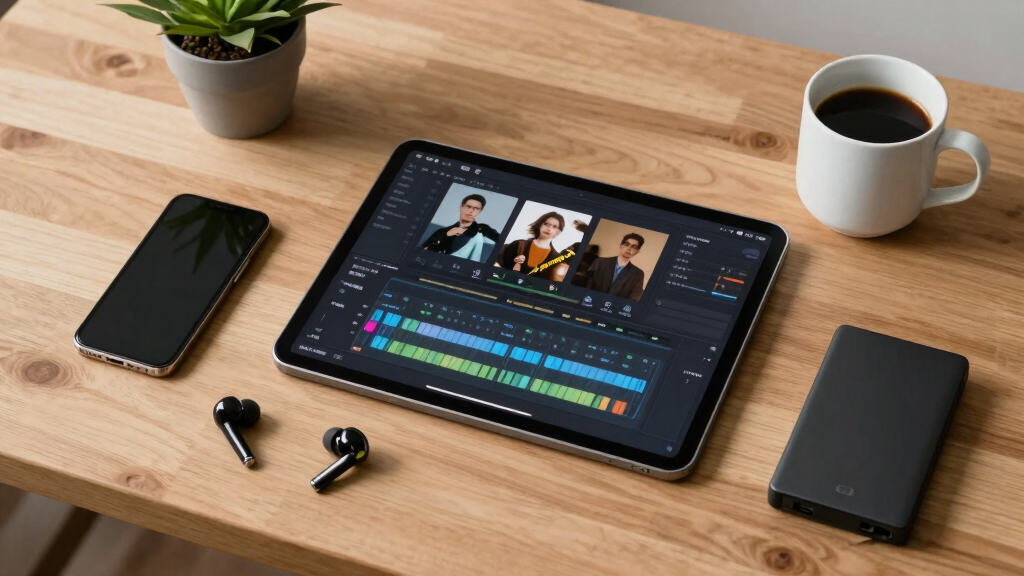
How does one video become a full publishing kit—step-by-step?
- Drop or link the video: Insert your video file or paste a URL. The system detects the source and prepares for analysis.
- Understand and analyze: Background workers transcribe, analyze visuals, fuse data, and extract key moments—like hooks, scene changes, and on-screen text.
- Review and edit: In the Studio, you see drafts for titles, descriptions, clips, and social posts. You can tweak, regenerate, or approve assets in real time.
- Dispatch assets: Once approved, the system exports everything—thumbnails, short clips, blog drafts—ready for upload or distribution.
This process is crucial because it automates and accelerates what would otherwise be lengthy manual tasks. By analyzing the video comprehensively, the system identifies the most engaging moments and relevant metadata, ensuring your assets are optimized for each platform’s requirements. This reduces guesswork and manual editing time, but also introduces a tradeoff: the quality of automation depends on the sophistication of the analysis algorithms. While they are highly effective, they might occasionally miss nuanced context or creative nuances, meaning a final review is still essential for best results.

What outputs can you expect from a single video—compare the essentials
| Asset Type | Purpose | File Formats | Example |
|---|---|---|---|
| Titles & Descriptions | Optimize for platform and audience | TXT, DOCX, or direct input | “Top 5 Tips for Better Video Editing” |
| Thumbnails & Cover Images | Attract clicks and set branding | JPEG, PNG, TIFF | High-res and web-optimized versions |
| Short Clips & Snippets | Share on TikTok, Reels, Shorts | MP4, MOV | 15-second highlight reels |
| Blog & Article Drafts | Extend reach and SEO | Markdown, DOCX | Summary of key points with quotes |
| Social Media Posts | Promote across platforms | Text, image files | Twitter threads, Instagram captions |
While these outputs might seem straightforward, their true value lies in how they streamline your entire content strategy. Automating asset creation ensures consistency across channels and reduces the risk of human error. However, relying on automation also means understanding its limitations: algorithms may sometimes misinterpret context or miss subtle nuances. Therefore, it’s important to review and customize assets post-generation to align with your brand voice and message. This balance between automation efficiency and human oversight is key to maximizing the benefits of a local-first workflow.

Why control and privacy matter more than ever in content publishing
Processing locally means your raw videos and assets stay on your machine. No data is uploaded to third-party servers, reducing exposure to breaches or leaks. For example, if you’re prepping sensitive brand content or proprietary material, local workflows keep everything safe.
Plus, speed is boosted. No waiting for uploads or downloads. You get instant feedback, and the editing cycle shrinks from hours to minutes.
In an era where data privacy scandals make headlines, this approach gives you peace of mind. Your content is yours, every step of the way. This control reduces reliance on external providers, which can sometimes introduce vulnerabilities or limitations in customization. However, it also means that you’re responsible for maintaining your tools and security—so investing in good hardware and security practices is essential. Overall, the privacy and speed benefits can significantly enhance your confidence and agility as a content creator or publisher.

How to set up your local publishing powerhouse (quick start guide)
- Choose your tools: Download and install a local media analysis platform like [ChannelHelm](https://channelhelm.com/).
- Prepare your video: Save your file on your hard drive or clipboard link.
- Run the analysis: Launch the tool and feed in your video—sit back as it transcribes, analyzes, and fuses data. Learn more about local publishing workflows.
- Review assets: Use the intuitive interface to tweak titles, descriptions, and assets—approve when ready. For more insights, visit this guide.
- Export and publish: Send your assets directly to your website, social platforms, or media kit. Check out automation tools for more options.
This setup allows you to quickly build a comprehensive publishing pipeline entirely offline. The main benefit is control: you’re not dependent on internet speed or external servers, which can introduce delays or security concerns. Additionally, mastering this setup can significantly reduce turnaround times, especially for small teams or solo creators, by eliminating waiting periods associated with cloud processing. However, initial setup might require some technical familiarity, and ongoing maintenance of your local tools is necessary to ensure smooth operation. Overall, this approach empowers you to take full ownership of your content production process.
How a single package covers every platform—see the difference
ChannelHelm produces a comprehensive publishing package, tailored for each platform. Here’s a quick comparison:
| Platform | Assets Included | Format | Purpose |
|---|---|---|---|
| YouTube | Title, description, thumbnail, clips | JPEG, MP4, TXT | Full video presentation and engagement |
| Vertical clips, thumbnail, caption | MP4, JPEG, TXT | Visual storytelling and quick engagement | |
| Blog | Draft article, quotes, images | Markdown, JPEG | SEO and outreach |
| Newsletter | Summary, highlights, images | HTML, JPEG | Direct engagement with subscribers |
This multi-platform packaging is significant because it centralizes your content creation, reducing duplication and inconsistency. It also means you can rapidly adapt your core message for different audiences without starting from scratch each time. The tradeoff is that maintaining multiple asset formats and ensuring they stay synchronized can require extra organization and discipline. Nonetheless, this approach dramatically accelerates your publishing cadence and enhances brand consistency across channels, especially when managed through a comprehensive local workflow.

How review and approval work in your local publishing hub
The review stage is flexible and transparent. Using the Studio, you can switch layouts—Console for quick approvals, Editor for deep dives, Atlas for overview. Everything is tracked with provenance info—so you always know which prompt, model, or input generated each asset.
Imagine tweaking a headline or swapping out a thumbnail, then instantly regenerating that specific asset without rerunning the entire pipeline. You remain in full control, with a clear record of every change. This granular control allows you to refine assets iteratively, ensuring they meet your standards before final publication. The provenance tracking also helps in auditing and understanding how each asset was created, which is vital for maintaining quality and consistency. While this flexibility enhances precision, it can also introduce complexity—requiring familiarity with the system’s interface and workflows. Proper training and organization are key to leveraging these capabilities effectively.
Is this workflow perfect for you? Who should consider it?
If you’re an indie creator, author, or small team, this local workflow is a game-changer. It’s perfect if you want quick turnaround, maximum privacy, and full control over your assets. It’s also ideal for those who dislike relying on internet speed or cloud services.
However, if your workflow depends heavily on cloud-based collaboration or team sharing, this setup might need adaptations. But for solo operators or privacy-conscious publishers, it’s a powerful approach. The tradeoff involves investing time upfront to set up and learn the system, but the long-term benefits include faster iteration cycles, enhanced security, and greater ownership of your content assets. For teams, hybrid approaches combining local processing with selective cloud sharing can also be effective, balancing control with collaboration needs. Ultimately, this workflow suits those who prioritize sovereignty over their content and data, and who are willing to invest in mastering local tools.
ChannelHelm is developed privately and is not publicly available.

What’s next for local publishing workflows?
As AI tools mature, local workflows will only get more powerful. Expect better analysis, more automation, and deeper integration with publishing platforms. The trend toward controlling your content and data on your own machine isn’t slowing down.
For creators, this means faster, more private, and more reliable publishing pipelines. For example, chapter-level audio generation or multi-format output are already on the horizon, expanding what’s possible without cloud dependence. These advancements will likely require ongoing updates and some technical know-how, but they will significantly enhance your ability to produce diverse content quickly and securely. The future also involves smarter automation, where AI can assist in quality control, content optimization, and multi-platform adaptation—all locally. Staying ahead means continuously exploring new tools, contributing to open-source projects, and prioritizing workflows that keep your data in your hands, reducing reliance on external services.
Frequently Asked Questions
Does processing locally mean I need a powerful computer?
Not necessarily. While more complex analysis benefits from a beefier machine, many workflows can run efficiently on mid-range PCs. It depends on the size of your videos and the depth of analysis you want.
Can I still collaborate with others if I process everything locally?
Yes, but collaboration requires sharing assets manually via external drives or private networks. For team workflows, hybrid setups with cloud syncs may be preferable.
What file formats can the system produce?
Most local tools generate common formats like MP4 for videos, JPEG and PNG for images, and TXT or Markdown for text assets. Check the specific tool documentation for details.
Is this workflow compatible with existing publishing platforms?
Yes, once assets are exported, you can upload or embed them into any platform—be it YouTube, social media, blogs, or your website. The system just streamlines the creation process.
How secure is my data if I process everything offline?
Very secure. Since your videos and assets stay on your local machine, your data is protected from online breaches, giving you full control over your content.
Conclusion
Imagine having all your publishing assets ready in minutes, right on your own machine. That’s the power of a local-first workflow—speed, control, privacy. It’s not just a tool, it’s a way to reclaim your creative process.
As automation tools improve, this approach will become the new standard for independent creators. Ready to take your content into your own hands? Start exploring local workflows today and see how much faster and freer your publishing can be.