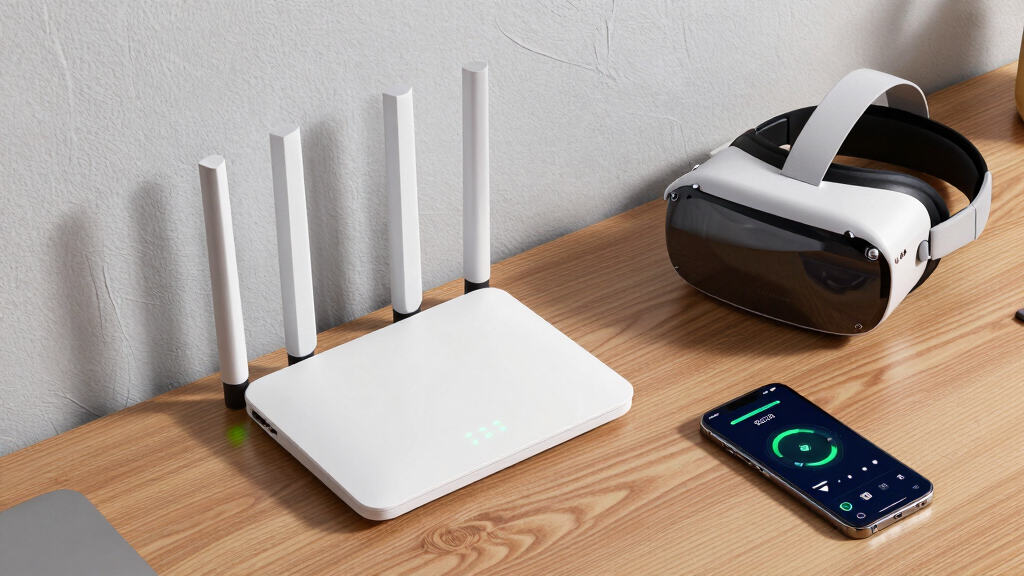

Choosing the right Wi-Fi 6 router for VR depends on your specific needs, such as speed, coverage, and device capacity. The TP-Link AX5400 (Archer AX73) offers excellent speed and extensive coverage for most home setups. For those seeking cutting-edge performance, the TP-Link AXE5400 Tri-Band WiFi 6E provides lightning-fast speeds across three bands, ideal for demanding VR applications. Meanwhile, the TP-Link AX1800 balances affordability and performance, suitable for casual VR users. Each has its strengths and tradeoffs, so I’ll help you understand which is best based on your setup and budget.

Play games on Amazon Luna for your next adventure, included with Prime
- A rotating selection of games, no download needed
- Play on TV, laptop or phone
- Fast, free delivery for your gear, too
Key Takeaways
- The TP-Link AX5400 delivers high speed and broad coverage, making it a strong all-rounder.
- The AXE5400 Tri-Band WiFi 6E maximizes future-proofing with three bands and higher speeds.
- The AX1800 offers good performance at a more accessible price point, but lacks the 6 GHz band.
- The GL.iNet Flint 2 provides exceptional gaming performance with dual 2.5G ports, suited for heavy gaming setups.
- The AX6000 combines fast speeds with high device capacity and security features, ideal for large households.
| TP-Link AX5400 WiFi 6 Router (Archer AX73) |  | Best Overall for High-Speed Home VR | Max Speed: 5400 Mbps | Coverage: 2000 sq. ft. | Ports: 1x USB 3.0 | VIEW LATEST PRICE | See Our Full Breakdown |
| TP-Link AXE5400 Tri-Band WiFi 6E Router |  | Best for Future-Proof VR Performance | WiFi Speed: up to 5400 Mbps | Bands: Tri-Band (6 GHz, 5 GHz, 2.4 GHz) | 6 GHz Speed: 2402 Mbps | VIEW LATEST PRICE | See Our Full Breakdown |
| TP-Link AX1800 WiFi 6 Router (Archer AX21 V5) |  | Best Budget-Friendly for Moderate VR Use | Wi-Fi Standard: Wi-Fi 6 (802.11ax) | Total Bandwidth: 1.8 Gbps | 5 GHz Speed: up to 1200 Mbps | VIEW LATEST PRICE | See Our Full Breakdown |
| GL.iNet GL-MT6000 Flint 2 Wi-Fi 6 Gaming Router Dual 2.5G Ports |  | Best for Gaming and High-Performance VR | Wi-Fi Standard: Wi-Fi 6 | Speed: up to 6 Gbps | Ports: Dual 2.5G ports | VIEW LATEST PRICE | See Our Full Breakdown |
| TP-Link AX6000 Wi-Fi 6 Dual Band Router (Archer AX80) |  | Best for Large, Device-Heavy VR Setups | Maximum Speed: 4804 Mbps on 5.0 GHz | Antennas: 8 high-gain with Beamforming | Multi-Gigabit Port: 2.5G | VIEW LATEST PRICE | See Our Full Breakdown |
More Details on Our Top Picks
TP-Link AX5400 WiFi 6 Router (Archer AX73)
The TP-Link AX5400 (Archer AX73) stands out for its combination of high-speed performance and extensive coverage. With up to 5400 Mbps speeds, it can handle multiple VR streams, gaming, and streaming simultaneously. Its advanced MU-MIMO, OFDMA, and beamforming technologies ensure solid performance even in busy households. Compared to other options, it’s less complex to set up than tri-band models and offers a reliable connection without breaking the bank.
However, it still requires a modem for most ISPs and performance can vary based on environmental factors. This makes it ideal for users seeking a straightforward, powerful router for VR without needing the latest Wi-Fi 6E features.
Pros:- High-speed Wi-Fi 6 performance for streaming and gaming
- Supports multiple devices simultaneously
- Extensive coverage with beamforming
- Includes USB port for media sharing
Cons:- Requires a modem for most ISPs
- Performance can be affected by environmental obstacles
Best for: Home users with multiple devices and a focus on speed and coverage
Not ideal for: Tech-savvy users wanting the latest Wi-Fi 6E or those with very complex network setups
- Max Speed:5400 Mbps
- Coverage:2000 sq. ft.
- Ports:1x USB 3.0
- Technology:WiFi 6, 4T4R, HE160
- Power:12 V 2.5 A
Our verdict“A well-rounded choice offering reliable high-speed Wi-Fi 6 for most VR setups.”
TP-Link AXE5400 Tri-Band WiFi 6E Router
The TP-Link AXE5400 Tri-Band WiFi 6E Router is designed for the most demanding VR environments. Its tri-band setup includes a dedicated 6 GHz band, offering speeds up to 2402 Mbps on that band alone. This makes it perfect for high-fidelity VR streaming and gaming with minimal latency. Its advanced OFDMA technology enhances device capacity, and EasyMesh compatibility allows seamless whole-home coverage.
Its complex setup and higher price point may be challenges for less technical users, but for those who want the fastest, most reliable VR experience today and into the future, this router is a compelling option.
Pros:- Tri-band speeds up to 5400 Mbps total
- Supports the latest Wi-Fi 6E technology
- Whole-home coverage with EasyMesh
- Enhanced security features
Cons:- Complex setup process
- Requires a compatible modem and environment
Best for: Power users with high-speed, low-latency VR needs and future-proofing in mind
Not ideal for: Casual users or those on a tight budget who don’t need 6 GHz support
- WiFi Speed:up to 5400 Mbps
- Bands:Tri-Band (6 GHz, 5 GHz, 2.4 GHz)
- 6 GHz Speed:2402 Mbps
- CPU:1.0 GHz dual-core
- Memory:512 MB
- Compatibility:EasyMesh
Our verdict“A top-tier choice for VR enthusiasts wanting cutting-edge, future-proof connectivity.”
TP-Link AX1800 WiFi 6 Router (Archer AX21 V5)
The TP-Link AX1800 (Archer AX21 V5) balances affordability with decent performance. Its dual-band setup offers combined speeds up to 1.8 Gbps, suitable for casual VR gaming and streaming. OFDMA and Beamforming technologies support multiple devices, and its coverage is adequate for typical apartments or smaller homes. It’s straightforward to set up and works with all major ISPs, making it accessible for most users.
However, its lack of the 6 GHz band limits future-proofing and potential performance in very crowded environments or high-demand VR scenarios. It’s a good starting point for casual VR users but might fall short for more intensive setups.
Pros:- Affordable Wi-Fi 6 speeds for smooth VR streaming
- Supports multiple devices with OFDMA
- Easy to set up and compatible with all ISPs
- Good coverage for small to medium spaces
Cons:- No 6 GHz band support
- Performance may vary with environment and device distance
Best for: Budget-conscious users with moderate VR demands
Not ideal for: High-end VR systems or users seeking the latest Wi-Fi 6E features
- Wi-Fi Standard:Wi-Fi 6 (802.11ax)
- Total Bandwidth:1.8 Gbps
- 5 GHz Speed:up to 1200 Mbps
- 2.4 GHz Speed:up to 574 Mbps
- Antennas:4 high-gain antennas
Our verdict“A solid choice for casual VR users seeking reliable Wi-Fi 6 performance at a lower price.”
GL.iNet GL-MT6000 Flint 2 Wi-Fi 6 Gaming Router Dual 2.5G Ports
The GL.iNet GL-MT6000 Flint 2 excels in high-performance gaming and VR environments. Its speed of up to 6 Gbps, dual 2.5G ports, and support for VPNs and ad blocking make it a versatile choice for serious gamers and VR enthusiasts. Connecting over a hundred devices simultaneously, it offers robust performance even in demanding scenarios. It’s particularly appealing for users who need fast, low-latency connections for VR and gaming, especially with VPN requirements.
Setup can be tricky for non-technical users, and firmware updates are recommended for optimal performance. While it’s a specialized device, it’s more suited to gaming and intensive VR setups than general home use.
Pros:- Exceptional speeds up to 6 Gbps
- Dual 2.5G ports for fast wired connections
- Supports many devices simultaneously
- Includes VPN and ad blocking features
Cons:- Firmware updates needed for best performance
- Setup can be complex for novices
Best for: Gamer and VR users demanding maximum speed and device capacity
Not ideal for: Casual users or those unfamiliar with network setup
- Wi-Fi Standard:Wi-Fi 6
- Speed:up to 6 Gbps
- Ports:Dual 2.5G ports
- Memory:DDR4 1GB
- VPN Support:Yes
Our verdict“Designed for demanding VR and gaming setups requiring maximum throughput and low latency.”
TP-Link AX6000 Wi-Fi 6 Dual Band Router (Archer AX80)
The TP-Link AX6000 (Archer AX80) offers impressive speeds up to 4804 Mbps on the 5 GHz band and 1148 Mbps on 2.4 GHz, combined with eight high-gain antennas and Beamforming technology to cover large spaces confidently. Its eight-stream MU-MIMO and OFDMA support allow multiple VR headsets and other devices to operate smoothly simultaneously. The 2.5G Multi-Gigabit port and integrated security features make it suitable for complex, device-rich environments.
While setup can be more involved and it requires a compatible modem for some ISPs, this router provides the capacity and coverage that demanding, multi-user VR setups need.
Pros:- High-speed Wi-Fi with Wi-Fi 6
- Excellent coverage with multiple antennas
- Supports numerous devices simultaneously
- Advanced security and VPN features
Cons:- Requires compatible modem for some ISPs
- More complex setup process
Best for: Large households or professional VR setups with many devices
Not ideal for: Small homes or users with simpler networking needs
- Maximum Speed:4804 Mbps on 5.0 GHz
- Antennas:8 high-gain with Beamforming
- Multi-Gigabit Port:2.5G
- Technology:MU-MIMO, OFDMA
- Security:TP-Link HomeShield
Our verdict“Ideal for large, device-heavy VR environments requiring maximum speed and coverage.”

How We Picked
Our selection process focused on routers that excel in supporting VR, emphasizing high throughput, stable connections, and device capacity. We prioritized Wi-Fi 6 and 6E models for their advanced technology, ensuring minimal latency and interference. We considered features like multi-band support, security, ease of setup, and overall value. Comparisons were made based on specifications, user reviews, and performance tradeoffs relevant to VR streaming and gaming environments.
Factors to Consider When Choosing Best Wi-Fi 6 Routers For VR
When selecting a Wi-Fi 6 router for VR, the key factors include speed, latency, coverage, device capacity, and future-proofing. VR streaming demands a stable, high-bandwidth connection with minimal lag, so prioritizing routers with higher speeds and support for the latest Wi-Fi standards makes sense. Also, consider your space size and how many devices will connect simultaneously, especially if multiple headsets or gaming devices are involved. Security features and ease of setup are additional considerations, particularly for non-technical users.
Understanding Wi-Fi 6 and Wi-Fi 6E
Wi-Fi 6 (802.11ax) offers increased speeds, improved efficiency, and better handling of multiple devices compared to previous standards. Wi-Fi 6E extends this with the 6 GHz band, providing even lower latency and faster speeds—especially beneficial for VR. If your VR setup involves high-fidelity streaming or multiple headsets, a Wi-Fi 6E router will future-proof your network, though it typically comes at a higher price.
Speed and Bandwidth
VR applications require consistent high throughput to avoid lag and motion sickness. Look for routers with speeds of at least 1.8 Gbps, but ideally higher if supporting multiple VR devices or demanding content. Tri-band models with dedicated 6 GHz bands provide additional bandwidth, reducing interference and ensuring smoother experiences.
Coverage and Device Capacity
VR setups often involve multiple devices, including headsets, controllers, and gaming consoles. Ensure your router can support many devices without performance drops. High-gain antennas, MU-MIMO, and OFDMA technologies help distribute bandwidth efficiently, especially in larger homes or multi-room setups.
Security and Ease of Use
Strong security prevents unauthorized access, which is crucial when streaming VR content or gaming online. Features like VPN support, TP-Link HomeShield, and user-friendly setup processes are worth considering to keep your network safe and manageable.
Frequently Asked Questions
What is the main benefit of Wi-Fi 6E for VR?
Wi-Fi 6E introduces the 6 GHz band, which offers less interference and higher speeds compared to 2.4 and 5 GHz bands. For VR, this translates to lower latency and more reliable streaming, especially when multiple devices are connected, making high-fidelity VR experiences smoother and more responsive.
Do I need a tri-band router for VR?
While a dual-band router can handle many VR setups, a tri-band router with a dedicated 6 GHz band improves overall performance by reducing congestion and providing more bandwidth. This is especially beneficial if you have multiple VR headsets or gaming devices running simultaneously.
How does mesh compatibility affect VR performance?
Mesh-compatible routers allow you to expand coverage seamlessly across your home, which is helpful for VR if your space is large or has many obstacles. Ensuring your router supports EasyMesh or similar standards can help maintain a stable, low-latency connection for your VR devices across different rooms.
Is the latest Wi-Fi standard always better for VR?
Not necessarily. While Wi-Fi 6 and 6E offer improvements in speed and latency, actual performance depends on your environment, device compatibility, and setup. Upgrading to the latest standards makes sense if you want future-proofing and minimal lag, but a well-configured Wi-Fi 5 router can still serve moderate VR needs.
What should I consider regarding security for VR streaming?
Security is vital to protect your bandwidth and prevent unauthorized access. Features like VPN support, network encryption, and security services such as TP-Link HomeShield help safeguard your VR streaming environment. Always ensure your router receives firmware updates for ongoing security patches.
Conclusion
If you primarily use VR for casual gaming and streaming in a smaller space, the TP-Link AX1800 offers a budget-friendly yet capable option. For larger households or those with multiple VR headsets demanding the best performance, the TP-Link AX6000 provides extensive coverage and device support. Tech enthusiasts seeking cutting-edge, low-latency connectivity will find the TP-Link AXE5400 Tri-Band or the GL.iNet Flint 2 optimal, depending on whether they prioritize future-proofing or gaming performance. Ultimately, your choice should align with your space, device count, and performance expectations.