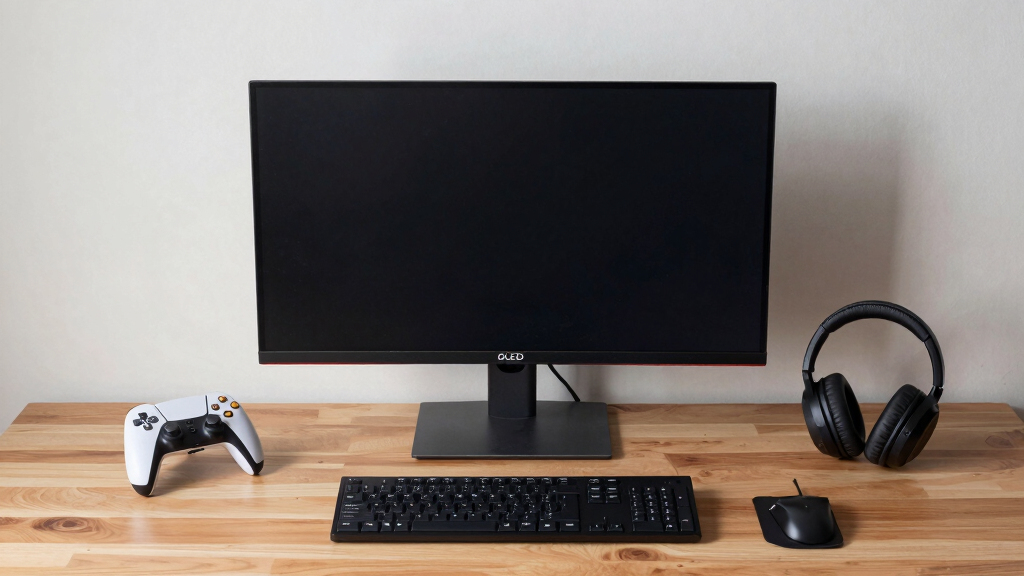

For gamers seeking the most immersive experience, OLED monitors offer unmatched contrast, vibrant colors, and fast response times. The ASUS ROG XG32UCWMG stands out as the overall best for its 4K resolution and high refresh rate, ideal for detailed visuals and smooth gameplay. The LG 32GX850A-B offers a compelling balance of quality and affordability, making it a versatile choice. Meanwhile, the Samsung Odyssey OLED G5 provides a sleek design with impressive QHD clarity for those prioritizing high performance in a compact form. However, tradeoffs like premium price points and brightness limitations remain. Keep reading for an in-depth comparison that helps you find the perfect fit for your immersive gaming setup.

Play games on Amazon Luna for your next adventure, included with Prime
- A rotating selection of games, no download needed
- Play on TV, laptop or phone
- Fast, free delivery for your gear, too
Key Takeaways
- The top picks deliver exceptional contrast and colors, but often come at a higher price point.
- Size and resolution choices depend heavily on your desk space and gaming preferences; larger screens enhance immersion but may introduce latency or calibration challenges.
- Response times and refresh rates are critical for smooth gameplay, with 240Hz being common among the best models.
- HDR capabilities vary; true HDR support significantly enhances visual depth but may be limited by brightness levels on OLEDs.
- Price and build quality differ widely; investing in a premium model usually guarantees better longevity and features.
| ASUS ROG XG32UCWMG 32-Inch 4K 240Hz OLED Gaming Monitor |  | Best Overall for Performance and Versatility | Display Size: 32 inches | Resolution: 3840 x 2160 (4K) | Refresh Rate: 240Hz | VIEW LATEST PRICE | See Our Full Breakdown |
| MSI MAG 274QP QD-OLED X24 27-Inch WQHD Gaming Monitor |  | Best for Vivid Colors and High-Performance Gaming | Display Size: 27 inches | Resolution: 2560 x 1440 (WQHD) | Panel Type: Quantum Dot OLED | VIEW LATEST PRICE | See Our Full Breakdown |
| LG 32GX850A-B 32″ UltraGear 4K UHD OLED Gaming Monitor |  | Best for Deep Blacks and Adaptive Refresh Rate | Display Size: 32 inches | Resolution: 3840 x 2160 (4K UHD) | Refresh Rate: 165Hz / 330Hz dual mode | VIEW LATEST PRICE | See Our Full Breakdown |
| GIGABYTE GO27Q24G 27-inch W-OLED Gaming Monitor |  | Best for Brightness and Borderless Design | Display Size: 27 inches | Panel Type: W-OLED with MLA+ technology | Brightness: Up to 1300 nits | VIEW LATEST PRICE | See Our Full Breakdown |
| ASUS ROG XG27AQDMG 27-Inch 1440p OLED Gaming Monitor |  | Best for Balance of Resolution and Speed | Display Size: 27 inches | Resolution: 2560 x 1440 (QHD) | Refresh Rate: 240Hz | VIEW LATEST PRICE | See Our Full Breakdown |
| Samsung 27” Odyssey OLED G5 (G50SF) Series QHD Gaming Monitor |  | Best Overall for Immersive Visuals and Versatile Gaming | Size: 27 inches | Resolution: QHD | Panel Technology: QD-OLED | VIEW LATEST PRICE | See Our Full Breakdown |
| AOC 27-Inch QHD QD OLED Gaming Monitor with 240Hz, G-SYNC Compatible |  | Best for Ultra-Smooth Gameplay and Ergonomic Flexibility | Size: 27 inches | Display Technology: QD-OLED | Resolution: 2560×1440 (QHD) | VIEW LATEST PRICE | See Our Full Breakdown |
| OLED gaming monitors for immersive setup | Refresh Rate | Response Time | Resolution | Display Size |
|---|---|---|---|---|
| ASUS ROG XG32UCWMG 32-Inch 4K | 240Hz | 0.03ms | 3840 x 2160 (4K) | 32 inches |
| MSI MAG 274QP QD-OLED X24 27-I | 240Hz | 0.03ms | 2560 x 1440 (WQHD) | 27 inches |
| LG 32GX850A-B 32" UltraGear 4K | 165Hz / 330Hz dual mode | 0.03ms | 3840 x 2160 (4K UHD) | 32 inches |
| GIGABYTE GO27Q24G 27-inch W-OL | 240Hz | 0.03ms | — | 27 inches |
| ASUS ROG XG27AQDMG 27-Inch 144 | 240Hz | 0.03ms | 2560 x 1440 (QHD) | 27 inches |
| Samsung 27” Odyssey OLED G5 | 180Hz | 0.03ms (GTG) | QHD | — |
| AOC 27-Inch QHD QD OLED Gaming | 240Hz | 0.03ms | 2560×1440 (QHD) | — |
More Details on Our Top Picks
ASUS ROG XG32UCWMG 32-Inch 4K 240Hz OLED Gaming Monitor
The ASUS ROG XG32UCWMG stands out for its stunning 4K resolution combined with a blistering 240Hz refresh rate, making it ideal for gamers who demand both visual fidelity and ultra-smooth gameplay. Unlike the LG 32GX850A-B, which emphasizes high contrast and adaptive refresh rates, this monitor offers a broader array of connectivity options, including USB-C with Power Delivery, which enhances its versatility for content creators. The inclusion of OLED Care Pro provides added peace of mind against burn-in, though it does come at a premium price and a relatively short 3-year warranty. Its glossy panel enhances color vibrancy but can cause reflections in bright rooms, so it’s best suited for darker setups. This monitor makes the most sense for high-end gamers who also want content creation capabilities, willing to invest in premium features and durability.
Pros:- Exceptional 4K OLED display with vibrant colors
- Ultra-fast 0.03ms response time for smooth gaming
- Versatile connectivity including USB-C with Power Delivery
- Advanced OLED Care Pro reduces burn-in risk
Cons:- Premium price may be out of reach for some users
- Glossy panel can cause reflections in bright environments
- Limited to 3-year warranty coverage
Best for: High-end gamers and content creators wanting 4K visuals, fast response, and versatile connectivity
Not ideal for: Users with bright, well-lit rooms or those on a tighter budget who might find the premium price prohibitive
- Display Size:32 inches
- Resolution:3840 x 2160 (4K)
- Refresh Rate:240Hz
- Panel Type:Glossy OLED
- Response Time:0.03ms
- HDR:VESA DisplayHDR 400
- Color Gamut:99% DCI-P3
- Connectivity:DisplayPort 1.4, HDMI 2.1, USB-C with 15W Power Delivery
- Warranty:3 years
Our verdict“This monitor is perfect for gamers who want a premium, versatile 4K OLED experience with content creation in mind.”
MSI MAG 274QP QD-OLED X24 27-Inch WQHD Gaming Monitor
The MSI MAG 274QP QD-OLED blends stunning WQHD resolution with a 240Hz refresh rate and a blazing 0.03ms response time, making it a top choice for gamers who prioritize fast, vibrant visuals. It surpasses the GIGABYTE GO27Q24G in color accuracy and contrast, thanks to its Quantum Dot OLED panel, which delivers richer blacks and more vivid colors. Its dual support for G-SYNC and FreeSync Premium Pro ensures tear-free gameplay, but the high-end features come with a higher price tag and a risk of burn-in with OLED technology. Its adjustable stand supports ergonomic positioning, yet the glossy finish may reflect in brightly lit spaces. This monitor suits competitive gamers who want the highest performance in a 27-inch size with excellent color fidelity.
Pros:- Vivid 10-bit color with high contrast ratio
- Fast 240Hz refresh rate and 0.03ms response time
- Supports G-SYNC and FreeSync Premium Pro
- Ergonomic stand with tilt, height, swivel, and pivot adjustments
Cons:- OLED burn-in risk with prolonged static images
- Higher cost compared to non-OLED options
- Glossy finish may cause reflections
Best for: Competitive gamers seeking rapid response times, vivid contrast, and adjustable ergonomics in a 27-inch format
Not ideal for: Users in bright rooms or those with budget constraints, as the premium price and burn-in risk may be concerns
- Display Size:27 inches
- Resolution:2560 x 1440 (WQHD)
- Panel Type:Quantum Dot OLED
- Brightness:400 nits
- Contrast Ratio:1,500,000:1
- Refresh Rate:240Hz
- Response Time:0.03ms
- Connectivity:DisplayPort 1.4a, HDMI 2.1
- Stand Adjustments:Tilt, Height, VESA 100mm
Our verdict“This monitor is ideal for competitive gamers who want top-tier visuals and fast response in a manageable 27-inch size.”
LG 32GX850A-B 32″ UltraGear 4K UHD OLED Gaming Monitor
The LG 32GX850A-B balances vibrant 4K visuals with adaptive refresh rates up to 165Hz or 330Hz, making it highly adaptable for different gaming scenarios. Compared to the ASUS XG32UCWMG, which emphasizes color accuracy and advanced features, the LG model leans toward high contrast and smooth performance with G-SYNC and FreeSync support. Its dual-mode flexibility suits gamers who switch between fast-paced shooters and cinematic experiences, but the glossy finish may reflect in bright environments, and its premium price reflects its high-end features. The stand is ergonomic, allowing tilt, height, swivel, and pivot adjustments. This monitor best fits gamers who want a balance of high contrast, adaptive refresh, and versatility in a 32-inch size.
Pros:- Deep blacks and high contrast with OLED technology
- Supports G-SYNC and FreeSync Premium Pro
- Dual refresh rate modes for versatility
- Ergonomic stand with full adjustments
Cons:- Glossy panel causes reflections in bright environments
- High-end price point limits accessibility
- Limited to 32-inch size which may not suit all setups
Best for: Gamers who value high contrast, deep blacks, and adaptive refresh rates for versatile gaming sessions
Not ideal for: Bright room users or those on a tight budget, due to reflections and premium pricing
- Display Size:32 inches
- Resolution:3840 x 2160 (4K UHD)
- Refresh Rate:165Hz / 330Hz dual mode
- Panel Type:OLED
- HDR:VESA DisplayHDR True Black 400
- Color Gamut:DCI-P3 98.5%
- Response Time:0.03ms
- Connectivity:G-SYNC, FreeSync Premium Pro
- Stand Adjustments:Tilt, Height, Swivel, Pivot
Our verdict“This monitor is best for gamers seeking high contrast and adaptive refresh flexibility in a 32-inch OLED display.”
GIGABYTE GO27Q24G 27-inch W-OLED Gaming Monitor
The GIGABYTE GO27Q24G offers a 27-inch W-OLED panel with MLA+ technology, providing exceptional brightness and a near-borderless aesthetic that maximizes immersion. Its 240Hz refresh rate and 0.03ms response time rival larger models, but its high peak brightness of up to 1300 nits makes it stand out for visually intense scenes. The AI-based burn-in protection is a plus, yet OLED’s susceptibility to burn-in over time remains a concern, especially with static images. The borderless design enhances immersion, but limited connectivity details and the higher cost due to advanced OLED tech suggest it’s best for dedicated gamers who prioritize visuals and design over affordability. It’s a bold choice for those wanting a compact, bright OLED experience.
Pros:- High peak brightness up to 1300 nits
- Borderless, immersive design maximizes screen real estate
- Fast 240Hz refresh rate and 0.03ms response time
- AI-based burn-in prevention enhances longevity
Cons:- OLED burn-in risk with static images over time
- Limited connectivity information available
- Higher price point due to advanced OLED tech
Best for: Gamers seeking high brightness, immersive borderless design, and OLED technology in a compact 27-inch format
Not ideal for: Users concerned about long-term burn-in or those needing extensive connectivity options
- Display Size:27 inches
- Panel Type:W-OLED with MLA+ technology
- Brightness:Up to 1300 nits
- Response Time:0.03ms
- Refresh Rate:240Hz
- Features:Anti-reflective coating, AI burn-in protection
Our verdict“This monitor is ideal for gamers craving brightness and immersive design in a compact OLED display, with a caveat on burn-in risk.”
ASUS ROG XG27AQDMG 27-Inch 1440p OLED Gaming Monitor
The ASUS ROG XG27AQDMG offers a sharp 1440p OLED display with a 240Hz refresh rate and rapid 0.03ms response time, making it a compelling choice for gamers who want fast performance without sacrificing pixel density. Compared to larger 4K models like the LG 32GX850A-B, this monitor provides a more manageable size and potentially longer panel lifespan, thanks to its 1440p resolution which reduces burn-in risk. Its high brightness (over 4,400 lumens) and anti-flicker features support prolonged gaming sessions, but the OLED panel remains susceptible to static image burn-in if not managed carefully. The glossy finish enhances color vibrancy but may produce glare. This makes it suitable for gamers who value speed and clarity at a more accessible size and resolution.
Pros:- Fast 240Hz refresh rate with 0.03ms response time
- Vivid OLED with high brightness and contrast
- Anti-flicker technology and cooling features extend panel life
- Wide viewing angles and vibrant color coverage
Cons:- OLED burn-in risk with static images over extended periods
- Higher price relative to non-OLED 1440p options
- Glossy finish can cause glare in bright rooms
Best for: Gamers wanting a high-refresh, fast OLED panel with a balance of resolution and durability in a 27-inch format
Not ideal for: Users in excessively bright environments or those seeking 4K resolution for immersive cinematic experiences
- Display Size:27 inches
- Resolution:2560 x 1440 (QHD)
- Refresh Rate:240Hz
- Response Time:0.03ms
- Display Technology:OLED
- Brightness:4453.8 lumens
- Contrast Ratio:High
- Features:Anti-flicker, cooling, burn-in protection
Our verdict“This monitor suits gamers who want swift OLED performance and vivid visuals in a compact 27-inch size with mindful burn-in management.”
Samsung 27” Odyssey OLED G5 (G50SF) Series QHD Gaming Monitor
This monitor stands out for combining exceptional color accuracy with high refresh rates, making it an ideal choice for gamers who value both vivid visuals and smooth gameplay. Unlike the LG 32GX850A-B, which offers a larger screen, the Samsung’s 27-inch size strikes a balance between immersion and desk space, while still delivering Pantone-validated colors that appeal to gamers who also do creative work. Its 180Hz refresh rate and 0.03ms response time ensure responses are snappy, but the OLED technology introduces a potential burn-in risk that users need to be mindful of during extended sessions. G-Sync and FreeSync compatibility reduce tearing, yet the premium price might be a barrier for budget-conscious buyers. This pick makes the most sense for gamers seeking a blend of stunning visuals and fast performance in a compact form.
Pros:- Vivid, accurate color reproduction with Pantone validation
- Fast 180Hz refresh rate and 0.03ms response time optimize gaming responsiveness
- G-Sync and FreeSync compatibility reduce screen tearing
- Glare-Free technology minimizes reflections for clearer visuals
Cons:- Potential burn-in risk with OLED technology if static images are displayed for long periods
- Higher price point compared to some LCD-based monitors
Best for: High-performance gamers who prioritize color accuracy and fast response in a compact 27-inch form
Not ideal for: Players who want a larger, 4K display or are concerned about OLED burn-in over long gaming sessions
- Size:27 inches
- Resolution:QHD
- Panel Technology:QD-OLED
- Refresh Rate:180Hz
- Response Time:0.03ms (GTG)
- HDR:HDR10
- Color Accuracy:Pantone Validated
Our verdict“This monitor is perfect for gamers seeking a well-rounded, color-accurate OLED experience with high refresh rates in a 27-inch size.”
AOC 27-Inch QHD QD OLED Gaming Monitor with 240Hz, G-SYNC Compatible
This model makes a compelling case for gamers who want extremely high refresh rates and excellent color accuracy. Compared with the Samsung G5, it offers a higher 240Hz refresh rate, which benefits competitive gamers looking for every millisecond of advantage. Its 1440p resolution balances visual clarity and performance, making it less demanding on GPU resources, but it also means somewhat less detail than 4K options. The inclusion of an ergonomic stand with height adjustment and a USB hub adds convenience for long gaming sessions. However, the premium price reflects its advanced OLED tech and high refresh rate, and the 1440p resolution might not satisfy those seeking ultra-crisp details. It’s an ideal pick for gamers wanting ultra-smooth action with versatile comfort features.
Pros:- Ultra-fast 240Hz refresh rate and 0.03ms response time for silky-smooth gameplay
- Vivid color accuracy with QD-OLED technology
- Ergonomic stand with height adjustment, VESA mount, and USB hub
- G-SYNC compatible for tear-free gaming
Cons:- Premium price may be prohibitive for budget-conscious buyers
- Limited to 1440p resolution, which is less detailed than 4K displays
- Potential burn-in risk if static images are displayed excessively
Best for: Competitive gamers and enthusiasts who prioritize high refresh rates and ergonomic setup options
Not ideal for: Casual gamers or those needing 4K resolution for streaming or creative tasks
- Size:27 inches
- Display Technology:QD-OLED
- Resolution:2560×1440 (QHD)
- Refresh Rate:240Hz
- Response Time:0.03ms
- Connectivity:HDMI 2.1, DisplayPort 1.4
- Color Gamut:147% sRGB, 110% DCI-P3
Our verdict“This monitor is well suited for competitive gamers who want maximum refresh rates and flexible ergonomics in an OLED display.”

How We Picked
The selection process focused on core factors that matter most for an immersive gaming experience. Performance metrics like refresh rate, response time, and resolution were prioritized to ensure smooth and vibrant visuals. Usability features such as ergonomic adjustments, connectivity options, and build quality were also considered, as they impact daily use and setup flexibility. We balanced these technical aspects with value considerations, aiming to highlight monitors that deliver high-end performance without unnecessary compromises. The ranking reflects a combination of these factors, emphasizing models that excel in creating engaging, visually stunning gaming environments.| OLED gaming monitors for immersive setup | Panel Type | Connectivity |
|---|---|---|
| ASUS ROG XG32UCWMG 32-Inch 4K | Glossy OLED | DisplayPort 1.4, HDMI 2.1, USB-C with 15W Power Delivery |
| MSI MAG 274QP QD-OLED X24 27-I | Quantum Dot OLED | DisplayPort 1.4a, HDMI 2.1 |
| LG 32GX850A-B 32" UltraGear 4K | OLED | G-SYNC, FreeSync Premium Pro |
| GIGABYTE GO27Q24G 27-inch W-OL | W-OLED with MLA+ technology | — |
| ASUS ROG XG27AQDMG 27-Inch 144 | — | — |
| Samsung 27” Odyssey OLED G5 | — | — |
| AOC 27-Inch QHD QD OLED Gaming | — | HDMI 2.1, DisplayPort 1.4 |
Factors to Consider When Choosing Best OLED Gaming Monitors For Immersive Setups
Choosing the best OLED gaming monitor for immersive setups involves more than just picking the highest resolution or fastest refresh rate. It’s essential to consider how size, HDR support, response time, and price align with your gaming habits and environment. A well-rounded monitor enhances immersion without sacrificing usability or durability. Knowing the broader tradeoffs and common pitfalls can help you avoid overspending on features you won’t use or ending up with a display that doesn’t meet your expectations.Display Size and Resolution
Size significantly impacts immersion, with larger screens providing a more enveloping experience. However, bigger isn’t always better if your desk space is limited or if your GPU struggles to push high resolutions smoothly. 4K offers stunning detail but demands powerful hardware, while WQHD (1440p) balances visual quality with smoother performance on mid-tier systems. Consider your room size and gaming setup to find the sweet spot that maximizes immersion without overloading your hardware.
HDR Support and Brightness
High Dynamic Range (HDR) enhances contrast and color vibrancy, crucial for immersive visual effects. True HDR support on OLEDs can make game worlds feel more real, but many models have limited brightness levels that restrict HDR impact. Look for monitors with at least 600 nits brightness and HDR certification if you want vivid, lifelike scenes. Keep in mind that HDR performance also depends on your content and settings, so a monitor with good HDR capabilities offers more consistent visual improvements.
Response Time and Refresh Rate
Fast response times and high refresh rates are essential for fluid gameplay and minimal motion blur. When choosing an OLED, aim for a response time of 0.1ms to 0.3ms and a refresh rate of 120Hz or higher, with 240Hz being ideal for competitive gaming. These specs ensure quick, sharp visuals during fast-paced action, but higher refresh rates often come with increased cost and power consumption. Balance these factors based on your gaming style and budget.
Connectivity and Usability
Seamless connectivity options like HDMI 2.1 and DisplayPort are crucial for leveraging high resolutions and refresh rates, especially on newer gaming consoles and GPUs. Ergonomic features such as height, tilt, and swivel adjustments improve comfort during long gaming sessions. Additionally, built-in speakers or USB hubs can add convenience, but often at the expense of premium build quality. Prioritize monitors with versatile ports and adjustable stands for a setup that adapts to your needs.
Price and Long-Term Value
OLED gaming monitors tend to be more expensive than LCD alternatives, but their visual benefits justify the premium for many gamers. Consider your budget carefully and weigh features like size, HDR, and response time against cost. Investing in a higher-quality model can deliver better durability and future-proofing, especially if you plan to upgrade your hardware or gaming environment over time. Avoid models with compromises in core performance to maximize your investment.
Frequently Asked Questions
Will an OLED monitor work well with my gaming console?
Most modern OLED gaming monitors include HDMI 2.1 ports, which are compatible with the latest gaming consoles like the PlayStation 5 and Xbox Series X. These ports support high resolutions and refresh rates, ensuring you get the most out of your console’s capabilities. However, always confirm that the specific monitor supports the resolution and frame rate your console offers for optimal performance. Proper calibration and settings adjustments can further enhance your gaming experience on these displays.
Is HDR on OLED monitors worth it for gaming?
HDR can significantly enhance the visual depth and realism of game worlds, especially on OLEDs known for their excellent contrast ratios. While some models have limited brightness that may restrict HDR effectiveness, those with higher nits support can produce more vibrant, lifelike scenes. If you play a lot of HDR-enabled titles or enjoy cinematic visuals, choosing a monitor with robust HDR support makes a noticeable difference. Otherwise, it might be less impactful if the HDR implementation is limited.
Are OLED monitors suitable for fast-paced competitive gaming?
Yes, many OLED gaming monitors offer response times as low as 0.1ms and refresh rates up to 240Hz, making them suitable for fast-paced, competitive play. The rapid pixel response reduces motion blur and ghosting, providing smoother gameplay. That said, OLEDs can sometimes have issues with burn-in if static images persist, so they are better suited for varied content. For dedicated competitive gaming, consider models with features designed to minimize risk while maximizing performance.
How durable are OLED monitors for long-term use?
OLED monitors have improved significantly in durability, but burn-in remains a concern, especially with static UI elements or game HUDs displayed over long periods. To extend their lifespan, many manufacturers incorporate screen shift, pixel refresh cycles, and other protective features. Investing in a model with these safeguards and practicing good display habits can ensure your monitor remains vibrant over years of use. While more costly, OLEDs still offer excellent longevity when maintained properly.
Can I use an OLED monitor for work or creative tasks besides gaming?
Absolutely, OLED monitors excel in color accuracy and contrast, making them suitable for creative work like photo and video editing. Their deep blacks and vibrant colors can provide a richer visual experience outside gaming. However, some models may prioritize gaming features over color calibration or uniformity, so if professional accuracy is your goal, select a model with factory calibration or additional color management options. These monitors are versatile enough for both immersive gaming and creative tasks.
Conclusion
For those seeking the best overall experience, the ASUS ROG XG32UCWMG offers stunning 4K visuals with high refresh rates, perfect for immersive gaming on a larger scale. Budget-conscious gamers or those new to OLEDs will appreciate the GIGABYTE GO27Q24G for its balance of quality and price. For premium setups, the LG 32GX850A-B provides excellent color and HDR support without overextending your budget. Beginners or casual players should look at models with simpler setups and strong ergonomics, while dedicated enthusiasts aiming for professional-grade color and performance should consider higher-end options like the ASUS ROG series. Your choice depends on your gaming style, space, and willingness to invest in top-tier visuals.
As an affiliate, we earn on qualifying purchases.Fall Picks
fall essentials