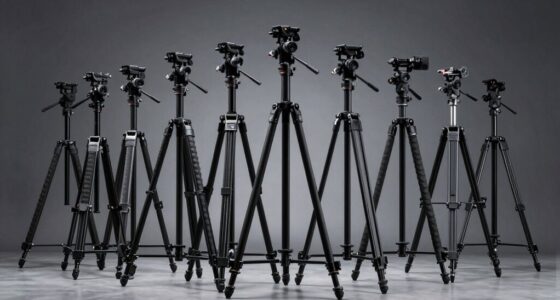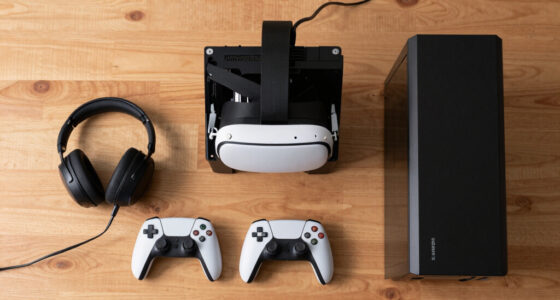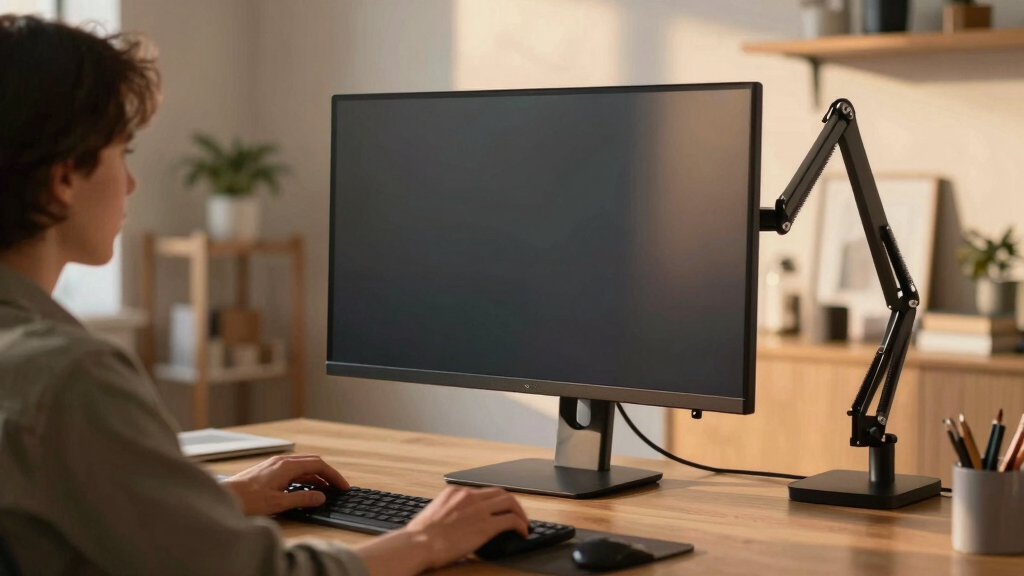

If you’re looking to build an immersive cockpit setup, selecting the right super ultrawide monitor can make all the difference. The INNOCN 49-Inch Curved Ultrawide stands out for its balance of size, connectivity, and color accuracy, perfect for multitasking and content creation. Meanwhile, the Samsung Odyssey Neo G9 offers a stunning dual 4K experience with vibrant visuals and high refresh rates, ideal for high-end gaming. But these come with tradeoffs: the INNOCN requires ample desk space and comes at a premium, while the Neo G9 demands a powerful GPU and significant room. For those who want a more vivid display, the Samsung Odyssey OLED G9 offers incredible contrast and response times, yet its size and burn-in risk may give pause. Lastly, the Deco Gear 49-Inch provides a high-resolution workspace at a more accessible price, though setup can be complex. Your choice hinges on your priorities—whether it’s visual quality, size, or budget.
Prime for Young Adults — start your free trial
Fast free delivery, streaming and member deals for eligible 18–24 year olds.
Try it freeAs an affiliate, we earn on qualifying purchases.
Key Takeaways
- Size and curvature significantly impact immersion and desk space requirements.
- The highest refresh rates benefit fast-paced gaming but require powerful hardware.
- Color accuracy and HDR support enhance visual fidelity for content creators.
- Connectivity options vary; USB-C with power delivery is a plus for streamlined setups.
- Ergonomic adjustments are essential for long gaming or work sessions.


| super ultrawide monitors for cockpit setup | Resolution | Refresh Rate | Screen Size | HDR |
|---|---|---|---|---|
| INNOCN 49-Inch Curved Ultrawid | 3840 x 1080 (WDFHD) | 144Hz | 49 inches | HDR400 |
| Samsung 57" Odyssey Neo G9 | Dual 4K UHD | 240Hz | 57 inches | DisplayHDR 1000 |
| Samsung 49-Inch Odyssey OLED G | 5120 x 1440 (Dual QHD) | 144Hz | 49 inches | — |
| Deco Gear 49-Inch Super Ultraw | 5120 x 1440 (5K2K) | 120Hz | 49 inches | — |
| Samsung 40” Odyssey G7 | WUHD 4K | 180Hz | — | DisplayHDR 600 |
More Details on Our Top Picks
INNOCN 49-Inch Curved Ultrawide Gaming Monitor 144Hz, 32:9, HDR400, USB-C, DisplayPort, HDMI, Built-in Speakers, Adjustable Height/Tilt
The INNOCN 49-inch curved ultrawide impresses with its expansive 32:9 aspect ratio, making it ideal for multitasking and immersive gaming. Its 144Hz refresh rate and VA panel deliver smooth visuals, especially beneficial for fast-moving cockpit simulations. The HDR400 support and 99% sRGB coverage ensure vibrant, high-contrast images. Multiple connectivity options—including USB-C with power delivery—simplify cable management in complex setups. Ergonomic adjustments like height, tilt, and swivel enhance comfort during long sessions. Compared with larger dual 4K options, the INNOCN strikes a balance between size, performance, and price, though its large footprint demands ample desk space and the built-in speakers’ quality is less prominent.
Pros:- Large, immersive 49-inch curved display enhances multitasking
- Multiple connectivity options including USB-C with power delivery
- Adjustable ergonomics for long-term comfort
- Vibrant HDR400 and color coverage
Cons:- Requires significant desk space due to size
- Higher price point may be prohibitive
- Built-in speakers are of basic quality
Best for: Ideal for users seeking a versatile, large ultrawide for both gaming and productivity
Not ideal for: Users with limited desk space or budget constraints
- Screen Size:49 inches
- Resolution:3840 x 1080 (WDFHD)
- Refresh Rate:144Hz
- Aspect Ratio:32:9
- Panel Type:VA
- HDR:HDR400
Our verdict“A well-rounded choice balancing size, features, and versatility for cockpit setups.”
Samsung 57″ Odyssey Neo G9 (G95NC) Dual 4K UHD Curved Gaming Monitor
The Samsung Odyssey Neo G9 delivers a jaw-dropping dual 4K UHD experience wrapped in a 57-inch curved form factor with a 1000R radius. Its Quantum Mini LED technology and DisplayHDR 1000 produce stunning contrast and vivid colors, making it perfect for high-fidelity visuals. The 240Hz refresh rate and 1ms response time ensure ultra-smooth gameplay, ideal for competitive gaming in a cockpit environment. However, this monitor’s size and power requirements mean it demands a robust GPU supporting DP 2.1 or HDMI 2.1, and it might not fit smaller desks. Its premium price reflects its cutting-edge features, making it best suited for dedicated enthusiasts who prioritize visual excellence above all.
Pros:- Exceptional picture quality with Quantum Mini LEDs
- Ultra-wide dual 4K UHD resolution for multitasking
- Fast 240Hz refresh rate and 1ms response time
- Multiple input options and ergonomic stand
Cons:- Requires high-end graphics hardware
- Very large footprint may not fit all setups
- Premium price may be prohibitive
Best for: High-performance gaming enthusiasts seeking maximum immersion
Not ideal for: Users with limited space or lower-end hardware
- Screen Size:57 inches
- Resolution:Dual 4K UHD
- Curve Radius:1000R
- Refresh Rate:240Hz
- Response Time:1ms (GTG)
- HDR:DisplayHDR 1000
Our verdict“The top choice for gamers demanding stunning visuals and ultra-smooth performance, with size and hardware needs to match.”
Samsung 49-Inch Odyssey OLED G9 (G91SD) Dual QHD Curved Gaming Monitor
The Samsung Odyssey OLED G9 offers a wide 49-inch dual QHD display with near-instant 0.03ms response time and a 144Hz refresh rate. Its QD-OLED technology provides true black levels and a vibrant color spectrum, making it ideal for immersive cockpit visuals and multitasking. Adaptive brightness and features like Picture-in-Picture support enhanced usability. While its stunning display quality makes it a favorite for vivid, high-contrast visuals, its size requires a large desk and careful management to avoid burn-in from static images. This monitor suits those prioritizing picture quality and response times, though static content should be used cautiously.
Pros:- Vivid colors and high contrast with OLED technology
- Fast response time for smooth gameplay
- Supports adaptive sync technologies
- Good multitasking with Picture-in-Picture
Cons:- Potential burn-in risk with static images
- Large size demands significant desk space
- Premium price
Best for: Content creators and gamers prioritizing color vibrancy and responsiveness
Not ideal for: Users with limited space or concerned about burn-in risks
- Screen Size:49 inches
- Resolution:5120 x 1440 (Dual QHD)
- Panel Technology:QD-OLED
- Response Time:0.03ms
- Refresh Rate:144Hz
- Black Levels:Infinite
Our verdict“Best for those who prioritize picture quality and responsiveness over static content risks.”
Deco Gear 49-Inch Super Ultrawide Curved Monitor, 5120×1440, 5K2K, 120Hz, 32:9
The Deco Gear 49-inch ultrawide offers a high 5120×1440 resolution at a competitive price point, making it an attractive choice for multitaskers and creative professionals. Its 120Hz refresh rate and wide color coverage support vibrant, accurate visuals. The monitor features a wide range of connectivity options, including USB-C with power delivery, and offers ergonomic adjustments like tilt, swivel, and VESA compatibility. The larger size and complex setup process may challenge beginners, but this model provides a high-resolution workspace without the premium price tag. It’s best suited for users who need a large display for productivity without sacrificing visual quality.
Pros:- High-resolution 5K2K display for detailed multitasking
- Cost-effective compared to other ultrawides
- Vibrant colors with wide coverage
- Flexible connectivity and ergonomic adjustments
Cons:- Setup can be complex for beginners
- Larger size demands ample desk space
- Limited refresh rate for fast-paced gaming
Best for: Budget-conscious users seeking high-resolution multitasking
Not ideal for: Gamers needing ultra-high refresh rates or minimal setup experience
- Screen Size:49 inches
- Resolution:5120 x 1440 (5K2K)
- Refresh Rate:120Hz
- Contrast Ratio:3000:1
- Color Coverage:100% sRGB, 91% DCI-P3
- Connectivity:HDMI 2.0, DisplayPort 1.4, USB-C
Our verdict“Excellent value for users who prioritize high resolution and workspace size over gaming performance.”
Samsung 40” Odyssey G7 (G75F) Series WUHD Curved Gaming Monitor
The Samsung Odyssey G7 40-inch combines a 21:9 WUHD 4K display with a 180Hz refresh rate and 1ms response time. Its 1000R curvature delivers immersive visuals in a more compact size, fitting well on most desks while still providing an engaging cockpit experience. The DisplayHDR 600 support enhances dark scene clarity, making it suitable for cinematic and gaming immersion. While not as large as the 49-inch options, its size makes it a more practical choice for users with limited space who still want a wide, curved display with high performance. The main tradeoff is slightly reduced field of view compared to larger ultrawides, but it offers excellent balance for many setups.
Pros:- Large curved display fits comfortably on most desks
- High refresh rate and fast response for gaming
- Good contrast and HDR support
- VESA compatibility for flexible mounting
Cons:- Smaller field of view compared to larger ultrawides
- Premium features come at a high cost
- Limited for multitasking compared to larger models
Best for: Gamers needing a compact but immersive ultrawide experience
Not ideal for: Users seeking maximum screen size or multitasking workspace
- Display Size:40 inches
- Resolution:WUHD 4K
- Curvature:1000R
- Refresh Rate:180Hz
- Response Time:1ms
- HDR:DisplayHDR 600
Our verdict“A strong choice for gamers wanting immersive experience in a more manageable size.”
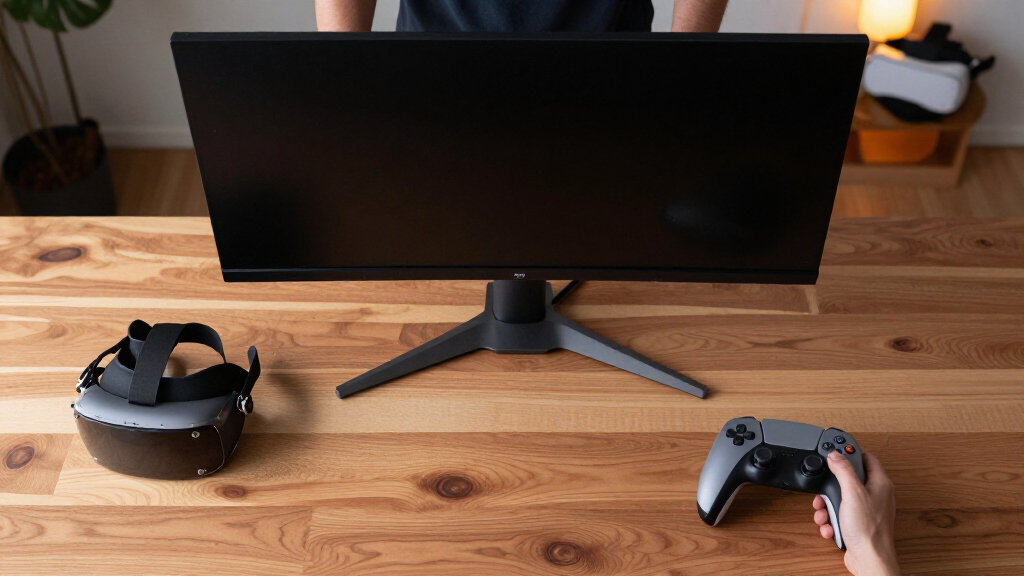
How We Picked
Our selection process focused on monitors that excel specifically for cockpit setups—large, curved, ultrawide screens that facilitate immersive multitasking and gaming. We prioritized high-resolution displays, fast refresh rates, and good ergonomics, while also considering connectivity options and overall build quality. To ensure practical value, we balanced premium features against price and setup complexity. Compatibility with various gaming and productivity needs was also central, aiming to identify monitors that truly enhance cockpit experiences without unnecessary compromises.
| super ultrawide monitors for cockpit setup | HDR |
|---|---|
| INNOCN 49-Inch Curved Ultrawid | HDR400 |
| Samsung 57" Odyssey Neo G9 | DisplayHDR 1000 |
| Samsung 49-Inch Odyssey OLED G | — |
| Deco Gear 49-Inch Super Ultraw | — |
| Samsung 40” Odyssey G7 | DisplayHDR 600 |
Factors to Consider When Choosing Best Super Ultrawide Monitors For Cockpit Setups
Choosing the right super ultrawide monitor for a cockpit setup involves balancing size, resolution, refresh rates, and ergonomic features. The ideal monitor should seamlessly blend immersive visuals with your workspace needs, ensuring comfort during long gaming or simming sessions. Consider your desk space, hardware compatibility, and budget to find the best fit. This guide will walk through key factors to help you make an informed decision.Size and Curvature
Size and curvature are central to creating an immersive cockpit environment. Larger monitors, especially those around 49 inches or more, deliver a sweeping field of view that mimics real-world peripheral vision. Curvature enhances this effect by reducing distortion at the edges, making the experience more natural. However, bigger screens demand more desk space and can be overwhelming in smaller rooms. Balance your available space with your desire for immersion to find the sweet spot—typically between 1000R and 1800R curvature for most cockpit setups.
Resolution and Visual Fidelity
High resolution is key for clear, detailed visuals, especially if you use your monitor for both gaming and content creation. Dual 4K UHD or 5K2K resolutions maximize workspace and image sharpness. OLED or Quantum Mini LED panels provide better contrast and color vibrancy, but often come at a higher price. Remember, higher resolutions require more powerful graphics hardware to maintain smooth frame rates at high refresh rates, which is critical for fast-paced cockpit simulations.
Refresh Rate and Response Time
Fast refresh rates—above 120Hz—are vital for smooth gameplay, particularly in high-speed racing or flight sims. A 240Hz monitor like the Neo G9 can offer ultra-smooth visuals, but demands a powerful GPU. Response time, especially below 1ms, minimizes motion blur and ghosting, enhancing clarity in rapid movements. For sim enthusiasts, these specs improve realism and reduce eye strain during extended sessions.
Connectivity and Ergonomics
Streamlined connectivity options, including USB-C with power delivery, simplify cable management and reduce clutter. Ergonomic features such as height adjustment, tilt, swivel, and VESA compatibility help tailor the setup for maximum comfort. These features are especially important in cockpit environments where long hours are common, helping prevent fatigue and discomfort.
Frequently Asked Questions
What is the ideal size for a cockpit ultrawide monitor?
The best size depends on your space and budget, but generally, a 49-inch or larger ultrawide provides immersive peripheral vision. Curvature enhances this effect, with 1000R to 1800R being most comfortable for extended use. Smaller monitors can still work but may not deliver the same level of immersion.
Do I need a high-end graphics card for these monitors?
Most high-refresh-rate ultrawides, especially dual 4K models, require powerful GPUs capable of supporting DisplayHDR 1000 or 240Hz at high resolutions. For a smooth experience without tearing, your hardware should match the monitor’s capabilities. Budget models like the Deco Gear may be less demanding, but premium displays often demand high-end graphics hardware.
How important are ergonomic features in a cockpit monitor?
Ergonomic features like height adjustment, tilt, swivel, and VESA compatibility are vital for comfort during long sessions. They allow you to customize the position for optimal viewing angles, reducing strain on your neck and eyes. This is especially critical in cockpit setups where you might spend hours immersed in the simulation.
Is HDR necessary for cockpit setups?
HDR enhances contrast and color vibrancy, making visuals more realistic and engaging. While not strictly necessary, it adds depth to cockpit displays, especially when using content with high dynamic range. Premium HDR support, like HDR1000, is more beneficial for content creators and enthusiasts focused on visual fidelity.
Can I use multiple monitors in a cockpit setup?
Yes, many ultrawide monitors support picture-in-picture and multiple input sources, allowing for expanded or multi-display setups. However, compatibility depends on your hardware and the monitor’s features. For seamless integration, choosing monitors with multiple inputs and VESA compatibility simplifies mounting and configuration.
Conclusion
For users seeking a balance of size, performance, and affordability, the Deco Gear 49-inch offers excellent value with high resolution and flexible connectivity. Gamers prioritizing maximum immersion and visual fidelity should consider the Samsung Odyssey Neo G9 for its stunning dual 4K display and fast refresh rate, provided their hardware can support it. Content creators or those sensitive to static burn-in might prefer the Samsung OLED G9 for its superior contrast and response times but should be cautious about space and longevity. Finally, for general cockpit setups that need versatility and ergonomic comfort, the INNOCN 49-inch strikes a solid middle ground, blending size, features, and price effectively.
NFL season / tailgating Picks
team gear
As an affiliate, we earn on qualifying purchases.