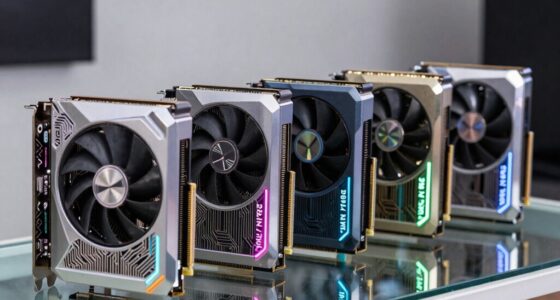
VR streaming demands a processor that balances core count, clock speed, and efficiency to handle high-resolution visuals and multitasking without bottlenecks. Currently, the AMD Ryzen 7 7800X3D stands out for its impressive gaming performance combined with good multitasking capabilities. Meanwhile, the AMD Ryzen 9 9950X3D offers exceptional power for demanding multitasking and content creation, though at a higher cost and power draw. For budget-conscious users, the AMD Ryzen 5 9600X delivers solid performance, but with limitations in multitasking and VR-specific features. Each of these options involves tradeoffs—whether in price, power consumption, or upgrade potential—that influence which is best suited for your VR streaming setup.

Play games on Amazon Luna for your next adventure, included with Prime
- A rotating selection of games, no download needed
- Play on TV, laptop or phone
- Fast, free delivery for your gear, too
Key Takeaways
- High core counts and high clock speeds are essential for smooth VR streaming and multitasking.
- Integrated graphics are beneficial for all-in-one solutions but are less critical if using a dedicated GPU.
- Compatibility with motherboards and cooling solutions can significantly impact overall build costs.
- Premium CPUs like the Ryzen 9 9950X3D excel in multitasking but require more investment.
- Lower-cost options such as the Ryzen 5 9600X can suffice for casual VR streaming but may limit future upgrades.
| AMD Ryzen 7 7800X3D 8-Core, 16-Thread Desktop Processor |  | Best Overall for High-Performance VR Streaming | Processor Cores: 8 | Threads: 16 | Base Clock Speed: 4.20 GHz | VIEW LATEST PRICE | See Our Full Breakdown |
| AMD Ryzen 7 5800X3D 8-core, 16-thread Desktop Processor with AMD 3D V-Cache Technology |  | Best for Gaming and Multitasking | Cores: 8 | Threads: 16 | Max Boost Clock: 4.5 GHz | VIEW LATEST PRICE | See Our Full Breakdown |
| Stormcraft Falcon Prebuilt RTX 5070 Gaming PC, R7 7800X3D, 32GB DDR5, 1TB SSD |  | Best Prebuilt for High-Performance VR Streaming | CPU: AMD Ryzen 7 7800X3D | GPU: NVIDIA GeForce RTX 5070 12GB | Memory: 32GB DDR5 6000MHz | VIEW LATEST PRICE | See Our Full Breakdown |
| AMD Ryzen 5 9600X 6-Core, 12-Thread Unlocked Desktop Processor |  | Best Budget for Entry-Level VR Streaming | Cores: 6 | Threads: 12 | Max Boost Clock: 5.4 GHz | VIEW LATEST PRICE | See Our Full Breakdown |
| AMD Ryzen 9 9950X3D 16-Core Processor | 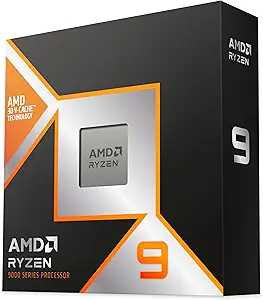 | Best for High-End Multitasking and Content Creation | Max Boost Clock: 5.7 GHz | Base Clock: 4.3 GHz | Cores: 16 | VIEW LATEST PRICE | See Our Full Breakdown |
| CPUs for VR streaming | Threads | Cache | Cores | Max Boost Clock |
|---|---|---|---|---|
| AMD Ryzen 7 7800X3D 8-Core | 16 | 8 MB L2, 96 MB L3 | — | — |
| AMD Ryzen 7 5800X3D 8-core | 16 | 100 MB | 8 | 4.5 GHz |
| Stormcraft Falcon Prebuilt RTX | — | — | — | — |
| AMD Ryzen 5 9600X 6-Core | 12 | 38 MB | 6 | 5.4 GHz |
| AMD Ryzen 9 9950X3D 16-Core Pr | — | — | 16 | 5.7 GHz |
More Details on Our Top Picks
AMD Ryzen 7 7800X3D 8-Core, 16-Thread Desktop Processor
The AMD Ryzen 7 7800X3D shines for VR streaming thanks to its 8 cores and 16 threads, providing ample multitasking headroom. Built on a 5nm process, it offers improved efficiency alongside a high 4.20 GHz base clock, making it suitable for handling demanding VR applications and streaming simultaneously. Compared with the Ryzen 7 5800X3D, it benefits from newer architecture and better energy efficiency, but it doesn’t come with integrated graphics, which could mean additional costs if you lack a dedicated GPU. This CPU makes the most sense for users who prioritize performance and upgradeability without breaking the bank.
Pros:- High performance with 8 cores and fast clock speeds
- Efficient 5nm process technology
- Great for multitasking and demanding VR applications
Cons:- No integrated graphics, requiring a dedicated GPU
- Higher cost compared to some previous generation CPUs
Best for: Power users who want a balanced, high-performance CPU for VR streaming and multitasking.
Not ideal for: Those seeking built-in graphics or the most budget-friendly options.
- Processor Cores:8
- Threads:16
- Base Clock Speed:4.20 GHz
- Graphics Frequency:2200 MHz
- Cache:8 MB L2, 96 MB L3
- Process Technology:5 nm
Our verdict“The Ryzen 7 7800X3D offers an excellent balance of performance and efficiency for most VR streamers.”
AMD Ryzen 7 5800X3D 8-core, 16-thread Desktop Processor with AMD 3D V-Cache Technology
The Ryzen 7 5800X3D is renowned for its gaming prowess, thanks to AMD’s 3D V-Cache technology that boosts cache size to 100 MB. This makes it highly capable of handling VR streaming alongside multitasking, especially with its 4.5 GHz boost clock. However, it lacks integrated graphics, so you’ll need a dedicated GPU, and cooler options are not included, adding to the overall cost. It’s better suited to gamers and streamers who already have a robust GPU and want to maximize gaming performance while streaming VR content.
Pros:- Excellent gaming performance with AMD 3D V-Cache
- High core and thread count for multitasking
- Supports PCIe 4.0 for faster storage and GPU connectivity
Cons:- No integrated graphics, requiring a dedicated GPU
- Cooling solutions are not included
Best for: Gamers who want a CPU optimized for gaming and multitasking in VR environments.
Not ideal for: Users who prefer an all-in-one CPU with integrated graphics or are on a tight budget.
- Cores:8
- Threads:16
- Max Boost Clock:4.5 GHz
- Cache:100 MB
- Memory Support:DDR4-3200
- Socket:AM4
Our verdict“The Ryzen 7 5800X3D stands out for gaming and multitasking, making it a strong choice for VR streamers with dedicated GPUs.”
Stormcraft Falcon Prebuilt RTX 5070 Gaming PC, R7 7800X3D, 32GB DDR5, 1TB SSD
This prebuilt system is designed for serious VR enthusiasts and streamers. Featuring the Ryzen 7 7800X3D alongside an NVIDIA RTX 5070 GPU, 32GB DDR5 RAM, and a 1TB SSD, it offers a turnkey solution for demanding VR streaming and content creation. The included 360mm AIO cooler ensures thermal stability during extended sessions, and connectivity options like Wi-Fi 6E and Bluetooth 5.3 make it future-proof. However, its size and price might be overkill for casual users or those on a tight budget, and upgrade options could be limited compared to custom builds.
Pros:- Excellent performance for VR and streaming
- High-quality cooling with 360mm AIO cooler
- Rich connectivity options including Wi-Fi 6E
Cons:- Prebuilt systems limit upgrade flexibility
- Higher price point
Best for: VR streamers seeking an all-in-one high-performance package with minimal setup hassle.
Not ideal for: Budget-conscious users or those wanting customizable, upgrade-friendly systems.
- CPU:AMD Ryzen 7 7800X3D
- GPU:NVIDIA GeForce RTX 5070 12GB
- Memory:32GB DDR5 6000MHz
- Storage:1TB NVMe SSD
- Cooling:360mm All-in-One Liquid Cooler
- Connectivity:Wi-Fi 6E, BT 5.3
Our verdict“Ideal for users who prefer a ready-to-go high-end VR streaming setup without building from scratch.”
AMD Ryzen 5 9600X 6-Core, 12-Thread Unlocked Desktop Processor
The Ryzen 5 9600X offers a respectable platform for VR streaming at a lower price point. With 6 cores and a boost clock of up to 5.4 GHz, it can handle most VR workloads and light multitasking, making it suitable for casual streamers or those new to VR content creation. However, its lower core count and lack of integrated graphics mean it’s less future-proof and might struggle with more intensive multitasking or high-fidelity VR sessions. It’s best for users who want a decent starter CPU without a huge investment.
Pros:- High boost clock speeds for gaming and VR tasks
- Unlocked for overclocking potential
- Affordable compared to high-end options
Cons:- No integrated graphics, requiring a dedicated GPU
- Limited cores for multitasking
Best for: Entry-level VR streamers and casual users on a budget.
Not ideal for: Power users or those planning to run multiple demanding applications simultaneously.
- Cores:6
- Threads:12
- Max Boost Clock:5.4 GHz
- Cache:38 MB
- Memory Support:DDR5-5600
- Socket:AM5
Our verdict“A capable CPU for casual VR streaming, but limited for demanding multitasking or future upgrades.”
AMD Ryzen 9 9950X3D 16-Core Processor
The Ryzen 9 9950X3D pushes the envelope with 16 cores and a maximum boost clock of 5.7 GHz, making it an outstanding choice for VR streamers who also engage in heavy multitasking or content creation. Its Zen 5 architecture guarantees efficiency and future-proofing, but it requires an AM5 motherboard and consumes more power. While it’s overkill for casual VR use, this CPU can handle intense streaming, video editing, and simultaneous applications without breaking a sweat, although it comes at a premium price.
Pros:- Exceptional multitasking abilities with 16 cores
- High clock speeds up to 5.7 GHz
- Built on latest Zen 5 architecture for future-proofing
Cons:- Requires expensive AM5 motherboard
- Higher power consumption
- No integrated graphics
Best for: Power users and professionals who need maximum multitasking and processing power.
Not ideal for: Budget-conscious users or those with limited upgrade paths.
- Max Boost Clock:5.7 GHz
- Base Clock:4.3 GHz
- Cores:16
- Architecture:Zen 5
- Form Factor:Desktops
- Processor Type:Boxed Processor
Our verdict“The Ryzen 9 9950X3D is a powerhouse for demanding VR streaming and content creation, but its high price and power needs limit accessibility.”

How We Picked
To select the best CPUs for VR streaming, I focused on core count, clock speed, cache size, and technology support, since these directly influence multitasking, rendering, and visual performance. I prioritized processors that balance high performance with reasonable power consumption and compatibility with current motherboards. I also considered user scenarios—from casual VR streamers to high-end content creators—to ensure options are relevant across different needs and budgets. Finally, I examined the tradeoffs involved, such as cooling requirements and upgrade paths, to provide a well-rounded view of each CPU’s strengths and limitations.
Factors to Consider When Choosing Best CPUs For VR Streaming
Choosing the right CPU for VR streaming involves balancing core count, clock speed, and compatibility. For smooth, high-quality VR streams, prioritize processors with at least 8 cores and high clock speeds. Consider whether integrated graphics are necessary—if you already own a dedicated GPU, this becomes less critical. Additionally, think about your future upgrade plans, cooling solutions, and budget to identify the best fit for your setup.
Core Count and Clock Speed
VR streaming benefits from higher core counts for multitasking and background processes, while high clock speeds ensure responsive, lag-free performance. Aim for at least 8 cores and 4.2 GHz or higher for most high-end VR streaming needs. If budget allows, 12 or more cores and boosts above 5 GHz can provide extra headroom.
Integrated Graphics and Compatibility
If you plan to use a dedicated GPU, integrated graphics become less important. However, for all-in-one solutions or budget builds, a CPU with integrated graphics helps reduce overall costs. Compatibility with your motherboard (AM4, AM5, or others) and cooling solutions should be considered to avoid surprises during assembly.
Future-Proofing and Upgradability
Processors built on newer architectures, like Zen 5, offer longer-term support and better efficiency. Check socket compatibility and potential upgrade paths. High-end CPUs like the Ryzen 9 9950X3D are excellent for future-proofing but require significant investment and compatible hardware.
Frequently Asked Questions
What is the most important CPU feature for VR streaming?
The most critical feature is a high core count combined with high clock speeds. This combo ensures that VR streaming can run smoothly alongside other demanding tasks like recording, encoding, and gameplay, reducing lag and visual artifacts.
Do I need integrated graphics for VR streaming?
If you already have a dedicated GPU capable of handling VR and streaming, integrated graphics are unnecessary. However, if you’re building a budget system or want an all-in-one setup without a discrete GPU, look for a CPU with integrated graphics to save costs.
Is a more expensive CPU worth it for VR streaming?
Higher-priced CPUs typically provide better multitasking, higher core counts, and future-proofing. For serious streamers or those running complex editing or multiple streams simultaneously, investing in a high-end CPU like the Ryzen 9 9950X3D can pay off. Casual users might find mid-range options sufficient.
How does cooling impact VR streaming performance?
Effective cooling prevents thermal throttling, which can reduce clock speeds during extended VR sessions, leading to lag or dropped frames. High-performance CPUs often require robust cooling solutions, especially when overclocked or under heavy loads, to maintain consistent performance.
Should I prioritize CPU or GPU for VR streaming?
While both are important, the CPU handles the processing of streaming and multitasking, so a high-performance processor ensures smooth, lag-free streams. The GPU renders VR visuals, so pairing a strong GPU with a capable CPU creates the best overall experience. Balance both based on your specific needs and budget.
Conclusion
If you’re a casual streamer or just starting out, the AMD Ryzen 5 9600X provides enough power at a budget-friendly price. For serious gamers and high-end streamers, the Ryzen 7 7800X3D or Stormcraft Falcon prebuilt offers excellent performance without overwhelming your budget. Power users and content creators should consider the Ryzen 9 9950X3D for maximum multitasking and future-proofing, despite the higher investment. Ultimately, your choice depends on your performance needs, upgrade plans, and budget constraints.