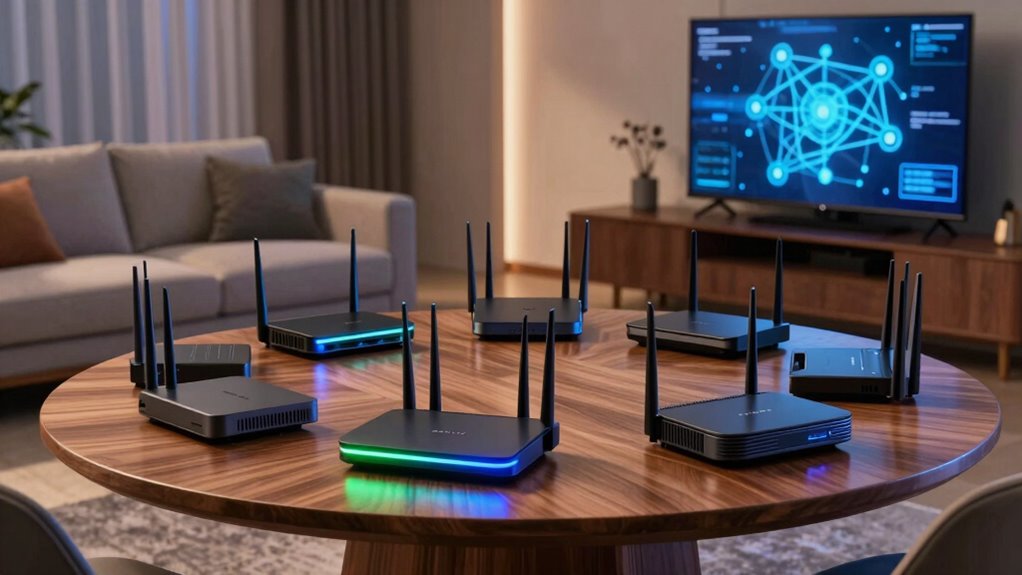

Finding a router capable of supporting multiple VR headsets requires balancing high-speed performance, extensive coverage, and reliable connectivity. The best overall pick, the NETGEAR Nighthawk WiFi 7 Router RS140, offers exceptional speed and coverage for demanding VR setups. For those prioritizing gaming and low latency, the ASUS RT-AX82U AX5400 stands out, while the TP-Link Deco XE70 Pro provides excellent mesh coverage at a more affordable price. The main challenge in this category is choosing between raw speed, broad coverage, and ease of setup — often, you must trade off one for another. Continue reading for a detailed breakdown of which router best suits your VR multi-headset needs.

Get VR and gaming gear delivered free — and shop member deals
- Fast, free delivery on millions of items
- Access to Prime Big Deal Days deals on October 6–7
- Prime Video, Amazon Music and more included
Complete the kit

Key Takeaways
- High-speed WiFi 7 routers deliver the best performance for multiple VR headsets, but they come at a higher cost.
- Mesh systems like the TP-Link Deco XE70 Pro excel in covering larger spaces with multiple headsets, reducing dead zones.
- Routers with WiFi 6 and WiFi 6E standards provide a good balance of speed and future-proofing for VR setups.
- Low latency and stable connections are critical; routers with QoS features help prioritize VR traffic.
- Ease of setup varies; mesh systems tend to be more user-friendly for multi-headset environments despite higher price tags.
| NETGEAR Nighthawk WiFi 7 Router RS140, Up to 2,250 sq ft, 5 Gbps |  | Best Overall for Large Homes and Heavy Multi-Device Use | WiFi Standard: WiFi 7 | Max Speed: 5 Gbps | Coverage: 2,250 sq ft | VIEW ON AMAZON | See Our Full Breakdown |
| ASUS RT-AX82U AX5400 Dual-Band WiFi 6 Gaming Router | 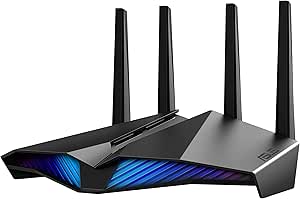 | Best for Gamers and Tech-Savvy VR Users Needing Customization | WiFi Standard: WiFi 6 (802.11ax) | Max Speed: 5400 Mbps | Channels: 160MHz | VIEW ON AMAZON | See Our Full Breakdown |
| NETGEAR Nighthawk WiFi 7 Router RS90, Up to 2,000 sq ft, 3.6 Gbps |  | Best for Mid-Sized Homes with Moderate VR Use | WiFi Standard: WiFi 7 | Max Speed: 3.6 Gbps | Coverage: 2,000 sq ft | VIEW ON AMAZON | See Our Full Breakdown |
| NETGEAR Nighthawk WiFi 6 Router R6700AX, Up to 1,500 sq ft, 1.8 Gbps |  | Best Compact Choice for Small Spaces and Light VR Use | WiFi Standard: WiFi 6 | Max Speed: 1.8 Gbps | Coverage: 1,500 sq ft | VIEW ON AMAZON | See Our Full Breakdown |
| TP-Link Deco XE70 Pro AXE4900 Tri-Band WiFi 6E Mesh Router, 1-Pack |  | Best for Large Homes and Congestion-Free VR Streaming | Wi-Fi Standard: Wi-Fi 6E | Speed: up to 4.9 Gbps | Coverage: up to 2,900 sq ft | VIEW ON AMAZON | See Our Full Breakdown |
| DBIT AX1800 WiFi 6 Router Dual Band Wireless Internet Router with Gigabit Ethernet, MU-MIMO, OFDMA, WPA3, IPV6, EasyMesh, Guest WiFi, Parental Controls |  | Best for Secure, Easy-to-Manage Home Networks | WiFi Technology: WiFi 6 (802.11ax) | Max Speed: 1.8 Gbps | Frequency Bands: 2.4 GHz and 5 GHz | VIEW ON AMAZON | See Our Full Breakdown |
| TP-Link AX5400 WiFi 6 Router (Archer AX73) |  | Best for High-Speed Gaming and Streaming in Larger Homes | WiFi Speed: 5400 Mbps | Coverage: 2000 sq. ft. | Number of Antennas: 6 | VIEW ON AMAZON | See Our Full Breakdown |
| router for multiple vr headset | Max Speed | Coverage | WiFi Standard | Security |
|---|---|---|---|---|
| NETGEAR Nighthawk WiFi 7 Route | 5 Gbps | 2,250 sq ft | WiFi 7 | — |
| ASUS RT-AX82U AX5400 Dual-Band | 5400 Mbps | — | WiFi 6 (802.11ax) | AiProtection Pro, WPA3 |
| NETGEAR Nighthawk WiFi 7 Route | 3.6 Gbps | 2,000 sq ft | WiFi 7 | NETGEAR Armor, Advanced Router Protection |
| NETGEAR Nighthawk WiFi 6 Route | 1.8 Gbps | 1,500 sq ft | WiFi 6 | WPA3 |
| TP-Link Deco XE70 Pro AXE4900 | — | up to 2,900 sq ft | — | HomeShield, parental controls |
| DBIT AX1800 WiFi 6 Router Dual | 1.8 Gbps | — | — | — |
| TP-Link AX5400 WiFi 6 Router | — | 2000 sq. ft. | — | — |
More Details on Our Top Picks
NETGEAR Nighthawk WiFi 7 Router RS140, Up to 2,250 sq ft, 5 Gbps
The NETGEAR Nighthawk RS140 stands out for delivering blazing-fast WiFi 7 speeds up to 5 Gbps and broad coverage of 2,250 square feet, making it ideal for large households with multiple VR headsets and demanding online activity. Compared to the NETGEAR RS90, which offers slightly lower speeds and coverage, the RS140 ensures smoother streaming and gaming in bigger spaces. Its support for up to 80 devices means it can handle several VR headsets simultaneously, but the real-world performance hinges on device compatibility and internet plan. The app-based management simplifies network control, though the subscription for security after the free trial adds ongoing costs. This router is best suited for users who need extensive coverage and top-tier speed for multiple VR headsets across a large home, accepting some subscription fees for security.
Pros:- Exceptional WiFi 7 speeds up to 5 Gbps for demanding VR streaming
- Wide coverage suitable for multi-level homes
- Supports up to 80 devices simultaneously
Cons:- Requires a subscription for continued Armor security after trial
- Larger size may be less discreet in smaller spaces
Best for: Large households with multiple VR headsets and high bandwidth needs
Not ideal for: Users with small apartments or limited internet plans, since its coverage and speed may be overkill
- WiFi Standard:WiFi 7
- Max Speed:5 Gbps
- Coverage:2,250 sq ft
- Bands:Dual-band
- Ethernet Ports:3 x 1 Gigabit, 1 x 2.5 Gigabit WAN
- Device Capacity:Up to 80 devices
Our verdict“This router is best for large homes where high speed and extensive device support are priorities, accepting ongoing security costs.”
ASUS RT-AX82U AX5400 Dual-Band WiFi 6 Gaming Router
The ASUS RT-AX82U offers impressive WiFi 6 speeds up to 5400 Mbps, supporting smooth VR experiences and gaming with minimal lag. Its built-in features like Game Mode and Aura RGB make it appealing to gamers who want both performance and style. Compared to the NETGEAR RS140, which emphasizes coverage and speed, the ASUS prioritizes customization and advanced features, making setup more complex for less technical users. AiMesh support allows for expanded coverage, but the setup process can be daunting for those unfamiliar with mesh systems. Its lifetime free AiProtection Pro enhances security, though the increased complexity may deter casual users. This model suits tech enthusiasts who want top-tier gaming and VR performance, willing to tinker during setup.
Pros:- High-speed WiFi 6 performance up to 5400 Mbps for seamless VR and gaming
- Customizable Aura RGB lighting adds style
- Supports AiMesh for flexible whole-home coverage
- Lifetime free AiProtection Pro security
Cons:- Setup can be complex for non-technical users
- Renewed product might have limited warranty
Best for: Tech-savvy gamers and VR enthusiasts who value customization and advanced features
Not ideal for: Users seeking simple setup and minimal technical engagement, due to its complex configuration
- WiFi Standard:WiFi 6 (802.11ax)
- Max Speed:5400 Mbps
- Channels:160MHz
- Features:Game Mode, Aura RGB, AiMesh, MU-MIMO, Parental Controls
- Security:AiProtection Pro, WPA3
Our verdict“This router is ideal for gamers and VR users comfortable with configuration who want maximum performance and security.”
NETGEAR Nighthawk WiFi 7 Router RS90, Up to 2,000 sq ft, 3.6 Gbps
The NETGEAR Nighthawk RS90 strikes a balance between speed and coverage, offering WiFi 7 speeds up to 3.6 Gbps over 2,000 square feet—adequate for most mid-sized homes with a few VR headsets. When compared to the RS140, it provides slightly lower maximum speeds and coverage but remains capable of supporting multiple VR devices simultaneously. Its support for multi-gigabit wired connections enhances performance for tethered VR setups, though its security features like NETGEAR Armor require an ongoing subscription. Easy to set up and manage via the Nighthawk app, this router suits users who want reliable performance without over-investing in large-scale coverage or speed.
Pros:- Fast WiFi 7 speeds up to 3.6 Gbps for VR and streaming
- Supports multi-gigabit wired connections
- Easy app-based setup and management
Cons:- Requires subscription for ongoing security features
- Less coverage than larger models, may need mesh in bigger homes
Best for: Families in mid-sized homes with 1-3 VR headsets and moderate internet needs
Not ideal for: Large households or heavy multi-device VR setups, due to limited coverage and speed
- WiFi Standard:WiFi 7
- Max Speed:3.6 Gbps
- Coverage:2,000 sq ft
- Number of Devices:Up to 50
- Ports:One 2.5 Gig WAN, Four 1 Gig Ethernet LAN
- Security:NETGEAR Armor, Advanced Router Protection
Our verdict“This router fits mid-sized homes seeking reliable WiFi 7 performance for a few VR headsets without high coverage demands.”
NETGEAR Nighthawk WiFi 6 Router R6700AX, Up to 1,500 sq ft, 1.8 Gbps
The NETGEAR Nighthawk R6700AX offers reliable WiFi 6 speeds up to 1.8 Gbps and coverage of 1,500 square feet, making it suitable for small homes and apartments with a few VR headsets. Compared with the RS140, which provides higher speeds and coverage, this model is more compact and budget-friendly, but it limits multi-device capacity and speed—potentially a bottleneck for high-demand VR setups. Its simple setup and WPA3 security make it accessible for casual users, although it requires a separate modem or gateway. This router is best for users with small spaces and moderate VR use who prefer straightforward installation over maximum performance.
Pros:- Reliable WiFi 6 speeds up to 1.8 Gbps
- Compact size ideal for small spaces
- Supports multiple devices with WPA3 security
Cons:- Limited coverage of 1,500 sq ft
- Requires a separate modem for internet access
- Lower maximum speed may hinder intensive VR experiences
Best for: Small households with 1-2 VR headsets and limited internet requirements
Not ideal for: Large homes or multiple VR users, as coverage and speed may fall short
- WiFi Standard:WiFi 6
- Max Speed:1.8 Gbps
- Coverage:1,500 sq ft
- Number of Devices:Up to 20
- Ethernet Ports:4 Gigabit LAN, 1 Gigabit WAN
- Security:WPA3
Our verdict“This router is best suited for small homes or apartments where moderate VR use and simple setup are priorities.”
TP-Link Deco XE70 Pro AXE4900 Tri-Band WiFi 6E Mesh Router, 1-Pack
The TP-Link Deco XE70 Pro excels at providing expansive WiFi 6E coverage up to 2,900 sq ft, supporting speeds up to 4.9 Gbps and up to 200 devices. Compared with the NETGEAR RS140, which focuses on speed and coverage in a single unit, this mesh system ensures seamless performance across large or multi-floor homes, ideal for multiple VR headsets. Its tri-band setup minimizes congestion, vital in dense device environments. Setup with the Deco app is straightforward, and the security features like HomeShield add peace of mind. However, this level of performance comes at a higher price point, and managing multiple units may be more complex for less tech-savvy users. It’s the best choice for those needing reliable, high-capacity WiFi across large spaces with many connected devices.
Pros:- Supports Wi-Fi 6E for faster, less congested connections
- Handles up to 200 devices simultaneously
- Easy setup and management via Deco app
- Expansive coverage up to 2,900 sq ft
Cons:- Higher cost compared to dual-band routers
- Requires app management, which may be a barrier for some
Best for: Large homes with multiple VR headsets and high network congestion
Not ideal for: Small apartments or users with limited budgets, as it is more expensive and complex to manage
- Wi-Fi Standard:Wi-Fi 6E
- Speed:up to 4.9 Gbps
- Coverage:up to 2,900 sq ft
- Device Capacity:up to 200 devices
- Ports:1 x 2.5 Gbps, 2 x Gigabit
- Security:HomeShield, parental controls
Our verdict“This mesh system is perfect for large, device-dense homes needing dependable, high-speed WiFi for multiple VR headsets and beyond.”
DBIT AX1800 WiFi 6 Router Dual Band Wireless Internet Router with Gigabit Ethernet, MU-MIMO, OFDMA, WPA3, IPV6, EasyMesh, Guest WiFi, Parental Controls
The DBIT AX1800 WiFi 6 Router stands out for its reliable dual-band speeds up to 1.8 Gbps and support for multiple devices through MU-MIMO and OFDMA. Compared with the TP-Link AX5400, it offers slightly lower maximum speeds but excels in security features like WPA3 and parental controls, making it a solid choice for households prioritizing security. Its extensive coverage with beamforming and high-gain antennas helps maintain stable connections across larger homes, but setup can be challenging for users unfamiliar with network configuration. Unlike the TP-Link AX5400, which emphasizes raw speed and multiple ports, the DBIT focuses on security and device management, making it better suited for families wanting a safer, more controlled environment. The main tradeoff is that it requires a separate modem and might be complex to set up without technical help.
Pros:- Supports multiple devices simultaneously with MU-MIMO and OFDMA
- Strong security features including WPA3 and parental controls
- Good coverage with beamforming and high-gain antennas
- Supports mesh networking for extended coverage
Cons:- Setup may be complicated for non-technical users
- Requires an existing modem for internet connection
- Maximum speed may fall short for ultra-high-speed plans
Best for: Homeowners seeking a secure, manageable network with good coverage and device control
Not ideal for: Gamers or streamers needing the highest possible speeds for intensive activities, as it maxes out at 1.8 Gbps
- WiFi Technology:WiFi 6 (802.11ax)
- Max Speed:1.8 Gbps
- Frequency Bands:2.4 GHz and 5 GHz
- Ethernet Ports:4 Gigabit Ethernet
- Security Protocol:WPA3
- Supports Mesh:Yes
Our verdict“This router is ideal for families prioritizing secure, manageable WiFi coverage over maximum throughput.”
TP-Link AX5400 WiFi 6 Router (Archer AX73)
The TP-Link AX5400 WiFi 6 Router provides ultra-fast speeds up to 5400 Mbps, making it a top choice for gamers and streamers who need maximum bandwidth. Its six antennas and beamforming technology extend coverage up to 2,000 sq. ft., surpassing many competitors like the DBIT AX1800, especially in environments with multiple walls or obstacles. While its high speed and extensive coverage are appealing, it requires a compatible modem and may have performance variability depending on environment and interference. Unlike the DBIT, which emphasizes security and device management, the AX5400 is optimized for raw speed and media sharing, including a USB port for network storage. The main tradeoff involves slightly more complex setup and potential performance dips if environmental factors are not ideal.
Pros:- Blazing fast speeds up to 5400 Mbps for high-quality streaming and gaming
- Extensive coverage with six antennas and beamforming technology
- Supports multiple devices simultaneously with MU-MIMO and OFDMA
- Includes USB 3.0 port for media sharing or network storage
Cons:- Requires a compatible modem and potential setup complexity
- Performance can be affected by obstacles and interference
- Advanced features may require subscription or additional setup steps
Best for: Power users, gamers, and streamers who need fast, reliable WiFi over a large area
Not ideal for: Users on a tight budget or those with simple internet needs, as it is more expensive and possibly overkill for casual use
- WiFi Speed:5400 Mbps
- Coverage:2000 sq. ft.
- Number of Antennas:6
- USB Ports:1x USB 3.0
- Power:12 V 2.5 A
Our verdict“This router is best suited for households that demand high-speed, large-area coverage for multiple VR headsets and intensive media use.”

How We Picked
Our evaluation focused on performance metrics like maximum speed, bandwidth stability, and latency, which directly impact VR experiences. Coverage area was essential, as multiple headsets need consistent connection across larger spaces. We also prioritized build quality, ease of setup, and features like QoS and MU-MIMO that help manage multiple connections smoothly. Value was considered by comparing cost to performance, ensuring options suit different budgets without sacrificing essential features. The ranking reflects a balance between raw power, coverage, and user-friendliness tailored specifically for multi-VR setups.
| router for multiple vr headset | WiFi Standard | Security |
|---|---|---|
| NETGEAR Nighthawk WiFi 7 Route | WiFi 7 | — |
| ASUS RT-AX82U AX5400 Dual-Band | WiFi 6 (802.11ax) | AiProtection Pro, WPA3 |
| NETGEAR Nighthawk WiFi 7 Route | WiFi 7 | NETGEAR Armor, Advanced Router Protection |
| NETGEAR Nighthawk WiFi 6 Route | WiFi 6 | WPA3 |
| TP-Link Deco XE70 Pro AXE4900 | — | HomeShield, parental controls |
| DBIT AX1800 WiFi 6 Router Dual | — | — |
| TP-Link AX5400 WiFi 6 Router | — | — |
Factors to Consider When Choosing Router For Multiple Vr Headsets
Choosing the right router for multiple VR headsets involves understanding several key factors. The decision hinges on balancing speed, coverage, latency, and ease of use. A router that excels in one area but falls short in others might not deliver a smooth VR experience. Beyond product specs, buyers should consider their space size, number of headsets, and future needs. Making the right choice can prevent frustrating lag or disconnections during critical moments in VR sessions.Speed and Bandwidth
High throughput, especially with WiFi 6 or WiFi 7, ensures that multiple VR headsets can stream large data loads simultaneously without buffering. Look for routers offering at least 1.8 Gbps or higher to handle demanding VR content. Keep in mind that real-world speeds depend on your internet plan and device compatibility, so prioritize routers that support the latest standards for maximum future-proofing.
Coverage Area
Multiple VR headsets require consistent coverage across your space, especially if you have a larger room or multiple rooms. Mesh systems and routers with multiple antennas typically provide better coverage and fewer dead zones. It’s important to assess your environment—walls, furniture, and interference sources influence signal strength, so choose a router that can handle larger or more complex layouts.
Latency and Stability
VR experiences demand minimal lag; even milliseconds matter. Routers with Quality of Service (QoS) settings allow prioritization of VR traffic, reducing lag during intensive sessions. MU-MIMO support also helps distribute bandwidth efficiently among multiple devices, preventing slowdowns or disconnections. Avoid routers with outdated technology or limited bandwidth management if you want a smooth, lag-free experience.
Ease of Setup and Management
For multi-headset environments, user-friendly setup is a major advantage. Mesh systems generally offer simplified installation and management via mobile apps, which can be a boon for those less tech-savvy. Advanced users might prefer routers with more configuration options, but complexity can introduce setup errors or management headaches. Consider your comfort level and whether you prioritize quick deployment or detailed control.
Cost and Future-Proofing
Higher-end routers tend to offer better performance and longer relevance, but they come at a premium. Investing in WiFi 6 or WiFi 7 ensures compatibility with upcoming devices and standards, extending the lifespan of your purchase. Balance your current needs against potential future upgrades—sometimes paying more upfront saves money and frustration later.
Frequently Asked Questions
Will a WiFi 6 router support multiple VR headsets effectively?
Yes, WiFi 6 routers are capable of supporting multiple VR headsets effectively due to their higher speeds, improved bandwidth management, and reduced latency. Features like MU-MIMO and OFDMA allow multiple devices to communicate simultaneously without significant drops in performance, making WiFi 6 a solid choice for multi-VR environments. However, to get the most out of WiFi 6, ensure your VR headsets also support the standard and that your internet plan can handle the bandwidth demands.
Is mesh WiFi necessary for multiple VR headsets in large spaces?
Mesh WiFi systems are often recommended for larger spaces because they provide broader, more consistent coverage across multiple rooms or areas. They reduce dead zones and enable multiple headsets to connect reliably without lag or disconnections. However, mesh systems tend to be more expensive and slightly more complex to set up than traditional routers. If your space is small or has a straightforward layout, a high-quality single-router setup might suffice.
How important is latency management for VR multiplayer experiences?
Latency management is critical for smooth VR multiplayer experiences, where even small delays can cause motion sickness or disconnects. Routers with QoS features allow prioritization of VR traffic, reducing lag during intensive gaming or collaborative VR sessions. Choosing a router with low latency and advanced traffic management ensures your VR experience remains responsive and enjoyable, especially when multiple headsets are involved.
Should I prioritize higher bandwidth or coverage for VR setups?
Both are important, but the priority depends on your specific environment. If your space is large or has many walls, coverage becomes more critical to maintain consistent connections. Conversely, if your space is small but filled with interference or many devices, higher bandwidth and speed are more vital to prevent lag. Ideally, select a router that balances both aspects, such as a mesh system with high-speed capabilities, to support seamless VR experiences.
Can I use a standard consumer router for multiple VR headsets, or do I need a specialized setup?
Most modern consumer routers, especially those with WiFi 6 or WiFi 7, are capable of supporting multiple VR headsets if they meet the necessary speed and coverage requirements. However, for optimal performance in demanding setups, features like MU-MIMO and QoS are recommended. While specialized enterprise solutions exist, they are usually unnecessary for typical home VR environments. Carefully selecting a high-quality consumer router with the right features will generally suffice for multiple VR headsets.
Conclusion
If you need the best overall performance regardless of budget, the NETGEAR Nighthawk WiFi 7 Router RS140 stands out for its speed and coverage. Budget-conscious buyers or those with smaller spaces will find the TP-Link Deco XE70 Pro offers excellent mesh coverage at a lower price. For gaming-focused users prioritizing low latency, the ASUS RT-AX82U provides dedicated performance. Beginners or those seeking simplicity should consider mesh options, while power users might prefer advanced features in premium models. Match your choice to your space size, number of headsets, and future plans for the smoothest VR experience in 2026.
Halloween Picks
halloween
As an affiliate, we earn on qualifying purchases.